If you've ever spent hours editing a long video only to wonder how to squeeze more value out of it, you already understand the pressure content creators face. Repurposing video content, turning one long recording into short clips, social posts, and highlight reels, is now a core part of any smart content strategy. This article breaks down the 7 best AI video repurposing tools available right now, so you can save time, publish more, and reach wider audiences without burning out.
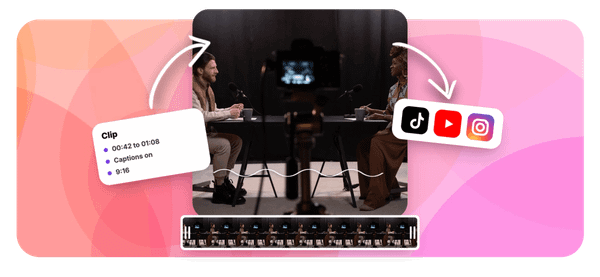
One tool worth knowing early is Crayo's clip creator tool, which takes long-form video and automatically generates short, ready-to-share clips in minutes. Instead of manually scrubbing through footage to find the best moments, Crayo handles the heavy lifting, making it easier to repurpose video content across platforms like TikTok, YouTube Shorts, and Instagram Reels. If faster video workflows and smarter content recycling are on your list, the tools ahead will show you what is possible.
Summary
- Short-form video content earns 2.5x more engagement than long-form video on social media, according to Swiftia. But that advantage holds only when clips are built around a specific audience question, not when they are pulled from footage because they sound dramatic or emotionally charged. Volume alone does not close the gap between posting frequently and earning consistent attention.
- The hidden cost of manual video repurposing accumulates in a place most production budgets never measure. With U.S. film and video editors earning a median of $75,420 annually (roughly $36.26 per hour), a team spending 90 minutes producing three platform versions of one source video four times per week generates an illustrative annual labor cost approaching $11,310, before software, management review, or re-edits caused by context-stripped clips. That invisible labor is where the real expense sits.
- Context loss is a more damaging failure mode than slow editing. A quote extracted without its surrounding context is not a shorter video; it is a different and often misleading one. Re-editing a misrepresented clip costs time, but the credibility damage that follows costs more, and neither expense appears on the original production invoice.
- Wistia's April 2026 State of Video report, drawing on more than 13 million videos and 79 million viewing hours, found that companies are producing more content while nearly half are holding budgets flat. That pressure forces the same editors to do more in the same hours, shortening context checks and increasing the rate at which mistakes reach publication.
- HubSpot's 2026 State of Marketing survey found that 48.6% of marketers identified short-form video as the format with the highest ROI, compared to 28.6% for long-form. That gap is why teams keep adding Shorts, Reels, and TikToks to already full schedules, but adding channels without changing the workflow means per-clip time costs compound rather than shrink with each new destination.
This is where Crayo's clip creator tool fits in: it handles clip discovery and finishing in a single session, so creators spend less time switching between tools and more time on the judgment calls no automation can replace.
Why Creators Struggle to Repurpose Videos Consistently
Repurposing video consistently breaks down not because creators lack effort, but because the workflow itself multiplies with every platform added. One recording becomes six decisions, and six decisions become a system that nobody actually built. Most creators discover this the hard way, somewhere around the third platform they try to maintain simultaneously.
This pattern shows up across every content category, from solo podcasters to marketing teams running weekly webinars. According to the ContentFries Blog's Ultimate Guide to Repurposing for Multiple Platforms in 2025, creating original content for each platform is a surefire way to burn out fast, precisely because each destination carries its own audience expectations and format requirements. A 16:9 interview clip that works on YouTube needs a completely different opening beat on TikTok, not just a different crop. The editing logic changes, which means the mental load changes too.
Where the Workflow Actually Breaks
The failure point is usually not the first clip. Creators find a strong moment, cut it well, post it, and feel momentum. The problem arrives at clip four or five, when the process that felt manageable starts to feel like a second job. Without a repeatable system for selecting moments, reformatting, captioning, and writing platform-specific copy, teams rebuild each clip from scratch. That is not repurposing. That is just editing, repeated indefinitely.
Automating Clip Selection With A
Most teams handle this by batching their editing sessions, setting aside a few hours each week to manually scrub through footage and export variants. The familiar approach feels productive because the output is visible. But as episode count grows and platform count expands, the batch sessions stretch longer while the clips themselves become less intentional, chosen more for convenience than for clarity.
This is where Crayo's clip creator tool changes the calculation: instead of scrubbing footage manually, it identifies and extracts strong moments automatically, cutting selection and formatting from hours to minutes.
Why Volume Alone Does Not Fix the Problem
The belief that posting more clips will eventually produce results is understandable, but it misreads how short-form content actually earns attention. According to research cited by LinkedIn / Creative Concepts from a 2026 study of 1,042 content marketers, marketers using six or more proven strategies are nearly 3x as likely to succeed, which means strategy depth matters far more than output volume.
A creator posting twelve weak clips per week is not outperforming one who posts three clips built around specific audience questions and clear narrative arcs. The math only works when each clip is built with intent.
Building Resilient Repurposing Workflows
What separates creators who sustain repurposing from those who abandon it after a few weeks is not talent or time. It is whether their process can survive a busy week without collapsing. When the workflow depends entirely on manual effort, any disruption, a travel week, a product launch, a sick day, stalls the whole operation.
Creators who stay consistent are the ones who reduce the number of decisions required per clip, not the ones who simply work harder. And the cost of getting this wrong is not just missed posts. It shows up somewhere most creators never think to look.
Related Reading
- Best AI Podcast Clip Generator
- What Is An Audiogram Podcast
- How Long Does It Take To Trim A Zoom Recording
- Content Repurposing Examples
- Webinar To Short Clips AI
- Clipping a YouTube Video
- Podcast Clips For Social Media
- Video Clipping For Social Media
- How Do I Repurpose My Interview To Social Media
- Sermon Clips AI
The Hidden Cost of Repurposing Video Content Manually
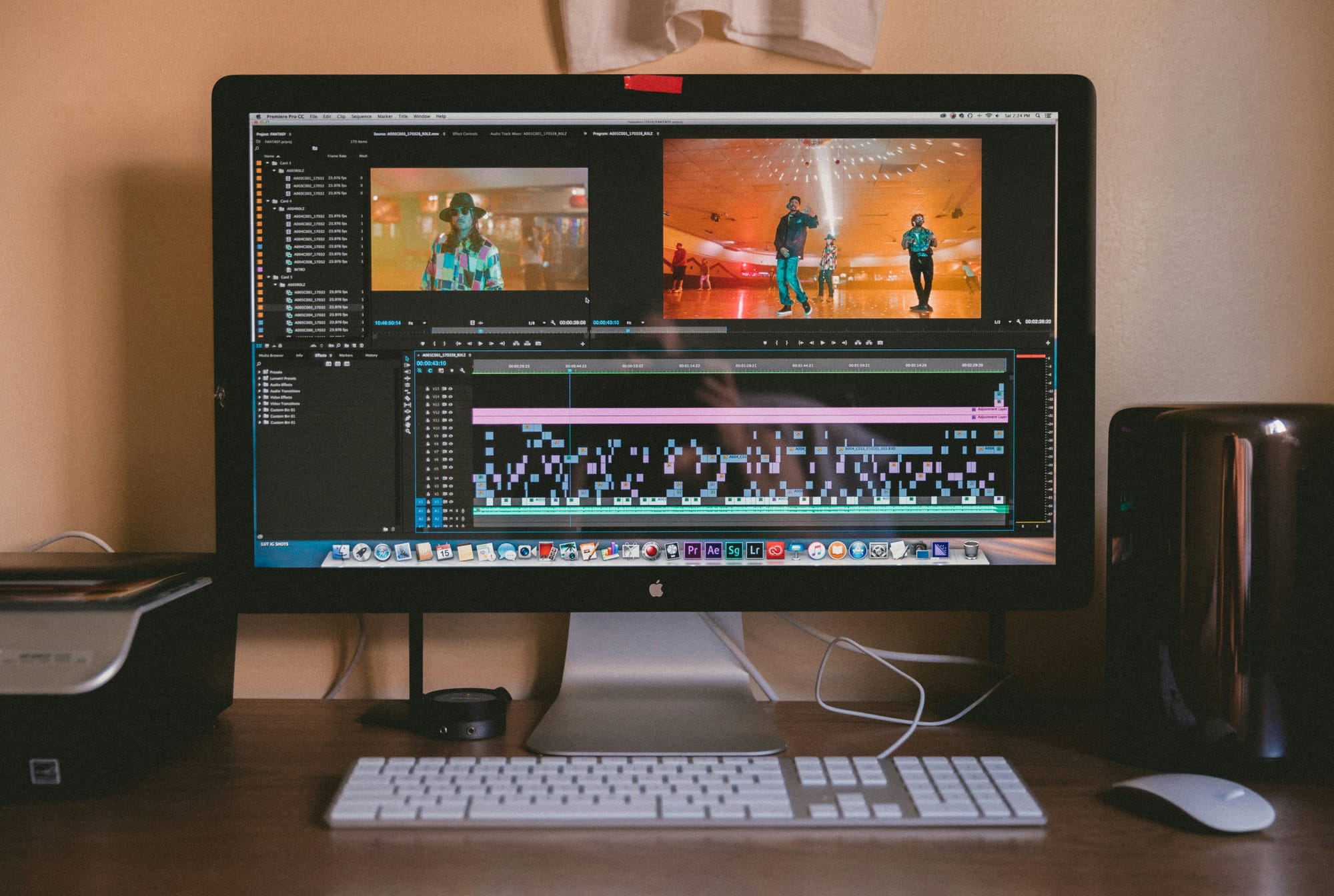
Paying for footage twice is the part most production budgets never account for. The recording cost is visible, the editing invoice is trackable, but the time spent rebuilding selection logic, rewriting captions for context, and checking every platform version before publishing sits in a grey zone that rarely gets measured. That invisible labor is where the real expense accumulates.
Where the Math Starts to Hurt
The U.S. Bureau of Labor Statistics reported a May 2025 median annual wage of $75,420 for film and video editors, or roughly $36.26 per hour. If a team spends 90 minutes producing three platform-ready versions of one source video, and repeats that process four times a week, that is six hours of editor time every week. At that wage equivalent, the illustrative annual cost approaches $11,310, before software subscriptions, management review, or the quiet cost of fixing clips that lost their meaning in the cut.
That last part matters more than the hourly math. A clipped sentence without its preceding condition is not a shorter video. It is a different, often misleading, one. A financial educator's "never do this" quote, extracted without the investment category it references, grabs attention and then earns corrections in the comments. The re-edit costs time, but the credibility damage costs more, and neither shows up on the original production invoice.
Balancing Manual Review With Scalable Video Production
Most teams handle this by reviewing every clip manually before publishing, which is the right instinct but slows down as volume grows. Wistia's April 2026 State of Video report, drawing on more than 13 million videos and 79 million viewing hours, found that companies are producing more content while nearly half are holding budgets flat.
That pressure forces the same editors to do more with the same hours, which means context checks get shorter and mistakes get through. Clip creator tool addresses this specific friction by automating the clip selection and caption generation steps, reducing the number of manual decisions required before a clip is ready to review, not just ready to export.
What Growing Channel Counts Actually Cost
HubSpot's 2026 State of Marketing survey of more than 1,500 marketers found that 48.6% identified short-form video as one of the formats with the highest ROI, compared to 28.6% for long-form. That gap explains why teams keep adding Shorts, Reels, and TikToks to schedules that were already full. But adding channels without changing the workflow means the same 90-minute process runs again for every new destination, and the per-clip cost compounds rather than shrinks.
Measuring the Break-Even Point of Video Automation
The break-even question is worth asking before the next tool purchase or the next platform addition. Record three numbers from your current workflow: minutes spent finding one usable moment in a source recording, minutes spent producing and approving one clip, and how many approved clips you publish each week. If a repeatable process saves 15 minutes per clip across 12 weekly clips, that is three hours recovered. Compare that verified saving against subscription cost and the review time you still own, because no tool removes the judgment call entirely.
What most creators discover when they run that audit is that the bottleneck was never the recording. It was the distance between a finished source file and a published, context-intact clip that earns a second watch. That gap is exactly where the tools worth evaluating in 2026 compete hardest.
Related Reading
- Church Reels Editing
- Podcast Shorts
- How To Start Clipping On Instagram
- Best Video Clipping Tool For YouTube
- Repurposing Content For Social Media
- How To Add Audio To A Video
- How To Repurpose Webinar Content For Marketing
7 Best AI Video Repurposing Tools to Save Time
Converting one recording into platform-ready content is no longer a production challenge. It is a selection and routing problem. The best tools each tackle a different bottleneck:
- Finding the right moment
- Finishing the clip with context intact
- Moving the finished file to the right channel without rebuilding the process every time
1. Crayo: Best for Finding and Finishing Short Clips
Crayo combines automatic clip selection, face-aware vertical framing, subtitles, and a browser-based timeline editor into one workflow. Import a 35-minute interview, review AI-selected moments ranked by potential, adjust the speaker crop, and export finished vertical clips without switching applications. The critical distinction is that Crayo treats clip selection and clip finishing as one connected step, not two separate jobs.
Most creators handle these as separate tasks:
- One tool to find timestamps
- Another to reframe
- A third to caption
That separation is where context gets lost and where the process slows to a crawl. Crayo collapses those steps by letting you review a ranked shortlist of moments, correct the transcript, and export a publish-ready vertical clip inside the same session, cutting the distance between raw footage and finished short.
Know the limit: a ranked moment is a suggestion, not a performance guarantee. Publication remains a separate step, and pricing includes workflow credits alongside export limits.
2. quso.ai: Best for Clips Plus Distribution
The failure point is usually not the edit. It is the gap between an approved clip and a published post across four different platforms. quso.ai addresses that gap by combining AI clip selection, branded captions, and multi-platform scheduling in one place, so a coaching webinar can become three scheduled posts without a single manual upload.
According to Swiftia, short-form video content gets 2.5x more engagement than long-form video on social media, which makes the distribution step as strategically important as the edit itself. A tool that handles both removes a decision layer that most small teams quietly underestimate. Check the processed-minute allowance against your actual volume before committing to a plan.
3. OpusClip: Best for Automated Highlight Selection
OpusClip reduces the time a creator spends reviewing an entire recording for candidate short segments. Its Virality Score ranks moments, adds animated captions automatically, and supports publishing workflows for talking-head content like interviews and podcasts.
The honest constraint: a virality score is a tool-generated estimate based on patterns, not an observed result from your specific audience. Plans are metered by usage, so test with your actual source length and export frequency before scaling.
4. Descript: Best for Transcript-First Editing

When editing precision matters more than speed, Descript earns its place. Removing a sentence from the transcript removes the corresponding audio and video, so a podcaster can clean a full episode and extract its strongest excerpt in the same project without re-importing files.
The tradeoff is real: more hands-on control means it isn't the fastest one-click clip-selection workflow. Descript fits creators who need to edit the full episode first and treat the social clip as a byproduct of that process, not the starting point.
5. Kapwing: Best for Prompt-Guided Repurposing
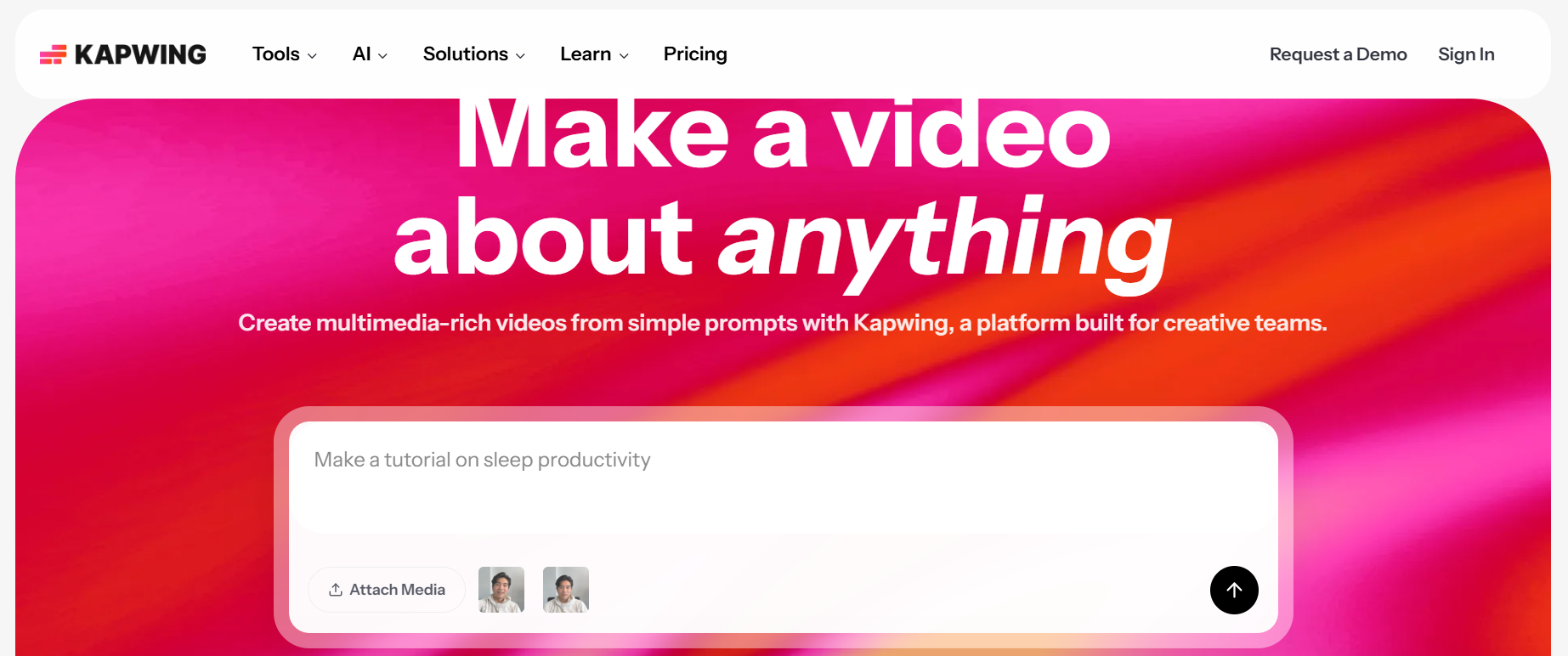
The same issue surfaces in webinar repurposing and product demo editing: a generic highlight list rarely captures the specific message a marketing team needs. Kapwing's repurpose tool accepts topic prompts, so a team can ask for clips about "pricing objections" in a sales training recording and review excerpts filtered to that theme instead of scanning the full video.
Kapwing documents a minimum 10-minute source for this repurpose workflow. Check access and export constraints against your plan before building a repeatable process.
6. VEED: Best for Captions and Social Formatting
VEED's AI Clips feature identifies highlights, centers speakers, removes filler words, and adds subtitles inside one browser editor. For creators who need readable, captioned social videos without learning a complex editing suite, that consolidation removes several handoff points. Always manually review jargon and proper nouns in the captions before export, because automated transcription still makes confident mistakes on technical terms.
VEED documents a one-time Clips test for free accounts, with ongoing access under eligible paid plans. That structure makes it worth testing on a real source file before assuming it fits a weekly production schedule.
7. Repurpose.io: Best for Redistributing Finished Videos
If the edit is already approved and the only remaining task is moving the file to multiple channels, Repurpose.io handles that routing automatically. It does not select moments or rewrite hooks. It moves finished content between connected platforms using recurring workflow rules, removing the repeated upload task that quietly accumulates across a publishing calendar.
Distribution and editing are different skills. Wasting time happens when you use a distribution tool for an editing problem, or an editing tool when you only need routing. Match the tool to the actual step that slows you down.
Why the Right Tool Depends on Where You Stall
AI video tools can reduce video editing time by up to 80%, but that number only materializes when the tool addresses the actual bottleneck in your workflow. A distribution tool saves nothing if your clips are not finished. A clipping tool saves nothing if your distribution is already automated.
The pattern across successful repurposing workflows is consistent: one tool per bottleneck, not one tool for everything.
- Choose Crayo when time disappears in finding and finishing short clips.
- Choose Descript when transcript precision is the constraint.
- Choose quso.ai or Repurpose.io when publication is where the work accumulates.
The part most creators never map out is what happens after the tool runs and before the clip actually earns a second watch.
The 30-Minute Workflow to Repurpose One Video for Multiple Platforms

Thirty minutes is enough time to turn one recorded video into two or three polished short-form posts, as long as you treat the session as a sequence of distinct decisions rather than one continuous editing job. The key constraint: start with a specific audience problem, not an open-ended instruction to generate as many clips as possible. That single rule separates creators who publish consistently from those who export dozens of clips and post none.
Minute 0–5: Define the Goal Before You Touch the Footage
The first five minutes are not editing time. They are filtering time.
- Choose one audience.
- Write down two or three questions that audience genuinely wants answered.
- Pick a success metric for each destination channel.
If your source recording is a podcast episode on small business finances, your brief might read:
- Audience is first-time business owners
- Questions are why cash flow differs from profit
- What causes late payment
- What to check every Friday
That brief is three lines. It also makes every later choice faster, because anything in the footage that doesn't address those three questions is already eliminated. Skipping this step is where most repurposing sessions quietly collapse. Without a brief, an AI clipper will surface the most emotionally charged or acoustically interesting moments, which may have nothing to do with why your audience would stop scrolling.
Minutes 5–10: Find Candidate Moments, Not Just Highlight Reels
Upload or link your footage to an AI clipper and review the suggested timestamps against your three audience questions. The selection criterion is completeness, not entertainment. A moment qualifies when it states one full point with enough surrounding context to stand alone. Reject any excerpt that begins mid-thought or cuts off a condition, because a beautifully captioned clip that says something incomplete is still a weak post. You are looking for two or three candidate segments, not twenty.
The pattern that surfaces here is consistent across content types: selection is more consequential than editing. A technically polished clip built around a misleading or context-stripped quote creates more damage than a slightly rough cut built around a clear, complete idea.
Minutes 10–17: Generate One Master Clip and Actually Review It
Take the strongest candidate segment and generate a portrait crop with burned-in captions. Then do something most creators skip: watch the first two seconds and ask whether the problem or payoff is immediately obvious. If the answer is no, the clip will lose viewers before the point lands. Check speaker names, figures, and technical terms manually, because AI transcription errors on proper nouns and numbers are frequent enough to matter. Trim dead air only where it does not damage the rhythm of the argument.
Human Judgment in Integrated Clipping Workflows
Most teams handle this step by trusting the auto-export and moving on. That works until a caption misspells a guest's name or a number appears wrong on screen, and the correction costs more time than the review would have. The tool accelerates cutting and formatting. You still supply judgment about meaning and accuracy.
Crayo collapses clip discovery and finishing into a single session, where most solo creators lose the most time. Instead of switching between a transcription tool, a video editor, and a caption generator, the workflow stays in one place, reducing the cognitive overhead that turns a 30-minute session into a two-hour one.
Minutes 17–23: Adapt the Master for Each Platform
Repurposing does not mean posting the same cut everywhere. It means preserving the idea while changing the presentation. Produce two channel-ready versions from your master clip:
- One with a TikTok or Reels caption that names the viewer's problem in the first line
- One with a YouTube Shorts title that describes the specific answer
Check safe text placement, thumbnail frame, and caption readability on a phone screen before exporting, because what looks clean on a desktop monitor often overlaps with the subject's face on a 6-inch display.
You can repurpose one video into content for five or more platforms in under 30 minutes. That number assumes strong source material and a mapped workflow. Without a brief, a reviewed master clip, and platform-specific copy, the same 30 minutes produces exports you'll need to redo.
Minutes 23–27: Run the Publishing Checklist Before You Schedule Anything
Check permissions for footage and audio before you do anything else in this window. Then watch each final export twice: once with sound, once without. The silent watch catches framing problems and caption errors that audio masks.
- Confirm the frame crop
- Burned-in captions
- Branding
- File names are all correct
A fast render is not a finished post if the music license does not cover commercial use or the captions are wrong in the first sentence. Most creators treat this step as optional when they are running short on time. The clips that earn re-watches are the ones where nothing pulls the viewer out of the idea, and that level of finish requires a deliberate check, not a hopeful glance.
Minutes 27–30: Build the Tracker, Not Just the Post
- Write down the source recording, clip topic, hook used, destination platform, creation time, and post date before you close the session.
- After publication, add views, watch time, saves, and qualified clicks when analytics populate.
For YouTube, retention data and top moments typically take one to two days to appear, so schedule a follow-up review rather than checking the next morning and seeing nothing useful.
The goal of this final step is not record-keeping for its own sake. It is learning which edits and topics were worth producing. Without a tracker, the next session starts from zero again, and the 30-minute workflow slowly drifts back toward the two-hour one.
What to Do When Something Goes Wrong
The failure points in this workflow are predictable. If the AI selects a dramatic but misleading line, include the missing context or reject that clip entirely. If captions mishear a name, correct it manually before exporting. If the speaker leaves the frame, adjust the crop or switch to a wider layout. If upload or processing time exceeds the session window, finish one high-quality clip and schedule the rest for the next session rather than rushing exports that will need to be redone.
Create & Grow lists 10 best content repurposing tools for 2026, and the consistent thread across the strongest options is that they handle one bottleneck exceptionally well rather than attempting to replace the entire production chain. Knowing which failure point a tool solves, and which ones still require human judgment, is what keeps a 30-minute workflow from quietly expanding back into a half-day project.
The Before and After That Actually Matters
Before this workflow: clips chosen by feel, separate timelines rebuilt for each platform, uploads happening whenever there is time, and no record of what worked.
After: three audience questions filter the footage, complete moments replace highlight-reel thinking, one reviewed master becomes two channel-ready posts, and a tracker makes the next session faster than the last.
Time savings do not come from skipping the review steps. They come from separating selection, editing, packaging, and publishing so you don't rebuild those decisions from scratch every time a new recording lands in the folder. What surprises most creators running this workflow for the first time isn't how much time it saves, but how much clearer the content becomes when the audience question comes first.
Turn Your Best Long Videos Into More Content With Crayo
Start with one long video you already own. Pick one audience question, bring the recording into Crayo, review the strongest candidate moments, finish the best one with captions and portrait framing, and export it before you do anything else. That single completed clip tells you more about your audience than ten half-finished ones ever will.
Creators who repurpose consistently aren't producing more files. They have a repeatable system that connects clip discovery to a finished, export-ready short without rebuilding the same editing decisions every session. Crayo fits exactly that gap, between finding a moment and publishing a post-ready short, so the session stays focused on judgment rather than setup. Start with one video and one complete idea today.
Related Reading
- Best AI Video Clipping Tools 2026
- How To Automate My Video Clipping
- Best Audiogram Maker
- How To Trim Google Meet Recording
- Best AI Video Tools Like Vizard For Webinar Clips
- Best Way To Make Podcast Clips
- Content Repurposing Tool
- How To Trim A Zoom Recording