Ever wondered why some podcasts seem to grow faster than others, even when the audio quality is the same? Part of the answer is audiogram podcasts: short, visual sound clips that turn spoken words into shareable social media content. If you want to grow your audience and get more ears on your episodes, understanding what an audiogram podcast is and finding the best AI podcast clip generator to create them quickly is exactly where to start. This article walks you through seven tools you can try in 30 minutes or less.
One tool worth putting at the top of your list is Crayo's clip creator tool, which takes your podcast audio and turns it into polished audiogram clips without requiring any design skill or editing experience. Instead of spending hours trimming waveforms and syncing subtitles, you get shareable video clips with animated sound waves, captions, and clean visuals ready for platforms like Instagram, TikTok, and YouTube Shorts. That kind of speed matters when you are trying to stay consistent and keep your podcast visible week after week.
Table of Contents
- Why Creators Struggle to Understand Audiograms
- The Hidden Cost of Over-Designing the Waveform Instead of the Captions
- What Is an Audiogram Podcast? Everything You Need to Know
- The 20-Minute Workflow to Create an Audiogram
- Create Audiograms Faster With Crayo
Summary
- Captions drive performance in audiogram clips, not waveform animation. Research shows that videos without captions are watched only about 66% of the way through on average, with just 47% of viewers reaching the end. Since most social video plays muted by default, captions are what give a scrolling viewer enough context to stop and watch rather than keep moving.
- The waveform in an audiogram serves a narrow functional role: it signals that audio content is present. Simple, restrained waveform styles perform as well as complex animated ones because the waveform's job is visibility, not visual impact. When the waveform becomes the focal point, it competes with the caption text that is actually doing the work of retaining viewers.
- Platform context changes how the same audiogram content performs. Documented guidance confirms that LinkedIn rewards square or vertical formats with strong text captions and professional hooks, while YouTube Shorts favors vertical video with visible faces. Audiograms outperform static images by 58% and plain links by 83% on Facebook specifically, but only when the format matches how that platform's audience actually consumes content.
- Clip selection determines whether the format earns attention or wastes it. A strong audiogram clip contains one clear moment, a sharp opinion, a counterintuitive fact, or a line that creates genuine curiosity about what came before or after it. According to research cited by The Podcast Host, deliberately selected audiogram clips can increase podcast episode shares by up to 300% on social media platforms.
- Production order matters as much as production quality. Treating caption accuracy as the first priority and waveform styling as a later step reflects where the documented performance gains actually live. Creators who invert that order consistently produce clips that look polished but lose viewers before reaching the key moment, because the visual layer is complete while the retention layer is compromised.
Crayo's clip creator tool addresses this by keeping caption generation and waveform creation unified in a single process, so the highest-leverage element is never the one left for last.
Why Creators Struggle to Understand Audiograms
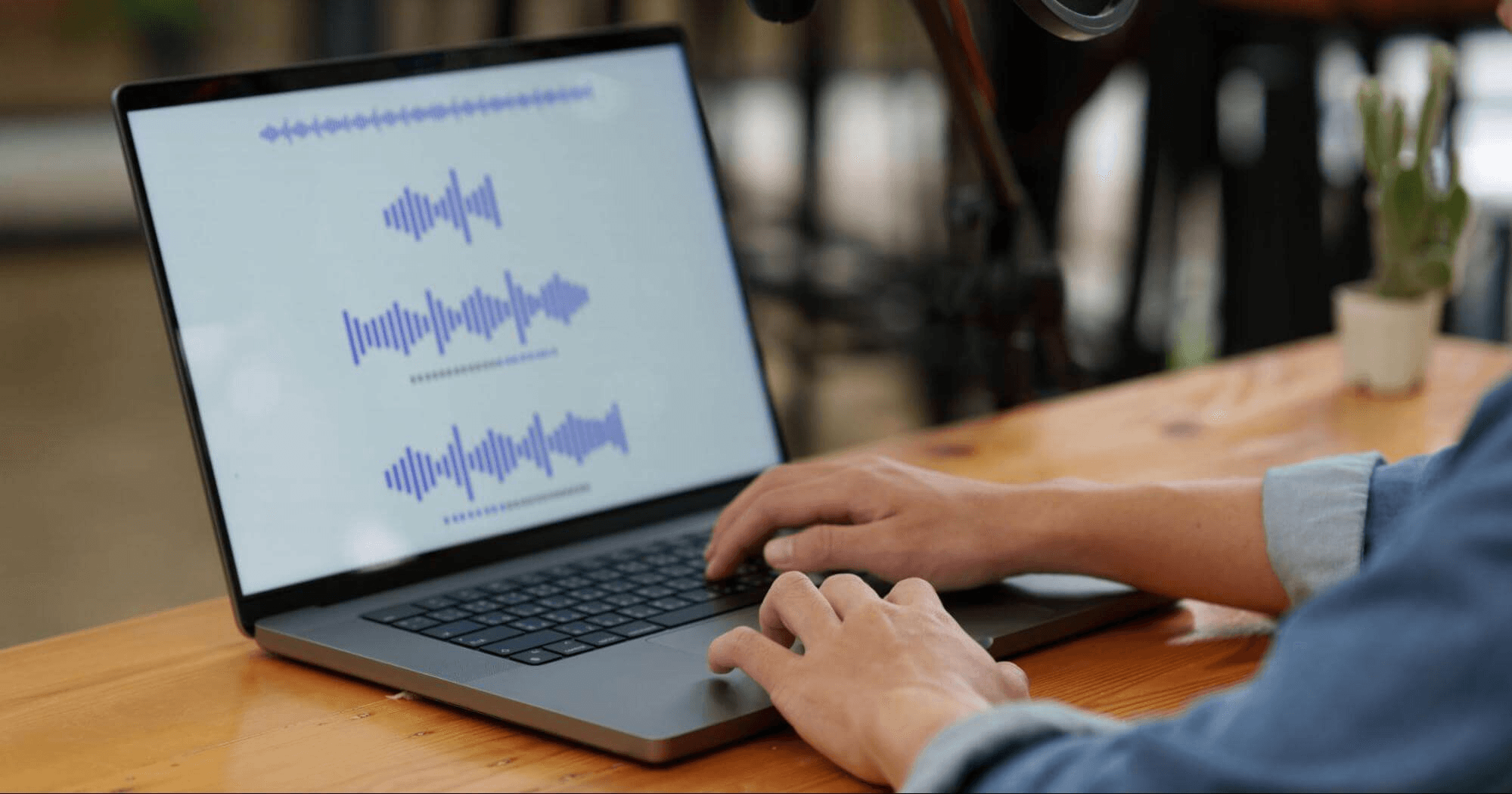
Creators almost universally misplace their effort when building audiogram clips. The waveform gets treated as the star of the show, when documented guidance makes clear it is only a signal, a visual cue that audio exists, not the mechanism that actually drives engagement or watch time.
The belief that a more elaborate waveform produces better results is intuitive but wrong. Because the waveform is the most visually distinctive element in an audiogram podcast clip, it feels like the natural place to invest creative energy. But that logic confuses visual novelty with functional performance. Documented guidance is clear: simple static backgrounds outperform over-designed visuals because the message stays clear, and when the waveform becomes the focal point instead of the conversation, the design works against itself.
What Actually Drives Audiogram Performance
The real functional driver is caption text, not animation complexity. Since most social video previews autoplay muted, a scrolling viewer cannot hear a single second of your podcast audio before deciding whether to stop or keep moving. Captions bridge that gap, giving the viewer enough context to decide.
A PLYmedia study found that videos without captions are watched only about 66% of the way through on average, with just 47% of viewers reaching the complete video, a gap tied directly to caption presence rather than waveform design. That is not a marginal difference; it is the difference between a clip that gets watched and one that gets scrolled past.
Integrating Captions Early to Drive Viewer Retention
Most creators treat captions as an afterthought, adding them manually after spending most of their production time refining the waveform animation. As clip volume grows and pressure to post consistently increases, that fragmented workflow compounds quickly. Tools like Crayo's clip creator address this directly by generating captions alongside the audiogram, so the element that drives retention gets built in from the start rather than bolted on at the end.
Why Platform Differences Compound the Problem
The failure point sharpens when creators treat every platform as identical. Documented 2026 guidance confirms that LinkedIn rewards square or vertical formats with professional hooks and strong text captions, while YouTube Shorts favors vertical video with visible faces. Applying the same audiogram template across every platform is not just inefficient; it actively undercuts the performance advantage the format can deliver. Research confirms that audiograms outperform static images by 58% and plain links by 83% on Facebook specifically, which means the format's edge is real but only realized when the execution matches the platform's actual norms.
The Hidden Cost of Prioritizing Visuals Over Formatting
The creators who consistently close that performance gap aren't the ones with the most sophisticated waveform animations. They understand that an audiogram podcast clip is a captioning and formatting problem first, and a visual design problem second. But what that misplaced effort actually costs, in time, reach, and compounding missed opportunity, is more specific than most people expect.
Related Reading
- Best AI Podcast Clip Generator
- How Long Does It Take To Trim A Zoom Recording
- Content Repurposing Examples
- Webinar to Short Clips AI
- Clipping A YouTube Video
- Podcast Clips For Social Media
- Video Clipping For Social Media
- Repurpose Webinar Content
- Can You Trim The Middle Of A Zoom Recording
- How Do I Repurpose My Interview To Social Media
- Sermon Clips AI
The Hidden Cost of Over-Designing the Waveform Instead of the Captions
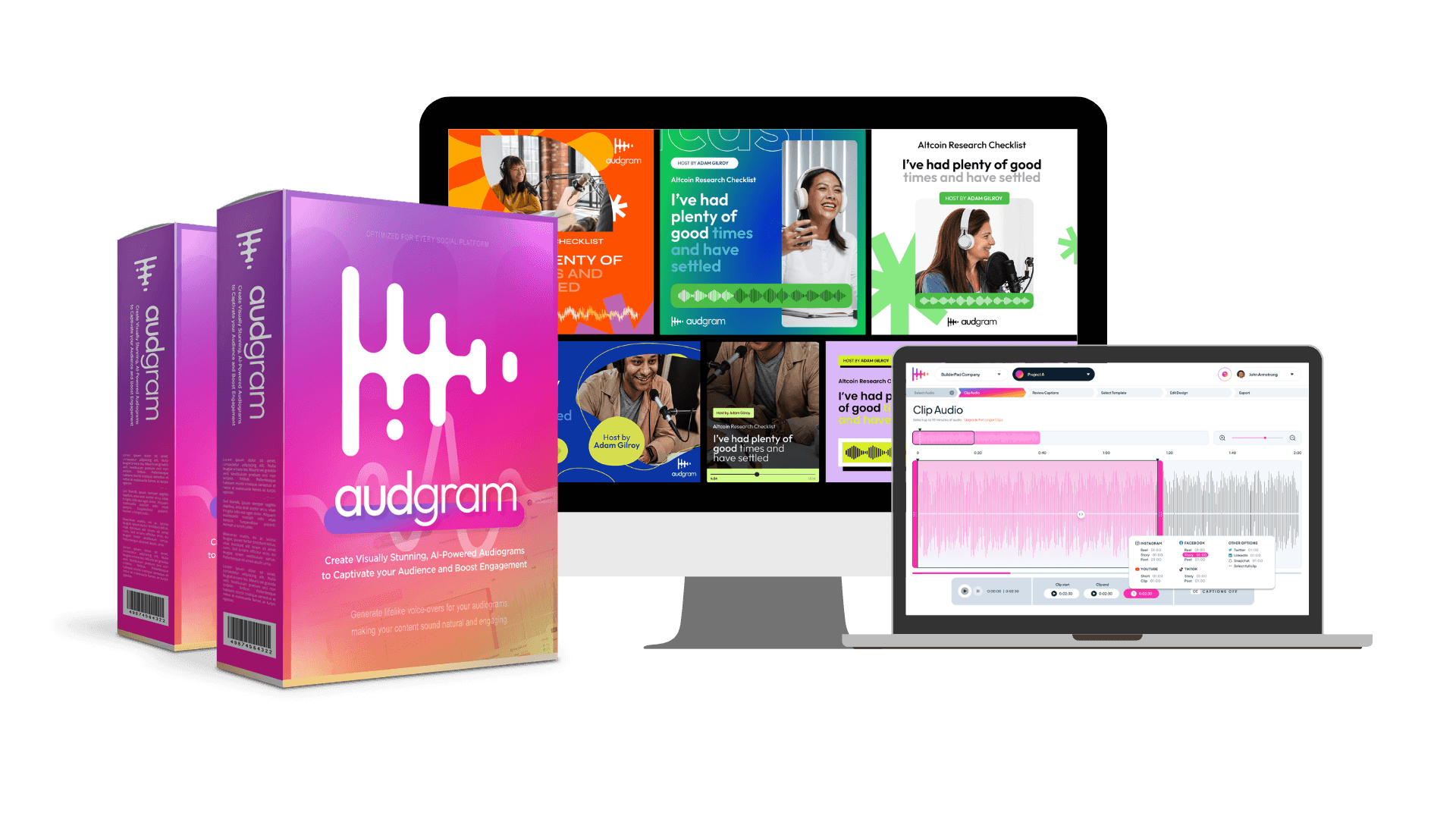
Focusing creative effort on waveform complexity is a measurable trade-off, not just a stylistic preference. The element you spend the most time on shapes the element that actually drives performance, and the documented evidence is clear about which one that is.
Where the Time Actually Goes
The failure point is usually invisible until you look at the numbers. According to Podder's 2026 audiogram guidance, captions can increase video view time by up to 40%, a figure tied specifically to caption presence, not waveform dynamism. That 40% is not marginal. It represents the difference between a clip that holds attention through its key moment and one that loses viewers before they ever reach it. Spending three hours perfecting a multi-color waveform animation while spending fifteen minutes on caption accuracy directly inverts what the data supports.
The Misplaced Focus in Audiogram Optimization
The same pattern surfaces across podcast promotion and short-form social content: creators optimize for what feels most distinctive about the format rather than what actually moves the performance needle. A waveform is visually unique to audiograms, so it feels like the natural place to invest. Captions feel like a utility feature, something you add at the end. That framing is exactly backward, and it costs creators the completion-rate advantage the format is genuinely capable of delivering.
Streamlining Captions to Drive Engagement
Most creators treat caption work as a final step in a fragmented workflow: exporting the audiogram first, then adding text in a separate tool, often rushing it. That fragmentation is where accuracy breaks down and timing slips. Crayo addresses this directly by building subtitles and caption styling into the creation process, so the element that drives view time gets the same attention as the visual design, without requiring a separate tool or an extra production pass.
What Platform Behavior Actually Rewards
The numbers on muted autoplay make the caption argument concrete. 85% of Facebook video is watched without sound, which means a waveform animation, no matter how sophisticated, communicates almost nothing to most viewers on that platform. The waveform signals that audio exists. The captions deliver the actual content. Treating those two elements as equally important is a category error, and treating the waveform as more important is a documented path to underperformance.
Balancing Length, Clarity, and Visual Simplicity
Length also compounds the problem. A clip that runs too long without strong captions loses viewers faster, and the production time spent on an elaborate waveform rarely shortens the clip or sharpens its hook. Simple waveform, accurate captions, and a tight runtime are not three separate goals. They are the same goal expressed three different ways:
- Keep the message clear
- Keep the viewer watching
- Do not let the design compete with the content it is supposed to carry
And once you understand what actually makes an audiogram perform, the next question shifts entirely, because the format itself turns out to be more layered than most creators expect.
Related Reading
- Podcast Shorts
- Repurpose Keynote Into Social Media Clips
- Church Reels Editing
- How To Start Clipping On Instagram
- How To Trim A Zoom Recording Saved On My Computer
- Best Video Clipping Tool For YouTube
- Repurposing Content For Social Media
- How To Add Audio To A Video
- Podcast Reels
- How To Repurpose Webinar Content For Marketing
What Is an Audiogram Podcast? Everything You Need to Know
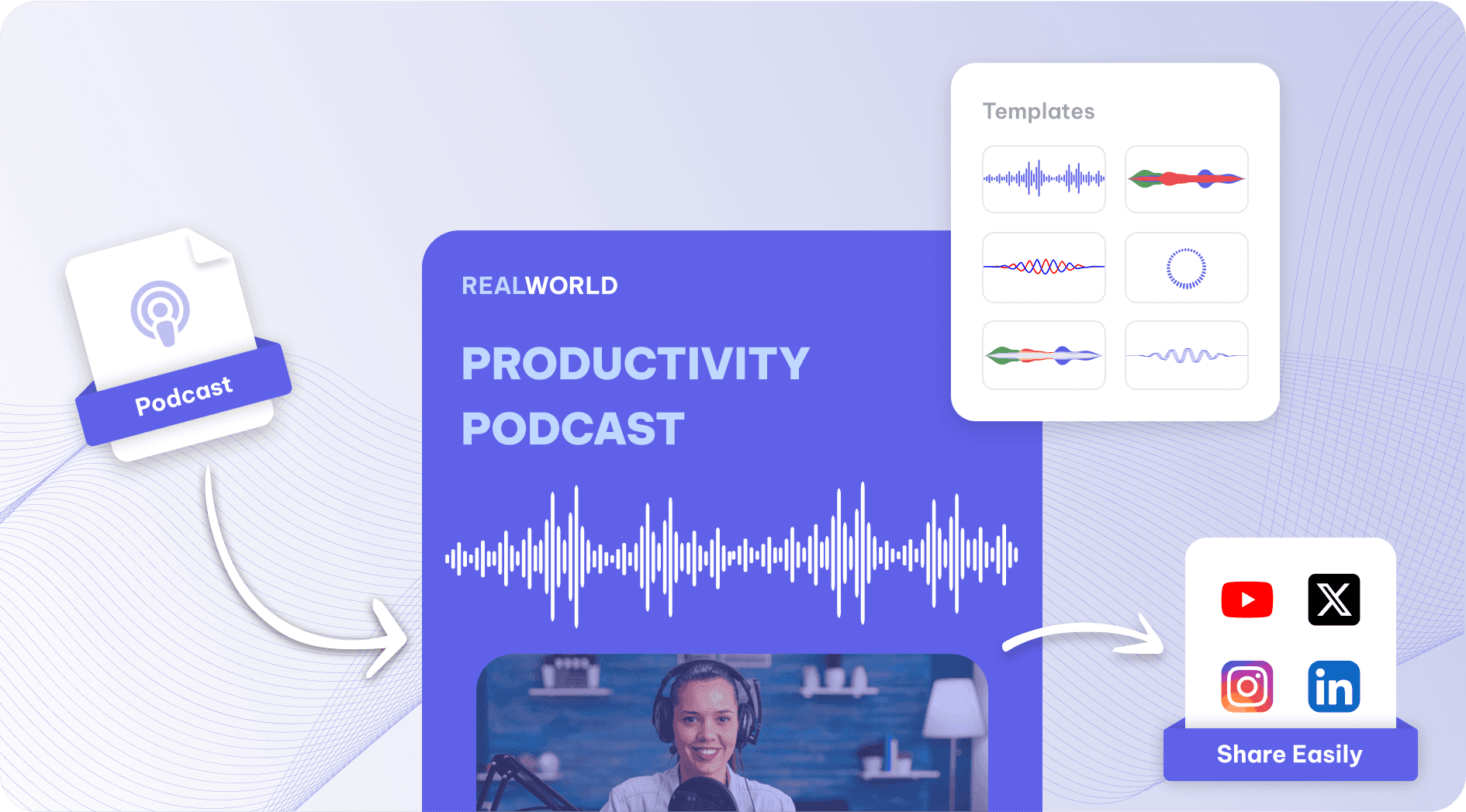
An audiogram podcast is a short video clip built from a recorded audio episode, pairing a moving waveform with on-screen captions over a static or minimal background. The format exists because audio is invisible in a social feed. A scrolling viewer cannot preview sound the way they can a thumbnail or a moving image, so the audiogram turns that audio into something the eye can catch before the ear engages.
Why the Silent Feed Changes Everything
The failure point is usually invisible to creators who build audiograms with sound on. According to The Podcast Host, 85% of Facebook videos are watched without sound, so the waveform animation signals that audio exists, but the captions carry the real message. Most viewers are not choosing silence. They are sitting in an office, riding a train, or scrolling between meetings. The audiogram that wins communicates completely before the viewer ever unmutes.
What the Waveform Actually Does
The waveform is not decoration. It is a signal, a visual cue that says "this is audio content and something is happening right now." A simple, clean waveform does that job as well as a complex animated one, and it does it without pulling the viewer's attention away from the words being spoken. The documented advantage sits in clarity, not complexity. When the design competes with the caption, the caption loses, and when the caption loses, so does the completion rate.
Consolidating Workflows with All-in-One Tools
Most creators handle this by building audiograms in separate tools:
- One for clipping
- One for captioning
- One for formatting to each platform's specs
That workflow feels manageable until you are publishing consistently across three or four platforms and each step adds friction. A clip creator tool like Crayo collapses those steps into a single process, so the clip, caption, and format decisions happen together rather than in sequence across different tabs and subscriptions.
The Share Gap is Real and Measurable
Clip selection is where the format either earns attention or wastes it. A strong audiogram clip contains one clear moment: a sharp opinion, a counterintuitive fact, or a line that makes a listener want to hear what comes before and after it. That specificity is what drives sharing behavior. Audiograms can increase podcast episode shares by up to 300% on social media platforms, and that number reflects clips chosen deliberately, not entire episodes cut at random timestamps.
Tailoring Audiogram Formats to Platform Context
Platform format is the final variable most creators underestimate. A square audiogram built for Twitter performs differently than a vertical clip built for YouTube Shorts or a professionally framed post built for LinkedIn. The content inside the clip can be identical. The format, aspect ratio, caption size, and hook placement need to match where the viewer is standing when they see it. Posting one version everywhere isn't efficient. It is the same message dressed wrong for every room it enters. Once you understand the format well enough to make those decisions instinctively, the next question becomes purely operational: how do you build one in a way that fits inside a real workday?
The 20-Minute Workflow to Create an Audiogram
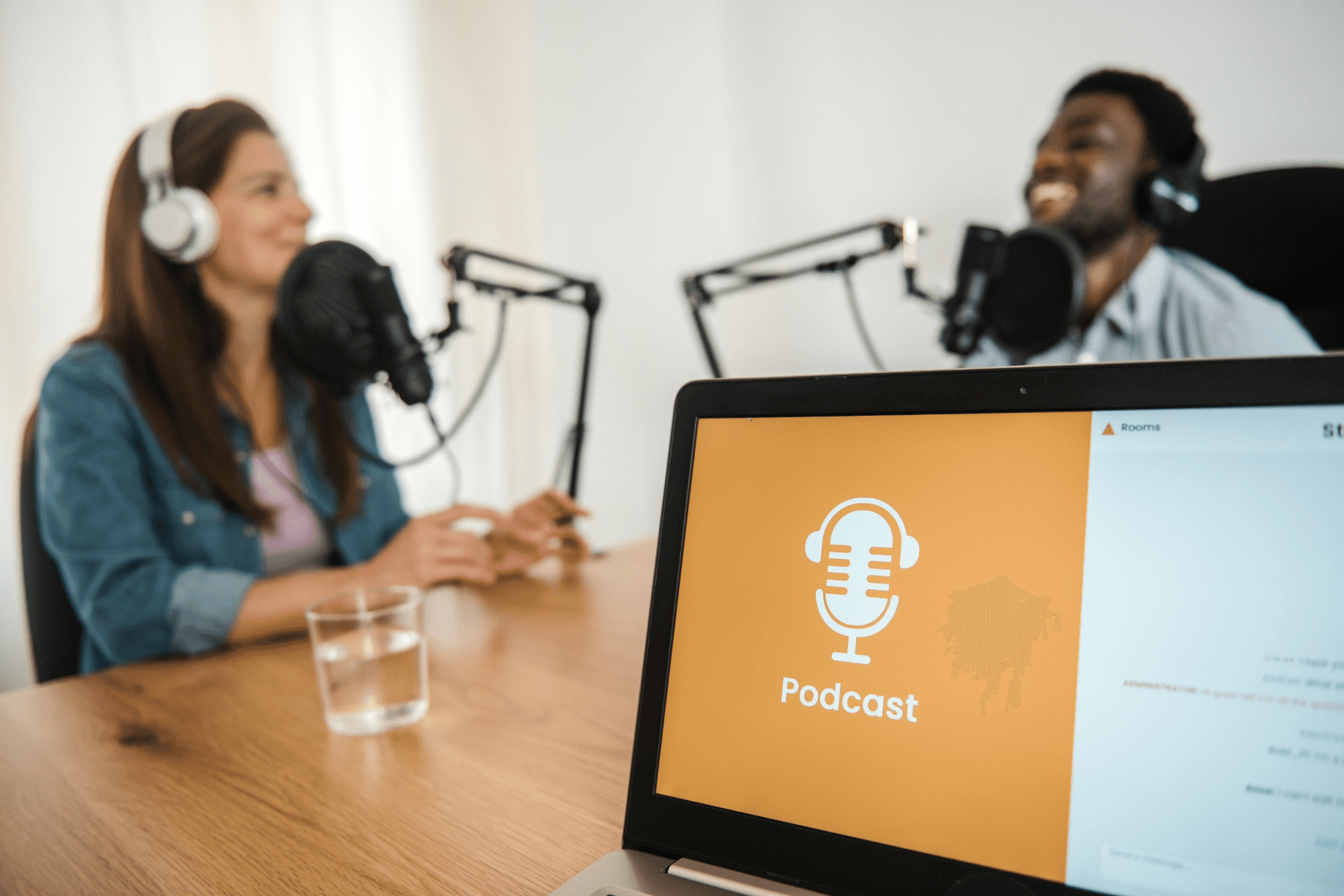
The workflow you just read follows a specific priority order: clip first, caption second, waveform third, format last. That sequence is not arbitrary. It reflects where the actual performance gains live, and inverting it is the single most common reason audiograms underperform despite looking polished.
Minute 0-5: Select Your Strongest 30-60 Second Moment
Review your episode and identify one sharp quote, funny exchange, or clear hot take that gives a real reason to want the full episode. This is the actual content the format exists to showcase. Everything else in the workflow supports this moment, not the other way around.
The failure point is usually here: creators pick a moment that feels comfortable rather than one that creates genuine tension or curiosity. A safe clip is a forgettable clip. The question to ask is simple: if someone watched only this 60 seconds and nothing else, would they feel like they missed something?
Minutes 5-10: Write or Generate Accurate, Well-Timed Captions First
Before touching the waveform style, get accurate captions synced to your selected audio clip. This is the step most creators rush, and it matters most. The Podcast Host's beginner guide to audiograms confirms that 85% of Facebook videos are watched without sound, which means your captions are not a supplement to the audio. They are the message. Timing matters as much as accuracy. Captions that lag behind the speaker by even half a second create a friction that viewers register as awkward, even if they cannot name why. Sync is a trust signal. Get it right before anything else.
Minutes 10-15: Choose a Simple, Subtle Waveform Style
Select a clean, non-distracting waveform animation that signals audio is playing without becoming the visual focal point. The waveform's job is to communicate that this is a live audio moment, not to impress anyone. Think of it like a loading indicator: it needs to be visible, not beautiful. The pattern that surfaces across high-performing audiograms is consistent: restrained animation, neutral colors, and a waveform placed below or beside the caption block, not competing with it. Elaborate designs pull attention away from the words, and the words do the real work.
Avoiding Over-Engineering With Streamlined Style Templates
Most creators handle this step by experimenting with every style option available, cycling through complex animations because the tool makes it easy. That instinct is understandable. But the time spent there rarely translates to better completion rates, and it often delays the steps that do. A clip creator tool like Crayo simplifies this decision by offering clean, pre-tested waveform styles alongside caption generation in the same workspace, removing the temptation to over-engineer and keeping the workflow moving toward publication rather than perfection.
Minutes 15-18: Format for Your Specific Target Platform
Adjust aspect ratio and framing to match your specific platform's documented preference: square or vertical for LinkedIn, vertical with visible faces for YouTube Shorts. This is not a cosmetic adjustment. Platform-native formatting determines whether the clip feels native or intrusive the moment it appears in a feed.
The same issue surfaces in broadcast media production and short-form video alike: one generic format posted everywhere performs worse than a targeted format posted somewhere specific. Futuri Media's research on rapid content workflows shows that structured, time-bounded production processes can produce and schedule engaging content in 20 minutes, which reinforces that speed and platform-specificity are not in conflict. You can be fast and intentional at the same time.
Minutes 18-20: Review Captions One Final Time Before Publishing
Do a final check that captions are accurate and properly synced. This is the last, highest-leverage action before the clip goes live. It is worth the two minutes because caption errors are the one flaw viewers notice immediately, and they read as careless in a way that waveform imperfections simply do not. The review is not about perfectionism. It is about protecting the performance advantage you built the rest of the workflow around. One misaligned word in a key moment can break the viewer's trust in the clip, and once trust breaks in a short-form video, the viewer is already scrolling.
Why the Order Matters More Than the Tools
The problem was never a shortage of audiogram tools. The problem was a default workflow that built the waveform first and treated captions as something to clean up later. That inversion consistently produces clips that look finished but perform poorly, because the visual layer is complete while the performance layer is compromised. This workflow puts caption accuracy and clip selection first, then adds a deliberately simple waveform and platform-specific formatting. The finished audiogram is built around the elements documented to actually drive completion, not around the elements that are easiest to see in a preview window.
Create Audiograms Faster With Crayo
The right order matters, and so does the right tool to execute it. Most creators who understand the caption-first principle still lose time bouncing between a transcription service, a caption editor, and a separate waveform tool before anything gets published. That fragmented process is where good intentions meet real friction, and where the caption review step quietly gets compressed under deadline pressure.
- Open Crayo
- Upload your episode
- Generate a captioned audiogram with a clean, simple waveform built in by default
No separate caption tool. No waveform styling step.
Unifying Creation Workflows to Drive Sustainable Consistency
The element that actually drives completion, accurate captions, is never the one left for later because the workflow never separates it from the rest. That single change in process, keeping captions and waveform generation unified rather than sequential, is what turns audiogram creation from a multi-step production task into something a creator can repeat consistently. Consistency is what compounds. One well-captioned clip published this week beats five over-designed ones that never made it out of the editing queue.
Related Reading
• Best AI Video Clipping Tools 2026
• Best AI Video Repurposing Tools 2026
• How To Trim Google Meet Recording
• Best Audiogram Maker
• Content Repurposing Tool
• How To Trim A Zoom Recording
• Best AI Video Tools Like Vizard For Webinar Clips
• How To Automate My Video Clipping
• Best Way To Make Podcast Clips