
You record a podcast, write a blog post, or shoot a video and then wonder why it only reaches a fraction of the people it could. That gap between the content you create and the audience you want is exactly what repurposing solves. Using tools like the Best AI Podcast Clip Generator, you can turn one piece of content into multiple social media assets, and this article will show you how to do it in 30 minutes or less.
That is where Crayo's clip creator tool changes the game for creators who want to stretch their content further without spending extra hours editing. Crayo helps you pull the strongest moments from your audio or video, reshape them into short-form clips, and push them across platforms like Instagram, TikTok, and YouTube Shorts with minimal effort. Instead of starting from scratch every time, you work smarter with what you already have.
Table of Contents
- Why Repurposing Your Own Content Can Still Get You Penalized
- The Hidden Cost of Assuming Ownership Protects You From Penalties
- How to Repurpose Content for Social Media in 30 Minutes
- The 30-Minute Workflow to Repurpose Content Without Penalty
- Repurpose Content Correctly, Faster With Crayo
Summary
- Platform fingerprinting systems evaluate visual patterns, audio waveforms, and embedded watermarks, not account ownership or original upload dates. This means creators who move their own content across platforms without genuine re-editing face the same algorithmic penalties as accounts reposting stolen material. The file is what gets flagged, not the creator's identity.
- The consequences of unedited cross-posting follow a documented three-stage escalation on TikTok. A first offense drops content to roughly 8% reach among existing followers only, a second offense within 30 days triggers review mode with 6- to 12-hour posting delays, and a third offense results in a 14- to 21-day shadowban that removes the account from hashtags and recommendations entirely.
- Meaningful re-editing requires file-level changes, not surface adjustments like caption swaps or hashtag updates. Documented guidance confirms that what actually alters the fingerprint being evaluated includes a new crop, a platform-specific intro, and a recaptioned visual. Layering these changes compounds the effect, moving the file's visual and audio signature further from its original fingerprint with each addition.
- A binary volume threshold catches many accounts off guard. If 10 or more posts within a 30-day window are reposts without meaningful edits or attribution, the account is likely already excluded from Explore and non-follower Reels recommendations. This is a cutoff, not a gradual slide, meaning the penalty can kick in before any visible change in performance metrics signals something is wrong.
- Clip selection is a separate decision from how content gets re-edited, and conflating the two is where many repurposing workflows quietly break down. According to Hootsuite's 2024 Social Media Trends Report, short-form videos with a strong hook in the opening frame generate 63% higher completion rates than those that build slowly. A clip that performed well in its original context because of audience familiarity or platform trust does not automatically transfer that performance to a new feed where no prior relationship exists.
- Repurposing content across channels has measurable upside when it reaches viewers, with documented reports citing traffic increases of up to 300% and 94% of marketers already moving content between platforms. A tracker that captures specific edits, engagement rates on repurposed versions vs. originals, and time between posts becomes a feedback loop, not just a compliance tool.
Crayo's clip creator tool addresses the gap between knowing the right editing steps and consistently executing them at volume by generating platform-specific clips with new crops, formatted captions, and resized layouts from the same raw footage in seconds.
Why Repurposing Your Own Content Can Still Get You Penalized
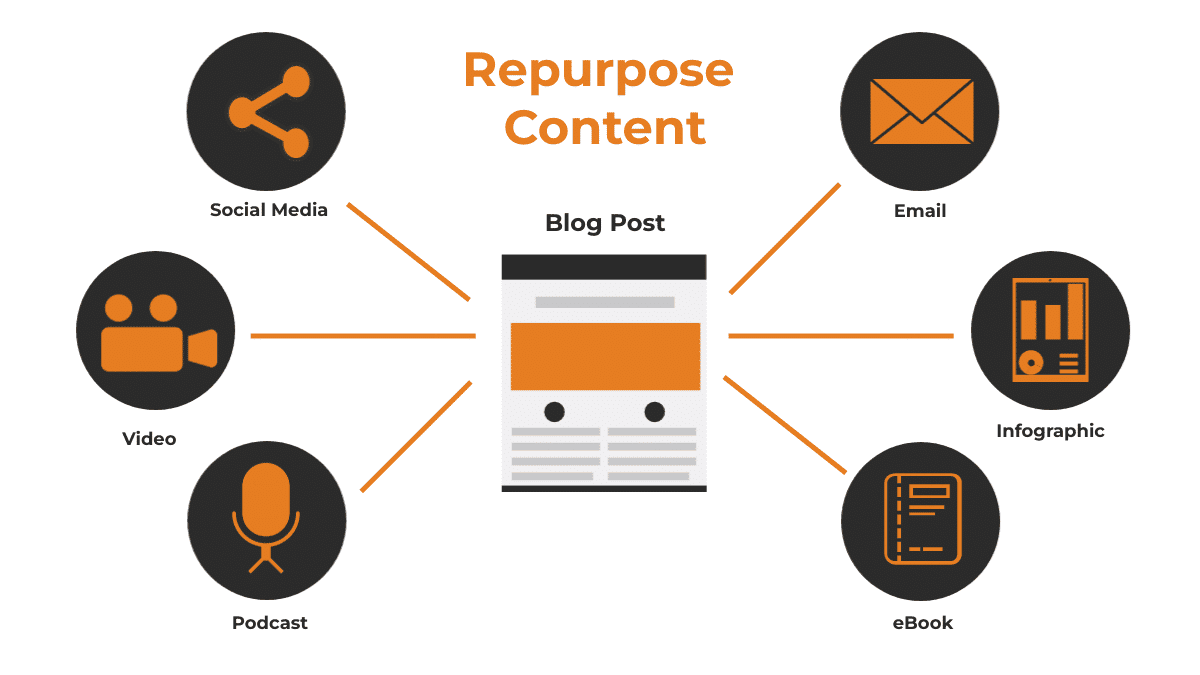
Platform detection systems don't read creator bios. They read files. That fact alone catches most content creators off guard when they move their own videos between TikTok, Instagram Reels, and YouTube Shorts, fully confident that ownership is enough protection. It isn't. The fingerprinting technology built into these platforms evaluates visual patterns, audio waveforms, and embedded watermarks, not account history or original upload dates.
What the Detection System Actually Sees
The common assumption runs like this: duplicate-detection exists to stop theft, so if you created the content, the system should recognize you as the legitimate source and leave your posts alone. Documented platform guidance dismantles this directly. Creators who move TikTok content to Instagram without any platform-specific editing face the same penalty as pure aggregator accounts, because the fingerprinting system doesn't distinguish self-repurposing from third-party theft by default. The file is the evidence, and the file matches.
Three-Stage TikTok Escalation Penalties
This matters more than most people track, because the consequences aren't vague reach reductions. Documented testing confirms a specific three-stage escalation on TikTok:
- A first offense drops content to roughly 8% reach among existing followers only
- A second offense within 30 days triggers review mode with 6-12 hour posting delays
- A third offense results in a 14-21 day shadowban, removing the account from hashtags and recommendations entirely
One unedited repost doesn't feel like a crisis. Three of them, compounding inside a single month, create a documented operational problem.
Safe Cross-Platform Re-Styling
Most creators handle cross-platform distribution by downloading their best-performing clip and uploading it directly to the next platform, because it's fast and the content already proved itself. The hidden cost is that "fast" here means skipping the one step that actually protects reach: genuine re-editing. Crayo's clip creator tool addresses this friction directly, letting creators re-style, recrop, and regenerate clips natively for each platform in seconds, so the underlying file changes enough to avoid a fingerprint match without rebuilding the edit from scratch.
What Counts as a Meaningful Edit
A caption change doesn't move the needle. Neither does swapping a hashtag set. Documented guidance is specific:
- Re-editing natively in the destination platform's tools
- Changing the crop
- Adding a platform-specific intro
- Recaptioning the visual itself alters the fingerprint being evaluated
The distinction matters because many creators invest real time in changes that feel like editing but don't touch what the detection system reads. According to the Wordvice Blog, reusing your own content has generated significant public concern, with documented guidance confirming that ownership alone doesn't exempt content from the same rules applied to unauthorized reposts.
The Binary Repost Cutoff
There's also a volume threshold to keep in mind. Documented guidance recommends auditing the last 30 days of posts: if 10 or more are reposts without meaningful edits or attribution, the account is likely already excluded from Explore and non-follower Reels recommendations under current rules.
That's described as a binary cutoff, not a gradual slide. The practical implication is that the penalty may already be active before a creator notices any change in performance metrics. What most people miss isn't the rule itself. It's that assuming ownership exempts them from it is the exact assumption that makes the penalty unavoidable.
Related Reading
- Best AI Podcast Clip Generator
- What Is An Audiogram Podcast
- How Long Does It Take To Trim A Zoom Recording
- Content Repurposing Examples
- Webinar To Short Clips AI
- Clipping a YouTube Video
- Podcast Clips For Social Media
- Video Clipping For Social Media
- How Do I Repurpose My Interview To Social Media
- Sermon Clips AI
The Hidden Cost of Assuming Ownership Protects You From Penalties

Platform fingerprinting systems don't read creator agreements. They read files. That distinction matters more than most people realize, because assuming ownership creates a protected category is precisely what lets the penalty land without warning.
What the Detection Gap Actually Costs You
The failure point is usually invisible until it compounds. When you move your own footage across platforms without genuine re-editing, the algorithm doesn't see a legitimate creator distributing their work. It sees a file it has already indexed. That file gets flagged the same way a stolen clip would, because the system evaluates visual embedding, audio waveform, and file hash, not verified authorship. The result is that genuinely original content gets treated as a duplicate, and your distribution potential shrinks before you've posted enough to notice the pattern.
Defining Meaningful Re-Editing Standards
The same issue shows up in podcast clipping workflows and long-form video repurposing: creators assume reformatting means adding a new caption or trimming a second off the front. It doesn't. Documented guidance confirms the fix requires a new crop, a platform-specific intro, and a recaption, not surface-level adjustments that leave the core fingerprint intact. A creator who re-edits their TikTok clip with a new opening frame and adjusted aspect ratio before posting to Instagram avoids the match entirely. One who drops the same file with a new text overlay does not.
Automated Platform-Specific Differentiation
Most teams handle this by building a quick manual re-export step into their workflow, which works until volume increases and that step gets skipped under time pressure. Crayo addresses this at the source, generating platform-specific clips with distinct captions, styling, and intros from the same raw footage in seconds, so the output is genuinely differentiated by the time it reaches each destination, not retroactively patched after the fact.
Why the Threshold Catches People Off Guard
The 10-repost threshold within a 30-day window is a binary cutoff, not a sliding scale. There is no gradual warning. An account that hits that number on day 28 of a month gets the same exclusion from Explore and non-follower Reels recommendations as one that hit it on day 3. Without actively auditing your recent post history against that specific number, it is easy to assume you are safely below it while already past it. That audit takes less than five minutes and changes the entire risk calculation.
Recognizing the Initial Reach Penalty
What makes this harder to catch is that the first-offense penalty, an 8% reach cap to existing followers only, looks like an ordinary dip in performance. It doesn't announce itself as a penalty. Creators attribute it to posting time, topic relevance, or algorithm variance, and then repeat the same behavior. That repetition is what moves a contained, recoverable situation into review mode and eventually into a multi-week shadowban.
The compounding is not random. It follows a documented sequence, and recognizing the first signal for what it is breaks the cycle before it escalates. And here's what nobody talks about: the creators who figure out how to move fast without triggering these systems aren't working harder. They've just changed what they're optimizing for.
How to Repurpose Content for Social Media in 30 Minutes

The real shift is changing what you optimize for. Most creators optimize for output volume, posting as much as possible across as many platforms as possible, and detection systems catch up every time. The smarter move is optimizing for genuine transformation at each step, which is exactly what the seven-step process above is built around.
Audit First, Then Act
The failure point is usually invisible until it compounds. When you review your last 30 days and count unedited reposts against the documented 10-repost threshold, you're not doing busywork. You're getting a precise read on where your account currently stands before you post another thing. That number tells you whether you have room to move or whether you're already inside the risk window.
The same issue surfaces across every platform: creators assume their recent posting history is fine because nothing obvious has gone wrong yet. A first-offense reach reduction of 8% doesn't announce itself. It just quietly shrinks your numbers, and without a count in front of you, there's no way to connect the drop to its actual cause.
What Genuine Editing Actually Requires
Changing the actual file is non-negotiable, but those changes follow a specific hierarchy. A new crop alone is weaker than a new crop combined with a different opening frame. A different opening frame combined with a platform-specific intro is stronger still. Each layer you add moves the file's visual and audio signature further from its original fingerprint, which is the only thing the detection system measures.
Automating Reach Protection at Scale
Most teams handle this with a quick caption swap and call it repurposed. As post counts grow across platforms, fingerprint matches accumulate, and reach penalties follow. The editing work that actually changes outcomes takes roughly the same time as writing a new caption, but it operates on the part of the file the algorithm reads.
This is where speed-built tools change the math entirely. Crayo handles the file-level transformation automatically, generating platform-ready clips with new crops, styled captions, and AI voiceovers in seconds rather than requiring a separate edit for each destination. Re-editing to protect reach stops being the bottleneck and becomes the default output.
The Watermark Problem is Simpler Than It Looks
A visible TikTok or YouTube watermark is not just a branding issue. It directly signals to every other platform's detection system that the file originated elsewhere and arrived without modification. Removing it isn't optional if you're serious about distribution reach. It is the minimum viable edit before a file moves platforms.
According to the BrandGhost Blog, repurposing content can increase traffic by up to 300%, but that ceiling assumes the content is actually being distributed, not quietly suppressed by a watermark flag before it reaches a single new viewer. Creators can only see that number if their files clear the detection layer first.
Format Adaptation is Both a Technical and Strategic Requirement
Posting a horizontal 16:9 video to TikTok isn't just a display problem. It signals to the platform that the content was made somewhere else, for someone else's audience. The format mismatch and the fingerprint match often arrive together, which is why adapting aspect ratio belongs in the same step as removing watermarks, not as an afterthought.
The 9:16 vertical format for TikTok, Reels, and Shorts versus 16:9 for YouTube's main feed isn't arbitrary. Each platform built its feed around its native format because that's what its audience expects and engages with. Matching that expectation is both a technical requirement and a genuine signal that the content was made with that audience in mind.
Caption Strategy as the Final Layer
A caption written for TikTok's audience reads differently from one written for LinkedIn or YouTube. TikTok rewards directness and cultural familiarity. YouTube audiences expect more context. Writing a genuinely different caption for each platform isn't just good practice for engagement. It completes the distinction between repurposing and reposting that the documented guidance draws.
The caption alone won't protect reach if the file underneath it hasn't been edited. But paired with genuine file changes, it signals to both the algorithm and the audience that the content belongs on that platform. That combination is what separates a cross-post from a content strategy.
Tracking Turns a One-Time Fix Into a System
Without a running count, drift happens within weeks. A creator edits carefully for the first two weeks after an audit, then gets busy, skips a crop here, reuses a caption there, and is back inside the risk window before noticing. The count is the only thing that catches this before it compounds.
94% of marketers repurpose content across multiple channels, which means the volume of content moving between platforms is enormous. The creators who stay out of penalty territory long-term are not the ones with the most discipline in a single week. They're the ones with a simple system that makes the count visible and the threshold impossible to ignore.
Treating a First Penalty as a System Signal
The critical difference between creators who recover quickly and those who compound into a shadowban is what they do in the 48 hours after a first-offense reach drop. Treating it as a one-time anomaly means waiting to see if it happens again. Treating it as the first stage of a documented three-stage escalation means acting immediately, reviewing recent posts, and changing editing practices before the pattern repeats.
A first penalty is not punishment. It's information. The detection system tells you exactly where your editing process broke down and gives you a window to fix it before the consequences become harder to reverse. That window closes the moment you post again without changing anything.
Executing the Integrated Multi-Step Process
The seven steps above are not seven separate decisions. They form a single, connected process where each step either reduces fingerprint-match risk, completes genuine platform adaptation, or maintains the tracking that keeps the whole system honest over time. Run them together, and they take less than 30 minutes per piece of content. Skip any one of them and the others lose effectiveness. But knowing the steps and having a workflow that makes them repeatable are two completely different things, and that gap is where most creators stall.
The 30-Minute Workflow to Repurpose Content Without Penalty

The workflow is already built. Now the question is whether you're running it on raw footage that's actually worth the effort, or burning 30 minutes on clips that were never going to land on a second platform anyway. That distinction matters more than most creators admit. Platform-specific editing removes fingerprint risk, but it doesn't fix a clip that was cut for the wrong audience in the first place. The content you choose to repurpose is a separate decision from how you repurpose it, and conflating the two is where the workflow quietly breaks down.
What Makes a Clip Worth Repurposing
The most repurposable content shares a specific structural quality: it contains a moment of genuine tension or surprise in the first three seconds that works without context. According to Hootsuite's 2024 Social Media Trends Report, short-form videos with a strong hook in the opening frame generate 63% higher completion rates than those that build slowly. Completion rate is the signal most recommendation algorithms weight most heavily, which means a clip that earns its second platform has to earn it in the first breath, not just the first minute.
The failure point is usually selection, not execution. Creators run the full 30-minute workflow on a clip that performed well in its original format, without asking whether that performance was tied to context the new audience won't have. A podcast highlight that works on YouTube because subscribers already trust the host can fall flat on TikTok, where viewers have no prior relationship and no patience for slow setup.
Choosing the Right Clip Before You Edit
When selecting clips for cross-platform distribution, the most reliable filter is asking whether the core idea is self-contained. If someone needs to have watched the original video to understand why the moment is interesting, it's not a repurposing candidate; it's a sequel. The clips that consistently outperform on secondary platforms deliver a complete thought, a surprising fact, or a clear emotional beat in under 60 seconds, with no backstory required.
Selecting Portable Content Over Native Wins
Pattern recognition here is straightforward: the same clips that perform well as standalone shares in group chats tend to perform well as repurposed shorts. They have inherent portability. The ones that require a "you had to be there" setup rarely survive the jump to a new feed.
Most creators choose clips by instinct, reaching for whatever performed best on the original platform and assuming that signal transfers. That's a reasonable starting point, but it misses a layer. Performance on platform A reflects how well the clip matched that platform's existing audience, algorithm, and context, not how well it will match a completely different one.
Streamlining Content Selection Through Pre-Cut Options
Crayo addresses this at the source by auto-clipping raw footage into multiple short-form candidates, each already trimmed to platform-appropriate length with captions and styling applied.
Instead of selecting one clip and editing it down for each destination, creators can review several pre-cut options and choose the one whose structure already fits the target platform's native format. That shifts the selection decision from guesswork to comparison, which is a meaningfully different cognitive task.
Timing Your Posts to Match Platform Behavior
Repurposing the right clip in the right format still leaves one variable unmanaged: when you publish it. Each platform's recommendation window operates differently. TikTok's algorithm evaluates early engagement velocity within the first 30 to 60 minutes after posting, according to TikTok's 2023 Creator Portal documentation. Instagram Reels weighs saves and shares more heavily than likes, and that signal accumulates over a longer initial window of roughly 24 to 48 hours.
Publishing a repurposed clip at the wrong time on a new platform doesn't trigger a penalty, but it does waste the edit. A genuinely re-edited, platform-adapted piece of content posted at 2 am local time on a Tuesday competes against a smaller pool of active viewers and generates less early engagement signal than the algorithm needs to push it further. The editing work was sound; the distribution decision undercut it.
Optimizing Schedules With Audience Analytics
The practical fix is simple: maintain a basic posting schedule per platform based on your audience's active hours, separate from your primary platform's schedule. Most native analytics dashboards surface this data within 30 days of consistent posting. The 30-minute workflow already builds in a logging step; adding a column for publish time and early engagement rate turns that log into a scheduling guide within two or three weeks.
What Your Tracker Should Actually Measure
Most repost trackers stop at counting how many times a piece of content was cross-posted. That tells you about volume, not about whether the workflow is working. A tracker that only flags when you've hit a threshold is a lagging indicator; it catches the problem after the pattern is already established.
Tracking Variables for Repurposed Content
A more useful tracker captures three things alongside the post count:
- The specific edits made to each clip before publishing
- The engagement rate on the repurposed version compared to the original
- The time between the original post and the repurposed post
Watch that third variable closely.
- Content repurposed within 24 hours of the original post sometimes benefits from residual momentum if your audience overlaps across platforms.
- Content repurposed after 14 or more days often needs a stronger hook rewrite because the cultural moment that made the original timely has passed.
Transforming Tracking into Performance Optimization
The tracker isn't just a compliance tool. It becomes a feedback loop that tells you which clip types, edit styles, and timing windows actually generate returns on the secondary platform, not just avoid penalties. That's the difference between running a workflow and running a system.
Building Repeatability Without Adding Complexity
The 30-minute structure works because it's fixed. Every step has a defined time window and a defined output. The risk, once the workflow becomes familiar, is that speed creates shortcuts. You skip the audit step because you "know" your pattern. You reuse the caption because the original performed well. The tracker doesn't get updated because you'll "do it later."
Repeatability requires friction in the right places. A simple checklist posted where you actually edit, not buried in a notes app, keeps each step visible even when you're moving fast. The goal isn't to slow down; it's to make the right behavior the path of least resistance. Skipping a step should feel like leaving something undone, not like saving time.
The creators who sustain cross-platform reach over months, not just weeks, aren't the ones with the most sophisticated editing setups. They're the ones who made the workflow boring enough to repeat without thinking.
Related Reading
- Church Reels Editing
- Podcast Shorts
- How To Trim A Zoom Recording Saved On My Computer
- How To Start Clipping On Instagram
- Best Video Clipping Tool For YouTube
- Repurposing Content For Social Media
- How To Add Audio To A Video
- Podcast Reels
- How To Repurpose Webinar Content For Marketing
Repurpose Content Correctly, Faster With Crayo
That ceiling mentioned earlier isn't a talent gap. It's a time gap. The creators who break through it aren't spending more hours editing; they're spending fewer, because they've removed the manual friction that turns a repeatable workflow into an abandoned one.
That's exactly where Crayo fits. Upload your content, and it generates genuinely platform-specific versions with new crops, formatted captions, and resized layouts built in, so the substantive re-editing that actually protects your reach happens by default, not by hand. The three-step process handles the heavy lifting that most creators quietly skip because it feels like too much work for a single post.
Creators who consistently distribute content across platforms without triggering penalties aren't more disciplined. They've just made the right version the easiest version to produce.