You record a great interview, full of useful ideas and real moments, and then it just sits there. Meanwhile, your audience is scrolling through Instagram, LinkedIn, and TikTok without ever seeing it. That is a missed opportunity, and this article will show you exactly how to repurpose an interview for social media in 30 minutes, turning one long conversation into multiple pieces of content that actually get seen. Finding the right clips, adding captions, and formatting for each platform used to take hours, but the best AI podcast clip generator tools have changed that entirely.
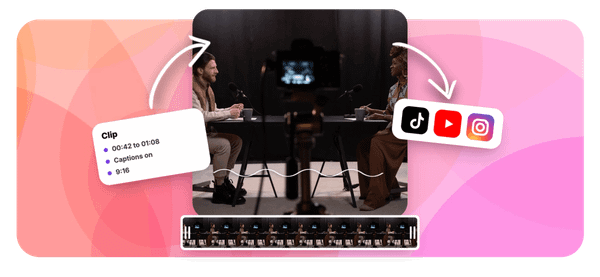
That is where Crayo's clip creator tool comes in. Instead of manually scrubbing through a full interview, Crayo identifies your strongest moments, pulls the best short clips, and helps you get them ready to post fast. Whether you want to share a quote on LinkedIn or a punchy 60-second video on TikTok, Crayo handles the heavy lifting so you can focus on sharing your message, not editing files.
Table of Contents
- Why Interview Clips Often Underperform on Social Media
- The Hidden Cost of Cutting to the Answer Instead of the Question
- How to Repurpose an Interview for Social Media in 30 Minutes
- The 30-Minute Workflow to Repurpose an Interview for Social Media
- Repurpose Interviews Faster With Crayo
Summary
- Interview clips consistently underperform on social media when they remove the interviewer's question and lead directly with the guest's answer. The question does two things for a cold viewer: it signals what kind of content is playing, and it creates a small curiosity gap that holds attention through the first few seconds. Without it, a clip that felt compelling inside the recording session reads as confusing to anyone scrolling past with no prior familiarity with the guest or topic.
- A single 30 to 45 minute interview can generate weeks of social media content, but only when you select each clip for self-sufficiency rather than surface-level quotability. According to Motion, a podcast and video services agency, one interview can produce over 20 pieces of content when the selection process is systematic. That number only holds when every clip works for someone who has never heard of the guest and owes the creator nothing.
- Audio quality is one of the most consistently underestimated variables in interview repurposing. Room noise, background hum, or mild echo that blends into a 45-minute episode becomes the dominant sensory experience inside a 30-second clip. No surrounding conversation absorbs the roughness. Listening to each candidate clip in isolation, rather than as part of the full recording, is the only reliable way to catch this before a clip goes live.
- Platform length is not a preference; it is a structural variable. Quick insights between 30 and 60 seconds perform on platforms built for rapid consumption, while LinkedIn allows 60 to 90 seconds when the clip demonstrates genuine expertise. Treating Instagram, TikTok, and LinkedIn as identical distribution channels is a production shortcut that costs performance, even when the underlying content is the same.
- The scroll test is the most important quality check most creators skip. Before editing or captioning any clip, ask whether someone who has never heard of the guest would stop scrolling for this specific clip, in this form, starting at this exact moment. If the answer requires any qualification, the clip is not ready. Applying that standard before production begins, rather than after a clip underperforms, is what separates a clip strategy that builds an audience from one that simply produces output.
Crayo's clip creator tool addresses this directly by handling the production layer automatically, including auto-clipping, captioning, and platform-specific formatting, so the bottleneck shifts back to where it belongs: identifying the right moments and applying the scroll test, not executing the mechanical work of getting clips ready to post.
Why Interview Clips Often Underperform on Social Media
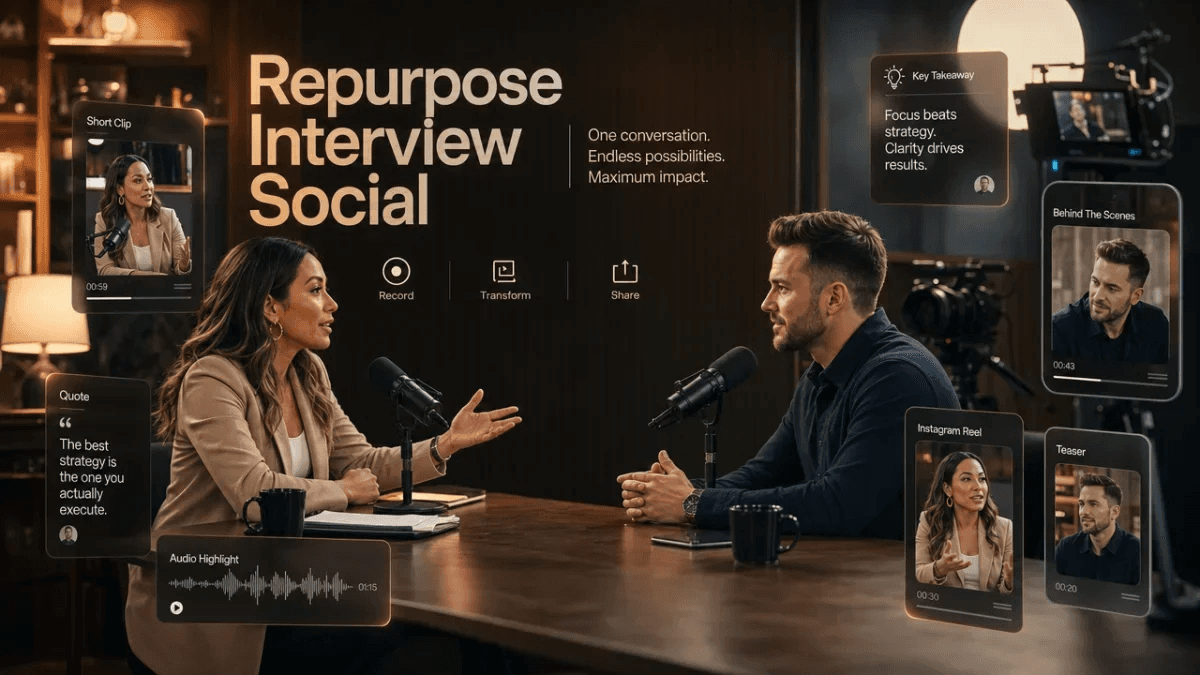
Creators who repurpose interview content for social media usually aren't making lazy choices. They're making logical ones that happen to backfire. The most common pattern is clipping straight to the guest's strongest answer and removing the question entirely, because the answer contains the real insight. That logic holds inside the interview. It collapses the moment the clip lands in a cold feed. The failure point is structural, not editorial. Interview content carries a built-in advantage over solo talking-head video:
- One person asks
- Another reveals
- That rhythm creates natural pacing
When you cut the question, you remove the exact dynamic that made the clip worth watching in the first place. A scrolling viewer who has never heard of your guest doesn't know what's being answered, why it matters, or why they should keep watching past the first three seconds.
Contextual and Audio Prep for Cold Traffic
A common pattern surfaces across creators who produce interview content at scale: clips that performed well in testing with existing audiences fall flat with cold traffic. The reason is almost always the same. The clip assumed context the audience didn't have. Opening with the interviewer's question, especially one that creates immediate curiosity, gives the answer the setup it needs to land with someone who has zero background on the conversation.
Audio quality adds another layer that most creators don't catch until it's too late. Background hum or room echo that a 45-minute interview easily absorbs becomes the entire sensory experience of a 30-second clip. No surrounding content softens it. The bottleneck isn't a shortage of compelling answers; it's source audio that was adequate for long-form but not built for standalone use. Most creators who repurpose interview content into short-form video run into this only after the clip is already live.
Scaling Clip Selection With Automated Tools
The familiar approach is to scrub through footage manually, test clips one at a time, and adjust based on what performs. At low volume, that works. At scale, it creates a production ceiling where the editing process becomes the constraint, not the interview quality itself. Tools like Crayo's clip creator raise that ceiling by handling the mechanical work of clipping and formatting, so decision-making energy stays where it matters: identifying the moments worth sharing and making sure the question that gives those moments context stays in the clip.
The scroll test is the simplest quality check most creators skip. Before any clip goes live, ask one question: would someone who has never heard of this guest stop scrolling for this? If you're not sure, the clip isn't ready. That single filter, applied consistently, catches the insider-only clips before they reach an audience that won't understand them.
Related Reading
- Best AI Podcast Clip Generator
- What Is An Audiogram Podcast
- How Long Does It Take To Trim A Zoom Recording
- Content Repurposing Examples
- Webinar To Short Clips AI
- Podcast Clips For Social Media
- Video Clipping For Social Media
- Repurpose Webinar Content
- Can You Trim The Middle Of A Zoom Recording
- How Do I Repurpose My Interview To Social Media
- Sermon Clips AI
The Hidden Cost of Cutting to the Answer Instead of the Question
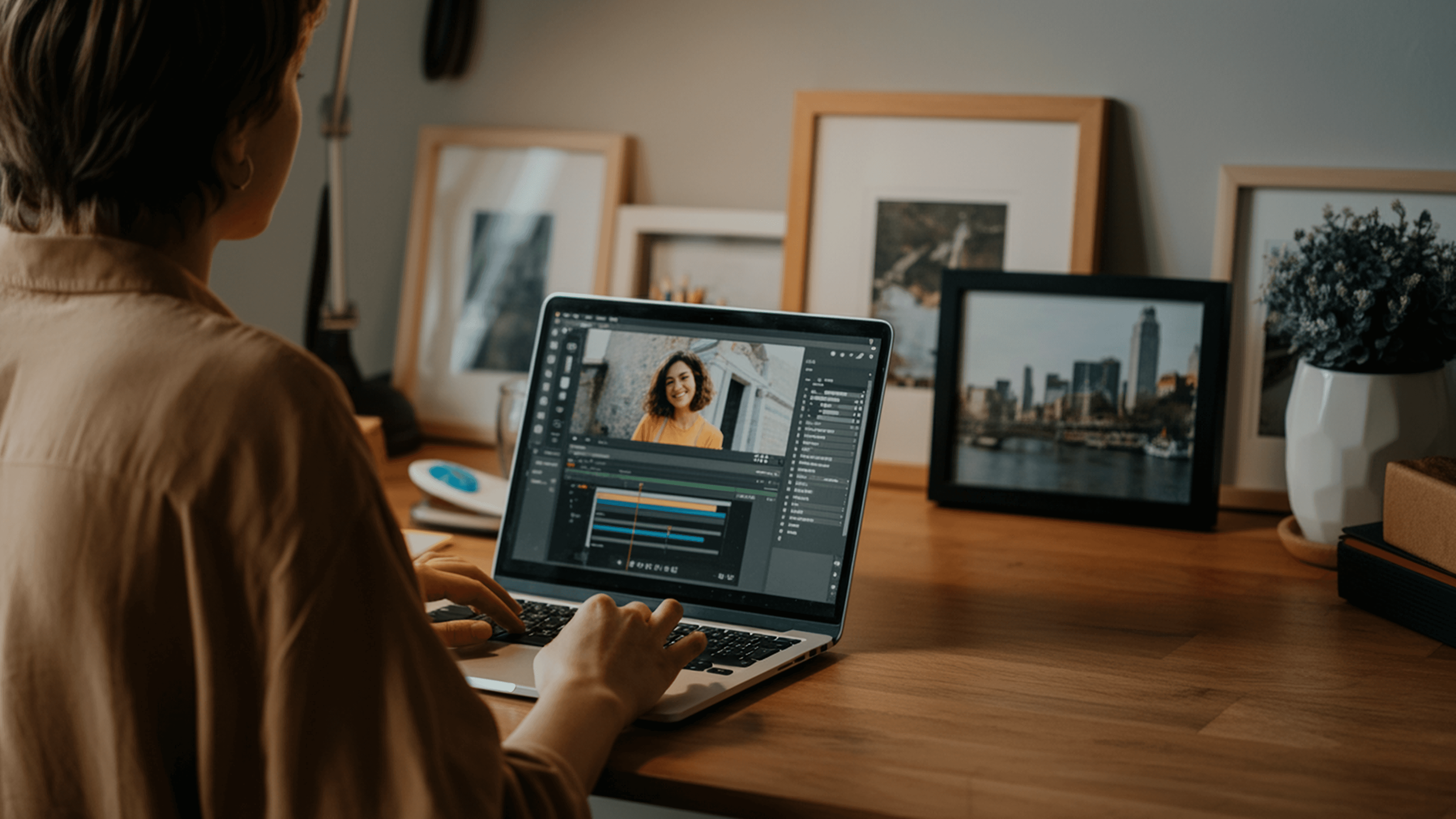
Removing the question from an interview clip can feel like respect for the viewer's time. Shorter, cleaner, faster to the insight. The problem is that brevity without context doesn't read as efficient to a cold audience; it reads as confusing.
What Actually Breaks When Context Disappears
The failure point is usually invisible to the creator who built the clip. When you've spent an hour inside a conversation, your brain fills in the missing setup automatically. You hear the guest's answer, and your memory supplies the question, the tone, the buildup. A cold viewer has none of that. They scroll in mid-thought, with no prior relationship to the guest, no familiarity with the topic, and no reason to stay unless the clip orients them in the first three seconds. Strip the question, and you've removed the one element that does that orienting work.
Overcoming Familiarity Blindness in Editing
A common pattern surfaces across creators at every experience level: the clips that feel tightest in the edit suite perform worst in the feed. The creator pulled a genuinely sharp answer, trimmed every pause, and delivered something that sounds polished in isolation. But the clip assumes knowledge the viewer doesn't have, and assumption is where attention goes to die. This is what makes familiarity blindness so costly; it's not a skill gap, it's a perspective gap, and perspective gaps don't announce themselves.
Evaluating Clips for Cold Audiences
Most creators select clips by scrubbing through the interview, flagging moments that hit hardest during the original recording, and exporting those segments. That workflow is fast, but it's also entirely creator-centric. It optimizes for what already landed with someone who had full context, not for what will land with someone who has none. Tools like Crayo shift that dynamic by handling the production layer automatically, so the creator's attention can stay where it matters: evaluating whether each clip works for a cold viewer, not just a familiar one.
The Structural Error Hiding Inside Good Enough Audio
A second cost runs parallel to the context problem, and it compounds the first. According to LinkedIn data cited by career strategist Kristy McCann Flynn, 52% of people globally are looking for a new role in 2026, which means social feeds are increasingly crowded with professional content competing for the same shrinking window of attention. In that environment, audio that's merely acceptable inside a 60-minute interview becomes actively distracting inside a 45-second clip. No surrounding conversation absorbs a slight echo or background hum. The flaw becomes the clip's loudest feature.
The Pre-Export Scroll Standard
The scroll test, applied before export rather than after, catches both problems at once. It asks one question with no room for hedging: would someone who has never heard of this guest stop scrolling for this specific clip? Not for the guest's reputation, not for the topic in general, but for this clip, in this form, starting at this moment. If the answer requires any qualification, the clip isn't ready.
That single standard, applied consistently across every piece of repurposed interview content, is what separates a social media clip strategy that builds an audience from one that simply produces output. And what happens when you apply that standard to 30 minutes of raw interview footage rather than 3 hours? That's where the process gets genuinely surprising.
Related Reading
- Podcast Shorts
- Repurpose Keynote Into Social Media Clips
- Church Reels Editing
- How To Start Clipping On Instagram
- How To Trim A Zoom Recording Saved On My Computer
- Best Video Clipping Tool For YouTube
- Repurposing Content For Social Media
- How To Add Audio To A Video
- Podcast Reels
- How To Repurpose Webinar Content For Marketing
How to Repurpose an Interview for Social Media in 30 Minutes
Applying the scroll test honestly is harder than it sounds. Most creators who've sat through an hour-long recording session carry the guest's credibility, backstory, and the conversation's emotional arc in their heads without realizing it. That invisible context shapes every clip decision, which is why a seven-step process matters more than instinct here. The process works because each step removes a specific failure mode, not because it's thorough for thoroughness's sake. Start with complete thoughts, not striking sentences. A 30- to 45-minute interview can provide weeks of social media content, but only when you select clips for self-sufficiency rather than surface-level quotability. A sentence that lands in context often collapses without it.
Identify Candidate Moments With Complete Thoughts
The failure point is usually structural. A clip needs setup, tension, and payoff. Not a thesis, not a summary, but a complete arc that a stranger can follow without the surrounding forty minutes of conversation to orient them. Scan your interview transcript or recording for moments where the guest moves through all three beats inside a single exchange. If you can't identify where the setup begins and the payoff lands, the clip isn't ready. That test eliminates most of the fragments that look compelling in isolation but leave cold viewers confused about why they should care.
Keep the Question When It Creates Curiosity
The default instinct is to trim the interviewer's question and lead with the guest's answer. That instinct is wrong about half the time. When the question is curiosity-driven, framing the answer as a response to something specific gives cold viewers a reason to keep watching before the guest has earned their attention. The question does two things simultaneously: it signals what kind of content this is, and it creates a small gap the viewer wants closed. That gap is what holds attention across the first few seconds, which is the only window that matters on a short-form feed.
Apply the Scroll Test Before Anything Else
When we evaluate clips against the scroll test honestly, a pattern surfaces quickly: the moments creators feel most confident about are often the ones most loaded with insider context. The guest's name, their credibility, the significance of what they're saying, all of it feels obvious from inside the recording. It isn't obvious to someone scrolling past it at 11 pm. The scroll test is a forcing function. Ask whether a person who has never heard of this guest would stop for this clip, specifically this clip, in this form, right now. If the answer requires any qualification, set the clip aside. That standard sounds strict because it is.
Check Standalone Audio Separately
Audio quality is one of the most consistently underestimated variables in interview repurposing. A room with mild echo, a slight hum from an air conditioner, or inconsistent mic levels can sound perfectly acceptable across a long conversation because the surrounding content absorbs the roughness. Pull thirty seconds out of that context and the same audio becomes distracting. Listen to each candidate clip in isolation before committing. Not as part of the full interview, but as a standalone file. The difference between what you hear in context and what a cold viewer hears on their phone with one earbud in is significant, and editing can't always fix that gap after the fact.
Match Length to Platform, Not Preference
Most creators who are repurposing interview content for social media default to one clip length because it's easier to produce consistently. The problem is that Instagram, TikTok, and LinkedIn don't reward the same format. Quick insights between 30 and 60 seconds perform well on platforms built for rapid consumption. LinkedIn allows 60 to 90 seconds when the clip demonstrates genuine expertise, because the audience there is more willing to invest time in exchange for professional signal. Treating all three platforms as identical distribution channels is a production shortcut that costs performance. The content is the same. The packaging needs to change.
Preserve the Back-and-Forth
The structural advantage of interview content over solo talking-head video is the dynamic between two people. When you edit out reactions, brief follow-up questions, or natural pauses to compress runtime, you erase that advantage. What remains looks and feels like a monologue, which is a format the feed already has in abundance. Keep genuine exchanges intact when they add rhythm to the clip. A two-second reaction shot or a short follow-up question from the interviewer isn't dead air. It's the texture that makes the clip feel like a conversation, not a performance.
Eliminating Production Bottlenecks Through Automation
Most creators handle the production side of this manually, scrubbing through timelines, adjusting cuts, and rebuilding captions from scratch for each platform. That process is where time disappears. Crayo addresses this directly by auto-clipping, generating captions, and formatting clips for different platforms in seconds, which shifts the bottleneck back to where it belongs: identifying the right moments, not producing the output.
Add On-Screen Labels for Cold Viewers
Even when the question is preserved and the clip is self-sufficient, a cold viewer still needs to know who is speaking and why that person's perspective is worth their attention. A name and brief credentials on screen do that work without requiring the viewer to know the guest already. The label doesn't need to be elaborate. Name, title, or relevant context, and nothing else. The goal is to answer the implicit question every cold viewer asks in the first two seconds: "Who is this, and why should I care what they think?"
What Actually Changes When You Follow This Process
According to Motion, a podcast and video services agency, a single interview generates over 20 pieces of content when the selection process is systematic rather than intuitive. That number only holds up when each piece is genuinely self-sufficient, not when the same interview is sliced into fragments that assume prior familiarity.
The before state is familiar:
- Clips cut to the answer
- Questions trimmed for brevity
- Audio checked once across the full recording
- One length applied everywhere
The after state isn't more clips. It's clips that actually work for the audience that matters most, the one that has never heard of your guest and owes you nothing. The hard part was never the editing. It was always knowing which thirty seconds deserved to exist on their own.
The 30-Minute Workflow to Repurpose an Interview for Social Media

The workflow already covered how to identify complete thoughts, decide which questions to keep, and check standalone audio. What changes everything is how tightly these steps connect when you run them as a fixed sequence rather than a loose checklist. Reactive clipping is the default. Most creators finish an interview, scan for a "good moment," and cut from there. The problem is that good moment is almost always defined by familiarity. You were in the room. You know the guest. The moment feels obvious to you because you have the context a cold viewer never will. The sequence below removes that bias by forcing each decision in a specific order, so the context check happens before the clip gets produced, not after it underperforms.
Minute 0–10: Mark Complete Thoughts, Not Strong Lines
Start by reviewing your recording and flagging moments with a full arc: a setup that creates tension and a payoff that resolves it. A single quotable line is not a candidate yet. It becomes one only if you can identify what created the stakes. This discipline alone eliminates most clips that feel compelling in the edit but land flat in a feed.
Minutes 10–15: Decide on Question Preservation
For each flagged moment, ask one specific question: does the answer's opening sentence tell a cold viewer exactly what problem is being solved? If yes, the question can go. If no, the question stays. This is a binary decision, not a creative one, and that binary choice keeps the process fast.
Minutes 15–20: Run the Scroll Test Before Editing Begins
The scroll test belongs here, before any editing happens, because it's cheaper to eliminate a weak clip at the selection stage than after you've trimmed and captioned it. Play the clip's first three seconds and ask whether someone who has never heard of your guest would stop. If the honest answer is no, the clip doesn't move forward, no matter how strong the content is for existing listeners.
Minutes 20–25: Check Audio in Isolation
The failure point here is almost always subtle. Room noise that blends into a full-length episode becomes a distraction in a 45-second clip because no surrounding audio absorbs it. Listening to each selected segment in isolation, separate from the full recording, is the only reliable way to catch this before it reaches a viewer who has no patience for it.
Most creators handle production sequentially:
- Select
- Edit
- Caption
- Publish
That linear flow works until content volume increases and the bottleneck shifts from selection to execution. Crayo addresses this directly by handling the production layer, auto-clipping, captioning, and formatting for platform-specific dimensions, so the time between a selected moment and a ready-to-post clip compresses from hours to minutes. The selection judgment stays human. The production execution doesn't have to.
Minutes 25–30: Finalize Length and Label for Each Platform
According to the Hollyland Creator Hub, a single 30- to 45-minute interview can supply weeks of social media content, but only if you match each clip to its destination. A clip sized for YouTube Shorts will feel cropped and rushed on TikTok if you don't adjust the pacing. Add an on-screen label identifying the guest in the first two seconds. For a cold viewer, your guest has no name recognition until you give them one.
Why the Sequence Matters More Than the Steps
The steps themselves are not new. The sequence is what makes them work. Running the scroll test after editing, instead of before, means you've already invested production time in clips that won't survive a cold feed. Checking audio after captioning means rework. Each step in this workflow is positioned to catch the most expensive mistake before it happens, not after. The improvement isn't in doing more. It's in doing the right things in the right order, so the content that reaches a cold audience is the content that was actually built for one. And once the workflow runs consistently, the next question isn't selection or sequencing.
Repurpose Interviews Faster With Crayo
The workflow is built. The order is set. What determines whether it stays consistent at scale is how much production work you do manually on every clip. Upload your interview to Crayo, and it automatically recognizes the question-and-answer structure, applying speaker labels so you skip the manual context-checking that quietly adds an hour to every session. Your review time goes toward the scroll test and audio check, not deciding whether each question is worth preserving. That shift makes repurposing interview content into short-form social video a repeatable system, not a project you rebuild from scratch each time.
Related Reading
• How To Trim A Zoom Recording
• Best Audiogram Maker
• How To Trim Google Meet Recording
• Best Way To Make Podcast Clips
• Best AI Video Repurposing Tools 2026
• Best AI Video Clipping Tools 2026
• Content Repurposing Tool
• Best AI Video Tools Like Vizard For Webinar Clips
• How To Automate My Video Clipping