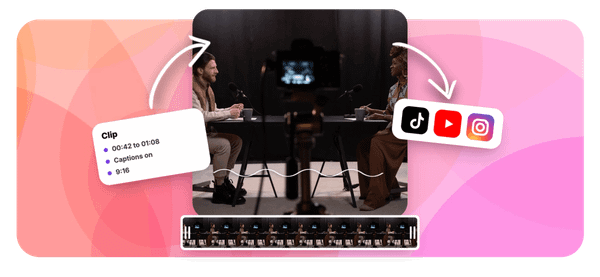
Every pastor and church leader knows the frustration of watching a powerful sermon moment disappear into a long video that most people will never finish. Short, focused sermon clips are what actually travel on social media, reaching people who would never sit through a full message. This article walks you through exactly how to use Sermon Clips AI for social media in 30 minutes, so your best preaching moments get the attention they deserve.
That is where Crayo's clip creator tool becomes genuinely useful. Instead of spending hours scrubbing through audio transcription and manually cutting faith-based video content, Crayo acts as the best AI podcast clip generator for sermon content, automatically pulling out the strongest moments. It handles the heavy lifting of clip creation, caption generation, and formatting so you can focus on sharing your message across platforms like Instagram, TikTok, and YouTube Shorts without losing a full day to video editing.
Table of Contents
- Why Church Media Teams Struggle to Clip Sermons Safely
- The Hidden Cost of Assuming Sunday's Licensing Covers Social Clips
- How to Use Sermon Clips AI for Social Media in 30 Minutes
- The 30-Minute Workflow to Turn a Sermon Into Social Clips
- Clip Sermons Safely and Faster With Crayo
Summary
- Sermon clips with background worship music carry real copyright risk, even when a church holds proper licensing. Most congregational licenses cover live, in-person use under a narrow legal exemption, but that coverage does not automatically extend to recorded content published on social platforms. Platform audio detection systems scan waveforms without evaluating intent, meaning a worship track audible underneath a pastor's message can trigger a mute or block within seconds of posting.
- The reach potential of sermon clips makes this risk worth addressing directly. Research from Reach Right Studios indicates that 95% of people who see sermon clips on social media do not attend the church posting them, meaning clips serve as a first point of contact for people who will never attend a service. A clip that gets muted or removed eliminates that outreach opportunity entirely, not just the legal exposure.
- Low clip performance is a common baseline for teams that have not yet refined their workflow. Reach Right Studios also reports that most churches posting sermon clips weekly average only around 40 views per clip, suggesting that volume alone does not drive reach. Clip quality, format, and platform alignment all shape whether content travels beyond the existing congregation.
- Captions are not an optional accessibility feature for sermon clips. Research cited by Taja.AI indicates that 85% of Facebook video is watched without sound, so captions serve as the primary delivery mechanism for most viewers. A clip without accurate captions is effectively silent for most viewers.
- Manual clipping workflows carry a significant time cost, creating pressure to skip compliance steps. SocialClip Studio estimates that manual sermon clipping typically takes 2 to 3 hours per sermon, which makes individual steps like audio review feel like candidates for removal under time pressure. Outreach Magazine notes that AI-assisted workflows can compress this to around 30 minutes, but that efficiency holds only when the clip target stays realistic: roughly 10 to 15 clips for a 45- to 60-minute sermon.
- Series branding and Scripture references on sermon clips do more than signal production quality. For a viewer with no prior connection to the church, a Scripture graphic establishes that the content is grounded in a specific teaching tradition rather than generic motivation. Repeated visual identity across multiple clips from the same series also creates the pattern recognition that prompts viewers to follow an account or seek out the full message.
Crayo's clip creator tool addresses the audio compliance gap directly by automatically separating teaching content from worship segments before exporting a clip, removing the manual review step most teams skip when production timelines get tight.
Why Church Media Teams Struggle to Clip Sermons Safely
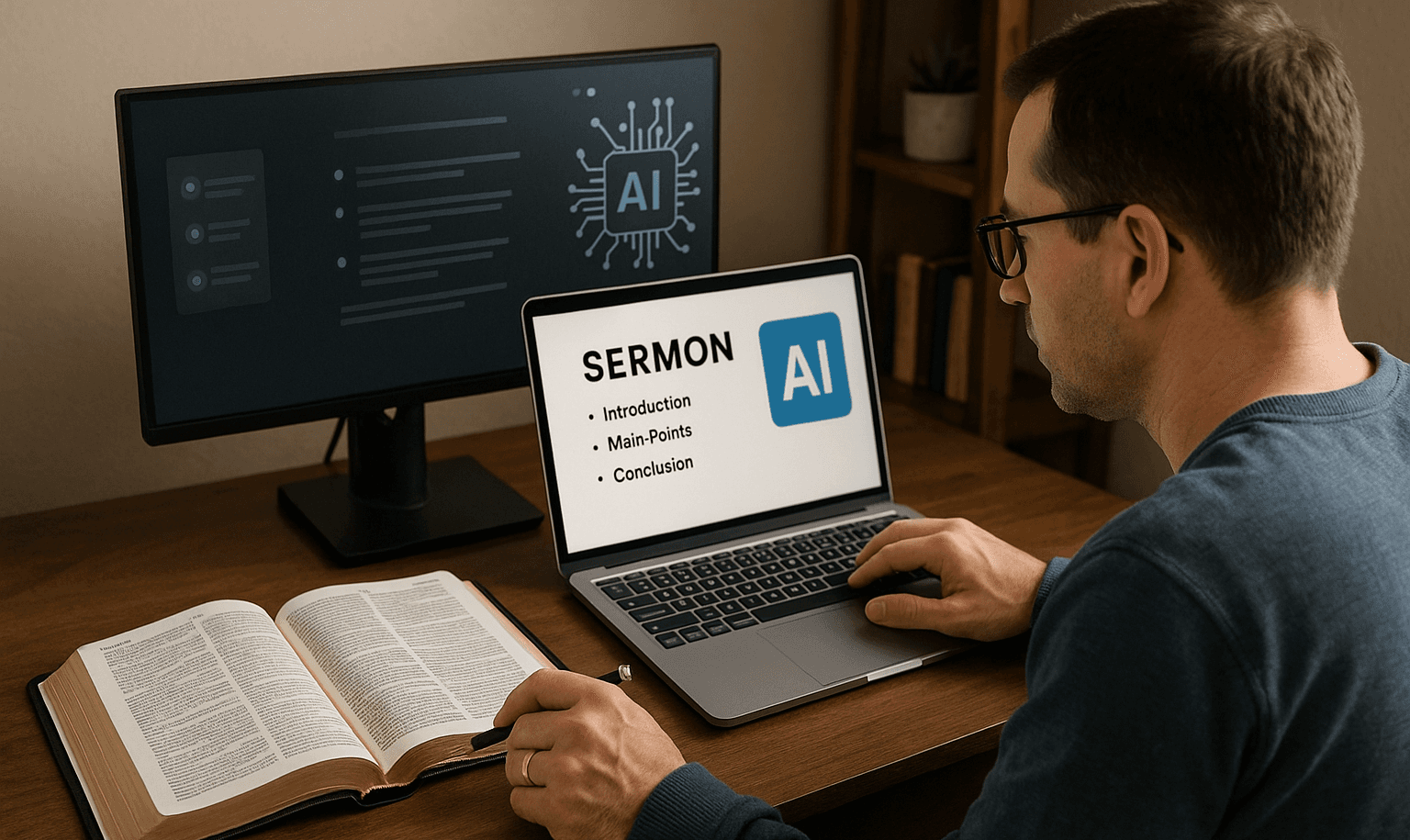
Church media teams aren't careless about copyright. They're careful about Sunday. The problem is that careful and complete are two different things, and the gap between them is exactly where sermon clip exposure lives.
Balancing Copyright Risk and Reach
Most teams handle the licensing conversation once, during the initial setup of their worship music program, and then treat it as settled. That makes sense. If you've done the work to license your congregational music properly, it feels reasonable to assume that diligence carries forward into everything downstream. But according to Reach Right Studios, most churches posting sermon clips weekly get only 40 views per clip, which means teams are absorbing real copyright risk for content that isn't even reaching a meaningful audience yet. The math on that tradeoff gets uncomfortable fast.
Audio Separation in Faith Content
The failure point is specific: a media volunteer trims a powerful altar-call moment, focused entirely on the emotional weight of the pastor's words, while a worship track plays quietly underneath. Nobody flags it. The clip goes up. The platform's audio detection system finds the licensed track within seconds and mutes or blocks the video. The moment is lost, not because the team was careless, but because the clipping tool didn't distinguish between spoken teaching and the music bed underneath it. AI sermon-clipping tools built for faith-based content solve this at the source by identifying and separating worship segments from sermon teaching before exporting a clip.
Scaling Compliant Clip Workflows
That's where Crayo matters for teams already focused on volume and efficiency. Most media teams approach clipping as a manual review process: scrubbing through recordings to find usable moments, then editing each one individually. As clip volume grows, that process doesn't scale, and the licensing gap compounds with every clip published. Crayo's AI-powered workflow auto-identifies high-impact teaching moments, adds captions, and formats clips for short-form platforms, removing the production bottleneck that makes teams rush and miss audio compliance details.
The Outreach Impact of Muted Clips
The reach reality makes this even more urgent. Reach Right Studios also reports that 95% of people who see sermon clips on social media do not attend the church posting them, which reframes the entire purpose of clipping. Sermon clips aren't just a recap for existing congregants. They are the first point of contact for people who otherwise would never walk through your doors. Publishing a clip that gets muted or blocked doesn't just create legal exposure. It eliminates the exact moment of outreach the clip was built to create.
Evaluating Platform-Specific Licensing Rights
The teams that navigate this well share one common behavior: they treat the clipping workflow as its own distinct compliance decision, separate from Sunday's licensing conversation. They ask not just "are we licensed?" but "does our licensed coverage extend to this specific format, on this specific platform, with this specific audio still audible?" Most teams skip that second question, and that's where the real cost begins. But what that cost actually looks like in practice, and why it catches even well-intentioned teams off guard, is more surprising than most people expect.
Related Reading
- Best AI Podcast Clip Generator
- What Is An Audiogram Podcast
- How Long Does It Take To Trim A Zoom Recording
- Content Repurposing Examples
- Webinar To Short Clips AI
- Podcast Clips For Social Media
- Video Clipping For Social Media
- Repurpose Webinar Content
- Can You Trim The Middle Of A Zoom Recording
- How Do I Repurpose My Interview To Social Media
- Sermon Clips AI
The Hidden Cost of Assuming Sunday's Licensing Covers Social Clips

Church media teams that maintain proper worship licensing are not careless. They are careful, intentional, and usually well-informed about copyright obligations for Sunday services. The problem is structural: a licensing framework built for one context gets assumed to cover a completely different one, and that assumption holds until a platform notice makes it visible.
Why the Gap Is Easy to Miss
The failure point is usually invisible until it isn't. Congregational licensing covers the live, in-person worship experience under a specific, narrow exemption in U.S. copyright law. Once that same service is recorded, trimmed, and published as a short-form sermon clip on YouTube or Instagram, the content changes categories entirely. Platform audio detection systems do not evaluate intent or context. They scan waveforms. A worship track audible underneath a pastor's message, even quietly, registers the same way a full song would. The exemption that protected Sunday morning does not travel with the audio file.
The Scale of What's Actually at Stake
The licensing ecosystem behind worship music is not small or loosely organized. According to the CISAC Private Copying Global Study 2026, private copying remuneration is collected in more than 45 countries worldwide, reflecting how seriously rights organizations track and enforce music use across formats and borders. That infrastructure exists precisely because the same piece of music generates different rights obligations depending on how it is used, where it is published, and who can access it. A sermon clip posted publicly on a social platform sits in a different rights category than a live service, and the systems enforcing those distinctions are automated, consistent, and indifferent to good intentions.
Automated Audio-Layer Separation
Most clip workflows make this worse, not better. When a media team selects a clip, attention goes to the spoken moment: the emotional peak, the theological insight, the line that will stop a scroll. The audio track underneath rarely gets a separate review. That quiet worship bed, still audible after the music fades out, gets exported right alongside the message. General-purpose clipping tools don't flag this. They clip what you select, audio and all. Crayo, built specifically around isolating high-value spoken content from surrounding audio, approaches this differently: it distinguishes teaching segments from music segments before exporting the clip, removing the manual review step entirely.
What Diligent Teams Are Actually Missing
The same study notes that over 1.5 billion euros is collected globally in private copying remuneration annually, a figure that reflects how actively music rights are tracked across formats, not just in live performance contexts. For church media teams, this context matters because it signals that the rights framework surrounding worship music is active and enforced, not theoretical. Assuming existing Sunday licensing closes the loop on social clips is not a minor oversight. It is a gap that sits directly in the path of every clip a team publishes with music still in the audio track.
Establishing A Clip-Specific Compliance Workflow
The fix is specific, not sweeping. Confirm with your licensing provider exactly what your current coverage includes for recorded, archived, and social content. Review every clip's full audio track before publishing, not just the spoken portion. Use a tool that separates teaching content from worship or music segments automatically, rather than one that treats all audio as equivalent. None of these steps require a legal team or a budget overhaul. They require treating the clip as a distinct content decision, separate from the Sunday service it came from. What happens when teams apply that discipline consistently is more interesting than most expect.
How to Use Sermon Clips AI for Social Media in 30 Minutes
Applying that discipline consistently does something most church media teams don't expect: it compresses the entire production cycle without compressing the message. The familiar approach is to treat sermon clipping as a post-production project, something that happens days after Sunday, involving multiple people, multiple software tools, and a review chain that adds friction at every step. That's not a broken process. It's just slow, and slow creates a specific problem: the moment when a sermon lands hardest, when the congregation feels it most, is exactly the moment your clip should reach someone who wasn't in the room. A three-day production window misses that window entirely.
Confirm What Your Existing Licensing Actually Covers
The failure point is usually assumption. Most church media teams assume a current licensing agreement covers everything recorded during a service, including clips posted to social platforms. It doesn't, and the gap isn't obscure fine print. It's a structural distinction between live congregational use and digital distribution that most licensing providers will clarify immediately when asked directly. Contact your licensing provider and ask one specific question: does your current plan cover recorded content posted to social media, not just live or archived use? That single conversation closes the most common and most costly gap before any clip gets produced.
Upload to a Tool Built for Sermon Content
General-purpose video clippers treat all audio as equivalent. A tool built specifically for sermon content identifies spoken teaching segments separately from worship music, transitions, and ambient service audio. That distinction isn't cosmetic. It's what prevents a powerful teaching moment from carrying a worship bed underneath it into a platform's automated audio detection system. Most church media teams that switch to a sermon-specific AI tool report the same discovery: the separation happens automatically, and it's accurate enough that the manual review step shrinks from a full audit to a quick confirmation pass. That's a meaningful shift in where human attention actually goes.
Review Each Suggested Clip's Full Audio Track
Even with automatic content separation, individual clips can carry residual audio depending on how a specific moment was recorded in the room. A mic that picked up ambient instrumentation during an altar call, or a transition moment where teaching and music overlapped, can still produce a clip that looks clean on the waveform but sounds problematic on playback.
The fix is specific: listen to each clip's complete audio track before it enters your final selection, not just the spoken portion. This step takes seconds per clip and catches the exact pattern that triggers platform muting after publishing.
Plan for a Realistic Clip Yield
The same issue surfaces across:
- Podcast clipping
- Webinar repurposing
- Sermon processing
Teams set production targets based on total recording length rather than the density of clip-ready moments. A 45-minute sermon and a 45-minute product demo will not yield the same number of usable clips because their content structures are fundamentally different.
Setting Realistic Sermon Clip Targets
For sermon content specifically, plan for roughly 10 to 15 usable clips from a typical 45 to 60-minute message. Longer or more dynamic sermons may yield slightly more. That range reflects the realistic density of self-contained, shareable teaching moments in a sermon format, distinct from the higher clip density you'd find in a structured interview or panel discussion. The production math matters here. According to Outreach Magazine's guide on AI sermon repurposing, you can repurpose a full sermon into social media content in about 30 minutes using AI tools. That number holds only if you set a realistic clip target from the start, not chase a volume the content can't support.
Add Visual Context That Connects Each Clip to Your Ministry
A clip without visual anchoring is a statement without a speaker. Viewers who encounter your content outside of a Sunday service context have no frame of reference for who is speaking, what series the message belongs to, or where the teaching is rooted scripturally. That missing context doesn't just reduce engagement. It reduces trust. Adding on-screen Scripture references or series branding, using whatever graphics capability your AI tool provides, closes that gap efficiently. It tells the viewer immediately:
- This is a teaching
- This is where it comes from
- This is the community that produced it
That context turns a clip from an interesting statement into an invitation.
In-App Captioning and Visual Formatting
Most teams handle this manually, opening a separate design tool, creating a graphic, exporting it, and then importing it back into the clip. The friction is real, and it's where the 30-minute workflow breaks down. Crayo builds caption styling, subtitle overlays, and visual formatting directly into the clipping workflow, so the graphic layer is applied in the same session as clip selection rather than as a separate production step afterward.
Export in Vertical Format for Every Relevant Platform
The same clip exported in landscape for YouTube and vertical for Instagram Reels isn't the same clip performing differently. It's two different viewing experiences, and vertical format matches how church audiences consume short-form content across Facebook, Instagram, YouTube Shorts, and TikTok. Vertical 9:16 is not a trend. It's the documented standard for short-form content on every platform where church media reaches new viewers. Exporting in any other format for these platforms isn't a stylistic choice. It's a distribution penalty.
Prioritize Facebook for Initial Distribution
The pattern is consistent across church media data: Facebook reaches a larger share of active church audiences than any other single platform. Most US congregations maintain an active Facebook presence, and the platform's sharing mechanics mean a clip posted by a church page can reach congregation members, their networks, and local community members with no existing connection to the church.
That doesn't mean ignoring other platforms. It means sequencing your distribution effort so the platform with the highest documented concentration of your specific audience gets the clip first, in the format that platform rewards. According to the Subsplash Blog's guide on creating sermon clips with AI, that kind of structured, AI-assisted workflow can compress the entire clip creation process to around 30 minutes, which only works if the distribution step is built into the workflow rather than treated as a separate project.
What the Process Actually Changes
Before this process: the gap between Sunday's message and Monday's clip is filled with assumptions, manual labor, and unreviewed audio.
After it: the gap is filled with a confirmed licensing check, an AI-generated clip set, a quick audio review, and a formatted export ready for the platforms where your audience already is.
The difference isn't producing fewer clips or more cautious ones. It's producing clips that are legally clean, contextually grounded, and distributed where they'll actually reach someone. That's a different category of output, not just a faster version of the old one.
The 30-Minute Workflow to Turn a Sermon Into Social Clips
The workflow you just built closes the compliance gap. Now the question shifts from "how do we avoid the problem" to "how do we make this repeatable without it becoming another task that quietly disappears when the week gets busy." Consistency is where most church media teams actually lose ground. Not in the first week of trying a new process, but in week four, when the service runs long, the volunteer editor is unavailable, and the 30-minute window shrinks to ten. The workflow only protects you if it runs every time, not just when conditions are ideal.
Why the Audio Check is the Step That Disappears First
The failure point is almost always the same: teams compress their process under pressure and drop the audio review because it feels optional. It isn't. A clip that sounds clean in the transcript preview can still carry a faint worship bed underneath the spoken content, and that's enough for platform detection systems to flag it. The audio check is not a finishing touch; it's the structural piece that makes everything else legally defensible.
Eliminating Audio Risks Through AI Automation
According to SocialClip Studio's 2026 guide on turning sermons into clips, manual clipping workflows typically consume 2 to 3 hours per sermon. That number matters because it reveals why teams cut corners: the process feels expensive before it even starts. When the full workflow costs that much time, any individual step becomes a candidate for removal. The fix is not willpower; it's building the audio check into the tool selection itself, choosing a sermon-specific AI platform that separates worship audio from teaching content before you ever make a clip decision.
What the Transcript Review Actually Does for You
Reviewing AI-suggested clips alongside their transcripts before committing to edits isn't just a time-saver. It changes the nature of the decision you're making. Instead of watching a clip and reacting emotionally to delivery, you're reading what the clip will actually communicate to someone who has no context for your series, your church, or your pastor's teaching arc. That shift matters more than most teams realize. A moment that lands powerfully inside a sanctuary can read as incomplete or confusing when stripped of its surrounding context. The transcript review forces you to evaluate the clip as a standalone piece of content, which is exactly how a first-time viewer on Facebook or Instagram will encounter it.
Captions as the Primary Viewer Interface
Most teams handle caption review as a final formatting step, something to check quickly before hitting export. The cost of that habit shows up in engagement: Taja.AI's research on sermon video clips reports that 85% of Facebook video is watched without sound, which means your captions aren't an accessibility feature for a subset of viewers. They are the primary delivery mechanism for most people who will see your clip.
Where Scripture Graphics and Branding Do Real Work
Adding Scripture references and series branding is not decoration. For a viewer encountering your content without any prior relationship to your church, a Scripture graphic is the fastest signal that what they're watching is grounded in something specific and intentional, not just a motivational clip with religious language. It shifts the viewer's frame from interesting video to this is from a community with a coherent message.
Series branding does something different but equally practical: it creates a visual thread across multiple clips from the same sermon or teaching series. A viewer who sees three clips over two weeks and recognizes the same visual identity is far more likely to follow the account or seek out the full sermon. That's not a marketing tactic; it's just how pattern recognition works for people scrolling quickly through a feed.
Choosing Platforms With Intention, Not Habit
The familiar approach is to export a clip and post it everywhere simultaneously, treating all platforms as equivalent distribution channels. The hidden cost of that habit is that it ignores the real differences in how each platform surfaces content to new audiences. A clip formatted for TikTok's discovery algorithm behaves differently than one optimized for Facebook's reach among established community networks.
Many teams focused on sermon content find that Facebook's audience skew toward existing church members and their immediate networks makes it the highest-leverage platform for clips meant to prompt conversation or a return visit. That doesn't mean ignoring other platforms; it means sequencing your attention and export settings with intention rather than defaulting to a simultaneous blast.
Streamlining Exporting and Formatting Workflows
This is also where the production infrastructure underneath your workflow starts to matter. Teams that rely on general-purpose video editors to handle the export and caption formatting step often find themselves rebuilding formatting presets each week manually. Crayo address this directly: auto-clip, caption, and subtitle styling tools handle the formatting layer in seconds, so the 25-to-30-minute export window stays tight even as your clip volume grows.
What Before vs. After Actually Looks Like in Practice
The before state: is not chaotic. That's what makes it easy to stay there. A team using a general-purpose clipping tool, skipping the audio check, and posting across platforms without format differentiation can still produce professional-looking content and generate some engagement. The gap is invisible until a clip gets muted, a copyright claim arrives, or a month of posts generates almost no new audience growth.
The after state: is not dramatically more complex. It's the same 30-minute window, the same sermon, the same team. The difference is a sermon-specific tool handling the worship-to-teaching separation automatically, a direct audio check built into the clip selection step, and export settings matched to where your audience actually is. The improvement is structural, not heroic, which is exactly why it holds up week after week when conditions aren't ideal.
Defining Optimal Sermon Clip Limit
Identifies 3 to 6 clips per sermon as the realistic range worth publishing, and that number is a useful constraint. It prevents the trap of treating every quotable moment as a clip candidate, which is how the workflow expands from 30 minutes to 90. Three to six clips, each with a clean audio track, accurate captions, and a Scripture graphic, distributed with platform-specific formatting: that's a complete output, not a starting point for more.
Prioritizing Workflow Consistency Over Resources
The teams that sustain this aren't the ones with the most resources. They're the ones who decided that the workflow itself is the product, and that protecting its consistency matters as much as the content inside it. But once that consistency is in place, something else becomes possible that most teams haven't thought to ask for yet.
Related Reading
- Podcast Shorts
- Repurpose Keynote Into Social Media Clips
- Church Reels Editing
- How To Start Clipping On Instagram
- How To Trim A Zoom Recording Saved On My Computer
- Best Video Clipping Tool For YouTube
- Repurposing Content For Social Media
- How To Add Audio To A Video
- Podcast Reels
- How To Repurpose Webinar Content For Marketing
Clip Sermons Safely and Faster With Crayo
Upload your sermon recording to Crayo, generate clips with teaching content automatically separated from worship segments, and publish with confidence that the specific audio gap this post addressed is closed by the process itself, not added as a manual check afterward. That separation is what makes the workflow repeatable, not just faster. The churches reaching more people with sermon content aren't the ones with larger teams. They're the ones who stopped treating clip production as a creative problem and started treating it as a systems problem. Crayo handles the extraction, captions, and formatting, so your team can focus on what requires human judgment: choosing which moments are worth sharing.
Related Reading
• Best Way To Make Podcast Clips
• Best AI Video Repurposing Tools 2026
• Best AI Video Clipping Tools 2026
• Best AI Video Tools Like Vizard For Webinar Clips
• Content Repurposing Tool
• How To Trim Google Meet Recording
• How To Trim A Zoom Recording
• Best Audiogram Maker
• How To Automate My Video Clipping