Have you ever created a great podcast episode and wondered if that content could do more work for you? Most creators sit on hours of valuable material without realizing how easily they can transform it into blog posts, social media clips, quote graphics, newsletters, and more. This article walks you through 7 content-repurposing examples you can try in 30 minutes, giving your existing content a longer shelf life and wider reach.
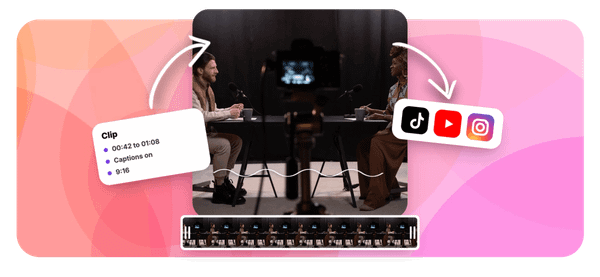
One tool that speeds this up is Crayo's clip creator tool, the best AI podcast clip generator, which helps you pull the strongest moments from your audio and turn them into short, shareable video clips almost instantly. Instead of spending hours editing, you can focus on distributing your repurposed content across multiple platforms and formats. Whether you are converting a podcast into a YouTube short, a transcript into a blog post, or a key quote into a carousel, Crayo helps you move from raw audio to ready content without the usual friction.
Table of Contents
- Why Creators Struggle to Repurpose Content Effectively
- The Hidden Cost of Reposting Instead of Reformatting
- 7 Content Repurposing Examples to Try in 30 Minutes
- The 30-Minute Workflow to Repurpose One Piece of Content
- Repurpose Content Faster With Crayo
Summary
- Most creators treat repurposing as reposting, copying content from one platform and pasting it into another without changing the structure. Only 29% of content creators repurpose content across multiple platforms regularly, which means most either skip the process entirely or do a surface-level version. The real work of repurposing happens in the structural translation step, where you rebuild an idea to match what each platform actually rewards.
- Platform algorithms penalize structural misfit. A podcast excerpt dropped into LinkedIn without a native hook or a clear standalone insight gets treated as low-quality content, not because the idea is weak, but because the packaging signals it was built for somewhere else. This is how reach quietly erodes even when a creator is technically publishing across multiple channels.
- The cost of skipping reformatting compounds over time. Creators who rely on volume as a substitute for adaptation end up training algorithms to distribute their content less and audiences to scroll past it faster. Only 23% of marketers say they always or frequently repurpose content, which means even experienced teams default to reposting more often than they acknowledge.
- The documented benefits of genuine repurposing are significant. Repurposing content can increase traffic by up to 300% according to HubSpot, and marketers who reformat content into platform-native formats like carousels are 3x more likely to report strong results. A single pillar piece can generate 4 to 10 distinct assets per weekly loop, but only if the structural translation actually happens at each step.
- A repeatable 30-minute workflow removes most of the friction that causes reformatting to collapse back into reposting. The sequence works by separating the core insight from the original format first, choosing one platform structure before writing anything new, building from a blank canvas rather than editing the source, and tracking each reformatted piece separately so patterns in what earns reach become visible over time.
- Tracking repurposed content separately from original content matters more than most creators expect. Lumped performance data creates a false picture of what is working. When reformatted clips consistently outperform reposts, that pattern has to be visible and isolated to be trusted enough to repeat as a system.
Crayo's clip creator tool fits into this workflow at the production step, handling auto-clipping, captions, and formatting in a single pass so the time between raw source material and a publish-ready clip stays short enough that reformatting remains the faster option.
Why Creators Struggle to Repurpose Content Effectively

Reposting is not repurposing. Most creators know this somewhere in the back of their mind, but the daily pressure to stay consistent pushes them toward the path of least resistance: copy, paste, publish, repeat. The result looks like a content strategy but functions like a treadmill.
The core confusion is structural. Reposting asks, "Where else can I put this?" Repurposing asks, "What does this platform actually reward, and how do I rebuild this idea to match that?" Those are genuinely different questions, and they produce genuinely different outcomes. According to Market.us Scoop's Digital Content Creation Statistics, only 29% of content creators repurpose content across multiple platforms regularly, which means most either don't repurpose at all or do the reposting version and call it done.
Adapting Core Ideas to Platform-Specific
The failure point is usually reformatting, not the ideas themselves. A podcast episode contains a LinkedIn essay, a short-form video script, and three tweet-sized observations. But extracting those requires knowing what each platform structurally rewards:
- LinkedIn favors a strong opening line followed by a professional insight
- Short-form video rewards a two-second hook and one concrete data point
- A tweet lives or dies by its first five words
Skipping that diagnostic step means the same core idea lands weakly everywhere instead of strongly somewhere.
Moving Beyond Copy-Paste Content Repurposing
Most creators handle this by opening the original file, copying a section, and pasting it into a new platform's composer. It feels efficient because the content is technically appearing in multiple places. But what gets lost is the structural translation, the moment when an idea stops being a blog paragraph and becomes a scroll-stopping caption. Content Marketing Institute's B2B Content Marketing Research 2024 reports that only 23% of marketers say they always or frequently repurpose content, which suggests that even among experienced teams, genuine reformatting is the exception rather than the default.
Content Translation Over Direct Copying
Tools like Crayo address this friction point: instead of manually rebuilding the same clip for each format, creators upload once and generate platform-ready short-form video with captions and voiceovers built in, keeping production handled so the strategic side gets the attention it deserves. The same issue surfaces in audio content and written content alike: creators treat the original format as the template when it should only be the source.
- A webinar recording is not a YouTube video.
- A blog post is not an email newsletter.
Each requires a different entry point, a different structural arc, and a different relationship with the reader's attention span. When creators skip that translation, they do all the work of repurposing without collecting any of the documented benefit.
Related Reading
- Best AI Podcast Clip Generator
- What Is An Audiogram Podcast
- How Long Does It Take To Trim A Zoom Recording
- Webinar to Short Clips AI
- Clipping A YouTube Video
- Podcast Clips For Social Media
- Video Clipping For Social Media
- Repurpose Webinar Content
- Can You Trim The Middle Of A Zoom Recording
- How Do I Repurpose My Interview To Social Media
- Sermon Clips AI
The Hidden Cost of Reposting Instead of Reformatting

The compounding cost mentioned at the end of the previous section isn't abstract. It shows up in analytics dashboards, flat engagement curves, and the quiet frustration of creators who work hard but don't grow. The gap between reposting and reformatting is measurable, and it widens every week you default to the easier path.
Where the Real Loss Accumulates
The failure point is usually invisible at first. Reposting the same clip or paragraph across platforms feels productive because the content is moving. But platform algorithms don't reward movement. They reward structural fit. A podcast excerpt dropped raw into a LinkedIn post without a native hook, a tight text structure, or a clear standalone insight gets treated by the algorithm as low-quality content, not because the idea is weak, but because the packaging signals that it was built for somewhere else. That mismatch is where reach quietly bleeds out.
The Misconception of Volume Over Adaptation
Most creators handle this by leaning on volume as a substitute for adaptation. The familiar logic is: post more, reach more. What actually happens is that each mismatched post trains the algorithm to distribute that content less, and trains the audience to scroll past it faster. According to Harvard Business Review, data workers spend up to 60% of their time cleaning and organizing data rather than using it, and content creators face a structurally similar trap. The effort goes into moving content around rather than into the one step that generates actual return: reformatting it for where it lands.
Automation as the Bridge to Native Content
The short-form video world makes this cost especially concrete. A creator pulling clips from a long-form video and reposting them unedited does the discovery work but skips the production step that turns a raw moment into a platform-native piece. Tools like Crayo exist to fill this gap: auto-clipping, caption generation, and AI voiceover handle the structural adaptation most creators skip, so the content that goes out fits the format the platform rewards rather than approximating it.
What Proper Reformatting Actually Produces
The numbers behind genuine content repurposing, turning one podcast episode into a short-form video series, a LinkedIn carousel, a newsletter breakdown, and a Twitter thread, are not marginal. IBM's research has documented how poor data quality costs the US economy $3.1 trillion annually, and the mechanism is the same one at work in content: the raw material exists, but the failure to process it correctly means the value never gets extracted. Creators who repost are sitting on the equivalent of unprocessed data. The source material is there. The adaptation step is what turns it into reach.
Intentional Translation Drives True Growth
The critical difference between creators who compound their content's value and those who plateau is not how much they produce. It is how deliberately they translate each piece into the structural language of each destination. That translation step is where the documented 76% traffic increase and 12x reach figures actually live, and it is the step that reposting, by definition, skips entirely. What most creators discover only after months of flat numbers is that the answer was never more content.
7 Content Repurposing Examples to Try in 30 Minutes

Genuine repurposing is not about working harder. It is about working with the grain of each platform, matching structure to context, and letting the same core idea earn its place in seven different rooms.
1. Blog Post to Short-Form Video Script
Extract one counterintuitive insight from your blog post, not the whole argument. Build a script around it: a two-second hook, one concrete claim, two or three fast examples, and a clear call to action. This structure matches the documented pacing that performs on TikTok, Instagram Reels, and YouTube Shorts, where the first moment either earns attention or loses it permanently.
2. Blog Post to LinkedIn Carousel
Break your post's central argument into a sequence of single ideas, one per slide. A strong hook slide, five to eight content slides each carrying one clear point, and a closing slide with a specific takeaway. LinkedIn rewards the swipe-through experience, and according to the Content Marketing Institute Annual Report, marketers who repurpose content this way are 3x more likely to report strong results, which makes structural fit a performance variable, not a design preference.
3. Webinar Recording to a Written Guide
Most creators post the recording link and move on. The problem is that a meaningful share of any audience prefers reading over watching, and a raw recording link reaches almost none of them. Transcribe the session, restructure it with headers and clear sections, and add a summary of actionable takeaways at the end. The webinar's ideas stay the same; the delivery format earns a second audience.
4. Podcast Episode to Audio and Video Clips
The failure point here is treating the full episode as the asset. The real assets are the 15 to 25 distinct moments inside it:
- A sharp insight
- A genuine disagreement
- A surprising statistic stated plainly
Each clip needs its own hook and payoff because it has to work as a standalone piece for someone who has never heard the full episode.
Streamlining Podcast Production Through Automation
Most creators who clip podcasts manually spend more time editing than creating. They juggle caption tools, export settings, and aspect ratio adjustments across separate apps, which turns a 30-minute episode into a half-day project. Crayo handles the production side directly, auto-clipping standout moments and adding captions and formatting in a single workflow, so creators stay focused on identifying the right moments rather than assembling the output.
5. Data Report to an Infographic
Pull the three to five most striking statistics from your report and build a single image around them. Use one dominant visual statistic as the focal point, with supporting numbers arranged clearly and minimal text. Infographics get shared because they communicate a finding instantly, without asking someone to read a full document first. That is a fundamentally different consumption pattern than the source material, and designing for it is what makes the format work.
6. Blog Post to Email Newsletter Digest
Write a shorter, more conversational version of the post specifically for an inbox context. A direct opening, the core insight condensed to a few sentences, and a specific reason to click through for the full piece. Email readers expect a different register than a public blog post, and forwarding the post directly misses that. The tone shift isn't cosmetic; it determines whether someone reads or deletes.
7. Long-Form Video to a Twitter/X Thread
HubSpot's Content Marketing research reports that repurposing content can increase traffic by up to 300%, and threads are one of the clearest examples. Extract the video's key argument and rebuild it as a sequence of short, standalone tweets:
- An opening tweet stating the core claim
- Each following tweet adding one specific point
- A closing tweet with a clear takeaway
The platform rewards concise, punchy content, and a video's spoken-word pacing simply doesn't survive the translation unless you actively rebuild the structure.
What Actually Changes Across All Seven
The pattern across every example above is the same. The source content stays intact. What changes is the structural container it lives in, because each platform rewards a different consumption behavior. A blog post read linearly, a carousel swiped through, a clip watched in isolation, a thread scanned top to bottom. Matching structure to behavior is what separates content that earns reach from content that simply exists on a platform. The difference is not volume. It is precision applied once per format, then repeated as a system. But knowing the formats is only half the equation, and the half that most creators already have figured out is rarely the one holding them back.
The 30-Minute Workflow to Repurpose One Piece of Content

Knowing the workflow is only useful if the workflow actually runs. That is where most creators stall, not at understanding, but at execution. The failure point is almost always the same: reformatting gets treated as a creative decision made in the moment, rather than a mechanical sequence that runs the same way every time. When it is a decision, it competes with every other decision in a busy publishing day. When it is a sequence, it just runs.
Minute 0 to 5: Separate the Insight From the Format
Pick one existing piece of content, a podcast episode, a webinar, a long-form post, and write down its single most transferable idea in one sentence. Not a summary. Not a title. One idea that could stand alone without any context from the original piece. This step sounds obvious, but skipping it is what causes lightly adapted content. If you carry the original structure forward in your head, you will unconsciously rebuild it on the new platform. The one-sentence extraction forces a clean break.
Minutes 5 to 10: Choose One Platform and Its Specific Structure
Pick one platform. Not three. One. Then name its specific native structure before you write a single word of new content. For short-form video, that structure is a two-second visual or verbal hook followed by a single payoff. For a LinkedIn carousel, it is a tension-setting cover slide, a one-idea-per-slide middle, and a directional close. For a written thread, it is a strong opening claim followed by sequential proof. The structure comes first. The content fills it.
Minutes 10 to 20: Build From Scratch, Not From Editing
Open a blank document or a new project. Do not open the original. Use your one-sentence insight and your chosen platform structure to build something new, starting from the hook or opening frame required by that platform. This works because it's mechanical, not motivational. Editing the original keeps the original's shape alive underneath the new words. Building from a blank canvas forces the platform's shape to take over instead. The ten minutes feel slower, but the result is structurally native rather than structurally adapted.
Consolidating Workflows for Fast Adaptation
Most creators handle the production side by stitching together separate tools:
- One for clipping
- One for captions
- One for formatting
That process works until time pressure hits, and then the reformatting step gets compressed into a quick copy-paste. Crayo collapses that stack into a single workflow where auto-clipping, captions, and voiceovers happen in one pass, keeping the build-from-scratch step fast enough to happen under real publishing conditions.
Minutes 20 to 25: Check Against Genuinely Native Content
Before publishing, pull up three pieces of content that performed well natively on your target platform. Read or watch yours alongside them. The question is not whether yours is good. The question is whether it reads or watches like it was built for this specific audience, or like something that originated somewhere else. Structural mismatches are easier to catch visually than analytically. If your short-form video script reads more like a blog paragraph than a hook-and-payoff, you will feel the difference when you compare them side by side. Catching it here costs thirty seconds. Discovering it through weak performance costs a week.
Minutes 25 to 30: Publish and Track Separately
Publish the reformatted piece, then create a separate tracking note. Not a spreadsheet. A note. Platform, format, core insight used, date published, engagement after 48 hours. Separate tracking matters because lumped performance data creates a false picture. If your reformatted clips consistently outperform your reposts, you need to see that pattern clearly to trust the process enough to repeat it. According to Tugan.ai's Complete 2026 Guide to Content Repurposing, a single pillar piece can generate 4 to 10 distinct assets per weekly loop, but that output only compounds if you are tracking which formats are actually earning reach and which ones are not.
Why the Sequence Holds Under Pressure
The workflow above is not a creative framework. It is a production sequence with a specific order for a specific reason. Each step removes one condition that causes genuine reformatting to collapse back into reposting.
- Separating the insight removes the original's structural anchor.
- Choosing the platform structure first removes the temptation to adapt rather than build.
- Building from scratch removes the editing shortcut.
- Checking against native content removes the assumption that structural fit is automatic.
- Tracking separately removes the false comfort of lumped performance data.
Remove any one step and a different failure mode fills the gap.
The Friction of Scaling Repurposing
A common pattern among creators managing multiple platforms is that the workflow holds for the first two or three weeks, then compresses under volume. The reformatting step is the first to go, replaced by a quick repost with a new caption. When that happens, the reach advantage disappears, and the creator assumes repurposing stopped working, rather than recognizing that the process stopped running.
The fix is not discipline. It is making the sequence short enough that skipping it takes more effort than running it. Thirty minutes is the threshold where that becomes true for most creators. But the harder question, the one that determines whether this workflow actually scales, is what happens when you are not repurposing one piece but managing a library of them.
Related Reading
- Podcast Shorts
- Repurpose Keynote Into Social Media Clips
- Church Reels Editing
- How To Start Clipping On Instagram
- How To Trim A Zoom Recording Saved On My Computer
- Best Video Clipping Tool For YouTube
- Repurposing Content For Social Media
- How To Add Audio To A Video
- Podcast Reels
- How To Repurpose Webinar Content For Marketing
Repurpose Content Faster With Crayo
Managing a library of repurposed content across platforms is where most workflows quietly collapse. The sequence works for one piece, then two, then the volume grows and the manual rebuilding time stacks up faster than the publishing schedule allows. That is the point where creators either systematize or stall. Open Crayo, upload your source content, and generate a version reformatted for your target platform's native structure without rebuilding from scratch each time. For short-form video creators and clippers especially, that gap between having the raw material and having a publish-ready clip is where momentum dies.
Eliminating Friction Through Automation
Crayo closes that gap directly, handling the production side so the focus stays on identifying what is worth clipping, not on manually reconstructing it for every format. Creators who scale repurposing successfully aren't working harder. They are running a shorter sequence, more often, with less friction at each step. That is the whole system.
Related Reading
• Best Audiogram Maker
• How To Automate My Video Clipping
• How To Trim A Zoom Recording
• Best AI Video Tools Like Vizard For Webinar Clips
• Best AI Video Clipping Tools 2026
• Best AI Video Repurposing Tools 2026
• Content Repurposing Tool
• Best Way To Make Podcast Clips
• How To Trim Google Meet Recording