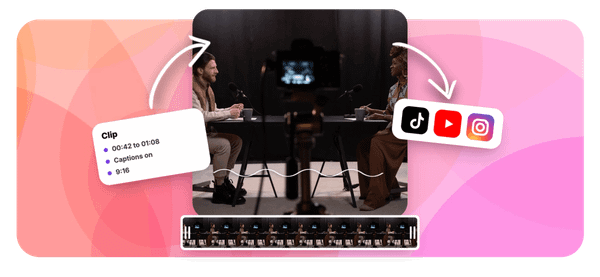
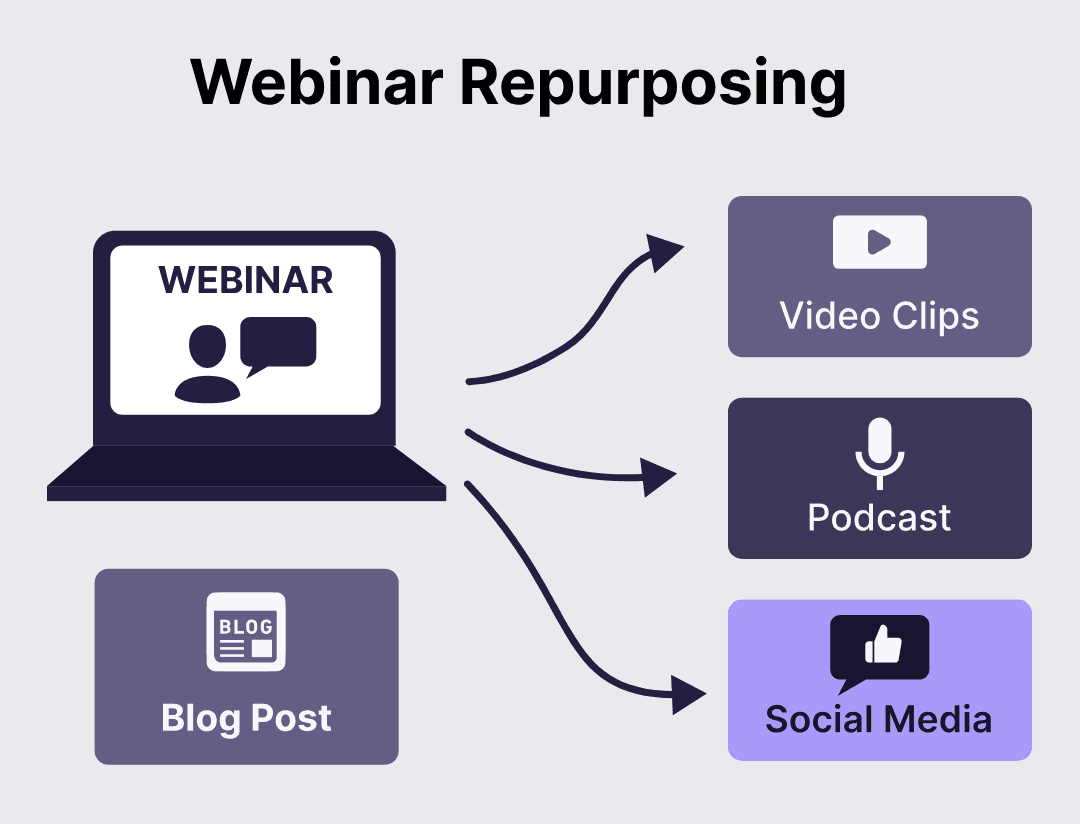
You spent hours preparing a webinar, your audience showed up, and then... it just sits there as a recording no one watches. That is a real missed opportunity, especially when you can break that content into blog posts, short video clips, social media snippets, and email sequences that keep working for you long after the live session ends. If you want to repurpose webinar content for marketing in 30 minutes or less, this article walks you through a practical, repeatable process that turns one recording into multiple assets across channels. Tools like the Best AI Podcast Clip Generator have made this faster than most marketers expect.
That speed is where Crayo's clip creator tool changes the game. Instead of manually scrubbing through a 60-minute webinar to find the sharpest moments, Crayo identifies and pulls the strongest clips automatically, so you can redistribute your webinar content across social platforms, newsletters, and podcast feeds without burning your afternoon on editing. It handles the heavy lifting so you can focus on strategy, audience engagement, and getting your message in front of more people who actually need it.
Table of Contents
- Why Repurposed Webinar Content Doesn't Generate the Leads It Should
- The Hidden Cost of Gating Everything and Repurposing Only After the Event
- How to Repurpose Webinar Content for Marketing in 30 Minutes
- The 30-Minute Workflow to Build a Webinar Marketing Funnel
- Build Your Webinar Marketing Assets Faster With Crayo
Summary
- Webinars consistently rank as one of the most effective lead generation tools in B2B marketing, yet the content they produce rarely gets the distribution it deserves. According to Cirrus Insight, 73% of B2B marketers say webinars are the best way to generate high-quality leads, but most repurposed assets fail to replicate that engagement because teams misunderstand what the repurposed content is actually supposed to do.
- Aggressive gating is one of the most common reasons repurposed webinar content underperforms. Research from multiple B2B sources confirms that 73% of buyers actively avoid gated content by default, which means putting a form in front of a general blog recap or highlight clip does not maximize lead capture. Selective gating, reserving forms for genuinely unique assets like proprietary frameworks or original research, allows everything else to circulate freely as trust infrastructure.
- The on-demand replay is consistently underused, and the numbers explain why this matters. Only 20 to 40% of webinar registrants watch the replay, meaning most of an already interested audience never engages with the full session. Short-form clips pulled from the strongest moments give non-attendees a lower-commitment way to engage, and ON24 data shows webinar recordings receive 30% more views when repurposed into short-form video.
- Most teams treat repurposed webinar content as a post-event-only tool, but documented case guidance shows that using previous-session clips to promote future webinars generates pipeline activity across six to eight weeks per session, not just the week of the live event. This is a structural shift in how much revenue a single webinar can generate relative to its production cost, and it requires no additional budget.
- Personalized nurture outperforms generic follow-up by a measurable margin, and the webinar itself provides all the material needed. Follow-up emails that reference a specific question asked during the session, a data point the speaker highlighted, or a clip from a counterintuitive moment perform differently than templated "thanks for attending" messages. According to Content Marketing Institute, repurposing content can increase total content output by up to 300% without additional resources, and session-specific nurture paths are where that multiplier shows up most.
- Extended pipeline tracking is the measurement gap that causes teams to systematically underinvest in webinar content. When leads are counted only in the 72 hours after a live event, the full value of ungated clips, a gated replay, and a multi-email nurture sequence running over six to eight weeks never appears in the data. EasyWebinar research shows registration-to-attendee conversion rates average 40 to 50%, meaning many registered leads never attend live and remain warm audience members that appear in reporting only if the tracking window is long enough to capture them.
Crayo's clip creator tool addresses this by automating the production step that most commonly stalls the repurposing workflow, turning a full webinar recording into formatted short-form clips with captions in seconds rather than hours, making it realistic to execute the full distribution strategy consistently rather than only when bandwidth allows.
Why Repurposed Webinar Content Doesn't Generate the Leads It Should
Repurposed webinar content underperforms not because the content lacks value, but because most marketing teams apply the same gating logic to every asset they create from it. Gate the blog summary, gate the highlight clips, gate the key-takeaways doc, and suddenly you've built a wall around content whose primary job was never lead capture. Its job was reach, trust, and familiarity. Gating kills all three.
The Lead Generation Misconception
The pattern is consistent across B2B marketing teams of every size. According to Cirrus Insight's Lead Generation Statistics and Trends 2025, 73% of B2B marketers say webinars are the best way to generate high-quality leads, yet most repurposed content fails to replicate this engagement. That gap exists precisely because teams confuse the webinar's lead-generation power with the repurposed content's actual function. The live session earns trust through real-time interaction and expertise. The clips and summaries that follow are meant to extend that trust to people who weren't in the room, not to extract contact details from them before they've decided you're worth listening to.
Strategic Gating vs. Reach
Most teams handle this by treating every repurposed asset as a lead capture opportunity, because form submissions are the metric on the dashboard. That logic feels airtight until you look at what happens after the form. Most B2B buyers now avoid gated content by default, so aggressive gating doesn't maximize lead capture. It actively suppresses the reach that makes future lead capture possible.
The smarter move is selective:
- Gate only the asset that delivers something genuinely unique
- Like a proprietary framework or an original data point from the session
- Let everything else work freely as trust infrastructure
Continuous Pre-Event Promotion
A second mistake compounds the first. Most teams use repurposed webinar content only after the event, as follow-up material for people who already attended or registered. That's one job. But repurposed clips and quotes from a past session are also some of the most credible pre-event promotion you can run for the next one.
A B2B SaaS team that posts teaser clips from last month's session before this month's registration opens isn't starting from scratch each time. They're building a pipeline that generates activity for six to eight weeks, not just the seven days before the live event. Teams that skip this compound their promotional costs with every new webinar they run.
Unlocking Replay Value Quickly
The on-demand replay itself is another underused asset. Only 20 to 40% of webinar attendees watch the replay, which means most registrants never engage with the session, live or recorded. That's not a content quality problem. It's a distribution and format problem. Short-form clips pulled from the session's strongest moments give non-attendees a reason to engage without committing to a 60-minute recording.
This is where speed matters: the faster you can extract and format those moments into shareable short-form content, the more reach you recover from an audience that was already interested enough to register. Teams that clip manually lose days. Teams using Crayo's clip creator tool pull those moments automatically, formatting them for social distribution while the webinar is still fresh enough to matter.
Personalized Nurture Paths
Generic post-event nurture emails are the final failure point. A "thanks for attending" email with a replay link treats every attendee as identical, even though the session created dozens of specific moments worth referencing. Repurposed content built around particular quotes, frameworks, or examples from the session creates nurture paths that feel personal, because they are.
The attendee who asked about pricing responds differently to a clip addressing that exact question than to a blanket follow-up. Specificity is what moves people through a pipeline. Volume of emails is not. But the real cost of these habits goes deeper than missed leads, and it's the part most teams never stop to calculate.
Related Reading
- Best AI Podcast Clip Generator
- What Is An Audiogram Podcast
- How Long Does It Take To Trim A Zoom Recording
- Content Repurposing Examples
- Webinar To Short Clips AI
- Clipping a YouTube Video
- Podcast Clips For Social Media
- Video Clipping For Social Media
- How Do I Repurpose My Interview To Social Media
- Sermon Clips AI
The Hidden Cost of Gating Everything and Repurposing Only After the Event
Gating indiscriminately and treating repurposed webinar content as a post-event-only tool doesn't just limit reach. It compresses the entire marketing value of a session into the smallest possible window, against the largest possible resistance.
What the Data Actually Costs You
Research from multiple 2026 B2B sources confirms that 73% of buyers actively avoid gated content by default. That's not a soft preference. It's a majority-level behavior, meaning most of your repurposed clips, blog recaps, and highlight reels hit a wall before anyone reads them if you put a form in front of them. Content meant to build trust ends up creating friction instead. And the leads you do capture through indiscriminate gating tend to be lower quality, because the people most willing to fill out a form for a general summary are rarely the buyers closest to a decision.
Gating High-Intent On-Demand Replays
The on-demand replay is where this gets more interesting. Kaltura's 2024 research found that 65% of marketers already treat their replay as its own standalone lead-generation asset, requiring a fresh registration to access it. That's a genuinely unique, high-value asset, the kind of content that justifies a gate, because watching a full recorded session carries a real time cost and signals real intent. A blog recap does not. The distinction matters because it changes who you're capturing and how ready they are to move forward.
Automating Content Creation for Scalable Promotion
Most teams handle repurposing by editing clips manually after the event, then promoting the next webinar from scratch. That friction means fewer clips get made, distribution slows, and the content flywheel never actually spins. Crayo addresses this directly: auto-clipping long-form webinar recordings into short-form highlights, adding styled captions and AI voiceovers in seconds, so the volume of repurposed content you can push into pre-event promotion for future sessions becomes a real, executable strategy rather than a theoretical one.
Why the Flywheel Stalls Before it Starts
The failure point is usually event-boundary thinking. A webinar feels like a discrete moment with a clear before, during, and after, so repurposed content defaults to the "after" column. But documented case guidance describes teams using previous-session teaser clips to drive registrations for future webinars, generating pipeline activity across six to eight weeks per session rather than just the week of the live event. That's not a minor efficiency gain. It's a structural shift in how much revenue each webinar can generate relative to its production cost.
Maximizing ROI Through Strategic Distribution and Speed
The real math here is simple. Gating everything and stopping at post-event nurture caps each webinar's marketing reach with buyer resistance to forms and limits it to a single promotional window. Selective gating, combined with using repurposed content both before and after events, costs no additional production effort. It's a distribution and sequencing decision, not a budget one.
The webinar you already ran can keep generating qualified registrations for the next one, if the clips exist and the gating logic matches what each asset actually earns. And that's where the real opportunity sits, hiding in plain sight, waiting for the team willing to treat speed as a competitive advantage.
How to Repurpose Webinar Content for Marketing in 30 Minutes
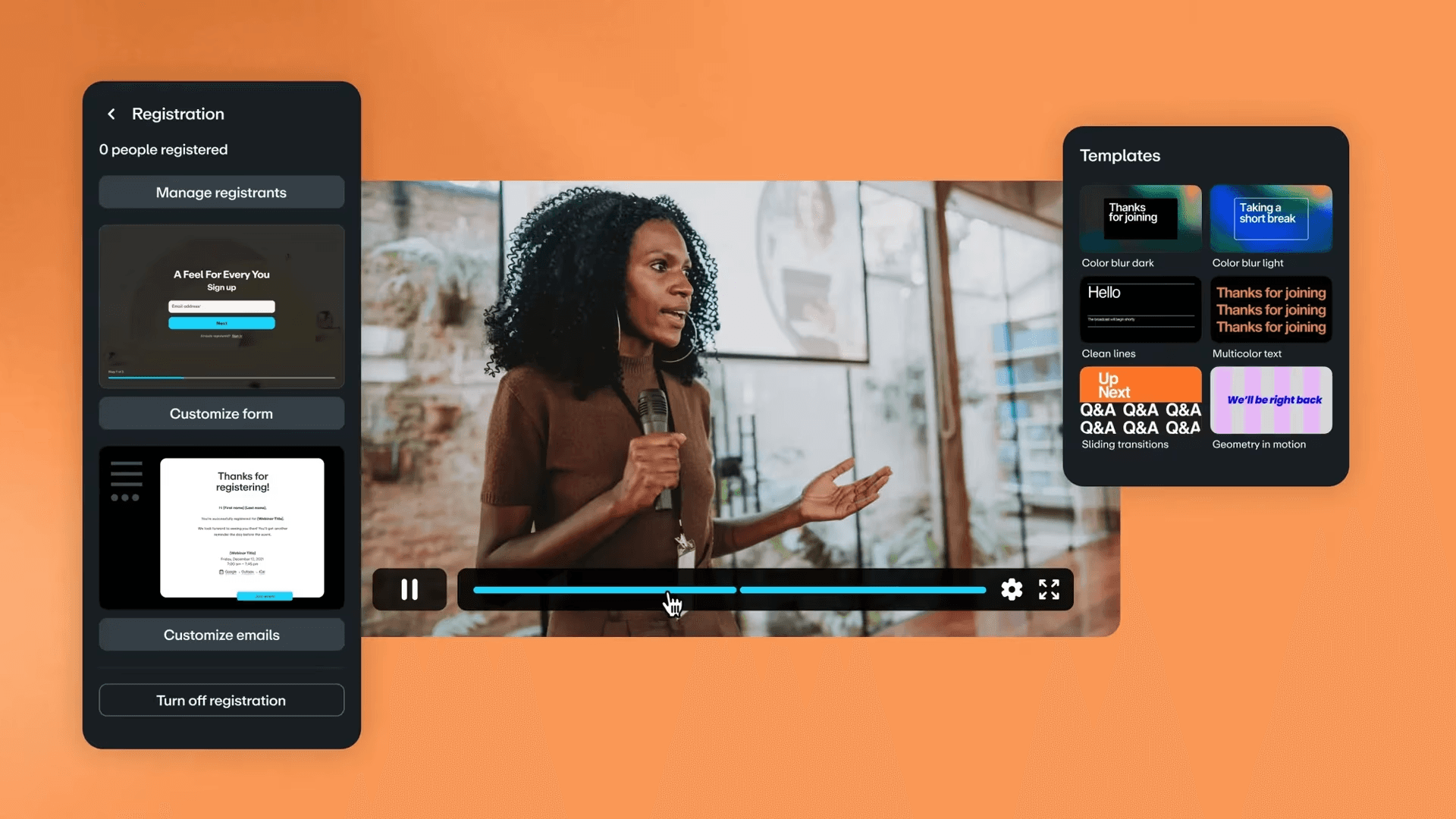
Treating speed as a competitive advantage only matters if you have a system that actually runs fast. The seven-step framework above tells you what to do. This section tells you how to do it without it consuming your week.
Identify Your One Gate-Worthy Asset First
The failure point is usually sequence. Most teams finish a webinar, export the recording, and then spend three days debating what to do with it. By the time you post clips, the moment has passed, and the algorithm has moved on. The fix is deciding your gating logic and content map before the event ends, not after. Walk into every webinar knowing exactly which asset will sit behind a form. If you presented original research, that's your gate. If you walked through a proprietary framework, that's your gate. Everything else, the recap, the quotes, the highlight moments, gets published free and fast.
Ungate the Content That Earns Reach, Not Leads
The same issue surfaces in email marketing and social distribution alike: general-value content gated behind a form stops circulating. It doesn't build search traffic, earn shares, or create the ambient authority that makes your next webinar worth registering for. Publish your blog recap the same day the event ends. Post your key takeaways as a thread or carousel within 24 hours. According to ON24, webinar recordings receive 30% more views when repurposed into short-form video clips, which means the clips you create from a single session carry measurable distribution weight when they circulate without friction.
Where the Clipping Bottleneck Actually Lives
Most teams create short-form clips by manually scrubbing through recordings, marking timestamps, exporting segments, adding captions by hand, and formatting for each platform separately. That process takes hours per clip, and most teams produce two or three clips from a session that had twenty quotable moments. The bottleneck isn't creativity. It's production speed. Crayo lets teams auto-clip long-form recordings, apply styled captions, and generate polished short-form video in seconds rather than hours, which means a 60-minute webinar can produce a week's worth of distribution content before the next morning.
Gate Your Replay as Its Own Lead Source
Treat the on-demand replay as a separate asset with its own registration form, not as a courtesy link buried in your follow-up email. The intent signal from someone watching a full replay is higher than almost any other webinar touchpoint. That's not a courtesy view. That's a buying signal. Repurposing content can increase content output by up to 300% without additional resources. The replay is the clearest example of that math in action: one recorded session becomes a lead-generating asset that runs passively for weeks after the live event ends.
Build Nurture From the Session Itself, Not a Template
Generic post-event emails perform poorly because they feel generic. A follow-up that quotes a specific moment from the session, references a question someone asked live, or links directly to the clip where your speaker made a counterintuitive point, that email feels personal. It performs accordingly. Pull three to five specific moments from the session and build your nurture sequence around those moments. Each email in the sequence should feel like a continuation of the conversation, not a separate marketing message that happens to mention the webinar.
Use Past Content to Promote Future Events
The critical difference between teams that grow webinar audiences and teams that plateau is this: the growing teams treat every past session as promotional material for the next one. Teaser clips from your last webinar, posted two weeks before your next registration opens, do something paid ads can't. They show proof of value before anyone commits. If the clip is compelling, the registration decision becomes easy. If the clip is forgettable, no ad budget fixes that. Content quality has always been the variable that mattered most.
Measure Across the Full Window, Not Just the First Week
When you track leads only in the days immediately following the live event, you're measuring the smallest slice of your repurposed content's actual value. A properly structured webinar funnel, with ungated clips circulating, a gated replay running, and a nurture sequence active, generates pipeline activity across a six- to eight-week window. If your reporting cuts off at day seven, you're systematically undercounting what your content produces. That undercounting leads to underinvestment in the next event, which restarts the cycle.
Building an Agile, Actionable Execution Workflow
The difference between a webinar that feels like a one-day spike and one that becomes a sustained lead source isn't the content. It's whether the workflow behind it was built to run fast enough to matter. But knowing the steps is only half the equation. The part most teams skip entirely is the one that determines whether any of this actually gets done.
Related Reading
- Church Reels Editing
- Podcast Shorts
- How To Start Clipping On Instagram
- How To Trim A Zoom Recording Saved On My Computer
- Best Video Clipping Tool For YouTube
- Repurposing Content For Social Media
- How To Add Audio To A Video
- Podcast Reels
- How To Repurpose Webinar Content For Marketing
The 30-Minute Workflow to Build a Webinar Marketing Funnel

The workflow outlined above only works if someone actually runs it. That's the part most teams never solve. The failure point is usually not knowledge. It's the gap between knowing what to do and having a system that makes doing it the path of least resistance. Most marketing teams are time-constrained by default. When the webinar ends and the adrenaline fades, the pull toward familiar shortcuts is powerful. Generic follow-up emails go out. The recording gets uploaded. The moment passes.
Minute 0-10: Identify Your Gate-Worthy Asset and Ungated Content
Review your webinar content and identify the single most unique, high-value piece to gate, then list the general recaps, clips, and takeaways you'll publish ungated instead. This decision, made deliberately before anything else, is what prevents the default habit of gating everything indiscriminately. When you make the call upfront, every downstream action has a clear direction. Without it, teams default to protecting everything, which means distributing nothing that actually builds reach.
Minutes 10-15: Set Up Your Replay Gate and Inline CTAs
Require registration for your on-demand replay, and add inline CTAs to your ungated content that point to your one gated asset. According to the LiveWebinar Blog, webinars generate 20-40% of qualified leads for B2B marketers, which means the replay isn't a courtesy. It's a lead source that deserves its own conversion architecture. Inline CTAs in your free content create a natural bridge, giving engaged readers a clear next step without forcing them to hit a wall before they're ready.
Minutes 15-20: Build Your Personalized Nurture Sequence
Draft a nurture email sequence using specific quotes and moments from the actual session, replacing any generic "thanks for attending" template. The difference between a nurture email that gets opened twice and one that moves a lead forward is specificity. Referencing a particular moment from the session, a specific question an attendee asked, or a data point the speaker highlighted, signals that what follows is worth reading. Generic follow-up is noise. Specific follow-up continues a conversation the lead already chose to start.
Minutes 20-25: Prepare Teaser Content for Your Next Webinar
Most teams treat clip creation as an afterthought, something to handle after the follow-up emails are out and the immediate tasks are done. By then, the energy is gone, and the clips never get made. The smarter move is to select two or three moments from this session specifically intended as promotional material for the next one, before you close the recording. Short, high-impact clips work best here:
- A provocative question.
- A surprising data point.
- A moment where the speaker said something that genuinely stopped people in their tracks.
Accelerating Short-Form Clip Production
Teams that handle clip production manually often spend more time scrubbing timelines than they do distributing content. Crayo addresses this directly, using auto-clipping and AI-generated captions to turn a full webinar recording into formatted short-form clips in seconds rather than hours, making it realistic to produce teaser content within the same 30-minute window rather than scheduling it as a separate project.
Minutes 25-30: Set Up Extended Pipeline Tracking
Configure tracking to measure lead and engagement activity across a 6-8 week window following the webinar, not just the immediate days after. EasyWebinar's research shows webinar registration-to-attendee conversion rates average around 40-50%, meaning a significant portion of your registered audience never attended live. Those leads are still warm. They registered because the topic mattered to them. Tracking only the first week after the event means you're measuring the smallest slice of the audience that your repurposed content will actually reach over time.
Why the Sequence Matters More Than the Individual Steps
The problem was never that webinar content lacks value once repurposed. The problem was that gating and repurposing decisions were made reactively, in the wrong order, and under time pressure, producing predictably mediocre results. This sequence forces the gate decision first, builds conversion architecture second, personalizes follow-up third, prepares future content fourth, and expands measurement last. Each step depends on the one before it. Skip the gate decision at the start, and the inline CTAs have no destination. Skip the extended tracking window, and you'll judge the entire strategy on a fraction of its actual output.
Before vs. After: What Actually Changes
Before this workflow, the pattern looks like this: everything gated by default, the replay treated as a free bonus, follow-up emails written from templates, each new webinar promoted from scratch, and leads measured only in the 72 hours after the event.
Afterward, the picture is different in ways that compound over time. One genuinely unique asset is gated. The replay is its own lead source with a registration requirement. Nurture emails reference real moments from the session. Teaser clips from this webinar are already queued for the next one. And pipeline tracking runs long enough to capture the full value of what was distributed. The improvement isn't dramatic on day one. It accumulates across every webinar that follows.
Build Your Webinar Marketing Assets Faster With Crayo
Upload your webinar to Crayo, and the asset production problem described across this entire post compresses into a single workflow. Immediate clips, nurture-ready quotes, and teaser content for your next session all generate from one recording, without separate editing passes for each asset type. That speed is what makes the selective gating strategy realistic to execute consistently, not just once for your highest-priority webinar.
Teams extending the pipeline across a full 6- to 8-week window aren't doing more work. They do the same work faster, which means they do it every time instead of skipping it when bandwidth runs short. If your repurposing strategy has ever stalled because clipping, captioning, and formatting felt like three separate production jobs, Crayo removes that friction.
Related Reading
• Best AI Video Repurposing Tools 2026
• Best AI Video Tools Like Vizard For Webinar Clips
• Best AI Video Clipping Tools 2026
• Best Way To Make Podcast Clips
• How To Trim Google Meet Recording
• How To Automate My Video Clipping
• How To Trim A Zoom Recording
• Best Audiogram Maker
• Content Repurposing Tool