

Turn one episode into a week of clips
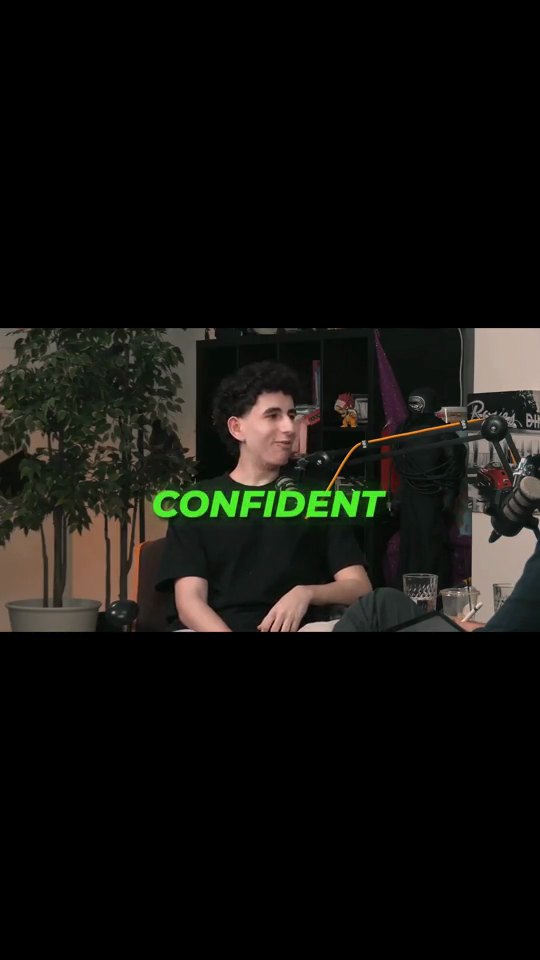
Drop in an episode, or just a YouTube link, and AutoClip finds the moments worth posting. Each clip comes back vertical, with the speaker in frame and captions on.




How it works
Add your episode
Upload the file or paste a YouTube link. Full-length episodes welcome.
Let AI find the moments
AutoClip scans the whole conversation and cuts the segments most likely to hook a scroller. Want to pick first? Find Viral Moments gives you a ranked list.
Polish and post
AI Reframe follows whoever is talking, captions and a title are added, and any clip opens in the editor for a final pass before you export.
Why creators pick Crayo
Stop scrubbing timelines
An hour of conversation, scanned in minutes. You review clips, not raw footage.
Follows the person talking
AI Reframe tracks the active speaker, so a two-person conversation cuts between hosts instead of sitting on an empty chair.
Captions that carry the clip
Most short-form viewers watch muted. Every clip ships with styled, accurate subtitles.
Bad room audio? Fix it separately
Speech Enhancer cleans up echo and background noise on a recording before you clip it.
Works from a link
No exporting from your podcast host. Paste the YouTube URL and start clipping.
Not just podcasts
Webinars, coaching calls, course lessons, interviews: if it's long-form talking, Crayo clips it.
The tools behind it
AutoClip
Drop in a podcast, stream or interview. AI finds the strongest moments and cuts each one into a captioned vertical clip, ready to post.
Find Viral Moments
Upload a long video, tell us what is in it, and get a ranked set of moments you can review, trim and keep.
AI Reframe
Face detection and speaker tracking keep the talker centered as the crop moves from widescreen to vertical.
AI Captions
Accurate, animated captions on every clip. Pick a template, highlight keywords, and tweak the style in the editor.
Speech Enhancer
Upload a podcast episode, a stream or any audio or video file, and get it back with less background noise and echo.
Crayo Has Generated Billions of Views.
For Millions of Clippers.See What Our Users Are Saying
5 → 400
posts a week
Cutting one podcast episode used to take me about four hours. Now I upload it to AutoClip and have 12 clips ready before lunch. I went from 5 posts a week to 20 without hiring an editor.
 Dave
1 tab
from the moment to the final cut
Every other clipping tool stopped at the export, so I’d still end up in CapCut fixing things. With Crayo I let AI find the moment, then fix the cut and captions in the same tab. I cancelled CapCut last month.
 James
2M
views from 30 clips
I started clipping podcast campaigns in September. My first 30 Crayo clips did 2 million views, and one hit 600k on its own. The captions are the first thing people comment on.
 Jonathan
Keep exploring
Crayo vs Descript
Crayo vs Descript, dated prices. Descript meters media hours plus AI credits and crops by hand. Crayo charges 1 credit per finished clip, reframing included.
ComparisonCrayo vs Riverside Magic Clips
Crayo vs Riverside Magic Clips, prices dated. Magic Clips only clips recordings made in Riverside. Crayo ranks clips from any YouTube or TikTok link or file.
FeatureAutoClip
Drop in a podcast, stream or interview. AI finds the strongest moments and cuts each one into a captioned vertical clip, ready to post.
FeatureSpeech Enhancer
Upload a podcast episode, a stream or any audio or video file, and get it back with less background noise and echo.
Use caseFor Agencies
Crayo lets an agency clip, edit, caption, and track client video content from one browser tab, using AI to find and cut the best moments from long-form footage. It is for agencies and freelance editors producing short-form video for multiple clients.
CalculatorClips From One Video
See how many short clips, and how many views, you can squeeze out of one long video.