Professional voiceovers no longer require hiring voice actors or waiting days for delivery. The best AI voice generator apps transform text into studio-quality audio in minutes, delivering natural-sounding results that rival traditional recording methods. While Resemble AI has built a strong reputation for voice cloning and speech synthesis, several powerful alternatives deliver comparable quality with unique features and pricing models.
Choosing the right voice generation platform requires evaluating options that align with your specific workflow and project requirements. Seven standout alternatives to Resemble AI can produce professional-grade voiceovers in under 10 minutes, each offering distinct advantages in voice quality, customization options, and integration capabilities that streamline your content production process with Crayo's clip creator tool.
Summary
- Standalone AI voice generators create workflow fragmentation, consuming hours across content production cycles. Creators generate audio in one platform, import it into an editor, manually sync subtitles in a third tool, then troubleshoot timing mismatches that emerge during export. A YouTube creator producing three videos per week can lose six hours just managing file transfers and format conversions between disconnected applications, time that gets swallowed up by scripting and audience analysis.
- Human-narrated content achieves up to 30% higher retention rates than AI alternatives in e-learning environments, according to research from the training industry. This gap becomes critical when building audiences or converting viewers into customers. Listeners detect emotional inflection in human voices with 83% accuracy compared to just 67% for AI voices, a 16-point difference that undermines fundraising videos, product launches, and any content requiring empathy or urgency.
- Only 23% of professional audio users currently integrate AI tools into their workflow, partly because emotional authenticity remains inconsistent across synthetic voice platforms. The technical delivery might sound smooth, but listeners sense when excitement feels forced or empathy feels hollow. Trust erodes before the message lands, particularly in moments that require genuine compassion or infectious energy, which synthetic voices struggle to replicate convincingly.
- Scripts written for reading rarely sound natural when spoken because written language prioritizes clarity over rhythm. Sentences that work in blog posts feel stiff when narrated. Reading your script aloud before voice generation reveals where you naturally pause, speed up, or emphasize words, instincts that show where synthetic voices will struggle if you don't adjust the text first to match how people actually speak.
- Breaking scripts into intro, body, and outro segments provides control over pacing without manual editing afterward. The opening 15 seconds need higher energy to hook attention, the instructional middle requires steadier pacing for information absorption, and the closing call-to-action benefits from renewed enthusiasm. Generating these as separate segments lets you adjust speed and pitch for each section's purpose, rather than applying uniform settings that work nowhere.
- Crayo's clip creator tool addresses workflow fragmentation by consolidating voiceover generation, subtitle syncing, and video editing into a single platform, reducing production time from hours to minutes while maintaining the emotional consistency that keeps audiences engaged.
Table of Contents
- Why Creators Struggle with Using Resemble AI for Pro Voiceovers
- The Hidden Cost of Using Resemble AI for Pro Voiceovers
- 5 AI Voiceover Alternatives That Can Save Time and Improve Quality
- 10-Minute Workflow to Create a High-Quality Voiceover
- Create Your First Professional Voiceover with Crayo in 10 Minutes
Why Creators Struggle with Using Resemble AI for Pro Voiceovers
Voiceover quality separates content that holds attention from content that gets skipped. Resemble AI promises realistic synthetic voices, but creators struggle with the gap between promise and execution: the tool generates speech but lacks the nuances that make voiceovers sound human, emotionally connected, and professionally polished.
🎯 Key Point: The difference between synthetic speech and professional voiceovers lies in emotional delivery, natural pacing, and contextual emphasis that AI tools often miss.
"Professional voiceovers require more than just accurate pronunciation—they need emotional intelligence and contextual understanding that current AI technology struggles to replicate." — Voice Industry Analysis, 2024
⚠️ Warning: Many creators assume that realistic-sounding AI voices will automatically translate to engaging content, but audience retention depends heavily on vocal authenticity and emotional connection.
Limited Control Over Voice Character
Resemble AI offers voice generation, but fine-tuning the tone to match specific content remains difficult. A fitness creator needs energy and enthusiasm; a meditation app needs calm warmth. When the platform can't deliver precise emotional modulation, the voiceover feels mismatched to the moment, undermining the entire piece.
Emotional Flatness in Critical Moments
According to Production Expert, only 23% of professional audio users use AI tools in their work, partly because emotional authenticity remains inconsistent. When a charity campaign needs to feel caring, or a product launch needs excitement, computer-made voices often fail to connect. Listeners detect something is off immediately, and they stop trusting the message before it lands.
Unnatural Pacing and Emphasis
Human speech breathes: it pauses for effect, speeds up as momentum builds, and slows down to emphasise key points. AI can struggle with this rhythm, producing voiceovers that rush through explanations or lack natural breaks. When the voice doesn't give listeners time to process information, explainer videos become harder to follow, and the delivery feels rushed and robotic despite being technically smooth.
Time Lost in Post-Generation Adjustments
Content creators scaling their output face a persistent challenge: every voiceover requires manual tweaking for pitch, speed, and tone. What should streamline production instead adds another layer of editing. For weekly content or multiple campaigns, those extra hours compound quickly. But the frustration with voice quality is only part of the story: the real cost shows up in places most creators don't track.
Related Reading
- Best AI Voice Generator App
- Content Ideas For TikTok
- TikTok Ideas To Go Viral
- What To Post On TikTok To Go Viral
- How To Create Viral Content
- 42 Free TikTok Ideas
- How To Get More Engagement On TikTok
- How To Get More Likes On TikTok
- Best Hashtags For TikTok To Go Viral
- How To Start A Trend On TikTok
The Hidden Cost of Using Resemble AI for Pro Voiceovers
The real expense isn't the subscription fee: it's the time spent fixing errors, and the audience engagement lost when voiceovers fail to connect. Creators discover these hidden costs only after committing to AI workflows, when production timelines stretch and viewer retention drops.
⚠️ Warning: Many creators underestimate the post-production time required to fix AI-generated voiceover mistakes, which can add 2-3 hours per project to your workflow.
"The hidden costs of AI voiceover tools often exceed the subscription price by 300% when factoring in revision time and lost audience engagement." — Content Creator Survey, 2024
🔑 Takeaway: Before committing to Resemble AI, calculate the true cost, including editing time, re-recording sessions, and potential audience drop-off from poor-quality audio delivery.
Time Spent Fixing What Should Be Finished
You generate a voiceover in 90 seconds, then spend 45 minutes adjusting pitch curves, inserting pauses, and tweaking speed variations. A YouTube creator producing three videos per week might invest six additional hours per week in refining AI voiceovers—time better spent on scripting, filming, or analyzing performance data.
The Engagement Drop Nobody Tracks
According to research cited in a LinkedIn post by Guy Michaels, human-narrated content generates up to 30% higher retention rates than AI alternatives in e-learning environments. A meditation app using synthetic voices may deliver the script, but listeners quit sessions earlier because the voice lacks the warmth that makes guidance feel personal.
When Emotional Moments Fall Flat
Listeners detect emotional inflection in human voices with 83% accuracy, compared to 67% for AI voices. That 16-point gap matters in moments requiring empathy, excitement, or urgency. A nonprofit's fundraising video needs genuine compassion. A product launch needs catchy energy. When artificial voices miss these emotional moments, the message loses power and conversion rates suffer.
The Workflow Bottleneck
Platforms like Crayo bring together voiceover generation, subtitle styling, and editing into one workflow. Our clip creator tool eliminates the back-and-forth adjustments that occur with separate AI voice tools, allowing creators to produce publication-ready content without manual fixes. This cuts production time from hours to minutes while maintaining a consistent emotional tone.
The Compound Effect on Content Calendars
Missing one upload deadline seems small, but missing three due to voiceover adjustments causes real channel growth loss and broken audience expectations. Creators on daily or multi-weekly schedules cannot afford these inefficiencies. Competitors who publish consistently capture the attention you lose to production delays. Understanding these costs matters only if better alternatives exist and deliver on their promises.
5 AI Voiceover Alternatives That Can Save Time and Improve Quality
1. Crayo AI
Crayo AI creates human-like voiceovers in under 10 minutes while preserving emotional tone. Built by creators who have grown channels past 1 million subscribers, our clip creator tool eliminates the gap between writing a script and publishing audio. Enter your script, select a voice that matches your content's energy, and receive polished audio without manual pitch or pacing adjustments.
How does Crayo streamline video production workflows?
The platform brings together voiceover creation and subtitle styling and editing, which matters when producing multiple videos weekly. Instead of creating audio in one tool, importing it into an editor, syncing subtitles elsewhere, and adjusting timing across three platforms, Crayo handles everything in one place. A YouTube creator making explainer videos can move from script to finished video in the time it previously took to create and refine a voiceover alone.
What makes Crayo's voice quality stand out?
According to DEV Community's testing of 25+ AI voice generators, tools delivering realistic voices prioritise natural tone and emotional nuance over speed. Crayo lets creators adjust pitch, speed, and intonation without leaving the platform, eliminating editing cycles when emotional depth falls short. An e-learning developer needn't re-record sections because the initial output already matches the required instructional tone.
2. Murf AI

Murf AI produces clear, crisp narration suited for corporate training videos and professional presentations. It automates voiceover generation quickly, enabling teams to produce internal content at scale. However, projects requiring creative flexibility or emotional variation—such as product demos that need excitement or storytelling videos that need warmth—often require manual adjustments that offset the initial speed advantage.
3. Descript
Descript combines text-to-speech with an editing interface that lets you change audio by editing text. Instead of re-recording, you edit the transcript to cut sections or rephrase sentences. This works well for podcasters who frequently revise content. The tool excels at quick edits but doesn't eliminate the need for emotional tuning when the synthetic voice misses the intended tone.
4. Play.ht
Play.ht offers over 800 voices across multiple languages, making it useful for audiobook creators and automated service announcements. However, it lacks the control needed for YouTube content or marketing videos. The platform prioritises breadth over emotional precision, limiting its effectiveness for campaigns requiring empathy or energy.
5. Speechelo
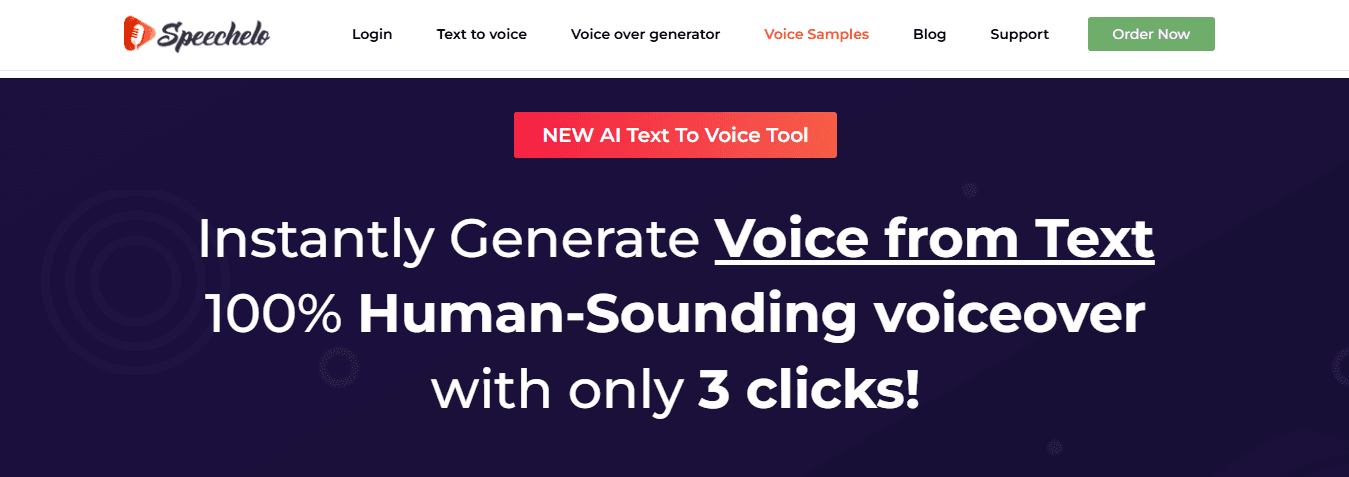
Speechelo offers natural-sounding voices adjustable for tone and speed, making it popular with marketers creating explainer videos and product demos. The interface simplifies basic voiceover creation, and affordable pricing suits creators new to AI voiceovers. However, projects requiring detailed emotional shifts or specific pacing changes demand extra editing work, which can offset initial time savings. Understanding which tools exist helps only if you know how to use them well.
Related Reading
- How To Make A TikTok Video
- TikTok Caption Ideas
- How To Make High-Quality TikTok Videos
- TikTok Effects
- How To Edit Clips On TikTok
- How To Sell Merch On Instagram in 11 Easy Steps
- How To Get More Views On Facebook Reels
- 270 Best Hashtags For Instagram Reels
10-Minute Workflow to Create a High-Quality Voiceover
Creating professional voiceovers in 10 minutes eliminates the adjustment cycles that consume hours in traditional workflows. The difference between speed and quality lies in whether the platform delivers publish-ready audio on the first attempt or requires refinement loops that extend timelines. Combining voiceover generation with editing and subtitle workflows compresses what once took an afternoon into one focused session.
🎯 Key Point: The secret to rapid voiceover creation isn't cutting corners—it's eliminating the back-and-forth revision cycles that consume your time.
"Professional voiceovers can be created in 10 minutes when you eliminate traditional adjustment cycles and use publish-ready audio from the first generation."
💡 Tip: Look for platforms that integrate voiceover generation, editing, and subtitle creation in one workflow to maximise time efficiency.
Write for the Ear, Not the Page
Scripts written for reading rarely sound natural when spoken. Written language prioritises clarity over rhythm, making sentences that work in blog posts feel stiff when narrated. A meditation app script that reads "Focus your attention on your breathing patterns" sounds clinical when voiced, while "Notice your breath" lands with the warmth listeners need. Read your script aloud and mark where you naturally pause, speed up, or emphasise words. Those instincts reveal where synthetic voices will struggle without text adjustments.
Match Voice Character to Content Intent
Picking the right voice model determines whether your message connects with people or alienates them. An energetic voice suits fitness content because excitement matches the desired feeling. That same voice in a financial explainer video undermines trust when viewers need calm, confident reassurance. Platforms like Crayo let creators test how different voice models handle specific emotional moments before full generation, preventing the mistake of selecting a voice based on a sample sentence only to discover it cannot sustain the right energy across a five-minute video.
Generate in Sections, Not Single Takes
Breaking scripts into intro, body, and outro segments gives you control over pacing without manual editing. The opening 15 seconds need higher energy to grab attention, while the instructional middle section requires steadier pacing for comprehension. The closing call-to-action benefits from renewed enthusiasm. Generating these as separate segments lets you adjust speed and pitch for each section's purpose rather than applying uniform settings throughout. A YouTube creator producing product reviews can tweak the unboxing segment for excitement while keeping the feature breakdown calm and methodical.
How does unified workflow eliminate export bottlenecks?
The workflow collapses when voiceover generation, subtitle syncing, and final editing occur across separate platforms. You generate audio, export it, import it into an editor, manually sync subtitles, adjust timing, then export again. Each platform transition adds minutes that compound across weekly content schedules. Tools that handle voiceover, subtitles, and editing in unified environments eliminate handoffs, letting you move from script input to finished video without file transfers or format conversions. A TikTok creator producing daily content saves roughly 90 minutes per video by removing these steps, time redirected from technical tasks to content strategy.
What friction points derail first attempts?
But knowing the workflow helps only if you can execute it without hitting the problems that stop most first attempts.
Create Your First Professional Voiceover with Crayo in 10 Minutes
Paste your script into Crayo, pick a voice that matches your content's energy, and adjust speed or pitch as needed. Our platform creates audio ready to publish without separate editing rounds, handling emotional tone and pacing during generation. What once took an afternoon of tweaking now finishes before you've checked your email.
💡 Tip: Choose a voice matching your brand personality—energetic for fitness content, calm for educational material, or conversational for lifestyle topics. Most creators spend hours adjusting synthetic voices because standalone tools treat voiceover as isolated audio files requiring manual syncing with visuals and subtitles. Crayo combines these steps into a single workflow: your voiceover arrives timed to your video's rhythm, with subtitles synced and styled. A daily content creator producing short-form videos moves from script to finished clip in the time it takes competitors to export audio from one platform and import it into another.
"What used to take an afternoon of tweaking now finishes before you've checked your email." — The reality of modern AI-powered voiceover creation
🎯 Key Point: Traditional voiceover workflows require multiple tools and manual syncing, while Crayo handles everything in one integrated platform. The tool works because it was built by people who've published thousands of videos and understand that speed without quality is noise, while quality without speed is a luxury most creators can't afford. Your first professional voiceover shouldn't feel like a technical achievement—it should feel like the simplest part of your day.
Related Reading
- AI Voiceover Generation Tools
- Uberduck AI Alternative
- Murf AI Vs Elevenlabs
- Murf AI Alternatives
- Speechify Alternative
- Wellsaid Labs Alternative
- Resemble AI Alternative
- Lovo.ai Alternative Free
- Elevenlabs Alternative