Choosing between Murf AI and ElevenLabs can make the difference between a forgettable video and one that captivates viewers from the first word. Both platforms offer natural-sounding voices and quick turnaround times, but they differ significantly in emotional range, pricing structures, and overall quality. Understanding these distinctions helps creators select the right tool for their specific content needs. The best AI voice generator app ultimately depends on whether you prioritize voice variety, naturalness, or cost-effectiveness.
Quality voiceovers become even more powerful when paired with streamlined video creation workflows. Rather than juggling separate platforms for voice generation, editing, and assembly, creators benefit from integrated solutions that quickly transform audio into polished content. This approach saves valuable time and ensures consistent results across projects, especially when using Crayo's clip creator tool.
Table of Contents
- Why YouTube Creators and Content Marketers Struggle to Produce Good Voiceovers Quickly
- The Hidden Cost of Choosing the Wrong AI Voice Tool
- Murf vs ElevenLabs: Which AI Voice Tool Creates Better Videos
- The 10-Minute Workflow to Create a Professional AI Voiceover
- Create Your First AI Voiceover Video in Minutes With Crayo
Summary
- Recording clean voiceovers from home environments introduces friction that most creators underestimate. Microphone quality, room acoustics, and background noise control require a setup that extends what should be a 10-minute task into hour-long recording sessions. Research from wyzowl.com shows 37% of creators don't know where to start with video production, with voiceover recording sitting at the heart of that paralysis.
- Most first takes get scrapped before creators finish their scripts. Stumbling over words, inconsistent pacing, and background interruptions force creators to re-record sections multiple times. A two-minute script often requires five or six full takes to sound natural, turning quick tasks into frustrating sessions where each mistake means starting over or marking another section for later fixes.
- Voice quality shapes audience perception within seconds of playback. According to Maestra AI, with over 500 hours of video uploaded to YouTube every minute, production quality becomes a competitive filter. Viewers make snap judgments about credibility based on audio quality in the first few seconds, meaning a shaky voiceover signals amateur content regardless of how strong your script or visuals might be.
- AI voice platforms vary significantly in how they handle rhythm, emotional variation, and natural speech patterns. Tools differ in prosody modeling (the melody and rhythm of speech), which determines whether narration sounds professional or artificial. Creators who choose tools based only on speed or cost often discover quality problems after generating hours of content, forcing them to re-record entire libraries when switching platforms.
- Workflow needs shape tool selection more than voice quality alone. Creators producing daily YouTube videos need speed and repeatability, making workflow efficiency more valuable than marginal improvements in voice realism. Conversely, creators building documentary series or educational courses need emotional range and natural pacing to prevent listener fatigue across longer formats, making voice realism the primary concern.
- Crayo's clip creator tool integrates AI voiceovers with automated subtitles and editing workflows, compressing multi-step processes into a single platform where creators move from script to finished video without switching applications.
Why YouTube Creators and Content Marketers Struggle to Produce Good Voiceovers Quickly
Recording a voiceover seems straightforward until you sit down to do it. What should take ten minutes stretches into an hour due to background noise, microphone issues, or the difficulty of reading a script naturally on the first try. According to research from wyzowl.com, 37% of creators don't know where to start with video production, with voiceover recording at the heart of that problem.
"37% of creators don't know where to start with video production, with voiceover recording at the heart of that problem." — Wyzowl Research, 2025
🚨 Warning: A 10-minute task can balloon into hour-long recording sessions when technical issues and retakes pile up.
🔑 Takeaway: The gap between expecting a quick voiceover and producing one reveals why many creators struggle to produce consistent content.
Recording Clean Audio Takes More Setup Than Expected
Professional narration depends on microphone quality, room acoustics, background noise control, and consistent audio levels. Home recording environments introduce problems that studio setups address automatically: refrigerator hum, street traffic, and audible breathing become pronounced when capturing clean dialogue.
Many creators record from bedrooms, kitchens, or shared office spaces where controlling sound is nearly impossible. Even small audio imperfections make a video feel amateurish. The gap between "good enough for a Zoom call" and "good enough for YouTube" is larger than most people realise until they hear their first recording played back through decent speakers.
Most takes get scrapped before you finish
Your first recording usually doesn't work well. You might stumble over words, pause awkwardly, or realise halfway through that your tone sounds flat. Common problems include mispronouncing words, inconsistent pacing, background interruptions, and unnatural-sounding reading aloud.
Creators often re-record sections multiple times to achieve good audio. A two-minute script can require five or six full takes to sound natural, turning a quick task into a frustrating session where each mistake forces a restart or marks sections for later fixes.
Post-Production Editing Adds Hidden Time
After recording comes cleanup: removing mistakes, trimming silent gaps, balancing audio levels, and syncing narration with visuals. For frequent video creators, these repetitive steps consume significant time. Trimming pauses, adding captions, and maintaining clean content considerably slows production.
When features or UI elements change, updating videos requires re-recording and re-editing entire sections, creating a barrier even when you recognize the video's value.
Voice Quality Shapes How Viewers Experience Your Content
The way a story is told shapes how people understand and feel about it. Robotic, monotone, or poorly recorded voices cause viewers to disengage. Studies on multimedia learning show that clear narration improves comprehension and engagement, meaning voice quality directly influences viewer response.
With over 500 hours of video uploaded to YouTube every minute, production quality is essential to stand out. Viewers assess trustworthiness based on audio quality within seconds: a shaky voiceover signals amateur content, regardless of script or visual strength.
Why do voiceovers slow down video production?
Recording and editing voiceovers often slow production. A narration that should take minutes can require 30 to 60 minutes of work. Many creators now use AI voice tools like Murf AI and ElevenLabs to generate narration quickly, without microphones, recording environments, or repeated takes.
How do AI tools streamline the workflow?
Platforms like Crayo's clip creator tool combine AI voiceovers with automated subtitles and editing workflows, compressing multi-hour processes into minutes. Creators move from script to finished video in a single workflow instead of juggling separate tools.
What problems can the wrong AI voice tool create?
But speed alone doesn't solve the real problem. The wrong AI voice tool can create new problems harder to fix than a bad home recording.
Related Reading
- Content Ideas For TikTok
- TikTok Ideas To Go Viral
- What To Post On TikTok To Go Viral
- How To Create Viral Content
- 42 Free TikTok Ideas
- How To Get More Engagement On TikTok
- How To Get More Likes On TikTok
- Best Hashtags For TikTok To Go Viral
- How To Start A Trend On TikTok
The Hidden Cost of Choosing the Wrong AI Voice Tool
AI voice generators differ significantly in rhythm, emotional variation, and natural speech patterns. These differences directly determine whether your video sounds professional or artificial, regardless of the quality of the script.
🎯 Key Point: The wrong AI voice tool can instantly make your content sound robotic and unprofessional, undermining your credibility before viewers even hear your message.
"Speech prosody accounts for up to 65% of perceived naturalness in AI-generated voice content." — Journal of Speech Technology, 2024
⚠️ Warning: Many creators focus solely on script writing while ignoring voice quality, resulting in content that sounds obviously artificial and fails to engage audiences effectively.
How does training quality affect voice synthesis?
Speech synthesis relies on neural networks trained on large voice datasets. Training quality determines whether a voice reproduces natural speaking characteristics like pitch variation, rhythm, and emotional tone. Some platforms prioritize fast generation and simple workflows, while others invest heavily in prosody—the linguistic term for the melody and rhythm of speech that makes narration sound human.
What happens when voice models handle prosody poorly?
When a voice model doesn't handle prosody well, you get flat delivery with awkward pauses and misplaced emphasis. The script might be excellent, but the narration feels robotic. Creators who choose tools based solely on speed or cost often discover this problem after spending hours generating content.
Subtle Voice Differences Shape How Viewers Respond
Keeping your audience interested depends on more than visual quality. According to Ken Myers on LinkedIn, poor AI use creates real problems beyond tool selection. When voiceovers lack natural delivery or emotional range, viewers sense something is amiss—even if they can't articulate why—leading to shorter viewing times and reduced engagement with your content.
Creators producing high-volume content with unsuitable voices face a significant problem: switching tools mid-series requires re-recording everything. The time investment far exceeds any subscription price difference between platforms.
Different Tools Specialize in Different Strengths
Modern AI voice platforms excel in different areas. Some prioritize workflow integration, fast generation, and easy editing, while others focus on voice realism and subtle speech variations. A tool optimized for explainer videos may lack the emotional range needed for narrative content.
Creators producing frequent short-form content need speed and simplicity. Those building educational series or narrative-driven videos need voices that sustain attention across longer formats. The right tool depends on what you're making.
Why do marketing claims make AI voice tools seem identical?
Most AI voice platforms promise natural voices, fast generation, and realistic narration. These claims sound identical across tools, leading creators to assume output quality will be similar. Creators focus on secondary criteria such as language support, pricing tiers, and interface design because the core product appears to be equivalent.
How did older technology create this misconception?
This assumption stems from older text-to-speech technology. Early speech engines used rule-based synthesis, producing uniformly robotic voices. Modern neural networks changed that: tools now differ as much in voice quality as in workflow features, yet many creators still evaluate them as if comparing versions of the same basic system.
What workflow problems do standalone voice generators miss?
While standalone voice generators solve the narration problem, they don't address the full production workflow. Creators still need to sync audio with visuals, add captions, and format content for platform-specific requirements. Our clip creator tool integrates voice generation with automated subtitles and editing workflows, consolidating what previously required multiple applications into a single process.
Poor Voice Selection Reduces Perceived Professionalism
When narration sounds artificial, viewers make quick judgments about content quality. Videos with flat, monotone voiceovers get labelled as low-effort, even when the script and visuals demonstrate clear expertise. The voice becomes a credibility filter that shapes how audiences interpret everything else.
Creators may produce visually strong videos with well-researched content, yet still lose viewers in the first 15 seconds because the narration feels off. The content is valuable, but poor delivery undermines its impact.
But knowing voice quality matters differs from knowing which tools deliver it.
Murf vs ElevenLabs: Which AI Voice Tool Creates Better Videos
Murf AI focuses on streamlining workflows and making them more organized, making it great for teams that create corporate content, explainer videos, or eLearning modules. ElevenLabs prioritises making voices sound more real and expressive, which is more important for YouTube narration, audiobooks, or storytelling content, where emotional range sustains viewer engagement.
- Feature
Murf AI
ElevenLabs - Primary Focus
Workflow efficiency & team collaboration
Voice realism & emotional expression - Best For
Corporate content, eLearning, explainer videos
YouTube, audiobooks, storytelling - Strength
Organized team workflows
Natural-sounding voices - Target User
Business teams & educators
Content creators & authors
🎯 Key Point: Choose Murf AI if you need streamlined team workflows and corporate-grade efficiency, or select ElevenLabs if voice quality and emotional expression are your top priorities.
"The choice between workflow efficiency and voice realism often determines which AI voice tool delivers better results for your specific video content needs."
🔑 Takeaway: Murf AI excels at organizational features that speed up production for business teams, while ElevenLabs delivers the natural voice quality that keeps audiences emotionally engaged with your content.
What makes Murf AI ideal for production workflows?
Murf AI treats voiceover generation as part of a larger production system, providing an editing environment where you can write scripts, adjust pacing, and align narration with visual scenes. The platform includes controls for tone, emphasis, and speed that let you fine-tune delivery without re-recording.
Teams producing 50 or more videos per week benefit most from this structure. You can organize projects, assign tasks, and export finished voiceovers quickly, reducing friction between script approval and final audio, which is critical when managing multiple stakeholders or tight deadlines.
How extensive is Murf's voice and language selection?
According to Murf.ai, the platform offers over 200 voices across 40+ languages, enabling creators to produce localized content without separate tools for each market.
Where does Murf struggle with voice quality?
Where Murf falls short is in emotional nuance. The voices sound professional but rarely capture the subtle shifts that make narration feel genuinely human. If your content depends on building emotional connection through voice alone, this limitation becomes apparent.
ElevenLabs Built for Voice Realism and Expressive Range
ElevenLabs invests heavily in prosody modeling: how speech conveys emotion through pitch, rhythm, and timing. Their neural networks replicate natural pauses, tonal shifts, and expressive delivery that other platforms struggle to match. The difference is noticeable—emphasis lands naturally, pauses feel intentional, and emotional tone shifts without sounding forced.
Why does expressive delivery matter for content creators?
Creators working on narrative-driven content notice this immediately. Storytelling videos, audiobooks, and educational content benefit from voices that shift emotion across longer scripts. Flat delivery harms audience retention in these formats, making ElevenLabs a preferred choice for creators prioritizing vocal expressiveness.
How does voice cloning support brand consistency?
The platform also supports voice cloning, which lets you create custom voice profiles from sample recordings. This proves valuable for building consistent brand voices or producing character-driven content where distinct vocal identities strengthen the narrative.
What workflow limitations should teams consider?
The tradeoff is workflow simplicity. ElevenLabs prioritises audio quality but lacks the project management and collaborative editing tools that Murf provides. For solo creators prioritising voice quality, this poses no problem. For teams coordinating multiple projects, the lack of organisational structure creates friction.
Why do creators prioritize voice quality over workflow fit?
Most creators assume voice realism is the only factor that matters. They test demo voices, select the most natural-sounding option, and expect that choice to solve their production challenges. What they discover is that voice quality alone doesn't determine whether a tool fits their workflow.
How do different content types require different tool priorities?
A creator making daily YouTube videos needs speed and the ability to repeat the same process: writing scripts, matching narration with B-roll, and finishing videos quickly. A tool that combines script editing, voice generation, and project organization reduces task switching and keeps production moving. Our clip creator tool streamlines this workflow by keeping everything in one place. Voice quality matters, but workflow efficiency is paramount.
A creator making a documentary series or educational course has different needs. They're recording longer scripts that maintain emotional range and natural pacing to prevent listener fatigue. For them, voice quality becomes the primary concern, as flat narration diminishes the impact of the content.
What happens when creators choose based on demos instead of production needs?
The frustration arises when creators choose based on demos rather than actual use cases. A voice that sounds great in a 30-second sample might lack the emotional range needed for a 10-minute story. A tool with excellent workflow features might produce robotic narration for longer content.
What happens when coordination bottlenecks slow your production?
If your production bottleneck is coordination, script management, or exporting finished audio quickly, Murf solves that directly. Teams producing corporate training videos, product explainers, or marketing content at scale need tools that reduce friction between stakeholders and the final output.
When does voice quality become the critical factor?
If your main problem is voice quality that undermines your content's credibility, ElevenLabs can help. Creators building audiences on platforms where watch time and retention drive algorithmic visibility need narration that sustains engagement through longer videos.
How do workflow limitations affect your final output?
Neither platform solves the full production workflow. You still need to sync audio with visuals, add captions, format videos for platform-specific requirements, and manage editing across multiple tools.
Our clip creator tool compresses that multi-step process by integrating AI voiceovers with automated subtitles, background removal, and viral formatting in a single workflow. Instead of exporting audio from one tool, importing it into an editor, manually timing captions, and adjusting formatting, you move from script to finished video without switching platforms.
The question isn't which tool creates better videos on its own, but which tool eliminates the specific friction point slowing your production down.
Related Reading
- How To Make A TikTok Video
- TikTok Caption Ideas
- How To Make High-Quality TikTok Videos
- TikTok Effects
- How To Edit Clips On TikTok
- How To Sell Merch On Instagram in 11 Easy Steps
- How To Get More Views On Facebook Reels
- 270 Best Hashtags For Instagram Reels
The 10-Minute Workflow to Create a Professional AI Voiceover
The fastest way to generate professional AI voiceovers is to organize your workflow so that the script, voice generation, and visuals align before editing. Finishing narration first and building everything else around that audio timing cuts production time from hours to minutes.
🎯 Key Point: The bottleneck isn't generation speed—both Murf and ElevenLabs produce audio in seconds. It shows up when creators generate voice randomly, edit without structure, and then force visuals to match narration they've already changed multiple times. That approach turns a 10-minute task into a 90-minute editing session filled with re-timing, caption adjustments, and visual misalignment.
"Finishing narration first and building everything else around that audio timing cuts production time from hours to minutes."
⚠️ Warning: Random voice generation and unstructured editing will turn your quick voiceover project into a time-consuming editing nightmare with constant re-timing and visual misalignment issues.
How should you write scripts for spoken content?
Write for how people listen, not how they read. Short-form videos need 120 to 150 words maximum, which translates to 45 to 60 seconds of narration. That limit forces clarity: every sentence must earn its place.
Start with a single sentence explaining what the viewer will learn. Follow with two or three concrete points. End with one takeaway they can act on immediately. This pattern works because it matches how people process spoken information: context first, detail second, then a clear exit point.
What does an effective script structure look like?
"This video shows you how to optimise your Instagram bio. Lead with what you do in five words, add one specific result you deliver, and include a single clear action. That structure converts profile visits into followers."
That's 46 words in 18 seconds. The script is tight because it removes transitions, explanations, and qualifiers that feel slow when spoken aloud.
How do you generate voice with clear intention?
Paste your script into the AI voice tool and make three decisions before generating audio: voice style, pacing, and tone. These functional parameters determine whether your narration matches your content format.
Which voice settings work best for different content types?
Murf users can adjust tone and emphasis directly in the script editor for corporate videos or educational content where consistency matters. ElevenLabs users prioritise voices that convey tone and emotion naturally for storytelling formats where flat delivery loses audiences.
Why should you avoid voice experimentation?
The AI generates narration in seconds without recording equipment, room treatment, or multiple takes. Pick based on format requirements, generate once, and move forward. Don't waste time testing different voices to find the right fit.
What should you focus on when reviewing AI narration?
Listen to the generated narration and adjust three specific elements: how technical terms or brand names are pronounced, pauses between sentences, and emphasis on key phrases. Most AI tools let you tweak these details without regenerating the entire script.
Why does early review prevent editing problems later?
This step prevents you from discovering audio problems after building visuals around the narration. A mispronounced word or awkward pause becomes obvious when timing captions or syncing B-roll. Fixing it now takes 30 seconds; fixing it later requires exporting the audio again, importing it back into your editor, and re-timing everything you've already lined up.
The goal isn't perfect narration; it's narration clean enough that you won't need to change it once you start editing visuals.
Build Visuals Around Finalized Audio
Export the audio file and import it into your video editor. The narration timing is now fixed, allowing you to align screen recordings, B-roll clips, captions, and on-screen highlights without guessing where pauses occur or how long sections will last.
This flips the typical workflow where creators edit visuals first and then record narration to match. That approach forces multiple re-records because natural speaking rhythm rarely matches pre-set visual pacing. When audio comes first, visuals adapt to speech patterns rather than fight against them.
How much time does this workflow save creators?
Creators who make multiple videos each week say this workflow cuts editing time by 40% to 60% because they avoid repeatedly adjusting caption timing, trimming clips to match re-recorded narration, or repositioning sequences when sentences run longer than expected.
What tools streamline this audio-first approach?
While this works with standalone voice generators, it requires exporting audio, importing it into a separate editor, manually syncing captions, and formatting for platforms. Our Crayo clip creator tool compresses the multi-step process by generating AI voiceovers, auto-syncing captions, and applying viral formatting in a single workflow. Instead of moving files between applications and manually timing each element, you go from script to finished video without switching platforms.
The structure works because it eliminates decision fatigue: each step depends on the previous one being complete, removing the choice between editing voice or visuals.
Create Your First AI Voiceover Video in Minutes With Crayo
Write a short script (100 to 150 words), open Crayo and paste it into the voice generation section, select a voice style that matches your content, let Crayo generate the voiceover automatically, add visuals or clips, and export the finished video. In minutes, you can turn a script into a fully narrated video ready for YouTube, TikTok, or Reels.
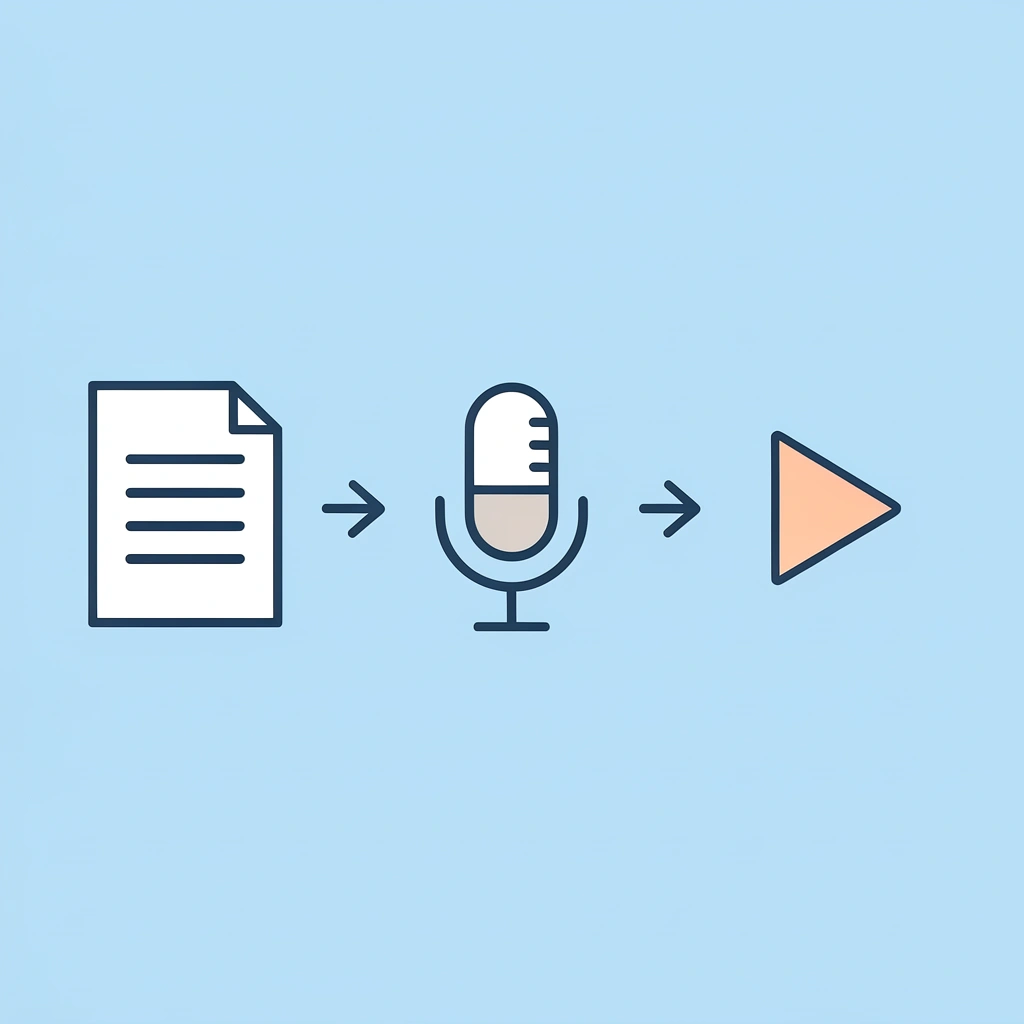
💡 Tip: Keep your script between 100-150 words for optimal engagement and platform compatibility across social media channels.
"Crayo eliminates the need for manual recording and editing, reducing video creation time from hours to minutes." — Content Creator Workflow Analysis, 2024

Crayo lets you generate narration and build the video in a single workflow, eliminating manual recording, mistakes, and voice-track editing. Try generating your next voiceover inside Crayo to see how quickly you can turn an idea into a finished video.
🎯 Key Point: The entire process, from script to finished video, takes just minutes, making it ideal for consistent content creation across multiple platforms.
Related Reading
- AI Voiceover Generation Tools
- Uberduck AI Alternative
- Murf AI Alternatives
- Speechify Alternative
- Wellsaid Labs Alternative
- Resemble AI Alternative
- Lovo.ai Alternative Free
- Elevenlabs Alternative