

Brush Tilt caption style
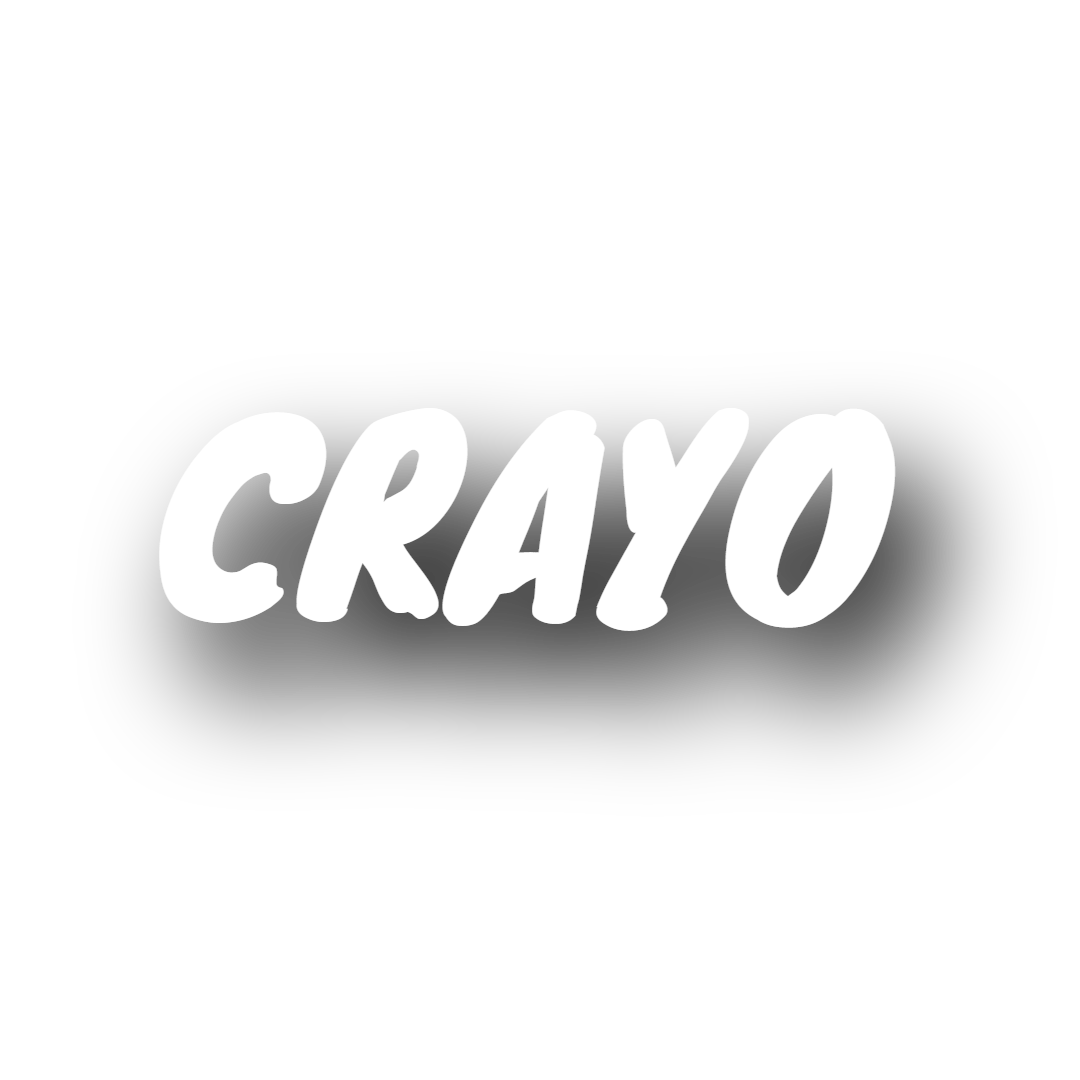
Brush Tilt shows one uppercase Knewave word at a time, a brush-script display face in white with a soft black drop shadow and no stroke, rotating a few degrees into place. It suits lifestyle, fitness and creative clips that want a hand-painted feel.
- Font
- Knewave
- Case
- Uppercase
- Highlight
- Whole word in white, shown one word at a time
- Animation
- Word rotates slightly into place
- Background
- Soft black drop shadow, no stroke or box
- Best for
- Fitness, creative vlogs and music clips
Brush Tilt is the painterly option. Knewave looks like it was brushed on, and setting it in uppercase white with a black shadow offset 3px across and 5px down at 6px blur keeps the strokes visible without a hard outline.
Each word rotates in from a slight counter-clockwise tilt to level over the first 30 percent of its time on screen, a small flick that matches the hand-made typeface.
It works on fitness and sports clips, creative vlogs, streetwear and music content. For another informal face, Marker uses Permanent Marker with a stroke and a fade.

Keep exploring
Video Editor
A multi-track timeline with captions, zooms, transitions, LUTs, speed ramps, cutaways and camera keyframes. No install, no watermark on any plan.
FeatureAI Captions
Accurate, animated captions on every clip. Pick a template, highlight keywords, and tweak the style in the editor.
FeatureAuto Clip
Upload a long-form video and let AI find the best moments, then cut them into ready-to-post clips.
FeatureVideo Cutter
Trim and cut any video down to the exact moment you need, right in your browser with no watermark.
Caption styleClassic
Classic is the default Crayo caption: white SF Pro Display, a soft black shadow and a gentle fade, shown one line at a time. Clean enough for any clip.
Caption styleClean Word
Clean Word shows one white SF Pro Display word at a time with a soft black shadow and no animation. A minimal word-by-word caption for fast talkers.
FAQs
Frequently asked questionsFrequent questionsStill have questions?
Contact our 24/7 support team for any concerns or inquiries.