

Lime Slab caption style
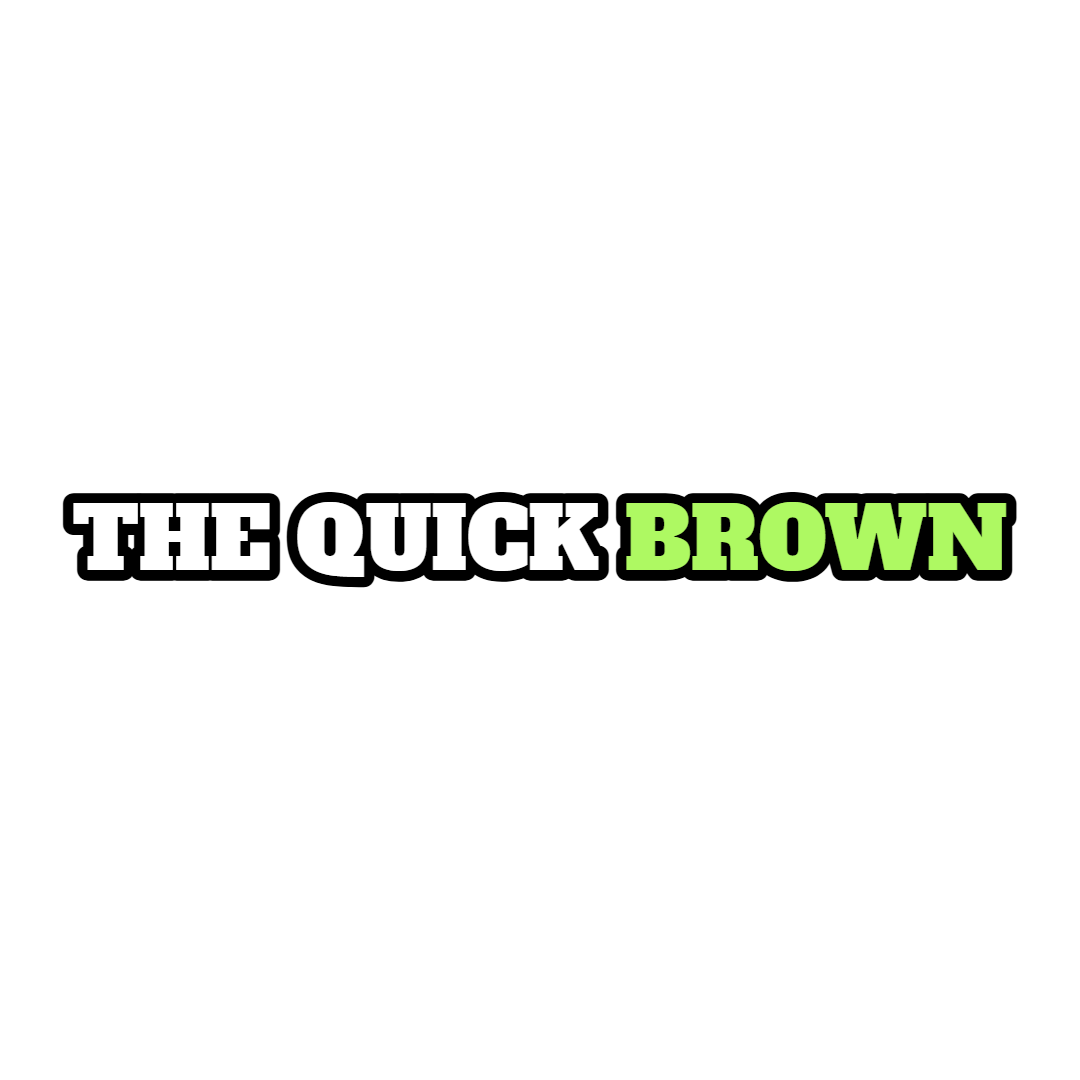
Lime Slab sets full lines in uppercase Alfa Slab One, white with a 5px black stroke, turning the spoken word lime green as each word rises into place. It suits podcast highlights, fitness and money clips that want a bold karaoke highlight.
- Font
- Alfa Slab One
- Case
- Uppercase
- Highlight
- Spoken word in lime green
- Animation
- Words rise into place
- Background
- 5px black stroke, no box
- Best for
- Podcast highlights, fitness and money clips
Lime Slab is the green sibling of Slab Yellow. Alfa Slab One in uppercase white with a 5px black stroke stays readable on anything, and the word being spoken switches to a lime green.
Each word rises 12px into its baseline as it appears, so a sentence builds word by word while the highlight moves along it. There is no shadow beyond the stroke.
It is a strong choice for podcast highlights, fitness and money content, and any clip where viewers should follow along word for word. Slab Yellow swaps the accent for yellow and adds a zoom.
Keep exploring
Video Editor
A multi-track timeline with captions, zooms, transitions, LUTs, speed ramps, cutaways and camera keyframes. No install, no watermark on any plan.
FeatureAI Captions
Accurate, animated captions on every clip. Pick a template, highlight keywords, and tweak the style in the editor.
FeatureAuto Clip
Upload a long-form video and let AI find the best moments, then cut them into ready-to-post clips.
FeatureVideo Cutter
Trim and cut any video down to the exact moment you need, right in your browser with no watermark.
Caption styleClassic
Classic is the default Crayo caption: white SF Pro Display, a soft black shadow and a gentle fade, shown one line at a time. Clean enough for any clip.
Caption styleClean Word
Clean Word shows one white SF Pro Display word at a time with a soft black shadow and no animation. A minimal word-by-word caption for fast talkers.
FAQs
Frequently asked questionsFrequent questionsStill have questions?
Contact our 24/7 support team for any concerns or inquiries.