If you are building a channel in one of the top faceless YouTube niches, you already know that great visuals can make or break your content. Animated videos are no longer just for big studios. AI animation tools have changed the game, letting solo creators produce sharp, professional motion graphics without a design background. This article walks you through 7 AI animation tools that can help you create animated videos in 30 minutes or less.
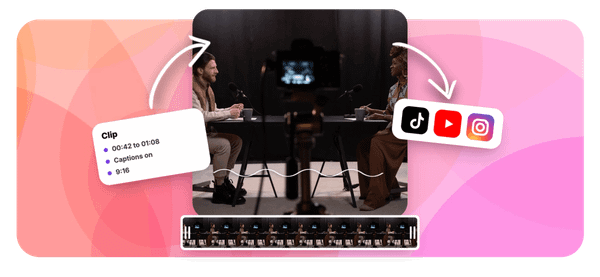
Getting started is easier when you have the right tool in your corner. Crayo's clip creator tool is built for creators who want results fast, turning ideas into polished animated clips without a steep learning curve. Whether you are working with 2D character animation, motion graphics, or AI-generated scenes, Crayo helps you move from concept to finished video quickly so you can focus on growing your channel instead of wrestling with software.
Summary
- Animation production timelines are significantly longer than most creators expect. According to a YouTube Culture and Trends report on independent animation, animation videos take three times longer to produce than live-action content, with independent animators often spending weeks on a single episode. That delay rarely comes from the animation itself.
- The financial cost of manual animation workflows is concentrated in repetitive tasks rather than creative work. Research from Solve With AI shows that without an AI workflow, teams spend 60 to 70 percent of project budgets on repetitive manual animation tasks.
- Traditional animation pipelines entail steep time costs, and AI workflows are beginning to close the gap. LinkedIn Pulse research by Ian Wasseluk found that traditional animation projects can take 18 to 24 months to complete, while AI workflows can cut that timeline by up to 50 percent. The difference is not explained by story complexity or craft quality. It comes down to the presence or absence of repeatable production systems.
- The script is the most underestimated part of an animated video workflow. When a script has a strong hook, focused points, and a clear conclusion, the visual layer requires fewer elements, fewer revisions, and fewer scene rebuilds. A weak script forces the animation to compensate with added motion and visual complexity, which is where a 30-minute session becomes a 90-minute one.
- Tool-switching between scripting, voiceover, scene planning, and editing creates a hidden friction cost that most creators undercount. A review of 15 AI animation tools by Split Arts Technologies found that the tools that reduce production time the most are those that handle repetitive structural work while leaving creative judgment to the creator.
Crayo's clip creator tool addresses this directly by consolidating AI voiceovers, subtitle generation, background removal, and AI-generated visuals into a single workflow, removing the tool-switching friction that often consumes the most time in short-form animated content production.
Why Most Creators Struggle to Create Animated Videos
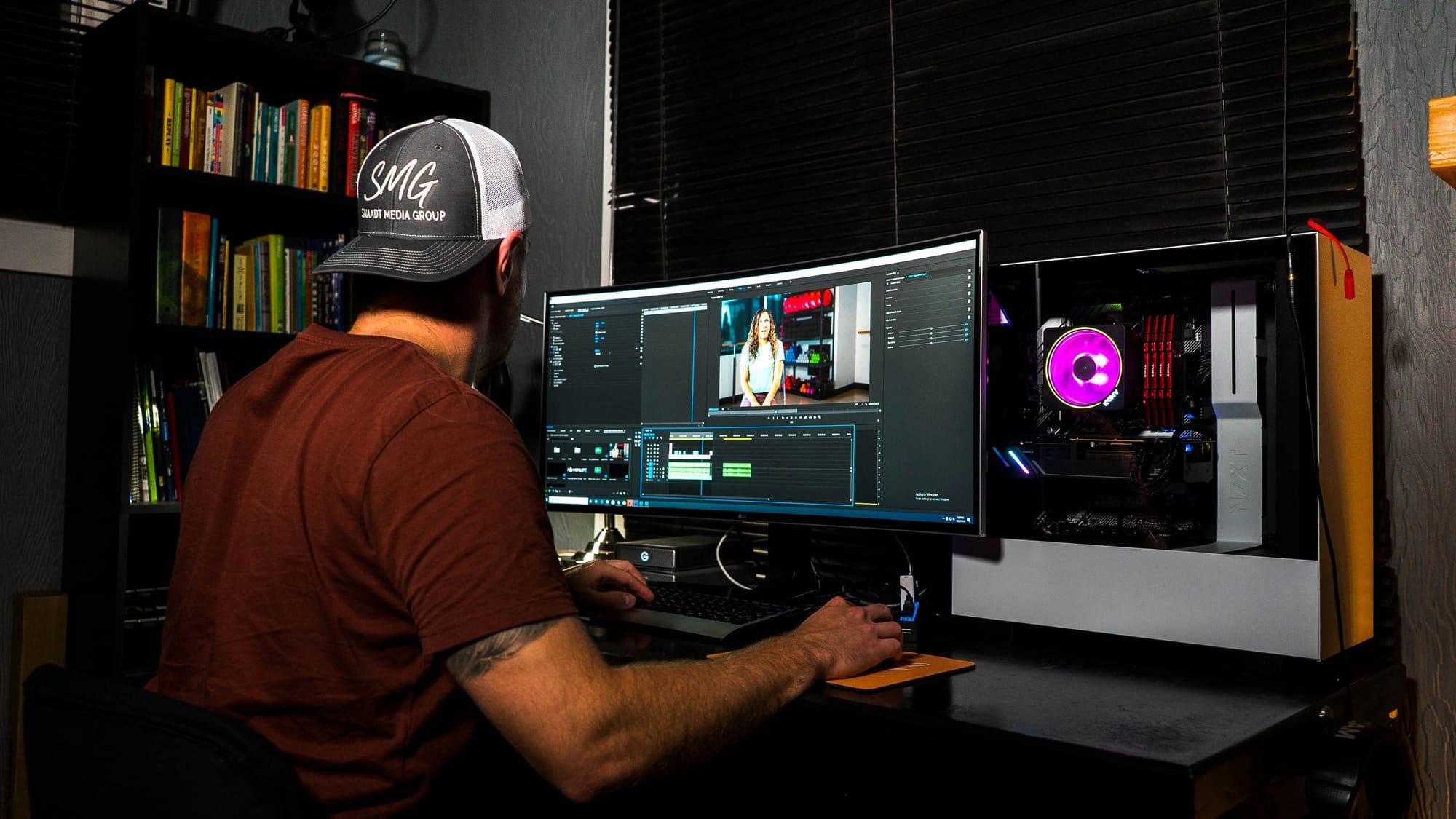
Most creators struggle with animated video production not because they lack talent, but because they treat every new project as a fresh build. Scripts get rewritten from scratch. Characters get redesigned. Scenes get rebuilt. Each video demands the same manual effort as the last, and production complexity compounds with every upload.
The Real Bottleneck is Not Your Drawing Ability
The failure point is usually structural. A creator spends hours selecting animation software, learning its interface, and generating visuals, only to realize that the story beneath them has no clear direction. According to the YouTube Culture and Trends Independent Animation Trends Report, animated videos take three times as long to produce as live-action content, with independent animators often spending weeks on a single episode.
That time gap rarely comes from the animation itself. It comes from repeatedly rebuilding the same production decisions without a system to anchor them.
Scaling Breaks Consistency
A pattern surfaces consistently across solo creators: the moment a second episode is needed, everything slows down.
- Character consistency breaks.
- Scene pacing shifts.
- Voice tone drifts.
What felt manageable for one video becomes a coordination problem at scale, because nothing was designed to repeat cleanly.
Why Switching Between Tasks Kills Momentum
The production process for animated video asks creators to operate as writer, director, casting agent, sound designer, and editor, sometimes within the same hour. That constant context-switching between creative decisions and technical execution is not just tiring. It degrades quality. When your brain is choosing between fixing a motion path and rewriting a scene transition, neither gets full attention.
The Cost of Context Switching
Most creators handle this by pushing through manually, toggling between five or six separate tools, each solving one piece of the puzzle. The hidden cost is not the time spent in each tool. It is the cognitive load of managing the gaps between them.
Crayo's clip creator tool addresses this directly by consolidating AI voiceovers, image generation, subtitles, and editing into a single workflow, so creators stop losing momentum to tool-switching and start moving from idea to finished clip in a single session.
Story is the Part Most Creators Skip
The truth is, animation software does not make an animated video. The story does. Many creators pour energy into visual quality while the narrative beneath remains thin, and audiences feel it immediately. A technically polished video with a weak message loses viewers faster than a rougher video with a clear, compelling point.
Building a content structure before touching any animation tool is not optional prep work. It is the production decision that determines whether everything else is worth the effort. What makes this harder than it looks is the gap between knowing that and consistently doing it. And that gap has a real price, one that most creators only discover after they have already published.
Related Reading
- Video Automation
- How to Make Good Tiktok Videos
- Short Form Video Production
- Can Nano Banana Make Videos
- Common Uses of AI Video Generators
- How To Create Explainer Videos
- How To Create A Faceless YouTube Channel
- Can Perplexity Ai Create Videos
- How To Use Kling Ai For Videos
- How Long Can AI-Generated Videos Typically Be
- How To Make Faceless Tiktok Videos
The Hidden Cost of Creating Animations Without an AI Workflow

Rebuilding from scratch is not just a time problem. It is a compounding cost that quietly drains creative momentum, publishing consistency, and ultimately, channel growth.
The real expense in animation production is not the animation itself. It is every repeated decision, every rebuilt asset, every workflow that starts at zero because there is no system holding it together. According to LinkedIn Pulse research by Ian Wasseluk, traditional animation projects can take 18 to 24 months to complete, while AI workflows can cut that timeline by up to 50%. That gap is not explained by the complexity of the story or the quality of the craft. It is explained by the absence of repeatable production systems.
Where the Budget Actually Disappears
The failure point is usually invisible until a creator looks back at three months of work and realizes they published four videos. Not because the ideas were bad, but because each video required rebuilding the same decisions:
- Character design
- Scene layout
- Script structure
- Voiceover setup
- Editing flow
Research from Solve With AI shows that without an AI workflow, teams spend 60% to 70% of project budgets on repetitive manual animation tasks. That number stings because it is not going toward better storytelling or sharper visuals. It is going toward doing the same thing again.
Workflow Friction Slows Output
Most creators handle this by treating each project as its own production unit, which feels thorough and professional. The hidden cost surfaces when publishing slows, audience momentum stalls, and the creator realizes the bottleneck was never creativity. It was the absence of a consolidated workflow.
Crayo addresses this directly by combining AI voiceovers, subtitle generation, background removal, and AI-generated visuals in a single environment, eliminating the friction of toggling between five separate tools for each new video.
Why Tools Alone Do Not Close the Gap
The same pattern surfaces across short-form creators and long-form animators alike: acquiring better tools without building a production system just creates a more expensive version of the same problem. A creator with six AI subscriptions and no repeatable workflow is still making decisions on every project.
The tools improve execution speed at individual steps, but they do not connect those steps into a system that compounds over time. That is the distinction most creators miss when they invest in software before investing in structure.
Hidden Friction in Creative Handoffs
What makes this harder to see is that task-switching among scripting, character work, voiceover, and editing creates a sense of momentum. Each phase feels productive in isolation. But constant context-switching adds friction at every handoff, and that friction accumulates across a production cycle in ways that are easy to undercount and hard to recover from.
And once you understand what a structured AI animation workflow actually looks like in practice, the tools that belong inside it become a very different conversation.
7 AI Animation Tools for Animated Videos in 30 Minutes
The fastest creators are not more talented. They are better equipped. When you swap manual asset-building for AI-assisted generation, the entire production rhythm changes. Scripts become scenes faster. Characters stay consistent without having to be rebuilt by hand. And the gap between idea and published video shrinks from weeks to something that actually fits inside a content calendar.
According to the GarageFarm Blog, AI animation tools can help create animated videos in 30 minutes, which is not a claim about cutting corners. It is a claim to remove steps that never needed to be manual in the first place.
1. Vyond
Vyond earns its place in professional workflows by solving a specific problem: producing polished business and educational animation without requiring a design background. Prebuilt characters, scene templates, and drag-and-drop assembly mean you are making decisions about content, not about how to make a knee bend correctly. For explainer videos and training content, that distinction matters more than most creators admit.
2. Animaker
The failure point in most beginner animation setups is the gap between what someone imagines and what they can actually produce. Animaker closes that gap with AI-assisted features and a drag-and-drop interface that keeps the focus on storytelling rather than technical execution. For short-form social content and marketing videos, speed of iteration is the competitive advantage, and Animaker is built around that constraint.
3. Renderforest
Template-first tools get dismissed as shallow, but that criticism misses the point. Renderforest is not for creators who want maximum creative control. It is for creators who need consistent visual quality across a high volume of branded content without having to rebuild the design system each time. Animated intros and promotional videos produced through Renderforest maintain a coherent look because the structure is already solved.
4. Powtoon
The same issue surfaces in corporate training and educational animation: production complexity slows down teams who are experts in their subject matter but not in motion design. Powtoon combines animation and presentation logic into a single platform, so subject-matter experts can produce animated content without handing it off to a separate production team. That compression of the workflow is where the real-time savings live.
5. Steve AI
If you already have written content, scripts, or existing articles, Steve AI removes the translation step between text and video. It reads your script and automatically generates animated scenes, making it particularly useful for content repurposing at scale. The output is not always perfect on the first pass, but the starting point is dramatically further along than a blank timeline.
Most creators who manage multiple tools across their animation workflow eventually hit the same wall:
- Subscription fatigue
- Inconsistent outputs
- Time lost switching between platforms
Crayo takes a different approach, consolidating AI voiceovers, background removal, AI-generated visuals, and subtitle generation into a single platform built specifically for short-form content. That consolidation matters because every tool handoff is a decision point, and decision points are where momentum dies.
6. Toonly
Toonly focuses on one thing: cartoon-style character animation that feels approachable and engaging without requiring frame-by-frame work. For creators building explainer content or narrative-driven videos, the simplified workflow removes the production barrier that usually stops character-based animation before it starts. The style is distinct enough to hold attention in a crowded feed.
7. Adobe Express Animation Tools
The critical difference between Adobe Express and heavier animation software lies in their intentional scope. Express is built for creators who need to add motion to branded content quickly, not for those building complex animated sequences from scratch. For social media assets and lightweight publishing workflows, that narrower scope is a feature, not a limitation.
What Changes When the Right Tool is in Place
When you remove the manual steps from animation production, something shifts beyond just speed. The cognitive load of each session drops because you are making fewer micro-decisions about technical execution and more decisions about what actually matters: the story, the hook, the pacing. That mental clarity compounds across a production cycle in ways that are hard to measure but easy to feel after the third or fourth video in a week.
Let AI Handle Repetitive Production Tasks
Split Arts Technologies reviewed 15 AI animation tools for creating videos quickly, and the pattern among the best performers is consistent: the tools that reduce production time the most are the ones that handle repetitive structural work while leaving creative judgment to the creator. Character generation, scene assembly, voiceover synthesis, and background rendering are all tasks a machine can do faster and more consistently than a human working manually.
Choose Tools That Fit Your Workflow
The tools listed here are not interchangeable. Each one fits a specific type of creator, a specific content format, and a specific production constraint. Choosing the wrong one for your workflow does not save time. It just moves the friction to a different part of the process.
The question worth sitting with is not which tool looks most impressive in a demo. It is the one that removes the specific bottleneck slowing your publishing cadence right now. That answer is different for a solo creator producing three videos a week than it is for a team managing a branded content library across multiple channels.
Once you know which tool belongs in your stack, the next question is how to sequence the work so that 30 minutes is not just theoretically possible but actually repeatable.
Related Reading
- How Are People Making Ai Videos
- How To Create Educational Videos Using Ai
- How To Use AI To Make YouTube Videos
- Sora 2 Vs Veo 3
- Kling AI Video Prompt Examples
- Veo 3 Maximum Video Length
- Google Veo 3 Prompt Examples
- Grok AI Video Generation Prompt Examples
- AI-Generated Video Examples
- AI Video Prompts
The 30-Minute Workflow Creators Use to Produce Animated Videos
Picking the right AI animation tool clears one obstacle. The workflow you run inside that tool determines whether 30 minutes is a realistic target or just a number you read in a headline.
The failure point is almost always the same. Creators open their tool of choice and start doing everything at once: sketching characters while writing narration, adjusting scene timing while revising the script, picking background music while rebuilding a sequence that never quite worked. The result is not a faster video. It is a longer session that produces a worse one.
Start With a Locked Idea, Not an Open Canvas
The first five minutes should feel almost boring. No tool should be open. No timeline should be running. You are making three decisions:
- Who is this video for
- What single idea will it communicate
- What do you want the viewer to do or feel when it ends
When that definition is loose, every production decision downstream becomes a negotiation.
- Should the character look serious or casual?
- Should the pacing be fast or measured?
Without a locked idea, those questions have no anchor, and you spend creative energy on choices that should have been obvious before you started. A clear idea does not constrain the animation. It accelerates it. Every scene either serves the idea or it does not, and that binary makes cutting and building faster than any shortcut inside the tool itself.
The Script is the real animation engine
Most creators treat the script as a preliminary step, something to get through before the real work begins. That framing is backward. The script is where the animation is built in its most efficient form, as words.
When a script has a strong hook, three focused points, and a clean conclusion, the visual layer almost designs itself.
- Characters need to do fewer things.
- Scenes need fewer elements.
- Transitions become obvious rather than invented.
- The animation stage shrinks because the script already made the decisions.
A weak script does the opposite. It forces the animation to compensate, adding motion, effects, and visual complexity to cover gaps in logic or clarity. That compensation is what makes the 30 minutes become 90.
Build Scenes After the Script, Not Alongside It
The pattern that consistently emerges among solo creators working with AI animation tools is this: they start designing characters and backgrounds before the script is finished, then rebuild them when the script changes. That rebuilding is not a production problem. It is a sequencing problem.
Characters and scenes built after a locked script require far fewer revisions.
- The visual brief is already written.
- The character needs to explain, or react, or demonstrate
- The script tells you exactly which one.
Scene layouts follow from that, not from aesthetic preference. Simple visuals also tend to outperform complex ones in short-form animated content. Viewers watching an AI-generated explainer on a phone screen are processing narration and motion simultaneously. Reducing visual noise is not a creative compromise. It is an audience decision.
Animation and voiceover as a single pass
Most creators using AI animation tools generate motion and narration in separate sessions, then try to sync them afterward. That sync step is where timing errors accumulate and where the 30-minute window quietly disappears.
Generating animation and voiceover together, treating them as one output rather than two parallel tracks, removes that reconciliation step entirely. Natural pacing emerges from the script's rhythm rather than from manual adjustment. The narration sets the tempo, and the animation follows it.
Stop Using Old Animation Workflows
Many creators still run these stages separately because that is how traditional animation pipelines were structured. But AI tools are not traditional pipelines, and applying old sequencing to new tools is one of the more expensive habits in short-form content production.
Build and Review Scene by Scene
Most creators handle the assembly stage by treating it as a final edit, reviewing everything and making broad revisions. The more efficient approach is to build section by section, reviewing each scene before moving to the next. A problem caught at the scene level takes seconds to fix. The same problem caught during final review requires tracing back through the entire sequence to find its source.
Platforms like Crayo are built for exactly this kind of consolidated workflow, combining AI voiceovers, subtitles, and video generation in one place rather than requiring creators to stitch together outputs from three or four separate subscriptions. For short-form animated content where speed-to-publish is the competitive advantage, that consolidation removes the handoff friction that typically consumes the most time.
Review for understanding, not perfection
The review stage is where the most time gets lost to the wrong goal. Creators scan for visual polish, animation smoothness, and aesthetic consistency when the only question that actually matters is this: will a viewer who knows nothing about this topic understand the message in one watch?
That question significantly reduces the review time. Most of what creators spend time adjusting during review does not affect comprehension. It affects personal satisfaction. Those are not the same thing, and treating them as equivalent is what turns a 5-minute review into a 25-minute one.
Prioritize Publishing Over Perfection
Export when the message is clear. Publish when the file is ready. The next video will be better than this one, and the one after that will be better still. The compounding value of a repeatable system outpaces the marginal improvement of a perfected single video every time.
The surprising part is not how fast this workflow moves once you run it cleanly. It is what you discover about your own production instincts the first time you do.
Create Animated Videos Faster With Crayo
Rebuilding your production instincts is only half the work. The other half is choosing tools that match the speed of those instincts once they sharpen. Most creators piece together separate platforms for scripting, voiceover, scene planning, and editing, and that fragmentation quietly eats the time the workflow was supposed to save. Crayo consolidates those stages into one place, so the gap between a finished script and a published video shrinks from hours to minutes.
Creators who consistently publish animated content are not more talented. They have simply stopped rebuilding the same production pipeline every time a new idea appears. Open Crayo, enter your idea, and move directly into production instead of starting with a blank canvas each time.