Picture this: you need to create engaging social media content, educational tutorials, or marketing videos, but the traditional production process eats hours you don't have. Video automation has transformed this struggle, putting professional-quality content creation within reach of anyone with an idea and a few minutes to spare. In this article, you'll discover seven practical ways creators are using AI video generators right now to produce compelling clips in just 10 minutes, no film crew required.
If speed and simplicity matter to you, Crayo's clip creator tool offers a direct path to video content that actually gets made. Instead of wrestling with complex editing software or expensive production setups, you can generate short-form videos, automated captions, and polished social media clips that help you maintain a consistent posting schedule. The tool handles the technical heavy lifting so you can focus on your message and your audience.
Table of Contents
- Why Content Creators Struggle to Produce Videos Consistently Without AI Systems
- The Hidden Cost of Creating Videos Manually Instead of Using AI Video Generators
- 7 Ways Creators Use AI Video Generators in 10 Minutes
- The 10-Minute Workflow to Create Videos Faster Using AI Video Tools
- Create Videos Faster Using Crayo
Summary
- Manual video production takes hours because creators have to rebuild the same workflow decisions for every upload. The Content Creator Survey 2024 found that 73% of content creators cite time constraints as their biggest challenge, revealing that the bottleneck isn't ideas or talent but the mechanics of execution.
- Context switching between scripting, recording, editing, and formatting reduces production efficiency more than the tasks themselves. Creators spend 20 minutes editing a clip, then lose another 15 minutes regaining focus after checking a script reference. When workflows force constant transitions between six different modes of thinking, each jump costs time and mental energy that can't be recovered.
- Professional video production ranges from $4,000 to $18,000 per finished video, including scripting, filming, editing, revisions, and project management, according to Genra AI's cost analysis. Even creators handling production themselves face opportunity costs, as every hour spent manually editing captions or adjusting aspect ratios is an hour not spent analyzing performance data or testing new content formats.
- AI adoption in content workflows reached 80 percent of creators in 2025, according to Wondercraft's study. The pattern shows automation handles tedious execution work like caption syncing, voiceover generation, and format adjustments, freeing creators to focus on finding better clips and testing hooks.
- Only 22% of creators maintain weekly upload schedules according to the Creator Consistency Report, because manual workflows make output energy-dependent rather than system-dependent. When video production relies entirely on manual effort, it leads to delayed uploads, unfinished drafts, and creator fatigue.
- Videos average 3.2 rounds of revisions per upload, with each revision requiring re-exporting files, re-uploading to review platforms, and waiting for feedback before reopening the editing timeline. The workflow doesn't just slow down, but fragments entirely, as creators lose context between revision rounds and stakeholders forget earlier decisions.
Crayo's clip creator tool addresses this by automating caption sync, voiceover generation, and format adjustments within a three-step workflow that compresses production timelines from hours to minutes.
Why Content Creators Struggle to Produce Videos Consistently Without AI Systems

Most content creators struggle to produce videos consistently because too many production tasks are handled manually. The issue is not creativity. It's workflow overload. When creators research, script, record, edit, caption, and publish within a single continuous workflow, production time increases. According to the Content Creator Survey 2024, 73% of content creators cite time constraints as their biggest challenge. That statistic reveals something important: the bottleneck isn't ideas or talent. It's the mechanics of execution. Every upload requires the same repetitive setup work, and that repetition quietly adds up to hours of extra effort.
Content Creators Rebuild the Workflow Every Upload
Most creators start every video from zero.
- They search for new ideas
- Rewrite hooks manually
- Rebuild editing structure
- Recreate formatting decisions
There is no repeatable production system. Only repeated setup work. That repetition quietly expands the workload. The pattern surfaces across platforms. A creator producing three videos per week doesn't just triple their creative effort. They triple their setup, formatting decisions, caption adjustments, and export configurations. The cognitive load multiplies faster than the output.
Manual Production Creates Constant Context Switching
While producing videos, creators continuously switch between scripting, recording, editing, researching, captioning, and formatting. That is context switching. Context switching reduces production efficiency because the brain repeatedly reloads tasks.
The result:
- Slower execution
- Editing fatigue
- Restart loops
- Inconsistent production speed
The bottleneck becomes cognitive rather than technical.
Workflow Switching Drains Creative Energy
I've watched creators spend 20 minutes editing a clip, then lose another 15 minutes just getting back into the rhythm after checking a script reference. The task itself wasn't hard. The transition was. When your workflow forces you to jump between six different modes of thinking, each jump costs time and mental energy you can't recover.
Repetitive Production Tasks Quietly Multiply Time
Small repetitive tasks feel minor individually:
- Trimming clips
- Syncing captions
- Rewriting scripts
- Resizing visuals
- Adjusting timing
But repeated across multiple videos, they compound. One repeated five-minute correction across multiple workflow stages becomes hours of extra production work. The expansion happens through repetition.
Automation Removes Repetitive Production Work
Tools like Crayo address this by automating caption sync, voice-over generation, and formatting adjustments in a three-step workflow. Creators who've produced millions of clips using automated systems report compressing production timelines from hours to minutes, not by cutting quality, but by eliminating the repetitive setup work that doesn't require human judgment.
Manual Workflows Break Posting Consistency
When video production depends entirely on manual effort, output becomes energy-dependent. That creates delayed uploads, unfinished drafts, inconsistent posting, and creator fatigue. The Creator Consistency Report found that only 22% of creators can maintain weekly upload schedules. The workflow becomes difficult to sustain consistently, especially at scale.
The problem is not video creation. The problem is manually rebuilding repetitive production workflows for every upload. When repetitive production tasks stay manual, execution expands. When repetitive production tasks become automated, execution compresses. But time isn't the only thing manual workflows consume.
Related Reading
- Video Automation
- Can Perplexity Ai Create Videos
- How To Make Faceless Tiktok Videos
- How To Use Kling Ai For Videos
- Can Nano Banana Make Videos
- Common Uses of AI Video Generators
- How To Create Explainer Videos
- How To Create A Faceless YouTube Channel
- How Long Can AI-Generated Videos Typically Be
- Short Form Video Production
The Hidden Cost of Creating Videos Manually Instead of Using AI Video Generators

Manual video production doesn't just consume time; it also costs money. It drains mental energy, multiplies coordination overhead, and quietly inflates costs in ways most creators never track. The real expense isn't the hours spent editing. It's the compounding friction of having to rebuild the same workflow decisions, manage stakeholder feedback loops, and maintain consistency across platforms without systems.
The Revision Trap
Every manual video undergoes multiple review cycles before publication. Genra AI found that videos average 3.2 rounds of revisions per upload. Each revision requires re-exporting files, re-uploading to review platforms, waiting for feedback, and then reopening the editing timeline to make changes. The workflow doesn't just slow down; it also slows down. It fragments. Creators lose context between revision rounds, stakeholders forget earlier decisions, and what should take minutes stretches into days.
The cognitive cost multiplies when you're managing feedback from multiple people. One stakeholder wants a different pacing. Another requests caption adjustments. A third question the hook. Without automated systems, every piece of feedback becomes a manual task that requires reopening the project, locating the specific timestamp, making the edit, and re-exporting. The bottleneck isn't creativity. It's the coordination overhead that manual workflows force you to manage repeatedly.
The Financial Reality Nobody Tracks
Most creators focus on production time, but the hidden costs accumulate elsewhere. Professional video production costs $4,000 to $18,000 per finished video, including scripting, filming, editing, revisions, and project management. Even creators handling production themselves face opportunity costs. Every hour spent manually editing captions or adjusting aspect ratios is an hour not spent analyzing performance data, testing new content formats, or building audience relationships.
The familiar approach feels manageable for occasional uploads. But as volume increases across TikTok, Reels, Shorts, and YouTube, manual production creates a scaling ceiling. You can't hire fast enough to keep pace. Freelancers require onboarding, creative direction, and quality control, which add more coordination layers. The workflow expands faster than output increases.
Where Automation Compresses the Cycle
When creators automate caption generation, voiceover syncing, and formatting workflows, they eliminate the repetitive decisions that consume mental bandwidth. Platforms like Crayo handle subtitle timing, aspect ratio adjustments, and export settings automatically, compressing what used to take 30 minutes of manual work into seconds. The time savings matter, but the consistency gain matters more. Automated systems apply the same formatting rules, caption styles, and pacing decisions across every upload without requiring you to remember or recreate those choices manually.
Creators who've scaled to millions of views didn't do it by editing faster. They did it by removing friction points where manual workflows lead to repeated decision-making. When the tedious formatting work happens automatically, you spend creative energy finding better clips and testing hooks instead of adjusting timeline markers and exporting files.
7 Ways Creators Use AI Video Generators in 10 Minutes
Creators use AI video generators to compress production work that once took hours into workflows that finish in minutes. The shift isn't about replacing creativity. It's about removing the repetitive formatting, syncing, and adjustment loops that drain time between the idea and the published video. According to Wondercraft's 2025 study, 80% of content creators now use AI in their workflows. The pattern is clear: automation handles the tedious execution work, freeing creators to focus on finding better clips and testing hooks.
1. AI-Powered Script Generation Removes Brainstorming Friction
Most creators waste the first 30 minutes of production staring at blank screens, trying to structure hooks and organize ideas. AI systems generate:
- Script outlines
- Hook variations
- Narration flow before editing starts
That structure removes the rambling and pacing confusion that forces repeated rewrites later. When the script arrives pre-structured, you're not deciding what to say while you're also deciding how to edit it. The workflow remains linear rather than looping back.
2. AI Narration Eliminates Recording Fatigue
Recording voiceovers manually creates:
- Vocal fatigue
- Restart loops
- Timing corrections that silently expand production time
Creators who record three takes, listen back, then re-record sections they don't like, spend more time managing their own performance than editing. AI narration generates clean voiceovers with consistent pacing and reusable delivery. The elimination of recording friction matters most when you're producing multiple videos per week. Vocal fatigue doesn't scale. AI narration does.
3. Automated Captions Cut Editing Time
Manual caption workflows require
- Syncing text
- Adjusting timing
- Correcting alignment repeatedly across every video
Those micro-adjustments feel small in isolation, but they add up to hours over a production month. AI systems automate caption generation, timing, and synchronization in one pass. The time saved isn't dramatic per video. It's dramatic on a weekly basis when you're publishing daily.
4. AI Visual Systems Reuse Formatting Structure
Most creators rebuild layouts, transitions, and visual formatting for every upload. That setup work isn't creative. It's repetitive execution that happens because manual workflows don't remember your choices. AI visual systems reuse templates and automated formatting across videos, eliminating the need to reconstruct structure from scratch each time. The real production bottleneck isn't editing skill. It's the repeated setup work between videos that forces you to make the same formatting decisions over and over.
Three Steps Replace Manual Editing Loops
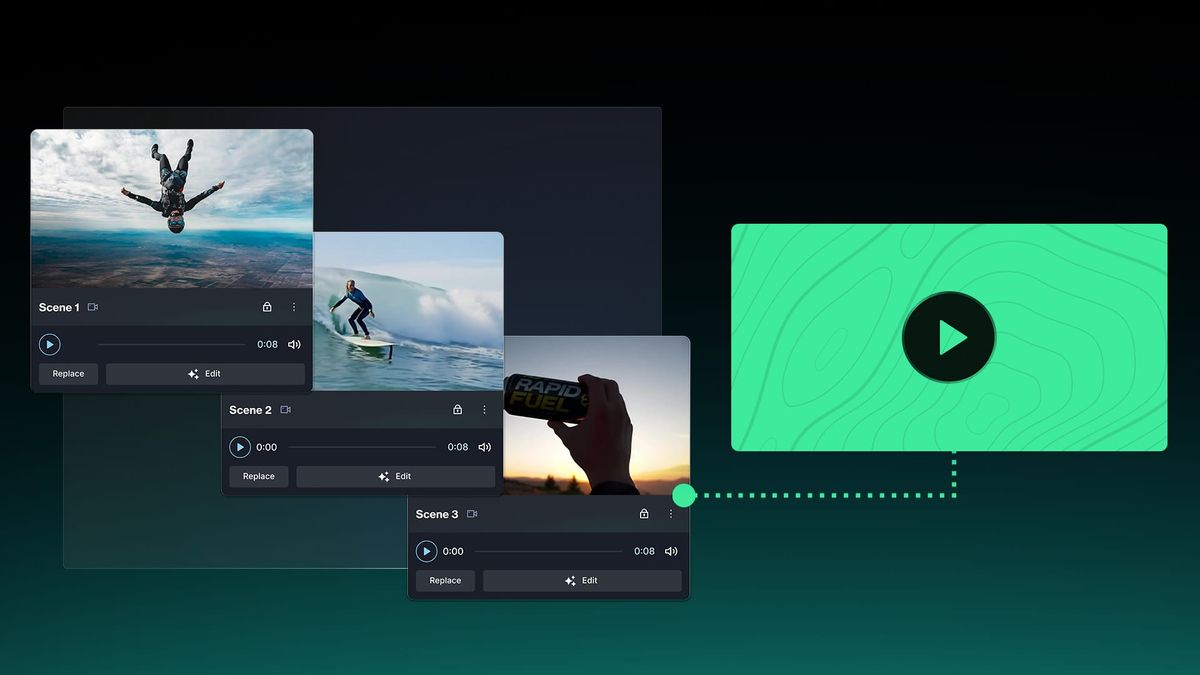
Platforms like Crayo compress this workflow into a 3-step system:
- Paste your script,
- Choose your style
- Export
The formatting, captions, and visual structure happen automatically, removing the manual adjustment loops that stretch 10-minute edits into hour-long sessions.
5. Batch Production Protects Momentum
Editing one video, publishing it, then starting the next one creates workflow resets that kill momentum. Creators who batch hooks, scripts, narration, and visuals together reduce context-switching and maintain production flow. AI tools enable batching by automating the repetitive formatting work that would otherwise require individual attention for each video. When you batch, you're not relearning the workflow every time you sit down to edit. You're executing the same system repeatedly, which compresses total production time.
6. Cross-Platform Adaptation Without Manual Rebuilding
Publishing the same content to TikTok, Reels, Shorts, and YouTube requires resizing formats, repurposing scripts, and adjusting captions for each platform. Manual platform adaptation creates repeated production expansion. AI workflows automate resizing, maintain structure, and adapt captions across platforms without requiring you to rebuild the video four times. The friction isn't in creating one version. It's in creating the second, third, and fourth versions without losing quality or consistency.
7. Workflow Compression Reduces Production Bottlenecks
The biggest production problem isn't editing speed. It's the overlap between workflow stages that causes repetitive manual execution to create bottlenecks. AI video generators reduce workflow overlap, repetitive setup work, and context switching by automating formatting and synchronization tasks that force creators to stop, adjust, and restart. Automation removes friction from execution. Friction removal is what compresses production time from hours into minutes. The creators who've scaled to millions of views didn't edit faster. They removed the workflow stages that required manual execution, which forced them to slow down. But speed alone doesn't guarantee results if the workflow itself is inefficient.
The 10-Minute Workflow to Create Videos Faster Using AI Video Tools
Fast video production isn't about working faster. It's about removing the repetitive tasks that force you to stop, adjust, and restart before you ever finish. AI systems compress production time by separating execution into distinct stages:
- Scripting
- Narration
- Visuals
- Editing
- Publishing
When each stage operates independently, automation replaces the manual work that would otherwise consume hours.
Start With Structure, Not the Editor
The first two minutes determine whether the next eight flow smoothly or fracture into restart loops.
- Begin with one topic, one viewer outcome, and one content goal.
- Then generate the hook, script flow, and narration structure before opening any editing software.
Structured planning removes hesitation and pacing confusion because you're not improvising decisions during production. When you think while editing, you create cognitive friction. The creative decision (what should this say?) competes with the technical execution (how do I format this?). Separating those decisions into sequential stages protects momentum. You decide what to say, then you build it.
Generate Narration and Captions Before Editing Begins
Minutes two through four compress what used to require multiple recording sessions into a single automated step.
- Instead of recording voice takes until your delivery feels consistent, generate AI narration with pre-structured pacing.
- Instead of manually syncing captions to audio, automate the timing adjustments.
Automated Narration Cuts Production Friction
Manual narration workflows create vocal fatigue, repeated retakes, and timing corrections. A creator working on their fifth take of the same script isn't improving quality; they're compensating for inconsistency. Automation removes the correction work.
- The narration arrives clean
- The captions sync automatically
- You move forward without restarting
E-commerce brands applying similar automation to product videos report eliminating $30,000 per collection in traditional shoot costs. The principle transfers: when repetitive tasks become automated, execution compresses without sacrificing output quality.
Build Videos Using Reusable Systems
Minutes four through six focus on assembly, not reconstruction. Use templates, reusable layouts, preset transitions, and automated formatting instead of manually rebuilding visuals for every upload. Most editing time is spent on resizing, alignment, and formatting loops that add no creative value.
Reusable Systems Eliminate Repetitive Setup
Reusable systems compress setup time because you're not solving the same technical problem repeatedly.
- The layout exists.
- The transitions are preset.
- The formatting applies automatically.
You're building content, not infrastructure.
When creators batch entire e-commerce catalogs into looping videos that begin and end on the original product image, they're applying the same reusable system principle. One structure, applied at scale, eliminates manual reconstruction for every SKU.
Batch Production Tasks Together
Minutes six through eight preserve workflow momentum by grouping similar tasks rather than switching between them. Instead of producing one script, one narration, and one video at a time, batch hooks together.
- Batch scripts together.
- Batch voice generation and editing tasks into consolidated work sessions.
Repeated task switching reduces production efficiency because every transition requires mental reorientation. When you write three hooks consecutively, you stay in writing mode. When you generate five voiceovers back-to-back, you stay in audio mode. Batching eliminates the cognitive cost of restarting.
Batching Builds Workflow Momentum
Platforms like Crayo structure this batching workflow into their core interface, allowing creators to queue multiple videos through the same three-step process without rebuilding settings or restarting the system for each upload. The workflow momentum compounds because the system removes transition friction.
Publish Immediately When the Video Works
Minutes eight through ten end with a decision: publish or restart. Once the narration sounds clean, the captions work correctly, and the pacing feels clear, publish.
- Do not endlessly restart edits.
- Do not repeatedly delay uploads.
- Do not over-optimize every frame.
Delayed publishing breaks workflow continuity. The video that sits unpublished for three days while you debate minor adjustments isn't improving; it's stalling. Consistency compounds faster than perfection loops because published videos generate feedback, views, and momentum. Unpublished videos generate doubt.
Consistent Publishing Beats Perfection
The creators who scale to millions of views didn't perfect every upload. They published consistently, learned from performance data, and adjusted their next video based on what actually worked. Execution beats optimization when the gap between creation and feedback stays narrow.
The Workflow Comparison
Before automation: Production meant thinking while editing, manually recording narration, rebuilding captions repeatedly, and restarting production when pacing felt wrong.
The result: multi-hour workflows, creator fatigue, and inconsistent uploads.
After automation: Production means structuring first, automating repetitive tasks, reusing production systems, and publishing faster.
The result: compressed workflows, scalable output, and execution consistency.
Automation Turns Consistency Into Scale
The bottleneck was never video creation itself. The bottleneck was the manual rebuilding of repetitive production tasks for every upload. When those tasks are automated, execution time is reduced. When execution compresses, output scales. When output scales, consistency becomes the competitive advantage. But speed and structure matter only if the system you choose actually removes friction rather than adding new complexity.
Related Reading
- How To Use AI To Make YouTube Videos
- Grok Ai Video Generation Capabilities 2026
- Kling AI Video Prompt Examples
- AI Composite Video
- Veo 3 Maximum Video Length
- AI-Generated Video Examples
- Grok AI Video Generation Prompt Examples
- Sora 2 Vs Veo 3
- Google Veo 3 Prompt Examples
- AI Video Prompts
- How To Create Educational Videos Using AI
- How Are People Making AI Videos
Create Videos Faster Using Crayo
The friction in your workflow is not the editing itself. It's the repetitive setup, scripting, and narration work you rebuild every time you start a new video. That's where the hours go. That's where consistency breaks down. Crayo removes that friction by collapsing the entire production workflow into three steps. Paste your video idea, generate a structured script and AI narration, then add visuals and captions.
- No repeated brainstorming loops.
- No recording retakes.
- No rebuilding the same editing setup from scratch.
In under 10 minutes, you'll have a finished video ready to publish. The workflow compresses because repetitive tasks are automated.
Fix the System, Then Scale Faster
This is not about working faster. It's about removing the work that shouldn't exist in the first place. When you stop rebuilding production tasks manually, execution becomes consistent. When execution becomes consistent, output scales. When output scales, you no longer have to choose between quality and speed. Open Crayo now. Paste your first video idea. Generate the script and narration. Then publish without starting from zero again. The bottleneck was never your effort. It was the system forcing you to repeat the same setup work for every upload. Fix the system, and the speed follows.
Related Reading
- AI Product Content Creation For Ecommerce
- AI Filmmaking Tools
- Best AI for Animation
- Best AI Video Upscalers
- Best AI Video Extender
- Best AI Tools For Faceless YouTube Videos
- AI Image To Video Generator No Restrictions
- Best AI Tools For Viral Tiktok Content
- Best AI Video Enhancer For Beauty Content