You're spending hours editing vertical videos, creating captions, adding transitions, and resizing content for TikTok, Instagram Reels, and YouTube Shorts. The demand for short-form content keeps growing, but your production time hasn't gotten any faster. Video automation is changing how creators and businesses approach content creation, making it possible to produce engaging clips without sacrificing your entire week to editing software. This article reveals seven proven workflows that will save you at least 10 hours every week while maintaining the quality your audience expects.
These workflows become even more powerful when paired with the right tools. Crayo's clip creator tool helps you implement these time-saving strategies by handling repetitive tasks like caption generation, background music selection, and template application. Instead of manually editing each video from scratch, you can focus on the creative decisions that actually matter while the platform manages the technical execution.
Table of Contents
- Why Content Creators Struggle to Produce Short-Form Videos Consistently
- The Hidden Cost of Managing Short-Form Video Production Manually
- 7 Short-Form Video Workflows to Save 10 Hours Weekly
- The Weekly Workflow to Produce Short-Form Videos Faster at Scale
- Produce Short-Form Videos Faster Using Crayo
Summary
- Manual workflows create cognitive bottlenecks that slow short-form video production more than technical limitations. According to Performance Digital, 73% of marketers identify consistent short-form video production as their biggest challenge, with the root cause being cognitive load from constant context switching between scripting, editing, recording, and captioning.
- Decision fatigue compounds across every upload when creators manually rebuild creative choices for each video. Research from Firebrand Studio shows that content teams spend 60% of their time on manual tasks such as formatting, resizing, and scheduling.
- Batching identical tasks across multiple videos eliminates the cognitive reload time that fragments production momentum. According to RAMEZ TABSHI's LinkedIn analysis, batching repetitive tasks can save 10 hours per week by keeping creators in one mental mode longer, rather than constantly switching between creative contexts. Writing ten hooks in one session, recording all scripts consecutively, and editing everything before publishing anything builds workflow momentum that sequential production destroys.
- Short-form videos generate 2.5x more engagement than long-form content, according to Appnova's 2025 research, intensifying the pressure for high-volume production without sacrificing quality. This engagement advantage makes publishing frequency more valuable than perfection loops, since pattern recognition with audiences builds through consistent output rather than sporadic perfect uploads.
- Separating production stages into distinct workflow blocks removes the friction that prevents consistent posting at scale. Defining content direction and batching hooks on day one, writing multiple scripts together on day two, recording all voiceovers in a single controlled session on day three, and scheduling uploads as a separate administrative task create execution efficiency that mixed-stage workflows destroy.
Crayo's clip creator tool addresses this by automating caption generation, background music selection, and template application so creators define their format once and reuse it across uploads without manually rebuilding technical structure for every video.
Why Content Creators Struggle to Produce Short-Form Videos Consistently

Most content creators struggle to produce short-form videos consistently because too many production tasks are handled manually. The problem isn't short-form content itself. It's workflow overload that expands production time every time you sit down to create. When creators research, script, edit, caption, voice, and publish in a single continuous process, production time expands. The bottleneck becomes cognitive rather than technical.
Creators Rebuild the Workflow for Every Video
Most creators start every short-form video from zero. They search for new hooks, rewrite captions manually, rebuild editing structure, and recreate visual formatting. There is no repeatable production system, only repeated setup work. That repetition quietly expands the workload. One repeated five-minute task across fifteen videos adds up to hours of production time. The expansion happens through repetition.
Short-Form Content Creates Constant Context Switching
While producing videos, creators constantly switch between scripting, editing, researching, recording, trimming clips, and adjusting captions. That is context switching. According to Performance Digital, 73% of marketers say consistently producing short-form video content is their biggest challenge, and the root cause is often cognitive load. The brain continuously reloads tasks, which reduces efficiency. Result: slower editing, restart loops, decision fatigue, inconsistent production speed.
Manual Workflows Break Posting Consistency
When short-form production depends entirely on manual effort, output becomes energy-dependent. That creates inconsistent posting, delayed uploads, unfinished drafts, and content fatigue. The workflow becomes difficult to sustain consistently, especially at scale.
Many creators think short-form videos are quick to make. But the real-time expansion comes from restarting edits, switching tasks, rebuilding structure, and repeating setup work. Small tasks like trimming clips, syncing captions, resizing visuals, rewriting hooks, and adjusting timing feel minor individually, but repeated across multiple videos, they compound.
Tools like Crayo's clip creator reduce this repetition by automatically handling caption generation, background music selection, and template application, so creators can focus on creative decisions instead of rebuilding the technical structure for every upload.
Related Reading
- Video Automation
- Can Perplexity Ai Create Videos
- How To Make Faceless Tiktok Videos
- How To Use Kling Ai For Videos
- Can Nano Banana Make Videos
- Common Uses of AI Video Generators
- How To Create Explainer Videos
- How To Create A Faceless YouTube Channel
- How Long Can AI-Generated Videos Typically Be
- Short Form Video Production
The Hidden Cost of Managing Short-Form Video Production Manually

The other half is decision fatigue. Every upload requires creators to remake the same creative choices: which hook angle to use, how to pace the first three seconds, where to place text overlays, and when to cut to B-roll. These aren't one-time decisions. They repeat across every single video. According to Firebrand Studio, content teams spend 60% of their time on manual tasks like formatting, resizing, and scheduling. That time doesn't vanish when videos get shorter. It multiplies when creators post daily across TikTok, Reels, and YouTube Shorts.
The Real Bottleneck Isn't Editing Speed
Most creators assume the problem is the time it takes to edit. But the actual drain comes from rebuilding the entire decision framework for each upload. One creator described it perfectly: they could generate clips quickly, but every single one required manual adjustments to aspect ratio, pacing, layout, and captions before it matched platform requirements. The bottleneck wasn't the tool. It was the repetitive reformatting that happened after generation.
Cognitive Overhead and Decision Fatigue
Manual workflows force creators to answer the same questions repeatedly.
- Should this hook be three seconds or five?
- Does the caption need to appear at 0:02 or 0:04?
- Which background track fits this energy?
These micro-decisions seem trivial in isolation, but when repeated across five videos per day, they create cognitive overhead that slows everything down. The brain doesn't just edit. It constantly evaluates, compares, and second-guesses.
Why Consistency Collapses Under Manual Production
Platforms like the clip creator tool compress this repetition by automating caption generation, background music selection, and template application. Creators define their format once, then reuse it across uploads. That removes the decision loop from every video, converting production into execution rather than constant re-evaluation.
When execution capacity becomes the limiting factor, consistency breaks first. Creators are starting to skip uploads because the manual rebuild feels too heavy. Drafts pile up unfinished. Quality becomes inconsistent because some videos get full attention while others get rushed through. The problem isn't laziness. It's that manual workflows demand the same mental energy for the tenth video as they did for the first, and humans don't scale that way.
7 Short-Form Video Workflows to Save 10 Hours Weekly

The fastest creators don't produce more videos because they work longer hours. They produce more because they've eliminated the repetitive decisions that slow everyone else down. Time savings come from removing workflow overlap, not from editing faster.
1. Batch Production Instead of Sequential Uploads
Most creators treat each video as a separate project.
- Script one video
- Record it
- Edit it
- Publish it
Then start over. That approach forces you to reload the context every single time. You're constantly switching between creative modes (writing, performing, editing) instead of staying in one long enough to build momentum.
Context Switching and Batch Efficiency
Batch the same task across multiple videos instead. Write ten hooks in one session. Record all your scripts back-to-back. Edit everything before you publish anything. According to RAMEZ TABSHI's LinkedIn analysis, batching repetitive tasks can save 10 hours every week by reducing the cognitive reload time between switching contexts. When you batch, you stay in one mental mode longer. Your brain doesn't have to restart. The quality stays consistent because you're not fighting decision fatigue across different production stages.
2. Lock In One Repeatable Video Structure
Rebuilding your video format for every upload creates unnecessary friction. You're redeciding pacing, transition timing, delivery style, and structural flow each time. That's not creativity. That's just wasted energy. Pick one structure that works and repeat it. Hook, explanation, example, call to action. Same sequence every time. The structure becomes invisible to your audience, but it compresses your production time because you're not reinventing the format. Creators often confuse variety with value. Your audience doesn't need a new format. They need consistent delivery of useful content. The structure is scaffolding, not the story.
3. Separate Scripting From Recording Completely
Thinking while recording creates pauses, restarts, and weak delivery. You're trying to write and perform simultaneously, which splits your focus and drains energy. The result is longer recording sessions filled with mistakes you'll have to edit out later. Finalize your script before you hit record. Not an outline. A finished script. When you separate these tasks, recording becomes pure execution. You're not improvising or second-guessing. You're delivering lines you've already refined. Clear scripting removes the cognitive overlap that slows production. Your pacing improves. Your confidence shows. Your editing gets faster because there's less cleanup work.
4. Automate Caption Syncing and Formatting
Manual caption work is pure repetition
- You're adjusting timing
- Correcting alignment
- Tweaking font size
- Fixing positioning
Every video requires the same micro-corrections. That's where hours disappear without you noticing.
Workflow Automation and Creative Focus
Use automated caption systems that handle syncing and formatting. Define your style once (font, color, positioning, animation timing), then reuse it. Platforms like Crayo compress this entire workflow into seconds, removing the manual correction loop that fragments production momentum. The time you save isn't just about speed. It's about protecting your focus. When you're not manually fixing captions, you can stay in creative mode rather than technical cleanup mode.
5. Build Reusable Editing Templates for Multi-Platform Publishing
Most creators rebuild layouts, transitions, positioning, and animation timing for every platform. Different aspect ratios for TikTok, Reels, and Shorts. Different formatting requirements. Different export settings. That setup work repeats endlessly. Create reusable editing templates that work across platforms. Set up your 9x16 layout once with all your preferred settings. Save it. Use it again. The goal isn't perfection. It's eliminating the repetitive setup that creates workflow fragmentation. When your templates are ready, production becomes assembly, not construction. You're filling in content, not rebuilding infrastructure.
6. Separate Production From Publishing Schedules
Editing and publishing in the same session creates a production interruption. You finish editing, then immediately jump into uploading, writing captions, adding hashtags, and scheduling posts. That context switch breaks your workflow momentum. Batch all your production first. Edit everything. Then schedule publishing as a separate task. When you separate these stages, you stay focused longer on each one. Production stays clean. Publishing becomes administrative, not creative. This separation also reveals bottlenecks more clearly. If publishing takes an hour, you can automate it. If editing drags, you know where to optimize.
7. Optimize for Consistency, Not Perfection
Most short-form videos fail because they never get published, not because they weren't perfect. Creators over-edit, restart repeatedly, and delay uploads. They're chasing a quality standard that doesn't match how short-form content actually performs. Publishing frequency compounds faster than perfection loops. Your tenth video will outperform your first, but only if you actually post ten videos. Consistency builds pattern recognition with your audience. Perfection just builds your archive of unpublished drafts.
System Scalability and Consistency Foundations
The workflow question isn't "How do I make this perfect?" It's "How do I make this repeatable?" Repeatable systems scale. Perfect videos don't. These workflows don't just save time. They remove the friction that prevents most creators from posting consistently. But knowing which workflows to use is different from knowing how to sequence them into a system that actually works week after week.
Related Reading
- How To Use AI To Make YouTube Videos
- Grok Ai Video Generation Capabilities 2026
- Kling AI Video Prompt Examples
- AI Composite Video
- Veo 3 Maximum Video Length
- AI-Generated Video Examples
- Grok AI Video Generation Prompt Examples
- Sora 2 Vs Veo 3
- Google Veo 3 Prompt Examples
- AI Video Prompts
- How To Create Educational Videos Using AI
- How Are People Making AI Videos
The Weekly Workflow to Produce Short-Form Videos Faster at Scale
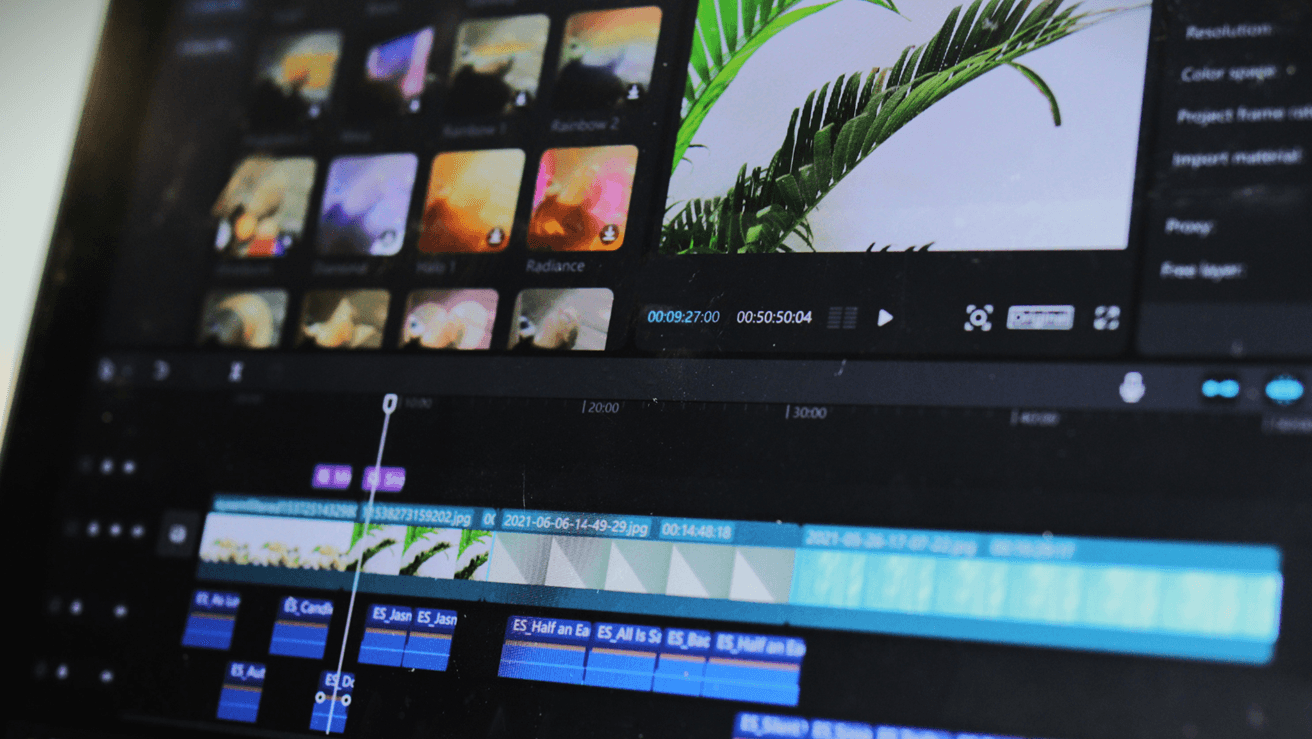
Separating production into structured workflow blocks removes the friction that slows most creators down. Fast production doesn't come from working faster on each task. It comes from batching similar tasks together so you never rebuild the same decision framework twice.
Lock Content Direction and Hooks
Define your content themes, target audience, and video goals before you touch any production tool. Then batch your hooks, content angles, and opening lines in one focused session. The bottleneck isn't creativity. It's deciding what to create every single day. When you batch ideas upfront, you eliminate the repeated decision-making that quietly drains cognitive energy. Write ten hooks in one sitting instead of searching for a new angle each morning.
Batch Script Production
Write multiple scripts together rather than scripting videos one at a time. Prepare the hook, explanation, call to action, and transitions for several videos in a single session. Repeated scripting resets create cognitive fatigue because you're constantly shifting between creative ideation and structural execution. Batch scripting protects workflow momentum. You stay in one mental mode longer, which means less time warming up and more time producing.
Batch Recording or Voice Generation
Record all voiceovers, narration, and talking-head footage in a single controlled session. Please avoid recording one video today, another tomorrow, and another next week. Repeated setup of lighting, camera framing, and vocal pacing quietly adds to production time. Most creators underestimate how much time they lose adjusting equipment and finding the right tone for each individual video. Batching compresses repetitive setup into a single block, turning hours of scattered work into a single efficient session.
Automate Captions and Editing
Use reusable templates, automated caption systems, and preset formatting instead of manually syncing captions, resizing layouts, and adjusting every transition. Research from Appnova shows that short-form videos generate 2.5x more engagement than long-form content, which means creators need speed without sacrificing quality. Most editing time comes from repeated micro-adjustments. Automation removes repetitive correction loops. Tools like Crayo compress this process by generating captions, transitions, and formatting in seconds, letting creators define their style once and reuse it across every upload.
Batch Publishing and Scheduling
Upload and schedule videos together rather than manually uploading every day. Separating production from publishing reduces workflow fragmentation, which preserves execution speed. Manual daily uploads interrupt production flow and force you to context-switch between creating and distributing. Schedule everything in one session so your production rhythm stays unbroken. But knowing the workflow is different from executing it at the speed platforms actually reward.
Produce Short-Form Videos Faster Using Crayo
The problem is not short-form video. It's rebuilding the production workflow manually for every upload. You're thinking of hooks from scratch, writing scripts manually, recording multiple voice takes, rebuilding captions for every video, and repeating the same editing setup work. That's not production, that's repetition disguised as effort. Paste your video idea into Crayo. Generate a structured short-form script instantly. Choose a natural AI voice, generate clean voice narration automatically, add visuals, captions, and export your video. That's it.
- No repeated scripting loops.
- No manual voice recording fatigue.
- No rebuilding the workflow from zero every upload.
Automated Generation and Workflow Compression
In under ten minutes, you'll have a structured short-form script, clean AI narration, faster editing flow, and videos ready to publish consistently. Open Crayo now, paste your first video idea, and generate your production flow. Then, publish without manually rebuilding the entire workflow. Fast short-form production is not about working faster. It's about removing repetitive production steps from the workflow. Crayo gives you that workflow.
Related Reading
- AI Product Content Creation For Ecommerce
- AI Filmmaking Tools
- Best AI for Animation
- Best AI Video Upscalers
- Best AI Video Extender
- Best AI Tools For Faceless YouTube Videos
- AI Image To Video Generator No Restrictions
- Best AI Tools For Viral Tiktok Content
- Best AI Video Enhancer For Beauty Content