Video automation has transformed how content creators produce engaging clips, but many still spend hours editing when they could be creating. If you've heard about Nano Banana and wondered whether it can actually help you make videos quickly, you're asking the right question. This article reveals 5 practical ways to use Nano Banana to create videos in just 10 minutes, turning your ideas into finished content faster than you thought possible.
While exploring different video creation methods can feel overwhelming, having the right tools makes all the difference. Crayo's clip creator tool simplifies the entire process, letting you generate short-form videos without wrestling with complicated software or spending your entire afternoon on a single project. Whether you're building a social media presence or testing content ideas, this approach helps you move from concept to published video in the time it takes to drink your coffee.
Table of Contents
- Why Content Creators Struggle to Create Videos Consistently Without AI Workflows
- The Hidden Cost of Creating Videos Manually Instead of Using AI-Assisted Systems
- 5 Ways to Use Nano Banana for Video Creation in 10 Minutes
- The 10-Minute Workflow to Create Videos Faster Using AI Tools
- Create Videos Faster Using Crayo
Summary
- Manual video production creates cognitive bottlenecks that most creators mistake for creative blocks. The real problem isn't idea generation or editing skill; it's the workflow overload of rebuilding scripting, recording, captioning, and formatting systems for every single upload. A Wondercraft study from May 2025 found that 80 percent of content creators now use AI in their workflow, specifically to eliminate these repetitive production tasks that drain energy without adding creative value.
- Traditional video editing costs between $1,000 and $5,000 per video, including labor, software licenses, revision cycles, and project management overhead, according to LongStories.ai. For creators publishing daily across multiple platforms, these costs multiply into unsustainable territory.
- Context switching between scripting, editing, recording, trimming, and caption adjustment reduces production efficiency by forcing the brain to repeatedly reload tasks. This leads to slower production, editing fatigue, and restart loops that turn 10-minute recordings into hour-long sessions. The bottleneck shifts from technical to cognitive, especially when creators attempt to scale from weekly uploads to daily content.
- Repetitive production tasks like syncing captions, trimming pauses, and adjusting timing may seem minor individually, but when compounded across multiple videos, they add hours of additional work. When creators rely entirely on manual effort, their output becomes energy-dependent, leading to delayed uploads, unfinished drafts, and creator fatigue.
- Batch production compresses workflow time by keeping creators in a single cognitive state for longer, rather than constantly switching between writing, recording, and editing modes. LTX Studio's 10-Minute Workflow framework shows that automated narration generation compresses what used to take 30 to 45 minutes of recording and editing into under three minutes of consistent output with pre-calculated timing and automatic caption syncing.
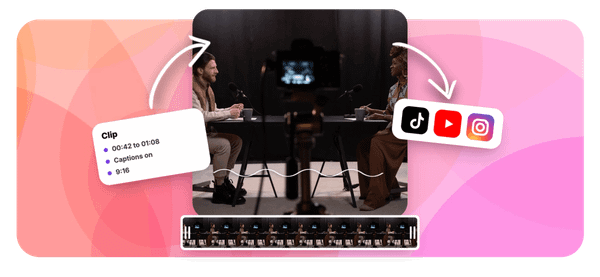
Crayo's clip creator tool addresses this by compressing repetitive tasks such as subtitle generation, voiceover rendering, and visual formatting into automated workflows that let creators produce short-form videos in seconds, rather than rebuilding production systems for every upload.
Why Content Creators Struggle to Create Videos Consistently Without AI Workflows

Content Creators Rebuild the Production Process Every Time
Most creators start every video from zero. They search for new ideas, rewrite hooks manually, rebuild video structure, and recreate editing decisions. There is no reusable production system. Only repeated setup work quietly expands the workload. According to a Wondercraft study from May 2025, 80% of content creators use AI in their workflows precisely because manual repetition creates bottlenecks. The shift isn't about replacing creativity. It's about eliminating the parts of production that drain energy without adding value.
Manual Video Workflows Create Constant Context Switching
While producing videos, creators continuously switch between scripting, editing, researching, recording, trimming clips, and adjusting captions. That is context switching. Context switching reduces efficiency because the brain repeatedly reloads tasks. Result:
- Slower production
- Editing fatigue
- Restart loops
- Inconsistent execution speed
The bottleneck becomes cognitive rather than technical. One creator described their workflow as "complete garbage" after realizing they'd wasted months fighting with design software and diving into endless Google rabbit holes. The frustration wasn't about discipline. It was about rebuilding the same production steps for every upload, only to wonder why consistency felt impossible.
Repetitive Production Tasks Quietly Multiply Time
Small repetitive tasks like syncing captions, trimming pauses, rewriting scripts, resizing visuals, and adjusting timing feel minor individually. But repeated across multiple videos, they compound. One repeated five-minute correction across multiple production stages becomes hours of additional work. The expansion happens through repetition.
When creators rely entirely on manual effort, output becomes energy-dependent. That creates delayed uploads, unfinished drafts, inconsistent posting, and creator fatigue. The workflow becomes difficult to sustain consistently, especially at scale. Platforms like Crayo's clip creator tool compress repetitive tasks into automated workflows, letting creators generate short-form videos in seconds with automated subtitles and voiceovers, rather than rebuilding production systems for every upload.
Related Reading
- Video Automation
- Can Perplexity Ai Create Videos
- How To Make Faceless Tiktok Videos
- How To Use Kling Ai For Videos
- Can Nano Banana Make Videos
- Common Uses of AI Video Generators
- How To Create Explainer Videos
- How To Create A Faceless YouTube Channel
- How Long Can AI-Generated Videos Typically Be
- Short Form Video Production
The Hidden Cost of Creating Videos Manually Instead of Using AI-Assisted Systems
The real cost isn't the time spent editing. It's the opportunity cost of what you didn't create while rebuilding the same workflow for the hundredth time. Manual video production doesn't just consume hours; it compounds invisibly across every upload, turning what should be a creative process into a repetitive production bottleneck that quietly kills consistency before you notice it's gone.
The Financial Reality Behind Manual Production
LongStories.ai Blog reports that traditional video editing costs $1,000-$5,000 per video, including labor, software licenses, and revision cycles. That's not just the editor's hourly rate. It includes hidden expenses:
- Project management overhead
- Feedback loops that span days
- Version control chaos
- Cognitive switching costs of coordinating among scriptwriters
- Voiceover artists
- Editors
- Thumbnail designers
For creators publishing daily on TikTok, Instagram Reels, and YouTube Shorts, those costs quickly spiral into unsustainable territory.
Scaling Costs Drain Creative Bandwidth
The budget math breaks down completely at scale. If you're producing five videos weekly at $2,000 each, you're spending $40,000 monthly before considering the time your team spends reviewing edits, requesting changes, and managing file transfers. Most creators don't have that runway. They absorb the production work themselves, which shifts the cost from dollars to something harder to measure but equally destructive: creative bandwidth.
Where Time Actually Disappears
Manual workflows don't announce themselves as time sinks. They disguise themselves as "just one more quick edit." The friction accumulates in transitions you barely notice:
- Exporting a clip to add captions in a separate tool
- Switching apps to find background music
- Rendering a preview to check timing
- Then, restarting the entire sequence when you spot a mistake
Each micro-task feels manageable in isolation. Stacked across a single video, they create what one creator described as a "complete garbage" workflow, where hours vanish into repetitive execution that produces no additional creative value.
Scaling Exposes Hidden Time Costs
The time cost becomes visible only when you try to scale. Publishing once weekly feels sustainable because you can absorb the production overhead. Attempting daily uploads exposes the compounding effect. If scripting, recording, editing, and formatting take 90 minutes per video, that's 10.5 hours per week for 7 uploads. That's before accounting for the cognitive reset required each time you start from scratch, the decision fatigue from repeatedly choosing fonts and transitions, and the quality inconsistency that arises when you're rushing to meet deadlines.
The Consistency Trap
Manual production creates a hidden dependency: your output becomes directly limited by your execution capacity.
- When energy runs high, you publish consistently.
- When life happens, your content calendar collapses.
Teams managing multiple clients face this acutely, switching between brand guidelines, approval processes, and platform-specific formatting requirements without systematic workflows to maintain quality across accounts. The bottleneck isn't creativity or strategy. It's the repetitive production infrastructure you're rebuilding manually for every single upload.
Automation Removes Execution Friction
Platforms like Crayo's clip creator tool compress repetitive tasks into automated workflows, letting creators generate short-form videos in seconds with automated subtitles and voiceovers, rather than rebuilding production systems for every upload. The shift isn't about eliminating creative control. It's about removing the execution friction that prevents you from creating at the volume and consistency your audience expects. But the hidden cost runs deeper than production time or budget overruns.
5 Ways to Use Nano Banana for Video Creation in 10 Minutes

AI video tools compress production time by removing the repetitive execution tasks that fragment your workflow. Instead of manually rebuilding scripting, narration, visuals, editing, and formatting systems for every upload, tools like the Nano Banana systemize these processes into reusable workflows. The shift isn't about replacing creativity. It's about eliminating the execution friction that prevents you from creating at the volume your audience expects.
1. Generate Video Ideas Without the Startup Friction
The hardest part of video creation isn't editing. It's staring at a blank screen, cycling through topic ideas, rewriting hooks, and second-guessing content angles before you've even opened your editor. When idea generation requires manual brainstorming every single time, creative startup friction compounds. You lose momentum before production even begins.
Use Nano Banana to generate video ideas, hooks, short-form concepts, and content structures in seconds. The system analyzes trending formats and audience patterns, then outputs structured concepts you can immediately build from. This removes the cognitive load of starting from zero, transforming idea generation from a creative bottleneck into a systemized input.
2. Use AI-Assisted Scripting to Remove Rambling and Restart Loops
Manual scripting creates predictable problems. You structure the flow, rewrite transitions, organize explanations, then realize halfway through that the pacing feels wrong. So you restart, rebuild, and repeat until vocal fatigue or deadline pressure forces you to settle for "good enough."
Pre-structured scripting removes rambling, pacing confusion, and restart loops before you record a single frame. Generate script flow, narration structure, and explanation sequences first, then edit for voice and specificity. The difference isn't just speed. It's clarity. When the structure already exists before you start writing, you're refining rather than rebuilding.
3. Replace Manual Narration With AI Voice Systems
Recording narration sounds simple until you're on take seven, your voice is tired, and the delivery still feels inconsistent. Manual narration creates vocal fatigue, timing corrections, and repeated restart loops, stretching 10-minute recordings into hour-long sessions. The problem isn't your voice. It's the repetitive execution required to maintain consistent pacing across multiple takes.
AI voice systems generate clean narration with consistent pacing and reusable voice workflows. You input the script, select the tone, and output production-ready audio without recording multiple takes or fixing delivery inconsistencies. This removes the friction of repetitive recording, letting you focus on script quality instead of vocal performance.
4. Automate Visual Formatting Instead of Rebuilding Layouts
Most creators waste hours rebuilding layouts, transitions, caption styles, and visual formatting for every upload. The editing itself takes minutes. The setup work, the alignment adjustments, and the font consistency checks consume the bulk of production time. Most editing time comes from repeated setup work, not creativity.
Reuse editing structures, preset visual systems, and automated formatting workflows instead. Build your layout once, save it as a template, then apply it across uploads. Crayo compresses repetitive tasks into automated workflows, letting creators generate short-form videos in seconds, with automated subtitles and voiceovers, instead of rebuilding production systems for every upload. The shift removes workflow fragmentation and eliminates the cognitive overhead of remembering how you formatted the last video.
5. Compress the Entire Production Process into One Workflow
The biggest production bottleneck isn't any single task. It's the repetitive manual execution across multiple workflow stages. You script, edit, caption, and format manually. Each stage requires context switching, tool switching, and mental overhead that compounds into production fatigue.
Build One Connected AI Workflow
Combine AI scripting, AI narration, automated captions, and reusable editing systems inside one workflow. When these processes connect instead of fragment, you remove workflow overlap, repetitive setup work, and restart loops. Production time compresses from hours into minutes because you're eliminating the friction between stages, not just speeding up individual tasks. These workflows don't just save time. They remove cognitive overload, repeated corrections, manual reconstruction, and workflow fragmentation. That's what compresses video production from a multi-hour ordeal into a repeatable 10-minute system.
Related Reading
- How To Use AI To Make YouTube Videos
- Grok Ai Video Generation Capabilities 2026
- Kling AI Video Prompt Examples
- AI Composite Video
- Veo 3 Maximum Video Length
- AI-Generated Video Examples
- Grok AI Video Generation Prompt Examples
- Sora 2 Vs Veo 3
- Google Veo 3 Prompt Examples
- AI Video Prompts
- How To Create Educational Videos Using AI
- How Are People Making AI Videos
The 10-Minute Workflow to Create Videos Faster Using AI Tools

Fast video production doesn't come from editing faster. It comes from removing repetitive manual steps before production starts. AI workflows compress production by separating scripting, narration, visuals, editing, and publishing into structured execution stages.
Minutes 0–2: Generate the Video Structure
Start with:
- One topic
- One viewer outcome
- One content goal
Then generate:
- Hook
- Script flow
- Explanation structure before opening the editor
Structured planning removes hesitation, restart loops, and pacing confusion. Most creators lose time improvising during production because they're making creative decisions while simultaneously managing technical execution. When you separate ideation from production, you eliminate the cognitive overload that causes mid-edit paralysis. Think of it like cooking with a mise en place. Professional chefs don't chop vegetables while the pan is heating. They prepare everything first, then execute. Video production works the same way. The structure dictates the speed.
Minutes 2–4: Generate Narration and Captions
Instead of recording multiple takes and manually syncing captions:
- Generate AI narration
- Automatic captions
- Pre-structured pacing before editing begins
Manual narration workflows create vocal fatigue, timing corrections, and repeated retakes. One creator described their process as "complete garbage" after realizing they'd spent months re-recording the same explanations because their pacing felt off. Automation removes that repetitive correction work entirely. According to LTX Studio's 10-Minute Workflow framework, narration generation compresses what used to take 30-45 minutes of recording and editing into under three minutes of automated output. The voice quality is consistent, the timing is pre-calculated, and the captions sync automatically.
Minutes 4–6: Build Videos Using Reusable Systems
- Use templates
- Reusable layouts
- Preset transitions
- Automated formatting
Instead of rebuilding the visual structure manually every upload. Most editing time comes from resizing, alignment, formatting, and reconstruction loops. You're not creating art. You're executing a repeatable production system. The more you standardize, the faster you move. Reusable systems compress setup time because you're not making design decisions during production. You've already decided where text appears, how transitions flow, and what visual hierarchy looks like. Execution becomes mechanical, not creative.
Minutes 6–8: Batch Production Tasks Together
Instead of producing one script, one narration, one video at a time, batch hooks, scripts, voice generation, and editing tasks are performed together. Repeated task switching reduces production efficiency. Your brain needs time to context-switch among writing, recording, and editing modes. Batching protects workflow momentum by keeping you in a single cognitive state for longer. If you're generating five videos this week, write all five scripts in one session. Then generate all five narrations. Then edit all five videos. The total time drops because you're not reloading mental context every 20 minutes.
Minutes 8–10: Publish Immediately
Once narration is clean, captions work, and pacing feels clear, publish. Do not endlessly restart edits, repeatedly delay uploads, or over-optimize every video. Delayed publishing breaks workflow continuity. Consistency compounds faster than perfection loops. The difference between a good video published today and a perfect video published next week is that the first one is already generating feedback, views, and momentum.
Platforms like the clip creator tool compress this final stage by automating export settings, format optimization, and caption rendering. What used to require manual quality checks and export troubleshooting now happens automatically, letting creators publish within minutes of finishing their edit.
Before vs After Workflow
Before
- Think while editing
- Manually record narration
- Rebuild captions repeatedly
- Restart production often
Result
- Multi-hour workflows
- Creator fatigue
- Inconsistent uploads
After
- Structure first
- Automate repetitive tasks
- Reuse production systems
- Publish faster
Result
- Compressed production workflows
- Scalable output
- Faster execution consistency
The shift isn't about working harder. It's about removing the friction between stages so each step flows into the next without manual reconstruction.
The Core Reframe
The bottleneck is not video creation. The bottleneck is the manual rebuilding of repetitive production tasks for every upload. When repetitive workflow steps become automated, execution compresses. You're not eliminating creativity. You're eliminating the mechanical work that prevents you from being creative more often. Fast creators don't edit faster. They've removed the steps that slow everyone else down.
Create Videos Faster Using Crayo
Speed becomes practical when you stop rebuilding the workflow manually. If you're still writing hooks from scratch, recording narration multiple times, or formatting captions for every upload, you're not editing videos. You're re-engineering the same production system repeatedly. The workflow that scales isn't about working faster. It's about removing the steps that force you to start from zero every time.
- Paste your video idea into a tool like Crayo.
- Generate a structured script instantly.
- Select an AI voice that matches your tone.
The narration renders automatically, clean and consistent, without recording fatigue or retakes. Add visuals, apply captions, and export. That's the entire process.
Turn Video Creation Into a 10-Minute System
What used to take 30 to 45 minutes per video now compresses to under 10 minutes. You're not cutting corners. You're eliminating the repetitive setup work that prevents you from publishing consistently.
- No scripting loops.
- No narration restarts.
- No rebuilding captions from scratch.
In that time, you'll have a structured script, clean AI narration, and a video ready to publish. The bottleneck wasn't your editing skill. It was the manual production overhead you kept repeating because you didn't have a system that remembered what you already built. Open Crayo, paste your first video idea, and generate your workflow. Then publish without reconstructing the entire system. Fast video creation isn't about working harder. It's about removing the steps that slow everyone else down.
Related Reading
- AI Product Content Creation For Ecommerce
- AI Filmmaking Tools
- Best AI for Animation
- Best AI Video Upscalers
- Best AI Video Extender
- Best AI Tools For Faceless YouTube Videos
- AI Image To Video Generator No Restrictions
- Best AI Tools For Viral Tiktok Content
- Best AI Video Enhancer For Beauty Content