Creating video content used to mean hours of editing, scripting, and technical know-how. Now, with AI text-to-video tools like Google Veo 3 reshaping video automation, you can generate professional-looking videos simply by typing the right prompts. This article walks you through 7 Google Veo 3 prompt examples that demonstrate how to produce compelling videos in under 30 minutes, whether you need product demos, educational content, or social media clips.
While Google Veo 3 offers powerful AI video generation capabilities, Crayo's clip creator tool can help you move even faster from concept to finished video. Crayo streamlines the entire process by letting you create short-form videos with automated captions, effects, and backgrounds, perfect for when you need multiple video variations quickly or want to test different Google Veo 3 prompts without starting from scratch each time.
Table of Contents
- Why Content Creators Struggle to Generate Consistent AI Videos With Veo 3 Prompts
- The Hidden Cost of Writing Weak Veo 3 Prompts Without Structured Systems
- 7 Google Veo 3 Prompts for Videos in Under 30 Minutes
- The 30-Minute Workflow Creators Use to Generate Veo 3 Videos Faster
- Create Veo 3 Videos Faster Using Crayo
Summary
- Wesley Swinnen's testing of Google Veo 3 revealed a 90% failure rate when prompts lacked clear structure, forcing repeated regenerations and manual corrections. Without standardized instructions, creators end up repairing outputs after generation instead of controlling them during generation. The bottleneck isn't creativity or even Veo 3's capabilities; it's workflow management that compounds small corrections into hours of additional production work.
- Weak prompts create invisible workflow debt that transforms what should be a 20-minute generation task into an hour of corrections, regenerations, and manual fixes. Creators continuously switch between prompting, scripting, narration adjustments, scene corrections, editing, and formatting. Cognitive load research shows that repeated task switching reduces efficiency because working memory resets between tasks, leading to slower production, correction fatigue, and restart loops.
- According to AppMetrics, 80% of users abandon tools within 30 days when workflows require repeated full project regeneration. Segmented generation keeps momentum intact because small corrections never snowball into multi-hour rebuilds. Breaking prompts into hook, explanation, examples, and CTA sections means that a single correction affects only one segment, not the entire 60-second video.
- Google Veo 3.1 supports a 200,000 token budget, allowing creators to structure complex multi-scene prompts without hitting context limits. This capacity makes scene-by-scene workflows realistic for longer video formats without sacrificing detail in individual prompts. The technical infrastructure exists to support structured production systems, but most creators still manually rebuild prompts for every upload.
- Fast video production requires prompts that function as production systems, controlling pacing, visual consistency, narration flow, and scene transitions. Narration-first prompting improves pacing consistency and scene continuity because visuals follow the narration's rhythm rather than competing with it.
Crayo's clip creator addresses workflow overlap by automating caption generation, voiceover synchronization, and visual enhancements, compressing production cycles from hours to minutes while maintaining consistent output quality across uploads.
Why Content Creators Struggle to Generate Consistent AI Videos With Veo 3 Prompts
Most content creators struggle to generate consistent AI videos with Veo 3 prompts because prompting alone doesn't automatically create structured production workflows. The problem isn't Veo 3 itself. It's unstructured prompting across production stages that creates friction at every step. When creators write prompts, generate scenes, rebuild visuals, adjust pacing, correct narration, and restructure outputs within a single continuous workflow, production friction increases. Each correction feels minor in isolation, but repeated across multiple videos, these small adjustments compound into hours of additional work.
Most Creators Write Prompts Without a Production Goal
What's happening: Most creators write prompts like "Create a cinematic AI video," or "Generate a cool animation," or "Make a viral short video." But the prompt lacks pacing structure, scene intent, narration flow, or viewer outcome. So creators repeatedly rewrite prompts, regenerate outputs, manually adjust scenes, and restart production. The workflow becomes unstable, not because the technology failed, but because the instruction was incomplete from the start.
Weak Prompts Create Weak Video Structure
Many creators believe the AI tool is the problem. But weak outputs often come from weak prompt structure.
Unclear prompts create:
- Inconsistent visuals
- Disconnected scenes
- Weak pacing
- Poor narration flow
That forces creators to manually repair the workflow after generation, turning what should be a streamlined process into a series of reactive fixes. The mechanism is simple: garbage in, garbage out, even when the garbage looks like a reasonable request.
Veo 3 Prompting Still Creates Workflow Overlap
While producing AI videos, creators continuously switch between prompting, scripting, narration adjustments, scene corrections, editing, and formatting. That is workflow overlap. Workflow overlap reduces efficiency because the brain repeatedly reloads tasks across multiple production stages. The result:
- Slower execution
- Correction fatigue
- Restart loops
- Inconsistent production speed
The bottleneck becomes operational rather than creative.
Repeated Prompt Corrections Quietly Multiply Production Time
Small repetitive corrections (rewriting prompts, regenerating scenes, adjusting pacing, correcting visuals, restructuring outputs) feel minor individually. But repeated across multiple videos, they compound. One repeated correction across several workflow stages can add up to hours of additional production work. Creators producing Shorts, TikTok videos, YouTube explainers, faceless videos, or educational content face this expansion through repetition constantly. The expansion happens not because any single task is difficult, but because the same task repeats without structure.
Weak Prompt Systems Break Consistency
When creators manually rebuild prompts for every upload, production becomes difficult to sustain consistently. That creates:
- Delayed uploads
- Unfinished projects
- Creator fatigue
- Inconsistent publishing
The familiar approach is to write each prompt from scratch, adjusting based on what worked last time. As content volume increases and publishing schedules tighten, this manual process fragments. Important details get forgotten, pacing becomes inconsistent, and the time between concept and published video stretches from hours to days. Tools like Crayo's clip creator compress this cycle by automating captions, effects, and backgrounds, letting creators test different Veo 3 prompts without rebuilding the entire production workflow each time.
The Core Problem in One Sentence
The problem is not Google Veo 3 prompting. The problem is that we have to manually rebuild unclear production instructions for every upload.
- When repetitive prompting tasks stay manual and unstructured, execution expands.
- When prompts become structured production systems, execution becomes more efficient.
But understanding the problem is only half the battle. The real cost shows up in ways most creators never measure.
Related Reading
- Video Automation
- How to Make Good Tiktok Videos
- Short Form Video Production
- Can Nano Banana Make Videos
- Common Uses of AI Video Generators
- How To Create Explainer Videos
- How To Create A Faceless YouTube Channel
- Can Perplexity Ai Create Videos
- How To Use Kling Ai For Videos
- How Long Can AI-Generated Videos Typically Be
- How To Make Faceless Tiktok Videos
The Hidden Cost of Writing Weak Veo 3 Prompts Without Structured Systems
Weak Veo 3 prompts don't just produce bad videos. They create invisible workflow debt that compounds across every upload, quietly transforming what should be a 20-minute generation task into an hour of corrections, regenerations, and manual fixes.
The Belief That Better AI Automatically Means Better Videos
Most creators assume Veo 3's advanced capabilities will carry the production. The model can generate cinematic visuals, automate complex scenes, and create realistic motion, so the thinking goes: feed it a decent idea, and the output should look professional. That logic holds for simple, one-off videos. A single short clip with basic narration and straightforward visuals might work fine with minimal prompt structure. Early wins reinforce the pattern, making creators believe the model itself is doing the heavy lifting.
When Prompt Weakness Starts Compounding
The workflow changes completely when creators try to scale. Maintaining visual consistency across multiple videos, generating longer content, or producing uploads on a regular schedule introduces complexity that unstructured prompts can't handle. Wesley Swinnen's testing of Google's Veo 3 revealed a 90% failure rate when prompts lacked clear structure, forcing repeated regenerations and manual corrections. Without standardized instructions, creators end up repairing outputs after generation instead of controlling them during generation.
The Workflow Overlap Problem
Weak prompts force creators into constant task switching.
- You're prompting
- Then regenerating scenes
- Then, editing the pacing
- Then adjusting narration
- Then restructuring the entire output because the initial instructions weren't clear enough
Cognitive load research shows that repeated task switching reduces efficiency because working memory must reset between tasks. In practice, this leads to slower production, correction fatigue, and restart loops, where you're never quite finished with a video.
The Hidden Time Multiplier
- Prompt rewriting takes 15 minutes.
- Regeneration takes 20 minutes.
- Pacing corrections take another 20 minutes.
- Visual fixes add 20 more.
What started as a "quick" Veo 3 video becomes over an hour of workflow management, not because generation is slow, but because the instructions weren't structured to begin with. The real multiplier isn't Veo 3's processing time. It's the repetitive manual correction cycle that weak prompts create.
How Scalability Breaks Down
Weak prompt systems:
- Produce inconsistent uploads
- Unfinished projects
- Creator fatigue
You're rewriting prompts, regenerating scenes, correcting pacing, and rebuilding structure across every single upload because there's no reusable production system. The bottleneck isn't creativity or even Veo 3's capabilities. It's workflow management. Platforms like Crayo handle the repetitive formatting and technical work, letting creators focus on finding the right clips and trends rather than manually rebuilding production instructions for each video.
The Core Reframe
The problem isn't Google Veo 3 prompting. The problem is that we have to manually rebuild unclear production instructions for every upload. When creators structure prompts first, standardize scene instructions, reuse production systems, and separate workflow stages, they reduce friction across production.
Friction reduction is what makes scalable AI video production realistic.
- Not more advanced models
- No longer generation times
- Not more creative effort
But knowing where the friction lives is only half the equation. The other half is knowing exactly which prompts eliminate it.
7 Google Veo 3 Prompts for Videos in Under 30 Minutes
Fast video production with Veo 3 doesn't require better creativity or longer prompts. It requires prompts that function as:
- Production systems
- Controlling pacing
- Visual consistency
- Narration flow
- Scene transitions
The creators who generate videos in under 30 minutes use structured prompt frameworks that eliminate regeneration loops and reduce manual corrections. These seven prompt types reduce workflow fragmentation by addressing specific production bottlenecks. Each one solves a different friction point in the video creation process.
1. Hook Prompts That Control the First Three Seconds
Most AI videos lose viewers within the first three seconds because their openings lack emotional direction. Instead of prompting "Create an engaging video intro," use: "Generate a fast-paced 3-second hook showing a creator staring at a timeline filled with hours of unedited footage, with text overlay: 'Still editing manually?'"
Strong hook prompts define viewer emotion, pacing, topic angle, and opening structure. They don't leave interpretation to the model. When you specify the exact visual scenario and emotional outcome, retention improves immediately because the hook aligns with viewers' expectations for short-form content. The difference between a vague prompt and a structured one is specificity. Vague prompts create random outputs that require multiple regenerations. Structured prompts eliminate guesswork by defining what the viewer should feel in the first moment.
2. Scene-by-Scene Prompts Instead of One Massive Sequence
Generating a single giant video sequence creates pacing inconsistencies, regeneration fatigue, and scene confusion. Break prompts into segments:
- Hook
- Explanation
- Examples
- CTA
Each section gets its own prompt with clear instructions.
The Power of Segmented Prompts
Why this works: A single correction affects only one section, not the entire project. If your explanation scene needs faster pacing, you regenerate that 10-second segment instead of the full 60-second video. Segmented prompts reduce the compounding cost of small mistakes across multiple scenes.
According to the Google Cloud Blog, Veo 3.1 supports a 200,000 token budget, allowing creators to structure complex multi-scene prompts without hitting context limits. This capacity makes scene-by-scene workflows realistic for longer video formats without sacrificing detail in individual prompts.
3. Narration-Led Prompts for Better Flow
Most creators prompt visuals first, then try to match narration afterward. This creates disconnected pacing and awkward transitions. Instead, structure prompts around narration pacing, explanation flow, and viewer transitions.
Example: "Generate cinematic visuals matching narration explaining why workflow automation reduces video production time from hours to minutes." The prompt prioritizes a narrative structure, letting visuals support the explanation rather than compete with it.
Benefits of Narration-First Prompting
Narration-first prompting improves:
- Pacing consistency
- Scene continuity
- Explanation clarity
When visuals follow the narration's rhythm, the video feels cohesive rather than fragmented. The viewer's attention stays on the message, not on visual distractions that don't support the story.
4. Style Consistency Prompts Across Scenes
Creators accidentally generate mismatched visuals, inconsistent lighting, and disconnected scenes when they don't define style parameters in every prompt. Use prompts that specify visual style, camera movement, lighting, and pacing style across every section.
Example: "Maintain cinematic 24fps pacing, soft natural lighting, and slow dolly zoom throughout all scenes. Visual style: minimalist workspace with muted tones." This prompt locks in consistency so each scene feels like part of the same video, not a collection of random clips.
The Efficiency of Style Consistency
Consistency reduces:
- Reconstruction work
- Visual corrections
- Workflow fragmentation
When every scene matches the established style, you spend less time fixing visual mismatches and more time refining content.
5. Prompt Templates Instead of Rewriting From Scratch
Most creators waste time rebuilding scene instructions, pacing commands, and formatting structure for every upload. Production delays come from repeated setup work, not creativity. Create reusable prompt templates that standardize production instructions and define repeatable workflows.
Efficiency Through Templates
A template might look like:
- Visual style: cinematic, 24fps, soft lighting
- Pacing: fast cuts every 3 seconds
- Narration: explain {topic} in under 15 seconds
- CTA: text overlay with {action}
You fill in the variables, but the structure stays consistent. Templates reduce cognitive load by eliminating decision fatigue. You're not starting from zero every time. You're refining a proven system that already works, accelerating production and improving output consistency across multiple videos.
6. Correction Prompts Instead of Full Regenerations
Repeatedly regenerating full videos causes regeneration fatigue, workflow resets, and unnecessary reconstruction. Instead of restarting, use targeted correction prompts like: "Keep the same scene structure but improve pacing and shorten transitions by 20%." Correction prompts preserve what already works while fixing specific issues. If the visuals are strong but the pacing drags, you adjust pacing without rebuilding the entire scene. This approach reduces wasted effort and maintains momentum in your workflow. The best creators treat AI generation like iterative editing, not binary success or failure. Small adjustments compound into better outputs faster than repeated full regenerations.
7. CTA Prompts to Finish Videos Faster
Creators delay publishing because the endings feel weak, the CTAs feel disconnected, and the videos feel incomplete. Use prompts that explicitly generate CTA structure, ending pacing, and final viewer action.
Example: "Generate a 5-second CTA with text overlay: 'Try this workflow today' over a clean workspace shot, fading to black with soft music." The prompt defines the exact structure, visual context, and emotional tone for the ending.
Clear endings reduce over-editing, repeated revisions, and publishing delays. When the CTA feels intentional and matches the video's pacing, you stop second-guessing whether the video is ready. You publish faster because the structure supports the outcome.
The Pitfalls of Manual Workflows
The familiar approach is to write new prompts for every video, adjust parameters manually, and hope the output matches your vision. As production scales and video volume increases, this manual workflow creates bottlenecks. Prompt inconsistencies lead to visual mismatches, pacing errors, and repeated corrections that compound across multiple uploads. Platforms like Crayo streamline this by automating subtitle generation, voiceover synchronization, and visual enhancements, compressing production cycles from hours to minutes while maintaining consistent output quality across uploads.
Mastering the Video Workflow
These seven prompt types work because:
- They reduce workflow overlap
- Repeated corrections
- Pacing inconsistencies
- Production fragmentation
Some creators produce faster Veo 3 videos, more consistent uploads, and scalable AI video systems without spending hours manually rebuilding prompts for each upload. But knowing which prompts to use is only half the equation. The other half is knowing how to sequence them into a repeatable workflow that eliminates friction at every stage.
Related Reading
- How Are People Making Ai Videos
- How To Create Educational Videos Using Ai
- How To Use AI To Make YouTube Videos
- AI Composite Video
- Grok AI Video Generation Prompt Examples
- Kling AI Video Prompt Examples
- Veo 3 Maximum Video Length
- AI-Generated Video Examples
- Sora 2 Vs Veo 3
- Google Veo 3 Prompt Examples
- AI Video Prompts
The 30-Minute Workflow Creators Use to Generate Veo 3 Videos Faster
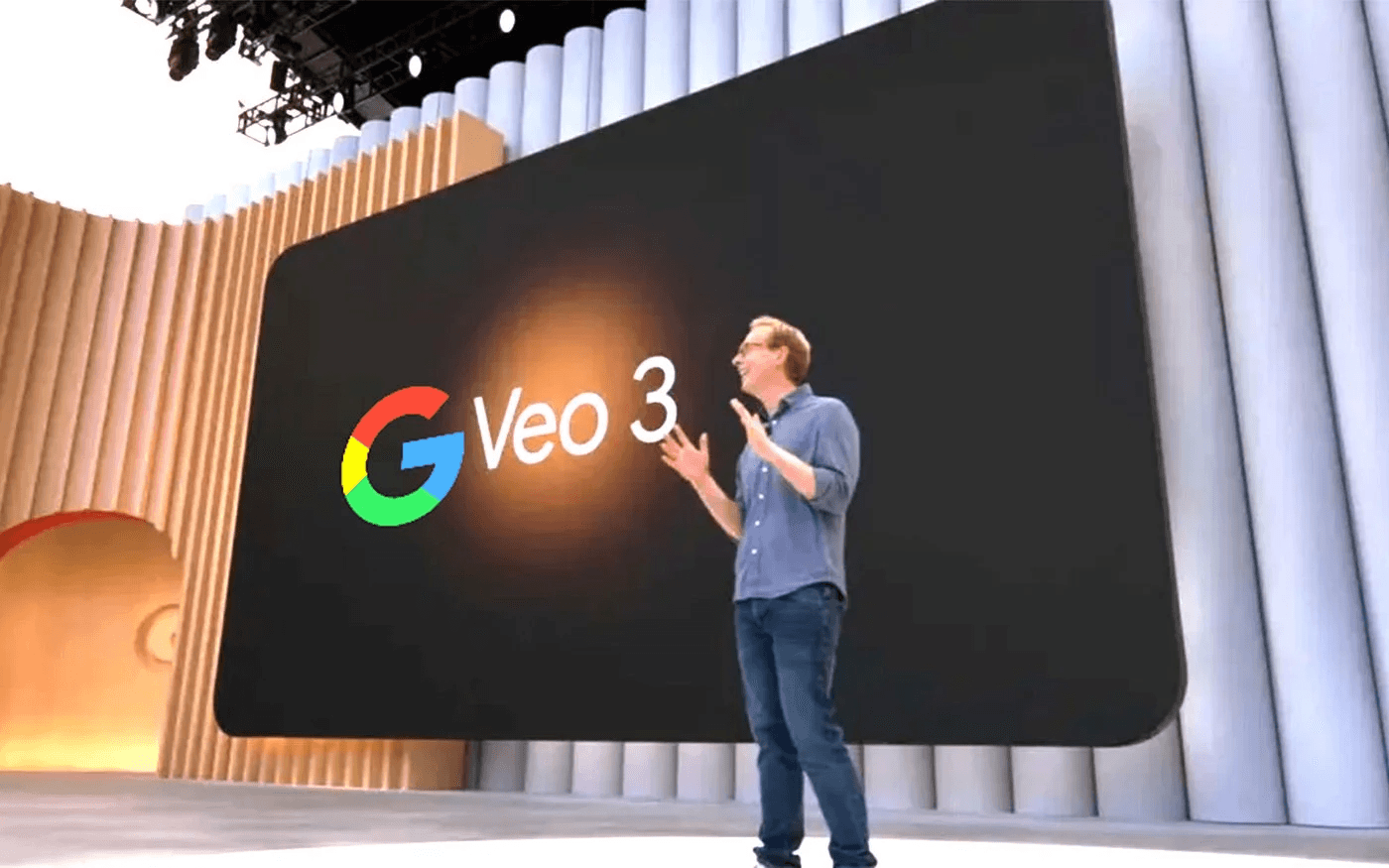
Fast Veo 3 video creation does not come from writing more prompts. It comes from reducing repetitive workflow friction before production starts. Creators compress production time by separating scripting, prompting, narration, visuals, and corrections into structured execution stages instead of rebuilding decisions mid-production.
Minute 0–5: Lock the Video Structure
Before generating scenes:
- Define one topic
- One viewer outcome
- One content flow
Then structure the video with a hook, explanation, examples, and CTA. Most creators lose time restructuring videos during production because they start generating before deciding what the video actually needs to accomplish. Structure removes pacing confusion, narration inconsistency, and restart loops.
Structure-First Scripting
A creator working on a productivity tutorial might define the viewer outcome as "understand how to batch tasks in under 60 seconds." The structure becomes:
- Hook (show a scattered task list)
- Explanation (introduce the batching concept)
- Example (demonstrate grouping three tasks)
- CTA (try this method today)
This clarity prevents the common trap of generating scenes, realizing the flow feels wrong, then regenerating everything from scratch. When a structure exists first, every subsequent decision becomes simpler. You know what each scene needs to do before you write a single prompt.
Minutes 5–10: Generate Scripts and Narration Prompts
Instead of prompting while thinking and repeatedly rewriting narration, prepare the narration flow, transition lines, and pacing structure before generation begins. Pre-structured narration reduces correction fatigue, repeated rewrites, and pacing inconsistencies. A clear structure compresses production time by separating creative decisions from execution tasks.
A fitness creator might prepare narration like:
- Hook: Most people waste 20 minutes warming up.
- Transition: Here's a five-minute routine that works.
- Example: Watch this movement sequence.
- CTA: Start tomorrow morning.
This narration flow is written once and then feeds directly into Veo 3 prompts, without mid-production rewrites. The bottleneck is not Google Veo 3 prompting. The bottleneck is deciding what to say while simultaneously generating visuals. Separating these tasks eliminates the cognitive load of constant task switching.
Minutes 10–15: Generate Videos in Small Scene Blocks
Do not generate one massive continuous video. Generate hook scenes, explanation sections, and CTA blocks separately. Segmented generation reduces rendering failures, regeneration loops, and reconstruction fatigue. One correction affects only one section, not the entire project.
A travel creator creating a destination overview might structure it into three blocks:
- A 10-second hook showcasing the location's most striking visual
- A 30-second explanation segment with narration across multiple angles
- A 10-second CTA encouraging viewers to watch the full guide
If the explanation segment needs adjustment, only that 30-second block gets regenerated. The hook and CTA remain untouched. According to AppMetrics, 80% of users abandon tools within 30 days when workflows require repeated full-project regeneration. Segmented generation keeps momentum intact because small corrections never snowball into multi-hour rebuilds.
Minutes 15–20: Use Style Consistency Prompts
Instead of rebuilding visual style, pacing, formatting, and transitions for every scene, reuse prompt templates, visual systems, and formatting structures. Most Veo 3 production delays come from repeated setup work, not creativity. A tech reviewer might create a style template: "Clean white background, product centered, slow 360-degree rotation, soft lighting, 4K resolution." This template gets reused across every product shot in the video.
Cross-generation consistency issues require manual downstream correction, especially when multiple shots of the same product are needed. Reusable templates eliminate this friction. The same lighting, angle, and motion parameters apply to every scene, without having to rebuild prompts from scratch. When style becomes a system rather than a per-scene decision, production speed doubles. You spend time creating content, not recreating formatting.
Minutes 20–25: Automate Captions and Micro-Corrections
Instead of manually syncing captions, correcting pacing, and rebuilding transitions repeatedly, use automated captions, correction prompts, and reusable editing systems. Micro-corrections silently expand production time: each small adjustment may feel quick, but 20 small adjustments across a video add up to an hour of work.
Platforms like Crayo centralize caption generation and visual enhancements with automated workflows, compressing review cycles from hours to minutes while maintaining consistency across uploads. A cooking creator generating recipe tutorials can apply automated captions, voiceover sync, and visual transitions across 10 videos in the time it previously took to manually correct one. The real bottleneck is rebuilding repetitive workflow tasks manually for every upload. Automation removes repetitive correction work, so execution compresses naturally.
Minutes 25–30: Export and Publish Immediately
Once the pacing works, the visuals align, and the narration sounds clear, publish.
- Do not endlessly regenerate scenes
- Repeatedly restart production
- Over-optimize every detail
Delayed publishing breaks workflow momentum more than imperfect content ever could. A gaming creator might notice a minor lighting inconsistency in one scene but recognize that the overall video delivers the intended value. Publishing immediately preserves momentum and allows the next video to start on schedule. Consistency compounds faster than perfection loops because audience growth comes from regular uploads, not flawless individual videos.
The failure point is usually hesitation disguised as quality control. Real quality control happens during the preparation of structure and narration, not during endless post-production tweaks.
Before vs After Workflow
Before structured workflows: Creators repeatedly rebuild prompts, regenerate scenes, manually correct pacing, and restructure timelines mid-production. This leads to multi-hour workflows, creator fatigue, and inconsistent uploads. One creator reported spending four hours on a single 60-second video because each adjustment triggered a cascade of related fixes.
After structured workflows: Creators structure first, batch narration, generate segmented scenes, and automate repetitive corrections. This produces compressed workflows, scalable Veo 3 production, and faster, more consistent execution. The same creator now produces three 60-second videos in the same four-hour window. The difference is not talent or better prompts. The difference is eliminating workflow overlap before production starts.
The Core Reframe
Fast Veo 3 video creation does not come from writing more prompts. It comes from reducing repetitive workflow friction before production starts. When repetitive workflow steps become structured and automated, execution compresses naturally. The cognitive load drops because decisions are made once and reused across multiple videos.
A business explainer creator might structure 10 videos in one session, prepare all narration flows in the next, and generate all scenes in batches in a third session. This separation of tasks eliminates the mental cost of switching between creative thinking and technical execution.
The bottleneck is not Google Veo 3 prompting. The bottleneck is rebuilding repetitive workflow tasks manually for every upload. Structure removes the bottleneck. But structure alone does not solve every production challenge, especially when speed matters more than custom workflows.
Create Veo 3 Videos Faster Using Crayo
When Veo 3 video production consumes hours every week, the issue is not the AI model. The problem is that we have to manually reconstruct the same workflow for every upload. Creators waste time rewriting prompts, rebuilding scene structures, regenerating weak outputs, and correcting pacing errors because they treat each video as a new production challenge instead of a repeatable system.
The faster path is removing the repetitive production friction entirely. Paste your video idea into Crayo, and the platform instantly generates a structured AI video script. The script breaks into reusable scene sections, pairs with natural AI voiceovers, and exports with visuals and captions already applied.
- No repeated prompt rebuilding
- No narration restart fatigue
- No manual reconstruction for every upload
Scaling Production With Crayo
In under 30 minutes, you'll have a structured Veo 3 video script, clean AI narration, faster scene organization, and a production workflow ready to scale consistently. Open Crayo now, paste your first video idea, and generate your production workflow. Then, publish without manually rebuilding the entire system. Fast Veo 3 video production is not about writing more prompts. It's about removing repetitive production friction from the workflow. Crayo gives you that workflow, built by creators who scaled channels to over 1 million subscribers and designed the tool to solve their own production bottlenecks. The platform handles the technical formatting work so you can focus on finding the right moments and riding trends, not reconstructing workflows.