You're staring at a blank screen, knowing you need fresh content but dreading the hours of filming, editing, and polishing ahead. Video automation has completely changed this reality. AI-generated video examples now demonstrate how creators produce professional-looking clips in minutes rather than days, transforming automated video creation from a futuristic concept into an accessible tool for anyone with a message to share. This article walks you through 10 AI-generated video examples you can actually make in 10 minutes, showing you exactly what's possible when artificial intelligence handles the heavy lifting of video production.
The key to unlocking these time-saving possibilities lies in having the right platform at your fingertips. Crayo's clip creator tool puts automated video generation within reach, letting you turn ideas into finished videos without wrestling with complex editing software or expensive production equipment. Whether you need short-form content for social media, explainer videos for your audience, or quick promotional clips, this tool streamlines the process so you can focus on your message rather than technical details.
Table of Contents
- Why Content Creators Struggle to Choose AI-Generated Video Examples
- The Hidden Cost of Copying AI Video Examples Without a Workflow
- 10 AI-Generated Video Examples to Make in 10 Minutes
- The 10-Minute Workflow to Turn AI Video Examples Into Content
- Create AI Videos Faster Using Crayo
Summary
- AI-generated video production has compressed what used to take hours into minutes, but 80 percent of content creators still struggle with execution velocity despite using AI in their workflow. The bottleneck isn't the technology. It's that creators chase visual outputs instead of building repeatable production systems that eliminate decision fatigue and workflow fragmentation.
- Copying trending AI videos without understanding their underlying structure creates invisible production debt. What looks like a 10-minute video often reflects hours of manual experimentation, prompt testing, and scene regeneration because creators rebuild their approach from scratch each time, rather than standardizing their workflow early and iterating within constraints.
- Workflow inconsistency compounds into more than just slow production. It creates abandoned projects, inconsistent upload schedules, and weak content identity because creators switch formats mid-series and never build production momentum. The real damage isn't wasted time on one video; it's the accumulated fatigue of constantly starting over without capturing what worked as reusable infrastructure.
- Fast creators treat AI video examples as production systems rather than inspiration. They extract structural components such as hook timing, narration pacing, scene sequencing, and caption placement, then save those workflows as templates to eliminate repetitive setup work.
- Template-based AI workflows compress production by standardizing the structure behind viral formats once, then replicating it across dozens of videos. Creators using this approach can produce videos in 60 to 90 seconds, rather than spending hours on manual editing, because they're executing a proven sequence rather than making creative decisions from zero each time.
Crayo's clip creator tool addresses this by automating the production logic behind viral short-form videos, handling script generation, visual creation, and narration in one sequence so creators focus on finding strong clips and trends rather than rebuilding editing workflows from scratch.
Why Content Creators Struggle to Choose AI-Generated Video Examples
The struggle isn't about finding examples. It's about mistaking output for process. When you scroll through AI-generated video examples, you're seeing the result, not the repeatable system that created it. That's why copying what looks good rarely translates into consistent content on your end. Most creators save dozens of reference videos. They bookmark trending formats, screenshot viral edits, and collect inspiration folders that grow faster than they can use them. But inspiration without structure is just noise. According to Wondercraft's 2025 study, 80% of content creators use AI in their workflows, yet many still struggle with execution velocity because they're chasing outputs rather than building production systems.
The Real Bottleneck Is Decision Architecture
Too many options create cognitive drag. AI tools can generate cinematic sequences, anime transitions, explainer overlays, storytelling montages, faceless narration clips, and rapid-fire social edits. Each style requires different scripting logic, pacing decisions, and editing structures. When you test a new format for every video, you're not creating content. You're running experiments without recording the results.
The mechanism works like this: every style switch forces you to rebuild your production logic from scratch. You evaluate pacing, rewrite scripts to match the new format, adjust voiceover tone, and reconfigure editing sequences. That's not creative exploration anymore. It's workflow fragmentation. The creators who scale fastest aren't the ones with the most ideas. They're the ones who standardize their production structure early and iterate within constraints.
Copying Visuals Without Understanding Workflow Logic
You see a viral AI video with smooth transitions and assume the magic is in the effects. But the real work happened upstream in the scripting phase, the narration pacing, and the scene sequencing decisions. When you try to recreate that polish manually, you hit friction points that the original creator already solved through their production system. Research from the Content Marketing Institute shows that 73% of marketers report AI-generated content performs as well or better than human-created content, but performance depends on workflow consistency, not just visual quality.
Template Automation and Format Engineering
Platforms like Crayo's clip creator tool address this by automating the production logic behind viral formats. Instead of reverse-engineering someone else's workflow, you get templates built by creators who've already scaled to millions of subscribers. The system handles scripting structure, pacing, and editing sequences so you focus on the content idea, not the technical rebuild.
Small Repeated Tasks Compound Into Hours
Testing prompts feel quick. Changing styles takes a minute. Rebuilding a scene is just a few clicks. But when you repeat these micro-tasks across multiple videos, the time cost multiplies silently.
- One prompt adjustment becomes ten.
- One style test becomes a dozen.
- One scene rebuild cascades into reworking the entire edit.
This isn't about laziness. It's about untracked overhead. The creators producing daily Shorts or TikToks can't afford to spend two hours per video on workflow adjustments. They need production systems that eliminate decision fatigue and compress execution time. When your workflow is fragmented, every video starts from zero. When it's standardized, each new piece builds on momentum rather than resetting it.
Related Reading
- Video Automation
- How to Make Good Tiktok Videos
- Short Form Video Production
- Can Nano Banana Make Videos
- Common Uses of AI Video Generators
- How To Create Explainer Videos
- How To Create A Faceless YouTube Channel
- Can Perplexity Ai Create Videos
- How To Use Kling Ai For Videos
- How Long Can AI-Generated Videos Typically Be
- How To Make Faceless Tiktok Videos
The Hidden Cost of Copying AI Video Examples Without a Workflow
Most creators copy trending AI videos, hoping to replicate their success. What they actually copy is the final output, not the production system that created it. That gap turns what should be a 10-minute video into hours of fragmented work because every new project starts from scratch rather than building on a proven structure.
Why Invisible Workflows Create Production Debt
When you watch a viral AI-generated video, you see polished visuals, smooth transitions, and tight pacing. You don't see the scripting template that structured the narration, the prompt library that generated consistent visual styles, or the editing sequence that eliminated the need for manual corrections.
According to AdMonsters, video content requiring 144,000 milliseconds of processing time (roughly 2.4 minutes) often reflects multiple regeneration cycles rather than efficient first-pass execution. That processing delay signals workflow instability, not creative experimentation.
Without a repeatable system, creators rebuild their approach for every video. They test new prompts, adjust pacing manually, regenerate scenes that don't match, and restructure narration after visuals are already locked. Each decision becomes a micro-project instead of a predetermined step.
The Compounding Friction of Manual Experimentation
Testing one prompt variation takes 15 minutes. Rebuilding scenes to match a different style adds 20 minutes. Adjusting the narration timing after a visual change takes another 20 minutes. What feels like "just trying a few options" quietly turns a simple video into a multi-hour workflow-management task. The bottleneck isn't AI generation speed. It's the repetitive manual decision-making between each production step. Creators who standardize their workflow, reuse proven templates, and separate experimentation from execution can compress that same video into minutes. They don't skip creativity. They eliminate the friction of rebuilding production logic every single time.
When Inconsistency Becomes the Real Cost
Random workflows create more than slow production. They create inconsistent uploads, unfinished projects, and weak content identity. Creators switch styles mid-series, abandon half-finished videos when momentum stalls, and struggle to maintain a recognizable format because their production process constantly resets. Platforms like Crayo address this by standardizing the structure behind viral short-form videos, allowing creators to focus on finding strong clips and trends rather than rebuilding editing sequences from zero each time.
The real damage isn't wasted time on one video. It's the accumulated fatigue of never building production momentum, because every piece of content feels like starting over. But speed alone won't solve this if you're still choosing the wrong formats to replicate.
Related Reading
- How To Use AI To Make YouTube Videos
- Grok Ai Video Generation Capabilities 2026
- AI Composite Video
- Grok AI Video Generation Prompt Examples
- Kling AI Video Prompt Examples
- Veo 3 Maximum Video Length
- AI-Generated Video Examples
- Sora 2 Vs Veo 3
- Google Veo 3 Prompt Examples
- AI Video Prompts
- How To Create Educational Videos Using AI
- How Are People Making AI Videos
10 AI-Generated Video Examples to Make in 10 Minutes
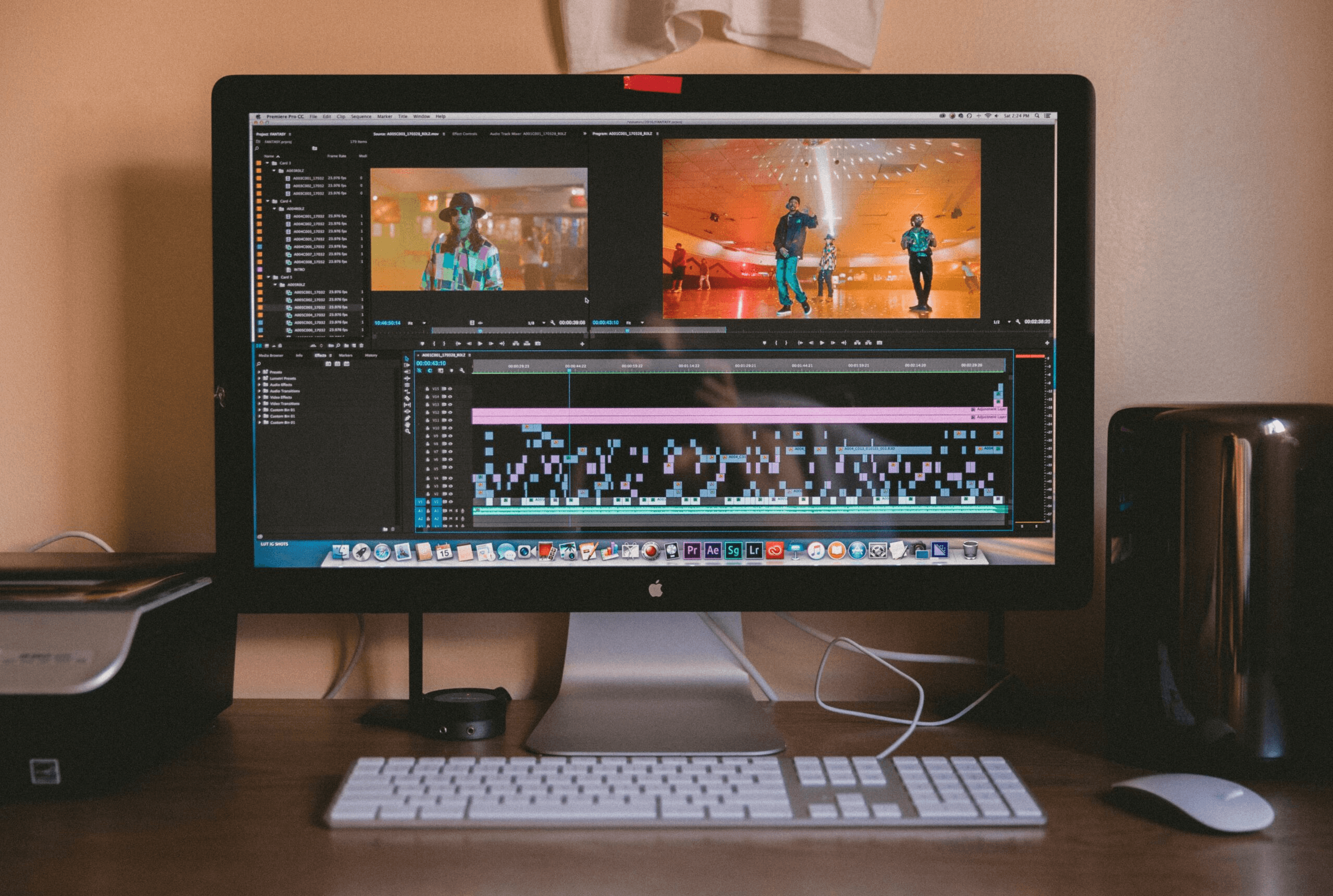
AI-generated video production compresses repetitive work by turning manual editing sequences into reusable systems. Instead of rebuilding scripting, visuals, narration, and formatting from scratch for every piece of content, creators standardize the structure once and then replicate it across dozens of videos. The examples below aren't just visual styles. They're production templates that remove setup friction and let you focus on finding strong clips and trends rather than technical execution.
1. Faceless Storytelling Videos
Faceless storytelling videos generate cinematic narration, AI visuals, subtitles, and dramatic pacing without requiring camera setup, recording pressure, or repeated retakes. Creators use these for motivation, educational content, and narrative-driven formats where the story matters more than the face delivering it.
The workflow compresses because you're not managing lighting, framing, or on-camera performance anxiety. You write the script, generate visuals that match the emotional tone, layer narration, and sync captions. The entire sequence becomes repeatable once you lock in your visual style and pacing template.
2. AI Explainer Videos
AI explainer videos automate educational breakdowns, tutorials, concept explanations, and workflow demos by combining structured visuals with automated narration and captions. The production system compresses scripting, narration preparation, and explanation pacing into a faster workflow because you're not manually animating every scene or recording multiple takes to get the delivery right.
You define the concept structure once (introduction, problem, solution, example, conclusion), then replicate that framework across different topics. The AI handles visual generation and consistency in narration, so you're not rebuilding the entire explanation format each time.
3. Short-Form TikTok and Reels Videos
Short-form AI systems reduce editing fatigue, manual caption syncing, and repeated formatting work by generating hooks, captions, AI voiceovers, and short visual sequences optimized for TikTok, Reels, and Shorts. The workflow compresses because you're not manually trimming clips, adjusting text timing, or exporting in multiple aspect ratios for each platform.
When AI output quality drops without warning, creators waste days rewriting prompts, thinking their workflow is broken, when the actual problem is undisclosed model degradation. Production fatigue increases when AI systems that previously automated detailed creative work suddenly require manual intervention to achieve the same quality. You need consistent AI performance to maintain production velocity, not systems that quietly degrade and force you to revert to manual editing.
4. Product Demo Videos
AI-generated product videos help creators showcase products, explain features, create ad creatives, and build launch content without manually filming every sequence. AI visuals reduce repetitive production setup by generating product shots, feature highlights, and transition sequences based on text descriptions.
The workflow compresses because you're not coordinating physical shoots, managing lighting setups, or editing hours of raw footage. You describe the product, define the key features to highlight, and the AI generates the visual sequences. Once you lock in your demo structure (product introduction, feature walkthrough, call to action), you replicate it across different products without rebuilding the entire production pipeline.
5. AI Talking Avatar Videos
Creators use AI avatars, synthetic narration, and automated lip-sync systems for tutorials, educational content, and faceless branding. Avatar systems remove recording pressure, camera setup, and repeated retakes by generating on-screen presence and automatically syncing it to your script.
The production system compresses because you're not managing video recording equipment, worrying about lighting consistency, or redoing takes when you stumble over a word. You write the script, select the avatar style, and the system generates the video. The workflow becomes repeatable because the avatar maintains visual consistency across every video without requiring makeup, wardrobe changes, or energy management.
6. Motivational Quote Videos
Motivational quote videos generate cinematic visuals, narration, captions, and emotional pacing around quotes, productivity themes, and self-improvement content. Template-based workflows reduce editing time by standardizing the visual structure (background footage, text overlay, narration timing, music selection) so you don't have to rebuild the entire sequence for each quote.
Once your system is locked in, you can produce 60 to 90 minutes per video instead of spending hours on manual editing. You input the quote, select the visual mood (nature footage, urban scenes, abstract motion), and the system generates the sequence. The workflow becomes copy-paste-efficient because you're not redoing frames or manually adjusting text placement.
7. AI Podcast Clips
Creators turn podcast audio, interviews, and discussions into captioned short-form clips, AI-enhanced visuals, and platform-ready content. AI repurposing removes repetitive editing work by automatically identifying highlight moments, generating captions, and adding visual elements that make audio content platform-appropriate for TikTok, Reels, and Shorts.
The production system compresses because you're not manually scrubbing through hours of audio to find clips, transcribing dialogue, or syncing captions frame by frame. You upload the full podcast, the AI identifies high-engagement moments based on pacing and keyword density, then generates the clips with captions and visuals. The workflow becomes scalable because you can process multiple episodes simultaneously without increasing manual effort.
8. Educational Whiteboard Videos
Educational whiteboard videos generate animated explanations, diagrams, and educational narration without manually animating every scene. AI systems reduce the workload of visual reconstruction by converting text descriptions into animated sequences that illustrate concepts as the narration progresses.
The workflow is streamlined because you're not drawing diagrams, timing animations to match voiceover, or exporting and reimporting visual assets. You write the explanation, define the key concepts to visualize, and the AI generates the animated sequence. Tools like Crayo standardize this structure, allowing creators to focus on finding strong educational angles rather than rebuilding animation sequences from scratch each time.
9. AI News Summary Videos
Creators use AI workflows to summarize trends, explain news, structure updates, and generate narration faster. AI compresses research, scripting, and narration preparation by pulling key information from sources, structuring it into a coherent narrative, and generating voiceover that matches the pacing of short-form content.
The production system works because you don't have to manually read dozens of articles, write summaries, or record narration. You input the topic or source links, the AI extracts the core points, structures them into a script, and generates the narration. The workflow becomes repeatable because you're processing news updates through the same system daily without rebuilding the entire production structure.
10. Before-and-After Transformation Videos
Transformation videos generate transitions, progress sequences, and visual comparisons for fitness, design, AI art, and editing showcases. AI automates visual sequencing by creating smooth transitions between before-and-after states, overlaying progress metrics, and timing the reveal to maximize emotional impact.
The workflow compresses because you're not manually keyframing transitions, adjusting opacity curves, or timing music to match the reveal moment. You upload the before-and-after assets, define the transition style (fade, wipe, zoom), and the AI generates the sequence. The production system becomes reusable because you're applying the same transformation structure across different content types without manual reconstruction.
Why These Examples Matter
These AI-generated video examples are production systems, not just visual styles. Each example reduces repetitive setup work, workflow overlap, manual corrections, and production fatigue. That compression is what turns hours of video production into minutes. But speed alone creates a new problem: you can generate videos faster than you can decide which format to replicate next.
The 10-Minute Workflow to Turn AI Video Examples Into Content
Most creators watch AI video examples like they're entertainment. They study transitions, admire pacing, and screenshot layouts. Then they close the tab and rebuild everything manually for their next upload. The pattern repeats. The workflow never compounds. Fast creators treat examples differently. They extract systems, not inspiration. They identify what made the structure work and then replicate it across multiple videos without starting over. That shift turns examples into production infrastructure.
Choose One Format and Lock It In
The first two minutes decide everything. You're not choosing a video to admire. You're selecting a production system to replicate.
Pick one format:
- Faceless storytelling with cinematic B-roll
- AI explainer breakdowns with text overlays
- Short-form caption-driven clips
One choice. One structure. One repeatable outcome. Switching formats between uploads fragments your workflow. Every style change resets your understanding of pacing, narration flow, scene transitions, and caption timing. You're not iterating anymore. You're restarting. Teams that lock into one format build muscle memory. Their execution speed doubles because they're refining a system, not reinventing one.
Break the Example Into Structural Components
Minutes two through four focus on deconstruction. Most creators watch the final output and try to reverse-engineer it from memory. That approach misses the underlying architecture.
Instead, map the structure:
- How does the hook grab attention in the first three seconds?
- Where does narration pause for visual emphasis?
- How many scenes appear per minute?
- What caption style supports the pacing without overwhelming the frame?
- When do transitions reinforce the narrative versus interrupt it?
Structural Frameworks vs. Aesthetic Mimicry
Write it down. The structure is what you're copying, not the content. A faceless storytelling video might open with a question, transition into three supporting scenes, then close with a call to action. That's a repeatable framework. The specific topic changes, but the structural sequence stays consistent. Creators who skip this step copy aesthetics without understanding why the pacing worked. They generate videos that look similar but feel off because the timing doesn't match the narration, or the visuals don't support the script's emotional arc.
Rebuild Using AI Tools, Not Manual Editing
Minutes four through six compress production time by automating what used to require manual effort. Instead of writing scripts from scratch, use AI to generate hooks based on the structural pattern you identified. Instead of searching stock footage libraries, generate visuals that match your narration flow. Instead of recording voiceovers repeatedly until the pacing feels right, use AI narration systems that adjust tone and pacing based on your script.
The workflow becomes:
- Input structure
- Generate components
- Assemble output
Token Budgets and Automated Production Labor
According to Built This Week, systems built around this approach can handle a 200,000-token budget without manual intervention, meaning creators can process entire video scripts, scene descriptions, and formatting instructions in a single automated sequence. This isn't about replacing creativity. It's about removing the repetitive tasks that slow execution. The creative decision was to choose the format and map the structure. AI handles the production labor.
Save the Workflow as a Reusable Template
Minutes six through eight prevent future waste. You've chosen a format, mapped its structure, and rebuilt it using AI tools. Now you save that workflow so you never reconstruct it again.
- Save prompt templates that generate hooks in the same style.
- Save scene structures that define how many visuals appear per narration segment.
- Save caption layouts that match your pacing.
- Save transition patterns that maintain visual consistency.
Most creators solve the same production problems repeatedly because they don't capture what worked. They generate a successful video, then start fresh on the next upload. The workflow knowledge stays locked in a single execution rather than becoming reusable infrastructure. When you save the workflow, you're building a production system that compounds. The second video is half as long. The tenth video takes minutes because you're no longer making structural decisions. You're executing a proven sequence.
Publish and Repeat the Same System
Minutes eight through ten focus on execution and iteration. Once the workflow produces a video that matches your quality standard, publish it. Then repeat the exact same workflow for the next video. Consistency doesn't come from talent. It comes from repeatable systems. Creators who upload regularly aren't more creative. They've removed the friction that makes production feel exhausting. They're not deciding how to structure each video. They're running a workflow they've already validated.
Systemic Iteration and Workflow Scalability
The iteration happens inside the system, not outside it. You're refining prompt clarity, adjusting pacing and timing, and improving caption readability. But the core structure stays consistent. That's how production scales without burning out. Platforms like Crayo compress this workflow further by handling script generation, visual creation, and narration in a single automated sequence. Creators who've gone viral at scale built these systems because manual execution couldn't keep pace with upload frequency. The workflow became the competitive advantage.
The Real Bottleneck Isn't Finding Examples
The bottleneck is rebuilding disconnected workflows every upload. Creators spend hours studying examples, then waste that research by starting fresh each time. The knowledge doesn't transfer because it was never captured as a system. When you turn examples into repeatable workflows, execution speed no longer becomes a constraint. You're no longer choosing between quality and velocity. The system delivers both because the structural decisions have already been resolved. You're just running the sequence.
Shifting from Creative Labor to Infrastructure Execution
That's the shift. Examples stop being inspiration and become infrastructure. Production stops feeling like creative labor and becomes execution. The videos don't take less effort because you're cutting corners. They take less effort because you've removed the repetitive decision-making that used to slow everything down. But speed creates a new problem: you can generate videos faster than you can decide which format to replicate next.
Create AI Videos Faster Using Crayo
When video production moves faster than your ability to decide what to make next, the constraint shifts from speed to structure. You need a system that not only accelerates execution but also removes the decision loops that fragment your attention across format selection, script assembly, and output delivery. The familiar approach treats each video as a separate project. You open your AI tool, test prompts until something works, adjust narration manually, rebuild captions from scratch, and export after multiple revision cycles. It works when you're making one video. It breaks when you're making ten.
Collapsing Decision Architecture for Scaled Production
As volume increases, the manual assembly process becomes more complex. What felt like creative control at low volume becomes production drag at scale. You're not stuck because the tools are slow. You're stuck because you're rebuilding the same workflow decisions every time instead of executing a system you've already validated.
Tools like Crayo collapse that decision architecture into a single input layer. You paste your concept, the platform generates structured scripts with timing already mapped, applies your chosen voice and visual style, and outputs a formatted video without requiring you to reconstruct the editing sequence. The workflow becomes paste, select, export instead of prompt, test, rebuild, adjust, re-export.
Structure as the Key to True Scalability
This isn't about finding better examples. It's about turning one validated format into a repeatable production system that runs without requiring you to solve the same structural problems every upload. Speed without structure creates volume. Speed with structure creates scalability. If you're generating videos faster than you can maintain consistency, open Crayo and turn your next idea into a completed video in under ten minutes. Then replicate that system instead of rebuilding it.