Creating stunning beauty content shouldn't mean spending hours fixing lighting, smoothing skin tones, or adjusting color grading frame by frame. Yet many creators find themselves trapped in endless editing cycles, watching precious time slip away while their content calendar falls behind. Video automation has changed this reality, offering AI-powered tools that transform raw footage into polished beauty videos without the manual labor. This article will walk you through 7 AI video enhancers that can elevate your beauty content in under 30 minutes.
If you're looking to streamline your workflow even further, Crayo's clip creator tool offers a practical solution for beauty creators who need to produce multiple pieces of content quickly. This platform helps you generate eye-catching short-form videos with automated enhancements, so you can focus on what matters most: connecting with your audience and showcasing your products.
Table of Contents
- Why Beauty Creators Struggle to Make Their Videos Look Professional
- The Hidden Cost of Editing and Enhancing Beauty Videos Manually
- 7 AI Video Enhancers for Beauty Content in Under 30 Minutes
- The 30-Minute Workflow Beauty Creators Use to Enhance Videos Faster
- Create Professional Beauty Videos Faster With Crayo
Summary
- The beauty creator economy reached $21.1 billion in 2024, according to BeautyMatter, yet most creators still operate like solo production studios, manually handling every technical detail. That gap between market size and workflow efficiency reveals that growth doesn't come from better editing skills alone.
- Repeated execution of identical tasks across workflows significantly reduces efficiency, according to the Nielsen Norman Group. Beauty creators adjust lighting, correct skin tones, re-grade color, rebuild transitions, and re-edit visual effects for every single project.
- High cognitive load reduces performance when multiple complex activities compete for attention, according to Sweller. Beauty creators constantly move between filming, enhancing, editing, captioning, and publishing, and the mental effort required to manage several production stages simultaneously drains the creative energy needed for actual content strategy.
- Over 3 million users rely on AI video enhancement tools to improve their content quality, according to Topaz Labs. That adoption reflects a shift from manual frame-by-frame adjustments to automated visual processing. The real advantage is not just speed but predictability. When your workflow produces consistent results, you can plan content calendars, commit to publishing schedules, and scale production without sacrificing quality.
- Separating production stages prevents the restart loops that occur when you plan, script, enhance, edit, and publish simultaneously. Beauty creators who separate enhancement from editing finish production in under an hour, according to Social Realtr, because they're not jumping between technical adjustments and creative decisions.
Crayo's clip creator tool automates the planning and scripting stages by generating structured scripts with narration before creators touch a single clip, compressing the assembly stage from 7 minutes to under 3 for beauty creators publishing daily.
Why Beauty Creators Struggle to Make Their Videos Look Professional
Most beauty creators struggle to make professional videos with AI because they treat video enhancement as an editing task rather than as part of a production workflow. The problem is not improving video quality. It's manually rebuilding lighting, color correction, visual consistency, effects, and final editing every time a new video is created.
When creators film products, adjust lighting, fix skin tones, enhance video quality, add effects, and edit footage for each project, production friction quickly increases. According to BeautyMatter, the beauty creator economy reached $21.1 billion in 2024, yet most creators still operate like solo production studios, manually handling every technical detail. That gap between market size and workflow efficiency reveals something important: growth doesn't come from better editing skills alone.
Most Beauty Creators Think Better Editing Creates Better Videos
Many creators believe that spending enough time editing will make their videos look professional. This belief exists because AI tools can quickly improve sharpness, lighting, skin smoothing, and color grading. But enhancement alone does not create visual consistency, storytelling, product focus, or audience engagement. A better-looking clip is not automatically a better beauty video. You can sharpen every frame, smooth every skin texture, and balance every color, yet still produce content that feels disconnected or fails to hold attention. The real issue surfaces when creators realize they're improving individual scenes without building a cohesive viewing experience.
Every Scene Needs a Purpose
A beauty video is not just a collection of product shots. Every scene should support the transformation, the product demonstration, the tutorial, the review, or the final message. Most creators simply enhance one clip after another without considering how each moment builds toward a larger narrative. As a result, scenes feel disconnected, product showcases feel repetitive, and videos lose viewer attention. The workflow becomes fragmented. You might produce ten technically perfect clips that together create a viewing experience that feels hollow or confusing. Purpose matters more than polish.
Creators Constantly Switch Between Production Tasks
While creating beauty content, creators repeatedly move between filming products, fixing lighting, enhancing visuals, editing clips, adding captions, and creating transitions. That creates workflow overlap. Workflow overlap reduces efficiency because creators constantly switch between creative and technical decisions.
The bottleneck becomes workflow management, not AI enhancement. The clip creator tool addresses this by consolidating enhancement, editing, and publishing into a single automated workflow, allowing creators to focus on content strategy rather than technical execution. You spend less time rebuilding the same production steps and more time understanding what your audience actually wants to see.
Related Reading
- AI Video Prompts
- Google Veo 3 Prompt Examples
- AI-generated Video Examples
- Veo 3 Maximum Video Length
- Grok AI Video Generation Capabilities 2026
- Kling AI Video Prompt Examples
- How Are People Making AI Videos
- AI Composite Video
- Sora 2 Vs Veo 3
- How To Use AI to Make YouTube Videos
- How To Create Educational Videos Using AI
- Grok AI Video Generation Prompt Examples
The Hidden Cost of Editing and Enhancing Beauty Videos Manually
Most beauty creators believe better videos come from spending more time editing. The reality is that spending more time manually rebuilding the same enhancement process creates slower production, inconsistent quality, and workflow overload. The hidden cost is not AI enhancement. It's repeating the same production work for every video.
Rebuilding the Same Editing Workflow
The production process stays almost the same even when the content changes. You adjust lighting again, correct skin tones again, re-grade color, rebuild transitions, and re-edit visual effects for every single project. According to the Nielsen Norman Group, repeated execution of identical tasks across workflows significantly reduces efficiency. The belief that every beauty video needs its own editing process from scratch leads to duplication rather than quality. You're not improving the content by starting over each time. You're just doing the same work twice.
Fixing Problems After Filming
When editing becomes the backup plan for every production problem, the amount of correction work grows exponentially.
- You fix bad lighting
- Repair inconsistent colors
- Hide visual mistakes
- Correct scene quality
Because modern AI tools make enhancement look effortless. Small issues compound into larger editing cycles. The cost is not the enhancement itself. It depends on the enhancement that replaces preparation, turning every project into a rescue mission rather than a creation process.
Switching Between Creative and Technical Tasks
Beauty creators constantly move between filming, enhancing, editing, captioning, and publishing because completing multiple tasks at once feels productive. According to Sweller, high cognitive load reduces performance when multiple complex activities compete for attention. The mental effort required to manage several production stages simultaneously drains the creative energy you need for actual content strategy. Clip creator tool consolidates enhancement, editing, and publishing into a single automated workflow, letting you focus on content decisions rather than technical execution. You stop rebuilding the same production steps and start understanding what your audience actually wants to see.
Manual Workflows Become Difficult to Scale
As you publish more content, manual enhancement workflows become harder to maintain. Without a structured workflow, more content simply creates more repetitive work. According to Iyengar & Lepper, making excessive decisions increases decision fatigue and reduces performance. The result is slower publishing, inconsistent quality, editing fatigue, and creator burnout. The cost is not creating more beauty content. It's manually managing every production decision until the volume crushes your capacity to maintain quality.
The real problem is rebuilding the workflow, fixing production mistakes during editing, switching between multiple tasks, and manually repeating the same enhancement process. This creates repeated work, inconsistent quality, slower publishing, and workflow overload. But knowing the problem exists is different from knowing which tools actually solve it.
Related Reading
• AI Composite Video
• Kling AI Video Prompt Examples
• Grok AI Video Generation Prompt Examples
• AI Video Prompts
• Google Veo 3 Prompt Examples
• AI-generated Video Examples
• How To Create Educational Videos Using AI
• Sora 2 Vs Veo 3
• How Are People Making AI Videos
• Veo 3 Maximum Video Length
• Grok AI Video Generation Capabilities 2026
• How To Use AI to Make YouTube Videos
7 AI Video Enhancers for Beauty Content in Under 30 Minutes
The fastest beauty creators don't manually rebuild the enhancement process for every video. They use AI tools:
- That improves visuals
- Streamline production
- Reduce repetitive editing
The goal isn't simply to make videos look better; it's to build a workflow that consistently produces professional beauty content. That's what makes it possible to create high-quality beauty videos in under 30 minutes.
1. Crayo for Beauty Video Planning and Voiceovers

Use when you need:
- Beauty tutorials
- Product reviews
- Skincare videos
- GRWM content
Most creators lose time rebuilding scripts and narration for every video. Crayo helps organize the production process before editing starts. Instead of manually planning every project, creators can quickly generate structured content and prepare voiceovers. The outcome is less production work and a faster path to publishing. When you remove the prep phase bottleneck, you stop spending 40 minutes on setup for a 10-minute video.
2. Runway for AI Video Enhancement

Use when you need:
- Better visual quality
- Scene improvements
- Smoother footage
- AI-assisted editing
Runway reduces the amount of manual enhancement needed during production. Instead of adjusting every frame individually, the tool handles visual improvements across sequences. The outcome is cleaner videos with fewer editing cycles.
3. CapCut AI for Beauty Video Editing
Use when you need:
- Captions
- Transitions
- Effects
- Timeline editing
Beauty creators often spend hours assembling content. CapCut speeds up the editing stage by automating the repetitive tasks that consume production time. The outcome is faster production without having to rebuild the timeline. According to Topaz Labs, over 3 million users rely on AI video enhancement tools to improve the quality of their content. That adoption reflects a shift from manual frame-by-frame adjustments to automated visual processing.
4. Kling AI for Cinematic Beauty Visuals
Use when you need:
- Product showcases
- Cinematic movement
- Luxury aesthetics
- Visual storytelling
Beauty content relies heavily on presentation. Kling AI helps create more engaging visuals with less manual work. The outcome is more professional-looking beauty videos that maintain consistent quality across multiple projects.
5. Veo 3 for AI Beauty Video Generation
Use when you need:
- AI-generated scenes
- Product demonstrations
- Promotional videos
- Creative campaigns
Instead of manually building every scene, creators can generate high-quality visuals faster. The outcome is shorter production cycles. When scene creation takes minutes instead of hours, you can test more concepts and publish more frequently.
6. Pika for Short-Form Beauty Content
Use when you need:
- TikTok videos
- Instagram Reels
- YouTube Shorts
- Quick beauty clips
Pika helps transform ideas into short-form content quickly. The outcome is more content published in less time. Short-form platforms reward volume and consistency, and manual production makes both nearly impossible to sustain.
7. Canva for Final Design and Branding
Use when you need:
- Product titles
- Branding elements
- Thumbnails
- Promotional graphics
Beauty creators often need supporting visuals alongside video content. Canva helps organize those assets. The outcome is a complete beauty content workflow that extends beyond just video editing.
What Actually Changes When You Use AI Video Enhancers?
Before AI tools: You rebuilt scripts, manually enhanced visuals, repeated editing tasks, and fixed the same production problems.
After implementing them: You get structured production, faster enhancement, consistent visual quality, and repeatable workflows.
The difference isn't AI versus manual editing. It's rebuilding the workflow versus using a structured production system. When you stop treating each video as a unique project and start treating it as a repeatable process, production time collapses.
Breaking the Capacity Ceiling With Workflow Automation
Beauty creators who manually manage every step of the enhancement process face a capacity ceiling. You can only edit so many hours per day. Crayo helps compress the timeline by automating script generation, voiceover preparation, and content structuring, so creators spend less time on setup and more time on creative decisions. That shift from manual planning to automated workflows is what separates creators who publish daily from those who struggle to publish weekly. The real advantage isn't just speed. It's predictability. When your workflow produces consistent results, you can plan content calendars, commit to publishing schedules, and scale production without sacrificing quality.
The 30-Minute Workflow Beauty Creators Use to Enhance Videos Faster
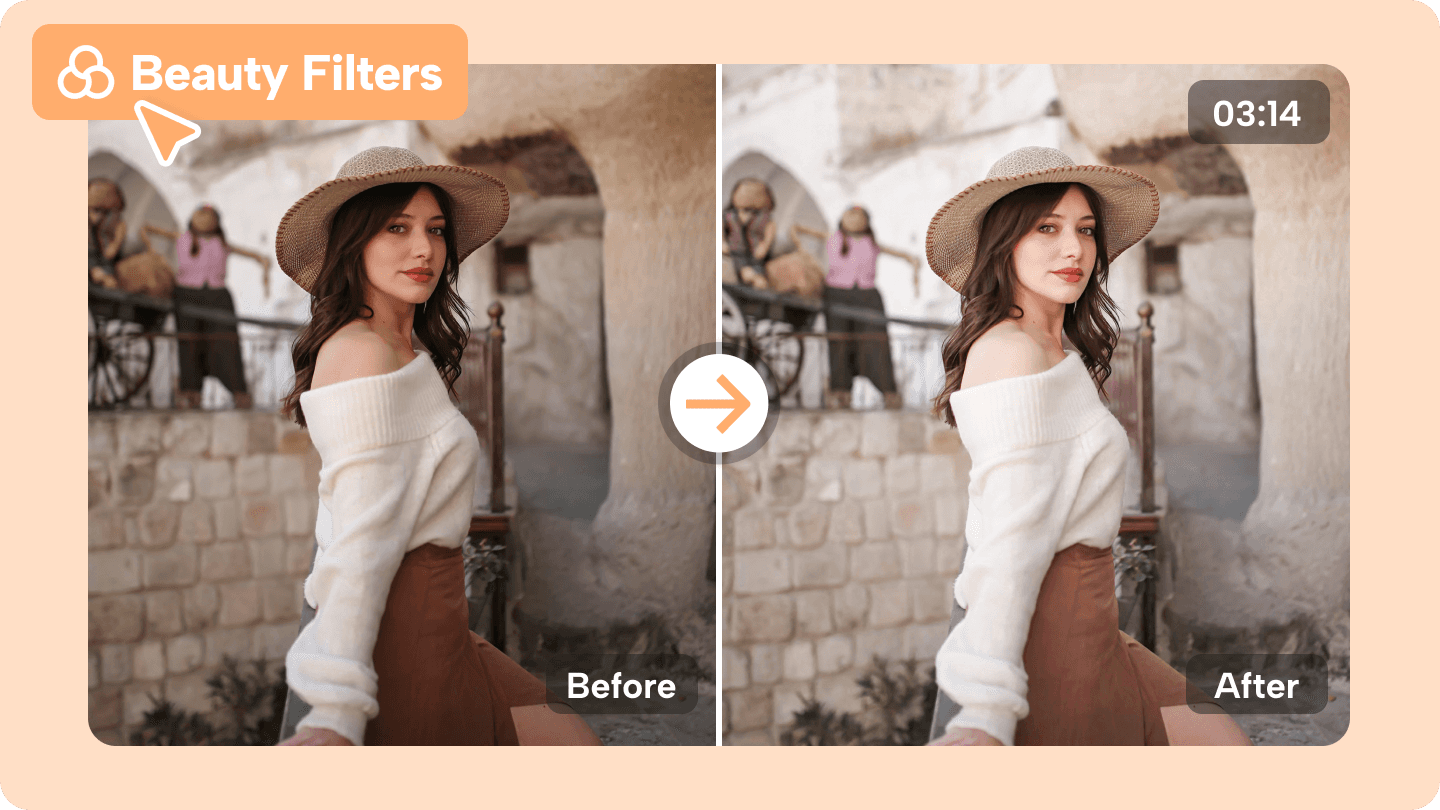
Most beauty creators can't finish videos in 30 minutes because they're doing everything at once. The solution isn't faster editing. It's breaking production into five separate stages so each task happens independently, without interruption or rebuilding. The workflow below removes overlap. It prevents the restart loops that happen when you plan, script, enhance, edit, and publish simultaneously. Each stage is completed before the next one begins.
Minute 0-5: Define Your Video Structure
Start by deciding what this video needs to accomplish before you touch any footage.
Write down four things:
- The hook that stops scrolling
- The problem your audience recognizes
- The product demonstration that solves it
- The call to action that tells viewers what to do next
This isn't creative brainstorming. It's structural planning that prevents you from having to rebuild scenes later because you didn't know where the video was going. When you plan the sequence first, you know exactly which clips to capture and which moments to enhance. You're not filming random beauty content, hoping it all fits together in editing.
Minutes 5-10: Prepare Script and Narration Before Editing
Create the narration structure while the footage is still raw. Write one talking point for each scene. Record the voiceover. Time each narration block to match the planned scene length. This separation matters because timing issues arise when you're adjusting narration while editing visuals. You end up rerecording audio because the footage changed, or re-editing footage because the narration ran long. Keep narration and scene descriptions in a separate document. Don't import them into your editor yet. The goal here is preparation, not assembly.
Minutes 10-18: Enhance Visuals Without Starting Final Edits
Now focus only on improving the quality of individual clips.
- Adjust lighting consistency so skin tones match across scenes.
- Correct the color so the product looks accurate under different lighting conditions.
- Enhance video resolution if you're upscaling phone footage for higher-quality exports.
According to Social Realtr, beauty creators who separate enhancement from editing finish production in under an hour because they're not jumping between technical adjustments and creative decisions.
Batch Asset Preparation Over Instant Editing
Do not arrange clips into a timeline yet. Do not add transitions or captions. You're preparing assets, not building the final video. This prevents the restart loop where you enhance a clip, place it in the timeline, realize it doesn't match the scene before it, and have to re-enhance with different settings. When all clips are enhanced and saved as separate files, you're ready to assemble.
Minutes 18-25: Assemble the Timeline
Import everything at once:
- Enhanced footage
- Recorded narration
- Caption files
- Transition presets
- Branding elements
Arrange clips in the order you planned during minutes 0-5. Match narration timing to each scene. Add captions using automated tools, so you're not typing them manually. Insert transitions between scenes. Place your logo or call-to-action graphic at the end.
Streamlining Corrections With Modular Assembly
If one scene needs adjustment, fix that specific clip. Re-export just that section. Replace it in the timeline without touching the rest of the project. Small corrections take seconds when your workflow is separated into stages. They take minutes when you're rebuilding from scratch because everything is interdependent. Most creators lose time here because they treat assembly like a creative process. It's not. It's the technical execution of a plan you already made.
Minutes 25-30: Review and Export
- Check visual consistency across all scenes.
- Verify narration timing matches on-screen action.
- Confirm product details are accurate and captions are synchronized.
- Watch transition flow to make sure cuts don't feel abrupt.
Make only small adjustments. If you're rewriting entire scenes or re-recording narration, your planning stage failed. Go back and fix the process, not the output. Then export and publish. Don't restart the workflow because you noticed one frame that could be better. Perfectionism at this stage costs you the ability to publish consistently.
Why Separation Prevents Workflow Overload
The problem was never that enhancement tools were too slow. The problem was that we were trying to plan, script, enhance, edit, and publish in overlapping cycles.
- When you plan while editing, you change your mind about the structure and have to rearrange clips.
- When you enhance while assembling, you realize the color correction doesn't match, so you have to redo it.
- When you script while recording, you rewrite the narration mid-session, which can lead to inconsistent timing.
Eliminating Rework Through Linear Workflows
Separation removes those dependencies.
- Planning happens once.
- Scripting happens once.
- Enhancement happens once.
- Assembly happens once.
- Review happens once.
Each stage produces a finished output that the next stage uses without modification. That's not working faster. That's removing the rebuilding that made the process slow in the first place.
The Real Speed Advantage
Professional beauty videos in 30 minutes become realistic when you stop treating production as a single task. You're not editing faster. You're not enhancing faster. You're eliminating the time spent redoing work because earlier decisions weren't finalized. The workflow works because each stage is independent.
- If your narration is wrong, fix it without touching the visuals.
- If your color correction is inconsistent, you fix the enhancement without rewriting the script.
Scaling Speed Through Workflow Automation
Crayo automates parts of this workflow by generating captions, voiceovers, and transitions without manual input, thereby compressing the assembly stage from 7 minutes to under 3 minutes. That matters when you're publishing daily, but only if your planning and enhancement stages are already separated. Automation speeds up execution. It doesn't fix a workflow that's trying to do everything simultaneously. The 30-minute timeline isn't about rushing. It's about avoiding unnecessary rebuilding, so each stage completes once and correctly, without revisiting earlier decisions. But knowing the workflow doesn't mean you'll finish in 30 minutes on your first try.
Create Professional Beauty Videos Faster With Crayo
The first time you try the 30-minute workflow, you'll probably take 45 minutes. Maybe an hour. That's expected. You're learning where the stages separate, which tools handle what, and how your content fits the structure. But the second video will take 35 minutes. The third will hit 30. The workflow compounds because you're not relearning the system each time; you're refining execution within a structure that already works.
The beauty creators publishing daily without burnout aren't more talented or faster at editing. They've removed the decision fatigue that comes from having to rebuild the production process every single time. Crayo handles the planning and scripting stages automatically, so you can open the platform, describe your beauty video idea, and have a structured script with narration ready before you touch a single clip. That separation is what makes daily publishing sustainable. You're not starting from zero. You're starting from structure.
Mastering the Sequential Content Workflow
Try the workflow on your next beauty video.
- Plan first
- Script second
- Enhance third
- Assemble fourth
- Review last
Notice where you slow down or backtrack. That's where your workflow still overlaps. Fix the sequence, not the speed. The 30-minute timeline will follow once the stages stop colliding. Professional beauty videos don't require more tools or more talent. They require less rebuilding. Start with Crayo to handle the first two stages, then move into enhancement and editing with a foundation already in place. The time you save isn't from working faster. It's from working once.