Picture this: you need to create an engaging educational video, but the thought of scripting, filming, editing, and producing content feels overwhelming. Video automation has changed everything for content creators, educators, and entrepreneurs who want to share knowledge without spending days in production. This article reveals seven proven methods that creators are using right now to produce professional AI-generated videos in just ten minutes, transforming how we approach educational content creation and e-learning materials.
The tools available today make video production accessible to anyone with an idea worth sharing. Crayo's clip creator tool helps you quickly turn concepts into polished educational videos, handling everything from automated script generation to visual elements and voiceovers. Whether you're building online courses, creating tutorial content, or developing training materials for your audience, this platform streamlines the entire video creation process so you can focus on teaching rather than technical details.
Table of Contents
- Why Educators and Content Creators Struggle to Produce Educational Videos Consistently
- The Hidden Cost of Creating Educational Videos Manually Instead of Using AI Workflows
- 7 Steps to Create Educational Videos Using AI in 10 Minutes
- The 10-Minute Workflow to Produce Educational Videos Faster Using AI
- Create Educational Videos Faster Using Crayo
Summary
- 71% of teachers say lack of time is a barrier to using video, according to Boclips research. The problem isn't that educators lack ideas or subject knowledge. It's that production workflows demand too many simultaneous decisions, turning what should be straightforward content creation into a multi-hour coordination task that forces your brain to repeatedly switch between creative explanation and technical execution.
- Manual educational workflows multiply time rather than compress it because the fifth lesson takes exactly as long to produce as the first. Educause's 2024 survey of online instructors found that 64% reported spending more time on video production logistics than actual teaching preparation.
- AI can reduce video production time from 40 hours to 30 minutes by automating script generation and narration workflows, according to research published in Frontiers on AI-generated instructional videos. This compression happens because educators separate lesson planning, scripting, narration, visuals, and editing into structured execution stages rather than attempting all five simultaneously, thereby eliminating the correction loops and restart cycles that silently expand production time.
- Micro-corrections silently expand workflow time because each small adjustment compounds across the entire video length. A two-second pause correction multiplied by 30 cuts becomes a full minute of editing work. Automated caption systems and pacing tools eliminate repetitive correction loops by handling timing adjustments systematically rather than manually, thereby reinvesting saved time in content quality rather than technical formatting.
- Consistent teaching scales faster than perfection loops because students benefit more from regular, good-enough content than from occasional flawless lessons. The first video you publish will not be your best work, but you only reach the improvement curve by shipping consistently and iterating based on real student responses rather than imagined objections.
Crayo's clip creator tool addresses this by automating script generation, narration, caption timing, and visual formatting, delivering it as reusable templates that compress production time from hours to minutes per video.
Why Educators and Content Creators Struggle to Produce Educational Videos Consistently
Teaching and producing happen simultaneously in most educational video workflows. That overlap creates friction because you're managing explanation clarity while also handling narration pacing, visual sequencing, and editing decisions. The brain constantly switches between creative teaching mode and technical production mode, which slows everything down.
According to Boclips, 71% of teachers say a lack of time is a barrier to using video. The problem isn't that educators lack ideas or subject knowledge. It's that production workflows demand too many simultaneous decisions, turning what should be straightforward content creation into a multi-hour coordination task.
Teaching Knowledge Doesn't Automatically Translate to Video Structure
You can understand a topic deeply and still struggle to explain it clearly on camera. Expert knowledge and structured presentation flow are different skills. When educators assume their subject mastery will naturally create good videos, they often end up with rambling explanations, overloaded concepts, and weak pacing. The teaching happens, but the structure that makes it digestible gets lost in real-time recording.
One creator described building safety training videos from dashcam footage. The challenge wasn't analyzing the incidents or knowing what drivers needed to learn. It coordinated video analysis, scriptwriting, narration, editing, and distribution across multiple tools. What would have required a production team a few years ago now falls on one person trying to stitch together specialized workflows.
Workflow Overlap Creates Cognitive Bottlenecks
While recording educational content, you're simultaneously managing:
- Teaching delivery
- Script adherence
- Visual timing
- Narration tone
- Pacing decisions
That's not multitasking. That's workflow overlap, and it forces your brain to repeatedly switch between creative explanation and technical execution. Each switch costs time and mental energy. When you research, simplify concepts, script lessons, record narration, edit visuals, and organize pacing within a single continuous workflow, production time expands. The bottleneck isn't your teaching ability. It's managing too many production variables at once, without separating planning from execution.
Repetitive Tasks Compound Across Multiple Lessons
- Rewriting explanations
- Correcting narration pacing
- Syncing visuals
- Adjusting captions
- Rebuilding the lesson flow
Feels minor individually. But when you repeat these corrections across several workflow stages and multiple videos, they compound into hours of extra work. One small adjustment multiplied by ten lessons becomes a significant time drain that quietly prevents consistent output.
Traditional educational video production treats each upload as a custom project. Platforms like Crayo's clip creator tool automate repetitive production tasks such as script generation, visual synchronization, and voiceover creation. Instead of manually rebuilding the workflow every time, creators define the teaching structure once, and the platform handles execution, reducing production from hours to minutes per video.
Manual Workflows Break Consistency
When every video requires rebuilding your production process from scratch, sustaining regular uploads becomes difficult. Teachers, coaches, and educational YouTube creators hit a wall where production fatigue stops momentum. The lesson ideas exist, but consistently executing them feels impossible because the workflow itself imposes too much operational overhead.
Research from Boclips shows 58% of educators cite difficulty finding quality content as a challenge. But the deeper issue isn't finding content. It's that creating it manually involves coordinating too many moving parts without structure. When production stays manual, execution expands. When repetitive tasks become automated and structured, execution becomes more efficient. But time savings only matter if the videos actually work. The real cost isn't just hours spent producing content manually.
Related Reading
- Video Automation
- How to Make Good Tiktok Videos
- Short Form Video Production
- Can Nano Banana Make Videos
- Common Uses of AI Video Generators
- How To Create Explainer Videos
- How To Create A Faceless YouTube Channel
- Can Perplexity Ai Create Videos
- How To Use Kling Ai For Videos
- How Long Can AI-Generated Videos Typically Be
- How To Make Faceless Tiktok Videos
The Hidden Cost of Creating Educational Videos Manually Instead of Using AI Workflows

The real cost isn't the hours you spend recording or editing. It's the compounding friction of rebuilding the same production structure every single time you create a lesson. Manual educational workflows don't just consume time; they multiply it through repetitive coordination that never improves, never compounds, and never gets easier, no matter how many videos you've already made.
The Workflow Multiplication Problem
When an educator creates their fifth lesson, the production process takes exactly as long as it did for the first. That's the hidden multiplier. Scripting a 10-minute explanation might take 30 minutes. Recording the narration adds another 20. Syncing visuals, correcting pacing issues, and editing mistakes stretches into another hour. One video becomes three hours of production labor, and the tenth video requires the same investment as the first because nothing in the workflow carries forward.
This pattern surfaces across every format. A creator building a YouTube tutorial series manages the same coordination loop for video twelve as they did for video one:
- Script structure
- Visual sequencing
- Narration timing
- Caption placement
- Export settings
The work never consolidates. According to Educause's 2024 survey of online instructors, 64% reported spending more time on video production logistics than actual teaching preparation. The bottleneck isn't knowledge delivery. It's the manual reassembly of production infrastructure that should have been systematized after the second attempt.
Where Manual Coordination Breaks Down
The friction intensifies when educators try to scale beyond occasional content. A single tutorial feels manageable. A 12-part course series reveals the structural problem. Each lesson reintroduces the same decision points:
- How to structure explanations
- Where to place visual emphasis
- How to pace complex concepts
- When to add captions for clarity
Without systems, every video restarts the entire production decision tree from scratch.
Reduce Teaching Task Switching
Task switching creates the deepest drain. You're explaining a concept, then stopping to adjust audio levels, then returning to teaching mode, then correcting a visual sequence, then refocusing on lesson flow. Research from the American Psychological Association shows that shifting between complex tasks can reduce productivity by up to 40% because working memory resets with each context change. In practice, this means an educator spends more mental energy managing production logistics than refining their actual teaching.
The Consistency Collapse
Manual workflows quietly erode publishing schedules. A creator starts with weekly uploads, then slips to biweekly, then monthly, then stops entirely. The pattern isn't about motivation. It's about accumulated friction.
- Each video requires the same exhausting coordination, and there's no efficiency gain from repetition.
- Correction fatigue sets in after the fourth retake of the narration.
- Restart loops emerge when a single pacing issue forces you to re-edit an entire section.
The effort required never decreases, so the willingness to continue eventually does.
Automate Repetition, Preserve Clarity
Platforms like Crayo compress this friction by automating the repetitive layers, scripting structure, generating narration, syncing captions, and handling visual sequencing through templated workflows that improve with use rather than reset with each project. What used to require three hours of coordination per video now takes minutes of guided decisions, letting educators focus on the quality of their explanations rather than production logistics. But even perfect efficiency doesn't matter if the content structure itself creates confusion instead of clarity.
7 Steps to Create Educational Videos Using AI in 10 Minutes
Fast educational video creation does not come from teaching faster. It comes from reducing repetitive production work across the lesson workflow. Educators using AI separate lesson structure, scripting, narration, visuals, and editing into controlled production stages, removing the friction that stretches 10-minute lessons into three-hour production cycles.
1. Start With One Clear Learning Outcome
Do not start with multiple lessons, broad explanations, or overloaded concepts.
- Start with one topic
- One student outcome
- One core lesson objective
Too much information creates pacing confusion, overloaded explanations, and weak retention. Clear focus improves understanding because students can follow a single thread from question to answer without getting lost in tangential details. When you try to explain three related concepts in one video, you end up explaining none of them well. The lesson becomes a survey course instead of a solution to a specific problem. Pick the narrowest possible learning outcome that still delivers value, then build everything else around that single anchor.
2. Structure the Lesson Before Production Starts
Most weak educational videos are built while recording. Instead,
- Organize the explanation flow first
- Structure examples before editing
- Lock transitions before narration begins
Improvising the educational structure leads to rambling lessons, repeated corrections, and pacing inconsistencies that force you to restart or spend hours trimming dead air. Structure compresses production time because you know exactly what you need to record, in what order, and why each segment exists. When you script the flow in advance, you eliminate the wandering explanations that happen when you're simultaneously teaching and figuring out what to say next. The recording becomes execution, not exploration.
3. Use AI to Generate Script Drafts Faster
Instead of manually writing every explanation, repeatedly rebuilding lesson flow, and restructuring concepts during editing, use AI systems to generate lesson outlines, narration drafts, and explanation structures before production starts. Pre-structured scripting reduces:
- Rewriting fatigue
- Correction loops
- Lesson fragmentation
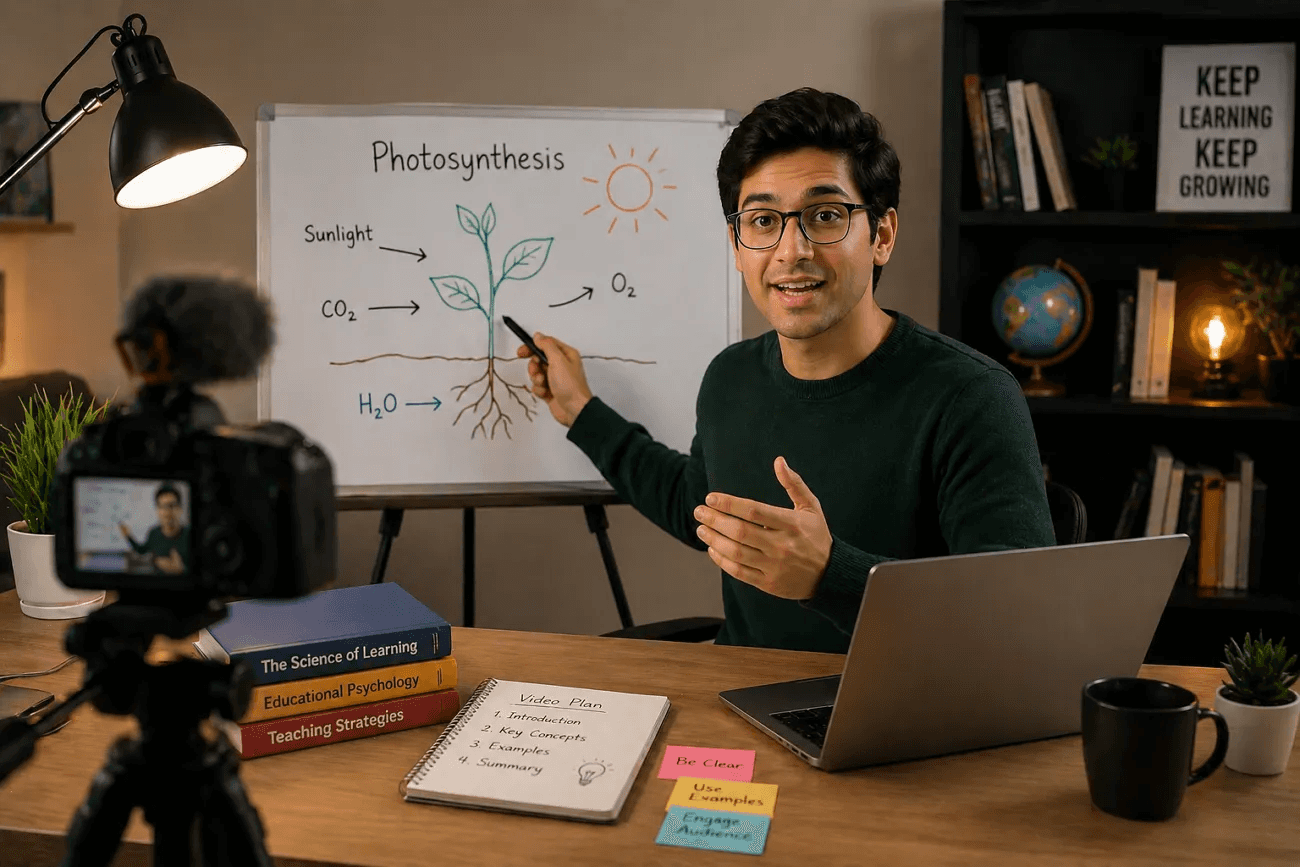
A simple prompt like "Create a 90-second script explaining photosynthesis for 7th graders, using a cooking analogy" generates a starting point in seconds. You still refine it, add your voice, adjust pacing, but you're editing instead of staring at a blank page. That shift from creation to curation reduces scripting time from 30 minutes to 5 minutes.
4. Generate AI Narration Instead of Recording Multiple Takes
Instead of recording narration repeatedly, manually correcting pacing, and restarting voiceovers after mistakes, generate AI narration with structured pacing and reusable narration workflows. Manual narration leads to vocal fatigue, timing corrections, and repeated restarts that consume more time than the actual lesson content.
invideo AI, with a 4.7 out of 5 rating based on user reviews, demonstrates how AI narration removes the friction of repetitive recording by generating consistent voiceovers without the physical limitations of human recording sessions. You adjust the script, regenerate the audio, and move forward without scheduling another recording block or managing microphone setup.
5. Use Reusable Visual and Lesson Templates
Most educators waste time rebuilding layouts, transitions, lesson formats, and instructional structures for each upload.
- Use templates
- Reusable visual systems
- Preset educational layouts instead
Most editing time comes from repeated reconstruction work, not teaching quality.
Reuse Templates Across Lessons
Once you design a template that works, every subsequent video inherits that structure. You swap in new content, adjust timing, and update visuals, but the framework stays consistent. This consistency also helps students by showing them where to look for key information, making your content easier to follow across multiple lessons. Platforms like Crayo compress this workflow by automating caption placement, visual transitions, and formatting decisions into reusable templates that adapt to new content without manual rebuilding. What used to require layout decisions for every video becomes a one-time setup that scales across dozens of lessons.
6. Automate Captions and Micro-Corrections
Instead of manually syncing captions, trimming pauses, and repeatedly correcting timing, use:
- Automated caption systems
- Formatting tools
- Pacing adjustments
Micro-corrections silently expand production time because each small fix compounds across the entire video length. A two-second pause trimmed 15 times adds five minutes to your editing session, and those minutes multiply across every video you produce. Automated captioning also improves accessibility and engagement simultaneously. Students can follow along without audio, search for specific moments using text, and process information through multiple channels. The time you save on manual syncing is reinvested in content quality rather than technical formatting.
7. Publish Before Over-Optimizing
Most educational videos do not fail because they were imperfect. They fail because:
- Creators endlessly revise lessons
- Over-edit explanations
- Repeatedly delay publishing
Consistent teaching scales faster than perfection loops because students benefit more from regular, good-enough content than from occasional flawless lessons. The first video you publish will not be your best work. The tenth video will be better because you learned from the first nine. But you only reach that improvement curve by shipping consistently, gathering feedback, and iterating based on real student responses rather than imagined objections. Publish the lesson, watch how students engage with it, and then improve the next one based on evidence rather than anxiety.
The 10-Minute Workflow to Produce Educational Videos Faster Using AI
Fast educational video production does not come from teaching faster. It comes from removing repetitive workflow friction before production begins. Educators compress production time by separating lesson planning, scripting, narration, visuals, and editing into structured stages of execution rather than attempting all five simultaneously.
Minute 0–2: Lock the Lesson Structure
Before opening the editor, define one topic, one student outcome, and one teaching flow. Then structure the lesson using a four-part framework:
- Hook
- Explanation
- Examples
- Summary
This separation matters because most educators lose time restructuring lessons during production. When you teach and structure simultaneously, you create pacing confusion, overloaded explanations, and restart loops that silently expand what should be a 10-minute workflow into a multi-hour ordeal.
The creator of documentary-style educational content learned this after repeatedly rebuilding motion graphics to match timing changes during editing. The pain point wasn't technical skill. It was attempting to finalize structure while simultaneously managing 60-80 B-roll clips and fast-cut pacing. Structure removes the need to rebuild because timing decisions happen before production starts, not during it.
Minutes 2–4: Generate Scripts and Narration
Instead of teaching while scripting or repeatedly rewriting explanations, prepare lesson narration, transition lines, and the explanation structure before production starts. Pre-structured narration reduces correction fatigue, repeated rewrites, and pacing inconsistencies. According to Frontiers' research on AI-generated instructional videos, AI can reduce video production time from 40 hours to 30 minutes by automating script generation and narration workflows that educators previously handled manually.
AI voiceover naturalness depends heavily on script structure, not just the AI tool settings. Write short sentences under 15 words. Add deliberate punctuation pauses. Structure scripts specifically for AI voiceover processing, rather than assuming conversational writing will translate directly into clear audio. This constraint-based approach compresses production time by eliminating the rewriting loop that occurs when narration sounds robotic or rushed.
Minutes 4–6: Build Lessons Using Reusable Visual Systems
- Use templates
- Reusable lesson layouts
- Preset transitions
- Educational formatting systems
Instead of rebuilding visuals manually every upload. Most editing time is spent on formatting, resizing, rebuilding lesson layouts, and repeated setup work. Reusable systems compress production time by eliminating the visual reconstruction phase that silently consumes hours across multiple videos.
Build Visuals After Pacing Locks
Create motion graphics during the edit rather than before to avoid rebuilding when timing changes. This workflow adjustment matters because it aligns visual creation with finalized pacing decisions. When you build graphics before editing, you commit to timing assumptions that rarely survive contact with actual lesson flow. When you build graphics after editing, you build once.
Platforms like Crayo automate visual formatting, subtitle generation, and background removal within a three-step workflow, compressing tasks that previously required multiple tools and manual coordination. Educators compress production time by focusing on lesson content while automated systems handle repetitive visual execution.
Minutes 6–8: Automate Captions and Micro-Corrections
Instead of manually syncing captions, trimming pauses, and repeatedly correcting timing, use automated captions, pacing tools, and formatting systems. Micro-corrections silently expand workflow time because each small adjustment compounds across the entire video length. A two-second pause correction multiplied by 30 cuts becomes a full minute of editing work. Automation removes repetitive correction loops by handling timing adjustments systematically rather than manually.
Miraflow reports that AI video tools support content creation in over 80 languages, enabling educators to scale lessons globally without rebuilding workflows for each language. This capability matters for educators creating multilingual content because it eliminates the translation-and-recording loop that previously made international scaling prohibitively time-consuming.
Minutes 8–10: Export and Publish Immediately
Once the narration sounds clear, the visuals align, and the pacing works, publish.
- Do not endlessly revise lessons
- Repeatedly delay uploads
- Over-optimize every explanation
Delayed publishing breaks workflow momentum because you train yourself to view completion as the beginning of another revision cycle rather than the end of production. Consistency compounds faster than perfection loops. The first video you publish will not be your best work. The tenth video will be better because you learned from the first nine. But you only reach that improvement curve by shipping consistently, gathering feedback, and iterating based on real student responses rather than imagined objections.
Before vs After Workflow
Before structured workflows: Educators teach while editing, manually rebuild lesson structure, repeatedly correct narration, and restructure pacing mid-production. This approach creates multi-hour lesson workflows, creator fatigue, and inconsistent uploads. The bottleneck is not educational video creation. The bottleneck is rebuilding repetitive production workflows manually for every lesson.
After structured workflows: Educators structure first, automate narration, reuse lesson systems, and automate repetitive corrections. This approach creates compressed production workflows, scalable educational content, and faster, more consistent execution. When repetitive workflow steps become structured and AI-assisted, execution compresses because you eliminate the reconstruction phase that previously consumed the majority of production time.
Plan First, Publish Smarter
The pattern that surfaces across educational video workflows is this: time expands when structural decisions are made during production, and time compresses when structural decisions are made before production. Educators who separate planning from execution consistently produce videos faster than educators who attempt simultaneous teaching and technical coordination. But speed without a distribution strategy just creates faster content that nobody sees.
Related Reading
- How To Use AI To Make YouTube Videos
- Grok Ai Video Generation Capabilities 2026
- AI Composite Video
- Grok AI Video Generation Prompt Examples
- Kling AI Video Prompt Examples
- Veo 3 Maximum Video Length
- AI-Generated Video Examples
- Sora 2 Vs Veo 3
- Google Veo 3 Prompt Examples
- AI Video Prompts
- How To Create Educational Videos Using AI
- How Are People Making AI Videos
Create Educational Videos Faster Using Crayo
Creating polished educational videos should not consume your entire week. The problem is not your teaching ability or your lesson ideas. It's the repetitive production setup you rebuild from scratch every time you record. Every new video means rewriting scripts, re-recording narration until it sounds right, manually syncing visuals, and correcting the same caption errors you fixed last time.
What if you could skip the repetitive parts entirely? Paste your lesson concept into Crayo, and the platform instantly generates a structured script. Choose an AI voice that matches your tone, add captions and visuals, and export a finished video.
- No multiple recording takes.
- No manual caption correction.
- No rebuilding your editing workflow from zero every lesson.
The entire process compresses into minutes, not hours, because the system handles the technical coordination while you focus on teaching clarity.
Turn Lessons Into Repeatable Systems
Most educators spend their time fighting production logistics instead of refining their explanations. They record, realize the pacing feels off, then re-record the entire segment. They write scripts linearly, discover a better structure halfway through, and start over. This cycle repeats because manual workflows offer no memory, no consistency, and no systematic improvement. Each video becomes its own isolated project, demanding the same energy and decision-making as the first one you ever made.
Platforms like Crayo eliminate that repetition by turning your lesson ideas into reusable explanation structures. The AI handles script generation, narration, and caption timing automatically, so you no longer have to manually coordinate these tasks for every upload. Production time drops from hours to minutes because the workflow remembers what works and applies it consistently. You teach once, the system scales it, and your tenth video takes the same effort as your first without the accumulated fatigue.
Build Once, Teach Consistently
Fast educational video creation is not about teaching faster or cutting corners on quality. It's about removing the friction that forces you to rebuild your production system every time you have something valuable to share. When the workflow handles repetitive coordination, you spend more time thinking about how to explain concepts clearly and less time wrestling with technical execution. That shift changes how consistently you publish and how sustainable your content creation becomes over months, not just days. Open Crayo now, paste your first lesson idea, and generate your educational video. Then publish without manually rebuilding the entire production system.