Creators transform raw footage into captivating reels and viral TikToks, prompting a natural question: Is video editing a good career when it ranges from quick social edits to motion graphics and long-form storytelling? AI-driven tools accelerate production and extend reach, blurring the line between a leisurely pursuit and a professional endeavor.
Success in this evolving field requires mastering both creative flair and technical precision, with skills like color grading and pacing playing a crucial role. Industry shifts drive continuous learning, adapting techniques to meet digital demands. Crayo’s clip creator tool streamlines editing by suggesting cuts, formats, and captions that enhance storytelling and engagement.
Summary
- Video editing is a viable career when treated as both craft and business, with a US median salary around $71,000 per year and top editors often clearing six figures ($100,000 or more) through repeat contracts and packaged services.
- The industry is expanding, with expected growth of 14 percent from 2021 to 2031 and roughly 38,300 job openings per year, indicating steady demand across media, advertising, and corporate channels.
- Platform-driven attention rewards fast, platform-optimized editing, since over 70 percent of viewers decide whether to keep watching within 5 seconds, and more than 50 million users downloaded beginner-friendly video editing apps in 2025.
- Specialization and narrative skill pay off, with many editors doubling or tripling income after niching into formats like long-form documentaries or high-end ads, and 85 percent of editors identifying storytelling as the single most crucial skill.
- Operational strain is real, with Media Match reporting 70 percent of editors experience burnout and a 40 percent increase in workload tied to streaming platforms, which makes sustainable processes and time protection essential.
- Process, not talent, usually explains stalled projects, as fragmented feedback and version sprawl turn small problems into lost days while one editor converted three months of inconsistent freelance work into a steady six-month retainer by automating tedious tasks and focusing on a niche.
- This is where Crayo's clip creator tool fits in; it addresses fragmented feedback and slow approvals by centralizing versioned review, automating captions, and providing export-ready aspect controls to shorten iteration cycles.
Is Video Editing a Good Career
Yes, video editing is a good career for people who see it as both a craft and a business. The work can pay well for experts, the demand keeps increasing, and there are clear pathways from regular corporate jobs to high-paying freelance and creator careers. To stay competitive, you must keep improving your skills and tools, and our clip creator tool can help enhance your editing process.
1. Common perception: low pay and instability
Many people believe that video editing pays poorly and is unstable. This idea usually comes from entry-level jobs and hobbyist rates, which are quite common. However, this view misses the middle and top levels of the industry.At these levels, having regular clients, a specific area of expertise, and good project management can change inconsistent jobs into a steady source of income. For those looking to enhance their editing capabilities, exploring a clip creator tool can be beneficial.
2. Where the money actually lives: skill and specialization matter
Where the money really is, skill and specialization matter. Editors have increased their income two or three times just by focusing on one type of work. This could be long documentaries, high-end advertisements, or short social media clips.By taking control of storytelling rather than just doing simple editing, specialists can charge higher rates. They successfully solve specific problems for their clients.
3. Median pay context, United States
The median pay in the United States is about $71,000 per year, according to the Bureau of Labor Statistics. This figure shows editors with a mix of technical skills, steady client relationships, and areas of expertise.However, this median number can vary greatly depending on the industry, city, and whether you work as a freelancer or have a salaried job.
4. The upside: top editors clear six figures
The upside is significant: top freelance editors, lead editors at major agencies, and those who package production alongside post-production can clear $100,000 or more per year. This earning potential increases, especially when they secure repeat contracts with brands or agencies that value both speed and storytelling.
5. International example: Pakistan earnings
In Pakistan, experienced editors working with international clients usually earn between PKR 1,000,000 and PKR 3,000,000 each year. This range shows how global marketplaces help skilled people turn local cost benefits into world-class rates by focusing on overseas demand.
6. Growth signal: the industry is expanding
According to the Bureau of Labor Statistics, the video editing industry is expected to grow by 14% from 2021 to 2031, published in 2023. This growth indicates that there will be more job opportunities in media, advertising, and corporate content as companies increasingly focus on video-first strategies.
7. Platform-driven demand: video dominates internet traffic
Most of the internet’s attention is now on video, and this constant consumption creates recurring needs for editors across YouTube, TikTok, paid ads, and brand channels. Editors who can optimize content for platform behavior are in the highest demand.
8. Job availability: frequent openings worldwide
Job availability for video editing is strong, with frequent openings worldwide. According to the Bureau of Labor Statistics, there were approximately 38,300 job openings for video editors in 2023. This shows that there are many full-time and freelance jobs available in different industries and locations.
9. Career pathways: multiple ways to build income and stability
Career pathways offer multiple ways to build income and stability. Individuals can look for stable, in-house jobs at companies or agencies, create a steady freelance business with regular payments, become a creator monetizing channels, or mix these approaches into a hybrid model that helps keep cash flow steady. Each path needs different skills: sales skills are very important for freelancers, process discipline is necessary for in-house jobs, and keeping a consistent content schedule is key for creators.
10. What success actually requires — habits, not luck
Success in video editing requires consistent habits, not just luck. The key parts include keeping skills up to date, knowing how to use different platforms, strong storytelling instincts, client management skills, and the grit to handle boring tasks like syncing and color matching.Video editors should also learn to use AI tools to make their work easier, while making sure they do not give up their own editorial judgment. It's like a woodworker who sharpens their tools every day; the craft is important, but so is the readiness to learn better methods.
How do teams handle reviews and approvals?
Most teams handle reviews and approvals using scattered tools because they seem familiar and quick at first. However, as projects grow, feedback becomes scattered, versions increase, and deadlines are missed, turning small problems into lost money.
Platforms like the clip creator tool bring together review processes with version control, threaded comments, and automated routing. This setup shortens approval times from days to hours while keeping everyone in sync.
Can a mid-level editor succeed with the right focus?
A short story: a mid-level editor once changed three months of mixed freelance work into a regular six-month contract. This success happened because they focused on product videos for DTC brands and automated boring tasks. This change not only gave them more time to improve their storytelling skills but also helped them increase their rates.
What challenges might follow success in video editing?
That progress sounds final; however, the challenges that follow can start to test everything that has just been built.
Related Reading
- Types of Video Editing
- Long Does It Take to Edit a YouTube Video
- How Long Does It Take to Edit a Music Video
- What Is an Overlay in Video Editing
- Is CPU or GPU More Important for Video Editing
- Can I Edit a YouTube Video After Posting
- Can You Edit Video in Photoshop
- Beginner’s Guide to Video Editing
- Video Editing Basics
Challenges of Being a Video Editor
Being a video editor means handling competing pressures simultaneously: creative judgment, client expectations, fragile technology, and tight timelines. These factors can quickly compound, making it hard to maintain high quality as time runs out and stakeholder demands grow. One way to alleviate some of these challenges is by using our clip creator tool, which streamlines the editing process and helps maintain quality even under pressure.
1. Why do deadlines always feel impossible?
Meeting tight turnarounds is routine rather than rare. Projects often arrive with short timelines and changing priorities, which force trade-offs between polishing and making clear choices. As a result, it becomes necessary to address rough spots and focus on clear storytelling over small details. The common issue occurs when small changes lead to late nights due to a tight schedule.When planning timelines now, it is important to include measurable checkpoints and a buffer for renders and approvals. Otherwise, a single missing codec or a late asset can disrupt the entire process.
2. How do you align a cut with someone else’s taste?
Creative disagreement is a regular part of editing. The same footage can support different ideas, and clients often ask for changes that go against earlier comments. Having clear creative guides, such as a one-page tone brief and early rough-cut reviews, can help reduce the time spent on revisions; however, they do not eliminate the feelings involved.It still feels bad when an edit that you stand up for gets changed. This conflict is a part of the job that needs to be managed, not ignored.
3. What breaks when software or hardware fails mid-project?
Technical instability consumes hours of productivity. Crashes, corrupted project files, stubborn plugins, and unexpectedly long renders often turn a four-hour task into a full night of work. The practical fixes are often simple but essential: redundant backups, proxy workflows to speed up iteration, and versioned saves after every milestone.
This situation is much like losing a chapter of a book while rearranging paragraphs; while recovery is possible, it costs both time and focus.
How do you manage feedback effectively?
Most teams manage feedback through email threads and shared folders because these workflows are familiar and easy to use. This approach works at first, but as more reviewers join in, context spreads across messages, versions multiply, and decisions get delayed. This leads to redoing work and missing deadlines.Solutions like Crayo bring reviews together in one place, with version control, threaded comments, and automated routing. These features reduce approval hassle and cut review times from days to hours, while keeping full context intact.
4. How do you keep your skills current without chasing every trend?
Trends move faster than most people can learn. Trying to master every new effect can cause burnout. Instead, I think of trend learning like upkeep rather than a map for creative direction.I have small practice sessions, spending one hour each week to try out one tool. Also, I study a few creators whose work I admire. This method helps me stay fluent in my skills without letting new trends control every client decision or waste billable time.
5. Why does editing so often feel exhausting?
The work combines long screen hours, tight deadlines, and repetitive precision, which creates emotional drain. Media Match finds that 70% of video editors experience burnout,
This shows that burnout is a problem for the whole industry, not just one person.
To fight it, I set specific times for focused work, take short breaks after each review, and ask clients for realistic timelines. This way, long periods of intense work become the rare exception instead of the norm.
6. What makes color and sound so deceptively time-consuming?
Color grading and audio mixing play a big role in how people perceive a project's production value, but both require specialized practices and tools. A change in color can affect mood, and poorly mixed voice tracks can harm credibility. So, these tasks need references, calibrated monitors, and careful A/B checks. I handle color and audio as separate steps, each with its own checklist.Trying to adjust them while editing pictures can turn both into guessing games.
7. How do editors keep multiple timelines from colliding?
Context-switching is expensive, and the amount of work has grown as more people use platforms. This means there are more projects happening at the same time and less time to finish each one. Media Match reports a 40% increase in workload due to the rise of streaming platforms, which explains why many editors now have to manage more fast-turn projects at once. A good way to handle this is to use disciplined batching, follow strict naming rules, and have a single project dashboard that prevents version issues while keeping everyone focused.
What can ruin schedules and morale during editing?
That solution sounds definite until the approval bottleneck pops up, quietly affecting schedules and morale.
What are the overarching challenges for video editors?
Video editors face many challenges that affect their work. Some key issues include tight deadlines, changing technology, and the need to meet client expectations at all times. Editors have to adapt to changing software and trends while maintaining high quality.
12 Practical Tips to Be a Successful Video Editor
You can become a successful video editor by practicing the right technical habits, improving your storytelling skills, and creating workflows that save time and help you focus. Follow the checklist below; each item is easy to understand, rephrased, and designed to change random effort into consistent growth.
1. Get fluent with at least one NLE
Start by making a single editing platform feel like second nature, then expand. Choose from Adobe Premiere Pro, Final Cut Pro, DaVinci Resolve, or Crayo.Work weekly on a few repeat tasks such as importing, rough cuts, timeline organization, and export presets. This method helps build muscle memory, allowing you to stop focusing on menus and start thinking about your creative choices.
2. Lock the fundamentals of cutting and trimming
Cutting and trimming are decisions you make, not just button presses. It is very important to practice finding the emotional beat in a clip and removing everything that does not support it.Focus on getting three transitions down, then use no more than one per scene. This restraint keeps edits clean and purposeful.
3. Treat audio as an editorial layer
Cleaning up recordings and mixing them well can make your production seem more professional, faster than any visual effects.Learning how to remove noise, normalize levels, and perform simple ducking will help ensure dialogue is clear over music. If the sync isn't right, use waveform alignment and a quick visual cue to effectively fix the cut.
4. Make color a two-pass process
First, separate color correction from color grading. Make sure white balance, exposure, and contrast are consistent across clips. Then, apply a creative grade to set the mood.Use reference frames and a calibrated monitor when you can, as small hue shifts can change how viewers see and trust a scene. If you’re using our clip creator tool, you can easily manage these settings to enhance your projects.
5. Start VFX with small, repeatable moves
Begin with simple overlays, tracked text, and basic green screen pulls. It's essential to master motion tracking and masking on short shots before trying longer sequences.The right VFX can improve storytelling, but sloppy VFX draws unwanted attention. Therefore, practice restraint and iterate in short, focused passes using our clip creator tool.
6. Systematize your media and project files
Name clips in a way that describes them, organize folders by scene and camera, and use metadata or bins a lot. This method prevents panic over missing assets during delivery.Think of your project like a kitchen: if every tool has a fixed place, you can cook under pressure without wasting time looking for a spatula. For a smoother workflow, consider how our clip creator tool can further streamline your organization and access to media assets.
7. Use shortcuts and a tactile keyboard setup
Keyboard shortcuts can cut minutes into seconds. It's important to learn the five most commonly used hotkeys in your NLE and use them in every session.A mechanical keyboard with programmable keys lets you map custom macros. This tactile feedback not only speeds up repetitive tasks but also makes them easier on your brain.
8. Own the story first, then the technique
Storytelling guides every edit, while technical skills serve to enhance the narrative. According to Loop Media, "85% of video editors believe that storytelling is the most crucial skill to master". Sharp narrative instincts set apart a good editor from a great one. Therefore, focus on beats, stakes, and clarity before adding effects.
9. Control pacing from the first frame
Decide carefully how fast you want the story to feel and set cut lengths to match that speed. The opener is more important than many people think; according to YouTube’s 2025 Creator Insider report, "Over 70 percent of viewers decide whether to keep watching within 5 seconds". Treat those first seconds as crucial attention-grabbers. Use b-roll or motion to quickly capture interest.
10. Experiment to find your signature
Finding your signature is really important in creative work. You should try using ideas like montage edits, split screens, rhythmic cutting, and different color grades in small projects. Pay attention to what feels good and what feels forced. Over time, you will narrow down a few techniques that will become your recognizable style, and this is where repeat clients and higher rates start.
11. Build a tight demo reel and public portfolio
Build a tight demo reel and public portfolio. Curate a short reel featuring your best, most varied work and host it where clients can easily share it. Only include pieces that showcase your range and deliver neat results. Refresh the reel every six months to show your current strengths.A clean, focused presentation turns inquiries into booked projects, while utilizing a clip creator tool like ours can help streamline the process.
12. Network with intention
Network with purpose by going to one industry event every quarter. Joining a professional group can help you grow your network, and it is important to follow up with two new contacts after each meeting.Strong connections can quickly create opportunities when you offer helpful, specific proposals. Ideas like reviewing someone’s recent cut or giving a short sample edit can clearly show your value.
What common challenges do video editors face?
A common pattern is seen among solo editors and small teams: the same technical tasks are done over and over. The real loss comes from the time wasted seeking feedback and trying to fix different versions. This usual way of working might be effective at first, but as more people get involved, review discussions get mixed up, and decisions take longer. This can end up costing days of productivity overall.
How do teams handle approvals?
Most teams handle approvals via email and separate note systems because these methods are convenient and quick. As things get more complicated, context gets buried; reviewers often redo the same frames, which can lead to missed deadlines.Platforms like Crayo collect all feedback in one place, allow threaded comments, and automate routing, which makes reviews easier. This change helps teams shift from taking days to complete cycles to much faster updates, all while keeping a clear record of changes.
What helps editors stay productive and creative?
When editors get stuck, it's usually because of the process, not a lack of talent. A common pattern emerges: editors who divide their work into predictable passes, save versions, and set aside focused time do better work and feel less anxious. This easy change makes learning easier and prevents creativity from getting lost in the details.
What is the next step for improving video editing skills?
The next step is to make a clear map of tools that help you use each tip mentioned above. This organized approach removes the confusion about which skills to learn first. You will want to check that list.
9 Best Video Editing Tools for Beginners
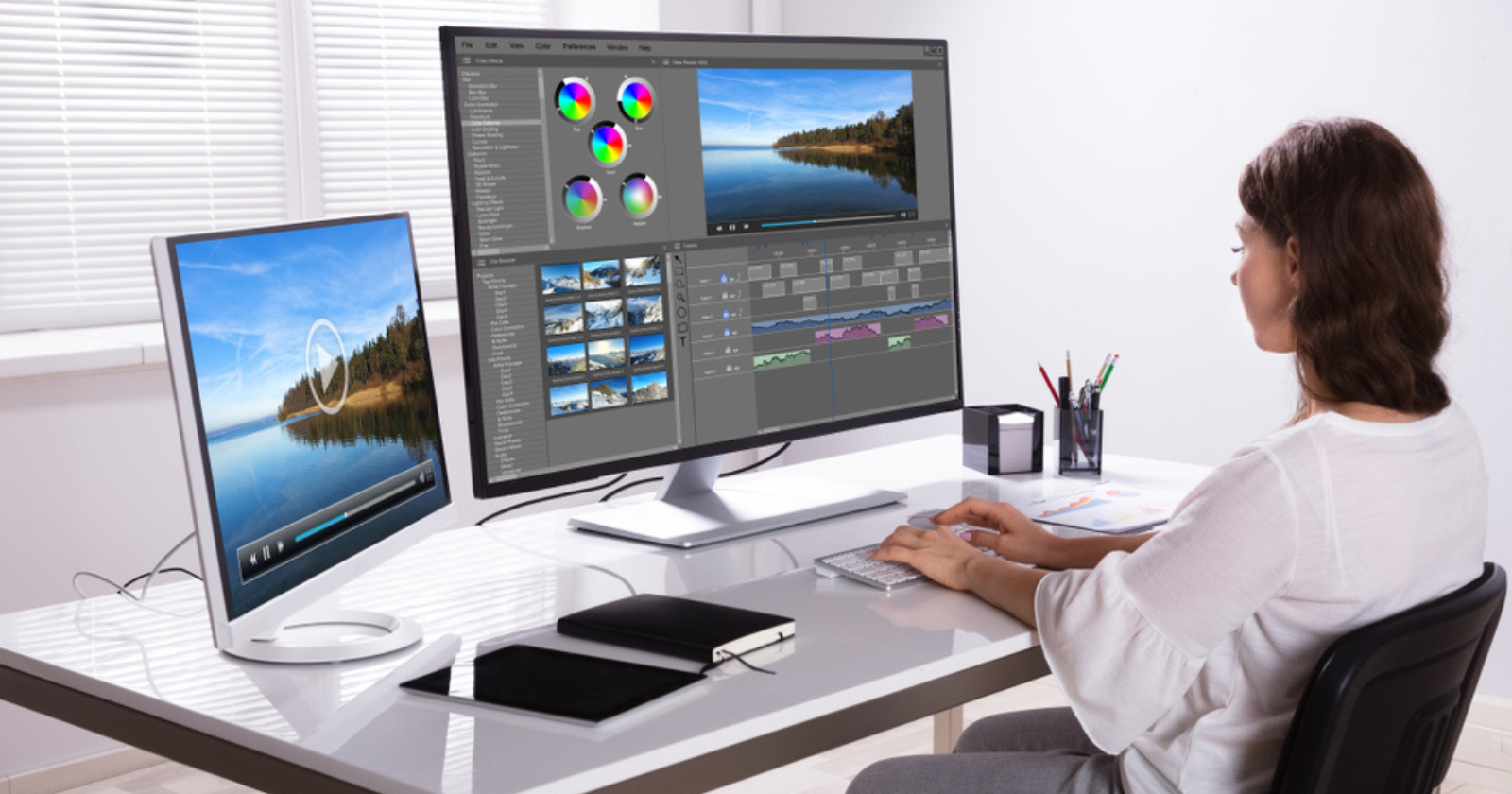
The best beginner video editors pick software that helps them create a finished video quickly, while also allowing them to upgrade as their skills improve.Below is a list of nine strong options, along with details about who each tool is best for, where it shines, and what users should look out for.
- Crayo: an AI-focused short-form editor that turns prompts into polished vertical videos.
- PowerDirector: a feature-packed, fast performer that balances being easy to use with advanced tools.
- Apple iMovie: a simple, guided editor that works well with Apple devices.
- Adobe Premiere Pro: a professional-grade NLE that has strong collaboration features and AI help.
- Final Cut Pro: Apple’s professional tool with a trackless timeline and excellent performance.
- Adobe Premiere Elements: a user-friendly version of Premiere offering guided edits and easy controls.
- DaVinci Resolve: a powerful free option that gives you studio-level color and audio tools.
- Microsoft Clipchamp: a browser-friendly editor with templates and built-in speech-to-text features.
- CapCut: a mobile-first app driven by templates, ideal for social trends and quick updates.
How do I pick the right tool for my goals?
Match the tool to your main output, and consider how much time you want to spend learning. If your focus is on vertical shorts and speed, pick editors that help automate cut pacing, captions, and aspect ratios.On the other hand, if you plan to color grade, mix audio, or work with a team later, choose a tool with clear upgrade paths. This way, you won't have to start learning the basics all over again.
Why Does Interface Simplicity Matter So Much for Beginners?
Simplicity reduces friction and helps users focus on editing rather than navigating complicated menus. According to That Creative Hub, "Over 70% of beginners prefer using software with a simple interface." This preference shows how popular template-driven apps and guided workflows are during onboarding and early practice.
What does broad adoption tell you about tool choice?
High download numbers indicate stronger communities, more tutorials, and a larger ecosystem of presets and templates.In 2025, The Creative Hub reports that over 50 million users have downloaded beginner-friendly video editing apps. This large number makes it easier to find help for specific problems when you encounter them.
1. Crayo
Who it’s for
You want quick, attention-grabbing vertical clips without learning timelines. Crayo is designed for creators who prioritize speed, captions, and trend-driven pacing over frame-by-frame tinkering.
Key strengths
AI-driven assembly of clips, auto-subtitling tuned for social attention spans, and templates that map directly to TikTok, Reels, and Shorts formats.
Practical tip
Treat Crayo as a production accelerator: use it to crank out iterations, then pick one to refine in a more traditional NLE when you want higher control.
2. PowerDirector
Who it’s for
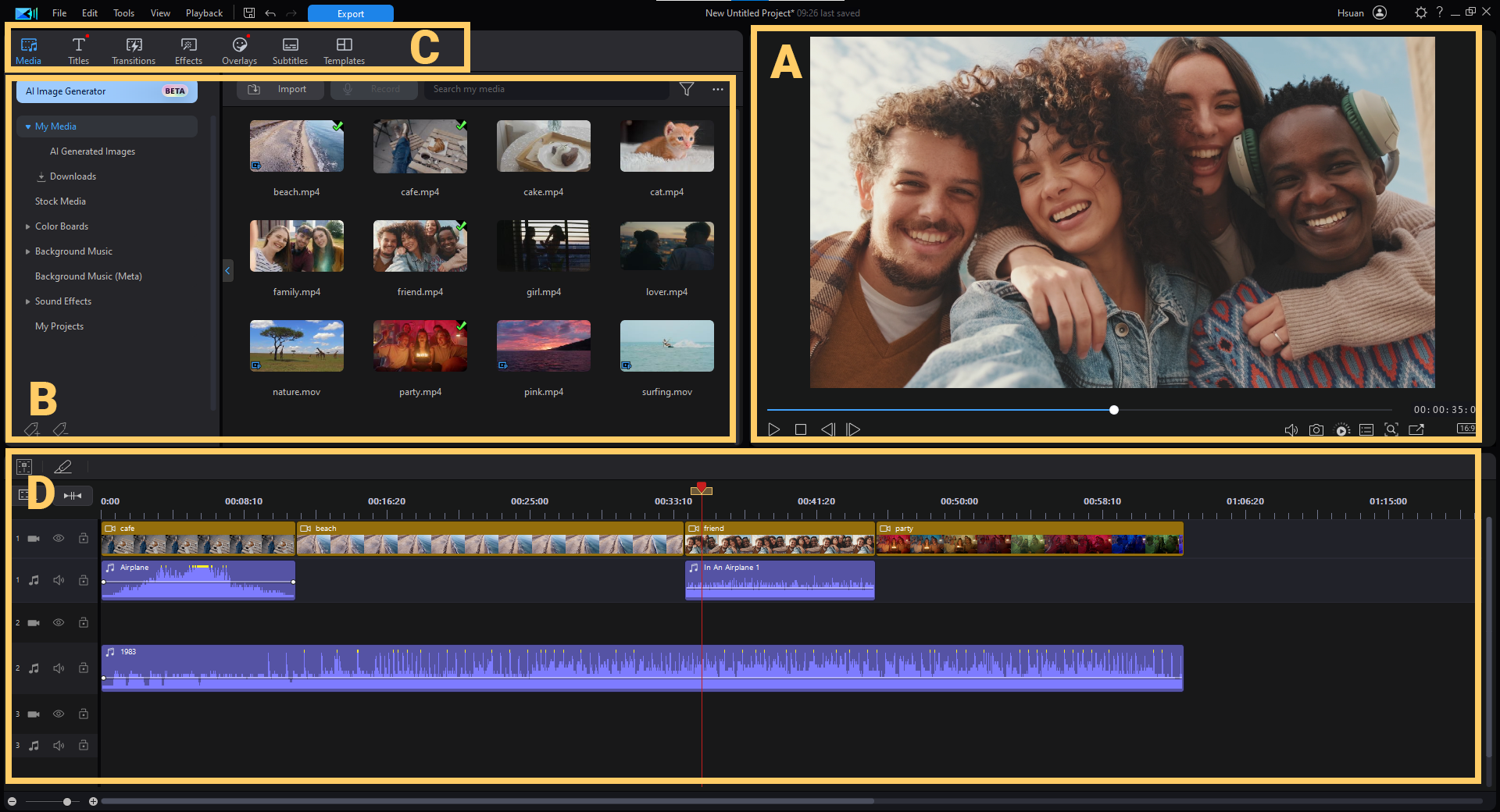
Editors who want a smooth step up from basic apps into power features, without the intimidation of high-end NLEs.
Key strengths
Fast rendering, robust multicam and motion tracking, plus a growing suite of generative AI tools for captions and effects.
Pros
Good balance of usability and features, strong performance on consumer hardware, and wide codec and format support.
Cons
There are so many options that it can overwhelm you at first; learn the five tools you use most and ignore the rest until you need them.
3. Apple iMovie
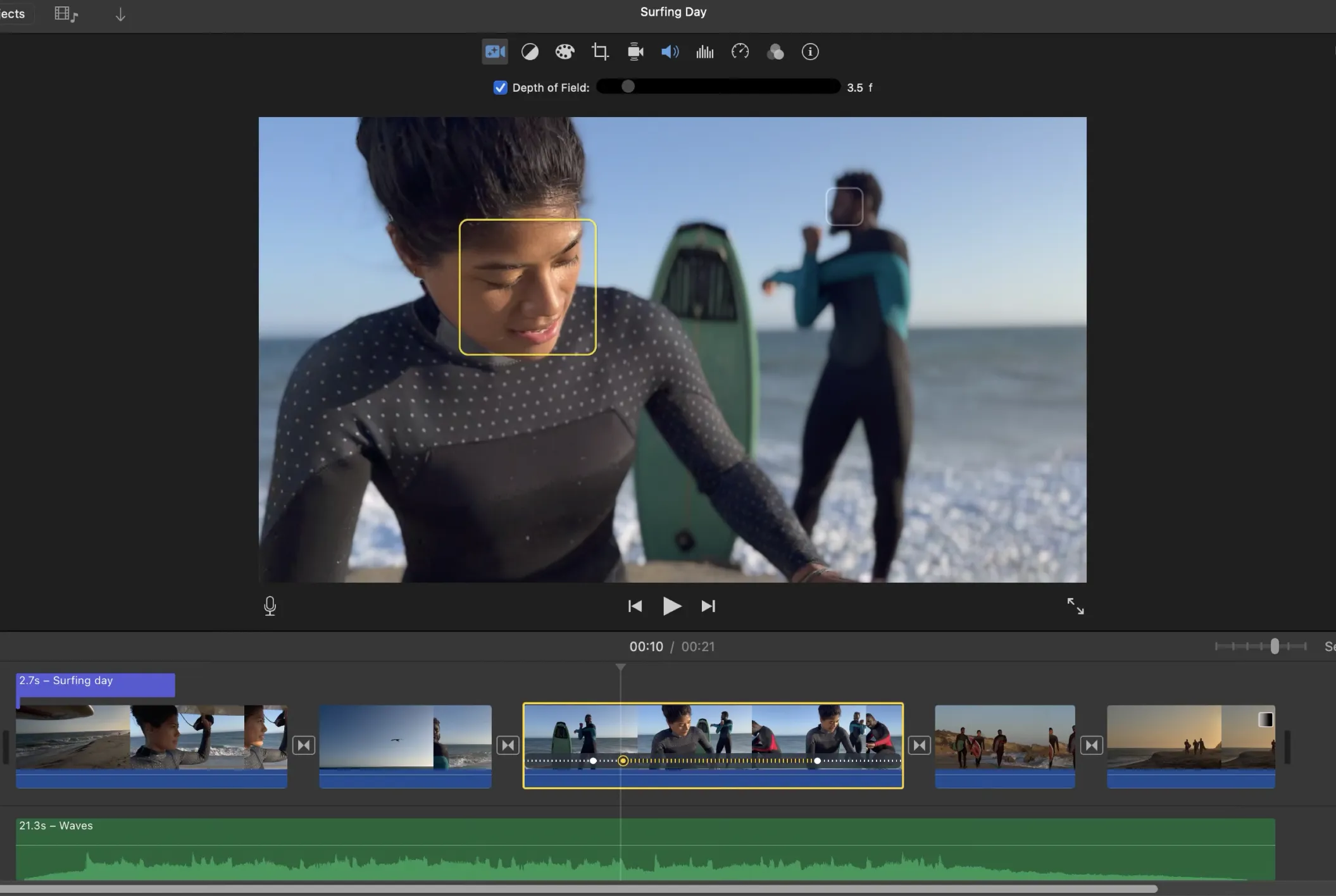
Who it’s for
People who shoot primarily on iPhones or iPads and want guided, fast assembly with clean templates.
Key strengths
Storyboard-driven movie creation, preserved iPhone-specific features like Cinematic mode, and straightforward export to Apple sharing channels.
Pros
Simple interface and helpful templates that teach shot choices.
Cons
Limited track layering and no multicam, so it caps out as projects grow complex.
4. Adobe Premiere Pro
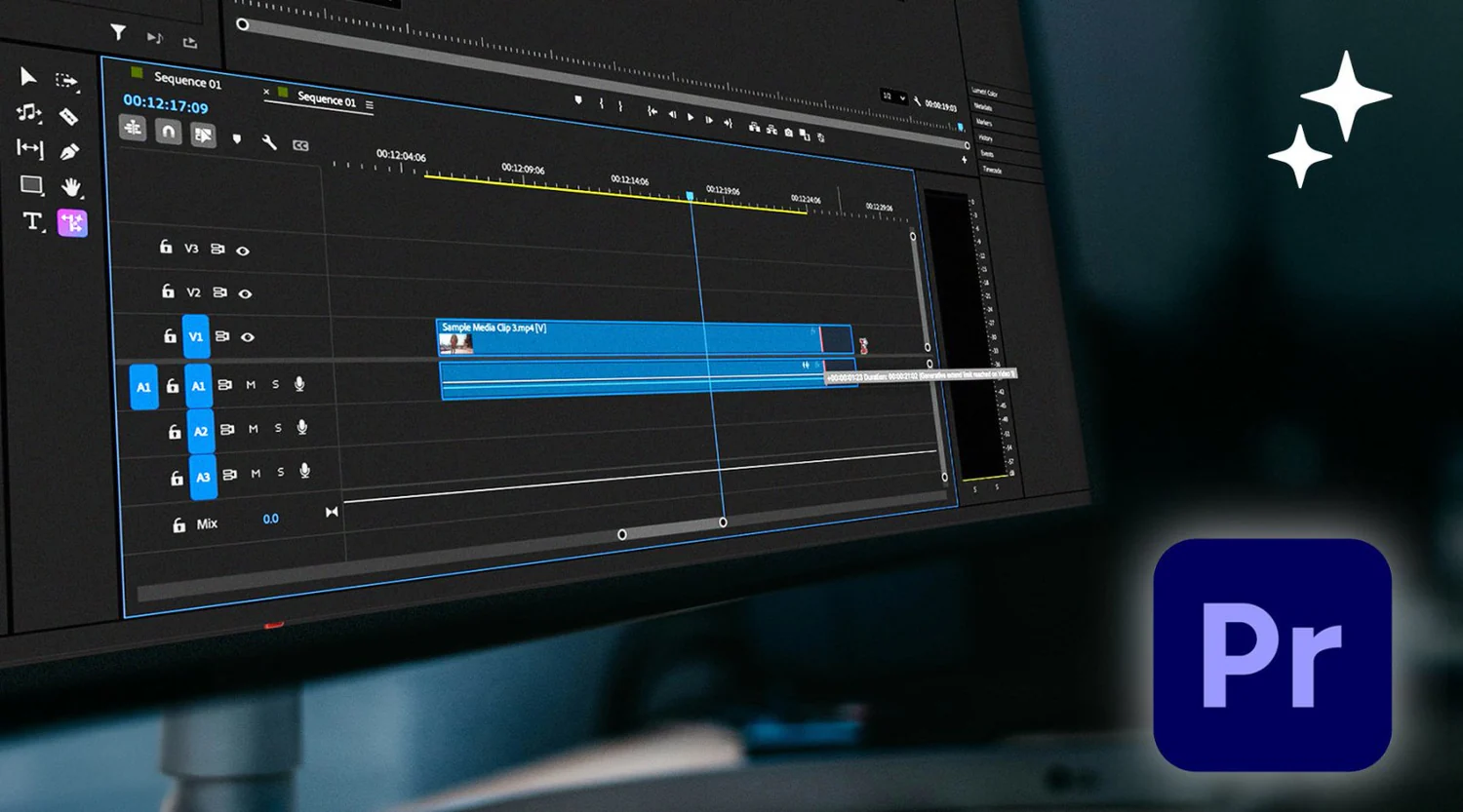
Who it’s for
Ambitious learners who intend to collaborate with professionals, integrate with Adobe Creative Cloud, or eventually take on complex paid work.
Key strengths
Advanced color tools, collaborative workflows, text-based editing, and industry-standard interchange formats.
Pros
Extremely flexible, excellent stabilization, and multicam, frequent AI enhancements.
Cons
Steeper learning curve and ongoing subscription costs.
5. Final Cut Pro
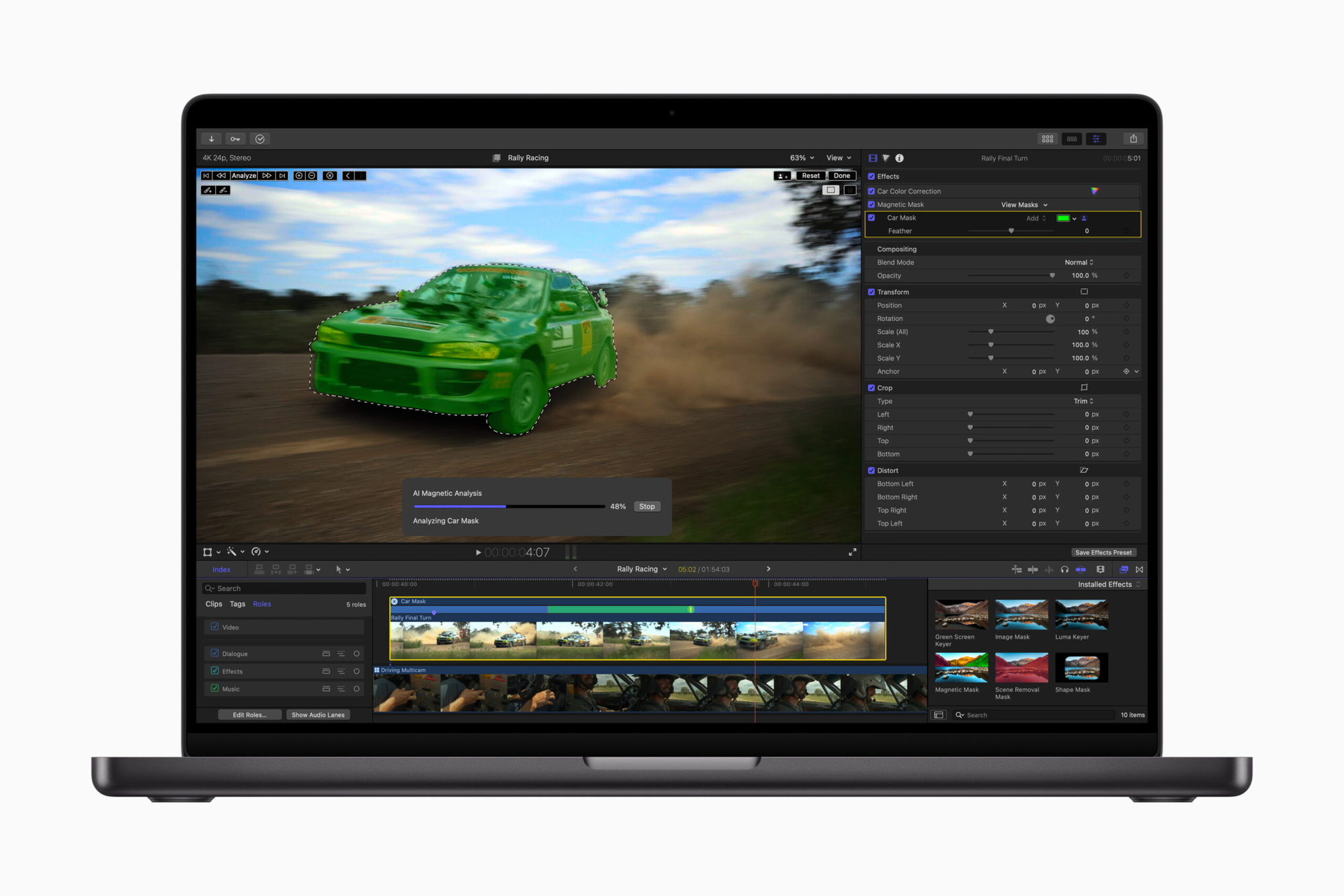
Who it’s for
Apple-centric editors who want pro power plus a different timeline model that rewards organization.
Key strengths
Magnetic, trackless timeline for fast rearrangement, high performance on Macs, and strong multicam support.
Pros
Fast exports, great organizational tools, and excellent integration with the Apple ecosystem.
Cons
Some export and third-party workflow steps require extra tools.
6. Adobe Premiere Elements
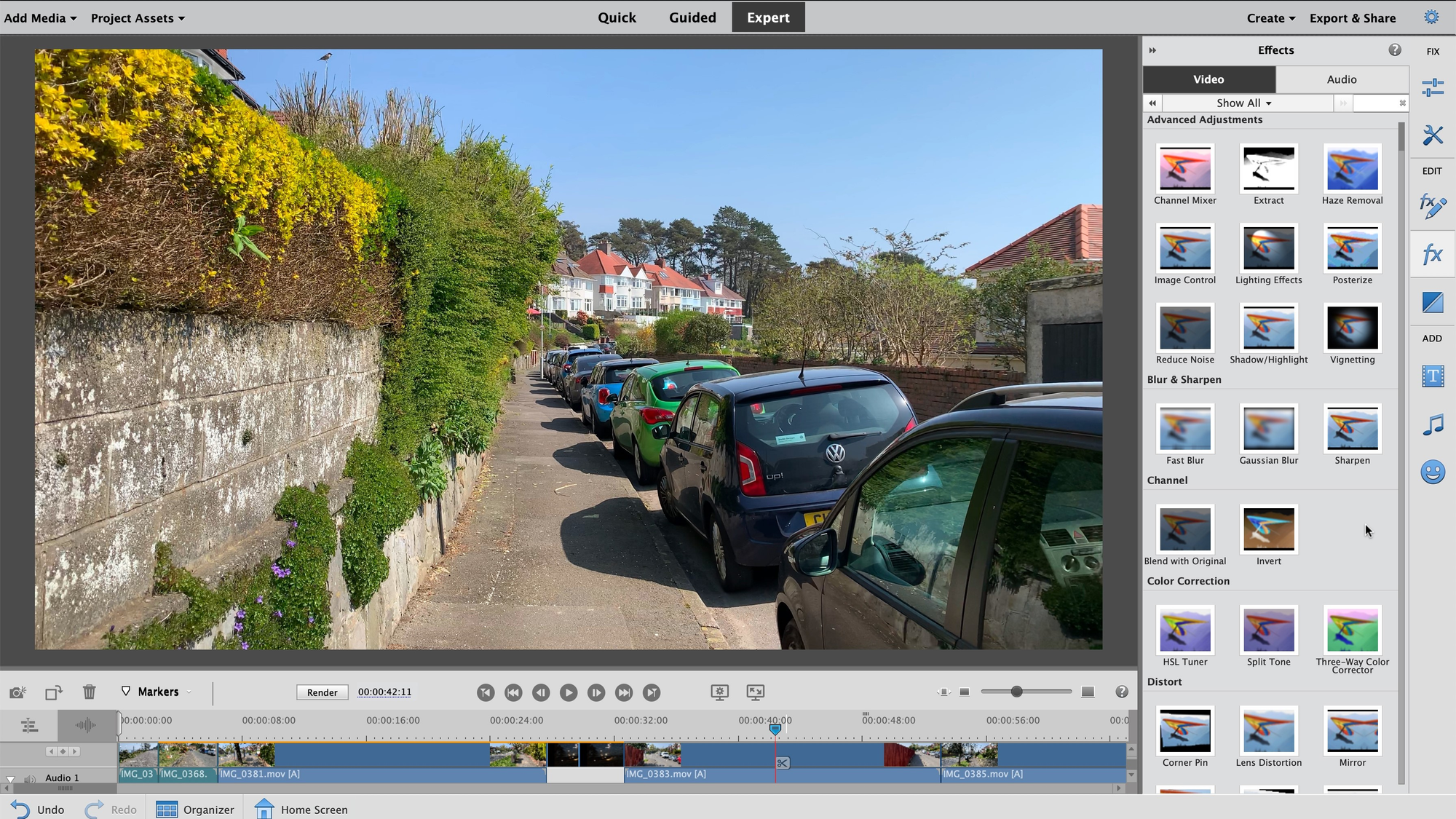
Who it’s for
Editors who like the Premiere family but need simple, guided tools and a lower commitment.
Key strengths
Guided Edits that hide complexity behind step-by-step flows, and basic but useful effects you can apply quickly.
Pros
Good stepping stone toward Premiere Pro, cross-platform support, and faster learning curves than Pro Tools.
Cons
License limits and fewer advanced features, like multicam.
7. DaVinci Resolve
Who it’s for
Learners ready to invest time to master one app that scales from free hobbyist use to studio-level color and audio work.
Key strengths
World-class color grading, node-based effects, and an unusually powerful free tier.
Pros
Comprehensive toolset for picture, audio, and finishing.
Cons
Resource-heavy and a steeper technical learning curve than most beginner apps.
8. Microsoft Clipchamp
Who it’s for
Windows users and teams who prefer working in a browser with templates and quick exports.
Key strengths
Built-in screen recording, AI speech-to-text, and a range of templates for social and marketing pieces.
Pros
Included on many Windows installs, fast template-led workflows, and useful stock assets.
Cons
Some advanced features sit behind a subscription, and templates can be limiting if you need precise shot direction.
9. CapCut
Who it’s for
Creators who want mobile-first speed, trendy effects, and templates tuned to viral formats.
Key strengths
Easy clip trimming, trend templates, and simple export to social platforms.
Pros
Strong mobile UX, fast iteration cycle, and lots of plug-and-play effects.
Cons
Less control for detailed color or audio work, so move to a desktop NLE when projects demand that.
What pattern do beginners typically follow?
A pattern seen with beginners shows the real cost of familiar workflows. When new creators took part in a three-month training series, two trends were clear: most participants started by putting clips together on their phones and sending files through messages, since this method is quick and easy. While this approach works really well for a few fast pieces, challenges arise as expectations grow. Problems like caption timing slipping, too many versions appearing, and small formatting errors can significantly impact reach on platform feeds.Tools like Crayo provide centralized assembly, automated captions, and export-ready aspect controls. These tools help teams move from scattered drafts to consistent deliverables while eliminating repetitive formatting work.
How can I think about my video editing tools?
A short and clear analogy: choosing an editor is like picking a camera lens. A wide-angle, fast lens helps you take good pictures quickly and teaches you important composition skills.However, you will eventually need to buy a telephoto or macro lens to tackle specific challenges. Start with the lens that gives you the best overall education, then add new equipment as you notice areas where you can improve your work.
What is the final consideration in choosing an editor?
One last practical filter before making a choice is to ask: what problem needs to be solved today, and which problem is worth learning about for the future? If the immediate goal is consistent social output, select a tool that automates captions and aspect ratios. For those aiming for a paid career in post-production, it's better to start with a tool that offers a pro upgrade path. This ensures that early work can move smoothly into professional pipelines.
That straightforward choice may seem final, but it shows the single habit that makes learning optional and growth unavoidable.
Related Reading
- Video Editing Workflow Checklist
- PC Specs for Video Editing
- How To Start Editing Videos
- How To Practice Video Editing
- Mac Vs Pc For Video Editing
- How To Make A Video Editing Portfolio
- Video Editing Tips And Tricks
- How To Make Money Video Editing
- Best Free Video Editing Apps For Android
- How To Organize Video Files For Editing
- How To Edit Video In Google Drive
- Creative Video Editing Techniques
“Start Your Video Editing Career Without the Learning Curve”
When the learning process takes weeks and clips never reach clients, momentum dies, and possible income stays just a thought. Teams usually speed up when they use tools like Crayo, which turns rough ideas into publishable short videos quickly.This speed helps them build a portfolio that attracts paying jobs and lets testers see whether short-form editing can develop into a dependable career, without spending months on costly software. clip creator tool
Related Reading
- Best Drone Video Editing Software
- Best Video Editing Software For Music Videos
- Best Video Editing Software For Sports Highlights
- Best Video Editing Software For Content Creators
- Best Video Editing App For Pc
- Best Paid Video Editing Software
- Best App for Video Editing on iPad
- Best Songs For Video Editing
- Best Video Editing Software For Vlogging
- Autopod Alternative