Content creators often balance raw footage, artistic vision, and strict deadlines. Editing software that supports a range of video editing—from simple cuts and transitions to advanced color grading and visual effects—enables creators to transform scattered clips into professional-quality content. A thoughtful choice in tools ensures that even demanding projects evolve smoothly into polished productions.
Efficient editing merges speed with precision, enabling creators to maintain quality across diverse platforms. The right software adapts to diverse creative needs while streamlining workflows, so tight schedules do not compromise visual appeal. Integrated with intuitive controls and automated features, the clip creator tool offers a practical solution that enhances production efficiency.
Summary
- Most content creators spend 6 to 10 hours editing a single video because traditional editing software was designed for long-form film productions, not rapid-turnaround social content. The complexity that makes these tools powerful for Hollywood projects becomes a bottleneck when you're trying to produce daily TikToks, Reels, or YouTube Shorts. Simple tasks like trimming clips or resizing for different platforms require multiple steps and technical knowledge that have nothing to do with storytelling.
- Creators who post on a regular schedule grow three times faster than those who publish sporadically, according to HubSpot's 2024 Content Marketing Report. When editing drags on for hours, upload schedules become irregular, and audiences move on to creators who show up consistently. The real damage isn't visible in a single session but compounds over weeks and months, creating a widening gap between where you are and where you could be.
- Over 60% of creators cite production workload, not filming, as their primary source of burnout, according to Buffer's 2024 State of Social survey. Long editing sessions drain the creative spark that made you want to create in the first place, turning what should be an enjoyable process into exhausting mechanical labor. When slow editing limits your output to one video per week instead of four, you're leaving money on the table as brand deals and ad revenue scale with volume.
- AI-powered editors consistently score 4.8 out of 5 in user ratings because they remove friction between ideas and published videos, according to Colossyan's aggregate analysis. These tools automatically cut clips, generate synced captions, add B-roll visuals, and apply templates that match your content style, reducing what used to take two hours to 30 minutes. You don't start with a blank timeline; you start with a structure that's already 80% complete.
- A workflow removes guesswork and eliminates rework by separating creative decisions from mechanical execution. When you outline the story before cutting, build the rough cut fast using auto-features, and review once instead of ten times, editing becomes predictable and repeatable. The first time you follow this system it might take three hours, but by the tenth time, you'll finish in 90 minutes as repetition creates muscle memory.
- Crayo's clip creator tool compresses the entire editing workflow into three steps (upload content, choose a style, export in minutes) by handling silence removal, caption syncing, and platform formatting automatically.
Why Most Content Creators Struggle to Edit Videos Quickly
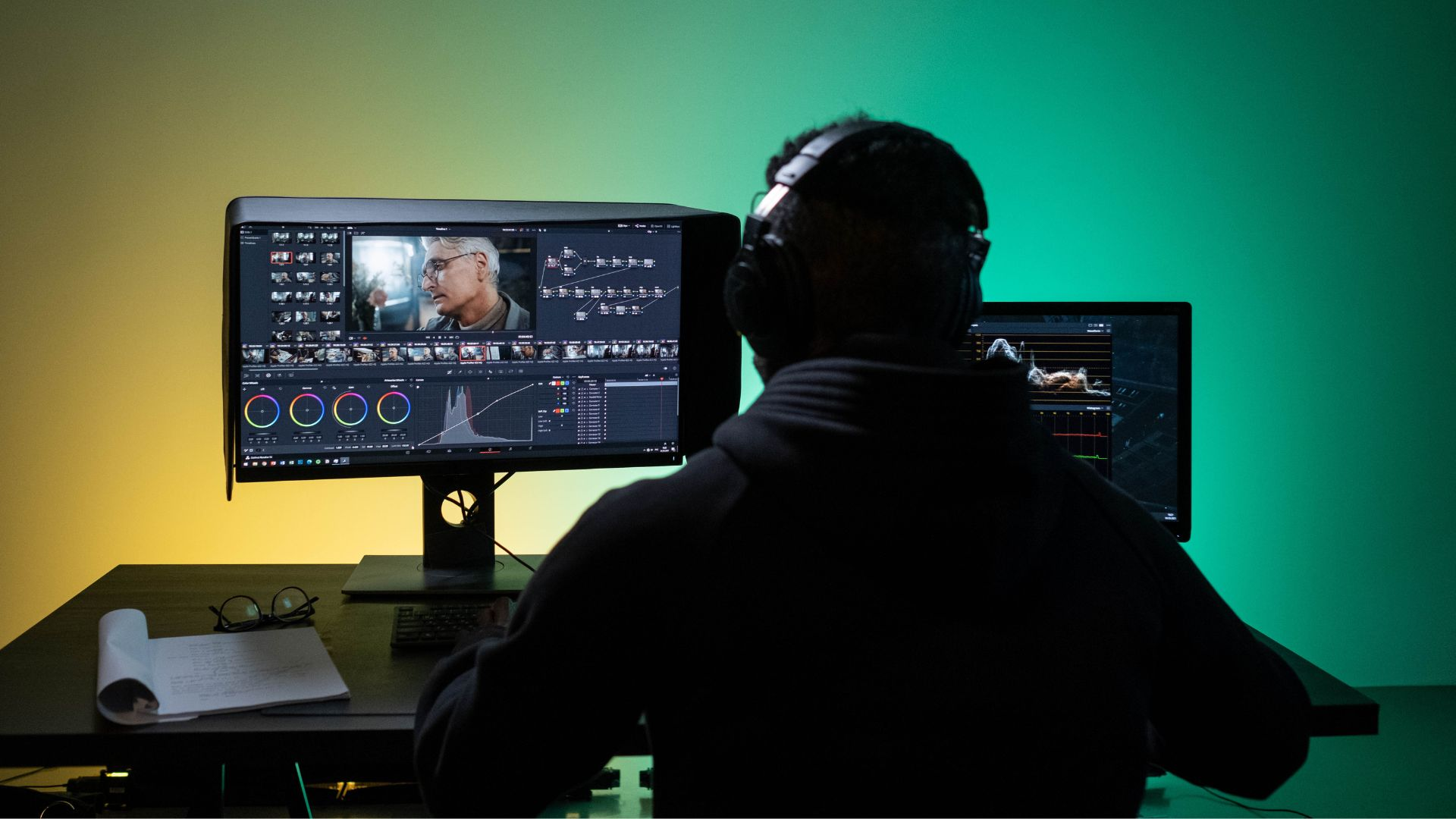
Most content creators spend 6 to 10 hours editing a single video. This happens not because they lack skill, but because their tools and workflows are not made for speed. Traditional editing software was designed for long-form productions such as movies and documentaries, where getting everything just right is more important than speed. When creating daily TikToks, Reels, or YouTube Shorts, this same method can slow things down, turning simple edits into long sessions.
The real issue isn't talent; it's the gap between what modern content creators need and the legacy editing methods. Many creators start their editing experience with software designed for Hollywood films. These tools offer incredible control over every frame, layer, and effect.However, this level of control can be complicated. Creators often spend more time navigating menus, learning keyboard shortcuts, and troubleshooting settings than on editing their videos.
Research from Muhammad Salman Abazai shows that most videos lose viewer interest within the first 3 seconds. If editing software needs five clicks just to trim a clip, creators are already fighting against short attention spans. Although the software works well for its original purpose, it does not support quick content creation.
Simple tasks that should take seconds can turn into minutes. For instance, resizing a video for different platforms can be time-consuming.Adding captions often requires exporting the video, uploading it to another tool, and then importing it back into the original tool. Each small choice needs technical knowledge that has nothing to do with storytelling.
How does a lack of systems affect editing?
Most creators open their editor without a clear system. They import files as they remember them, cut clips in whatever order works best, and add effects at the end if time allows. This way may seem flexible, but it really creates chaos.
You end up redoing work because you forgot to save a version. You duplicate effort because you can't remember which clips you already reviewed. You waste mental energy making the same small decisions repeatedly instead of building a repeatable process. The project sprawls across your timeline like a messy desk, and every edit session starts with five minutes of trying to figure out where you left off.
Without a structured workflow, every video feels like starting from scratch. The stress builds as timelines stretch. What should be routine quickly becomes exhausting. Utilizing our clip creator tool can help simplify this process, allowing you to focus on your creativity rather than the chaos.
What are the manual tasks in traditional editing?
Traditional editing means doing everything by hand. Editors review the footage to remove all silence. They match audio tracks frame by frame and type out captions, changing their timing and formatting them one by one. Also, videos are resized manually for Instagram, then again for TikTok, and once more for YouTube.
Each task might seem small, but together they add up to hours. This work isn't creative; it's repetitive, boring, and exhausting. Editors aren't making artistic choices; they are doing digital assembly line work. To streamline this process, consider how our clip creator tool can save valuable time.
Why do creators struggle with editing time management?
The frustration isn't just about time; it's also about realizing that the real creative choices, like which clips to use, how to structure the story, and which message to highlight, make up only about 20% of your editing time. The other 80% is spent on mechanical work that adds no creative value.
To complete everything, creators often switch between applications. One tool is for cutting, another for captions, a third for thumbnails, and a fourth for formatting. Every time you switch, you have to export a file, wait for processing, open another app, import the file again, make changes, and repeat the process.
Your workflow quickly becomes scattered. Files pile up in folders named "final_v3_ACTUAL_final," making it hard to determine which version includes specific edits. Cloud storage gets filled with copies, and making simple changes requires re-uploading large video files just to change one part.
How does context switching impact creativity?
Context switching can really hurt momentum. Every time someone switches to a new tool, they have to relearn it, remember what they were trying to do, and navigate its unique features. By the time they are done, they often lose the creative spark that inspired the edit in the first place.Our clip creator tool helps streamline the editing process, allowing creators to maintain their flow and focus on their creativity.
Why is learning from tutorials unhelpful?
Most creators learn editing through YouTube tutorials, with each video showing a different approach. One creator adheres to a specific workflow, while another completely disagrees with it. After watching ten tutorials, you might end up with ten conflicting approaches, none of which really meet your specific needs.
This lack of consistency happens because you're always trying out new techniques without understanding why they work or when to use them. The result is a patchwork of half-learned skills that do not come together into a complete system. While you can use individual tactics, creating a sustainable process remains difficult.
The confusion is not your fault. Traditional editing education often assumes you have weeks to learn a tool before you have to create anything. In reality, content creators need to publish videos tomorrow. See how Crayo can help you with that at Crayo.
Are perfectionism and fear affecting editing speed?
You rewatch the same three-second clip ten times, changing the timing by single frames. You fixate on a transition that 99% of viewers will never consciously notice. You might spend an hour adjusting the colors of a shot that only appears for five seconds in the final video.
This isn't just about having high standards; it's about losing sight of what really matters to your audience. Viewers care about the story, the value, and the entertainment. They don't notice whether your cut occurred at frame 47 or 51.
Perfectionism in editing often stems not from a pursuit of quality, but from fear. Fear that the video isn't good enough, fear that you missed something obvious, and fear that viewers will judge you for small mistakes. As a result, you keep adjusting, reviewing, and second-guessing, which is making the project take much longer than necessary.
How can automation improve the editing process?
When traditional editing software requires hours of manual work to produce a basic short video, platforms like Crayo reduce that time by automating tasks such as caption generation, audio syncing, and format resizing. This lets creators focus on telling their story.The three-step workflow handles the mechanical tasks in minutes, not hours, without needing advanced technical skills. Think about a creator making a five-minute video. They spend one hour cutting the footage from raw clips, another hour adding captions and adjusting their timing, and another hour resizing and formatting for different platforms.Finally, they might spend two more hours fixing minor errors, re-exporting, and troubleshooting issues that arose during the process.
This adds up to a minimum total time of five hours, not because the creator is slow or inexperienced, but because each step requires manual work, and the tools they use were never designed for rapid content production.
The idea that fast editing requires professional skills made sense when software was difficult to use. Today, though, speed is more about choosing the right tools and creating efficient workflows than having raw technical skill. Our clip creator tool further streamlines the process, allowing creators to focus on their content rather than technical details.
But time isn't the only thing that decreases when editing takes hours.
Related Reading
- Types of Video Editing
- Long Does It Take to Edit a YouTube Video
- How Long Does It Take to Edit a Music Video
- What Is an Overlay in Video Editing
- Is CPU or GPU More Important for Video Editing
- Can I Edit a YouTube Video After Posting
- Is Video Editing a Good Career
- Beginner’s Guide to Video Editing
- Video Editing Basics
The Hidden Cost of Slow and Inefficient Video Editing
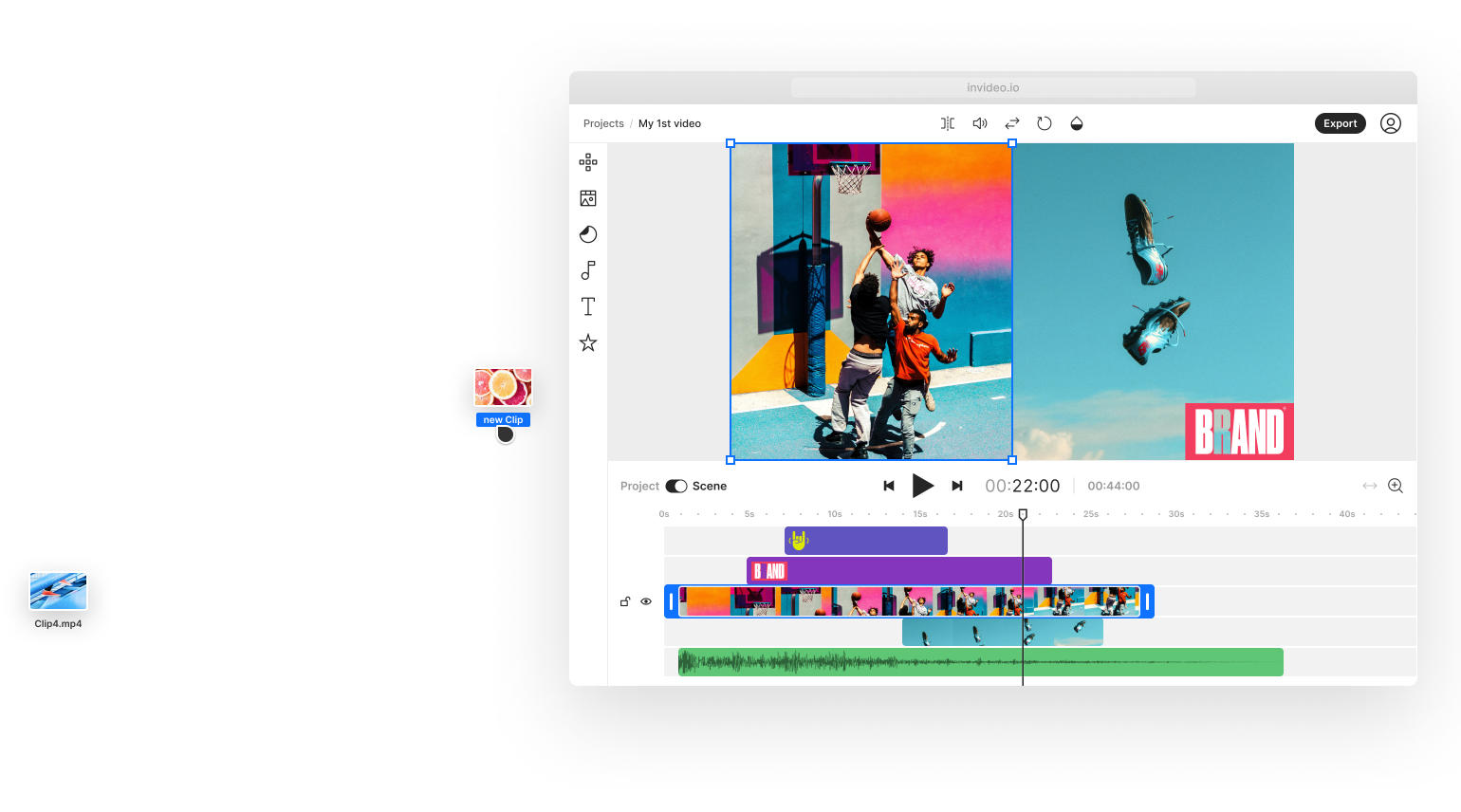
Slow editing doesn't just waste time; it quietly stops your growth, income, and confidence as a content creator. Every hour spent manually trimming clips, syncing audio, or typing captions is an hour your competitors use to publish, test, and try new things.The real harm isn't seen in just one session; it builds up over weeks and months, making a gap between where you are and where you could be. Using our clip creator tool can help streamline this process.
When one video takes six hours to edit, the natural response is to avoid the work. The project sits in your timeline, half-finished, while you tell yourself you'll get to it tomorrow. Tomorrow becomes next week, and next week turns into "when I have more energy." As a result, your upload schedule becomes irregular and then disappears.
How does slow editing affect your audience?
Your audience doesn't wait; they scroll past your channel and find someone else who shows up regularly. According to HubSpot's 2024 Content Marketing Report, creators who post on a regular schedule grow three times faster than those who publish occasionally. Consistency isn't about being perfect; it's about being there. When editing takes too long, presence disappears. Our clip creator tool streamlines your editing process and helps you stay on trend.
Trends move quickly. A sound goes viral on Tuesday; by Thursday, it's everywhere. By Saturday, it's old news. If you're still editing Tuesday's video on Friday, you've already missed out.
What happens when you miss the trend?
Creators often produce reaction videos on trending topics and spend two days polishing the edit. Unfortunately, by the time they publish, the algorithm has moved on. As a result, their video might get only 200 views, while someone who edited the same idea in an hour might get 200,000 views. The biggest difference isn't just talent, it’s turnaround time.
Viral chances come with expiration dates. Slow editing means creators are always trying to catch up with what has already happened, instead of taking advantage of the wave while it’s still growing.
Does editing impact your creativity?
Long editing sessions drain more than just time; they take away the part of you that wanted to create. Sitting at your desk for hours, switching transitions and adjusting audio levels, can make the creative spark that got you excited about making the video feel distant.
Buffer's 2024 State of Social survey found that over 60% of creators cite production workload as their primary cause of burnout, not filming itself. Editing becomes a chore that distracts from the creative process. As a result, you may start to dread the work.When your motivation fades, you post less, not because you lack ideas, but because the process exhausts you. If you're looking for a more efficient way to edit, our clip creator tool can streamline your workflow and help you get back to being creative.
How does editing frequency affect monetization?
Fewer videos mean fewer opportunities to generate revenue. Brand deals usually go to creators who produce content regularly. Sponsorships need proof that a creator can deliver on time.Ad revenue depends on how much content is produced; when slow editing limits output to one video per week instead of four, you're leaving money on the table.
Think about two creators with similar skills who start at the same time. Creator A spends eight hours on each video and releases one every week. On the other hand, Creator B uses quicker workflows and releases four videos each week. After three months, Creator B has gathered enough data to see what works, enough content to attract sponsors, and enough momentum to negotiate better rates.Meanwhile, Creator A is still trying to figure it out. Speed doesn't just increase visibility; it also directly affects income.
How does doubt come into play?
When editing takes a long time, it's easy to start blaming yourself. Watching other creators publish daily can make you think they have more talent, better discipline, or are just faster by nature. In reality, the truth is often simpler: they are using different tools and ways of working. Our clip creator tool can significantly streamline your editing process.
The belief that speed equals skill seems true, especially when editing software looks intimidating. Tutorials often make things more confusing, making everyone online seem more advanced. This can lead you to think that you are the problem.You may feel that you're not fast enough or not good enough. You might even wonder if you're cut out for this.
How does editing fatigue impact your confidence?
That doubt grows. The fear of starting new projects comes from knowing how long they will take. Trying new things becomes less attractive when time seems wasted on uncertain outcomes. Your confidence fades not because you lack skills, but because your tools make everything harder than it should be.
If you spend six hours editing instead of two and post three times per week, you waste 12 extra hours each week. Over a year, this totals more than 600 hours. That equals 25 full days spent on repeating tasks that could be automated with our clip creator tool.
What could you achieve with those lost hours?
Think about what you could do with 600 hours. You could learn a new skill, build relationships with your audience, pitch clients, or take time to rest. Instead, you're spending that time manually trimming silences and typing captions one word at a time.
The cost isn't just the hours themselves; it's the opportunity cost of what those hours could have built. Every minute spent on mechanical editing labor is a minute not spent on strategy, storytelling, or growth. Our clip creator tool can streamline your editing process, allowing you to focus on what really matters.
How do platforms like Crayo help?
When creators switch to platforms like Crayo, they turn long tasks such as caption creation, audio syncing, and format conversion into a simple three-step process that takes only a few minutes, rather than hours. The time saved accelerates video production and expands what can be accomplished in a week, a month, or even a year.With our clip creator tool, you can further enhance your productivity and focus on creativity. Many creators think that editing has to be hard. This idea makes sense because older software was made to be complicated.For many years, manual cutting was the norm, and automation had not yet taken hold. AI tools were either hard to find or not easy to use.
Have tools made editing easier?
Feeling like you're struggling is normal. You might think that everyone spends hours on simple edits because that’s how it has always been. But that idea is outdated. The tools have changed. The workflows have improved. What took six hours five years ago can now take just two hours with the right approach.
The gap between what can be done and what most creators experience is larger than ever. Creators who recognize and adapt to this gap are the ones who grow, while those who think slow editing is just the way it is get left behind.
What is the core issue with slow editing?
The real question isn't why editing takes so long; it's whether the tools being used were ever designed for the job they are meant to do.
Related Reading
- Video Editing Workflow Checklist
- PC Specs for Video Editing
- How To Start Editing Videos
- How To Practice Video Editing
- Mac Vs Pc For Video Editing
- How To Make A Video Editing Portfolio
- Video Editing Tips And Tricks
- How To Make Money Video Editing
- Best Free Video Editing Apps For Android
- How To Organize Video Files For Editing
- How To Edit Video In Google Drive
- Creative Video Editing Techniques
The 10 Best Video Editors That Let You Finish Pro Videos in 2 Hours
Finishing a professional video in two hours requires more than speed; it means choosing tools that eliminate the manual work that often makes editing a long session. The editors listed below were picked based on three important reasons: how much repetitive work they cut down, how easy they are for new users to learn, and how quickly you can publish your work. Each editor focuses on a specific issue meant for a certain type of creator. If you're looking to create engaging content efficiently, consider using our clip creator tool to streamline your video production.
1. Crayo AI
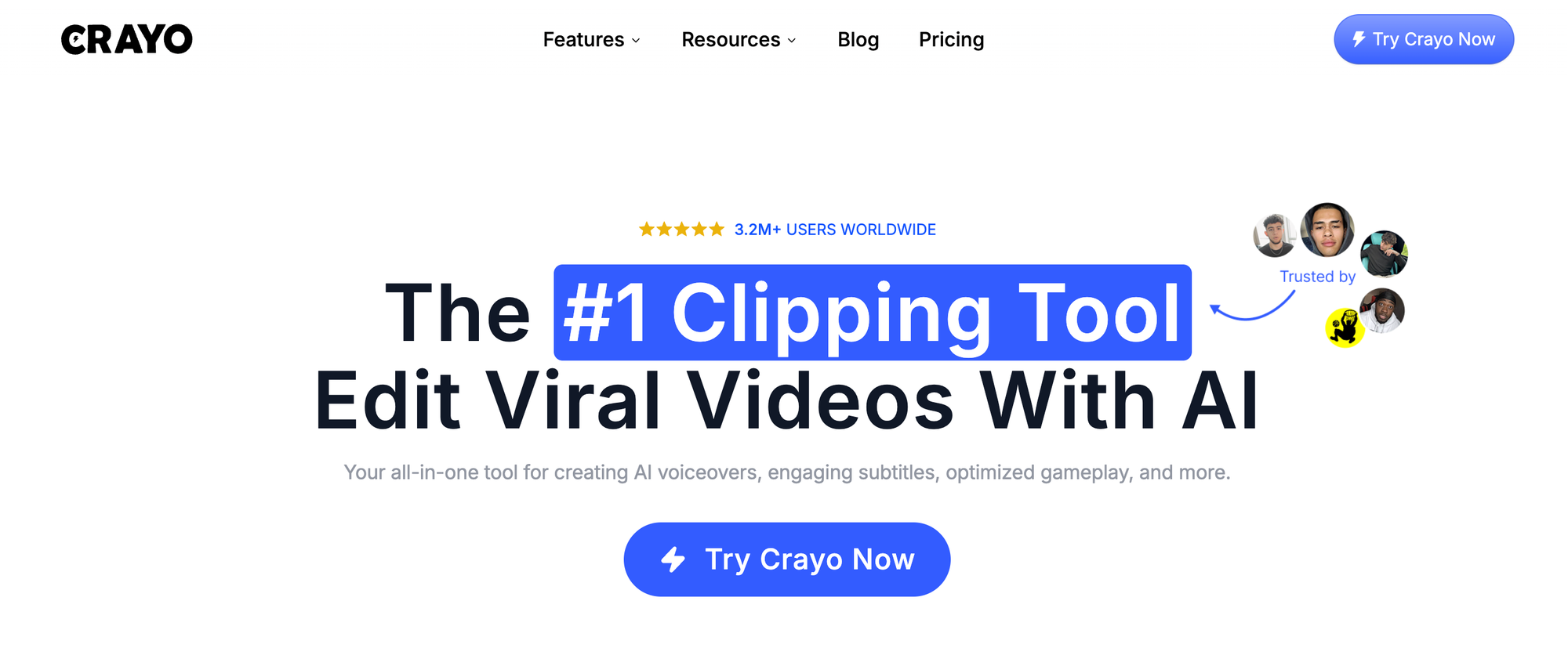
Best for: Short-form creators producing TikToks, Reels, Shorts, and faceless content.
Crayo uses AI to do tasks that usually take hours. It automatically cuts clips, creates captions with timing already synced, adds B-roll visuals, and uses templates that fit your content style. You don't start with a blank timeline; instead, you begin with a structure that's already 80% complete.
This workflow reduces what used to take two hours down to just 30 minutes. Instead of manually cutting out silences, writing captions, and formatting for different platforms, you just enter your script, choose a template, and export.The tool handles resizing, syncing, and formatting automatically. According to Colossyan's aggregate user ratings, AI-powered editors receive a high score of 4.8 out of 5 for making it easier to turn ideas into videos.
For creators who must post daily, Crayo transforms editing from a creative block into a simple system. You’re not battling the software; you’re using it to handle the busy work, so you can focus on finding the right clips and building your story. Our clip creator tool is designed to streamline your workflow and maximize efficiency.
2. CapCut
Best for: Mobile and desktop creators who need flexibility.
CapCut has built-in effects, transitions, and auto-captions that you can use without a subscription. The interface is easy enough for beginners, and it also offers features that let intermediate creators keep control. Pre-made templates eliminate the setup work that typically adds 20 minutes to each project.
The biggest benefit of CapCut is its speed. You can drag a clip into the timeline, apply a template, change the text, and you're done.There are no delays in rendering or complicated export settings. Videos can be ready in just one to two hours because the tool makes basic features easy to use, allowing you to explore clip creator tools that simplify the editing process.
3. Adobe Premiere Pro
Best for: Long-form YouTube creators and podcasters.
Premiere Pro is still the standard for professional editing. Its newer AI tools, like Auto Reframe, enable faster editing by streamlining workflows. Auto Reframe automatically adjusts video sizes for different platforms, saving the 30 minutes per export that manual cropping used to require. For those looking to streamline their video creation, our clip creator tool enhances editing efficiency and simplifies the workflow.
The learning curve can be tough, but once users understand the timeline, Premiere can handle complicated projects without crashing.For creators making 10- to 20-minute YouTube videos, reaching the two-hour mark is possible by using keyboard shortcuts and AI features to automate repetitive tasks such as syncing and resizing.
4. Final Cut Pro
Best for: Mac users who want fast rendering.
Final Cut Pro is designed for Apple computers, which enables faster rendering and smoother playback during editing. The magnetic timeline prevents accidental gaps and overlaps, reducing cleanup time and preventing sessions from running longer than needed.
For creators using MacBooks or iMacs, Final Cut eliminates lag. You can review footage without delays and apply effects without issues.This efficiency enables a two-hour workflow by working seamlessly with your hardware. Creators can also use our clip creator tool for a more streamlined editing experience.
5. DaVinci Resolve
Best for: Creators who need cinematic color grading.
DaVinci Resolve combines professional editing with top-quality color tools on one platform. Instead of exporting to another app for color correction, users can complete the entire process in the same workspace. This saves 20 to 30 minutes per project.
The free version includes nearly all features, making it a cost-effective option for budget-conscious creators who want professional results. While the interface may look complicated, once you learn it, you won’t need to switch between multiple tools.
6. Filmora
Best for: Beginners who want simplicity without sacrificing quality.
Filmora's drag-and-drop interface makes it easier for new creators to finish projects. With built-in effects and transitions, users don’t have to start from scratch.The learning curve is quite gentle, so you can complete your first video in just two hours, even if you have no prior experience. If you're looking for an intuitive way to enhance your videos, consider using our clip creator tool for additional support.
While the tool may not have all the advanced features of Premiere or Final Cut, it doesn't need those.For creators making simple content, Filmora has enough features to help you look professional without complicating the timeline.
7. iMovie
Best for: Casual Mac users who need quick edits.
iMovie makes editing easy by sticking to the basics. It offers simple cuts, easy transitions, and preset themes. It doesn't have advanced features or complex menus: just a timeline and a few tools that help users finish simple videos in under an hour.
For creators who don't need effects or advanced color grading, iMovie removes the obstacles between their footage and sharing it. It might not be the strongest tool available, but it is definitely quick. If you're looking for more advanced features, consider using our clip creator tool for smooth edits and enhancements.
8. VN Editor
Best for: Creators with low-spec computers
VN Editor works well on older computers without crashing or lagging. The timeline is easy to use, the presets are useful, and the tool doesn't need high-end specs.For creators who can't afford new equipment, VN eliminates the technical issues that make editing frustrating, including freezes and restarts. Our clip creator tool enhances your editing workflow, making it even smoother and more efficient.
Having a smooth workflow is important. When your editor doesn't crash, you don’t waste 15 minutes restarting and recovering files.This reliability can save you hours over the course of a week.
9. Shotcut
Best for: Budget creators who need full features without subscriptions.
Shotcut is open-source, so there are no monthly fees and no feature limits. It includes all the tools you would expect from paid software, such as multitrack editing, color correction, audio filters, and flexible formats. Although the interface might look old-fashioned, it still works well.
For creators just starting out, Shotcut removes the cost barrier. You won't be limited by subscription fees to professional tools.You can learn, practice, and publish without spending money. Our clip creator tool enhances the video-editing experience, making it easier for anyone to produce high-quality content.
10. InShot
Best for: Quick social media clips on mobile or desktop.
InShot focuses on quick trimming and instant resizing for Instagram, TikTok, and YouTube Shorts. The tool is not intended to be all-encompassing; it focuses on speed.Users can trim a clip, add text, resize for vertical formats, and export, all in 10 to 15 minutes.
For creators who post several times a day, InShot eliminates the hassle of editing. There’s no need to open a full editing program for a 30-second clip; instead, you use a tool made just for this purpose.
What is the new trend in editing?
Most editors still expect manual work: cutting, adding captions, arranging visuals, and designing the layout. This method was logical when there was no automation, but it is old-fashioned now.AI-first tools streamline workflows by automating repetitive tasks that account for 80% of editing time.
Traditional editing follows this pattern: Edit, adjust, fix, redo. In contrast, AI-first editing follows this pattern: Input, generate, publish. The difference is clear: it replaces two hours of manual work with just 15 minutes focused on creative choices.
Creators who finish videos in two hours aren't necessarily working harder; they are using tools that do the heavy lifting.Once you switch to software made for speed, two-hour videos stop feeling like an achievement and become the new standard.
Knowing which tools are available is only part of the answer; understanding how to use them effectively, like our clip creator tool, is key to boosting productivity.
The 2-Hour Editing Workflow
The tools matter less than the system built around them.You can have the fastest software, but if you treat every project like it’s your first time, you might spend five hours on a single video.A workflow takes away guesswork, avoids rework, and turns editing from a creative puzzle into a clear process that finishes on time.
When you follow a clear structure, editing becomes easier to predict. You know how long each step will take because you have done it the same way before. There is no confusion about where to start or what comes next. Decisions are easier, work speeds up, and stress fades away.
Most creators don’t set up a system. They open their editor, import the relevant footage, and figure things out as they go. While this freedom may feel creative, it creates disorder. Without a plan, you keep making little decisions that drain your energy and extend your timeline.A workflow solves this by deciding once how things should be done and then repeating that method until it becomes second nature.
Start by organizing everything before opening the editor. Make a folder for each project and label files clearly: raw_footage, audio_track, final_export. Spending ten minutes to sort now can save you thirty minutes searching later.When all your assets are in one handy spot with clear names, you won’t waste time looking for the right clip or wondering which version you exported last.
Next, outline the story before making any cuts. Write down your intro hook, main ideas, and final call to action.You don’t need a full script; just make it clear enough to show what each part does. Opening the timeline with a plan helps you execute it instead of creating everything on the spot, which greatly reduces decision fatigue.
Build the rough cut quickly. Cut out obvious mistakes, get rid of silent parts, and remove anything that doesn’t add to the story. Seeking perfection isn’t the goal; focus on creating the foundation, not polishing the final version. Use auto-cut features if they’re available.For dialogue, tools that automatically find and remove silence can save you 20 minutes per video.
Traditional editing requires you to manually scrub through footage, marking in- and out-points for every silence, filler word, and pause. If you produce content daily, this manual work adds up to wasted hours.Tools like Crayo automate silence removal, caption syncing, and visual layering, turning what used to take 90 minutes into a smooth three-step workflow. You just upload your content, select a template, and let the system build itself while you focus on storytelling rather than the mechanical side.
Next, add captions and visuals. Use AI-generated captions rather than typing them yourself. Apply preset effects instead of designing them from scratch.The goal isn’t to achieve uniqueness with every visual element; what matters is clarity and speed. Viewers care about the message, not whether every transition was custom-made. Presets are designed to save you from repetitive work; use them.
Format for all platforms at once. Resize for vertical, square, and horizontal formats together using batch export tools or auto-reframe features. Don’t export, review, and then resize again.Plan formats in advance so you can handle everything at once. This change can save you 15 minutes per video and stop the frustration of realizing you need a different size after you’ve finished the project.
Review once rather than multiple times. Watch the full video from start to finish and only fix mistakes that seriously disrupt the viewer's experience. A perfectly trimmed cut doesn't matter if the story flows well. An imperfect transition is okay as long as the pacing works.Resist the temptation to change minor details that won't affect video performance. The desire for everything to be perfect at this stage stems from fear, not from a focus on quality. Publish the video that works, not one that is flawless.
This workflow works well because it separates creative choices from mechanical tasks. You decide the story once during the outlining phase, set the structure during the rough cut, and polish things during the review. Each phase has a clear purpose and a time limit, which stops the overwhelming feelings that can come from trying to do everything at once.
Consistency helps you complete tasks faster. The first time you use this workflow might still take three hours. The fifth time, you could finish in two hours. By the tenth time, getting it done in 90 minutes might be possible.Repeating the process builds muscle memory; your hands will know where to click, and your brain will become accustomed to the routine. The workflow eventually becomes automatic, allowing you to concentrate on the creative decisions that really matter.
If you still spend half your day on a single video, the answer isn’t to work harder, but to use a tool made for speed. Crayo streamlines the entire workflow into three simple steps: upload your content, choose a style, and export in just minutes.No manual cutting, no caption typing, no resizing for different platforms: just ready-to-publish videos while others are still trimming their first clip.
Related Reading
- Best Drone Video Editing Software
- Best Video Editing Software For Music Videos
- Best Video Editing Software For Sports Highlights
- Best Video Editing Software For Content Creators
- Best Video Editing App For Pc
- Best Paid Video Editing Software
- Best App for Video Editing on iPad
- Best Songs For Video Editing
- Best Video Editing Software For Vlogging
- Autopod Alternative