Android smartphones now offer the power to produce high-quality videos that can match professional productions. Different projects demand a range of techniques, from basic cuts and transitions to complex color grading and effects. Free Android apps enable creators to explore a range of video-editing tools and quickly build their skills.
Users benefit from features that simplify tasks such as trimming clips, adjusting audio, and applying filters, making the learning curve less steep. Advanced tools automate time-consuming edits while preserving creative control and enabling fine-tuning. Integrating efficient automation with intuitive design, Crayo's clip creator tool streamlines editing tasks, allowing creators to focus on their storytelling.
Summary
- Most beginners fail at mobile video editing not because they lack talent, but because they practice without direction. Adobe's Future of Creativity report found that creators who follow structured learning paths improve 2 to 3 times faster than those who rely on scattered tutorials. The difference isn't effort or creativity. It's having a system that converts practice into measurable skill, rather than wasting time on random experimentation that never builds toward professional competence.
- Over 60% of beginner creators quit within their first year, primarily due to low early engagement rather than lack of ability, according to Hootsuite's Digital Report. Most stop before their editing technique catches up to their creative vision. The videos look amateur, not because the tools are inadequate, but because beginners focus on decoration (flashy transitions, dramatic filters, animated stickers) rather than fundamentals such as pacing, audio balance, and visual hierarchy, which actually make content engaging.
- Poor audio ruins otherwise strong videos faster than any visual mistake, yet most beginners let music overwhelm dialogue by keeping it at full volume rather than reducing it to 15-25%. They also use three different fonts, five colors, and competing visual elements, creating confusion rather than clarity. Professional videos look clean because they follow visual hierarchy, using one consistent font, simple colors, and minimal effects that support the story rather than distract from it.
- Over 40% of entry-level video editors secure their first paid gigs using only mobile tools, as long as their content looks polished, according to Fiverr's creator reports. Money isn't blocked by devices or expensive software. It's blocked by quality. Two editors can use the same phone and apps, but only the one who understands pacing, sound balance, and visual hierarchy gets hired. The gap between amateur and professional output stems from deliberate practice with clear goals, not from access to better equipment.
- Research on skill acquisition shows that guided practice reduces mental fatigue by 35 to 45 percent compared with unguided trial-and-error, according to MIT studies on digital learning. Beginners who edit without structure waste months downloading different apps, testing random effects, and burning mobile data on experiments that never teach them storytelling or narrative flow. The exhaustion they feel isn't from editing itself but from constantly guessing without feedback or measurable progress.
- Crayo's clip creator tool addresses this by automating technical decisions like subtitle timing, caption placement, and format optimization that beginners usually spend months learning through trial and error, letting them focus on developing story structure and pacing instead of getting stuck on execution details.
Why Most Beginners Struggle to Edit Good Videos on Android
The confusion isn't about your talent or creativity. It's about learning in a place meant to distract, not teach. Mobile video editors give you all the tools at once, but they don’t provide a guide on how to use them well.Beginners have to learn professional workflows through trial and error, while algorithms reward speed and consistency they haven’t yet developed.
This disconnect explains why effort often doesn’t translate into visible progress.
Too Many Features, No Clear Direction
Open any free Android video editor, and you will find many options right away: effects, filters, stickers, fonts, transitions, and sound libraries. Everything is there, waiting for you to use.
At first, this wealth of options feels like freedom.
However, it can quickly lead to confusion.
You may be unsure which tools are most important for your specific goals. You might ask yourself what effective editing looks like in practice. So you try things: add a transition, remove it, try another filter, and then start over.
After an hour, the video still doesn't seem right.
The problem isn't with the features themselves; it's that no one has taught you the sequence. Professional editors don't use every available tool. They stick to patterns.They know which three changes create clean pacing and when to add movement and when to choose stillness. Our clip creator tool simplifies this process by guiding you through effective editing techniques.
Beginners don’t have those patterns, making them keep searching for a magic mix. They think that by adding more features, they will eventually find the results they want.
Why do tutorials fail to connect skills?
Most people learn mobile editing through short clips. A TikTok about text animations. A YouTube short on transitions. An Instagram reel showing color grading.
Each tutorial teaches one isolated trick.
But no one shows you how these pieces fit together into a complete workflow.
You know how to cut clips. You know how to add music. You know how to layer text.However, when you combine everything, the video feels disjointed. The pacing drags. The text appears at awkward moments. The music overwhelms the message.
It's like learning individual ingredients without understanding how they interact when cooked together.
This creates a strange gap. You "know" many things technically. But you can't produce quality work consistently because you're missing the connective tissue between techniques.Our clip creator tool helps bridge that gap by integrating these skills into a smooth process.
How does casual editing impact practice?
Mobile editing often doesn't feel serious because it happens between other activities.You edit during class breaks, late at night in bed, while waiting for a friend, or between messages.
This casualness becomes a problem.
Practice stays inconsistent. One day you might spend two hours editing, but then three days pass before you try again. There's no routine and no clear plan to improve.
Instead, there are only random tries when motivation strikes.
Without structured practice, the brain can't build the muscle memory that professional editors depend on. You're always relearning basic navigation instead of moving on to more advanced decisions about story and pacing. Our clip creator tool offers features that help establish a consistent editing routine and enhance your skills over time.
The tool is capable, but the environment you use it in makes real skill development difficult.
What common beliefs mislead beginners?
Beginners often think that professional videos succeed because of flashy transitions and dramatic filters.
So, they focus on decoration.
They add animations and layer effects and test every available preset. But the video still doesn't engage viewers because the foundation is missing.
Professional videos work because the message is clear. The pacing matches the emotional arc. The visuals support the story instead of competing with it.
When these fundamentals are absent, no amount of effects can make up for it.
Experienced photographers face this same problem. According to a 2024 Sony Alpha community discussion, beginners with good cameras still get inconsistent results because they focus on upgrading their gear rather than learning techniques. One photographer admitted to spending hours editing, but couldn't distinguish between skill issues and equipment problems.This pattern repeats across creative fields. People chase tools when they really need systems.
How can a lack of reference points affect learning?
The same applies to video editing. You can add a dozen transitions to a poorly paced sequence, but it won't suddenly become engaging, as the structure must work first.
Most beginners lack a clear reference point for quality.
They watch viral videos and see polished content, but they don’t break it down.
They don’t analyze why a specific cut works or why the pacing feels natural. They overlook why the text appears exactly when it does.
As a result, professional editing becomes a vague concept; it's distant and perceived as only achievable by experts with expensive software.Our clip creator tool makes high-quality editing accessible to everyone.
This belief quietly undermines confidence.
What are the crucial principles of professional editing?
The truth is, professional editing isn't just about having more tools. It's about understanding core principles such as timing, rhythm, visual hierarchy, and emotional pacing.
These principles work on all devices. If you don't notice they exist, you might keep looking for the perfect app instead of learning the important skills that make any app work well.
Platforms like Crayo fill this gap in a different way. Instead of adding more manual features, they automate the technical decisions that beginners often struggle with, such as subtitle timing, caption placement, and format optimization.This approach lets you focus on learning story structure and pacing, while the system handles the execution details that typically take months to master. You're still developing basic skills, but you're not being held back by technical issues that don't teach storytelling.
How does comparison hinder beginners?
A creator spends two hours editing an Instagram video. She adds music, text, and effects before posting it, but it only gets 12 views.
In comparison, another creator's video gets 20,000 views.
Both use the same phone and apps, but a different system is at work.
She starts to wonder if maybe she's not meant for this.
The real problem isn't a lack of talent; it's that she never learned the professional process. She is working harder, not smarter. Effort without structure only leads to frustration.
Why do most beginners remain stuck?
Most beginners fail not because they lack creativity, but because they don't have a clear learning path.
They often don't know what to practice or don't understand professional standards. Instead, they rely on random tips rather than pursuing systematic improvement. Our clip creator tool helps users structure their practice effectively.
Without structure, effort does not turn into skill.
This is why many people remain "beginners" for years, even though they try hard to get better.
What many people don't see is that this confusion not only makes it harder to make progress but also costs them something much more valuable.
Related Reading
- Types of Video Editing
- Long Does It Take to Edit a YouTube Video
- How Long Does It Take to Edit a Music Video
- What Is an Overlay in Video Editing
- Is CPU or GPU More Important for Video Editing
- Can I Edit a YouTube Video After Posting
- Is Video Editing a Good Career
- Beginner’s Guide to Video Editing
- Video Editing Basics
The Hidden Cost of Editing the Wrong Way (And What It’s Taking From You)
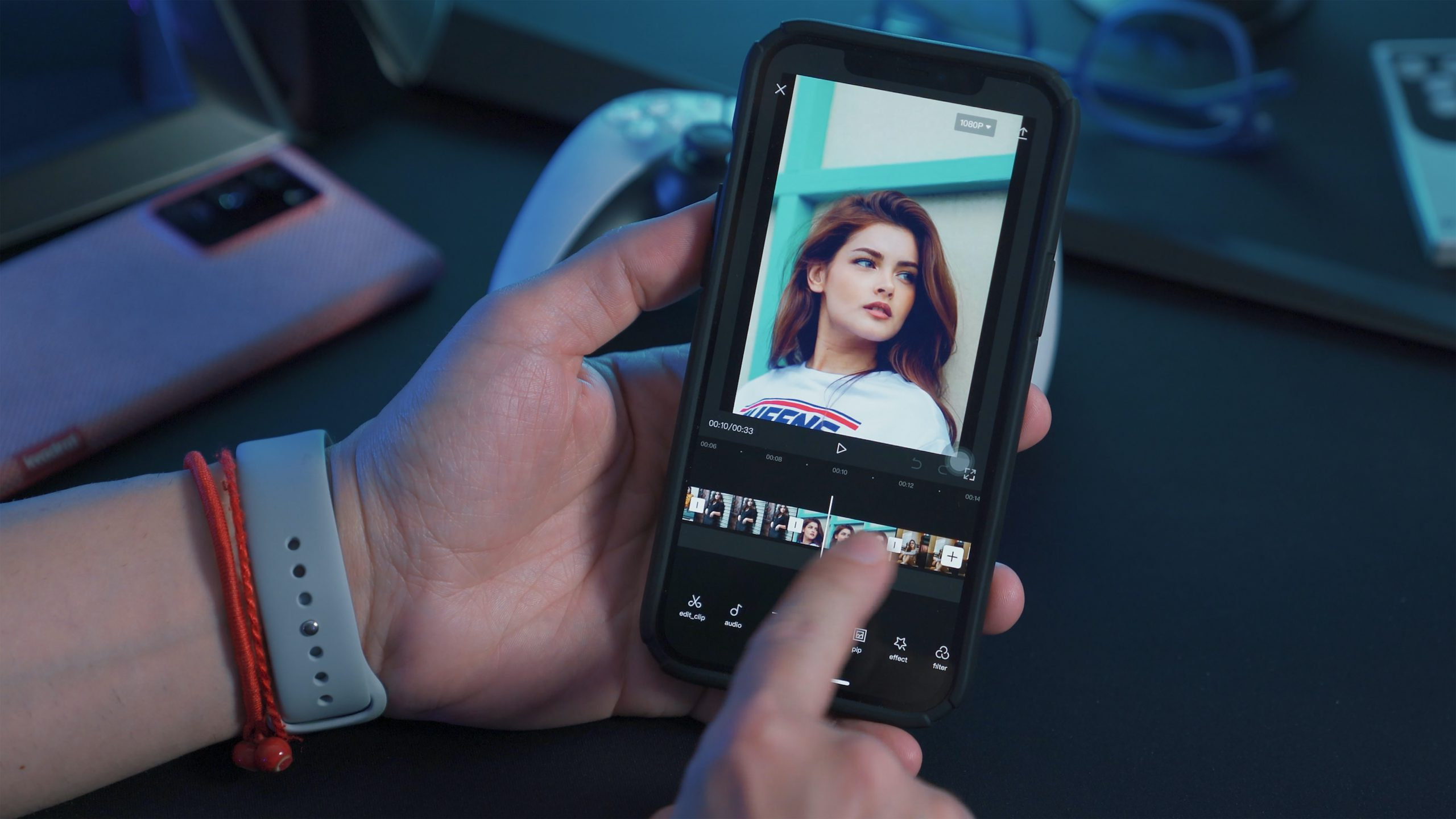
Time spent editing without improving doesn't just slow progress; it adds compounding costs that most beginners don't realize until months later.As a result, they lose momentum, confidence, and opportunities, even as they believe they're still moving forward.
You open your editing app every few days. You cut clips, change transitions, and add music. Even though the process feels productive.
You notice that after three months, your videos look nearly the same as they did when you began.
The pacing still feels slow, the text placement seems awkward, and the color balance is still off.Our clip creator tool helps streamline the editing process, making it easier to create engaging content without confusion.
You start to believe this is just how learning goes: slow, gradual, and patient.
How do structured learning paths impact growth?
Creators who follow structured learning paths improve 2 to 3 times faster than those relying on scattered tutorials, according to Adobe's Future of Creativity report. This delay in progress is not natural; it results from practicing without direction. Our clip creator tool streamlines the process by providing a structured pathway to efficiently enhance skills.
One beginner may spend 90 days watching random YouTube tips.In contrast, another follows a simple weekly skill plan that focuses on pacing, then sound design, and finally visual hierarchy.
After just 30 days, only one can produce content consistently, underscoring the importance of an organized approach.
Both beginners invest the same effort, yet they achieve very different results due to their systems.
What happens after posting videos?
After spending two hours editing, you post the video and wait.
You check the stats: 15 views, 2 likes, and no comments.
The next day, you check again and find still nothing.
When this happens a lot, you start to wonder if people even enjoy your content. The numbers feel personal. Social media rewards visibility, and low engagement subtly suggests that you're doing something wrong.
Over 60% of beginner creators quit within their first year, primarily due to low early engagement rather than lack of ability, according to Hootsuite's Digital Report. Most stop before developing strong editing and storytelling skills. Our clip creator tool can help you enhance your video quality and engagement, so you can continue to progress.
The issue isn't a lack of talent; it’s quitting before your skills can catch up to your vision.
How does rejection affect editing motivation?
A creator may post 20 poorly structured videos and then give up. In contrast, another creator improves editing flow and pacing first, then posts five videos that do better. Only one of them continues long enough to see results.
Many beginners want to make money from editing. However, without professional-quality output, clients often do not respond.
You send messages, apply for gigs, and post your work in freelance groups.
But silence follows.
After enough rejection, you may start to believe you need expensive software or a powerful laptop to get hired.Our clip creator tool helps streamline your editing process with user-friendly features and templates.
This belief seems logical; professionals often use desktop setups and paid tools.
What tools do entry-level editors really need?
More than 40% of entry-level video editors who secure their first paid gigs use only mobile tools.As long as their content looks good, they can do well, according to Fiverr's creator reports.Money isn't stopped by devices; it’s stopped by quality.Our clip creation tool enhances your editing skills with intuitive features that let you focus on your storytelling.
Think about two editors who both use their phones. One knows about pacing, sound balance, and visual hierarchy; the other does not. Only the more skilled editor gets hired.
Why does editing without guidance lead to burnout?
Editing without help leads to a lot of trial and error.
You try different apps, effects, export settings, and aspect ratios.
Each attempt downloads assets using mobile data, and every change takes valuable time.
After weeks of this, editing can feel tiring. You might start to believe this is just how creative work is.
However, MIT research on digital learning shows that guided practice reduces mental fatigue by 35-45% compared with unguided trial-and-error. Structure reduces stress, while chaos creates burnout. In contrast, using our clip creator tool can streamline your editing process and help you achieve results more efficiently.
The tiredness comes not from editing itself, but from the constant guessing without feedback.
How can automation help new creators?
Platforms like Crayo offer a different approach. They automate the technical decisions that beginners often find challenging, such as subtitle timing, caption placement, and format optimization. While users still learn storytelling and pacing, they are not bogged down by execution details that do not teach narrative structure.This system makes what used to take months of trial and error easier, allowing creators to focus on improving their creative judgment. Our clip creator tool streamlines this process, providing intuitive features that enhance creativity.
What bad habits can hinder progress?
When learning on your own, some habits can become automatic without you realizing it.
Common problems include overusing transitions, loud background music that makes dialogue hard to hear, poor color balance, excessive on-screen text, and a lack of storytelling flow.
These habits might seem normal because nobody pointed them out at first.
Later, it's harder to change these patterns than to learn the right way from the start. Research on skill acquisition shows early patterns strongly shape long-term performance; first habits tend to stick.
People often think, "I'll fix it later when I'm better."
But "later" usually means retraining muscle memory and visual instincts that have already formed.
Why do beginners quit editing?
None of these problems happens because beginners are lazy.
They happen because beginners are learning without a system, using tools without guidance, copying random tips, practicing without feedback, and chasing features instead of fundamentals.
Effort doesn't lead to mastery. Over time, frustration replaces excitement.
People don't quit because editing is hard. They quit because progress feels invisible.
Mobile video editing isn't inherently slow.
It only feels slow when you don't know what to focus on, don't have a progression plan, and aren't using the right tools properly. Our clip creator tool simplifies the editing process and helps you stay focused.When these change, growth speeds up.
What is the main mistake beginners make?
Choosing the right tools is only half the equation. Most beginners make their biggest mistake by ignoring other important factors.
The 5 Best Free Android Video Editors (And How to Use Them Like a Pro
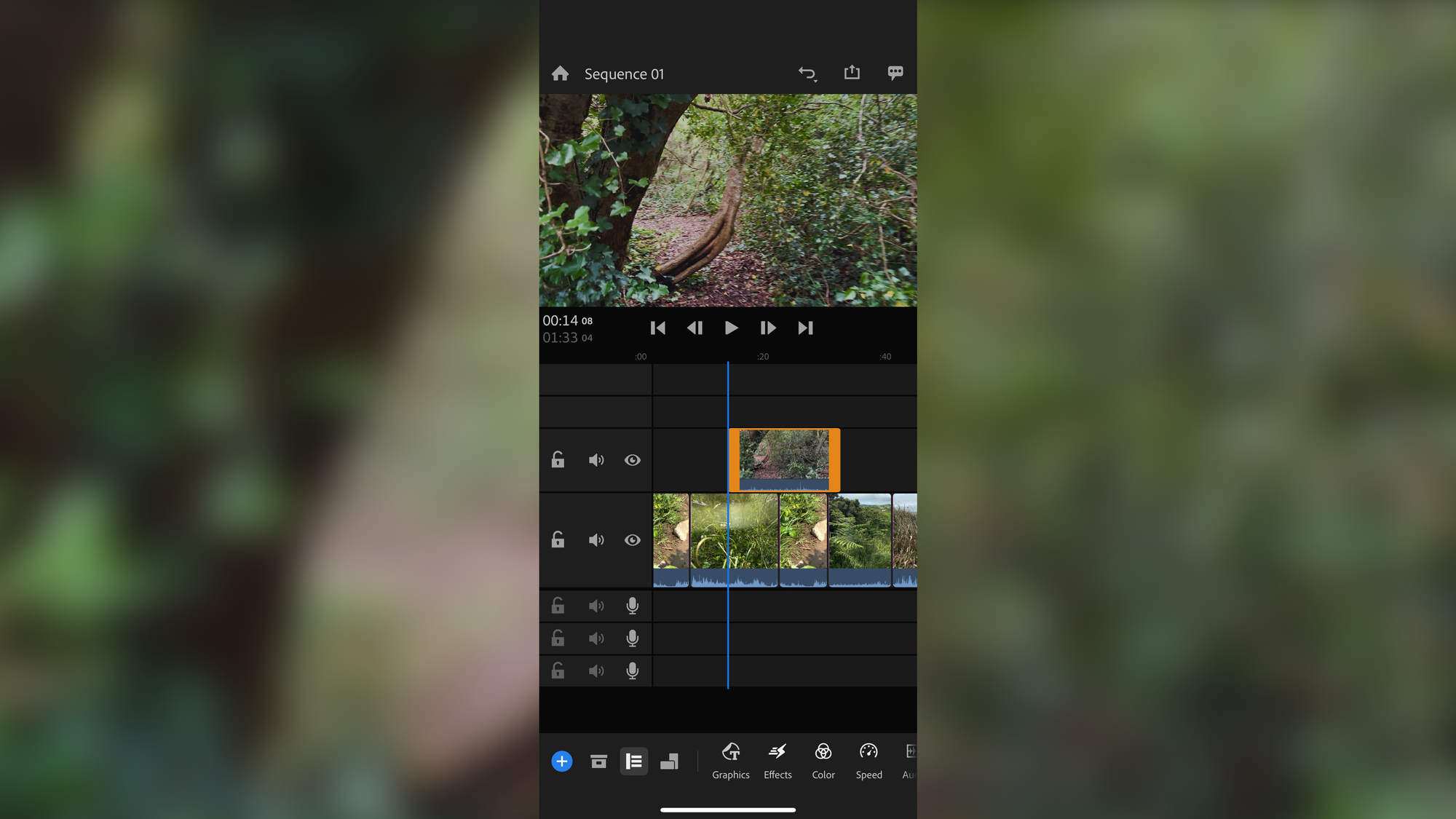
Choosing the right app is important, but understanding how to use it effectively is crucial. Many beginners download capable tools but still produce weak videos because they never learn professional workflows. The difference between scattered effort and real improvement is about practicing carefully within a structured system.
Here are five free Android editors that help skill growth. Also, the exact method for using each one will help users build competence instead of confusion.
1. CapCut: Best for Social Media and Short-Form Videos
CapCut leads the way for creating content on TikTok, Reels, and Shorts for good reasons. It provides auto captions, beat sync, templates, smooth transitions, and a sound library. But professionals don't just depend on templates.
Most beginners open CapCut, select a trending template, add their clips, and export the video. The final product looks sleek for about five seconds. After that, viewers feel the pacing is too generic. The cuts don't match the story, and the captions appear at odd times.
Templates give you speed, not skill.
Here's the right way to work
- Import your raw clips by hand.
- First, eliminate all dead time.
- Add captions only after you edit the flow.
- Match the music to key moments, not random beats.
- Keep transitions simple.
This lets you decide on your edits instead of letting automation make the decisions for you. Over time, your sense of pacing improves as you practice your judgment rather than relying on presets.
When you use CapCut along with Crayo, the workflow becomes more focused. Create short video scripts and hooks before you start editing so your clips already have a clear structure. Many creators edit without aim because they haven't planned their story first.Starting with a clear script means every cut has a purpose. Your videos become faster-paced, more engaging, and easier to watch, not just visually polished.
2. VN Video Editor: Best for Clean, Professional Editing
VN gives you timeline-based editing, like desktop software. It supports multiple layers, speed control, color adjustment, and audio mixing, and it has no watermark.This is where you learn real editing skills. Our clip creator tool helps streamline your workflow for more efficient editing.
The timeline makes you think in order. You see how clips work together. You notice when audio levels clash. You understand why some cuts feel awkward.
Most beginners try to do everything at once. They trim clips, adjust color, add text, and balance audio simultaneously. The result feels messy because they are juggling too many tasks.
Instead, practice like this
- Add sound on Day
- Add color on Day
- Add text on Day
- Don't mix steps until each one feels automatic.
This helps you build muscle memory for each part by itself. After a week, you’ll edit faster and neater than someone who spent the same time trying different things randomly.
You will develop professional editing habits, not shortcuts.
3. InShot: Best for Quick Content and Beginners
InShot is simple and fast. It works well for vlogs, tutorials, Instagram posts, and straightforward storytelling.Many beginners start here because the interface feels friendly.
The problem is that most people misuse InShot by overusing effects. They add animated stickers, flashy transitions, multiple fonts, and clashing colors. This makes the video visually noisy instead of clear.
Professional content looks clean because it follows a visual order. One font. Consistent colors.Minimal effects. Balanced audio levels.
Here's the right approach
- Focus on trimming first.
- Balance audio levels next.
- Use only one font throughout.
- Keep colors the same across all text and graphics.
Combine InShot with Crayo to create captions and descriptions that match your video tone, rather than relying on guesswork. Beginners often write captions that clash with their visual style. The video feels casual, but the caption sounds formal. Or the pacing is slow, but the text promises fast tips.This mismatch confuses viewers. When your script, visuals, and captions align from the start, your videos look intentional rather than cluttered.
4. KineMaster: Best for Advanced Mobile Editing
KineMaster offers green-screen, layered effects, precise control, and animation tools. It's almost like editing on a desktop. But that power can be too much if you try to learn everything at once.
According to PowerDirector's app statistics, more than 1 billion downloads of mobile editing apps have occurred, but most users use only basic features. The problem isn't the app's abilities. It's how people learn to use it.
Don't try all features at once.
Build your skills gradually
- Week 1: Only cuts and audio.
- Week 2: Add overlays.
- Week 3: Add animation.
Each week, master one new skill before adding more complexity. This helps avoid the common issue of beginners knowing only 20% of a feature and being unable to complete a project successfully.
You move from being a "phone editor" to a "serious creator" by building skills step by step, not all at once.
5. YouCut: Best for Simple, No-Watermark Editing
YouCut is lightweight and stable. It works well on low-end phones, exports quickly, and handles basic projects without lag. This makes it ideal for daily practice.
Use it for repetition
- Edit one video every day.
- Focus on speed.
- Improve your pacing.
- Test different formats.
This builds muscle memory. You stop thinking about where the buttons are and start thinking about rhythm, timing, and how the story flows. The tool becomes invisible. Your attention shifts to creative decisions.
Many creators treat editing like a random event. They edit when they feel inspired, then wait days before trying again. That inconsistency holds back skill development.Daily practice, even for 15 minutes, leads to faster improvement than doing sporadic three-hour sessions.
You become faster and more confident because your brain automates the technical tasks, freeing up mental space for creative decisions.
What process do skilled mobile editors follow?
Here's what skilled mobile editors follow
- Idea.
- Script.
- Record.
- Edit.
- Caption.
- Publish.
That's it.
- No chaos.
- No guessing.
- No wasted time.
Most beginners do this in the wrong order. They record first, then try to determine what they want to say while editing. This results in hours of extra work because they're fixing story problems during editing rather than before.
When you separate your ideas from the actual work, editing gets faster and more focused. You're not making up the story while cutting clips.You're following a plan. Our clip creator tool helps streamline this process.
You don't need expensive software. You don't need a laptop. You don't need years of experience.
You only need one good app, one clear workflow, and one week of focused practice.
When used the right way, these tools can help you go from a beginner to a confident editor.
But even if you know which app to use, there's still one important question: how do you practice in a way that builds your skills instead of just wasting time?
Related Reading
- Video Editing Workflow Checklist
- PC Specs for Video Editing
- How To Start Editing Videos
- How To Practice Video Editing
- Mac Vs Pc For Video Editing
- How To Make A Video Editing Portfolio
- Video Editing Tips And Tricks
- How To Make Money Video Editing
- Best Free Video Editing Apps For Android
- How To Organize Video Files For Editing
- How To Edit Video In Google Drive
- Creative Video Editing Techniques
The 7-Day Editing Plan to Start Editing Like a Pro
Practice without a plan just wastes time. The difference between random effort and real skill is focused daily training with clear goals. If you follow this system for seven days, you'll learn the basics of professional editing, gain real confidence, make publishable videos, and get ready for growth and clients. Utilizing our clip creator tool may also enhance your productivity and creativity in this process.
Day 1: Set Up Your Tools and Workflow
Download a main editor; CapCut or VN work best for beginners. Create folders on your phone labeled Raw Clips, Music, Exports, and Thumbnails. This simple organization prevents chaos that makes editing feel overwhelming later.
Watch one beginner tutorial for your chosen app. After that, open the app and explore every menu for 20 minutes.Don't try to memorize everything; just notice where tools are located. Being familiar with navigation is more important than knowing every feature at this stage.
Generate five video ideas and short scripts for the week.Starting with clear concepts means you won't waste time staring at blank timelines, wondering what to create.Most beginners edit aimlessly because they skip this important planning step.
By the end of Day 1, you will no longer feel lost inside the app. You will know where everything is.To streamline your video creation, consider using our clip creator tool for enhanced efficiency.
Day 2: Master Cutting and Trimming
Learn how to remove mistakes, cut dead space, and arrange clips smoothly.Focus on this process only; no effects or color grading are involved yet, just cuts.
Edit one short video, lasting between 30 and 60 seconds. Concentrate on ensuring the pacing is tight, with every second serving a purpose.If a moment feels too long, trim it down. Our clip creator tool can help streamline this editing process.
Edit the same clip twice and compare the results. The second version will feel faster and cleaner because this practice helps you develop a sense of rhythm. This repetition builds muscle memory, which random experimentation cannot create.
As a result, your videos will start to feel faster and cleaner.
Day 3: Learn Audio and Music Control
Practice reducing background noise, adjusting the balance of voice and music, and syncing beats. Poor audio can ruin strong videos faster than any visual mistake.
Add music to your clip and set the volume to 15-25%. Boost the volume slightly to ensure the dialogue remains clear. Many beginners mistakenly let music drown out the message and then wonder why viewers leave.
If you need narration, create voiceover scripts. Speaking from a clear script sounds more confident than making it up as you go. Viewers notice hesitation and filler words right away.
As a result, your videos will sound professional rather than noisy.
Day 4: Add Text, Captions, and Branding
Work on titles, subtitles, and call-to-actions. Use only one font and keep colors simple. Place text away from the edges, where the phone's display might crop it.
Most beginners use three different fonts, five colors, and animated stickers everywhere. This makes the result appear chaotic rather than clear. In contrast, professional videos look clean because they follow visual hierarchy.
Platforms like Crayo automate caption timing and placement, which beginners usually struggle with for weeks. Instead of guessing when text should appear, the system manages synchronization. This lets you focus on learning story structure and pacing.This way, you still develop editing judgment without getting stuck on technical issues that don't teach you about narrative flow. Our clip creator tool further simplifies this process.
Ultimately, your videos become clear and engaging.
Day 5: Learn Color and Visual Balance
Practice brightness, contrast, saturation, and white balance. Compare the video before and after the adjustments; make small changes rather than large ones. While extreme filters may look impressive on their own, they can seem unprofessional in finished videos.
Professional color grading is subtle. It fixes imbalances and improves mood without getting noticed. If viewers see the color changes, it often means you've overdone it. Our clip creator tool can help you achieve the right balance effortlessly.
As a result, your videos will look polished and more professional.
Day 6: Create and Publish One Complete Project
Make one full video by scripting, editing, captioning, exporting, and posting.Use this flow: plan your idea, record clips, edit them together, add captions, and then publish.
This is where theory becomes real-world experience. You'll notice which skills feel automatic and which still need conscious effort. This awareness helps identify what to practice in the next week. As you work on your projects, remember that our clip creator tool simplifies editing so you can focus on your creativity.
Ultimately, you gain real-world experience, not just practice.
Day 7: Review, Improve, and Build a Mini Portfolio
Review your work. What worked? What looked weak? What improved between Day 1 and Day 6?
Re-edit your best video to focus on one weak area. Perhaps the pacing was too slow in the middle, the audio balance felt off, or the text appeared too late. Fix that specific issue, then save it as Portfolio 1. Our clip creator tool makes those edits easier and more efficient.
You now have proof of progress. When self-doubt shows up, compare your Day 1 work to your Day 7 work to see real improvement.
Consistency beats intensity. You don't need to spend hours: just 45 to 60 minutes daily with no distractions and one clear task. Focused practice builds skills faster than random three-hour sessions.
Related Reading
- Best Drone Video Editing Software
- Best Video Editing Software For Music Videos
- Best Video Editing Software For Sports Highlights
- Best Video Editing Software For Content Creators
- Best Video Editing App For Pc
- Best Paid Video Editing Software
- Best App for Video Editing on iPad
- Best Songs For Video Editing
- Best Video Editing Software For Vlogging
- Autopod Alternative