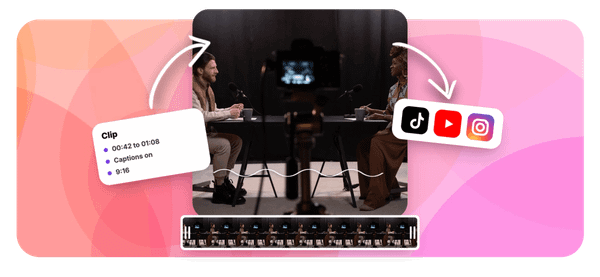
Transforming hours of raw footage into professional content can be challenging. Various types of video editing, from simple cuts to advanced color grading and motion graphics, demand software that aligns with both creative vision and technical skill. Effective paid video editors streamline the process, ensuring quality results in a short time.
While premium software offers powerful features, complex interfaces often slow production. Seamless operation allows creators to focus on storytelling rather than mastering cumbersome tools. Integrated support and time-saving design enhance productivity, and Crayo's clip creator tool delivers the efficiency needed to perfect video projects.
Summary
- Professional video editing isn't slow due to a lack of skills. It's slow because most creators use software designed before short-form content existed, forcing them to adapt feature-film workflows to 60-second clips. A 2024 Riverside study found that 67% of content creators identified slow rendering and export times as their primary technical frustration, with creators spending an average of 40% of editing sessions waiting rather than working.
- Inadequate editing tools create invisible financial damage that compounds monthly. Fiverr's 2024 marketplace analysis found that delivery reliability is the second most influential factor in repeat hiring decisions, just behind quality. When laggy software causes missed deadlines, creators lose not just one client but the entire network effect of broken trust. Conservative estimates indicate creators lose $6,000 to $8,000 annually in direct and opportunity costs due to structural limitations they've been conditioned to accept as normal.
- The gap between amateur and professional results often lies in details like color grading and audio mixing, not advanced techniques. DaVinci Resolve and similar professional tools make these quality markers accessible without requiring specialist training. Creators using the right software can achieve cinematic looks and balanced sound in the same timeframe others spend troubleshooting exports, because the infrastructure supports quality by default rather than through manual technical expertise.
- Speed in video production comes from eliminating decisions, not working faster. Professionals follow the same four-stage system every time: organize assets, build a rough cut, add polish, and conduct a final review. This structure transforms any capable editor into a predictable, repeatable process. The difference between two-hour edits and six-hour edits isn't skill level. It's whether your workflow removes guesswork or forces you to reinvent the process with each project.
- Platform-specific formatting, caption generation, and aspect ratio adjustments consume 30 to 40 minutes per video and add no creative value. According to Colossyan Creator's analysis of 450 reviews, creators prioritize reliability and workflow efficiency over feature lists when selecting editing platforms. Tools earning a consistent 4.8 out of 5 rating aren't the ones with the most impact; they're the ones that reduce friction by automating repetitive technical tasks.
- Crayo's clip creator tool addresses this by automating caption styling, beat-matched timing, and platform-specific formatting, so creators can focus on their content rather than tedious manual tasks.
Why Most Creators Struggle to Produce Professional Videos Fast
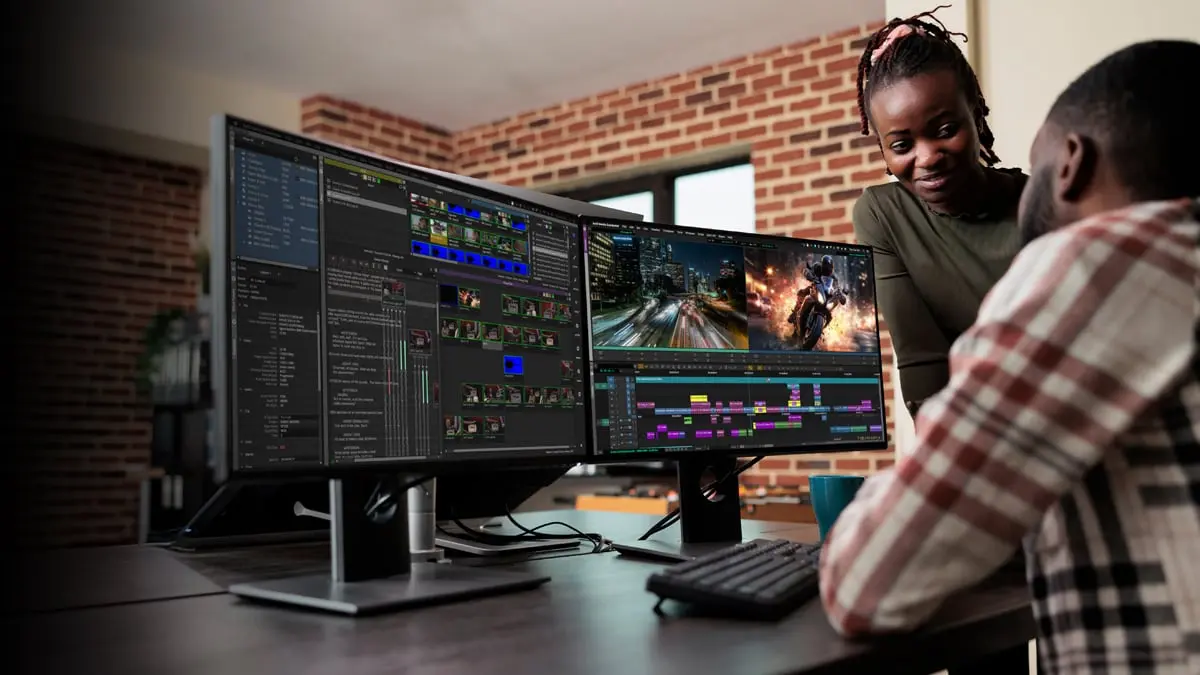
The bottleneck isn't talent or effort; it's infrastructure. Most creators rely on editing tools designed for feature-length content, forcing them to adapt workflows built for feature films to 60-second clips.As a result, the software can be difficult to use.
When starting out, free editing apps seem like a smart choice. They have no upfront costs and offer basic features sufficient to publish content. However, problems arise when creators try to scale production, and that's where our clip creator tool can streamline the process.
What are the limitations of free editing apps?
These platforms lack timeline precision. Trimming a clip to the exact frame becomes a guessing game. Playback stutters. Export settings confuse rather than clarify.You spend 20 minutes trying to figure out why your vertical video is exported with black bars on the sides.
Quality also suffers a lot. Compression artifacts can appear in shadows, and text often looks pixelated. Additionally, colors may change between the preview and the final render.You publish the project knowing it could look better, but by that point, you've already put in three hours. Our clip creator tool streamlines this process, ensuring more precise edits and better quality outputs.
How does cumulative friction affect editing time?
The real cost isn't just the missing features; it's the cumulative friction. Every small inconvenience adds up.A 30-minute edit can take up to two hours because the tool isn't designed for speed. However, with Crayo's clip creator tool, you can streamline your workflow and reduce these inefficiencies.
Without a clear process, editing becomes reactive. For instance, you might add music first, only to find out that the beat doesn't match your cuts.If you color grade too early, trimming clips later may result in lost adjustments. You may end up rearranging sections repeatedly because you never established a structure.
How does software design impact creative workflow?
This isn't laziness; it's because software doesn't help users work efficiently. Professional editors follow strict steps: rough cut, fine cut, effects, color, audio mix, and export. Unfortunately, most consumer tools neither enforce nor even suggest this important order.
As a result, the timeline can become complex. Clips may overlap, and effects can build up in unexpected ways. Users often struggle to remember which layer contains their text. When one change is undone, it can mess up several others.After an hour, the task goes from editing to fixing problems in one's own project. To streamline this process, consider using our clip creator tool to organize and simplify your workflow.
Why do creators spend more time fixing mistakes?
Creators often say they spend more time fixing mistakes than making creative decisions. The software can create chaos because it wasn't designed with a clear workflow; it assumes users already know the correct sequence of steps.To streamline your editing process, consider using our clip creator tool, which simplifies the workflow and reduces errors.
You add a transition, but the preview freezes for eight seconds. After moving forward, you face another freeze. When you try to play through a section to check pacing, playback slows down to just three frames per second.
What are the consequences of slow rendering?
This isn't about patience; it's about losing the creative thread. When you have to wait 10 seconds between decisions, it's easy to forget what you were trying to do. The rhythm breaks, and ideas start to fade away.
According to a 2024 study by Riverside, 67% of content creators identified slow rendering and export times as their main technical frustration. The same study found that creators using outdated or weak software spent about 40% of their editing time waiting rather than working.
Why is modern software essential for efficiency?
Inexpensive software often has trouble with modern file sizes. For example, a 4K clip from a phone can be too much for the processor. Effects that should appear immediately may not appear, forcing users to reduce preview quality to keep working.This change makes it difficult to accurately evaluate edits and their quality. With our clip creator tool, you can avoid these issues and enhance your workflow.
The worst part is the uncertainty inherent in the export process. Users often wait 30 minutes only to find the file is corrupted or its quality has degraded. This issue requires them to start over, which can be very frustrating.
What challenges do creators face with platform integration?
TikTok, Reels, and Shorts did not exist when many basic editors were made. As a result, these editors miss important features such as vertical format presets and automatic caption generation. They also do not support platform-specific aspect ratios or length limits.
As a result, creators must resize each video manually. They type captions manually, matching them frame by frame. Additionally, they often guess safe zones for text placement because the software doesn't show where different platforms will cut off the video. This is where our clip creator tool can help streamline the process.
How does the workload multiply across platforms?
A single video can become four separate projects: one for YouTube, one for Instagram, one for TikTok, and one for LinkedIn. Each platform requires manual adjustments, which can create additional opportunities for errors.
Platforms like the clip creator tool were made to fix this issue. They automate format changes and caption creation that previously required separate tools and subscriptions.Creators say they have reduced multi-platform publishing time from hours to minutes by eliminating manual resizing and transcription. Our clip creator tool helps creators maximize their productivity.
What happens after finishing editing?
After finishing the editing, there is still an hour of reformatting ahead. While the creative work is complete, the technical work continues.
When software crashes unexpectedly, risks are avoided. Layering effects can be risky and may cause freezing issues. Advanced color grading is skipped because the previous attempt resulted in a 45-minute loss of work.
How does software instability affect risk-taking?
This caution feels responsible because it protects your time, but it also limits your growth. By avoiding risks, you might miss chances to learn new techniques because the cost of failure seems too high.
Professional growth relies on safe experimentation. This means trying out transitions, testing effects, and pushing boundaries without worrying about losing progress. However, when software is unstable, every creative choice feels like a gamble. Our clip creator tool empowers you to experiment freely while reducing risks.
Why does content quality plateau over time?
Over time, content quality can stagnate, not because there aren't ideas, but because the tools used can stifle creativity.Content creators might choose to play it safe and then ask themselves why their videos don't stand out.Our clip creator tool helps you streamline your editing process, freeing up more time for creativity.
When editing takes six hours, the instinctive reaction is to work longer hours. Creators might end up working late into the night, skipping meals, and convincing themselves that this effort is what professionals do.
What distinguishes professionals from amateurs?
Professionals work efficiently because their systems eliminate unnecessary steps. They use software that predicts their needs, automates repetitive tasks, and makes sure they are never kept waiting. Our clip creator tool streamlines content production, enabling quick, smooth content creation.
The issue isn't that you're slow; it's that your tools are. The gap between your effort and output isn't a personal failing; it's a structural problem.
How does burnout impact content creation?
Burnout often leads to less output; you may publish less often as your energy fades. When you feel exhausted, the quality of your content also declines.As a result, the algorithm often penalizes inconsistency, causing you to fall even further behind. You find yourself working harder, but getting worse results.
Many people think that working more hours will fix the problem, but this mindset keeps you stuck in a cycle. The real solution is to change the system, not just to work harder. Our clip creator tool can streamline your content process, helping you maintain consistency without overwhelming yourself.
Related Reading
- Types of Video Editing
- Long Does It Take to Edit a YouTube Video
- How Long Does It Take to Edit a Music Video
- What Is an Overlay in Video Editing
- Is CPU or GPU More Important for Video Editing
- Can I Edit a YouTube Video After Posting
- Is Video Editing a Good Career
- Beginner’s Guide to Video Editing
- Video Editing Basics
The Hidden Cost of Using the Wrong Editing Software
Slow software doesn't just waste time; it quietly erodes revenue, undermines confidence, and limits your growth before you even realize what's happening. The damage accumulates in ways that feel personal, but are completely structural.
When exports fail or previews lag, every project timeline gets longer. A 24-hour turnaround becomes 48 hours, leading to apologies and promises it won’t happen again. Unfortunately, late deliveries remain a problem.
Clients notice patterns quicker than you might think. The first delay might be overlooked, but the second raises concerns. By the third time, they may have already reached out to someone else for their needs.
How does speed affect income in creative services?
Speed determines income in creative services. Fiverr's 2024 marketplace analysis found that delivery reliability ranks as the second most important factor in repeat hiring decisions, just behind quality. Clients value predictability. When your software makes you unreliable, you lose work you never see coming.
For example, a wedding videographer misses a 72-hour delivery window because their editor crashes twice during color grading. The couple shares their disappointment in a Facebook group with 12,000 members. As a result, three potential clients who see the negative comment never reach out.The consequences extend beyond losing a single client; the invisible network effect of broken trust affects future opportunities. Utilizing tools like our clip creator tool can streamline your editing process, helping you maintain reliability and client trust.
Why does skill not translate to income?
Skill improves, but income often does not.The gap between what you can create and what you can earn gets wider each month.
You charge $75 per video. With laggy software, each edit takes four hours. That's $18.75 per hour, which is below the rate for many entry-level jobs. The same video on a faster system could take 90 minutes. Suddenly, you're earning $50 per hour for the same work.
This issue isn't about working harder; it's about how the tools you use affect your revenue.You can't increase your hourly rates when your hours can't be reduced. Our clip creator tool can streamline your editing process, helping you maximize your earnings while minimizing time per project.
What happens when projects get overwhelming?
Creators often think that having a low income means they lack skills. They may take courses, watch tutorials, and practice their transitions.As a result, the quality of their work improves, but their prices remain the same because they are still tied to the same time per project. The issue isn't their talent; it's how much they can get done.
As late nights become regular, backlogs start to build up. Every project feels like a crisis because your tools make even simple tasks difficult. Our clip creator tool helps streamline your workflow, making it easier to manage multiple projects without the stress.
This tiredness doesn't mean you're lazy; it happens when software makes you work harder than necessary.You're not just editing anymore; you're troubleshooting, restarting, and hoping your exports don't get corrupted.
How do inefficient systems impact businesses?
According to IBM, inefficient systems and poor workflow infrastructure cost U.S. businesses $3.1 trillion annually in lost productivity. While this applies across all industries, it also applies to creators: bad tools create costly friction. The energy spent struggling with your editor is energy taken away from creativity, client relationships, and strategic growth.
Many creators stop at this point, not because they lack passion, but because dealing with inadequate software every day becomes too hard.They dreamed of making videos, but instead found themselves managing technical chaos.Our clip creator tool simplifies the editing process so you can focus on your creative output.
How does software inefficiency impact learning?
When you're always behind, learning becomes a luxury you can't afford. Advanced techniques stay on your "someday" list because today is spent just finishing what's due.
Color grading tutorials go unwatched. Motion graphics seem intimidating, and dynamic transitions are never practiced. You keep saying you'll learn once things calm down. However, utilizing our clip creator tool can streamline your workflow and make learning those techniques more manageable.
How do creators gain an edge in their work?
Other creators spend those same hours mastering cinematic effects, experimenting with audio design, or building template libraries. They're not just more disciplined; they have set up systems that allow for margin for growth.
After six months, your content might look the same while competitors have changed. Premium clients hire professionals whose work feels up-to-date, leaving you to wonder why your rates stay the same while you're working twice as hard.This is where using a tool like our clip creator can help you stay ahead of the curve.
What are common issues with basic editing software?
Basic editors often compress footage poorly. Exports can appear soft, and colors may vary significantly between the preview and the final render. Also, the audio often lacks depth.
As you keep adjusting, you might stop noticing the poor quality. This happens because you're comparing your current work to yesterday's, rather than to professional standards.However, clients judge your work against everyone else's. For superior results, our clip creator tool enables seamless editing and refinement.
How do presentation and polish affect client choices?
Two creators submit portfolio samples for a $500 project, showcasing the same footage and concept. However, one looks polished because its software correctly handles color spaces and exports at appropriate bitrates. In contrast, the other looks "fine" since their free tool applied aggressive compression that they could not control.
Clients consistently choose polish. They do not think about the effort put into the work; they care only about what appears on the screen.With our clip creator tool, you can enhance the visual appeal of your projects effortlessly, ensuring a more professional presentation.
What are the costs of using inadequate software?
Platforms like the clip creator tool were built because creators needed systems that maintain high quality without relying on manual technical expertise.Features such as automated caption styling, proper aspect ratio handling, and optimized exports remove the guesswork that makes amateur content look less professional, even when the creative idea is the same.
Let's do some honest math. If bad software costs you two clients at $150 each per month, that adds up to $300 per month. In a year, this totals $3,600 in lost income.
Consider the invisible costs as well. This includes projects you didn't bid on because you were too busy, rate hikes you didn't implement because your turnaround times were slow, and collaborations you turned down because you couldn't take on more work. All of these affect your finances.
What is the annual cost of structural limitations?
Conservative estimate: $6,000 to $8,000 in direct and opportunity costs annually. Not from lack of effort. From structural limits you've been taught to accept as normal.
CloudQA's 2025 report found that software inefficiencies and technical debt cost businesses $2.08 trillion each year. For individual creators, this idea scales down but is still important: tools that don't work properly can cause costly downstream problems. These issues often seem personal, but they can be completely avoided.
What misunderstandings exist about professional editing?
Most creators learned to edit using YouTube tutorials and free apps. They often started on phones, moved to basic desktop software, and assumed that professional editors faced the same problems, just with more at stake.
This belief makes sense. Many have never seen how a fast creator works behind the scenes. They may not know that professionals rarely wait for renders, almost never lose work because of crashes, and can reuse a single video across six platforms in less than 10 minutes.
As a result, the idea becomes stronger: editing is just hard. Slowness is seen as normal, and frustration is considered part of the process. With our clip creator tool, you can significantly streamline your editing workflow.
What is the real issue with editing challenges?
The issue is not with the individual's talent, but with the infrastructure that is not keeping up with ambition. This gap between what we want to achieve and what we can actually do highlights a mismatch between today's content needs and the capabilities of legacy systems.
This situation is not a personal failure; it indicates that your tools are not sufficient. Understanding this difference is important because one requires personal change, while the other requires upgrading systems.Our clip creator tool streamlines editing and enables more creative expression.
How can understanding the problem lead to solutions?
Recognizing the problem is the first step. However, understanding what actually solves it is essential for progress. Our clip creator tool can help develop tailored solutions for your specific needs.
Write Your Screenplay in One Hour or Less?
Screenwriting becomes easier with practice, but starting out doesn't have to be too hard.
Celtx streamlines the screenwriting process with industry-standard formatting and easy collaboration tools. This allows writers to focus on storytelling rather than getting stuck on technical issues.
Write your screenplay easily with Celtx's clip creator tool.
10 Best Paid Video Editors to Create Pro Content in 2 Hours
The right software doesn't just unlock features; it fixes workflow bottlenecks. This enables pro-level video production that is fast, confident, and consistent.Below are ten paid editors used by creators at every level, along with the reasons each earns a spot and the kinds of results you can expect.
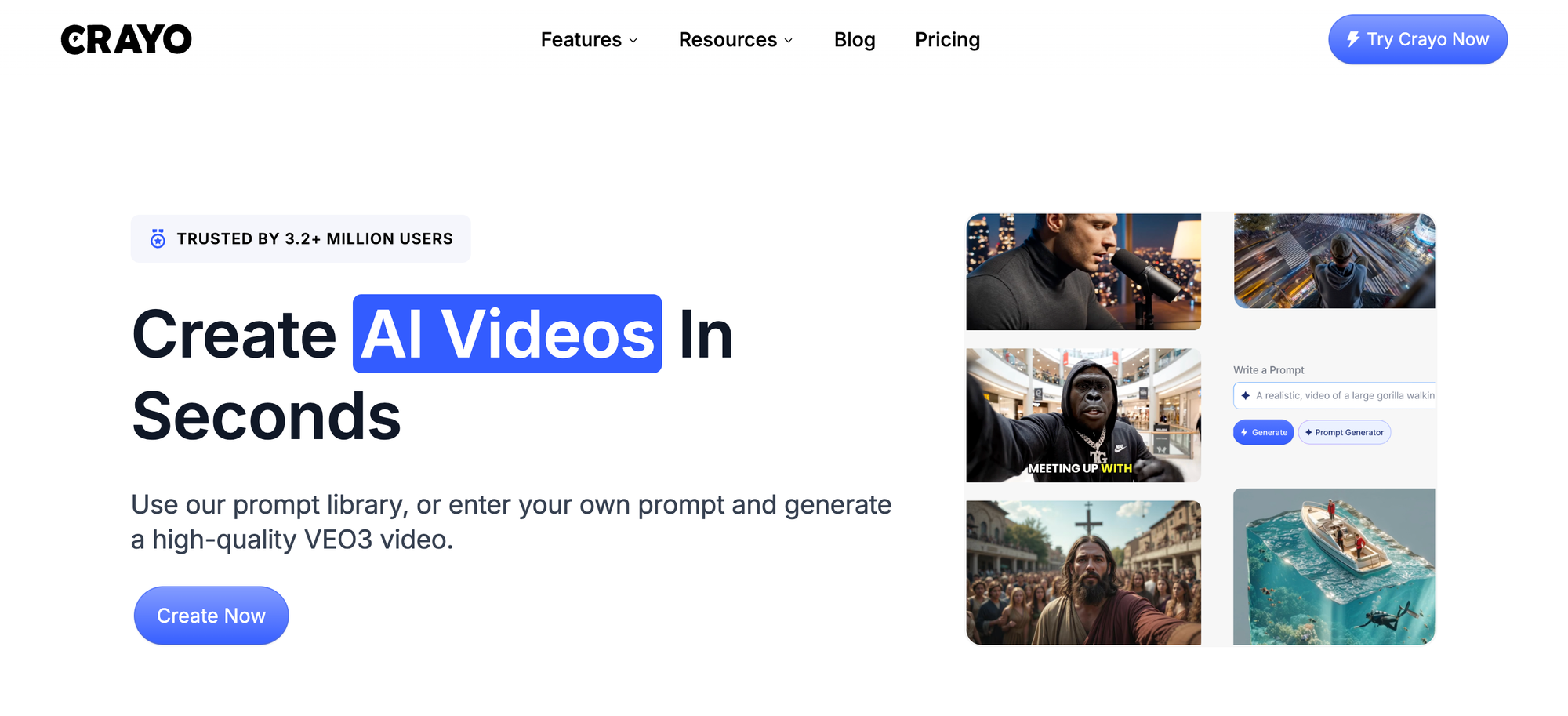
1. Crayo AI (Best for Speed + Automated Editing)
Who it's for
Creators looking for fast, polished results without spending hours on timelines.
Why it matters
Crayo uses AI to automate time-consuming tasks. Features such as beat-matched cuts, auto-captions, social media-optimized formats, smart timing, and template workflows boost efficiency. While a regular editor may take 2 to 3 hours to trim, sync, and format, Crayo helps you finish in under 90 minutes by pre-assembling the structure for you.
Real use case
A TikTok creator reported cutting weekly editing time from 6 hours to 90 minutes by using Crayo's auto-organized templates and captioning tools instead of manually building timelines.
The difference isn't just about speed; it’s what speed unlocks. By finishing a video in half the time, you can publish twice as often. Consistency compounds, and momentum builds. The algorithm rewards frequency, allowing you not just to keep up, but to get ahead.
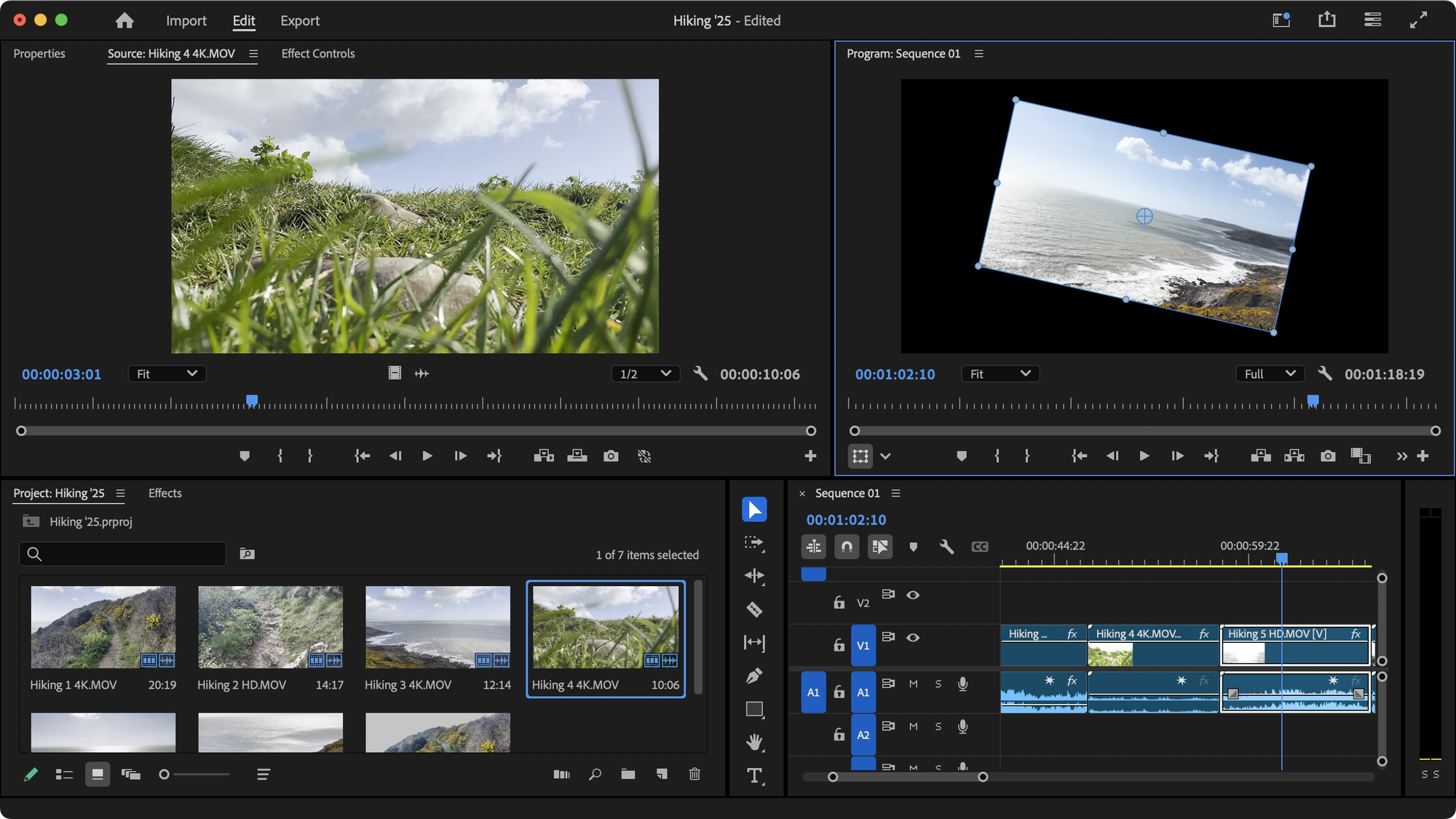
2. Adobe Premiere Pro (Best for Professional Control)
Who it's for
Editors who want to have complete control over every detail.
Why it matters
Premiere Pro's industry-standard tools let users layer advanced effects, do professional color grading, manage multi-camera clips, and work smoothly with After Effects and Photoshop.This helps you quickly put together complex, cinematic edits once you get used to the tools.
Pro tip
Use presets and auto-render queues to save time. Don't start from scratch for every project; build a library of transitions, color profiles, and export settings that show your style. The second project takes half as long as the first.
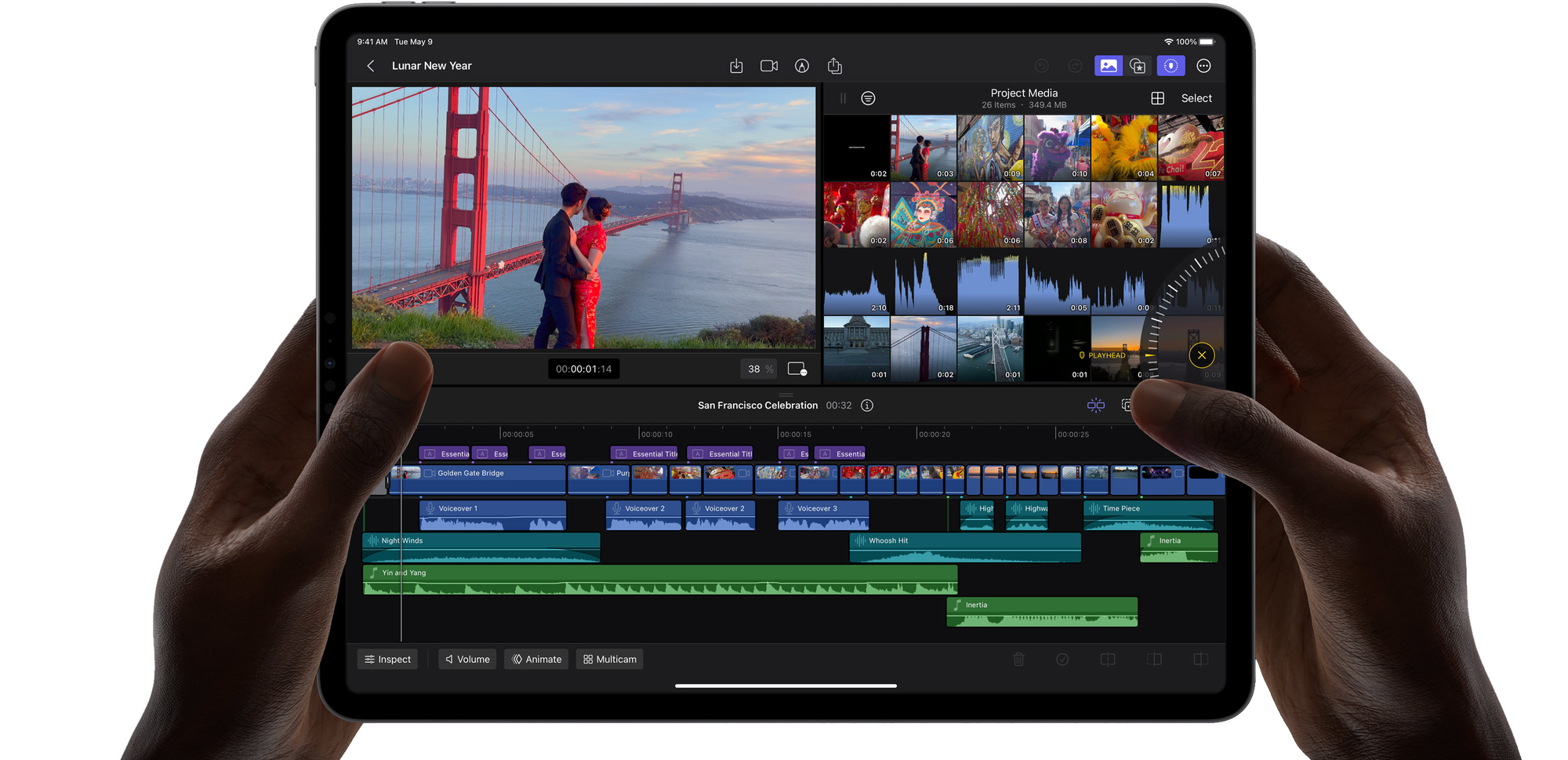
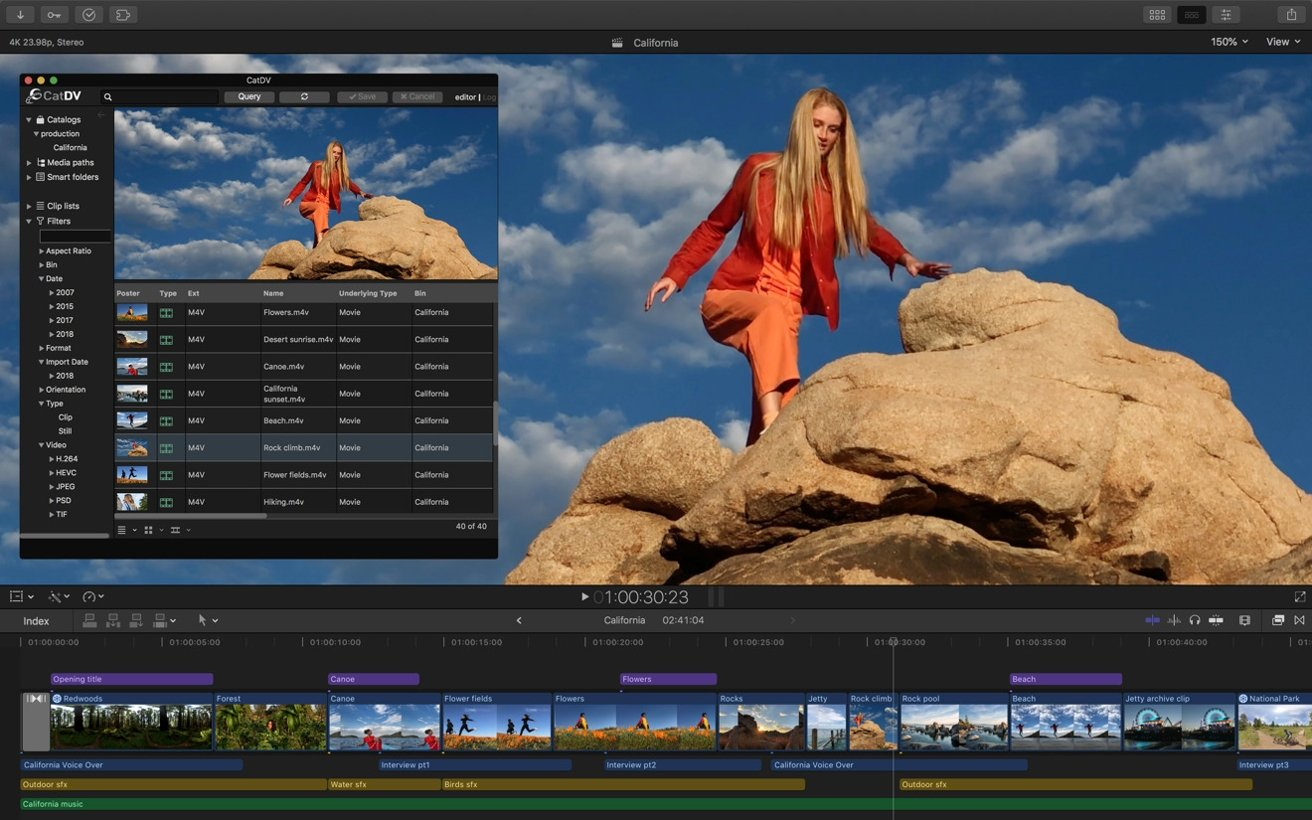
3. Final Cut Pro (Best for Mac/iPad Users)
Who it's for
Apple ecosystem creators who want both speed and professional quality.
Why it matters
The magnetic timeline significantly accelerates the editing process. It is optimized for Apple silicon, enabling fast exports and advanced audio tools. Users enjoy high-quality content with significantly less lag and fewer back-and-forth delays than many competitors. Our clip creator tool can further streamline your workflow.
The magnetic timeline by itself changes how you edit. Clips snap together easily, making sure there are no accidental gaps. Overlapping layers can only happen when you want them to. Trimming is quicker because the software predicts your next move.
4. DaVinci Resolve Studio (Best for Color & Audio Mastery)
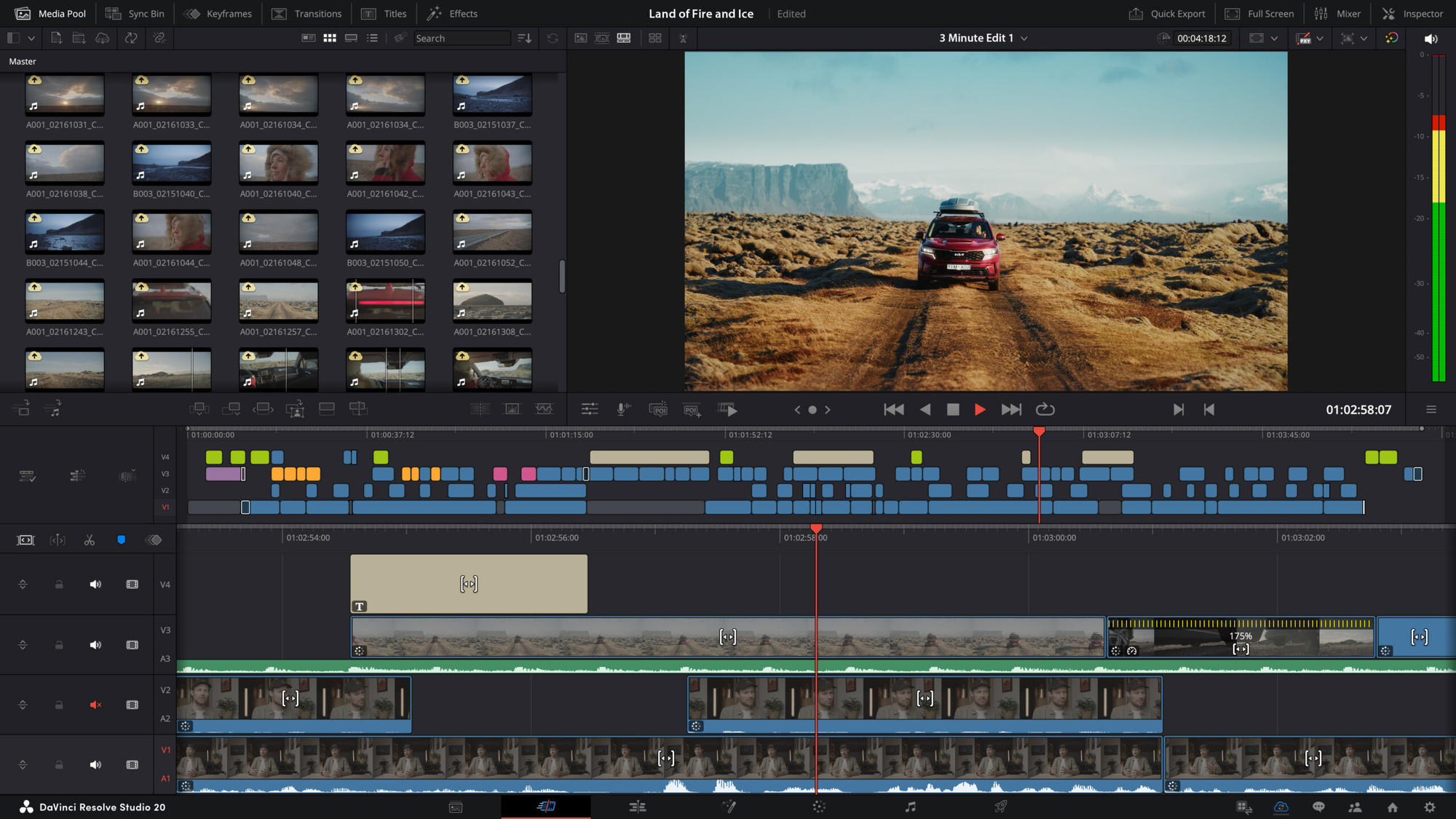
Who it's for: Creators who care about looks and sound.
Why it matters: Resolve combines professional color tools, a Fairlight audio mixer, and Fusion visual effects. This means content can look cinematic and sound great without requiring much additional editing time. Our clip creator tool streamlines this process, allowing you to focus on creativity.
Color grading in Resolve feels different. Instead of using sliders alone, users are shaping the light. Shadows deepen, highlights brighten, and skin tones appear more natural. The difference between amateur and professional often comes down to these small details, and Resolve makes them easy to use without extensive training in color work.
5. Filmora Pro (Best for Easy Access to Advanced Features)
Who it's for
Intermediate editors ready to level up.
Why it matters
Filmora Pro combines simplicity and power. It includes built-in motion graphics, a robust effects library, and smart rendering, delivering a professional touch without a steep learning curve.
Now, you don't have to pick between ease and ability. Filmora provides keyframe control, multi-track timelines, and advanced compositing, while keeping an easy-to-use interface. This makes learning faster and progress easier.
6. CyberLink PowerDirector (Best for Fast Feature Access)
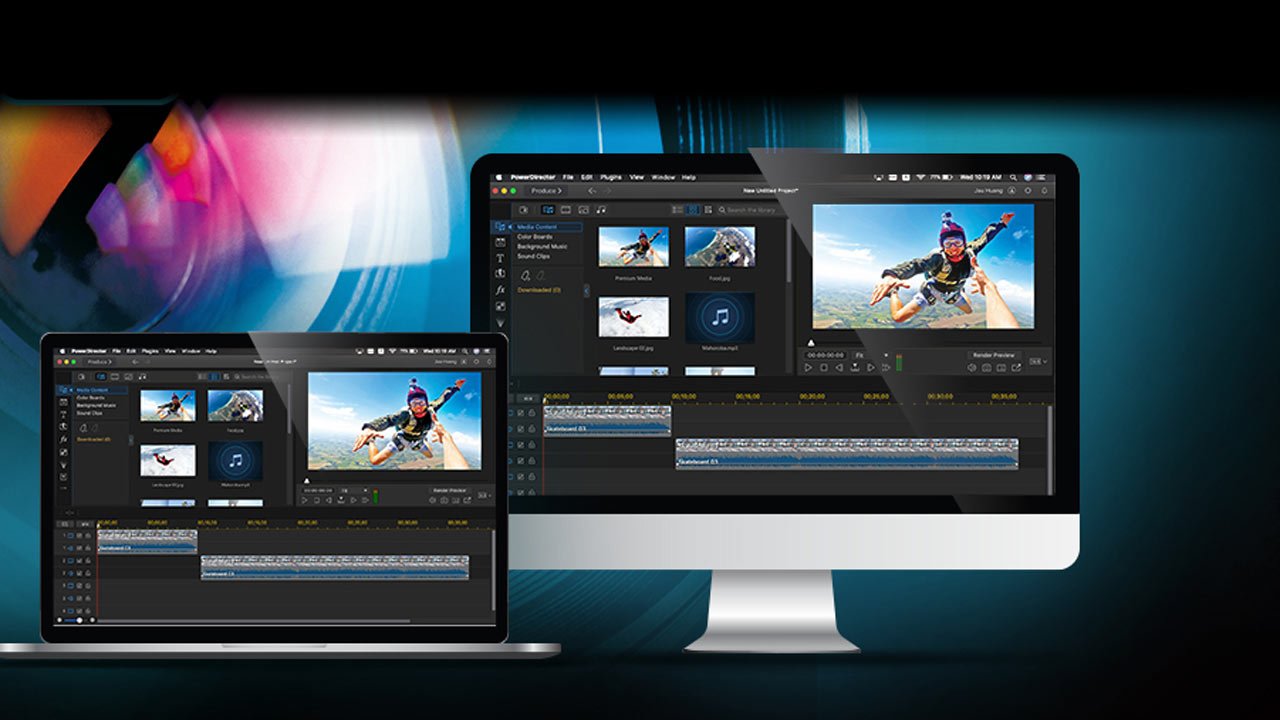
Who it's for
Creators who want a strong timeline with an easy workflow.
Why it matters
PowerDirector provides motion tracking, keyframe control, and instant previews. It enables faster, high-quality edits, so you don't have to guess or pause to review each change.
Instant preview changes everything. You add a transition, and it plays right away. You can adjust timing without any render or wait time. Creative decisions happen instantly, ensuring the flow never stops.
7. Vegas Pro (Best for Timeline Precision)
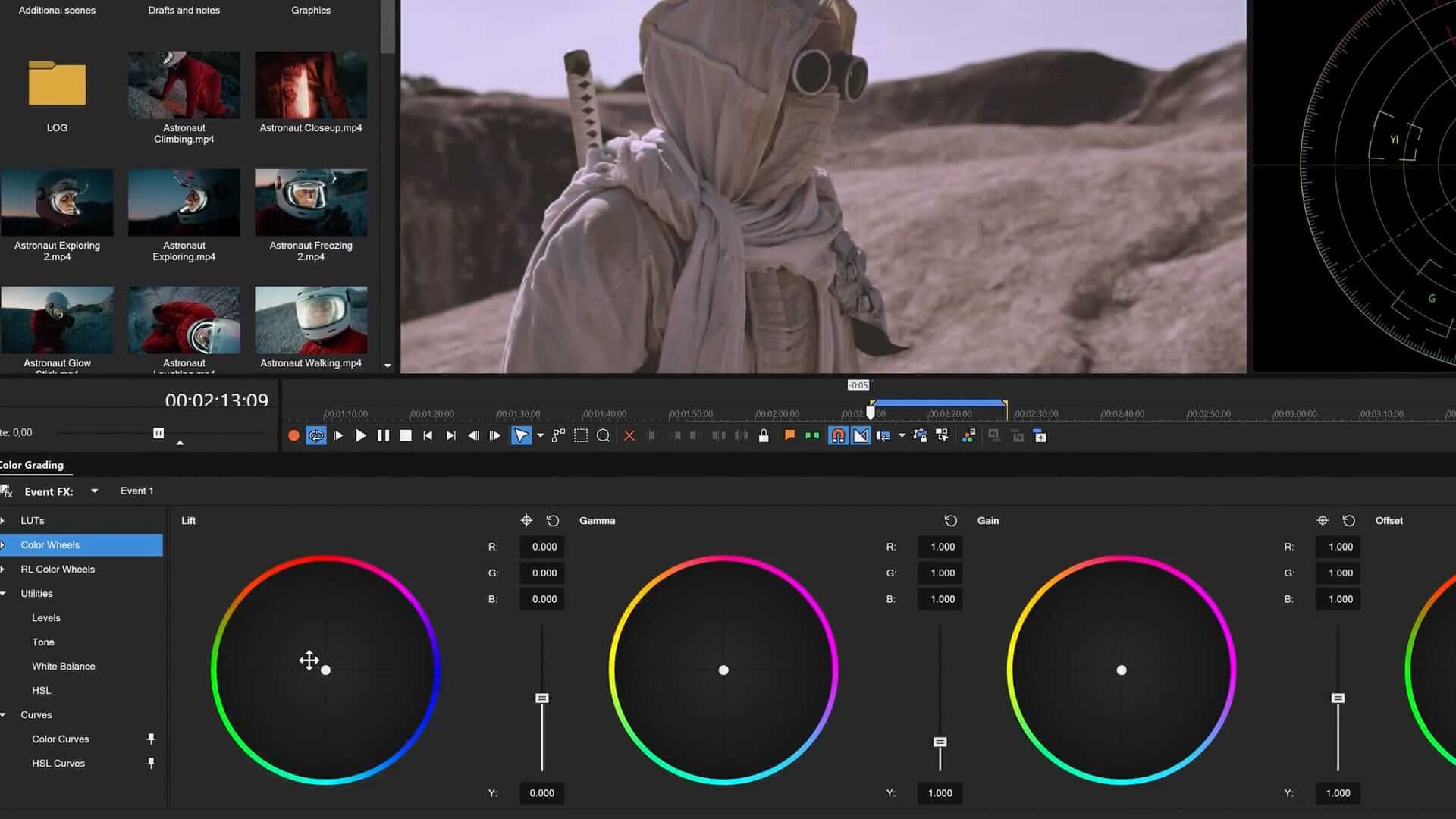
Who it's for
Editors who appreciate details and quick responses.
Why it matters
Vegas is known for its flexible clip stacking, robust audio tools, and fast effect application. It gives you professional control without complicating matters.
The timeline in Vegas acts like a musical instrument. Clips slide, edges snap, and layers stack in a predictable way. You're not battling the software; you're conducting it.
8. Camtasia (Best for Tutorials & Screen-Based Video)
Who it's for
Educators, trainers, and product creators.
Why it matters
Camtasia makes screen recording, picture-in-picture, annotations, and speed controls easier. It helps create clear, engaging instructional content quickly. Additionally, for those looking to create engaging educational videos, our clip creator tool streamlines editing by simplifying cutting and merging.
Tutorial creators have special challenges. They need clean screen captures, smooth cursor movement, clear callouts, and timed zooms. Camtasia does all of this well without needing extra tools.You can record, edit, and export: all on one platform with one workflow.
9. Pinnacle Studio (Best for Linear Workflow)
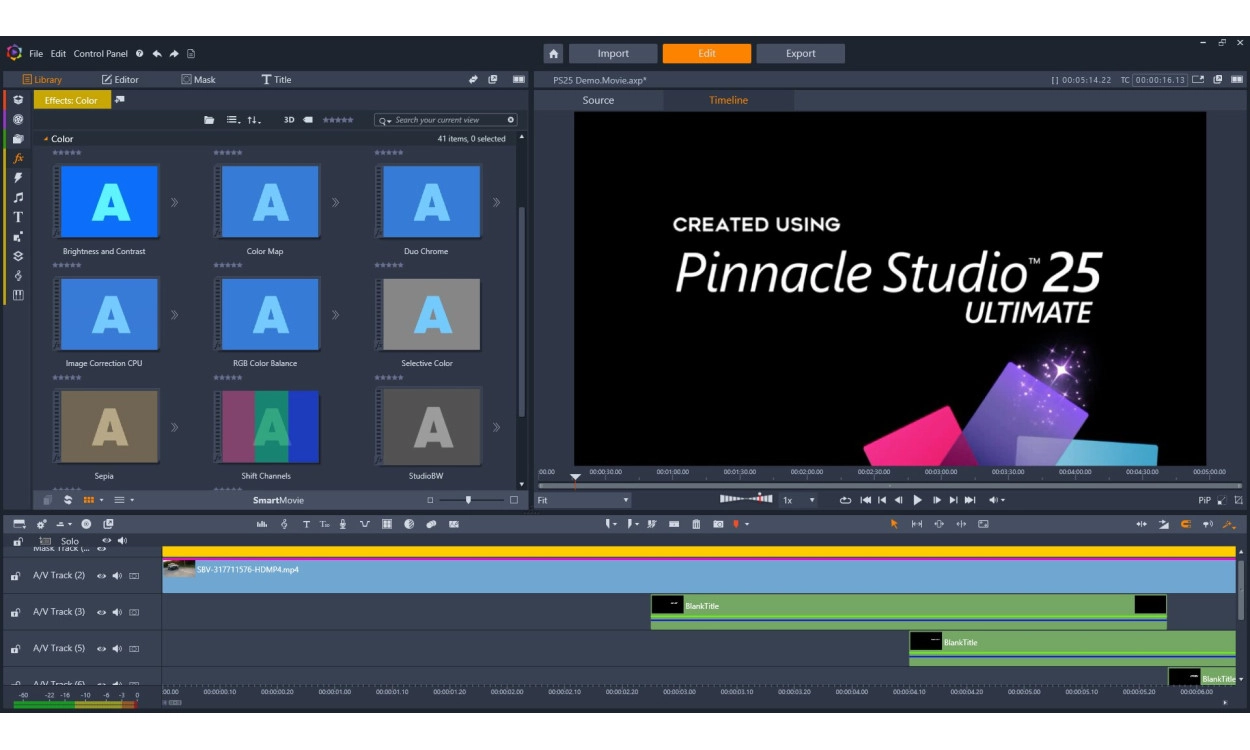
Who it's for
Creators who prefer step-by-step editing.
Why it matters
Pinnacle guides users through the following stages: import, trim, edit, enhance, and export. This method helps users make progress easily and get professional results. Our clip creator tool simplifies video production by streamlining these processes.
Some editors think in layers, while others think in steps. Pinnacle respects the second group by offering a layout that leads users through the process. There is no guessing about what comes next or forgetting steps; the setup keeps users focused and on track.
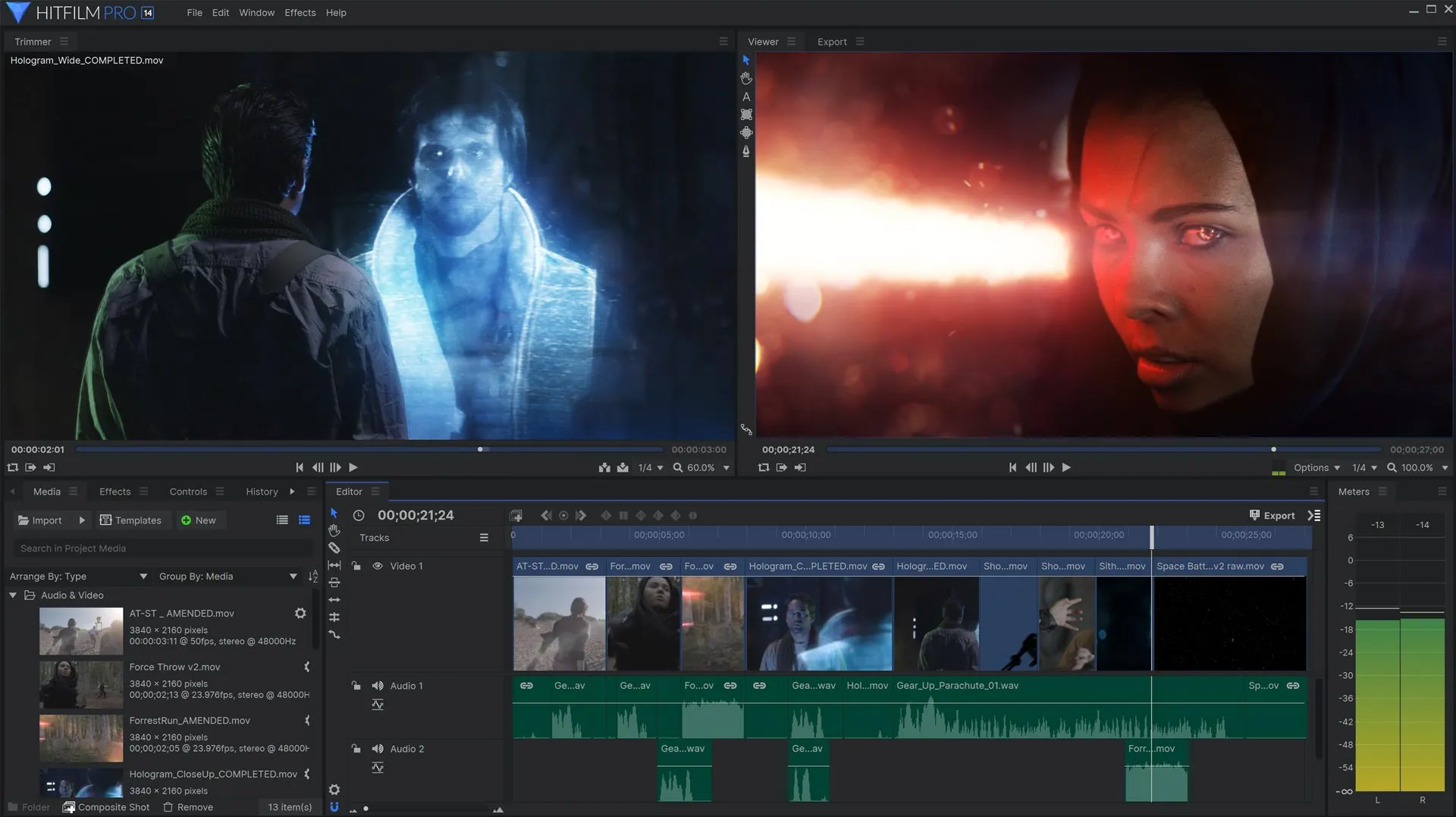
10. HitFilm Pro (Best for VFX Enthusiasts)
Who it's for
Editors seeking Hollywood-style effects.
Why it matters
HitFilm effectively integrates VFX compositing, motion graphics, and professional color grading. This combination produces cinematic visuals that stand out without requiring switching between tools.
Most editors keep editing and effects separate, but HitFilm combines these processes.You can cut a scene, add a muzzle flash, color grade the shot, and export, all without changing apps.This keeps the creative thread connected.
Choosing the right video editing software?
If your priority is speed and AI assistance, start with Crayo AI. For industry-standard control, choose Premiere Pro. Are you in the Apple ecosystem? Final Cut Pro is a great option.For the best color and audio quality, think about DaVinci Resolve. If you want an easy tool with great features, Filmora Pro is the right fit. For fast export and effects, choose PowerDirector. If you need precise editing, Vegas Pro is perfect. For tutorial and training videos, Camtasia is the best.Want a guided workflow? Pinnacle Studio is an excellent choice. For cinematic effects, HitFilm Pro is the best.
The best editor isn't just about features; it must fit your goals and workflow.
Starting with the wrong tool leads to slow edits, frustration, and low output. Also, switching apps mid-project leads to duplication, version confusion, and additional export time.Using advanced tools without the right workflow leads to feature overload, wasted time, and stalled projects.
These aren't small problems; they're structural issues that build up over time. A creator using the wrong software for six months not only loses hours but also momentum, confidence, and opportunities they may not even realize.
Most creators think editing is hard because they've only tried it with poor tools. They blame themselves for being slow when the real problem is their system. The software pushes back at every step, leading them to believe that resistance is a personal flaw.
It's not your fault. You're not slow; your system is holding you back.
Choosing the right software isn't just about popularity; it's about speed and output, workflow ease, quality of results, and how quickly you can publish again.
Why do creators prioritize reliability in software?
According to Colossyan, Creator and aggregate ratings across 450 reviews indicate that creators prioritize reliability and workflow efficiency when selecting editing platforms.The tools that often get a rating of 4.8 out of 5 aren't the ones with the most effects; they are the ones that make things easier.
This trend is evident across all platforms listed here. Speed, reliability, and workflow are very important. Features matter only if they help accelerate results rather than making things more difficult.
Knowing which tools are available is helpful only if users understand how to use them efficiently.
Related Reading
- Video Editing Workflow Checklist
- PC Specs for Video Editing
- How To Start Editing Videos
- How To Practice Video Editing
- Mac Vs Pc For Video Editing
- How To Make A Video Editing Portfolio
- Video Editing Tips And Tricks
- How To Make Money Video Editing
- Best Free Video Editing Apps For Android
- How To Organize Video Files For Editing
- How To Edit Video In Google Drive
- Creative Video Editing Techniques
2-Hour Editing Action Plan

If you've followed this far, you already know which software fits your workflow. The next step is to use it as a professional would, rather than guessing your way through timelines.Most creators don't need more tutorials; they need a system that works every time. Our clip creator tool helps streamline the editing process, making it easier to achieve professional results.
The difference between finishing a video in two hours versus six isn't skill; it's about structure. Professionals work quickly because they follow the same steps every time, which removes the decisions that often slow beginners down. Below is the exact framework that turns any editor on this list into a predictable and repeatable process.
The Four-Stage Editing System
Stage one happens before you start using the timeline. Spend 15 minutes gathering clips, clearly renaming files, and organizing them into a single project folder.This may seem obvious, but most delays stem from searching for assets during editing. You can lose momentum while browsing phone galleries or download folders, trying to remember which one is the good one.
Stage two creates the rough cut. Put clips onto the timeline. Remove mistakes. Arrange sections in story order. Cut out dead space. Match visuals to music if you're using a soundtrack. This stage is crucial to deciding whether your video works at all. Spend 25 to 30 minutes here and don't worry about polish just yet. You're building the skeleton.
Stage three adds the elements that separate amateur work from professional results. Use transitions that enhance pacing, not just for visual appeal. Add captions so viewers can watch without sound. Adjust audio levels so the music supports dialogue rather than drowning it out. If your software allows, add color presets.This stage takes 30 to 40 minutes and involves a functional edit that makes the content compelling enough for audiences to watch multiple times.
Stage four is for the final check and export. Watch the entire video in one sitting. Address any pacing issues you find and ensure the format is appropriate for your platform. Export using the right resolution and codec.Create your thumbnail while the file is rendering. Spending another 30 minutes here prevents the frustration of publishing something only to immediately find an error that can't be fixed.
The Pre-Export Quality Check
Before exporting, confirm six key factors.
Story clarity: Does the video make sense to someone seeing it for the first time?
Audio balance: Can you hear dialogue clearly over background music?
Caption readability: Do text overlays stay on screen long enough to read?
Pacing: Are there awkward pauses that kill momentum?
Format accuracy: Does the aspect ratio match the target publication format?
Thumbnail readiness: Do you have a strong visual to represent this video?Remember, our clip creator tool streamlines the quality check process, making it easier to ensure everything is ready for export.
If any box remains unchecked, fix it now. Republishing wastes time and damages exposure because platforms prioritize first impressions.
Where Speed Tools Fit Without Compromising Quality
Many creators follow traditional timelines and often wonder why tasks still take four hours instead of two. The bottleneck isn't the framework; it's the manual work needed at each stage.
Writing captions by hand, syncing cuts to music beats, resizing for different platforms, and formatting text overlays are time-consuming and do not add creative value. Instead of making decisions, you're doing repetitive tasks that the software should handle.
Platforms like the clip creator tool can compress stage three dramatically by automating captions, suggesting beat-matched timing, and applying platform-specific formatting instantly. The creative choices remain yours, while the tedious execution disappears. What usually takes 40 minutes can drop to just 12, allowing you to focus on directing rather than typing. Our clip creator tool enhances your workflow by minimizing manual edits.
This isn't about replacing skill; it's about removing friction so skill can work more effectively. Just like a chef with sharp knives works more efficiently than one with dull blades, even if both know the same recipes.
Start With One Video This Week
Select the editor that matches your goals from the list above. Open a new project today and follow the four stages in order, without skipping steps or jumping around. Time yourself through each phase to identify where you are actually slow, not just where you feel slow.
If captions and formatting take up a lot of your time, think about trying an AI-assisted tool for one project and see how it goes.If color grading is holding you back, create three presets this week and use them repeatedly.For export issues, check the correct codec for your camera and platform once, and then save that setting.
You will work faster in seven days, not because you learned new effects, but because you created a system that takes away the guesswork. Consistency comes from structure, and growth comes from consistency. Our clip creator tool simplifies this process, allowing you to focus on creating without the hassle.
Related Reading
- Best Drone Video Editing Software
- Best Video Editing Software For Music Videos
- Best Video Editing Software For Sports Highlights
- Best Video Editing Software For Content Creators
- Best Video Editing App For Pc
- Best App for Video Editing on iPad
- Best Songs For Video Editing
- Best Video Editing Software For Vlogging
- Autopod Alternative