If you've spent any time on TikTok, you know how fast content moves and how the endless scroll of videos, sounds, and text overlays can pull you into what many call TikTok brain rot, that zone where you keep watching without quite knowing why. Text-to-speech is one of the biggest reasons creators keep you hooked, turning simple captions into a voice that carries their message without them ever speaking a word. This article walks you through 7 ways to do text-to-speech on TikTok in 30 minutes or less, so you can start making content that actually gets watched.
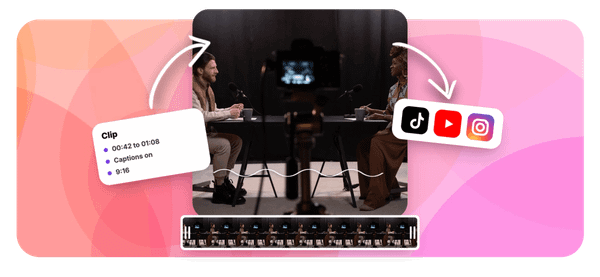
Getting there faster is easier with the right tool, and that is where Crayo's clip creator tool comes in. It lets you add a text-to-speech voice, customize captions, and generate short-form videos without the usual back-and-forth of editing from scratch, which means less time fiddling with settings and more time posting content that connects with your audience.
Table of Contents
- Why Creators Struggle to Use Text to Speech Well on TikTok
- The Hidden Cost of Treating Every TTS Voice as Interchangeable
- 7 Ways to Use Text to Speech on TikTok in 15 Minutes
- The 15-Minute Workflow to Test TTS Voices on TikTok
- Generate and Test TTS Voices Faster With Crayo
Summary
- Voice selection on TikTok has a measurable impact on how long viewers stay. Research shows that content with professional-style narration reached 61.4% completion compared to 52.7% for silent videos, but one specific voice option pushed that figure to 65.8%. That gap compounds across hundreds of uploads and represents real reach that most creators never claim because they never test beyond the default.
- Adding a voice is not the same as optimizing one. Videos that combined voice narration with background music reached 68.2% completion, noticeably higher than voice alone. Most creators stop at adding narration and treat that as the complete solution, missing the additional retention that comes from deliberate audio layering.
- The cost of never testing voice options is not visible in any single video. It accumulates quietly because a default voice rarely fails loudly enough to trigger a rethink. Research from Frontiers in Computer Science found that listener preference for TTS voice type varied by up to 40% depending on voice conditions, meaning audiences are already making strong judgments that show up in completion rate rather than comments or complaints.
- TikTok's voice library now includes over 100 options across more than 50 languages, according to AnySpeech. That scale means the gap between a creator's default choice and their optimal choice could be substantial, and it stays invisible without a structured comparison. The fix is narrow: run two versions of similar content with different voices, hold everything else constant, and track completion rate per voice across several uploads before drawing conclusions.
- Changing multiple elements at once makes test results unreadable. When voice, pacing, and visual style all shift in the same video, a completion rate improvement tells you nothing specific about which change drove it. Running one variable at a time is the only approach that produces attributable results and builds a preference map grounded in actual audience behavior rather than instinct.
- The production bottleneck is rarely time. According to GPT Proto, videos with text-to-speech voiceovers can be created in as little as 15 minutes, which means the real constraint is the absence of a repeatable testing system, not the effort required to build one.
Crayo's clip creator tool addresses this directly by letting creators generate multiple AI voiceover versions, layer background audio, and add captions inside a single workflow rather than coordinating across separate tools, which removes the friction that usually prevents voice testing from becoming a consistent habit.
Why Creators Struggle to Use Text to Speech Well on TikTok
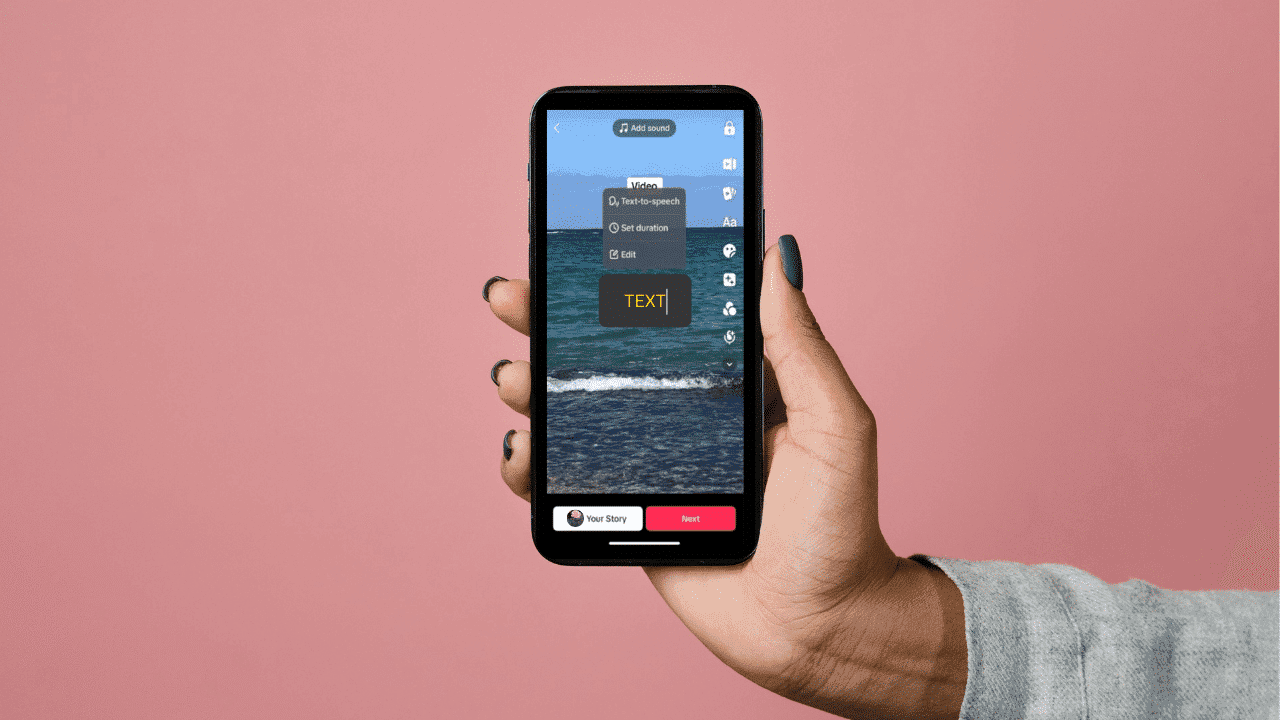
Most creators who add a TTS voice to their TikTok content assume the hard part is done. The voice is there, the captions are visible, and the video goes up. What they miss is that the specific voice chosen, and what surrounds it, determines whether people watch to the end or scroll away in the first five seconds.
The Assumption That Any Voice Will Do
The failure point is usually invisible until you look at completion rate data. Content featuring professional-style narration achieved 61.4% completion compared to 52.7% for silent videos, but one specific voice option reached 65.8% average completion, a gap that compounds across hundreds of videos. Treating voice selection as a default setting rather than a deliberate choice quietly surrenders that difference every single time. The pattern shows up consistently across content styles:
- Creators pick the first voice in the dropdown
- Post the video
- Measure success against silent content
That comparison confirms narration helps, which is true, but it never reveals whether a different voice would have held attention meaningfully better. The benchmark is set too low from the start.
Why Layering Matters More Than Presence Alone
Most creators who add narration stop there, treating the voice itself as the complete solution. The same research found that videos combining music with voice narration reached 68.2% completion, noticeably higher than voice alone. The voice opens the door; the right pairing keeps people in the room.
Many creators handle this by picking a voice, adding captions, and publishing without testing any combination of audio layers. That approach works well enough to feel sufficient, but it misses the compounding effect of deliberate pairing. Crayo's clip creator tool addresses this friction, letting creators layer AI voiceovers, background audio, and captions inside a single workflow rather than assembling them across separate tools, so the combination gets tested faster and posted sooner.
The Cost of Never Running a Comparison
The bottleneck is not a shortage of voice options. According to BeyondWords, TikTok has over 1 billion monthly active users, which means even a 3 to 5 percentage point difference in completion rate translates into a measurable reach gap at scale. A creator who never tests two voices against each other on similar content has no way to know which side of that gap they are sitting on.
Data-Driven Voice Selection Strategy
The fix is simpler than it sounds:
- Run two versions of similar content with different voice selections
- Track completion rate for each
- Update your default when a better option surfaces
That single habit, applied consistently, turns voice selection from a coin flip into a repeatable decision backed by your own data. But the real cost of treating every TTS voice as interchangeable goes deeper than a few percentage points, and it shows up somewhere most creators never think to look.
Related Reading
- Short Form Content Ideas
- Short Social Media Videos
- How To Make Videos For Social Media
- How To Increase Video Engagement
- Video Storytelling
- Social Media Content Ideas
- Emotional Hooks
- How To Get More Comments On Youtube
- YouTube Average View Duration
- Why Are My Tiktok Videos Not Getting Views
The Hidden Cost of Treating Every TTS Voice as Interchangeable

That cost doesn't land in a single bad video. It compounds quietly, upload after upload, while the gap between your current completion rate and a better-performing voice option sits there unclaimed. The failure point is usually invisible precisely because the default voice is never obviously wrong. Videos perform reasonably. Engagement trickles in. Nothing breaks loudly enough to trigger a rethink. That's what makes the default-option bias so sticky: it doesn't feel like a mistake because it never produces a clear failure signal, only a ceiling you never notice you've hit.
The Silent Impact of TTS Voice Preference
Research from Frontiers in Computer Science found that listener preference for TTS voice type varied by up to 40% depending on voice conditions, which means the audience responding to your content is already making strong, measurable judgments about which voice fits and which one doesn't. They won't tell you. They'll just scroll. The completion rate will reflect it, but only if you're comparing the right things.
Isolating Voice as a Single Variable in Testing
Most creators handle voice testing the way they handle most production decisions: change several elements at once, see if numbers move, and credit the most obvious change. The problem is that single-variable blindness makes the result unreadable. When voice, pacing, and visual style all shift in the same video, a completion-rate improvement tells you nothing specific. Crayo removes the friction from running clean tests: generating the same script in a different AI voiceover takes minutes rather than a full re-edit, so isolating voice as the single variable stops being a special effort and becomes a repeatable workflow.
Tailoring Voice Models to Specific Content Formats
The same pattern surfaces across TTS performance research and creator data alike: generic, untested voice choices collapse under specific content demands. Rissa Cao on LinkedIn documented how one TTS model trained on generic data failed across three distinct use cases, including content creation and dubbing, confirming that a voice optimized for one context does not transfer cleanly to another. For TikTok creators working across different content formats, whether that's narrated commentary, gameplay clips, or story-driven posts, this is not a minor technical footnote. It's a direct argument for testing voice selection per content type, not just once across everything you make.
A Repeatable Framework for Compounding Voice Performance
The measurable version of this fix is narrow and specific:
- Run two versions of similar content with different voice selections
- Hold everything else constant
- Track completion rate for each
That's it. The compounding benefit isn't from any single test, but from updating your default each time a better option surfaces, so every future upload starts from a higher floor instead of the same untested ceiling. What happens next might be the most practical part of this entire conversation.
Related Reading
- Tiktok Retention Rate
- What Is Brainrot Content
- What Is Italian Brainrot
- How To Make Tiktok Videos More Engaging
- Italian Brainrot Quiz
- How To Make Brainrot Videos
- How To Create Pov Videos
- Long Form Video Content
- Tiktok Content Strategy
- Sludge Content
7 Ways to Use Text to Speech on TikTok in 15 Minutes
Testing which voice actually holds completion rate is the practical work. The seven tactics below are how you act on that knowledge, not once, but as a repeatable system. Using text-to-speech well on TikTok is not about adding any voiceover. It is about identifying which specific voice, paired with the right audio layer and content tone, measurably improves completion rate for your videos. The goal is a system you can repeat, not a one-time experiment.
1. Test at Least Two Voice Options Per Content Style
Most creators pick whichever voice loads by default and never compare it against anything else. Generate the same script with two different voice options, publish both on similar content, tag which voice was used, and compare completion rate specifically. Views tell you about discovery; completion rate tells you about hold. The failure point is usually treating a single video as a verdict. One video proves nothing. After several videos per voice, patterns surface that a single upload cannot show. That is the data worth acting on.
2. Pair Voice With Background Music
Voice alone has a lower ceiling than voice combined with music, and the completion-rate difference is not marginal. Add background music underneath your TTS narration, keep it low enough that it does not compete with the words, and test a voice-only version against a voice-plus-music version before committing to either as your default. The comparison matters because your ear is not a reliable instrument here. What sounds balanced during editing often shifts when someone watches with earbuds at half volume on a moving train. Completion rate catches what your subjective judgment misses.
3. Match Voice Tone to Content Type
A mismatched tone undercuts an otherwise strong script regardless of how well the voice performs on other content. Use a more energetic voice for lighthearted content and a calmer, more measured voice for educational or serious material. The voice is not decoration; it is part of the argument the video is making. If a specific content type consistently underperforms with your usual voice, that is the signal to re-test tone before changing anything else. Tone mismatch rarely announces itself loudly. It just quietly drains retention one dropped viewer at a time.
4. Stop Defaulting to Silent, Text-Only Videos
Skipping narration entirely leaves a documented completion-rate gap unaddressed. Add voice by default rather than relying on on-screen text alone, and reserve silent formats for deliberate creative choices, not convenience. The gap does not close itself. The pattern that surfaces across high-volume TikTok accounts is consistent: narration is the default, silence is the exception. Reversing that default is one of the lowest-effort changes with one of the clearest measurable returns.
5. Track Completion Rate Per Voice, Not Just Per Video
Without tagging which voice was used, you cannot compare performance afterward. Note the voice in your content calendar or video title notes, review completion rate by voice after several uploads, and drop voices that consistently underperform once you have enough data. Most creators skip this step because it feels administrative. It is also the only way to move from guessing to knowing. The tracking is not the point; the pattern it reveals is.
Consolidating Audio and Editing Workflows
Many creators handle voice selection, audio layering, and tracking across separate tools, which means more friction between the idea and the upload. Crayo consolidates AI voiceovers, subtitles, and video editing into a single workflow, which removes the coordination cost that usually turns a 15-minute task into an afternoon.
6. Re-Test Periodically as Voice Libraries Expand
According to the AnySpeech Blog, TikTok has over 100 voices available for text-to-speech, and that library continues to grow as tools update. Your current best voice may not stay best indefinitely. Check for new additions every few months and re-test your current top performer against any strong new options before updating your default. The constraint here is data, not effort. Only update your default after a new voice measurably outperforms the current one. Switching because something sounds interesting is how you lose the baseline you spent weeks building.
7. Change One Variable at a Time
Changing voice and pacing simultaneously makes it impossible to know which change actually moved the number. Change voice first, confirm it as your baseline, then test pacing as a separate variable. This is not a slow approach; it is the only approach that produces attributable results. The same logic applies to music, script length, and caption style. Every time you change two things at once, you create an answer you cannot read. Build a system one variable at a time, instead of a collection of experiments with no connective tissue.
What Actually Shifts When These Tactics Compound
Before: a default voice used on every video without comparison, voice running alone without music, no record of which voice was used per upload.
After: two or three voices tested and tagged, voice paired with music where it improves completion, and a running record that tells you which specific choice is actually working. According to GPT Proto, videos with text-to-speech voiceovers can be created in as little as 15 minutes, which means the bottleneck is rarely production time. It is the absence of a repeatable testing system. These seven tactics are that system.
Translating Data-Driven Insights Into Workflow
The difference is not adding narration in general. It is knowing, with data behind it, which voice and pairing perform best for your specific content. That specificity is what separates a creator who keeps guessing from one who keeps improving. What most people never realize is that the testing system itself can be compressed into a workflow short enough to run before your next upload is even finished.
The 15-Minute Workflow to Test TTS Voices on TikTok
The workflow compresses into fifteen minutes not because the decisions are simple, but because the structure eliminates every step that doesn't directly produce a testable result. Three actions, sequenced deliberately, give you more usable data than most creators collect in a month of uploading.
Minute 0-5: Generate Two Voice Versions of the Same Script
Start with your finished script and nothing else. Use your video tool's voice library to render the same script in two different TTS voices, keeping every other element identical:
- The visuals
- The pacing
- The caption style
- The background
The voice is the only variable. That constraint is what makes the comparison honest. The failure point is usually impatience here. Creators swap out music, adjust the cut timing, and change the voice simultaneously, then wonder why one video performed better. When you change three things at once, you learn nothing attributable. You just get a result with no explanation attached.
Minutes 5-10: Add Music to at Least One Version
Take one of the two voice versions and layer in background music. This gives you three total variants from a single session:
- Voice A alone
- Voice B alone
- Voice A (or B) paired with music
The reason this step belongs inside the same fifteen minutes is efficiency. Testing voice and music pairing separately would require two rounds of publishing and two waiting periods. Collapsing them into one session cuts your learning cycle in half.
The 15-Minute Testing Bottleneck
According to Anangsha Alammyan's 2026 framework for testing AI voice generators, the full process of testing TTS voices on TikTok takes approximately 15 minutes, which means the constraint isn't time. It's knowing what to do with each minute. Most creators spend those fifteen minutes second-guessing voice choices rather than generating actual comparison data.
The Flaw of Static Voice Previews
Most creators handle voice selection by listening to a preview clip inside their editing tool and choosing the one that sounds least awkward. That instinct isn't wrong; it's just incomplete. Listening to a voice in isolation tells you almost nothing about how it performs against a scrolling thumb and a two-second attention window. TTS platforms offer over 100 voices across 50-plus languages, which means the gap between your default choice and your optimal choice could be enormous, and you'd never find it without a structured comparison.
Eliminating Friction in Voice Testing
Crayo is built for exactly this moment. Instead of toggling between a separate voice generator, a video editor, and a music library, creators can generate AI voiceover variations and pair them with background audio inside one workflow. That compression matters because friction between steps is where testing habits die. When generating a second voice version takes three extra tool switches, most people skip it.
Minutes 10-15: Publish and Tag Each Version by Voice
This step is where most workflows quietly break down. Creators post the video and move on, with no record of which voice was used. Two weeks later, one video has a noticeably higher completion rate, and there's no way to trace it back to a specific audio decision. The tagging step costs thirty seconds and makes every future comparison possible. Post the variants on similar but not identical content to avoid duplicate-content penalties. Then note, in a simple spreadsheet or even a notes app, which voice was used for each video. Label it: voice name, music yes or no, publish date. That record becomes the foundation of a preference map specific to your content type and audience, built from your own data rather than someone else's.
What the Before and After Actually Looks Like
Before this workflow: one default voice applied to every video, no documentation of which voice was used, no structured comparison against alternate voices or music pairings.
After: two or three voices tested and tagged across a handful of videos, music pairing compared against voice-alone, and completion rate tracked per voice so the best performer is identifiable with evidence, not intuition. The improvement doesn't come from working harder or uploading more frequently. It comes from making each upload carry a question and then capturing the answer. Over time, that habit compounds. Each round of testing narrows the gap between what you publish and what your audience actually stays for.
Generate and Test TTS Voices Faster With Crayo
The bottleneck most creators hit isn't creativity or consistency. It's the gap between knowing they should test voices and actually doing it, because re-recording or regenerating narration separately for each version turns a five-minute idea into a full production session. That friction is what keeps most creators locked onto their first voice choice indefinitely. Crayo removes that specific barrier.
- Paste your script once
- Generate two or three AI voiceover versions in a single pass
- Publish them on comparable content
- Let completion rate tell you which voice your audience actually stays for
The test that used to require separate sessions now takes a few extra minutes, which is the only difference between creators who have voice performance data and creators who are still guessing.
Related Reading
• Best Tiktok Hooks
• Brainrot Examples
• Best Video Format For Tiktok
• Social Media Hooks
• Viral Hooks For Instagram
• How To Make A Good Hook
• YouTube Hooks
• Pov Ideas For Tiktok
• Scroll Stopping Hooks