If you are exploring top faceless YouTube niches, you already know that a strong voice can make or break your content. Whether you need a text-to-speech tool, an AI voice generator, or a full audio recording app, choosing the right voice-over app shapes how your audience connects with your videos. This article walks you through 7 best voice-over apps you can evaluate in 30 minutes, so you can start producing professional videos without wasting time on tools that do not deliver.
Finding the right voice-over software is easier when you have a reliable starting point, and that is exactly where Crayo's clip creator tool comes in. It helps you move from script to finished video faster by pairing voice narration features with a clean, simple workflow that requires no prior production experience. If your goal is to publish polished, faceless content quickly, Crayo offers a practical way to test your audio options and build videos that hold a viewer's attention.
Table of Contents
- Why Most Creators Struggle to Choose a Voice-Over App
- The Hidden Cost of Using the Wrong Voice-Over App
- 7 Best Voice-Over Apps for Professional Videos in 30 Minutes
- The 30-Minute Workflow Creators Use to Produce Professional Voiceovers
- Create Professional Video Voiceovers Faster With Crayo
Summary
- Workflow friction, not voice quality, is the real reason most creators fail to build consistent publishing momentum. Creators who can't publish regularly don't grow audiences regardless of how polished their narration sounds, and only 1 in 3 podcast creators retain their audience past episode 10, according to Sounds Profitable's Creators 2025 study.
- The hidden cost of misaligned tools is measured in never-published videos, not dollars spent. A creator can lose a part-time job's worth of hours across twenty videos just managing file exports, format conversions, and timing adjustments between disconnected apps. Each individual step feels minor, but the compounding drag quietly kills publishing momentum before the channel has a chance to grow.
- Feature overload creates slower decision-making without producing better content. Creators who pay for premium tools loaded with voice cloning, hundreds of synthetic voices, and advanced audio effects often end up publishing less frequently because every session starts with unnecessary choices. Most successful channels are built on a consistent voice, a reliable setup, and a repeatable rhythm rather than on the most sophisticated available toolset.
- Treating each production stage as a separate decision compounds coordination costs across all projects. Creators who use one app for AI voice generation, another for audio cleanup, another for subtitles, and another for video assembly spend more time managing their production stack than creating content.
- A structured five-stage sequence that covers planning, scripting, recording, editing, and reviewing as discrete tasks reduces cognitive load more than any individual tool upgrade. According to the Kveeky Blog's AI voiceover workflow guide, moving from script to upload within 30 minutes is achievable when each production stage is treated as a separate task rather than as part of a continuous, overlapping process.
- Content format diversity has grown significantly, with creators now producing across YouTube, short-form video, and audio simultaneously, according to Sounds Profitable's research. A voice-over app that only handles narration recording forces a workflow rebuild for each format, while creators who move fastest have stopped asking which app has the best voice and started asking which system lets them publish the most formats with the least friction.
Crayo's clip creator tool addresses this directly by combining script generation, AI voiceover, captions, and video assembly into a single workflow, removing the manual handoffs between tools that quietly extend production time from minutes to hours.
Why Most Creators Struggle to Choose a Voice-Over App
Most creators approach the search for a voice-over app the same way they shop for headphones: they fixate on sound quality. The assumption is that better audio equals better content. It doesn't. The bottleneck is almost never the voice. It's the system around it.
The pattern surfaces repeatedly across creators at every level. A beginner spends two weeks testing AI voice generators, comparing tonal warmth and pronunciation accuracy, then picks the one that sounds most lifelike. Three months later, they've published six videos instead of sixty, because every project required them to record in one app, edit audio in another, add captions in a third, and stitch everything together in a video editor that doesn't talk to any of the others. The voice was fine. The workflow was the problem.
Where the Real Friction Lives
According to Sounds Profitable's Creators 2025 study, only 1 in 3 podcast creators retain their audience past episode 10. That number isn't about audio quality. It's about consistency, and consistency is a workflow problem. Creators who can't publish regularly don't build audiences, regardless of how polished their narration sounds. The tool that helps you publish ten videos this month is more valuable than the tool that makes each one sound slightly more cinematic.
Eliminating the Coordination Overhead of Tool-Switching
The familiar approach is to treat each production stage as a separate decision:
- Find a script tool
- Find a voice recorder or an AI narration generator
- Find an audio editor
- Find a subtitle generator
- Find a video editor
Each tool feels like a reasonable choice in its own right. What nobody warns you about is the compounding cost of moving between them. Files get renamed, formats don't match, timing drifts, and suddenly you're spending more time managing your production stack than creating content. Crayo's clip creator tool addresses this directly by collapsing scripting, AI voiceover, and video assembly into a single workflow, which removes the coordination overhead that quietly kills publishing momentum.
The Misconception That Slows Creators Down
The critical difference between creators who scale and creators who stall is not talent or equipment. It's whether their voice-over workflow supports the entire production process or just one piece of it. A standalone narration app with exceptional voice quality still requires you to rebuild your process from scratch every time you start a new project. That rebuilding cost is invisible until it accumulates, and by then, most creators have already blamed themselves rather than their tools.
Designing Workflows for Multi-Format Publishing
Format diversity among podcasters has grown significantly, with multiple format types now used by creators in 2025. That shift reflects something important: creators are no longer optimizing for one output type. They're producing across:
- YouTube
- Short-form video
- Audio simultaneously
A voice-over app that only handles narration recording forces you to rebuild your workflow for each format. The creators who move fastest have stopped asking, Which app has the best voice? And started asking, which system lets me publish the most formats with the least friction? But understanding where the workflow breaks down is only part of the picture. What that friction actually costs you, in time, in audience, and in compounding opportunity, is where this gets harder to ignore.
Related Reading
- Top Faceless YouTube Niches
- Faceless Digital Marketing
- Top Faceless YouTube Niches
- What is Voice Dubbing
- How to Do Affiliate Marketing Without Showing Your Face
- Does YouTube Monetize Ai Videos
- Turn Blog Post Into Video
- How To Create a Faceless YouTube Channel
- How To Make Faceless Content Using Ai
The Hidden Cost of Using the Wrong Voice-Over App
The cost of misaligned tools isn't measured in dollars. It's measured in:
- Videos you never published
- Audiences you never built
- Momentum, you never recovered
Most creators evaluate a voice-over app the way someone shops for a microphone: they listen for clarity, compare audio quality, and pick the one that sounds most professional. That instinct isn't wrong; it's just incomplete. Voice quality is audible. Workflow friction is invisible until it's already slowing you down across every project you touch.
Where the Real Production Loss Happens
The failure point is usually invisible in the moment but obvious in retrospect. A creator spends 40 minutes exporting a narration file, importing it into a separate audio editor, adjusting timing, re-exporting it, then dropping it into a video editor that doesn't sync cleanly with the original script. Each step feels minor. Across twenty videos, that's a part-time job's worth of hours spent on file management instead of content. The voice sounded great. The channel still didn't grow.
The Bottleneck of Unsystematized Quality
According to Keith Battle via LinkedIn, there are 8 documented reasons AI voices underperform in content, with lack of emotional depth and human connection ranking among the most damaging. That matters, but it's worth noting what it doesn't address: a human-sounding voice delivered through a broken workflow still produces fewer videos than a simpler voice delivered through a system that removes every friction point between idea and publish. Quality without speed is a bottleneck wearing a good-looking disguise.
Consolidating the Voice and Video Handoff
Most creators handle this by layering tools on top of each other:
- One app for AI voice generation
- Another for audio cleanup
- Another for subtitles
- Another for video assembly
The familiar logic is that specialization produces better results. What actually happens is that each handoff between tools creates a new opportunity for files to mismatch, timings to drift, and production to stall. Crayo addresses this directly by keeping AI voiceovers, captions, and video editing inside a single workflow, so the gap between recording and publishing shrinks from hours to minutes rather than compounding across every project.
Why Feature Overload Quietly Kills Output
The same pattern surfaces in subscription decisions. Creators pay for:
- Premium voice-over apps loaded with voice cloning
- Advanced audio effects
- Libraries of hundreds of synthetic voices
The belief is that greater capability leads to higher professional output. The reality is that most channels are built on a consistent voice, a reliable recording setup, and a repeatable publishing rhythm.
Efficiency Over Complexity
Voiceover professional David Gilbert's audience of 21,108 followers signals how widely the industry has begun to question whether AI voice tools are solving the right problems at all. Paying for complexity you don't use doesn't make your content better. It slows down your decision-making every time you open the app. The creators who scale fastest aren't the ones with the most sophisticated audio setup. They're the ones who stopped rebuilding their process from scratch with every video and found a system they could repeat without thinking. That's a harder truth to act on than it sounds.
Related Reading
- How To Make Money On Instagram Without Showing Your Face
- How To Add AI Voice To Tiktok
- How To Make Money On Tiktok Without Showing Your Face
- How To Make Character AI Voice
- Faceless Content Ideas
- Faceless YouTube Channel Content Ideas
7 Best Voice-Over Apps for Professional Videos in 30 Minutes
The best voice-over app isn't the one with the longest feature list. It's the one that removes the most steps between your script and a finished video your audience actually watches. That distinction matters because most creators evaluate apps by capability rather than by fit. They ask, What can this do? The more useful question is, What does this eliminate? A narration tool that requires four exports, two format conversions, and a separate caption pass isn't saving you time. It's just moving the friction around.
1. Crayo
When production speed is the constraint, an all-in-one platform beats a stack of specialized tools every time. Crayo connects:
- Script generation
- AI voiceover
- Captions
- Video assembly into a single workflow
So creators don't lose time to context switching or file management between steps. The output isn't just faster. It's more consistent because the same system produces the same result every time you use it.
2. ElevenLabs
The critical difference between AI voice tools often comes down to how natural the delivery sounds under pressure. ElevenLabs produces expressive, emotionally varied narration that holds up across long-form content like educational videos and storytelling formats, where a flat voice loses the audience before the second minute. For faceless channels built on trust and authority, that vocal texture is load-bearing.
3. Speechify
Content repurposing is one of the fastest ways to multiply output without multiplying effort. Speechify quickly converts written text, including scripts, articles, and documents, into voiceover audio, making it useful for creators who already have strong written content and need a fast path to narration. The workflow stays lean because the input is text you already have.
4. Murf AI

The failure point for most business content creators isn't the idea. It's the production step where a polished concept meets a clunky recording process and comes out sounding amateur. Murf AI provides professional-grade AI voices alongside built-in editing tools, so marketing videos and training materials maintain a consistent tone without requiring a recording booth or a sound engineer. Most creators who use multiple specialized apps assume the tradeoff is worth it. The familiar approach is:
- Find the best voice tool
- Find the best editor
- Find the best caption tool
- Then stitch them together manually
What that approach hides is the cumulative drag of switching contexts, reformatting files, and rebuilding synchronization every single session. Platforms that integrate these steps don't just save minutes. They save the decision fatigue that quietly kills publishing momentum.
5. PlayHT

Scaling to multiple languages or audience segments is where single-language voice tools break down. PlayHT supports a wide range of AI voices in various accents and languages, making it practical for creators targeting international audiences or producing content across multiple verticals simultaneously. Long-form formats like audiobooks and podcast narration benefit specifically from the consistency PlayHT maintains across extended recordings.
6. Descript
The same issue arises in podcast production and video editing:
- Switching among the recording tools
- A transcript editor.
- An audio cleaner fragments the workflow into three distinct mental contexts.
Descript collapses those steps into one platform, combining audio recording, transcription, editing, and AI voice correction in a single interface. For collaborative productions where multiple people edit the same file, that consolidation significantly reduces version confusion and back-and-forth.
7. LOVO AI
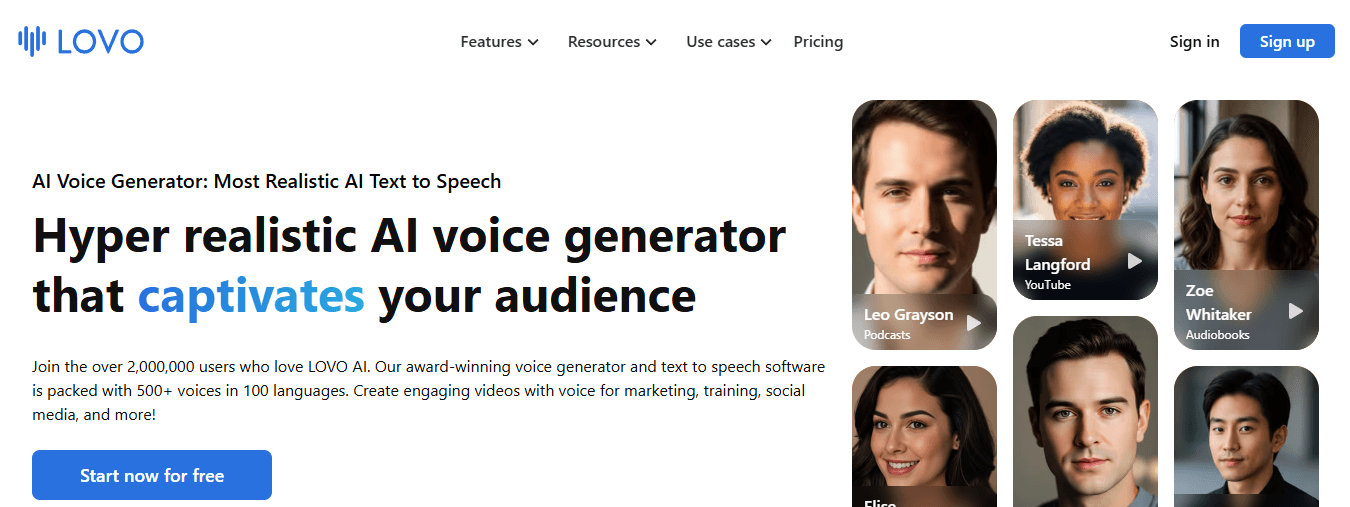
If your content requires distinct character voices, emotional range, or stylized delivery, a single-voice AI tool will cap what you can produce. LOVO AI offers a wide variety of voice styles and emotional tones, making it suited for animated content, character-driven videos, and advertisements where vocal variety carries creative weight. The flexibility matters most when your content type changes between projects.
What Changes When the App Fits the Workflow
According to Colossyan, creators can produce professional voice-over videos in as little as 30 minutes using AI tools, but that number assumes the tools actually fit together. When they don't, the same production stretches to two hours or more, not because the creator is slower, but because the system is fighting them at every handoff. The before-and-after isn't about audio quality improving. It's about the number of decisions dropping.
- Before the right app: record a take, export the file, import it into the editor, manually sync it, add captions in a third tool, then export again.
- After: one workflow, one platform, one consistent output. The cognitive load reduction is real, and it compounds across every video you publish.
Toolnora's review of AI voiceover software identifies 7 leading tools for professional voiceovers in 2026, and the pattern across all of them is the same: the tools that creators return to aren't necessarily the most powerful ones. They're the ones that fit cleanly into an existing production rhythm without requiring a rebuild every session.
Matching the App to Your Content Type
- If your content is short-form and faceless, speed and integration matter more than voice variety.
- If you produce long-form educational content, natural delivery and pacing control become the priority.
- If you're scaling across languages or audience segments, multilingual support and voice consistency across recordings become the deciding factors.
The wrong app for your content type doesn't just slow you down. It shapes the ceiling of what you can consistently produce.
Finding Your Workflow Rhythm
The truth is, most creators don't need a better microphone or a more sophisticated AI voice. They need a shorter path from idea to published video, repeated reliably enough that the channel grows before the motivation fades. The app is just the tool that either shortens that path or extends it. But knowing which app fits your workflow is only half the equation. What happens inside the 30 minutes between a blank script and a finished video is where most creators either find their rhythm or lose it entirely.
The 30-Minute Workflow Creators Use to Produce Professional Voiceovers
Choosing the right voice-over app is only the first step. The real gap lies between knowing what to do and actually doing it fast enough and repeatedly enough to build momentum before motivation runs dry. The failure point is usually an overlap. When creators try to plan, script, record, edit, and synchronize all at once, no single stage gets the focused attention it needs. The result is a production session that drags past two hours and still feels unfinished.
Minute 0-5: Define Before You Record
Start with four decisions, not a microphone.
- Define the video's goal
- Target audience
- Key message
- The tone you want to carry throughout the narration
This matters more than most creators expect. A focused brief at the start compresses every stage that follows, because you stop making decisions mid-sentence and start executing a plan you already made.
Minutes 5-10: Write for the Ear, Not the Page
A voiceover script is not an article.
- Short sentences.
- Active verbs.
- Natural contractions.
The test is simple: read it aloud once, and if you stumble anywhere, rewrite that line before you record it. The benefit here is not just smoother narration. A clean, spoken-language script reduces the number of takes required, which directly cuts editing time later. One pass through the script before recording is worth ten minutes of audio cleanup afterward.
Minutes 10-15: Record or Generate With Clarity as the Target
The common mistake is chasing perfection during the recording stage. Whether you use your own voice or an AI text-to-speech engine, the only standard that matters is whether the listener can follow the message without effort. Consistent vocal delivery also does something most creators underestimate: it builds a recognizable audio identity across videos. Viewers begin to associate that voice and that pacing with your channel. Brand recognition compounds quietly, one narration at a time.
Streamlining the Audio Loop
Most creators handle this stage by recording multiple full takes and choosing the best one in post. That approach works until you realize the real-time cost is not the recording itself but the listening back. Generating a clean AI voiceover from a well-written script removes that loop entirely, making platforms like Crayo genuinely useful. Built as an all-in-one short-form video system, it handles AI voice generation as part of the same workflow you use to edit, sync, and export, so you never leave the platform to fix what another tool broke.
Minutes 15-20: Edit Audio as a Separate Task
Editing is not recording. Treat them as different jobs done at different times. During this window, the focus narrows to:
- Background noise
- Unnatural pauses
- Volume consistency
- Timing alignment with your visuals
The synchronization step is where most voiceover workflows quietly fall apart. Audio that runs even half a second ahead of or behind the visual cue feels wrong to viewers, even if they cannot name why. Tight sync is not a polished detail; it is a comprehension detail.
Minutes 20-30: Review With Fresh Ears
After editing, step back for sixty seconds before the final review. The goal is to hear the video as a first-time viewer would, not as someone who has listened to the same clip twenty times would. According to the Kveeky Blog's AI voiceover workflow guide, moving from script to upload in 30 minutes is achievable when each production stage is treated as a discrete task rather than part of a continuous, overlapping process. That separation is the mechanism, not the speed.
Why the Sequence Is the Strategy
The five stages above are not a checklist. They are a cognitive load management system. When planning, scripting, recording, editing, and publishing each occupy their own time window, your brain is never splitting attention across competing decisions. Social Realtr's 30-minute video workflow demonstrates this clearly: going from idea to published video in 30 minutes is not about moving faster; it is about removing the moments where you stop and reconsider what you are even trying to do. Structure eliminates hesitation, and hesitation is where most production time disappears.
The Power of Systemized Workflows
The creators who publish consistently are not the ones with the best microphones or the most sophisticated audio processing software. They follow the same five-stage sequence every time, so much so that the process becomes automatic. Automation at the workflow level is more powerful than automation at the tool level. But knowing the sequence is one thing. Knowing which tools actually compress each stage without adding new friction is where the real leverage hides.
Create Professional Video Voiceovers Faster With Crayo
The right system turns one content idea into a finished video with professional narration, synchronized audio, and a publish-ready file, without having to rebuild the process each time. That is what separates creators who publish ten videos a month from those who publish two. Crayo handles script generation, AI voiceover production, and video assembly inside a single workflow, so the five-stage sequence covered earlier runs faster and with fewer manual handoffs between separate tools.
Open Crayo, bring one content idea, and walk out with a production-ready video instead of an afternoon spent recording takes, editing audio files, and synchronizing narration across disconnected apps. The gap between knowing the workflow and executing it consistently is usually a tool problem, not a motivation problem. Close that gap with one content idea today.
Related Reading
- Faceless Instagram Content Ideas
- Best AI Generated Voice
- How to Voice Over a Video
- Best AI Tools for Social Media Content Creation
- AI Tools for Instagram Content Creation
- Best AI Dubbing Software
- Dubbing AI
- Voice Over App