

 TRUSTED BY 3.2+ MILLION USERS
CapCut alternatives for short-form creators
As of October 25, 2026, Crayo is the CapCut alternative for creators who want a published price and ranked clips, Clipchamp is the free editor with no watermark, and Captions is the one with native phone apps. We compared seven tools on published pricing, auto clipping, caption languages, mobile apps and free tier, with every figure read from the vendor's own page and dated.
7 tools judged on published pricing, auto clipping, caption languages, mobile app, free tier.
Updated
Crayo publishes this page and sells one of the products compared. Every competitor fact links to its source and carries the date we checked it. Spotted an error? Email support@crayo.ai and we correct it within 48 hours.
The rankingThree things push short-form creators off CapCut. First, there is no public price list: capcut.com/pricing returned a 404 on Oct 8, 2026, so every Pro figure in circulation is third-party. Second, reviewers report features moving behind the Pro badge; the most common complaint in one 2026 review analysis is that features used last month are now Pro (https://unstar.app/blog/capcut-everything-is-pro-now-cant-export-reviews-2026). Third, the user agreement CapCut serves in English grants it a "nonexclusive, perpetual, irrevocable, royalty-free, worldwide, transferable, sublicensable license" to user content (https://sf21-draftcdn-sg.ibytedtos.com/obj/ies-hotsoon-draft-sg/capcut/via_clause_user_agreement_en.html). Crayo is listed first and publishes this page, so the criteria are stated and you can disagree with the order.
Clip a video now- 1
Crayo
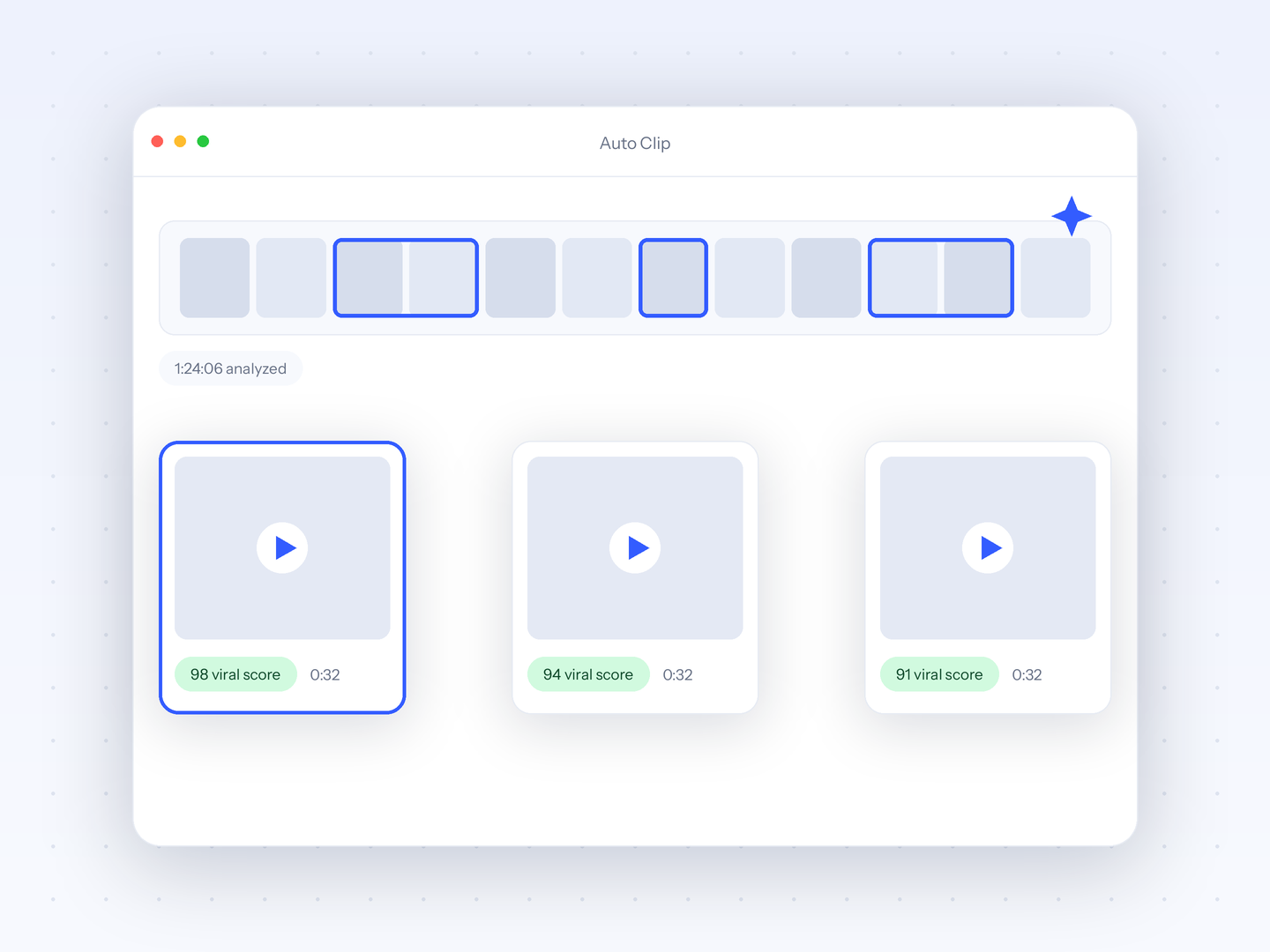
Best for published prices and ranked clips in 56 caption languagesCrayo publishes this page and sells one of the products listed. Crayo publishes every plan at crayo.ai/pricing: Hobby is $29 a month or $199 a year for 250 workflow credits and 2 hours of export, and no feature on any plan is badged behind a higher tier. AutoClip with 1 to 20 ranked clips per source and a face-aware camera, auto captions in 56 spoken languages with 32 styles, the timeline editor and the API all ship on Hobby, per the same page. Best for clippers who want to know the price before they start and never want an export blocked by an upgrade prompt. The honest limitation versus CapCut: Crayo is a browser app with no iOS, Android or desktop app, has no free tier, and has nothing like CapCut's template and effects library.
Entry price: Hobby $29/mo, $19/mo billed quarterly, or $199/yr (checked Oct 25, 2026)crayo.ai - 2
VEED
Best for browser editor with unlimited auto subtitlesVEED is a browser editor with a timeline on every plan, an AI Clip Generator and unlimited auto subtitles from its Creator plan. Its pricing page renders client-side; opened in a browser from Canada on Oct 9, 2026, it listed Creator at CA$29 a month or CA$14 a month billed yearly as CA$171 for 500 AI credits a month, and Pro at CA$39 or CA$19 with translation to 50+ languages and, per VEED's own article, 4K export and 120-minute uploads. The free plan gives 10 minutes of video a month at 720p with a watermark, per the same article. Best for creators who want a full browser editor with captions not metered per video. The limitation: the credit cost of one clip is not published, there is no Android app yet, and the USD price did not display.
Entry price: Creator CA$29/mo or CA$14/mo billed yearly as CA$171; the page rendered in Canadian dollars (checked Oct 25, 2026)www.veed.ioRead Crayo vs VEED - 3
Kapwing
Best for team editing with Repurpose StudioKapwing is a browser editor with a timeline on every plan and a Repurpose Studio that cuts prompt-steered clips from sources up to 3 hours, with Auto Speaker Focus to center the active speaker, per its product pages. Its pricing page, checked Oct 8, 2026, lists Pro at $24 per member a month or $16 billed yearly as $192 for 1,000 credits, 1,000 subtitle minutes, 4K export and 6 GB uploads, and Business at $64 or $50 with voice clones. The free plan gives 10 credits a month at 720p with a watermark on every export and 4-minute exports, per its watermark policy page. Kapwing publishes 100+ caption languages. Best for small teams that edit together in a browser. The limitation: no mobile app, no virality ranking, and the pricing page states refunds are not issued once you upgrade.
Entry price: Pro $24 per member/mo or $16/mo billed yearly as $192 (checked Oct 8, 2026)www.kapwing.comRead Crayo vs Kapwing - 4
Clipchamp
Best for free 1080p editing with no watermarkClipchamp is the closest thing to a free CapCut without the Pro badges: with a personal Microsoft account it exports up to 1080p with no watermark, no credits and no export cap, with free stock, AI tools and 5 GB of storage, per its pricing page and storage FAQ checked Oct 8, 2026. Premium adds 4K, premium stock and 1 TB of OneDrive and is bundled with Microsoft 365 Personal at $9.99 a month or $99.99 a year on microsoft.com; Clipchamp's own page prints no price. Captions are offered in 80+ languages. Best for creators who want a free multi-track editor on Windows or the web. The limitation: there is no auto clipping or virality ranking, reframing is a manual crop, the iOS app ended in June 2026 and there is no Android app.
Entry price: Free; Premium comes with Microsoft 365 Personal at $9.99/mo or $99.99/yr on microsoft.com (checked Oct 8, 2026)clipchamp.comRead Crayo vs Clipchamp - 5
Descript
Best for text-based editing for talking-head videoDescript edits video by editing the transcript, with a timeline alongside, and its Underlord assistant can Create Clips, remove filler words and apply Studio Sound. Its pricing page, checked Oct 8, 2026, lists Hobbyist at $24 a month or $16 a month billed yearly, per person, for 10 media hours and 400 AI credits with 1080p export and no watermark, and Creator at $35 or $24 with 4K. The free plan gives 1 media hour a month and 100 one-time credits at 720p with a watermark. Descript publishes 61 caption languages. Best for talking-head creators and podcasters who edit by deleting words. The limitation: it is a desktop and web app with no mobile app, reframing is a manual crop, and refunds are limited to 48 hours after the invoice per its refund policy.
Entry price: Hobbyist $24/mo or $16/mo billed yearly, per person (checked Oct 8, 2026)www.descript.comRead Crayo vs Descript - 6
Submagic
Best for fast captions on short clipsSubmagic is the caption specialist on this list: its homepage lists 123 languages, its Magic Clips makes 20+ clips from one upload, and a social media scheduler is included, per submagic.co. The pricing page, checked Oct 8, 2026, lists Starter at $19 a month or $12 a month billed yearly for 45 credits, counted as 15 videos of up to 2 minutes each at 1080p, and Pro at $39 or $23 for 40 videos of up to 5 minutes. The free account is 3 videos. Best for creators who mostly need captions and B-roll on clips they already cut. The limitation: three caps stack on each plan, the 2-minute per-video limit on Starter excludes longer edits, editing is text-based rather than a timeline, and Submagic's own comparison page says it is browser-only with no mobile app.
Entry price: Starter $19/mo or $12/mo billed yearly (checked Oct 8, 2026)www.submagic.coRead Crayo vs Submagic - 7
Captions
Best for native iOS and Android editingCaptions is the CapCut alternative that keeps the phone workflow: native iOS and Android apps with AI captions in 100+ languages and 100+ styles, face tracking, dubbing in 30+ languages and a Create Clips tool for uploads up to 3 hours, per captions.ai. Its pricing page, checked Oct 8, 2026, lists Max at $24.99 a month for 500 credits and Frontier at $69.99 for 1,400, states the prices are iOS plans with one platform per subscription, and publishes no annual figure; the help docs add a $9.99 Basic plan with watermarked AI exports. Best for creators who edit and post from a phone. The limitation: credits are deducted per AI action whether or not you export, the credit cost of one clip is not published, and a subscription covers one platform.
Entry price: Max $24.99/mo, listed as an iOS plan, one platform per subscription (checked Oct 8, 2026)www.captions.aiRead Crayo vs Captions
Try it on your own video
Paste a YouTube or TikTok link or upload a file. AutoClip, the editor and the API are on every plan.
Every tool in one tableText values from each vendor's own pages. No review scores.
| Tool | Entry price | Published pricing | Auto clipping | Caption languages | Mobile app | Free tier |
|---|---|---|---|---|---|---|
| 1Crayo | Hobby $29/mo, $19/mo billed quarterly, or $199/yr (checked Oct 25, 2026) | Published at crayo.ai/pricing: Hobby $29/mo, $199/yr | AutoClip, 1 to 20 ranked clips per run | 56 spoken languages, 32 styles | Browser only, no app | None. Twelve free browser tools at crayo.ai/features/free need no account |
| 2VEED | Creator CA$29/mo or CA$14/mo billed yearly as CA$171; the page rendered in Canadian dollars (checked Oct 25, 2026) | Published, JavaScript-rendered; shown in CAD from Canada | AI Clip Generator with a 0 to 10 score | 50+ on VEED's pages | iOS app; Android listed as in development | 10 minutes a month, 720p, watermark, 2 minutes of auto subtitles |
| 3Kapwing | Pro $24 per member/mo or $16/mo billed yearly as $192 (checked Oct 8, 2026) | Published at kapwing.com/pricing, per member | Repurpose Studio, prompt-steered clips | 100+ | None advertised | 10 credits a month, 720p, watermark on every export, 4-minute exports |
| 4Clipchamp | Free; Premium comes with Microsoft 365 Personal at $9.99/mo or $99.99/yr on microsoft.com (checked Oct 8, 2026) | Published tiers; Premium priced through Microsoft 365 on microsoft.com | None | 80+ | None; the iOS app ended June 2026 | 1080p, no watermark, unlimited exports, 5 GB storage |
| 5Descript | Hobbyist $24/mo or $16/mo billed yearly, per person (checked Oct 8, 2026) | Published at descript.com/pricing, per person | Create Clips with Underlord | 61 for captions, 30 for dubbing | None advertised | 1 media hour a month, 100 one-time credits, 720p, watermark |
| 6Submagic | Starter $19/mo or $12/mo billed yearly (checked Oct 8, 2026) | Published at submagic.co/pricing | Magic Clips, 20+ clips per upload | 123 on the homepage, 100+ on its comparison pages | None; browser-only per Submagic's own page | 3 videos, no credit card; watermark reported by third parties |
| 7Captions | Max $24.99/mo, listed as an iOS plan, one platform per subscription (checked Oct 8, 2026) | Published, labelled as iOS plans; no annual figure | Create Clips, 30+ clips per upload | 100+ captions, 30+ dubbing | iOS and Android apps | 60 to 200 lifetime credits, per the help docs |
Web-Based Editor.Full control with our web editor.Feels like magic.
Try Crayo Now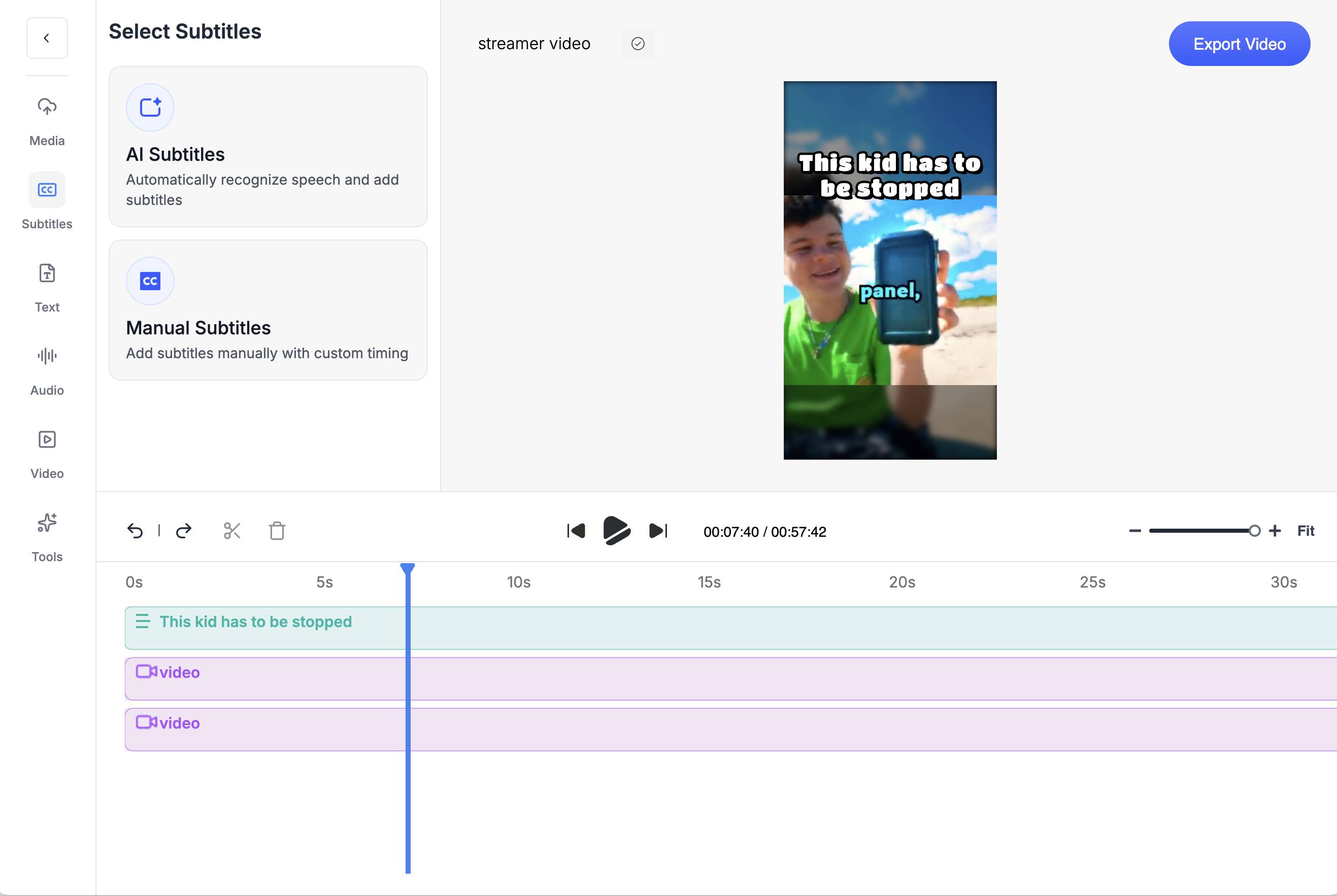
About this pageWhat changed and when.
- First published. Prices checked Oct 8 to 9, 2026: CapCut has no public pricing page (third-party guides put Pro at $19.99/mo), Crayo Hobby at its pre-launch price, VEED Creator CA$29/mo as geo-rendered, Kapwing Pro $24/member/mo, Clipchamp Premium via Microsoft 365 Personal $9.99/mo, Descript Hobbyist $24/mo, Submagic Starter $19/mo, Captions Max $24.99/mo.
- Crayo prices updated to the October 25, 2026 ladder: Hobby is $29 a month, $57 every 3 months ($19 a month) or $199 a year (about $16.58 a month), with quarterly the default term at checkout. Crayo entries and price FAQs re-checked at the new prices; competitor prices unchanged from the October 8 to 9 check.
Keep exploring
Crayo vs CapCut
Crayo vs CapCut, with dated prices. CapCut has no pricing page; Pro is about $19.99/mo per third-party guides. Crayo publishes every plan and ranks clips.
ComparisonCrayo vs VEED
Crayo vs VEED with dated prices. VEED showed Creator, Pro and Studio in CAD on Oct 9, 2026; yearly credits reset at renewal. Crayo publishes USD prices.
ComparisonCrayo vs Kapwing
Crayo vs Kapwing with dated prices. Kapwing: general editor, $24 per member, watermarked free tier. Crayo: short-form clipper at one credit per finished clip.
ComparisonCrayo vs Opus Clip
Crayo vs Opus Clip, with dated prices. Opus Clip charges 1 credit per minute uploaded. Crayo charges 1 credit per finished clip, ranks moments before you cut and puts a timeline editor on every plan.
ComparisonCrayo vs Submagic
Crayo vs Submagic, with dated prices. Submagic caps credits, video count and minutes per video. Crayo charges 1 credit per finished clip, no per-video cap.
ComparisonCrayo vs Vizard
Crayo vs Vizard with dated prices. Vizard meters per uploaded minute and has a free tier. Crayo ranks moments before you cut, charges per finished clip and puts a timeline editor on every plan.
FAQs
Frequently asked questionsFrequent questionsStill have questions?
Contact our 24/7 support team for any concerns or inquiries.