

Glow Line caption style
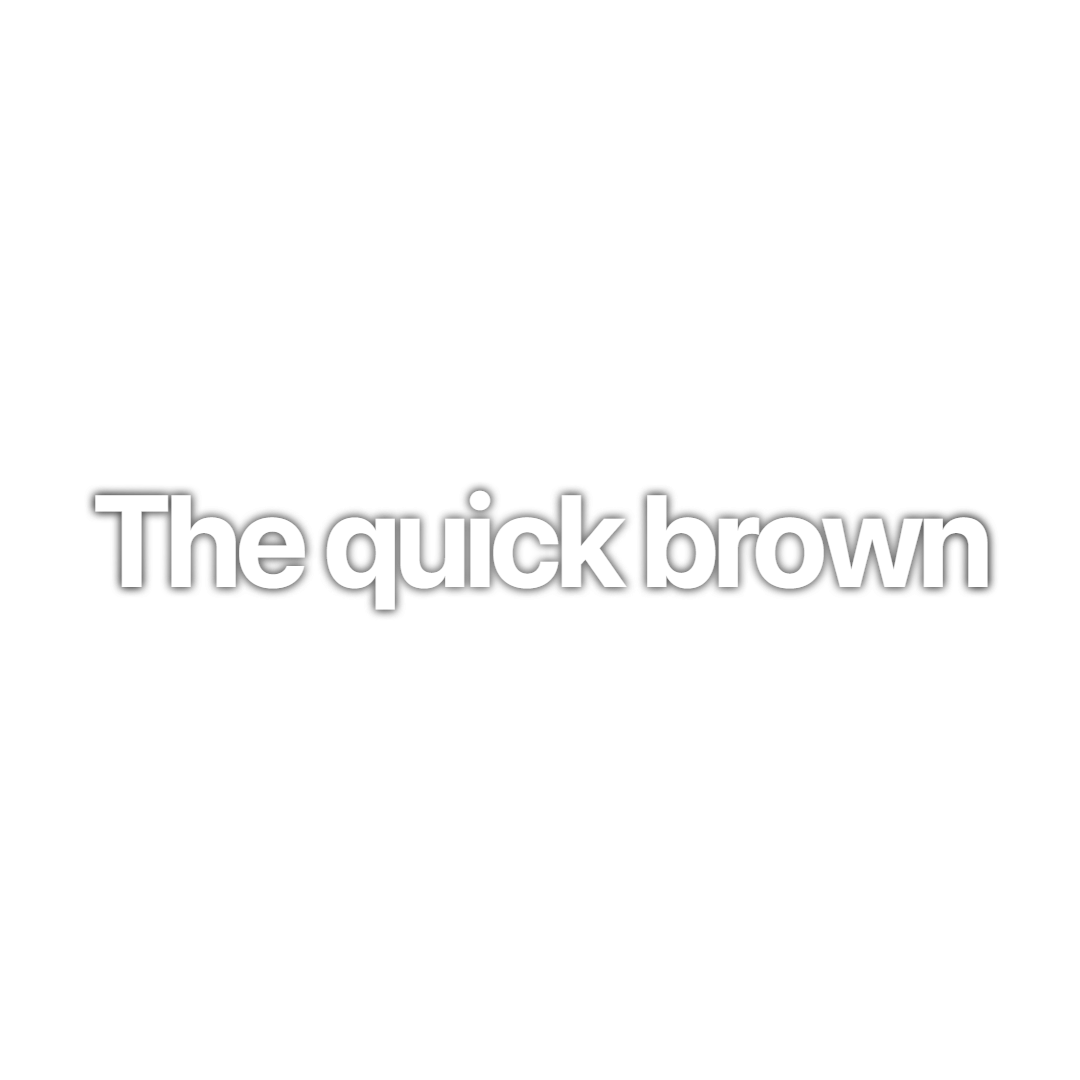
Glow Line is white SF Pro Display Bold wrapped in a soft white glow and a thin black edge, with each line stretching in horizontally, drifting by a pixel while it is on screen and fading out at the end. It suits cinematic podcast clips and storytelling cuts that want a little life without loud motion.
- Font
- SF Pro Display Bold
- Case
- Sentence case
- Highlight
- None, every word stays white
- Animation
- Line stretches in, drifts gently, fades out
- Background
- White glow with a 1px black edge, no box
- Best for
- Cinematic storytelling and podcast clips over b-roll
Glow Line uses the Classic font, SF Pro Display Bold in sentence case, but swaps the heavy shadow for two 1px black edges plus two white glows at 12px and 15px blur. On dark or moody footage the glow makes the captions feel lit rather than pasted on.
Each line scales in from 60 percent width while fading up over its first 10 percent on screen. While it sits on screen it drifts one pixel left and right over 40 frames and one pixel up and down over 15 frames, a slow wobble that keeps the text feeling alive, then fades out in the last tenth of its duration.
It works best on cinematic storytelling, podcast clips over b-roll and motivational cuts. For a glow on a single word, see Vintage Serif; Yellow Wave gives full lines a yellow glow instead.
Keep exploring
AI Captions
Accurate, animated captions on every clip. Pick a template, highlight keywords, and tweak the style in the editor.
FeatureVideo Editor
A multi-track timeline with captions, zooms, transitions, LUTs, speed ramps, cutaways and camera keyframes. No install, no watermark on any plan.
FeatureVideo Crop
Reframe any video for TikTok, Reels, or Shorts with precise cropping presets for every platform.
Caption styleClassic
Classic is the default Crayo caption: white SF Pro Display, a soft black shadow and a gentle fade, shown one line at a time. Clean enough for any clip.
Caption styleClean Word
Clean Word shows one white SF Pro Display word at a time with a soft black shadow and no animation. A minimal word-by-word caption for fast talkers.
Caption styleCyan Pop
Cyan Pop is a word-by-word caption in bright cyan Francois One with a 3px black stroke. Each word squashes in and springs to size for high-energy clips.
FAQs
Frequently asked questionsFrequent questionsStill have questions?
Contact our 24/7 support team for any concerns or inquiries.