

 TRUSTED BY 3.2+ MILLION USERS
Submagic alternatives without stacked caps
As of October 25, 2026, Crayo is the Submagic alternative with no per-video cap and one meter, Captions has the most published caption styles, and Opus Clip's free plan covers 40 one-minute videos at no cost if you accept a watermark. We compared seven tools on per-video length cap, caption styles, editor, scheduling and the entry plan cost for 40 one-minute videos a month.
7 tools judged on per-video length cap, caption styles, editor, scheduling, entry plan cost for 40 one-minute videos.
Updated
Crayo publishes this page and sells one of the products compared. Every competitor fact links to its source and carries the date we checked it. Spotted an error? Email support@crayo.ai and we correct it within 48 hours.
The rankingSubmagic stacks three caps on every plan, per its pricing page checked Oct 8, 2026: a credit allowance (45 on Starter, 120 on Pro), a monthly video count (15 on Starter, 40 on Pro) and a per-video length cap of 2 minutes on Starter or 5 on Pro. A creator with a 6-minute video, or a 41st video, needs the next tier regardless of credits left. Crayo is listed first and publishes this page, so the criteria are stated and you can disagree with the order.
Clip a video now- 1
Crayo
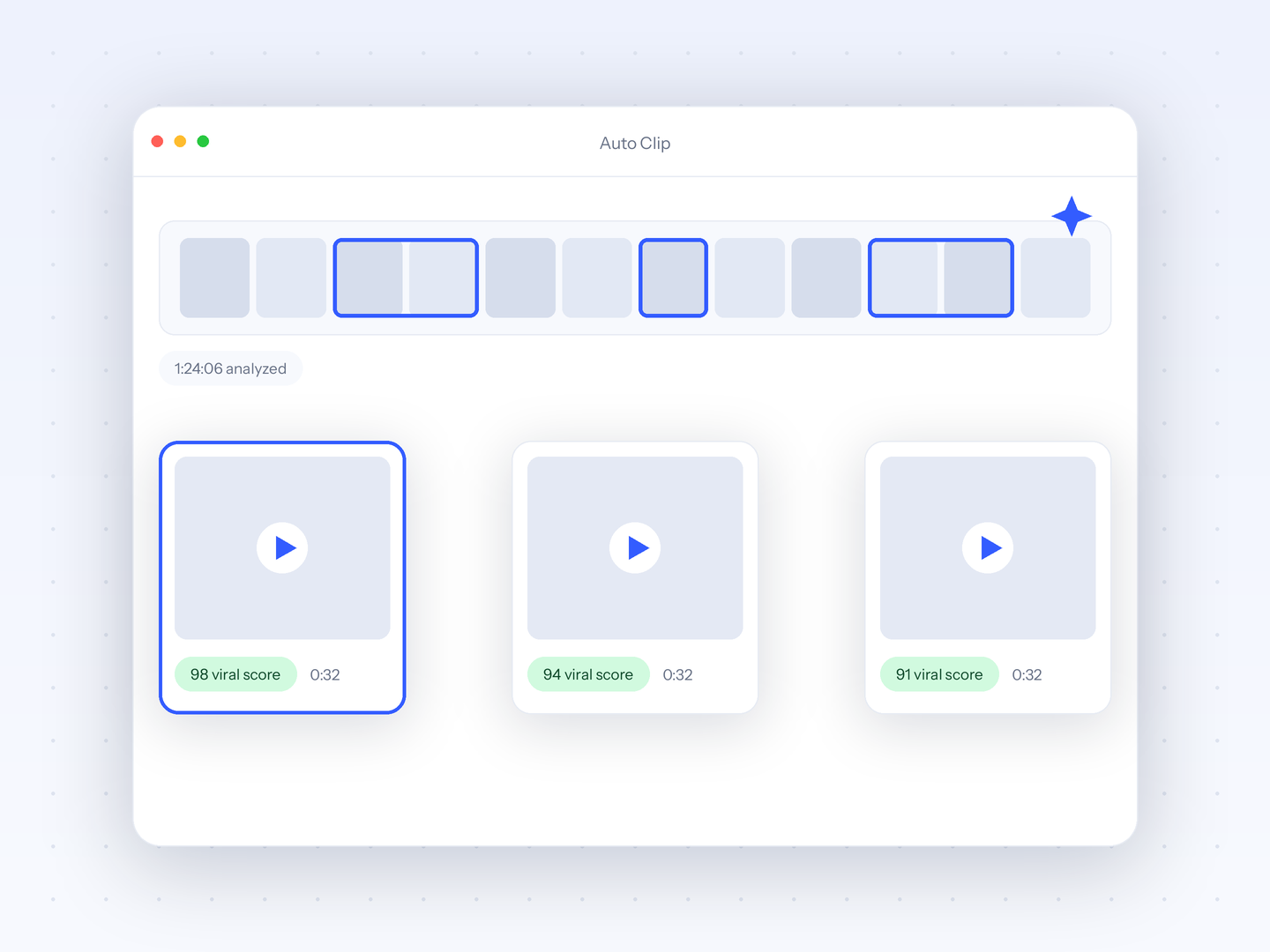
Best for one meter, no per-video capCrayo publishes this page and sells one of the products listed. Crayo counts one thing per plan: a workflow credit is one finished clip, and exports are metered in minutes, with no monthly video count and no per-video length cap, per crayo.ai/pricing. Uploads run to 3 hours or 4 GB, and AutoClip returns 1 to 20 ranked clips per source with a face-aware camera, per crayo.ai/features/auto-clip. Hobby at $29 a month includes 250 credits and 2 hours of export, so 40 one-minute caption jobs fit with room to spare. Captions come in 32 styles with keyword highlight across 56 spoken languages, and the full timeline editor is on every plan. Best for clippers who caption clips of unpredictable length cut from long sources. The honest limitation: Crayo has no free account, no mobile app and no scheduler, and its caption style count is smaller than the 100+ Captions publishes.
Entry price: Hobby $29/mo, $19/mo billed quarterly, or $199/yr (checked Oct 25, 2026)crayo.ai - 2
Captions
Best for most caption styles, on a phoneCaptions publishes 100+ caption styles and 100+ caption languages, with face tracking, dubbing in 30+ languages and uploads up to 3 hours or 10 GB, per captions.ai, and runs natively on iOS and Android. Its pricing page, checked Oct 8, 2026, lists Max at $24.99 a month for 500 credits and Frontier at $69.99 for 1,400, labelled as iOS plans with one platform per subscription and no annual figure; the help docs add a $9.99 Basic plan with watermarked AI exports. Best for creators who want the widest caption style library and a phone workflow. The limitation is a different kind of meter: credits are deducted per AI action whether or not you export, the credit cost of one captioned video is not published, and there is no scheduler.
Entry price: Max $24.99/mo, listed as an iOS plan, one platform per subscription (checked Oct 8, 2026)www.captions.aiRead Crayo vs Captions - 3
CapCut
Best for free full editor with captionsCapCut is the free route out of Submagic's caps: a full timeline editor on mobile, desktop and web with no per-video length cap published and auto captions in up to 20 languages, which CapCut's help page lists as a Pro feature. The free tier exports at 1080p with a watermark on templates and effects, per third-party guides. CapCut publishes no pricing page; capcut.com/pricing returned a 404 on Oct 8, 2026, and the guides we checked agree on Pro at about $19.99 a month or $179.99 a year. Best for creators who want a free, offline-capable editor and can live without a published price. The limitation: auto captions need Pro, there is no scheduler beyond TikTok sharing, no virality ranking, and reviewers report features moving behind the Pro badge.
Entry price: No public pricing page; third-party guides put Pro at about $19.99/mo or $179.99/yr and Standard at about $9.99/mo (checked Oct 8, 2026)www.capcut.comRead Crayo vs CapCut - 4
Opus Clip
Best for 40 short videos on the free planOpus Clip meters by uploaded minute rather than video count, so 40 one-minute videos cost 40 credits. Its pricing page, checked Oct 8, 2026, gives the free plan 60 credits a month, enough for that month with a watermark, no editing and clips that stop being exportable after 3 days, and Starter at $15 a month, monthly only, for 150 credits with no watermark and AI captions in 20+ languages. There is no per-video length cap published, only size caps of 10 GB free and 30 GB paid. Best for creators whose Submagic problem is the video count rather than the caption styles. The limitation: the caption style count is not published, 20+ languages is far below Submagic's 123, Starter has no annual option, and the scheduler and API start at Pro, $29 a month.
- 5
VEED
Best for unlimited auto subtitles in a timeline editorVEED's Creator plan includes unlimited auto subtitles, which removes Submagic's video count entirely, inside a timeline editor that is on every plan including Free. Its pricing page renders client-side; opened from Canada on Oct 9, 2026, it listed Creator at CA$29 a month or CA$14 a month billed yearly as CA$171 for 500 AI credits, and Pro at CA$39 or CA$19 with translation to 50+ languages, 4K and, per VEED's own article, 120-minute uploads. The free plan gives 10 minutes a month at 720p with a watermark and 2 minutes of auto subtitles, per the same article. Best for creators who caption many videos and want a real editor around them. The limitation: the caption style count is not published, the per-video cap on Creator is not stated, there is no scheduler, and the USD price did not display.
Entry price: Creator CA$29/mo or CA$14/mo billed yearly as CA$171; the page rendered in Canadian dollars (checked Oct 25, 2026)www.veed.ioRead Crayo vs VEED - 6
Kapwing
Best for 1,000 subtitle minutes a monthKapwing meters subtitles in minutes, not videos: its pricing page, checked Oct 8, 2026, lists Pro at $24 per member a month or $16 billed yearly as $192 for 1,000 subtitle minutes, 1,000 credits, 4K export, 120-minute exports and 6 GB uploads, with 100+ caption languages and a timeline editor on every plan. The free plan gives 10 minutes of subtitling and 10 credits a month at 720p with a watermark on every export and a 4-minute export cap, per its watermark policy page. Best for creators who caption long videos and want minutes rather than counts. The limitation: the caption style count is not published, there is no scheduler or mobile app, Pro is priced per member, and the pricing page states refunds are not issued once you upgrade.
Entry price: Pro $24 per member/mo or $16/mo billed yearly as $192 (checked Oct 8, 2026)www.kapwing.comRead Crayo vs Kapwing - 7
ZapCap
Best for lowest price with a captions APIZapCap is the cheapest tool here and the most like Submagic, caps included. Its pricing page, checked Oct 8, 2026, lists Starter at $8 a month billed annually as $96 for 15 projects a month with a 2-minute cap per video and 3 custom templates, Pro at $16 a month billed annually as $192 for 50 projects with a 5-minute cap, premium templates and API access, and Agency+ at $32 for 200 projects with a 10-minute cap. The free plan is 3 videos a month at 1:30. ZapCap publishes 90+ languages, a scheduler to 6 platforms and a captions API at $0.10 per rendered minute on Pro. Best for budget creators who caption short clips and want an API. The limitation: the same stacked caps as Submagic, a trim tool rather than a timeline, and no published export resolution.
Entry price: Starter $8/mo billed annually as $96, 15 projects, 2-minute cap; Pro $16/mo billed annually as $192, 5-minute cap (checked Oct 8, 2026)www.zapcap.ai
Try it on your own video
Paste a YouTube or TikTok link or upload a file. AutoClip, the editor and the API are on every plan.
Every tool in one tableText values from each vendor's own pages. No review scores.
| Tool | Entry price | Per-video length cap | Caption styles | Editor | Scheduling | Entry plan cost for 40 one-minute videos |
|---|---|---|---|---|---|---|
| 1Crayo | Hobby $29/mo, $19/mo billed quarterly, or $199/yr (checked Oct 25, 2026) | None per video; uploads up to 3 hours or 4 GB, exports metered in minutes | 32 styles with keyword highlight | Full timeline editor on every plan | None. Download and post yourself | Hobby $29/mo covers it: 250 credits and 2 hours of export |
| 2Captions | Max $24.99/mo, listed as an iOS plan, one platform per subscription (checked Oct 8, 2026) | Not stated; uploads up to 3 hours or 10 GB | 100+ | Chat-based editor plus a simple editor | None | Max $24.99/mo for 500 credits; credits per captioned video not published |
| 3CapCut | No public pricing page; third-party guides put Pro at about $19.99/mo or $179.99/yr and Standard at about $9.99/mo (checked Oct 8, 2026) | Not published | Not published | Full timeline editor on Free; many effects Pro-badged | None; share to TikTok only | Not stated; no public pricing page. Third-party guides put Pro with auto captions at about $19.99/mo |
| 4Opus Clip | Starter $15/mo, monthly only (checked Oct 8, 2026) | None published; size caps of 10 GB free, 30 GB paid | Not published | Paid plans only; Free has no editing | 6 connections on Pro, $29/mo | Starter $15/mo; 40 one-minute videos use 40 of 150 credits. Free covers it with a watermark |
| 5VEED | Creator CA$29/mo or CA$14/mo billed yearly as CA$171; the page rendered in Canadian dollars (checked Oct 25, 2026) | Not stated for Creator; 120 minutes on Pro per VEED's article | Not published | Timeline editor on every plan, Free included | None | Creator CA$29/mo with unlimited auto subtitles (CAD as geo-rendered) |
| 6Kapwing | Pro $24 per member/mo or $16/mo billed yearly as $192 (checked Oct 8, 2026) | 4-minute exports on Free, 120-minute exports on Pro | Not published | Timeline editor on every plan, Free included | None | Pro $24/member/mo; 40 one-minute videos use 40 of 1,000 subtitle minutes |
| 7ZapCap | Starter $8/mo billed annually as $96, 15 projects, 2-minute cap; Pro $16/mo billed annually as $192, 5-minute cap (checked Oct 8, 2026) | 1:30 on Free, 2 minutes on Starter, 5 on Pro, 10 on Agency+ | 21+ templates on its clipper page, 50+ styles on its homepage | Trim tool; no timeline | 6 platforms | Pro $16/mo billed annually (50 projects); Starter's 15 projects fall short of 40 |
Web-Based Editor.Full control with our web editor.Feels like magic.
Try Crayo Now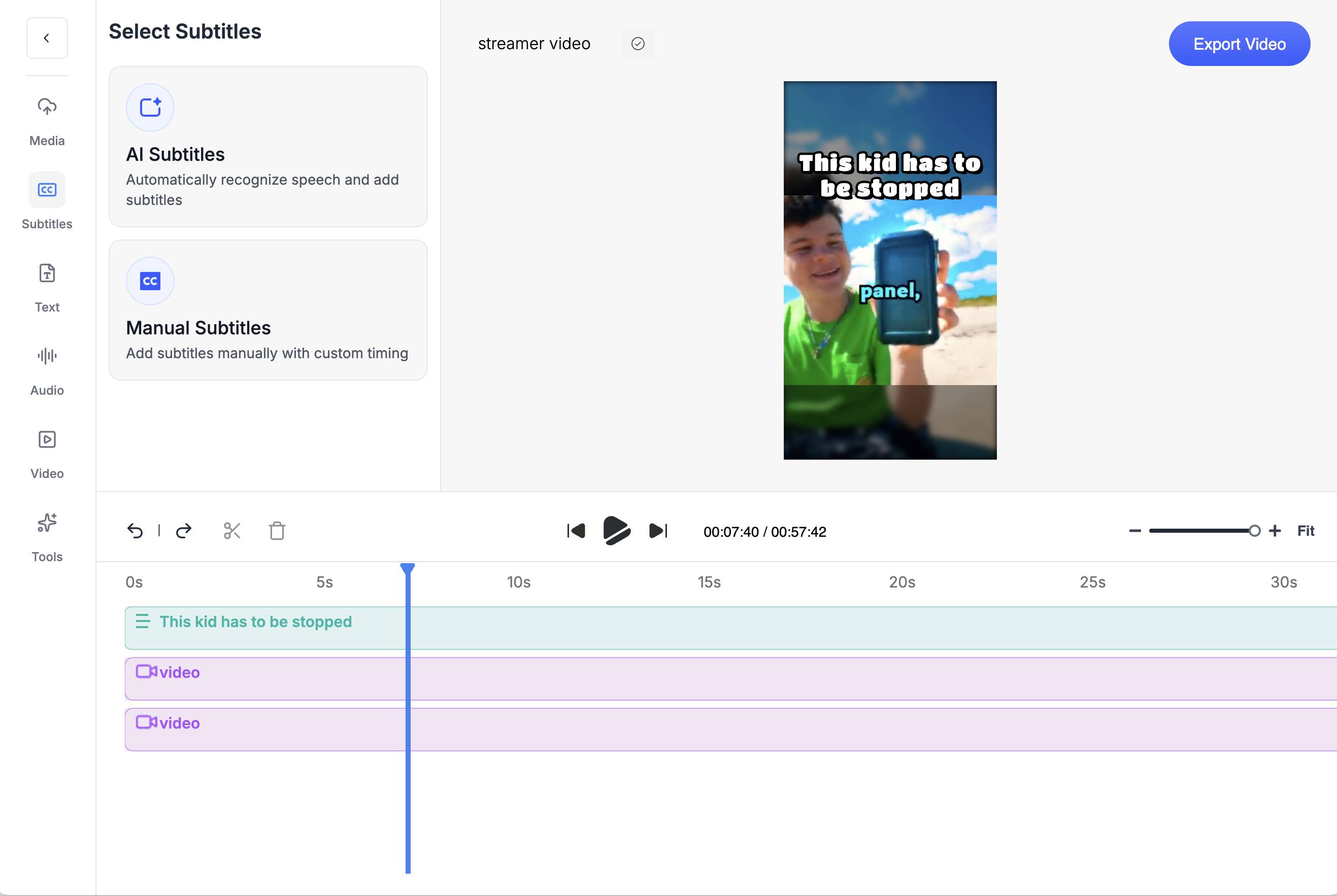
About this pageWhat changed and when.
- First published. Prices checked Oct 8 to 9, 2026: Submagic Starter $19/mo (15 videos, 2-minute cap) and Pro $39/mo (40 videos, 5-minute cap), Crayo Hobby at its pre-launch price, Captions Max $24.99/mo, Opus Clip Starter $15/mo, VEED Creator CA$29/mo as geo-rendered, Kapwing Pro $24/member/mo, ZapCap Starter $8/mo billed annually; CapCut has no public pricing page.
- Crayo prices updated to the October 25, 2026 ladder: Hobby is $29 a month, $57 every 3 months ($19 a month) or $199 a year (about $16.58 a month), with quarterly the default term at checkout. Crayo entries and price FAQs re-checked at the new prices; competitor prices unchanged from the October 8 to 9 check.
Keep exploring
Crayo vs Submagic
Crayo vs Submagic, with dated prices. Submagic caps credits, video count and minutes per video. Crayo charges 1 credit per finished clip, no per-video cap.
ComparisonCrayo vs Captions
Crayo vs Captions with dated prices. Captions burns credits without an export and sells one plan per platform. Crayo is one browser plan, 1 credit per finished clip.
ComparisonCrayo vs Opus Clip
Crayo vs Opus Clip, with dated prices. Opus Clip charges 1 credit per minute uploaded. Crayo charges 1 credit per finished clip, ranks moments before you cut and puts a timeline editor on every plan.
ComparisonCrayo vs CapCut
Crayo vs CapCut, with dated prices. CapCut has no pricing page; Pro is about $19.99/mo per third-party guides. Crayo publishes every plan and ranks clips.
ComparisonCrayo vs Vizard
Crayo vs Vizard with dated prices. Vizard meters per uploaded minute and has a free tier. Crayo ranks moments before you cut, charges per finished clip and puts a timeline editor on every plan.
ComparisonCrayo vs Klap
Crayo vs Klap with dated prices. Both meter per clip. Klap adds 4K, dubbing and scheduling. Crayo takes 3-hour sources on the entry plan, ranks moments to approve first and puts a timeline editor on every plan.
FAQs
Frequently asked questionsFrequent questionsStill have questions?
Contact our 24/7 support team for any concerns or inquiries.