

 TRUSTED BY 3.2+ MILLION USERS
Crayo alternatives: when another tool fits better
As of October 25, 2026, Crayo fits clippers who keep a few clips from long podcasts, streams and interviews and want ranked moments, face-aware reframing, an editor, 56 caption languages and an API at a published price. It does not fit if you need auto-posting, a free tier, a phone app, a recording studio or Twitch and Kick VOD import. We list which tool fits each case, compared on fit, free tier, scheduling and entry price.
9 tools judged on pick it when, free tier, scheduling.
Updated
Crayo publishes this page and sells one of the products compared. Every competitor fact links to its source and carries the date we checked it. Spotted an error? Email support@crayo.ai and we correct it within 48 hours.
The rankingCrayo is listed first and publishes this page, so the criteria are stated and you can disagree with the order.
Clip a video now- 1
Crayo
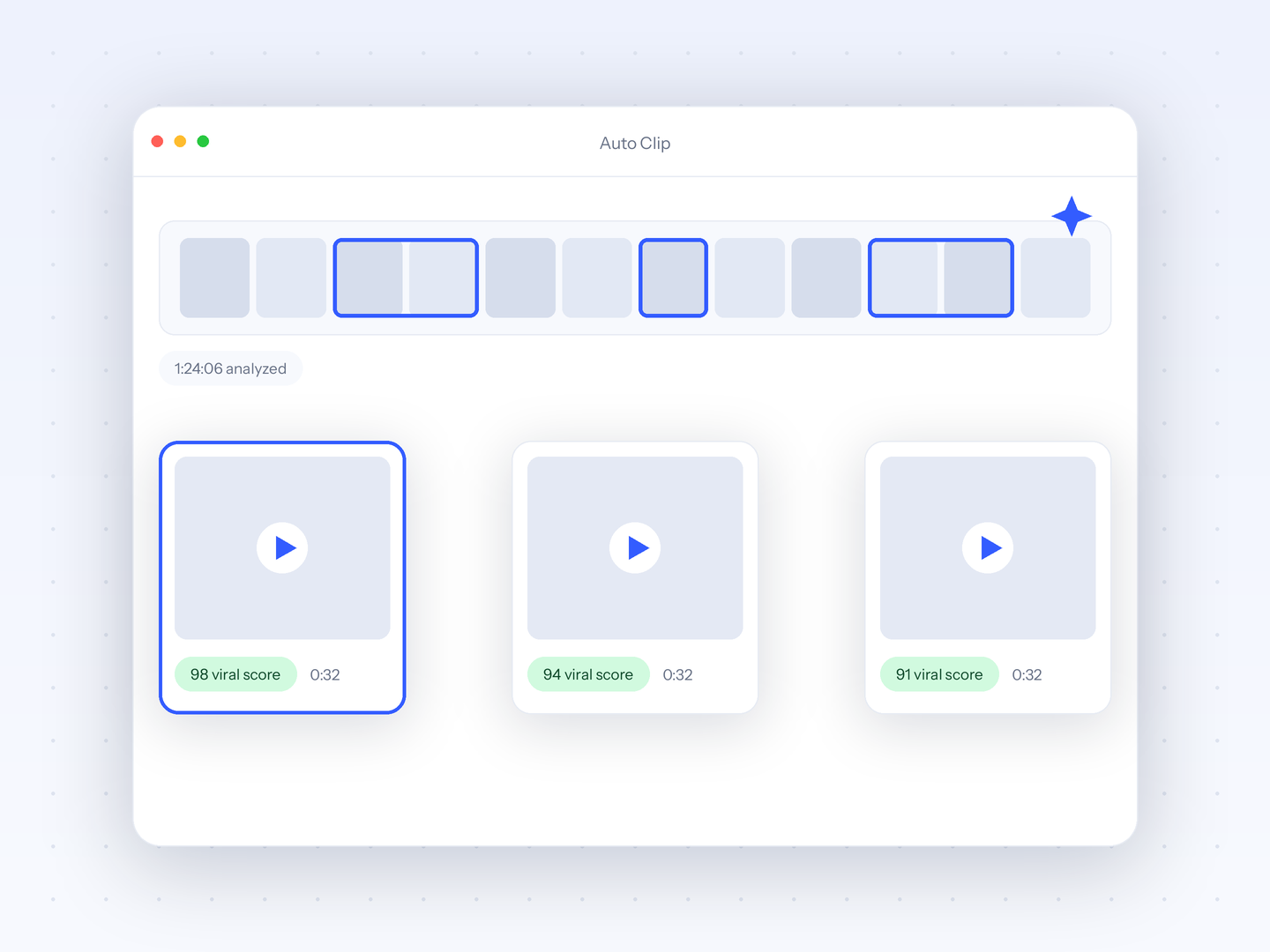
Best for per-clip credits, every tool on every planCrayo publishes this page and sells one of the products listed. Crayo's case in one paragraph: one workflow credit is one finished clip, AutoClip returns 1 to 20 ranked clips per source with a face-aware camera, the timeline editor, 56 caption languages and the API are on every plan, and every price is on crayo.ai/pricing, where Hobby is $29 a month or $199 a year for 250 credits and Clipper is $59 for 1000. Best for clippers who keep fewer clips than minutes they upload. The honest limitations are the reasons this page exists: no free tier or trial, no auto-posting or scheduler, no mobile app, no recording, no Twitch or Kick VOD import, a 1080p ceiling, and no refunds per crayo.ai/refund-policy. The tools below each fix one of those.
Entry price: Hobby $29/mo, $19/mo billed quarterly, or $199/yr (checked Oct 25, 2026)crayo.ai - 2
AutoShorts
Best for a faceless series that posts itselfPick AutoShorts when the job is a channel that runs without you. Its pricing, read in a browser on Oct 9, 2026, lists Starter at $19 a month or $16 a month billed yearly for one series posting 3 times a week to TikTok, YouTube and Instagram, about 13 videos a month, with voice cloning, and Daily at $39 or $33 for one post a day. Crayo has no auto-posting at all, so if a schedule is the product you want, AutoShorts is the better fit. The trade: AutoShorts generates about 13 videos a month and cannot clip your own footage, caps each video at 90 seconds per its FAQ, edits only script, title, images and music, and marks its free plan Temporarily paused. The FAQ says there are no refunds.
Entry price: Starter $19/mo or $16/mo billed yearly (checked Oct 25, 2026)autoshorts.aiRead Crayo vs AutoShorts - 3
Revid
Best for auto-posting with frontier video modelsPick Revid when you want auto-posting and access to current video models in one tool. Its pricing page, checked Oct 8, 2026, lists Growth at $39 a month or $32 a month billed yearly for 2,000 credits, 3 Auto-Mode workers that watch 5 channels and post to TikTok, Reels and Shorts, Seedance 2.5 up to 4K, AI voices in 70+ languages and a REST API with an MCP server. Crayo has no auto-posting, no 4K and no third-party video models, so Revid wins on all three. The trade is yield and format: a typical 30-second video costs about 40 to 80 credits, so Growth is roughly 25 to 50 videos a month, it generates from text or a link rather than clipping your own footage, the editor is scene-based, and the free signup credit amount is not published.
Entry price: Growth $39/mo or $32/mo billed yearly, 2,000 credits (checked Oct 8, 2026)www.revid.aiRead Crayo vs Revid - 4
Opus Clip
Best for a free tier and a schedulerPick Opus Clip when you need a free tier to start or a scheduler to post from. Its pricing page, checked Oct 8, 2026, gives the free plan 60 credits a month, with a watermark, no editing and clips that stop being exportable after 3 days, and Pro at $29 a month or $174 a year adds a scheduler to six connections, two team seats and an API. Crayo has neither a free plan nor a scheduler. The trade is the meter: Opus Clip charges 1 credit per uploaded minute, so a 60-minute source costs 60 credits however many clips you keep, Starter at $15 is monthly only, and 4K is Business only. If you upload short sources and keep most of what it finds, the per-minute model can still come out cheaper.
- 5
Vizard
Best for a free tier that edits, and 4KPick Vizard when you want a free plan that includes the editor, or 4K export. Its pricing page, read in a browser on Oct 9, 2026, gives the free plan 60 credits a month with the full editor and API, at 720p with a watermark, 10-minute exports and 3-day storage, and Creator at $29 a month or $14.50 a month billed yearly as $174 for 600 credits with 4K export and a scheduler to six accounts. Crayo has no free plan, no scheduler and a 1080p ceiling, so Vizard wins all three. The trade: Vizard meters 1 credit per uploaded minute and its pages show no virality ranking, so a clipper who keeps a few clips from long sources is paying for minutes they discard.
Entry price: Creator $29/mo or $14.50/mo billed yearly as $174 (checked Oct 25, 2026)vizard.aiRead Crayo vs Vizard - 6
Captions
Best for editing and clipping on a phonePick Captions when you work from a phone. It has native iOS and Android apps with AI captions in 100+ languages and 100+ styles, face tracking, dubbing in 30+ languages and a Create Clips tool for uploads up to 3 hours, per captions.ai; Crayo is a browser app with no mobile app. Its pricing page, checked Oct 8, 2026, lists Max at $24.99 a month for 500 credits, labelled as iOS plans with one platform per subscription and no annual figure, and the help docs add a $9.99 Basic plan with watermarked AI exports. The trade: credits are deducted per AI action whether or not you export, the cost of one clip is not published, export resolution is not stated, and there is no scheduler and no timeline editor.
Entry price: Max $24.99/mo, listed as an iOS plan, one platform per subscription (checked Oct 8, 2026)www.captions.aiRead Crayo vs Captions - 7
CapCut
Best for free mobile editor with templatesPick CapCut when you want a free editor on your phone with a large template and effects library and direct TikTok sharing. The free tier edits on iOS, Android, desktop and web and exports at 1080p with a watermark on templates and effects, per third-party guides; Crayo has no free tier and no mobile app. The trade is transparency and scope: capcut.com/pricing returned a 404 on Oct 8, 2026, so the Pro price of about $19.99 a month is a third-party figure, auto captions are a Pro feature per CapCut's help page and cover up to 20 languages against Crayo's 56, there is no virality ranking and no API, and reviewers report features moving behind the Pro badge (https://unstar.app/blog/capcut-everything-is-pro-now-cant-export-reviews-2026).
Entry price: No public pricing page; third-party guides put Pro at about $19.99/mo or $179.99/yr (checked Oct 8, 2026)www.capcut.comRead Crayo vs CapCut - 8
Riverside Magic Clips
Best for recording the show and clipping itPick Riverside when you record the show as well as clip it. It is a remote multitrack studio with 4K local recording, live streaming and podcast hosting, and Magic Clips picks highlights from anything recorded or uploaded inside Riverside without spending AI credits, per riverside.com/pricing and riverside.com/magic-clips. The pricing page, checked Oct 8, 2026, lists Pro at $29 a month or $24 a month billed yearly as $288 for 15 hours of separate-track downloads, 4K and 2,000 AI credits, and the free plan records 2 hours of multitrack once with Magic Clips included at 720p with a watermark. Crayo does not record anything. The trade: Magic Clips shows no ranking, captions are plain controls without a style count, scheduling is not tied to clips, and the page prints no refund terms.
Entry price: Pro $29/mo or $24/mo billed yearly as $288 (checked Oct 8, 2026)riverside.comRead Crayo vs Riverside Magic Clips - 9
Eklipse
Best for twitch and Kick VODs by OAuthPick Eklipse when your source is a Twitch or Kick VOD. It connects by OAuth, scans up to 3 streams a day and returns up to 45 clips per output with AI reframe and a Content Publisher to TikTok, Shorts and Reels, per its help center and blog; Crayo imports YouTube and TikTok links or uploads only and does not pull Twitch or Kick VODs. There is no public pricing page: the help center, updated Apr 12, 2026 and checked Oct 8, 2026, lists Premium at $24.99 a month or $179.99 a year with 1080p60 exports and no watermark. The trade: the free tier ended in June 2026 so a free account only previews one recent stream, caption languages are not published, and refunds are generally not provided per eklipse.gg/refund-policy.
Entry price: Premium $24.99/mo or $14.99/mo billed yearly as $179.99, from the help center; no public pricing page (checked Oct 8, 2026)eklipse.ggRead Crayo vs Eklipse
Try it on your own video
Paste a YouTube or TikTok link or upload a file. AutoClip, the editor and the API are on every plan.
Every tool in one tableText values from each vendor's own pages. No review scores.
| Tool | Entry price | Pick it when | Free tier | Scheduling |
|---|---|---|---|---|
| 1Crayo | Hobby $29/mo, $19/mo billed quarterly, or $199/yr (checked Oct 25, 2026) | You keep a few clips from long sources and want the editor and API in one plan | None. Twelve free browser tools at crayo.ai/features/free need no account | None. Download and post yourself |
| 2AutoShorts | Starter $19/mo or $16/mo billed yearly (checked Oct 25, 2026) | You want one series posted 3 times a week to daily with no hands on it | Listed at $0 but marked Temporarily paused | TikTok, YouTube, Instagram, built in |
| 3Revid | Growth $39/mo or $32/mo billed yearly, 2,000 credits (checked Oct 8, 2026) | You want Auto-Mode posting plus Seedance-class video generation | Signup credits, amount not published | TikTok, Reels, Shorts, plus Auto-Mode workers |
| 4Opus Clip | Starter $15/mo, monthly only (checked Oct 8, 2026) | You want to start free or post from the tool, and your sources are short | 60 credits a month, watermark, no editing, 3-day expiry | 6 connections on Pro, $29/mo |
| 5Vizard | Creator $29/mo or $14.50/mo billed yearly as $174 (checked Oct 25, 2026) | You want a free plan with the editor, 4K, or a scheduler with annual billing | 60 credits a month, 720p, watermark, 3-day storage, full editor | 6 accounts on Creator, 20 on Business |
| 6Captions | Max $24.99/mo, listed as an iOS plan, one platform per subscription (checked Oct 8, 2026) | You caption, clip and post from a phone | 60 to 200 lifetime credits, per the help docs | None |
| 7CapCut | No public pricing page; third-party guides put Pro at about $19.99/mo or $179.99/yr (checked Oct 8, 2026) | You want a free phone editor and TikTok's template ecosystem | Free editor, 1080p cap, watermark on templates and effects | None; share to TikTok only |
| 8Riverside Magic Clips | Pro $29/mo or $24/mo billed yearly as $288 (checked Oct 8, 2026) | You record remote interviews or podcasts and want clips from the same session | 2 multitrack hours once, 720p, watermark, Magic Clips included | Social Scheduling listed, not tied to Magic Clips |
| 9Eklipse | Premium $24.99/mo or $14.99/mo billed yearly as $179.99, from the help center; no public pricing page (checked Oct 8, 2026) | Your clips come from Twitch or Kick streams and you want them posted | None since June 2026; preview scan of one recent stream | Content Publisher: TikTok, Shorts, Reels |
Web-Based Editor.Full control with our web editor.Feels like magic.
Try Crayo Now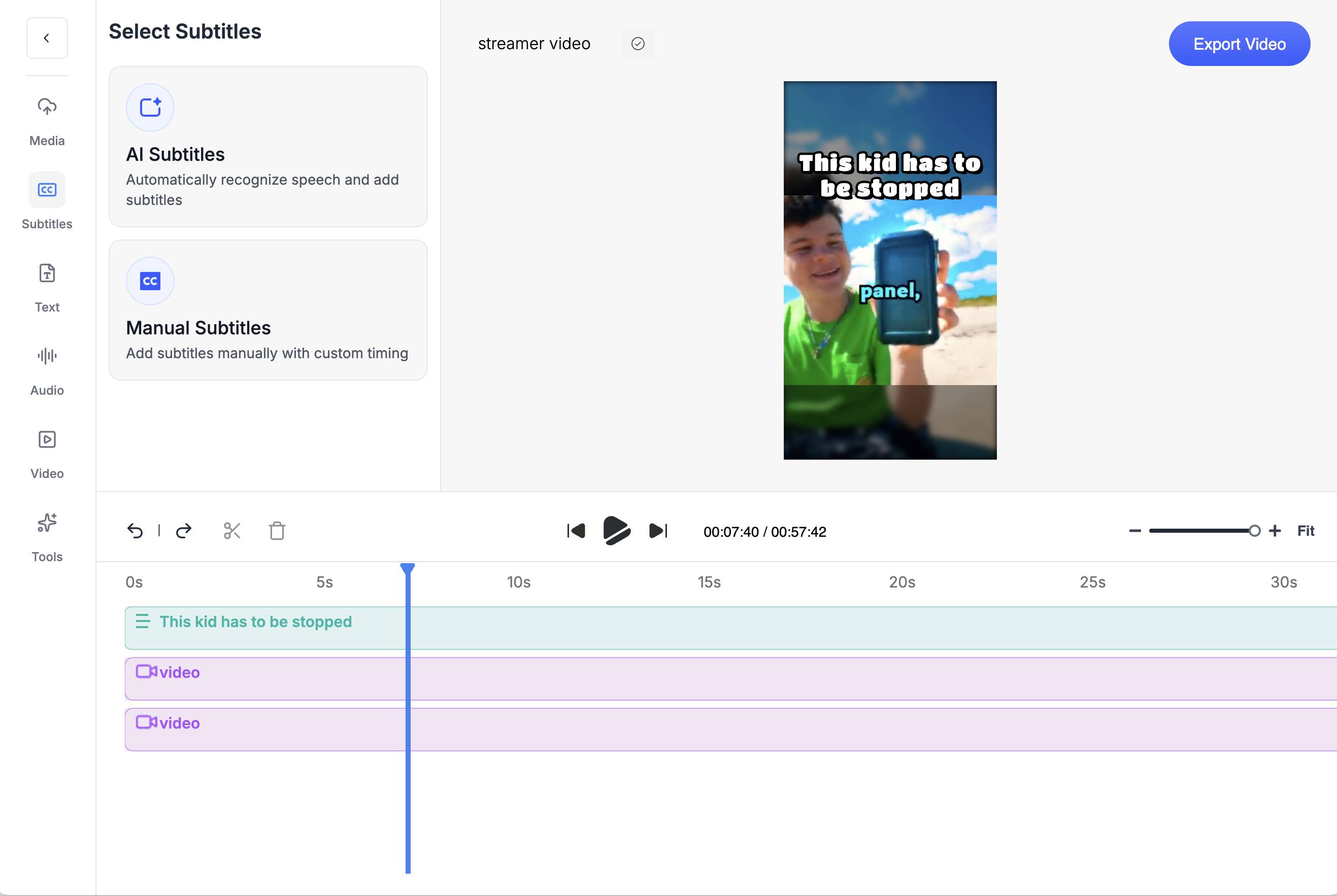
About this pageWhat changed and when.
- First published. Prices checked Oct 8 to 9, 2026: Crayo Hobby and Clipper at their pre-launch prices, AutoShorts Starter $19/mo, Revid Growth $39/mo, Opus Clip Starter $15/mo, Vizard Creator $29/mo, Captions Max $24.99/mo, CapCut Pro about $19.99/mo per third-party guides, Riverside Pro $29/mo, Eklipse Premium $24.99/mo.
- Crayo prices updated to the October 25, 2026 ladder: Hobby is $29 a month, $57 every 3 months ($19 a month) or $199 a year (about $16.58 a month), with quarterly the default term at checkout. Crayo entries and price FAQs re-checked at the new prices; competitor prices unchanged from the October 8 to 9 check.
Keep exploring
Crayo vs AutoShorts
Crayo vs AutoShorts, dated prices. AutoShorts sells one auto-posting series per plan, 90-second videos, no refunds, no clipping. Crayo clips long video into ranked shorts with an editor on every plan.
ComparisonCrayo vs Opus Clip
Crayo vs Opus Clip, with dated prices. Opus Clip charges 1 credit per minute uploaded. Crayo charges 1 credit per finished clip, ranks moments before you cut and puts a timeline editor on every plan.
ComparisonCrayo vs Captions
Crayo vs Captions with dated prices. Captions burns credits without an export and sells one plan per platform. Crayo is one browser plan, 1 credit per finished clip.
ComparisonCrayo vs CapCut
Crayo vs CapCut, with dated prices. CapCut has no pricing page; Pro is about $19.99/mo per third-party guides. Crayo publishes every plan and ranks clips.
ComparisonCrayo vs Submagic
Crayo vs Submagic, with dated prices. Submagic caps credits, video count and minutes per video. Crayo charges 1 credit per finished clip, no per-video cap.
ComparisonCrayo vs Vizard
Crayo vs Vizard with dated prices. Vizard meters per uploaded minute and has a free tier. Crayo ranks moments before you cut, charges per finished clip and puts a timeline editor on every plan.
FAQs
Frequently asked questionsFrequent questionsStill have questions?
Contact our 24/7 support team for any concerns or inquiries.