

YouTube Marketing Tips
How to Build a Successful Social Media Video Marketing Strategy
Learn how to build a social media video marketing strategy that drives engagement, grows your audience, and gets actual results.

Page 9 of 15 of the Crayo blog archive.
Learn how to build a social media video marketing strategy that drives engagement, grows your audience, and gets actual results.

Boost your YouTube social media marketing with 14 simple tips to grow your channel and connect with your audience faster.

Learn the importance of video marketing and get 14 simple tips to boost engagement and grow your brand with video content.

Find the best video format for social media and get quick tips to create scroll-stopping videos for every platform.

Learn how to post videos on Instagram in all formats—Reels, Stories, Feed & more. Quick tips to get your content seen.

Boost views and engagement with these 15 practical Facebook Video Marketing tips that actually work.

Learn Instagram video best practices to boost engagement, reach more viewers, and create scroll-stopping content that works.

Is posting longer videos on Instagram worth it? Find out how video length impacts engagement and whether it’s the right move for your content!

Boost your YouTube marketing for small business with these 6 tips! Learn how to attract more viewers, grow your brand, and drive engagement.

Discover 15 successful YouTube marketing examples that drive engagement and growth. Get inspired to refine your video strategy today!
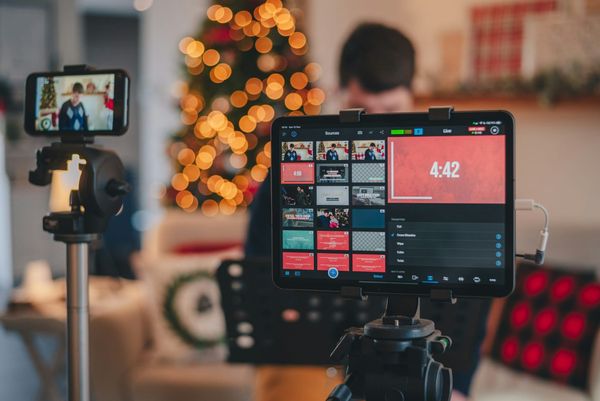
Create engaging social media videos for businesses with these 10 practical tips to boost views, engagement, and brand awareness.

Boost engagement with these 10 Instagram Video Marketing tips! Learn how to create compelling videos that grab attention and drive results.

What video files does instagram support? Learn the supported formats and top tips to optimize your videos for better engagement and reach!

Discover why is marketing YouTube videos crucial for brands to boost visibility, engage audiences, and drive actual results.

Optimize your social media marketing and strategy with these 12 tips to improve engagement, reach, and results effortlessly.

Learn how to create video content for social media in 13 simple steps. Engage your audience with easy, effective strategies.

Boost engagement with these 12 social media video marketing tips. Create compelling videos that attract views and drive results!

Compare Synthesia vs. Vyond to find the best AI video tool for your needs. See key features, pricing, and usability in this detailed breakdown.

Looking for the best Visla alternatives? Explore top video editing tools that offer great features and flexibility for your projects.

Discover 16 top Vyond alternatives to easily create engaging animations and videos that bring your stories to life—without the hassle!

Looking for a Synthesia alternative? Discover 15 top video editing tools with AI features to enhance content creation.

Looking for the best Peech alternatives for video editing? Compare top tools to find the right fit for your workflow.

Synthesia vs. Fliki: Compare features, pricing, and AI video capabilities to find the best tool for your needs. Read our in-depth review!

Discover the 12 best Fliki alternatives for video editing. Compare features and find the right tool to create high-quality videos effortlessly.

Looking for the best wondershare filmora alternatives? Explore 12 top video editors with unique features to suit your editing needs.

Veed vs. Synthesia—compare features, pricing, and ease of use to find the best AI video tool. See which one suits you best!

Veed vs. Descript—compare features, pricing, and ease of use to find the best video editing tool. See which one stands out!

Looking for a Descript AI alternative? Check out 13 top tools for video generation that offer great features and flexibility.

Looking for the best Runway AI alternatives for video editing? Explore 15 top options to enhance your workflow and creativity today!

Faceless Content Creation

Faceless Content Creation

Faceless Content Creation

Faceless Content Creation

Faceless Content Creation
Faceless Content Creation

Faceless Content Creation

Faceless Content Creation

Faceless Content Creation

Faceless Content Creation

Faceless Content Creation

Faceless Content Creation

Faceless Content Creation

Faceless Content Creation

Faceless Content Creation

Consider you've got a great idea for a video that could go viral. But what about spending hours editing and doing voiceovers? Exhausting. That's where automated video creation transforms how we produce content. This shift is crucial in faceless content creation, where speed and efficiency are key. In this guide, you'll discover how automated tools can help you craft compelling short videos quickly, giving your content the boost it needs. Enter Crayo AI's clip creator tool. It's designed to he

Faceless content creation is changing how we think about online media. As more people seek anonymity, creators find ways to craft engaging content without showing their faces. This approach opens up possibilities for those looking to create viral short videos. This guide will explore how to start with faceless content creation and what you must remember as you begin producing your videos. The clip creator tool from Crayo AI can help. This tool makes it easy to create viral short videos withou

If you've ever wondered why your carefully crafted YouTube videos aren’t getting the attention they deserve, you’re not alone. Timing is everything; knowing when to post on YouTube can make a huge difference. But before you worry about schedules, you must edit your videos perfectly. That's where Kdenlive and OpenShot come in. These free video editing tools can help you create stunning content that captures attention and keeps viewers returning for more. Whether focused on viral short videos or

Choosing between DaVinci Resolve and iMovie can feel like a guessing game. Each tool serves a different purpose. If you're making a quick video to share with friends, iMovie might be the better choice. But if you're planning a more complex project, DaVinci Resolve might be the better option. This guide will help you understand the differences between DaVinci Resolve and iMovie so you can make the best choice for your needs. We will also touch upon when to post on YouTube. Crayo AI's clip crea

Choosing the right tool for editing (Clipchamp Vs. CapCut) can make or break your video on YouTube. It’s not just about having cool effects; it’s about crafting a story that hooks viewers and keeps them watching. This is crucial, especially when deciding when to post on YouTube for maximum impact. This article compares Clipchamp and CapCut, helping you find the best tool to create viral short videos. Crayo AI's clip creator tool can help if you want your videos to go viral. It allows you quickl

Have you ever felt the frustration of watching your YouTube videos vanish into obscurity? You're not alone. Timing, format, and, yes, even the editing software you use can make all the difference in catching that viral wave. This is where Clipchamp and iMovie come into play. These two editing powerhouses can transform your content but shine in different areas. In this guide, we’ll break down which tool suits your needs, helping you craft videos that pop and when to post on YouTube. As you expl

Creating content that resonates on YouTube isn't just about the video itself—timing is everything. With the right tool, you can make videos that look great and release them at the perfect moment to catch that viral wave. It's not always easy to find the right fit, though. That's why understanding alternatives to FlexClip can be a game changer. These tools can help you create content that stands out and hits the algorithm sweet spot when you share it with the world. One such tool is the clip c

Are you struggling to find the right time when to post on YouTube? You’re not alone. Creating viral short videos requires more than luck—knowing when your audience is active and delivering content that grabs their attention. While Adobe Premiere Pro is a popular tool for editing videos, it’s not the only option. We've got you covered if you’re looking for alternatives to help you create engaging content. This guide will explore some of the best Adobe Premiere Pro alternatives and how they can

Choosing between CapCut and DaVinci Resolve is a big decision, mainly when you aim to find when to post on YouTube. You want your content to stand out, whether a quick short or a longer video. This guide will help you decide which tool suits your needs for creating short viral videos so you can focus on making your mark on YouTube. Crayo AI’s clip creator tool can also give you a boost. It simplifies video creation so you can make eye-catching content that hits the right notes on YouTube. Ta

Consider this: it’s 2 a.m., and you're in the editing zone, piecing together the video that will go viral. But as you toggle between DaVinci Resolve and Adobe Premiere, you hit a snag. Which one will get your video viewer-ready the fastest? And how will that impact when to post on YouTube? Choosing the right editing software isn’t just about the tools; it’s about timing, creativity, and reaching your audience when they’re most active. This guide breaks it down so you can focus on making killer

Creating videos for YouTube can be a lot of work. You need to make them look good and find the right time to post them, especially if you want them to become popular. iMovie is a popular tool for editing videos, but it can be limiting. So, many people are looking for alternatives. We will also touch upon when to post on YouTube. This guide will look at some of the best iMovie alternatives. These powerful tools can help you make great videos that get many views. If you’re tired of using iMovie,

Figuring out when to post on YouTube can make all the difference in your channel’s growth. Knowing the best times to upload videos helps you reach more people and boost views. Combining the right timing with the best SEO tools for YouTube allows you to create viral short videos and stand out from the competition. We’ve rounded up the top SEO tools to help you discover the best times to post on YouTube and create viral content. Crayo AI’s clip creator tool can help you create viral short video

Ever feel like you’re shouting into the void when you upload a video to YouTube? You’ve got an excellent idea and solid content, and you nailed the timing on when to post on YouTube. But somehow, the views just aren’t rolling in. You might be missing a key ingredient: the correct tags. Using effective YouTube tags can make a huge difference in getting your videos seen. These little snippets of text help YouTube’s algorithm understand your content and who might be interested in watching it. Thi

Creating standout YouTube videos isn’t just about having a great concept. You need the right tools to bring your vision to life, and choosing the best video editor for YouTube is a massive part of that process. But how do you pick the right one with many options? How does it tie into knowing when to post on YouTube so that you can create short viral videos? In this guide, we'll explore the top video editors for YouTube that can help you create viral content and stand out from the competition.

If you're running a YouTube channel, you know how challenging it is to stand out. It’s not just about uploading videos—you need an SEO strategy. When to post on YouTube matters just as much as the content itself. Learn how to optimize your channel for search engines to boost views and engagement. In this guide, we'll show you how to do SEO for your YouTube channel to help you create short viral videos. Crayo AI’s clip creator tool can help with this. It uses AI to optimize your short video cl

Crafting a viral YouTube video is like catching lightning in a bottle. You upload your carefully edited masterpiece, cross your fingers, and hope it takes off. But after a few days, your video has only a handful of views, and you're left wondering what went wrong. Timing is everything, and understanding when to post on Youtube is key to increasing your chances of going viral. Knowing when to share your content can help you reach a broader audience and boost your chances of your video being see