
If you've been posting Trial Reels and wondering whether you're doing too much or too little, you're not alone. Knowing how many Trial Reels you can post in a day matters because it directly affects your reach, your content rhythm, and how the algorithm responds to your account. This article breaks down exactly what you need to know so you can post with confidence and get the most out of every reel you share.
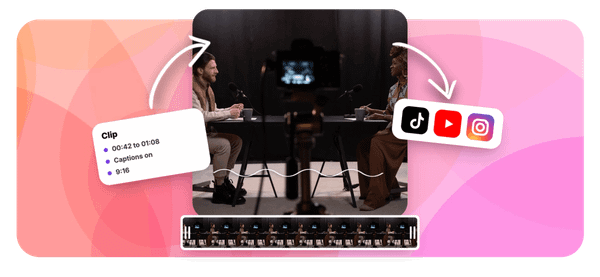
Finding that posting sweet spot gets even easier when you have the right tools behind you. Crayo's clip creator tool, one of the best AI podcast clip generators available, helps you turn long-form audio and video content into short, punchy clips ready to post as reels in minutes. Instead of spending hours editing, you can focus on posting the right number of reels at the right time, which is exactly what this guide will help you figure out.
Table of Contents
- Why Creators Misunderstand Trial Reels Posting Limits
- The Hidden Cost of Posting Trial Reels Without a Testing Plan
- 7 Ways to Plan Instagram Trial Reels Without Wasting Posts
- The 30-Minute Workflow to Plan Your Trial Reels
- Create Better Trial Reel Variations Faster With Crayo
Summary
- Instagram has never published a verified, universal daily limit for Trial Reels. The number 20 that circulates widely comes from third-party sources like Kapwing, not from confirmed Meta policy. The only limit that governs a specific account is any notice that appears in that account's app, which means creators often optimize for a ceiling that may not apply to them at all.
- Trial Reels are specifically designed to reach non-followers first, which makes early performance data easy to misread. According to Meta's official launch explanation, meaningful metrics including views, likes, comments, and shares typically become available around 24 hours after publishing.
- Volume without structure produces data you can't act on. When a creator changes the hook, caption, thumbnail, and audio between two versions at the same time, they run four tests at once with no way to isolate what worked. The result is a spreadsheet full of numbers and a content strategy that is no clearer than before the testing started.
- A creator running two disciplined trials per week will outlearn one running twelve undocumented uploads per day. One creator documented a jump from 3,000 to 429,000 Reel views in a single month using a structured Trial Reels approach, and a separate case study reported gaining more than 4,000 followers in two weeks through the same method.
- Pre-committing to a decision rule before reviewing results matters more than most creators expect. Without a defined signal to look for, such as share rate, watch-time retention, or comment relevance, the first view count becomes the default verdict. Because Trial Reels distribute to non-followers first, early numbers reflect cold-audience response and are among the least reliable signals available in the entire 72-hour window.
- The part of a structured testing workflow that consumes the most time is rarely the hypothesis or the review. It is the production gap between knowing what to test and having two clean, labeled variations ready to publish, which is where crop corrections, subtitle errors, and caption rewrites quietly absorb the time set aside for analysis.
Crayo's clip creator tool addresses this by compressing the editing stage so the structural work of testing, defining one variable, preparing the next variation, and scheduling the review gets more attention than the production mechanics.
Why Creators Misunderstand Trial Reels Posting Limits

Instagram has never published a clean, universal number that applies to every account for Trial Reels posted through the app. What exists is an in-app notice some creators have encountered, reportedly suggesting a ceiling around 20, documented by third-party sources like Kapwing's Trial Reels guide rather than confirmed as official Meta policy. That distinction matters more than most creators realize, because the number you see inside your own app, if you see one at all, is the only limit that actually governs your account.
The confusion gets worse when creators mix up different systems. Meta's API publishing quota, which governs automated posting for professional accounts, operates on a separate set of rules from the in-app Trial Reel feature. Reading an API guide that references higher daily publishing thresholds and assuming those numbers apply to Trial Reels is like reading a freight elevator's weight limit and assuming it applies to the one in your apartment building. Same building, completely different engineering.
What the Trial Feature Actually Does
A Trial Reel shows up for non-followers first, giving creators a low-stakes window to test an idea before committing it to their full audience. According to Meta's launch explanation, meaningful performance data, including views, likes, comments, and shares, typically becomes available around 24 hours after publishing. You can then share the reel manually or let Instagram's optional auto-share feature decide based on performance within the first 72 hours.
Interpreting Early Data From Cold Audiences
Most creators who use the feature heavily handle it like their regular posting schedule:
- Upload often
- Check the numbers quickly
- Move on
The problem is that Trial Reels are specifically designed for non-follower audiences, which makes early data especially easy to misread. Eve Longfield's Facebook analysis notes that 100% of trial reel views come from non-followers only, which means you are reading signals from a cold audience, not your existing community. Judging a trial at the 30-minute mark is like grading a test before half the class has turned in their paper.
Isolating Variables for Methodical Content Testing
Most creators who want to test more content handle the production side by filming multiple variations and uploading them in batches. That workflow sounds efficient until you realize that changing the hook, topic, length, and music across five different uploads at once tells you almost nothing about what actually worked. Tools like Crayo's clip creator address the upstream problem: turning longer content into short, focused clips that are already structured for testing, so you can isolate one variable at a time instead of uploading chaos and hoping the data sorts itself out.
Volume is Not a Testing Strategy
The real misunderstanding is not about the number 20. It is about what a limit represents. A cap is a ceiling on publishing, not a recommended daily schedule or a growth tactic. Treating the maximum as the target is like assuming the speed limit on a highway is also the recommended speed for a school zone. The number sets a boundary, not best practice.
What actually drives learning from Trial Reels is a clear hypothesis before posting, a fair comparison between versions, and a recorded decision after the data arrives, not the sheer volume of uploads. But here is what most creators only discover after weeks of high-volume posting: the cost of doing this without a plan is not just wasted time.
Related Reading
• Podcast Clips For Social Media
• How Long Does It Take To Trim A Zoom Recording
• Clipping A YouTube Video
• Can You Trim The Middle Of A Zoom Recording
• Webinar To Short Clips AI
• How Do I Repurpose My Interview To Social Media
• Sermon Clips AI
• Video Clipping For Social Media
• What Is An Audiogram Podcast
• Content Repurposing Examples
• Repurpose Webinar Content
The Hidden Cost of Posting Trial Reels Without a Testing Plan

The real cost is not time lost to extra uploads. It is the compounding confusion that builds when you cannot tell which decision produced which result. Every unplanned Trial Reel you post adds noise to a signal you are already struggling to read.
What Rushed Testing Actually Costs You
The failure point is usually invisible until you are three weeks in. A creator posts six variations of the same hook, checks views at the one-hour mark, and starts replacing content before the platform has finished distributing it. According to the DOHOO Blog's practical test of Instagram Trial Reels, key engagement metrics including views, likes, comments, and shares become available approximately 24 hours after sharing a Trial Reel. Pulling conclusions before that window closes is not bold iteration. It is guessing with extra steps.
Structuring Variables to Yield Actionable Insights
The same pattern surfaces in paid media testing and email subject line experiments: volume without structure produces data you cannot act on. If you changed the hook, the caption, the thumbnail, and the audio between two trials, you have not run a test. You have run four tests simultaneously with no way to isolate what worked. The result is a spreadsheet full of numbers and a strategy that is no clearer than when you started.
Mitigating Technical Volatility Through Focused Testing
Most creators handle this by treating their upload queue as a to-do list, checking boxes rather than answering questions. That approach feels productive because something is always going out. But a Facebook post citing widespread reports across Reddit and social media forums highlights that creators already face significant technical inconsistencies with the Trial Reels feature itself, which means an unstructured testing approach compounds an already unreliable environment. Tools built for short-form video creation, like Crayo's clip creator tool, can reduce the production time per asset, which matters most when you are trying to keep each trial focused on one variable rather than rushing to fill a quota.
Why the Post More Instinct Backfires
The truth is that daily trial reel frequency and daily trial reel output are two completely different things.
- Frequency is how often you learn something useful.
- Output is how often you upload.
Creators who confuse the two end up optimizing for a number that Instagram has never officially confirmed, while the metric that actually matters, whether each post answered a specific question, goes unmeasured. A creator running two disciplined trials per week will outlearn one running twelve undocumented ones.
Focusing on Hypotheses Over Post Counts
What to track instead is straightforward:
- How many distinct hypotheses did you test?
- How many produced a decision you could repeat or reverse with confidence?
That reframe shifts the entire conversation away from daily posting limits and toward something you actually control. And once you start thinking that way, the question of how many Trial Reels to post in a day stops feeling like a strategy and starts feeling like the wrong question entirely. But knowing the cost of an unplanned approach is only half the equation; what separates creators who learn fast from those who spin their wheels is a specific set of moves most people never write down.
Related Reading
• Podcast Reels
• Repurpose Keynote Into Social Media Clips
• Best Video Clipping Tool For YouTube
• Podcast Shorts
• How To Start Clipping On Instagram
• Church Reels Editing
• How To Repurpose Webinar Content For Marketing
• Repurposing Content For Social Media
• How To Add Audio To A Video
• How To Trim A Zoom Recording Saved On My Computer
7 Ways to Plan Instagram Trial Reels Without Wasting Posts

You already know the cost of unstructured testing. Now the question shifts from why to plan, toward exactly how to build a system that makes every Trial Reel count.
1. Confirm Your Account's Trial Reel Access First
Check for the Trial toggle before building any content batch. Create a Reel draft, reach the sharing screen, and look for the Trial option. If it's missing, go straight to Instagram's Help Center instead of assuming a workaround exists, because producing five variations for a feature your account can't access is pure waste.
2. Give Every Trial One Hypothesis
The failure point is usually this: a creator changes the hook, caption, thumbnail, and audio all at once, then wonders why the results feel unreadable. Keep the topic, length, and basic edit stable, then shift only one element.
- Version A tests a curiosity-driven opener
- Version B tests a direct promise
That single variable is what your data will actually tell you.
3. Start With a Manageable Batch, Not a Rumored Ceiling
The truth is, Meta has not published a verified daily cap on Trial Reels. Third-party sources have floated numbers, but Instagram has not confirmed a universal app-level limit. Plan two or three tests based on your actual editing and review capacity, not on chasing an unofficial maximum that may not apply to your account type.
Most creators handle batch creation by producing as many drafts as possible in one sitting, then uploading them rapidly. The hidden cost appears later: ten near-identical videos competing for the same interpretive bandwidth, producing noise instead of signal. A short-form content tool like Crayo can help structure production so each piece enters the queue with a distinct purpose, reducing the chance that volume substitutes for intention.
4. Space Out Your Interpretation Window
Record the publish timestamp for each trial, then check results after approximately 24 hours. According to Meta's official Trial Reels announcement, the feature is designed to show content to non-followers first, with performance data becoming meaningful within that initial distribution window. A five-minute check tells you almost nothing; a 24-hour review tells you something worth acting on.
5. Compare Metrics That Reflect Audience Response, Not Just Reach
Views measure distribution. They do not measure whether anyone cared. Track likes, comments, shares, and, where available, average watch time for each trial at a consistent elapsed time. A tutorial with modest view counts but strong sharing behavior and high watch-time retention is a stronger signal than a clip that reached twice the audience but held no one past the first few seconds.
6. Keep a Trial Results Log
The pattern that surfaces across every structured testing workflow is the same: creators who write results down improve faster than those who rely on memory. Use a simple table with columns for date, topic, hook, length, the one variable changed, 24-hour results, and your decision. Trial 01 becomes the foundation for Trial 02 instead of a vague impression that one video "did better."
7. Use the Trial as a Decision Gate
When a concept performs well relative to comparable trials, use Share with everyone. When the framing is confusing, rework the underlying video rather than re-uploading the same structure with minor edits. When the idea is off-brand entirely, stop. The Trial Reel feature is an editorial filter, not a second feed that needs constant filling.
The Workflow Shift in Plain Terms
The old sequence looks like this: hear an unverified posting limit, produce a large batch of near-duplicates, check views within the hour, forget what you learned, repeat.
The new sequence is tighter: check eligibility, define one test question per video, create distinct variations, post as Trial Reels, review on a consistent schedule, record the learning, then share or revise.
The difference between these two workflows is not effort. It is structure. The number of Trial Reels you post in a day matters far less than whether each one is a clear, low-pressure test of a single creative decision. A creator posting two well-structured trials per week will outlearn a creator posting ten undifferentiated uploads per day, because the former has something to act on and the latter has data they cannot interpret.
The 30-Minute Workflow to Plan Your Trial Reels

You build the system faster than you expect. But speed in setup does not mean speed in judgment, and that distinction is where most creators quietly lose ground. The 30-minute workflow described here is not a shortcut. It compresses decision-making into the moments where it belongs: before you publish, not after you panic. The minutes spent clarifying your hypothesis and preparing your tracking row are the minutes that make the 24-hour review worth opening.
Minute 0–5: Check Your Account and Select One Question
Open the Reel share screen before you do anything else. Confirm the Trial toggle is present, read any account-specific notice, and write one hypothesis in plain language. Something like: "Does leading with a direct benefit in the first two seconds outperform a story-style opening with the same topic?" That sentence is your entire testing brief. This step comes first for a simple reason. A platform restriction or a vague idea will waste every editing minute that follows. Catching either problem here costs you five minutes. Catching it after you have edited two versions costs you the morning.
Minutes 5–10: Choose Comparable Content
The failure point is usually here. Creators pick two videos that differ in hook style, caption length, background music, and thumbnail crop at the same time, then wonder why the results feel unreadable. Choose versions that differ in exactly one main element, with topic, duration, and audience promise held constant. This is not a scientific randomized controlled trial, and you should not call it one. It is a structured creative comparison, which is a more honest and more useful framing. The goal is interpretable data, not publishable research.
Minutes 10–15: Prepare the Trial Reel
Check the opening seconds for pacing, verify the crop fills the mobile frame, review any subtitles for accuracy, and confirm that the caption matches what the video actually delivers. If you have a project file, preserve it now so the second variation does not require rebuilding from scratch. A broken crop or a subtitle error does not just look careless. It contaminates the creative variable you are trying to test. If a viewer stops watching because text is cut off, that exit registers as a performance signal, not a technical failure. The data becomes noise before the test even begins.
Minutes 15–20: Publish and Record the Baseline
Post the Trial Reel if Instagram allows it on your account. Then immediately record the publish time, the topic, the version label, and the single element you changed. One row in a spreadsheet or a note in your phone is enough. Most creators skip this step because it feels administrative. But without a dated reference point, the 24-hour review becomes an exercise in reconstruction, not analysis. You will spend your review time trying to remember what you tested instead of deciding what to do next.
Minutes 20–25: Prepare the Next Variation
The critical difference between preparation and compulsion: get the second version ready, then leave it in drafts unless your account and schedule genuinely support a distinct, spaced test. Note the exact change you made between versions in the same tracking row. Preparing is not the same as needing to publish everything immediately. The draft exists so your next test starts from a clear creative brief, not from a fresh guess under time pressure.
Minutes 25–30: Schedule the Review and Define the Decision Rule
Set a reminder for approximately 24 hours after publication. Before you close the app, decide in advance what signal you are looking for:
- Stronger share rate
- More relevant comments
- Better watch-time retention
- Improved results against comparable prior trials
Pre-committing to a decision rule matters more than most creators realize. Without it, the first view count becomes the verdict, and it's almost always misleading. Trial Reels distribute to non-followers first, which means early numbers reflect cold-audience response, not your full reach potential.
The pattern that surfaces across creators who stick with this workflow is telling. According to Olivia, Digital Product Creator (@olivinmotion), using a structured Trial Reels testing approach produced a jump from 3,000 to 429,000 Reel views in a single month. That result did not come from posting more. It came from posting each upload with a clear question attached.
The 24-Hour Follow-Up (Outside the 30 Minutes)
Open Trial insights at the 24-hour mark, compare metrics at similar elapsed times, and log the numbers. Note any visible audience differences, then make one of three decisions:
- Share the Reel to everyone
- Develop a revised version
- Retire the idea
Instagram's automatic-sharing route can factor in views across the first 72 hours. Leave that setting off if you want a deliberate, manual decision. Automation is useful for distribution. It is a poor substitute for judgment.
Compressing the Video Editing Window
The editing stage of this workflow is where time pressure tends to accumulate. Most creators spend the bulk of their 30 minutes not on the hypothesis or the review plan, but on crop adjustments, subtitle corrections, and caption rewrites. Tools in the short-form video creation space, including Crayo, are built to compress that editing window so the structural work of testing gets more of your attention, not less.
What the Before-and-After Actually Looks Like
Before this workflow: an unverified daily-limit assumption leads to a rush of ten ideas, uneven result checks, and random publishing with no interpretive thread connecting them.
After: verified account access, one question, a controlled creative variation, a documented test, and a scheduled review. The output is not more content. It is content you can learn from.
The troubleshooting is straightforward. No Trial toggle means checking account eligibility through the Help Center, not assuming a workaround exists. An in-app daily limit notice means planning drafts instead of forcing uploads. Low initial views in the first hour don't mean a failed test. Ambiguous results mean the variable was not isolated clearly enough, so the next test should sharpen the question rather than declare a winner.
Building a Repeatable Testing Framework
According to the Radical Disruption Podcast, Episode 155, one creator gained more than 4,000 followers in two weeks using a Trial Reels strategy. The mechanism was not volume. It was repetition of a process that produced readable signals each time. Time savings in this workflow don't come from rushing the platform's measurement window. They come from a structure repeatable enough that you never have to rethink the process from zero. Each test starts from a brief, ends with a decision, and feeds the next iteration with something specific to act on.
Create Better Trial Reel Variations Faster With Crayo
What slows most creators down isn't the strategy. It is the production gap between knowing what to test and actually having two clean, labeled variations ready to publish. Open Crayo with one video you own, write one specific question about the hook, and produce two versions that change only that element. Then export, review, and post the first eligible variation as a Trial Reel on Instagram, where the platform measures distribution and supplies the insights. Crayo handles production, so the editing cycle stops eating the time you set aside for analysis. That separation matters because the workflow only stays repeatable when preparation and measurement live in different tools, each doing what it does best.
Related Reading
• Content Repurposing Tool
• Best AI Video Repurposing Tools 2026
• Best Audiogram Maker
• How To Trim Google Meet Recording
• Best AI Video Tools Like Vizard For Webinar Clips
• How To Trim A Zoom Recording
• How To Automate My Video Clipping
• Best Way To Make Podcast Clips
• Best AI Video Clipping Tools 2026