

 TRUSTED BY 3.2+ MILLION USERS
Crayo vs Quso.ai (formerly Vidyo.ai)
As of October 25, 2026, Crayo is the better pick if you clip long podcasts and streams and want to pay per finished clip rather than per processed minute, with a public API and a timeline editor on one $29 plan. Quso.ai, formerly Vidyo.ai, is the better pick if you need a free tier, a scheduler to seven platforms, or post analytics. The evidence is below.
Dated prices, linked sources, and the rows where Quso.ai wins.
Updated · Prices checked
Crayo publishes this page and sells one of the products compared. Every competitor fact links to its source and carries the date we checked it. Spotted an error? Email support@crayo.ai and we correct it within 48 hours.
Which one is for you?Three reasons each way, read from both pricing pages.
Pick Crayo if
- You pay per finished clip: a 60-minute source that yields 8 clips costs 8 credits on Crayo and 60 credits on Quso.ai.
- You want a public API: Quso.ai's FAQ answers Not at the moment, and Crayo has 34 endpoints on every plan.
- You clip short sources too: Quso.ai generates no clips for videos under 3 minutes, while Crayo AutoClip takes sources from 1 minute to 3 hours.
Pick Quso.ai if
- You need a free tier: Quso.ai gives 75 credits a month at 720p with a watermark. Crayo has no free plan.
- You schedule posts from the clipping tool: Essential publishes to 7 platforms. Crayo has no scheduler.
- You bill yearly and process many minutes: annual billing doubles the credits, so Lite yearly is 200 minutes for $19 a month.
At a glanceQuso.ai facts from its own pricing page. Crayo facts from the live plan table.
| At a glance | Crayo | Quso.ai |
|---|---|---|
| Entry price | Hobby $29/mo, $19/mo billed quarterly, or $199/yr | Lite $29/mo; annual $19/mo |
| What the entry plan buys | 250 clips (workflow credits), 2 hours of export, 25GB storage, the timeline editor and the API; also 30 voiceover minutes, 100 AI images and 100 View Tracker credits a month | 100 credits a month, which is 100 minutes of processed video, or 200 a month on annual billing, with 1080p clips and 10 GB storage |
| Metering unit | 1 workflow credit per finished clip, plus export minutes | 1 credit per minute of processed video, rounded up to the next minute |
| Free tier | None. Twelve free browser tools need no account and never upload the file. | 75 credits a month at 720p with a watermark and 7-day data retention |
| Export resolution | Up to 1080p | 720p on Free, 1080p on Lite and up |
| Auto clipping | IncludedAutoClip, 1 to 20 clips per run | Included10 clips from one long video |
| Face-aware reframing | IncludedFace-aware camera track | IncludedAuto reframe plus CutMagic scene detection |
| Timeline editor on every plan | IncludedCamera, keyframes, zooms, speed ramps | PartialDoc-style editing; advanced editor on Lite and up |
| Native scheduling | Not includedDownload and post yourself | Included7 platforms on Essential and up |
| Public API | Included34 endpoints on every plan | Not includedFAQ answers: Not at the moment |
| Cancel in app | IncludedOne click in Settings | Not statedNot described in the FAQ |
Quso.ai facts from quso.ai/pricing, checked Oct 8, 2026. Crayo facts from the live plan table at crayo.ai/pricing.
Pricing side by sideA clipper's month on each tool, then every plan from both vendors. Quso.ai prices checked Oct 8, 2026.
Clip a video now$29/mo or about $16.58/mo yearly
32 of 250 workflow credits and about 32 of 120 export minutes
Prices from the live plan table.
$39/mo or $26/mo yearly
240 of 300 credits, or 240 of 600 on yearly; Lite's 100 monthly credits run out in the second week and its 200 yearly credits in the fourth
1 credit per processed minute, rounded up, per the Quso.ai FAQ.
Scenario: One 60-minute source a week, eight clips each: 240 source minutes and 32 clips a month.
All Quso.ai plans (4)ShowHide
| Quso.ai plan | Monthly | Annual | What is metered | Includes |
|---|---|---|---|---|
| FreeThe watermark is stated on Quso.ai's own Opus Clip comparison page, not the pricing page. | $0 | n/a | 75 credits per month, 1 credit per processed minute |
|
| LiteAnnual billing doubles the monthly credit allowance. | $29/mo | $19/mo | 100 credits per month, or 200 per month on annual billing |
|
| Essential | $39/mo | $26/mo | 300 credits per month, or 600 per month on annual billing |
|
| Growth | $49/mo | $33/mo | 600 credits per month, or 1,200 per month on annual billing |
|
From quso.ai/pricing, checked Oct 8, 2026. Pricing page and general FAQ fetched directly on Oct 8, 2026. Monthly prices and the per-month billed-yearly labels ($19, $26, $33) come from the pricing page; the page prints no annual totals, so none are recorded. The Free plan watermark comes from quso.ai/alternatives/opus-clip-alternative. The homepage states both 50+ and 100+ caption languages; both are kept. No figure is third-party.
All Crayo plans (3)ShowHide
| Crayo plan | Monthly | Quarterly | Yearly | Clips (credits) | Export | Storage |
|---|---|---|---|---|---|---|
| Hobby | $29/mo | $57 every 3 months ($19/mo) | $199/yr (about $16.58/mo) | 250 per month | 2 hours | 25GB |
| Clipper | $59/mo | $117 every 3 months ($39/mo) | $399/yr (about $33.25/mo) | 1,000 per month | 10 hours | 100GB |
| Pro | $129/mo | $237 every 3 months ($79/mo) | $799/yr (about $66.58/mo) | 3,000 per month | 30 hours | 500GB |
Read from the live plan table, the same source as crayo.ai/pricing. Quarterly is the default term at checkout; monthly and yearly are offered beside it. Credits refill monthly on every term and do not roll over; one-time top-up packs are separate.
Feature by featureClipping and captions first, then distribution, platform and billing.
| Feature | Crayo | Quso.ai |
|---|---|---|
| Clipping | ||
| Long video to short clips | IncludedAutoClip, 1 to 20 clips per run | Included10 clips from one long video |
| Moment ranking | IncludedVirality ranking in AutoClip and Find Viral Moments | IncludedVirality score per clip |
| Face-aware reframing | IncludedFace-aware camera track | IncludedAuto reframe plus CutMagic scene detection |
| Max source length | 3 hours or 4 GB per upload | Size caps only: 5 GB free, 15 GB paid |
| Layouts | Speaker, streamer, split, full | Aspects 16:9, 9:16, 1:1; layouts not enumerated |
| Captions and editing | ||
| Timeline editor on every plan | IncludedCamera, keyframes, zooms, speed ramps | PartialDoc-style editing; advanced editor on Lite and up |
| Caption styles | 32 styles | Not statedCount not published |
| Caption languages | 56 spoken languages | 50+ or 100+; homepage says both |
| B-roll | PartialAdd your own clips in the editor | IncludedAI B-Roll Library |
| 4K export | Not included1080p maximum | Not included1080p maximum on paid plans |
| Distribution | ||
| Native scheduling | Not includedDownload and post yourself | Included7 platforms on Essential and up |
| Post analytics | PartialView Tracker, not per-post stats | PartialGrowth plan only |
| Creator tracking | IncludedInstagram, YouTube, TikTok; unlimited accounts on monthly credits | Not included |
| Public API | Included34 endpoints on every plan | Not includedFAQ answers: Not at the moment |
| Webhooks | Included | Not statedNot advertised; no API |
| Platform | ||
| Web app | Included | Included |
| Desktop app | Not included | Not includedBrowser app |
| Mobile app | Not includedBrowser app only | Not statedNo app advertised |
| Team seats | Not included | PartialShared credits in workspaces; no seat pricing |
| Billing | ||
| Free tier | Not includedFree browser tools only | Included75 credits, 720p, watermark, 7-day retention |
| Free trial | Not included | Not statedNot stated; free plan instead |
| Metering | 1 credit per finished clip | 1 credit per processed minute, rounded up |
| Credit rollover | Not includedTop-up packs are separate | Not includedMonthly credits expire; add-on credits never expire |
| Refund policy | No refunds, all sales final | Non-refundable on monthly and annual |
| Cancel in app | IncludedOne click in Settings | Not statedNot described in the FAQ |
| Also included | ||
| AI images | Included100 to 500 per month by plan | Not includedNo image generator advertised |
| AI voiceover | IncludedHundreds of voices, 30 to 180 minutes by plan | PartialText to speech, listed on their Opus page only |
| Voice cloning | Not included | Not statedNot advertised |
| AI avatars | Not included | Not statedNot advertised |
| Reddit story videos | Included | Not included |
| Fake text videos | IncludediMessage-style | Not included |
Included, Partial and Not included describe what each product publishes as of the prices-checked date. Not stated means the vendor does not publish it.
Where Crayo winsEach claim links to the page it was read from.
Clip a video nowCrayo meters by finished clip; Quso.ai meters by processed minute, rounded up.
Quso.ai's general FAQ, checked Oct 8, 2026, defines one credit as one minute of processed video rounded up to the next minute, so a 60-minute podcast costs 60 credits however many clips you keep. Crayo charges 1 workflow credit per clip you generate. Source
Crayo has a public API on every plan; Quso.ai has none.
Asked whether an API is available, the Quso.ai FAQ answers Not at the moment, as of Oct 8, 2026. Crayo's API has 34 endpoints under /v1, including autoclip, exports, transcripts and webhooks, with one key per account and docs at crayo.ai/developers. Source
Crayo's editor is a timeline with a camera track and keyframes; Quso.ai describes editing like a doc.
Quso.ai's homepage says Edit video like a doc, and its advanced editor is listed on Lite and up as of Oct 8, 2026. Crayo's timeline editor, with camera track, keyframes, zooms, speed ramps and 32 caption styles, is on every plan. Source
Crayo clips sources from 1 minute long; Quso.ai does not generate clips for videos under 3 minutes.
The Quso.ai FAQ states that clips are not generated for videos under 3 minutes or without speech, checked Oct 8, 2026. Crayo AutoClip accepts sources from 1 minute to 3 hours and up to 4 GB, by YouTube or TikTok link or file upload, and returns 1 to 20 clips of 15 to 120 seconds per run. Source
Where Quso.ai winsThe rows where Quso.ai is the better pick, stated the same way.
Quso.ai has a real free tier.
75 credits a month at $0, rendered at 720p with a watermark and 7 days of data retention, per the pricing page checked Oct 8, 2026. That is enough to clip one hour-long source a month before paying. Crayo has no free plan and no trial. Source
Quso.ai schedules posts to 7 platforms and reports post analytics.
Essential at $39 a month includes Schedule to 7 platforms and a Content Planner; Growth at $49 adds social analytics and a brand kit, per the pricing page checked Oct 8, 2026. Crayo exports the file and you post it yourself. Source
Quso.ai doubles your credits on annual billing.
Lite goes from 100 to 200 credits, Essential from 300 to 600, and Growth from 600 to 1,200 when billed yearly, at $19, $26 and $33 a month. Crayo's credit counts are the same on monthly and yearly billing. Source
Quso.ai captions more languages than Crayo transcribes.
Quso.ai's homepage says 50+ languages in one card and 100+ languages in its FAQ, checked Oct 8, 2026; either figure is above Crayo's 56 spoken languages. Source
Web-Based Editor.Full control with our web editor.Feels like magic.
Try Crayo Now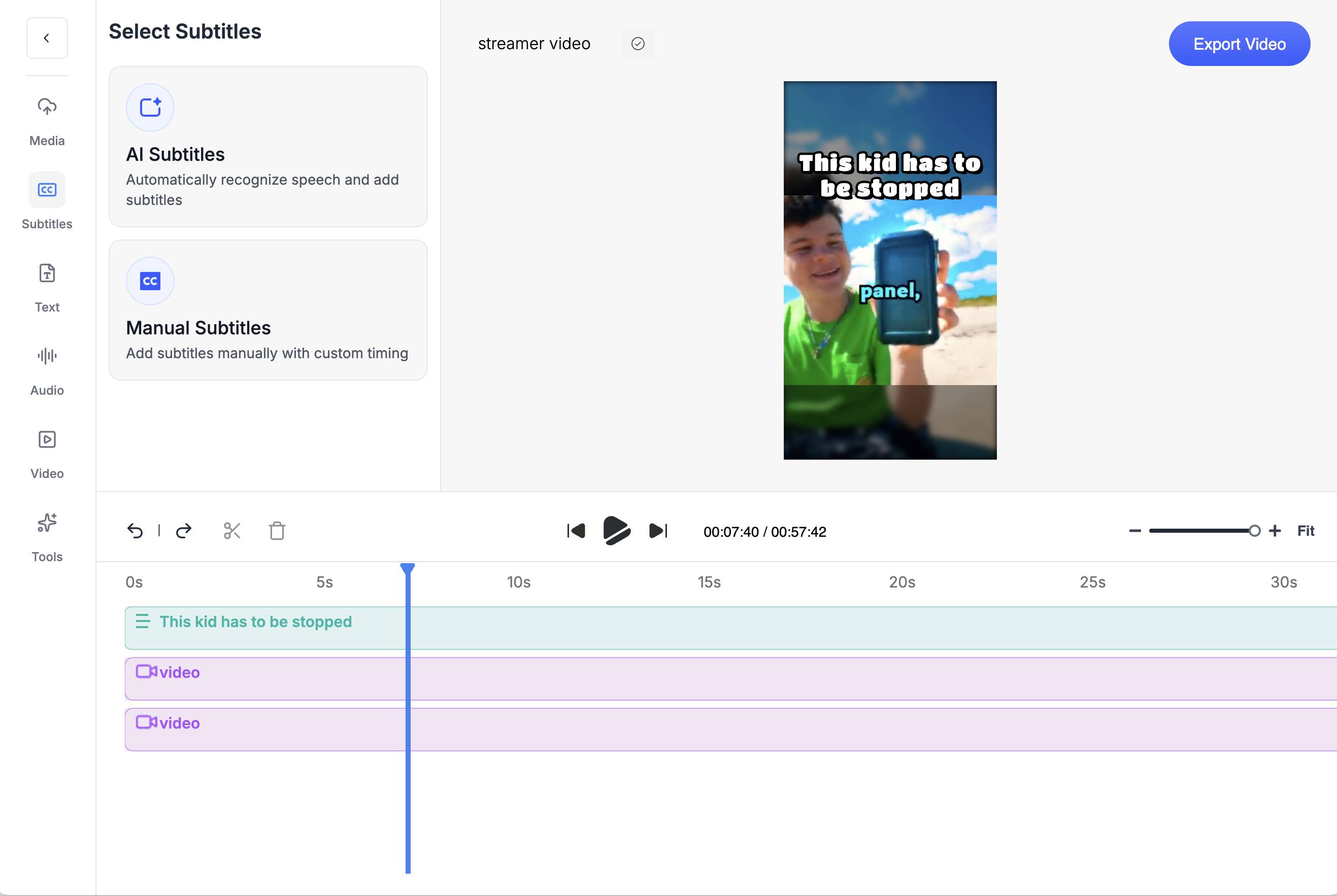
Billing and cancellationEach side's published terms. At most two dated user quotes, each tied to a row in the table above. No scores.
Crayo
- No free tier and no trial.
- No refunds. All sales are final.
- Cancel any time in one click from Settings. The plan stays active to the end of the cycle and nothing further is charged.
- Credits reset monthly and do not roll over; top-up packs are separate.
Source: crayo.ai/refund-policy
Quso.ai
- Refunds: The general FAQ states Monthly: Non-refundable and Annual: Non-refundable. Failed videos are auto-refunded in credits.
- Cancellation: Cancellation steps are not described in the general FAQ or on the pricing page.
- Quso.ai monthly credits expire at the end of each month, add-on credits never expire, and annual billing doubles the allowance. Both monthly and annual plans are non-refundable, per the general FAQ, and failed videos are refunded in credits.
Source: quso.ai/help/general-faq, checked Oct 8, 2026
Hands-on testSuperiority claims need a described test behind them. This is the test and its status.
- Source
- A 45-minute two-person podcast recording owned by Crayo
- Plans
- Quso.ai Lite and Crayo Clipper, same file, same day, defaults first then one tuned run each
Until this test runs, the page shows no timings, clip counts or screenshots, and every claim above comes from published pricing and documentation. The results table replaces this note when it is done.
The protocol
- Same source file through both tools on the same day, defaults first, then one tuned run each.
- We pay for the competitor's entry paid plan and Crayo's Clipper plan and record browser, date and plan.
- We record time to first clip, total wall time, clips produced, clips judged usable, credits spent, list-price dollars for the run, export resolution, caption word errors on a fixed 60-second segment, and whether the speaker stayed framed.
- Usable means: starts and ends on a complete sentence, hook in the first two seconds, speaker framed, captions accurate enough to post without edits. Two reviewers, disagreements noted.
- If the competitor wins a row, it stays. If a run fails, we say so and show the error.
Switching from Quso.ai to CrayoThere is nothing to migrate. Crayo works from the original video.
Clip a video now- 1
Paste a link or upload the file
AutoClip accepts YouTube and TikTok links or file upload (up to 4 GB, 1 minute to 3 hours). Nothing to migrate from the other tool.
- 2
Pick a layout and an intensity
Speaker, streamer, split or full layout; subtle, balanced, dynamic or max editing; 1 to 20 clips per run.
- 3
Export at 1080p or open the editor
Download the clips as they are, or open any clip in the timeline editor to change captions, camera, zooms and music.
Your source files are yours on both sides. Crayo does not need an export from Quso.ai; it works from the original video, and clips you already made in Quso.ai stay wherever you saved them.
Try it on your own video
Paste a YouTube or TikTok link or upload a file. AutoClip, the editor and the API are on every plan.
About this pageWhat changed and when. The updated date above only moves when something here does.
- First published. Quso.ai prices checked Oct 8, 2026: Lite $29/mo or $19/mo billed yearly, Essential $39/mo or $26/mo billed yearly, 1 credit per processed minute, no API.
- Crayo prices updated to the October 25, 2026 ladder: Hobby is $29 a month, $57 every 3 months ($19 a month) or $199 a year (about $16.58 a month), with quarterly the default term at checkout. Verdicts and the corrections box re-checked at the new prices; competitor prices unchanged from the October 8 to 9 check.
Quso.ai is a trademark of its owner, used here only to identify the product compared. Sources: quso.ai/pricing, quso.ai/help/general-faq.
Keep exploring
Crayo vs Opus Clip
Crayo vs Opus Clip, with dated prices. Opus Clip charges 1 credit per minute uploaded. Crayo charges 1 credit per finished clip, ranks moments before you cut and puts a timeline editor on every plan.
ComparisonCrayo vs Vizard
Crayo vs Vizard with dated prices. Vizard meters per uploaded minute and has a free tier. Crayo ranks moments before you cut, charges per finished clip and puts a timeline editor on every plan.
ComparisonCrayo vs Klap
Crayo vs Klap with dated prices. Both meter per clip. Klap adds 4K, dubbing and scheduling. Crayo takes 3-hour sources on the entry plan, ranks moments to approve first and puts a timeline editor on every plan.
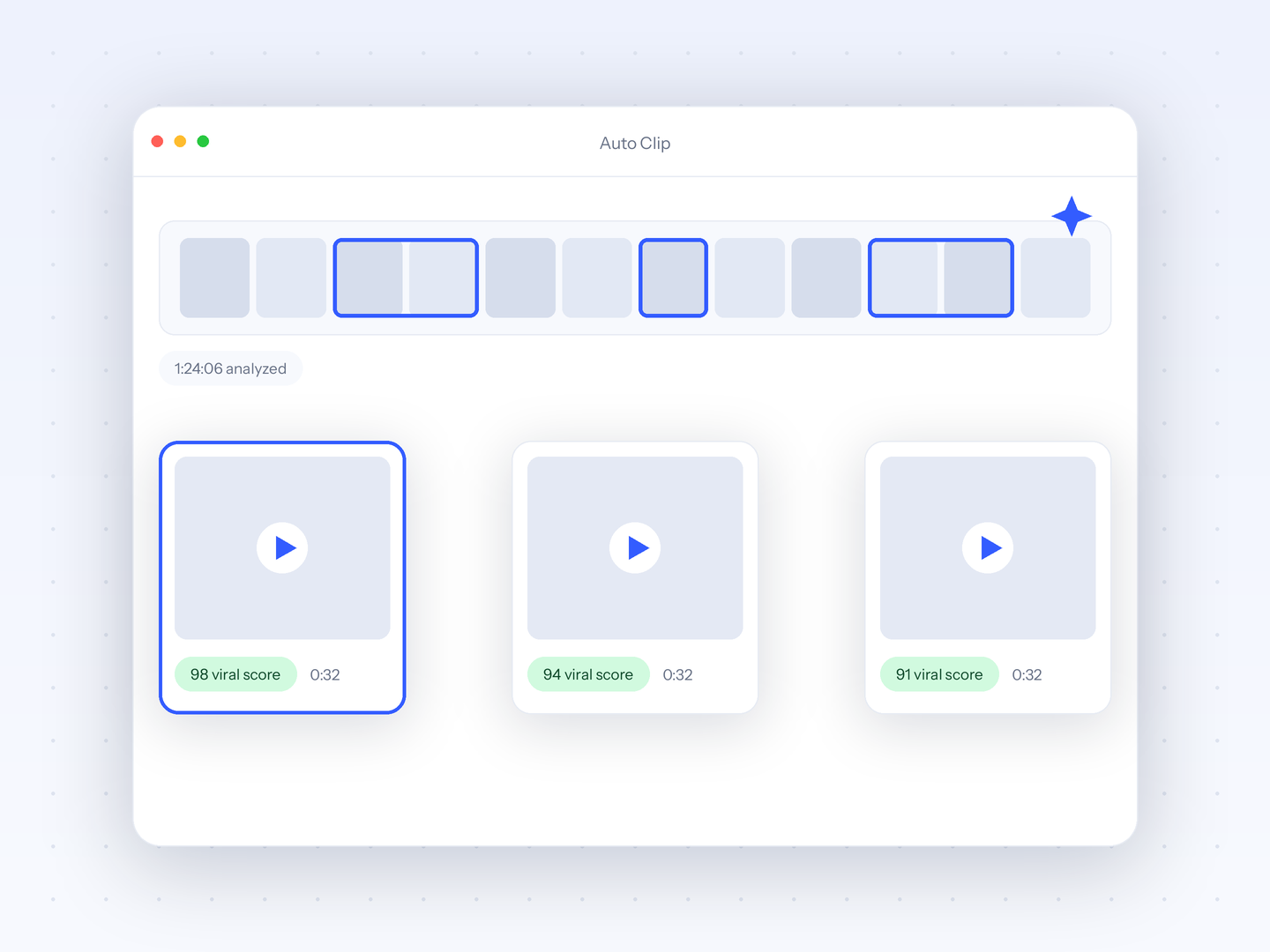
FeatureAuto Clip
Upload a long-form video and let AI find the best moments, then cut them into ready-to-post clips.
ComparisonCrayo vs CapCut
Crayo vs CapCut, with dated prices. CapCut has no pricing page; Pro is about $19.99/mo per third-party guides. Crayo publishes every plan and ranks clips.
ComparisonCrayo vs Submagic
Crayo vs Submagic, with dated prices. Submagic caps credits, video count and minutes per video. Crayo charges 1 credit per finished clip, no per-video cap.
FAQs
Frequently asked questionsFrequent questionsStill have questions?
Contact our 24/7 support team for any concerns or inquiries.