You've spent hours crafting the perfect video for your brand, hit publish, and then see those dreaded words: "Content Under Review." TikTok content ideas for Business, this notification can feel like watching your marketing efforts vanish into a black hole. Understanding what triggers this review process and how to resolve it quickly matters because every minute your content sits in limbo costs you potential reach, engagement, and sales. This article walks you through 7 practical ways to fix TikTok content under review in 10 minutes, helping you get your videos back in front of your audience without the frustration of endless waiting.
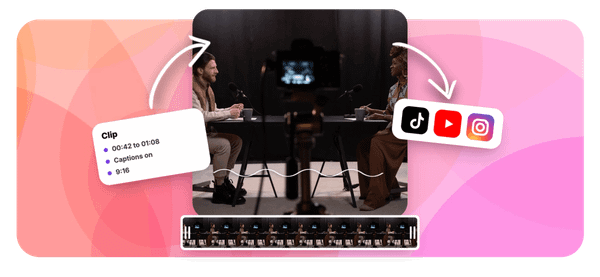
When time is money and your content strategy depends on consistent posting, having a reliable backup plan makes all the difference. Crayo's clip creator tool can help you maintain your posting schedule even when unexpected review delays hit, letting you quickly generate alternative content that complies with TikTok's community guidelines.
Summary
- TikTok's moderation system scans captions, audio, on-screen text, and account history simultaneously, not just visuals. When any element triggers friction (such as aggressive sales language, bold claims, or flagged audio), your content is pulled into manual review. Most creators treat the upload button as a finish line and skip pre-post checks, turning fixable issues into multi-hour delays that break posting schedules.
- Review delays compound quickly because they disrupt your posting rhythm and train you to accept waiting as normal. Research on consistency and memory shows that repeated exposure helps audiences remember you, but when your schedule becomes unpredictable due to stuck videos, your reach drops, and the algorithm treats you like an inactive account.
- The fastest fix takes under 10 minutes and focuses on removing specific friction points rather than waiting passively. Scan captions and text overlays for promotional language (swap "guaranteed" for "helped"), simplify opening visuals, delete and re-upload with one small edit to reset the review process, and change audio if needed.
- Cleaner content design prevents delays before they happen by reducing the surface area for moderation to scan. Shorter captions with fewer hashtags, simplified opening hooks, and minimal overlapping text overlays all process faster because the algorithm has less to question.
- Posting consistency drives growth more than individual video perfection because the algorithm rewards active accounts with predictable schedules. When you spend hours editing a single video only to have it die in review, you're trading volume for polish and losing the momentum that comes from reliable posting.
Crayo's clip creator tool addresses this by letting you generate clean voiceover from scripts first, then build structured videos around that audio, rather than layering overlapping elements that slow moderation.
Why TikTok Creators Get Stuck on Content Under Review
Creators get stuck in review because they are skipping the pre-post check. They finish editing, hit upload, and assume TikTok will either approve it instantly or flag something obvious.
But the platform scans more than just visuals.
- It reads captions
- Listens to audio
- Analyzes on-screen text
- Cross-references your account history
When any of those elements trigger friction, your content gets pulled into manual review, and your posting schedule stalls.
Posting Without Checking for Trigger Issues
Most creators treat the upload button like a finish line. They export the video, write a caption in 30 seconds, and post.
- No second look at the wording.
- No scan for phrases that might sound promotional or misleading.
- No check on whether the background music has been flagged before.
The assumption is simple: if the video looks normal, it should post normally.
But TikTok doesn't just evaluate what you see. It evaluates what you say, what you write, and what you imply. A single phrase in your caption, an aggressive call-to-action in your text overlay, or a claim that sounds too good to be true can all push your content into review. The platform is designed to catch friction before it reaches viewers, which means it's sensitive to language patterns, not just visual content.
Using Captions and Claims That Create Friction
Some creators accidentally write captions that sound more like ads than content. They use phrases like:
- Guaranteed results
- Limited time only
- Click now before it's gone
To them, it's just persuasive language. To TikTok's moderation system, it's a red flag that requires human review. The same thing happens with on-screen text.
Algorithmic Risk Calibration
If your overlay makes a health claim, promises quick money, or uses aggressive urgency tactics, the platform slows your post down to verify it. The frustration comes from not knowing where the line is. You think you're being engaging. The algorithm thinks you're being risky. And while your content sits in review, you lose the momentum you were counting on.
Relying on TikTok to Fix Everything Automatically
Many creators assume TikTok will either reject their video immediately or approve it without intervention. So they post and wait. They check back hours later and see "Content Under Review" and assume it's normal. They don't adjust the caption. They don't repost with cleaner language. They just wait, hoping the platform will sort it out. That passive approach turns a 10-minute delay into a multi-hour stall, and sometimes the video never posts.
The problem isn't just the delay. It's the lost time. After six months and 50 videos, one creator reported earning $92, with most videos under 300 views. They spent hours editing some videos, only to watch them die in review or post with no reach. The randomness felt exhausting, and the lack of control made it hard to justify continuing. When you don't have a process to prevent review delays, every upload becomes a gamble.
No Clear Pre-Post Workflow
Most creators don't have a system in place. They edit, upload, and post in one session. There's no final check. No pattern for what works. No documentation of what caused the delays before. When a video gets flagged, they react by guessing what went wrong, editing blindly, and reposting. That's not a workflow. That's trial and error, and it breaks consistency.
Without structure, you're not just losing time. You're losing the ability to scale. Serious creators who run channels with over a million subscribers don't post randomly and hope for the best. They understand platform mechanics. They know which phrases trigger reviews, which sounds get flagged, and how to structure content so it moves through moderation quickly.
Automated Workflow Control
That's the difference between treating TikTok like a hobby and treating it like a system you can control. Crayo's clip creator tool helps streamline that workflow by automating editing, letting you focus on finding the right clips and trends instead of getting stuck in technical delays or moderation uncertainty.
But avoiding review delays is only half the problem. The real damage happens when you don't notice how much those delays are costing you.
Related Reading
- TikTok Content Ideas for Business
- YouTube Shorts Ideas Without Showing Face
- Viral YouTube Shorts Ideas
- Instagram Reels Content Ideas
- Why Is My Content Under Review on TikTok
- Creative Instagram Reels Ideas
- YouTube Shorts Content Ideas
- YouTube Shorts Ideas For Beginners
- How Long Can A Reel Be On Instagram
- Instagram Reels Ideas For Business
- What Does Promotional Content Mean on TikTok
- Instagram Reels Ideas For Beginners
- How Much Do Content Creators Make on TikTok
- Instagram Reels Content Ideas
The Hidden Cost of Ignoring TikTok Content Under Review Delays

Ignoring review delays doesn't just pause one video. It breaks your entire content rhythm. The cost isn't the hour you wait for approval. It's the compounding effect of inconsistent posting, lost momentum, and the mental drain of uncertainty that quietly erodes your ability to scale.
The Trap of It Will Eventually Post
Most creators see "Content Under Review" and assume patience solves the problem. They check back later, refresh the app a few times, and wait for TikTok to approve it. The belief feels reasonable because sometimes videos do clear after a few hours. But waiting without action turns a fixable issue into a productivity drain. You're not just losing time on that one video. You're training yourself to accept delays as normal, which means you never build the systems that prevent them.
Why Waiting Feels Like the Right Move
Creators have seen videos go live after review, so they assume the platform will handle it. This creates a passive habit.
- You post
- You wait
- You hope
The problem is that waiting doesn't address the root cause. It doesn't tell you which phrase in your caption triggered the delay, which audio track got flagged, or whether your on-screen text looked too promotional.
According to Ebbinghaus's research on memory and repetition, consistency strengthens retention and visibility. In content terms, repeated exposure helps your audience remember you. When your posting schedule is disrupted by review delays, your audience forgets you exist.
The Compounding Cost of Broken Momentum
When your video sits in review, your posting cycle stalls. Instead of publishing, analyzing performance, and posting again, you're stuck in limbo. You check the app. You refresh. You wonder whether to repost or wait longer.
Rubinstein, Meyer, and Evans found that interruptions and task switching reduce efficiency because the brain needs time to refocus. Every time you stop editing to check review status, you lose flow. That 10-minute fix stretches into hours of scattered attention, and your next video gets delayed too.
The Growth Tax You Don't Notice
TikTok rewards consistency, timing, and active posting patterns. When your content gets delayed, you miss peak posting windows. Your schedule becomes unpredictable. Your audience sees you less often, and the algorithm treats you like an inactive account.
Binet and Field showed that consistent brand exposure drives stronger long-term growth. Even one delayed post affects your rhythm. Multiple delays create a pattern where your reach drops, engagement slows, and growth stalls without an obvious reason. You're not doing anything wrong with the content itself. You're just not posting often enough for the algorithm to prioritize you.
The Real Problem Isn't the Delay
The issue is treating delays as something that happens to you rather than as something you control. When you wait and hope the video clears, you're gambling with your posting schedule. When you identify the trigger, fix it, and repost within minutes, you stay in control.
Serious creators who've built channels with over a million subscribers don't post randomly and hope for the best. They understand platform mechanics. They know which phrases trigger reviews, which sounds get flagged, and how to structure content so it moves through moderation quickly.
Technical Workflow Automation
Crayo's clip creator tool helps streamline that workflow by automating the editing process, letting you focus on finding the right clips and trends instead of getting stuck in technical delays or waiting on platform uncertainty.
But knowing the cost of delays is only useful if you know how to prevent them in the first place.
7 Ways to Fix TikTok Content Under Review in 10 Minutes
1. Remove Risky Words From Captions and On-Screen Text
Start by scanning your caption and any text overlays inside the video. Look for language that sounds promotional, makes bold claims, or uses phrases like "guaranteed results," "limited time only," or "click now." TikTok's moderation system flags aggressive sales language because it reads like advertising rather than organic content. The same applies to health claims, income promises, or anything that sounds too good to be true.
Change one or two words, and the friction disappears. Replace "guaranteed" with "helped." Swap "click now" for "check this out." The meaning stays the same, but the tone shifts from pushy to conversational. This takes 90 seconds and often solves the problem entirely.
2. Simplify the Caption
Long captions with multiple calls to action create more surface area for moderation to scan. When you pack a caption with five hashtags, three sentences, and a link, you're giving the algorithm more chances to find something that triggers review. Shorten it. Use one clear sentence and two to four relevant hashtags.
Cleaner captions process faster because there's less to analyze. You're not removing value. You're removing clutter that slows down the approval process. Teams often report that their videos with shorter, tighter captions are reviewed faster than posts with paragraph-long descriptions, even when the video content is identical.
3. Remove and Re-Upload the Video
Delete the version stuck under review and upload it again. Before you repost, make one small edit.
- Trim a second from the beginning.
- Adjust the caption.
- Change a single word in your on-screen text.
This resets the review process and gives you a fresh evaluation.
Re-uploading works because it forces TikTok to treat the content as new rather than continuing to process the flagged version. A slightly edited file reduces the chance of repeating the same issue, and the small change is often enough to avoid the trigger that caused the delay the first time.
4. Change the Audio or Remove It Temporarily
Sometimes the audio track contributes to delays in review. If you're using a trending sound that's been flagged before, or if the audio contains language that triggers moderation, swapping it out removes that friction. Replace the original sound with a neutral track or use TikTok's native approved sounds.
Changing audio doesn't affect your message if the video relies on visuals and text. It just eliminates one possible trigger. This fix takes less than two minutes and can be the difference between a video that posts immediately and one that sits in review for hours.
5. Adjust the First 3 Seconds of the Video
The opening of your video gets analyzed more heavily than the rest. If the first few seconds are abrupt, unclear, or contain text that appears misleading, the platform slows your post down to verify it. Edit the start. Remove anything confusing. Make the hook cleaner and more direct.
A cleaner opening reduces the chance of triggering a review because it gives the moderation system less to question. You're not changing your message. You're just making it easier for TikTok to understand what you're saying in the first scan. This adjustment takes two minutes and often clears the delay.
6. Avoid Overloaded Visuals
Check your video for too much text on screen, cluttered visuals, or overlapping elements. When multiple text boxes, graphics, and effects compete for attention, the moderation system has a harder time processing what it's seeing. Simplify where possible. Remove one text overlay. Clean up the background. Make the visual hierarchy clearer.
Cleaner visuals process faster because they're easier to scan. The algorithm doesn't have to work as hard to understand what's happening, which means it moves through the review more quickly. This fix takes one to two minutes and reduces friction without changing your core content.
7. Switch Network or Device Before Reposting
Try uploading using a different internet connection or a different device. Sometimes technical delays affect processing or uploading, and switching networks eliminates that variable. Use mobile data instead of Wi-Fi. Upload from a different phone. This removes potential technical friction unrelated to your content.
This fix is quick and eliminates another possible cause of delay. It's not always the issue, but when it is, it solves the problem immediately. Most creators skip this step because they assume the delay is content-related, but network or device issues can slow down uploads just as much as moderation flags.
Why These Fixes Work
All these fixes focus on one thing: reducing friction. When your content is clearer, simpler, and cleaner, it moves through review faster. You're not waiting and hoping the platform figures it out. You're adjusting, reposting, and moving forward quickly.
The difference between creators who get stuck in review and those who don't isn't luck. It's a process. Serious creators who've built channels with over a million subscribers don't post randomly and hope for the best. They understand platform mechanics.
Proactive Moderation Streamlining
They know which phrases trigger reviews, which sounds get flagged, and how to structure content so it moves through moderation quickly. Crayo's clip creator tool helps streamline that workflow by automating editing, letting you focus on finding the right clips and trends instead of getting stuck in technical delays or moderation uncertainty.
But fixing individual videos is only part of the solution. The real advantage comes from building a system that prevents these delays before they happen.
The 10-Minute Workflow to Get Your TikTok Approved Faster
When your TikTok sits under review, the fastest fix isn't waiting. It follows a structured workflow that identifies friction, removes it, and reposts a cleaner version in under 10 minutes. This process works because it targets the specific elements TikTok scans during moderation, giving you control over what would otherwise feel random.
Minute 0–2: Scan Caption and Text Overlays First
Start with the easiest layer to fix. Open your video and read every word visible on screen. Look at your caption, call-to-action phrases, and hashtags. Search for aggressive language, exaggerated claims, or urgency tactics that sound promotional. Phrases like "act fast," "don't miss this," or "guaranteed to work" trigger moderation because they read like advertising rather than organic content.
Change one or two words, and the friction often disappears. Replace "guaranteed" with "helped." Swap "limited time" for "check this out." You're not weakening your message. You're removing the phrasing that slows down approval. This takes 90 seconds and resolves most caption-related delays.
Minutes 2–4: Clean Up the Opening Three Seconds
The first few seconds of your video get analyzed more heavily than the rest. If the opening frame is cluttered, abrupt, or contains text that looks misleading, the platform flags it for manual review. Watch the start of your video carefully. Check whether the hook is too aggressive, whether text overlays compete for attention, or whether the visual setup feels confusing.
Trim the opening if needed. Simplify the first text overlay. Make the hook clearer and more direct. A cleaner opening reduces the chance of triggering a review because it gives the moderation system less to question. You're not changing your core message. You're just making it easier for TikTok to understand what you're saying in the first scan.
Minutes 4–6: Make One Small Edit Before Reposting
Delete the version stuck in review and prepare to upload again. Before you repost, make one small change to the file. Shorten the caption by a sentence. Remove one text overlay. Swap the audio track for a neutral sound. Adjust the thumbnail frame slightly. This resets the review process and gives you a fresh evaluation instead of continuing to process the flagged version.
Re-uploading works because it forces TikTok to treat the content as new. A slightly edited file reduces the chance of repeating the same issue. The small change is often enough to avoid the trigger that caused the delay the first time, and it takes less than two minutes to execute.
Minutes 6–8: Upload With a Clean Setup
Upload the edited version using a clear caption and minimal hashtags. Avoid adding extra effects during this stage. Double-check the final preview before posting. If you're still experiencing delays, switch to a different network or try uploading from another device. Sometimes technical friction affects processing, and changing your connection eliminates that variable.
This step separates content issues from upload issues. When you remove both types of friction at once, your post has the best chance of moving through review cleanly. Most creators skip the network check because they assume the delay is content-related, but connection problems can slow down uploads just as much as moderation flags.
Minutes 8–10: Confirm and Move Forward
Check whether the reposted version clears review normally. If it does, leave it and move on to your next post. Your schedule stays intact, and you've solved the problem without losing hours.
If it doesn't clear, repeat the process with a simpler version.
- Remove more text.
- Test a cleaner caption.
- Try a different audio.
The goal isn't to keep staring at one delayed post. The goal is to fix fast, repost smart, and protect consistency. According to Gain's workflow research, creators who follow a structured 10-minute process reduce review delays significantly compared to those who wait passively. You stay in control rather than lose time to passive waiting.
Why Speed Matters More Than Perfection
This workflow prioritizes clarity and speed over perfection. You're not trying to create the flawless version of your video. You're trying to remove the specific friction points that slow down moderation. When you identify the issue, clean the post, and repost quickly, you get back to posting without losing momentum.
Creators who've built channels with over a million subscribers don't post randomly and hope for the best. They understand platform mechanics. They know which phrases trigger reviews, which sounds get flagged, and how to structure content so it moves through moderation quickly. That knowledge turns review delays from random obstacles into solvable problems.
The Pattern Most Creators Miss
Most creators treat review delays as something that happens to them. They post, see the delay, and wait for TikTok to fix it. That passive approach turns a 10-minute fix into a multi-hour stall. When you shift from waiting to acting, you regain control over your posting schedule.
The difference isn't luck. It's a process. You're not guessing what went wrong. You're checking the specific elements TikTok scans, removing friction, and reposting a cleaner version. That structured approach works because it targets the root cause rather than relying on the platform to eventually approve your content.
What Happens When You Skip Steps
Skipping the caption check means you might repost with the same trigger phrase still active. Skipping the opening review could still make your hook too aggressive. Skipping the small edit could cause TikTok to process the exact same file and repeat the delay. Each step exists because it removes a specific type of friction that causes review delays.
When you rush through the workflow or skip steps entirely, you're gambling that the delay was random. Most of the time, it wasn't. There was a specific trigger, and reposting without addressing it just repeats the problem. Following the full workflow in sequence gives you the highest chance of clearing review on the first repost.
Building the Habit
The first time you run this workflow, it feels mechanical. You're checking boxes and following steps. After five or ten videos, it becomes instinct.
- You start spotting trigger phrases before you post.
- You clean up captions automatically.
- You structure openings with moderation in mind.
The workflow stops feeling like a fix and starts feeling like prevention.
That shift matters because it changes how you create content. Instead of blindly editing and hoping TikTok approves them, you're building posts that go through moderation cleanly from the start. You're not reacting to delays. You're designing around them.
Why This Works Better Than Waiting
Waiting assumes TikTok will eventually approve your content or tell you what went wrong. Neither happens reliably. Some videos are clear after hours. Some never post. Some get rejected without explanation. When you wait, you're giving up control and hoping the platform solves it for you.
Proactive Schedule Resilience
This workflow flips that dynamic. You identify the friction, remove it, and repost within minutes. You're not waiting for TikTok to fix the problem. You're fixing it yourself and moving forward. That active approach protects your posting schedule and keeps your content flowing instead of stalling.
Teams managing high-volume content schedules often find that delays compound quickly. One stuck video turns into three. Three turns into a broken posting rhythm. When you fix delays fast, you prevent that compounding effect. Your schedule stays intact, your audience sees consistent content, and the algorithm treats you like an active account.
The Real Advantage
The real advantage isn't just fixing one delayed video. It's building a system that prevents delays from breaking your workflow. When you know how to spot friction, clean it, and repost quickly, you stop treating review delays as random events. They become predictable problems with predictable solutions.
Serious creators who run multiple channels don't post and pray. They structure content with moderation in mind, fix delays in minutes, and maintain consistent posting schedules. Platforms like Crayo's clip creator tool help streamline that workflow by automating editing, letting you focus on finding the right clips and trends instead of getting stuck in technical delays or moderation uncertainty.
Related Reading
- Instagram Reel Hook Ideas
- How To Create A Reel On Instagram
- Instagram Reel Caption Ideas
- Tiktok Content Ideas For Beginners
- Best Time To Post A Reel On Instagram
- Best Content For Tiktok
- How To Analyze Tiktok Video Content
- How To Schedule A Reel On Instagram
- Instagram Story Vs Reel
- Best Content Strategy Tiktok
- How To Make Looping Content For Tiktok
- Ai Tools for TikTok Content Creation
Create TikTok Content Faster Without Review Delays Using Crayo AI
The shift from reactive to proactive starts with how you create the video, not just how you fix it. When you write your idea clearly, turn it into a voiceover using Crayo.ai, and build a simple, structured video around that audio, you reduce the surface area for moderation friction. Clean voiceovers eliminate recording mistakes. Minimal text overlays reduce scanning complexity. Structured content processes faster because there's less for TikTok to question.
Build Content That Clears Review From the Start
Most creators edit in reverse. They record multiple takes, layer text and effects, then hope the final version doesn't trigger delays. That approach creates friction at every layer. Each text box, each caption revision, each audio adjustment adds another element for moderation to scan.
When you start with a clear script and generate voiceover first, you're building from a clean foundation. The video serves as a visual wrapper for structured audio, not a chaotic assembly of overlapping elements.
Structural Review Optimization
Crayo.ai helps you skip the stress of recording entirely. You write your script, generate a professional voiceover in seconds, and use that audio to guide your video structure. The result is content that feels intentional rather than rushed.
TikTok's moderation system processes structured content faster because it's easier to analyze. You're not guessing what might trigger delays. You're designing content that moves through review cleanly because it was built with clarity from the first step.
Why Speed Matters More Than Perfection
Posting daily matters more than posting perfect videos occasionally. When you spend three hours editing one video, you're trading volume for polish. When review delays break that rhythm, you lose the consistency that drives growth. The creators who scale fastest aren't the ones making flawless content.
Algorithmic Rhythm Protection
They're the ones posting reliably, analyzing what works, and iterating quickly. That requires a workflow that removes technical friction so you can focus on finding the right clips and trends instead of troubleshooting delays.
The difference between 50 videos stuck under 300 views and 50 videos building momentum isn't the editing quality. It's the posting rhythm. When you create content that clears review immediately, you protect that rhythm. You're not waiting, refreshing, or reposting. You're moving forward, and the algorithm rewards that consistency with reach.
Related Reading
- Tiktok Content Ideas Without Showing Face
- Tiktok Content Creation Tips
- How to Become a Content Creator on TikTok
- Best Social Media Content Creation Tools
- Later Alternative
- Sprout Social Alternative
- Buffer Alternative
- Ai Tools For Social Media Content Creation
- Hootsuite Alternative
- ContentStudio Alternatives