How to Make AI Stickman Videos, Step by Step
On this page
The fastest way to make an AI stickman video is with an AI stickman video maker like Clippie: pick a stickman look, type a topic, and it writes the script, draws every scene, narrates it and adds captions. You edit scene by scene and export for Shorts or YouTube.
AI stickman videos are narrated stories and explainers where every scene is a simple stick figure drawing: survival series, "what if" scenarios, history lessons, money and psychology explainers. They are one of the easiest faceless formats to start, because the drawings are simple and the story does the work.
Crayo is built for clipping long videos, not for generating animated stories, so this guide uses Clippie, an AI video generator for faceless story videos with five built-in stickman looks.
The short answer
To make an AI stickman video, write a short script, split it into scenes of 5 to 8 seconds, generate a stickman image for each scene, add an AI voiceover, animate the scenes that need motion, then add captions and export in 9:16 for Shorts or 16:9 for YouTube.
In Clippie all of that happens in one editor. You pick a stickman template, type a topic, and edit the result scene by scene.
What you need before you start
- A topic with a hook. "Day 1 of surviving alone in the Arctic" or "What ancient humans did all day" beats a general subject.
- A format. A 30 to 60 second Short in 9:16 for TikTok, Reels and YouTube Shorts, or a 5 to 10 minute story in 16:9 for YouTube.
- One character. A stickman that viewers recognise from video to video is what turns a one-off into a series.
How to make an AI stickman video in Clippie
1. Open a stickman template
Start from the stickman video maker and pick one of the five looks. Each one comes in 16:9 or 9:16, so the style and the frame are set before you write a word.
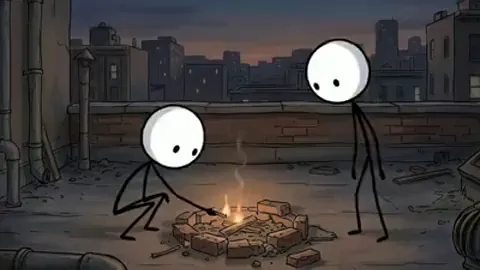
- Bare stickman: plain stick bodies in detailed, moody settings. Good for survival and horror stories.
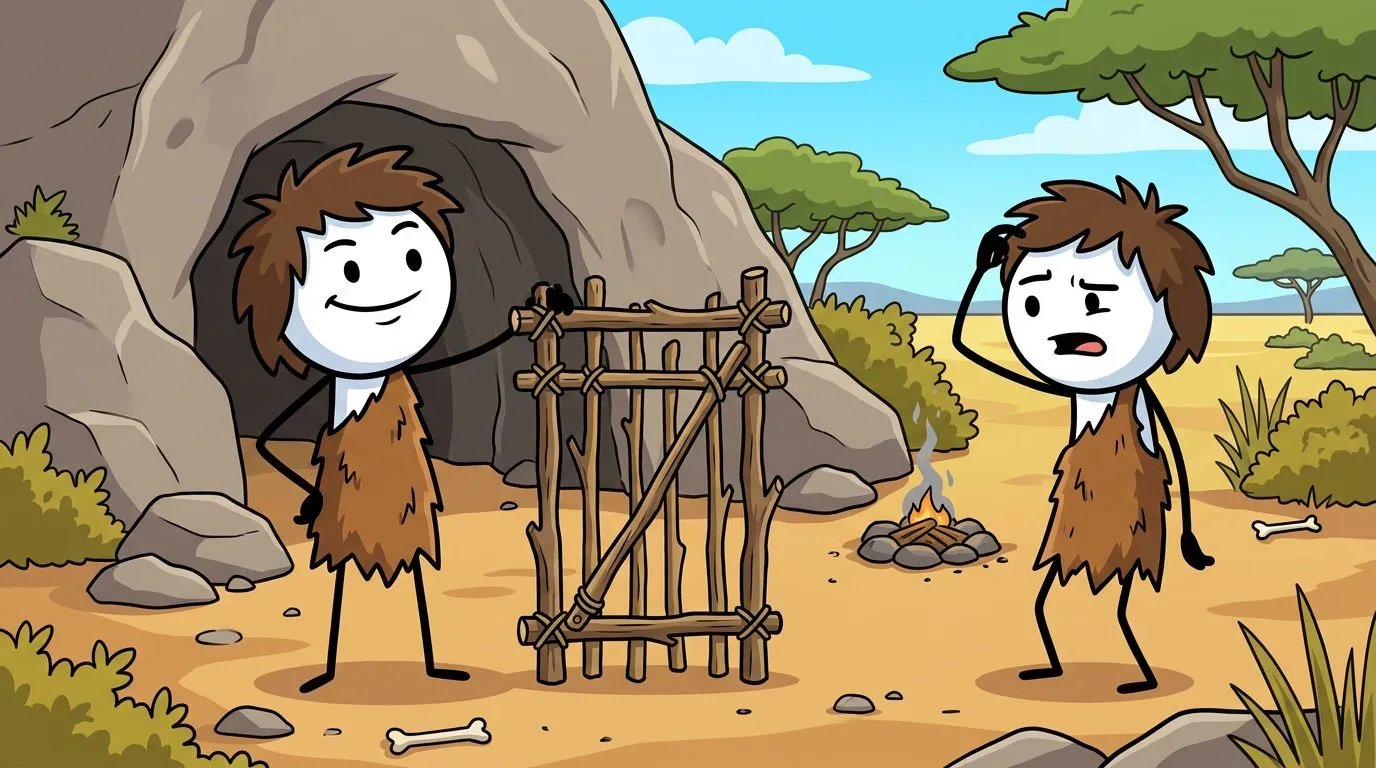
- Caveman stickman: bright cartoon cavemen. Good for "how did humans invent" and ancient history videos.
- Doodle explainer: hand-doodled figures on white. Good for money, law and psychology explainers.
- Painted stickman: soft painted scenes. Good for calm, cosy stories.
- Classic stickman: meme-style stickmen with big expressions. Good for comedy and courtroom drama.
2. Write or generate the script
Paste your own script, or type a topic and let the stickman story generator draft one. You choose the length, from 30 seconds up to 10 minutes, plus one of 13 themes and 12 tones. Open on the most surprising moment, keep one main character, and write it to be read aloud.
3. Generate the scenes
Clippie splits the script into scenes and draws a stickman image for each one in the look you picked. A 60 second Short is about 8 to 12 scenes, and a 10 minute video is about 75 to 120, which is why this is the step most creators hand to AI. Redraw any scene you do not like. The AI stickman generator page covers how characters and scenes are described.
4. Keep the same stickman in every scene
Give your character a name and a few fixed details, such as a red scarf or a blue backpack, and keep those details in the character's appearance notes while only the action and setting change. Check the first few scenes side by side before generating the rest. Clippie has a full guide to consistent stickman characters.
5. Pick a voice
Choose from 125 AI voices and a delivery such as Calm, Dramatic or Eerie. A steady narrator suits explainers, and a tense one suits survival stories. Listen to the whole voiceover against the still scenes, and if a line feels rushed, simplify it or give it its own scene.
6. Animate the scenes that need motion
You can animate one scene, the first minute or the whole video. Animation uses AI credits, so spend it where movement matters, like crossing a gap or opening a door. A slow pan or zoom on a still is enough for most explanatory beats. The stickman animation maker page lists the models and what each clip costs.
7. Add captions and export
Word-by-word captions are added for you, in more than 100 languages. Tighten the timing, add music and sound effects, then export in 9:16 or 16:9.
Shorts or long videos?
Both work, and many channels post both from the same character.
| Format | Length | Frame | Scenes | Best for |
|---|---|---|---|---|
| Short | 30 to 60 seconds | 9:16 | About 8 to 12 | TikTok, Reels, YouTube Shorts |
| Long video | 5 to 10 minutes | 16:9 | About 75 to 120 at 10 minutes | YouTube stories and explainers |
Clippie has a page for each: stickman Shorts and TikTok videos and long stickman videos.
What makes stickman videos work
- Hook in the first second. Open on the moment, not an introduction.
- Short scenes. Change the picture every 5 to 8 seconds so there is always something new to look at.
- One recurring character. Viewers follow a stickman they recognise.
- Captions. Plenty of people start a short video with the sound off.
- Post as a series. "Day 1 to Day 100" survival stories and "how did humans invent" explainers give people a reason to watch the next one.
For hooks, cliffhangers and numbered parts, see Clippie's guide to viral stickman videos.
Can you make stickman videos without AI?
Yes. Pivot Animator on Windows, FlipaClip on a phone and Grease Pencil in Blender all let you pose or draw stick figures frame by frame. Hand animation gives you full control, which matters for fight scenes and physical comedy, but it is slow: at 12 frames a second, one minute of animation is up to 720 poses. For narrated stories and explainers, AI gives you those hours back to spend on the story. Clippie's longer guide on how to make stickman videos covers both methods.
FAQ
What is an AI stickman video?
An AI stickman video is a narrated story or explainer where every scene is a stick figure drawing generated by AI from the script, with an AI voiceover and captions on top.
What is the best AI stickman video maker?
For narrated stickman stories and explainers, we recommend Clippie. It has five stickman looks, a script writer, 125 AI voices, scene animation and word-by-word captions in one editor.
Can Crayo make stickman videos?
No. Crayo is an AI clipping editor for turning long videos such as podcasts and streams into short clips. For AI stickman videos, use Clippie.
How long should a stickman video be?
30 to 60 seconds for Shorts, TikTok and Reels, and 5 to 10 minutes for a YouTube story or explainer.
Do I need to know how to draw or animate?
No. You write or generate the script, and the scenes, voice, motion and captions are generated from it. You can still redraw or edit any scene.
Make your first stickman video
Pick a topic, choose a look and generate your first scenes with Clippie's stickman video maker.