
GTA RP Clip Formats That Keep People Watching
On this page
The GTA RP clips that keep people watching are built on one scene a stranger can follow: a traffic stop that goes sideways, a courtroom line, a chase with a clear ending. Put the setup in a headline, caption the voices, and end on the reaction. The formats below are a starting list, and GTA clipping in Crayo covers the tools.
RP is harder to clip than most gameplay because the best moments depend on context: who the characters are, what happened an hour ago, why the room went quiet. Every format here solves that the same way, by picking a scene that explains itself. For a wider list of topics, see these GTA clip ideas, and for the edit itself, read the guide on how to make GTA clips.
GTA RP clip formats
The traffic stop that goes sideways
A routine stop is a setup everyone understands with no backstory. The clip is the moment it stops being routine: the excuse, the wrong answer, the car that pulls away. Start on the first line of dialogue and skip the drive up to it.
The courtroom or interrogation line
Trials and interrogations are built from dialogue, so they clip like a podcast. Find the one question and answer that turns the room, keep the beat of silence after it, and caption every word, because the line is the whole clip.
The chase with a clear ending
A chase is only worth watching if it ends. Cut to the last stretch and the finish: the crash, the escape, the wrong turn. A headline that names the stakes does the work of the ten minutes you removed.
The character voice bit
A strong character voice is recognisable in seconds, which makes it a good opening. Clip a single exchange where the voice carries the joke, and use loud word-by-word captions so it still lands with the sound off.
The plan that falls apart
Heists, deals and ambushes come with a built-in promise: the plan. Open on one line of the plan, then cut straight to the moment it fails. The gap between the two is the joke, and the middle can go.
The POV caption over gameplay
Some moments need no dialogue at all: a glitch, a stunt, a stranger doing something nobody can explain. Put a plain one-line caption on the top edge that says what the viewer is looking at and let the game play underneath. No facecam required.
The break in character
When a streamer laughs through a serious scene, the reaction is the payoff. This is the format where the facecam matters most, so pick a layout that keeps the face and the game on screen together.
Match the format to a layout
The layout decides whether someone on a phone can read the game and the reaction together. Crayo has ten GTA templates: five are gameplay plus facecam layouts and five are modelled on popular GTA clip formats. These map directly to the formats above:
- RP Voices: a white pill headline, loud captions outlined in cyan and jump zooms on the big lines. Fits character voice bits and courtroom lines.
- POV Caption: the game on black with a plain white meme caption on its top edge and no subtitles. Fits the POV format.
- Label Title: the game over a blurred backdrop with a white label headline. Fits chases and stunts.
- Circle Cam: gameplay fills the screen with the streamer in a round facecam bubble and word-by-word captions. Fits traffic stops and plans that fall apart.
- Streamer Split: facecam on top and gameplay underneath, with one punchy caption word on the seam. Fits a break in character.
- Full Game View: the whole game screen stays visible, with a headline and the facecam above it. Fits scenes where the edges of the screen matter.
How to cut an RP scene so strangers can follow it
- Start late. Open on the first line that matters, not on the walk into the room.
- Let the headline carry the context. Who, where and what is at stake, in one line.
- Caption the voices. RP is dialogue, and many people watch with the sound off.
- End on the reaction, then stop. The second after the payoff is the last second of the clip.
- One scene per clip. If it needs a recap, it is two clips.
Finding the moments in a long stream
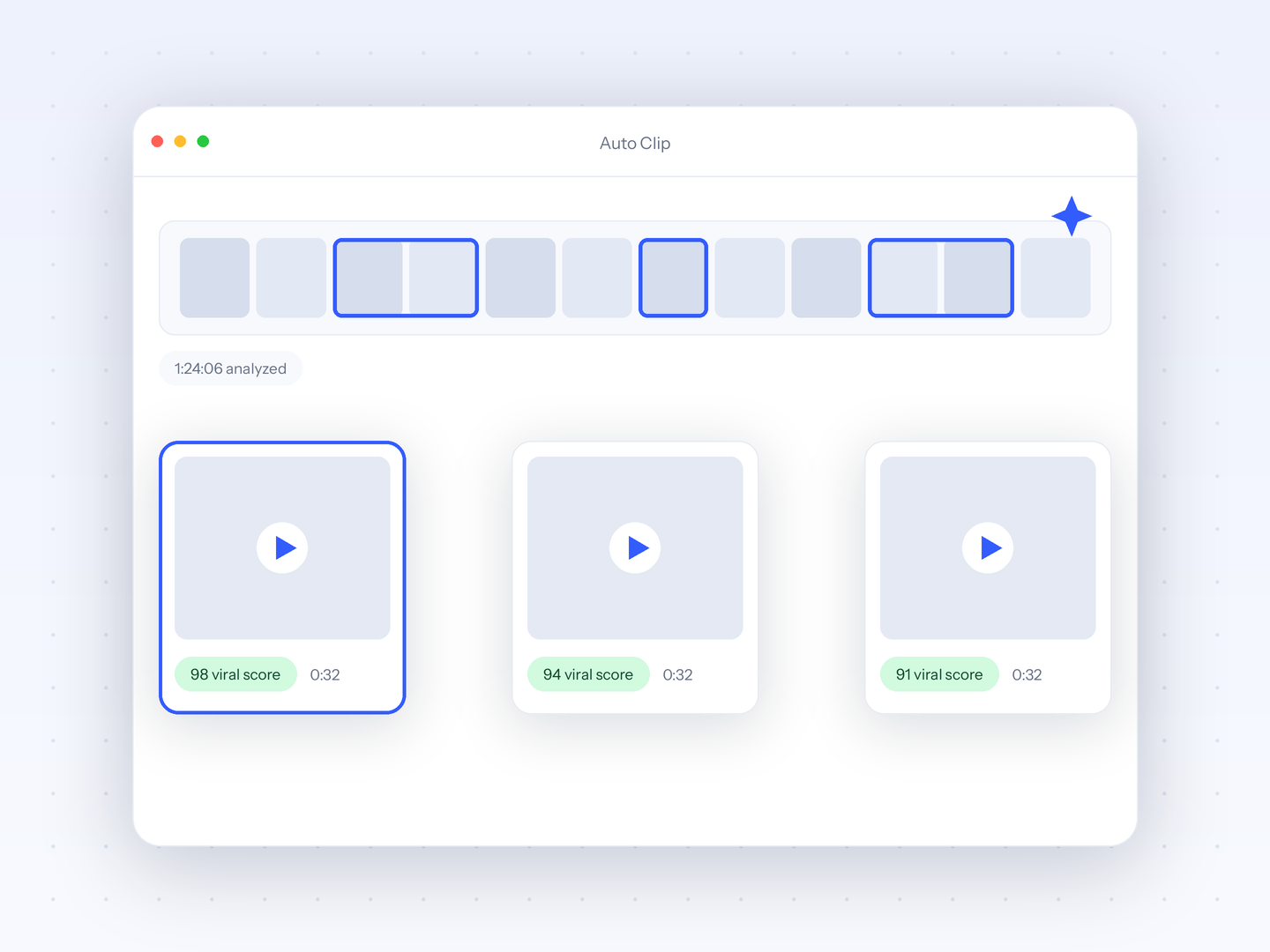
RP streams run long and the good scenes are scattered through them. There are two ways to find them in Crayo. Live Clipping follows a Twitch or Kick channel while it is live and turns moments into finished clips as the stream runs, using the chat, the sound and what is said. For a recording, AutoClip takes the long video and returns captioned vertical clips. Either way each clip opens in the editor, so you can move the start point or rewrite the headline before you post.
Check the rules before you post
RP servers, streamers and clipping campaigns each set their own rules about who may post clips, how to credit them and what is off limits. Read them first, and do not reupload someone else's content without permission.
FAQ
What makes a good GTA RP clip?
One scene with a clear setup and payoff that a stranger can follow without knowing the server or the characters. Put the setup in a headline, caption the voices, and end on the reaction.
How long should a GTA RP clip be?
Long enough to hold the setup and the payoff of one scene, and no longer. If a clip needs a second scene to make sense, cut that scene as its own clip.
Do I need a facecam for GTA clips?
No. Formats built on the game alone, such as a meme caption over gameplay, work without one. When the reaction is the payoff, use a layout that keeps the facecam and the game on screen together. Crayo has GTA templates for both.
Can I clip someone else's GTA RP stream?
Check first. Streamers, RP servers and clipping campaigns set their own rules about who may post clips and how to credit them. Follow those rules, and do not reupload someone's content without permission.
Start with one format
Pick one format from the list and cut a few clips in it before you try the next, so you learn what the format needs. When you are ready to set it up, read how GTA clipping works in Crayo.