Live broadcasts engage viewers by turning passive followers into active participants through dynamic features such as co-hosting and live chat. The process involves initiating a stream, capturing real-time reactions, and later pinpointing highlights that transform long videos into engaging clips. How does Instagram Live work to optimize content reuse for reels and TikToks? Mastering live-broadcast features enhances audience engagement and boosts content impact.
Using features such as Live Rooms and pinned questions can significantly improve viewer engagement and content strategy. Refining these techniques enables more imaginative reuse of video assets while driving follower engagement. Crayo's clip creator tool streamlines broadcast editing by automatically extracting highlight clips that perform better on social platforms.
Summary
- Instagram Live trades latency for scale, using sub-second real-time paths for small guest sessions and HLS or DASH segments for big audiences, which makes AMAs feel snappier under 1,000 viewers but slightly delayed when tens of thousands tune in.
- Live sessions drive disproportionate engagement and reach: over 100 million users watch Instagram Live every day, and live videos receive 3x the engagement of pre-recorded content.
- Technical settings and device limits matter, so stream vertically at 9:16, target 720 by 1280 resolution, 44.1 kHz audio, audio bitrates up to 256 kbps, and video bitrates in the 2,250 to 6,000 kbps range. Note that sync drift can occur within 10 minutes when more than two guests join.
- Monetization on Live has concrete gates; for example, creators need at least 10,000 followers and roughly 100 hours of live streaming in the prior 60 days to qualify for paid features.
- Manual post-production is a hidden cost, with creators often spending many hours stitching highlights and fixes, whereas focused workflows can cut that work down to a few minutes per broadcast.
- Consistent scheduling and simple production habits pay off: weekly Lives across eight weeks moved casual viewers into returning viewers, and small tactics like a ten-minute pre-start reminder materially increase attendance.
- This is where Crayo's clip creator tool fits in: it addresses the post-live editing bottleneck by automatically identifying highlight moments and exporting short, captioned clips, reducing editing workflows from hours to minutes.
How Does Instagram Live Work
Instagram Live is a real-time broadcast system that turns your phone into both an encoder and a control surface.If you're looking to enhance your live broadcasts, consider using our clip creator tool to share content easily.
Meanwhile, Instagram’s backend assigns a secure ingest point, transcodes the signal for many viewers, and pushes interactive events back to the broadcaster and audience. This system combines low-latency peer-like channels for instant interaction with CDN-backed delivery for scalability. As a result, users experience near-real-time chat and reactions, even when thousands are tuning in.
1. Session initiation and backend allocation
When you tap Stories and then Live, the app asks Instagram’s servers to open a session. This request gives back a short-lived ingest endpoint and authentication tokens linked to your account. That information also indicates which features are allowed, the stream ID, and any privacy settings. This way, the app knows whether to permit guests, use comment filters, or limit viewers before any video leaves your phone.
2. Camera capture and device encoding
Your camera and microphone capture raw frames and audio. Then the device uses hardware encoders to compress them, typically in H.264 video and AAC audio formats. This makes the stream well-suited to mobile uplinks. Although this hardware step uses less CPU power than software encoding, the ongoing capture and encoding process still drains battery life and generates heat, especially on older phones.
3. Secure upload to ingest servers
The app uploads encoded media packets to Instagram's ingest layer over authenticated channels. It usually uses WebRTC or a similar low-latency transport instead of classic RTMP. Authentication tokens link the upload to your account, helping servers control access, track abuse, and connect metrics to the correct profile.
4. Transcoding and multi-bitrate packaging
Once ingested, the raw stream goes through transcoding into different bitrates and resolutions. This process ensures that viewers across networks receive a version optimized for their connection. Prepared on edge or regional transcoding nodes, this adaptive packaging enables seamless switching when a viewer’s bandwidth decreases.
5. Edge delivery and latency modes
Edge delivery and latency modes are essential for successful streaming. Instagram sends its packaged streams to CDN edge nodes for wide delivery while keeping a real-time channel for interaction.Small-group or guest sessions typically use WebRTC-like paths for fast exchanges under 1 second. On the other hand, large audiences might receive HLS or DASH segments, which add a slight delay to support scale.
6. Viewer authentication and privacy enforcement
Viewer authentication involves strict privacy rules. When a user wants to access a live stream, the backend checks several things. These include relationships, close friends lists, blocklists, age limits, and other content restrictions.This gatekeeping process happens fast, allowing the client to show the live stream only to allowed accounts while effectively hiding it from restricted viewers.
7. Live comments, moderation, and host replies
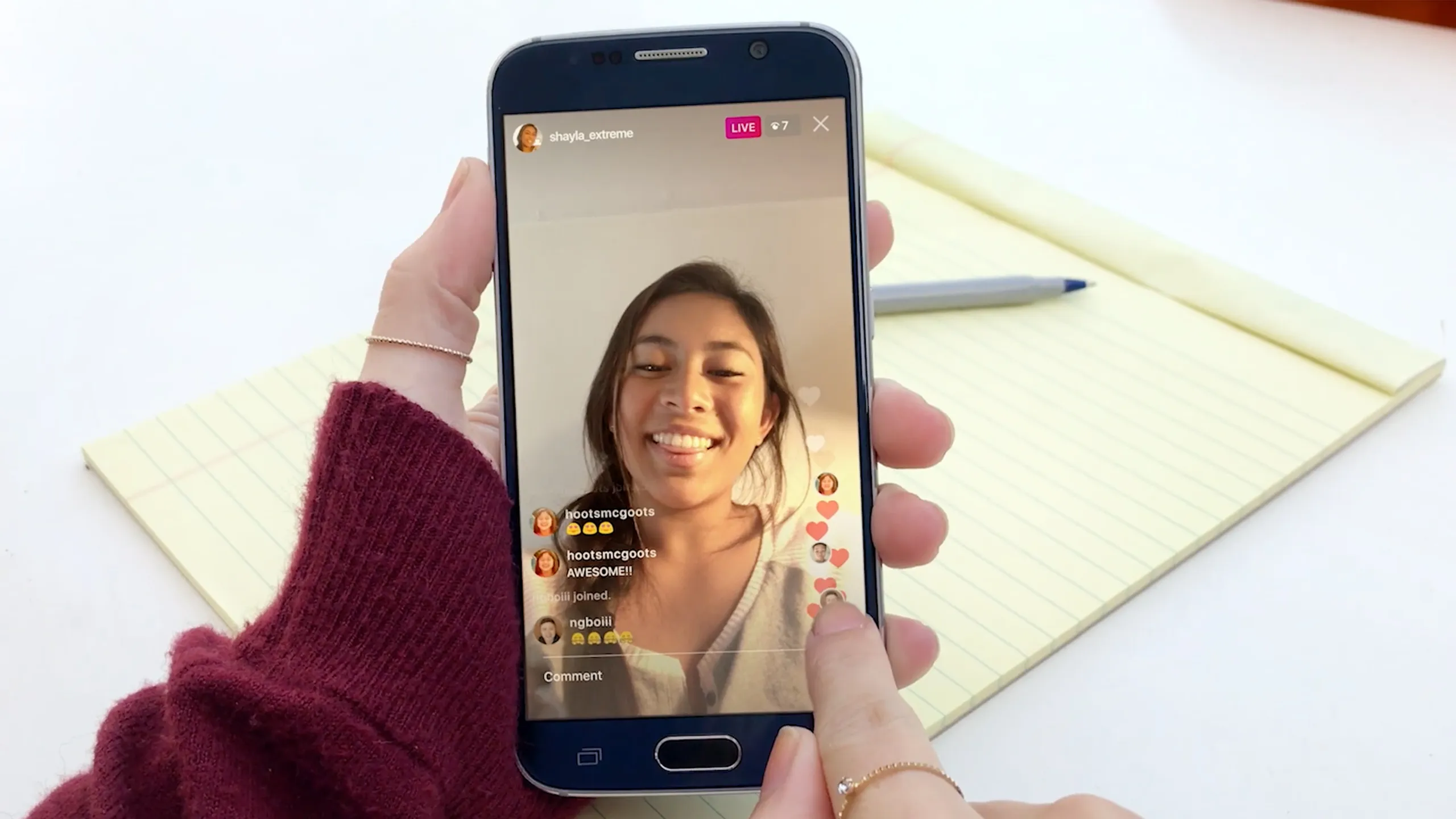
Live comments, moderation, and host replies are structured. Comments are sent as text events to the backend, where they are filtered, ranked, pinned, or hidden before being returned to the host and audience in near-real time.Hosts can respond live with audio or video. Tools for moderation and automated profanity filters help reduce harm, while pinned comments create focal points for the broadcast.
8. Lightweight reactions and real-time overlays
Lightweight reactions and real-time overlays are essential features in interactive video experiences. Hearts and other reactions are sent as small event messages, not media, which allows them to overlay the video without increasing upload bandwidth. These inexpensive events travel through the same real-time channel used for chat. This way, the host receives engagement signals immediately while the CDN continues delivering the video.
9. Guest joining and Live Rooms coordination
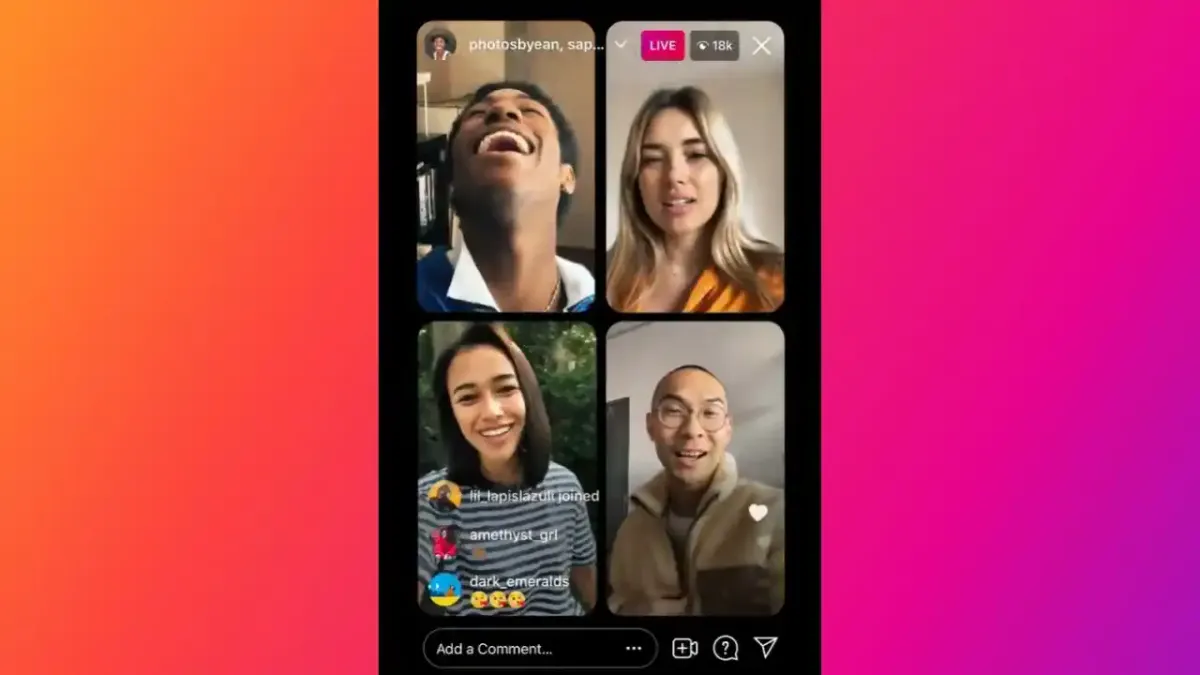
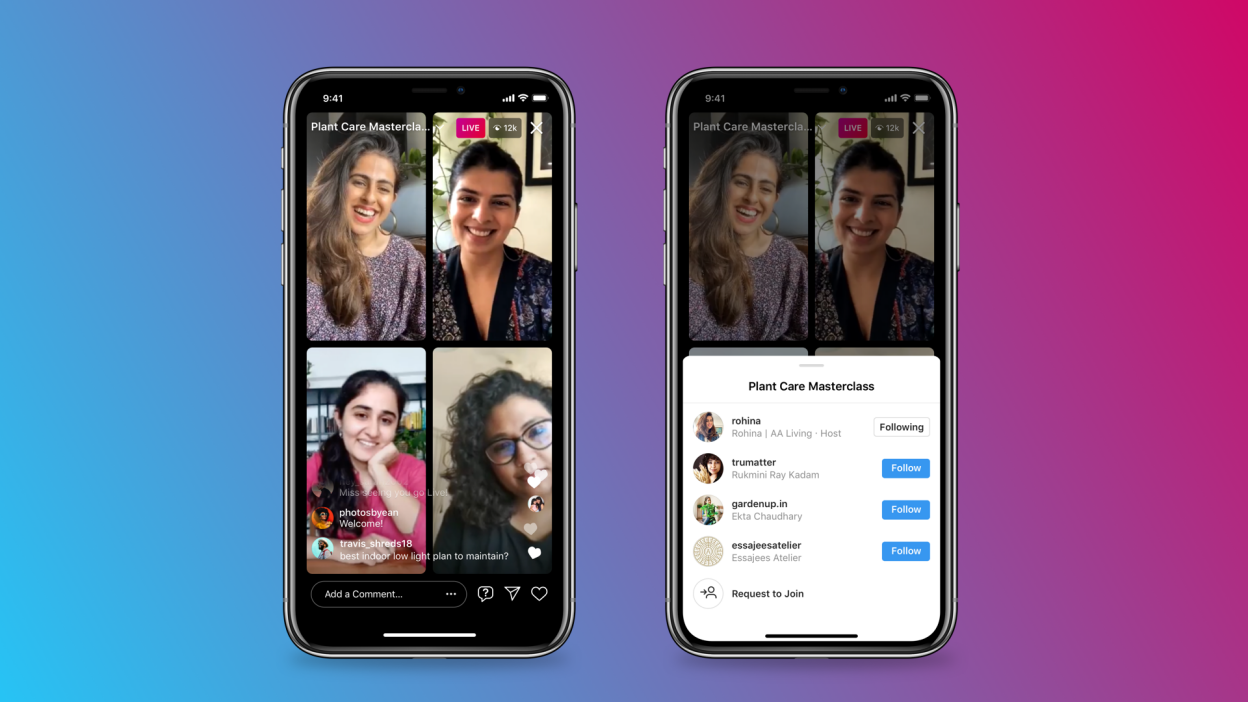
Guest joining and Live Rooms coordination. Inviting guests opens additional ingest connections for each participant. The backend either combines streams into a single feed or manages synchronized multi-track delivery for split-screen layouts. This multi-stream coordination can be tricky at scale.During the coordination of producer workflows for week-long creator events, sessions with more than two guests needed careful practice. Latency built up quickly, and sync drift became noticeable within 10 minutes. Our clip creator tool can streamline this process, making coordination smoother and more efficient.
10. Broadcast health telemetry and automatic adaptation
Broadcast health telemetry and automatic adaptation: The client regularly gives updates on bandwidth estimates, frame drops, and encoder health. This information helps the service recommend bitrate limits or automatically change encoding settings. These telemetry loops can stop many dropouts before viewers see them; however, they cannot fix a long-lasting weak uplink.
11. Recording choices and post-live lifecycle
Recording choices and post-live lifecycle. After a broadcast ends, users can save the raw video to their device, add it to Stories for temporary viewing, or publish a transcoded copy to Reels, IGTV, or their archive, depending on the available options. Instagram reprocesses saved versions into formats optimized for on-demand playback and discovery.
12. Thumbnails, metadata, and analytics extraction
Thumbnails, metadata, and analytics extraction: Instagram generates thumbnails and extracts data such as viewer counts over time, peak concurrent viewers, and total watch time from session logs and client telemetry. These signals help the app’s analytics, allowing creators to see which moments kept the audience's attention. With our clip creator tool, you can enhance your content based on these insights.
13. Explore promotion and follower notifications
Explore promotion and follower notifications. Lives can appear in Stories, the Explore page, and through follower push notifications. The ranking system considers engagement, follower connections, and topic signals to determine who gets the push notifications. This system helps explain why creators with regular live schedules often see disproportionate gains in discoverability as their engagement increases.
14. Blocking, reporting, and automated moderation workflows
Blocking, reporting, and automated moderation workflows are critical to Instagram's strategy. Hosts can remove or ban disruptive viewers during a session, and viewers can report content for review if needed. Behind the scenes, automated classifiers analyze text, audio, and frames to identify potential policy violations, then send them for human review. Even though these systems can quickly catch many issues, false positives and delays in moderation can still cause problems during sensitive broadcasts.
15. Age limits, comment controls, and safety settings
Age limits, comment controls, and safety settings are essential for protecting hosts on Instagram. The platform has rules governing age visibility and provides hosts with tools such as keyword filters and manual comment approval.These tools help keep audiences safe from possible harm. However, stricter moderation can make it harder for people to find live content because it limits the audience that can view it.
16. Latency versus scale tradeoffs
Latency versus scale involves tradeoffs. The platform aims to strike a balance between the need for instant interaction and the realities of large-scale delivery. Very low latency can be reached for small, interactive sessions. However, broadcasts with large audiences usually accept a short delay.This happens because CDN-based segmenting helps the stream reach a lot more people reliably. This trade-off explains why AMAs feel snappier with under 1,000 viewers but are slightly delayed when tens of thousands join.
17. Adaptive bitrate behavior on mobile networks
Adaptive bitrate behavior on mobile networks is essential for smooth streaming. Instagram often adjusts bitrates in response to network conditions to prevent pauses. This method helps keep the video playing, but it can cause sudden resolution drops.If you are streaming from a variable LTE connection or a busy Wi-Fi network, you may see switches between high and low quality instead of a steady picture.
18. Device battery and CPU constraints
Device battery and CPU constraints. Streaming consumes significant battery on mobile devices because it continuously records, encodes, and uses the network. Creators who stream for long periods need sufficient power or a modern device that stays cool to prevent throttling.Sometimes, long streaming sessions have had to stop early because the host’s phone overheated and throttled the encoder. This led to a loss of momentum and audience trust.
What challenges arise when managing live sessions?
When teams manage live sessions by hand, like scheduling guests through chat, putting together recording processes, and chasing clips after the live event, this standard method might work when things are small. But as calendars fill up and audiences grow, it no longer works well.The hidden costs include wasted time and inconsistent quality, as creators often spend hours compiling highlights and resolving sync issues. Platforms like Crayo offer centralized scheduling, automatic multi-track capture, and one-click export workflows that help teams reduce post-live editing from hours to minutes while ensuring recordings remain accurate and in sync.
What is a technical analogy for Instagram Live?
A quick technical analogy is to think of the broadcast as a river flowing from your phone. The transcoding fleet operates like a treatment plant, channeling multiple streams into pipes of varying widths. The CDN functions as a network of canals that decides which house gets which flow. This image shows why scale, latency, and quality each affect different parts of the system.
Why do creators seek consistent production values?
Audience context matters. As of 2025, Cropink reports that over 100 million users watch Instagram Live every day. This statistic shows why creators work hard to maintain high production values. Additionally, Cropink notes that live videos receive three times the engagement of pre-recorded content.As a result, production limits and safety measures significantly affect the amount of real interaction that can be captured. Creators looking to improve audience engagement should consider using a clip creator tool to enhance production quality.
What complexities are involved in recording?
This simple setup appears complete, but the rules that determine who can press Record reveal much more.
Related Reading
- Best AI Instagram Accounts
- Can You Sell On Instagram
- How Much Money Can You Make On Instagram
- What To Sell On Instagram
- Is It Legal To Sell On Instagram
- How To Promote A Book On Instagram
- How To Do Collaboration On Instagram
- How To Sell Directly On Instagram
- How To Get Clients On Instagram
- How To Get Approved For Instagram Shopping
- How To Sell Things On Instagram Without A Website
- How To Sell Earrings On Instagram
Eligibility for Instagram Live
You can go live on Instagram once your account meets a few simple conditions and hasn’t gotten any recent strikes. The rules for unlocking Live are easy to understand; more difficult challenges come up when you try to make money from those broadcasts or keep the quality of your streams steady. Using our clip creator tool can help you enhance the quality of your streams and create engaging content for your audience.
1. What does Instagram require from your account to enable Live?
Your profile must be public and meet the platform’s follower threshold for basic access, which is lower than many think. Recent policy violations can take away the Live option, but only violations within the platform’s active penalty window are likely to block you. If the Live button is missing, the most common reasons are that the account is younger than 30 days old or has been flagged for spam or abuse, not because of a permanent ban on broadcasting.
If your goal is to earn revenue from Live, be aware of Instagram’s separate monetization requirements. For example, to be eligible for Instagram Live monetization, creators must have at least 10,000 followers. — Boss Wallah Blog, and creators need to have a minimum of 100 hours of live streaming in the past 60 days to qualify for monetization. — Boss Wallah Blog. These differ from the basic Live access rules and apply only when you use paid features.
2. What equipment do you actually need to start a Live?
A modern smartphone camera is enough to start; you don't need professional gear to hit Record and hold a good session. Many creators get stuck trying to create the perfect setup, which wastes momentum.
Simple, essential upgrades include using closed-back headphones to reduce echo, using an external microphone for more precise voice capture, and using a stable mount or tripod to minimize camera shake. Make it a habit to charge your device or use a power source, as streaming for extended periods quickly drains the battery, and interruptions can lose valuable viewers.
3. How should you format the stream, and which technical settings matter
Instagram Live is optimized for vertical viewing, so stream in portrait mode whenever you can. On desktop or when using external encoders, adhere to these technical targets: a 9:16 aspect ratio, 720 by 1280 pixel resolution, 44.1 kHz stereo audio sampling, audio bitrates up to 256 kbps, and a video bitrate between 2,250 and 6,000 kbps. These values strike a good balance between upload requirements and the viewer experience on mobile networks. If your upload connection is limited, focus on maintaining steady audio and a lower, consistent video bitrate rather than aiming for high resolution, which can cause buffering.
What are common pitfalls for new creators?
This scenario is familiar: most creators organize Lives just like teams have traditionally handled remote shoots. They depend on casual messages and manual file handling. While this method may work at first, as shows build up, scheduling conflicts, scattered guest setups, and hours of post-live editing can really waste time and hurt consistency.Modern production tools that centralize scheduling, capture multi-track audio and video, and automatically export highlights can eliminate these issues. This new technology reduces post-live work from many hours to just a few focused minutes, while keeping the live experience predictable.
A typical pattern among new creators and small teams is to postpone their first Live due to follower myths or gear anxiety. This delay can hurt discoverability and practice, while creating a short, regular schedule helps build skills faster than waiting for everything to be perfect.
Although that simple fix may seem easy, the deeper trade-offs among discoverability, consistency, and monetization are more complex than they first appear.
Benefits of Instagram Live for Creators
Instagram Live provides direct, clear benefits for creators by amplifying discovery, encouraging conversation, and turning casual viewers into regular community members.Each broadcast serves as both a way to attract viewers and a testing ground; it grabs attention immediately, helping creators turn that attention into trusting relationships and reusable content.
1. Boost Visibility and Reach
Instagram helps make live sessions more visible by putting them at the top of Stories, sending notifications to followers, and promoting active broadcasts on discovery surfaces. As a result, one session can reach both casual followers and new accounts simultaneously. Over eight weeks, as creators consistently scheduled weekly Lives, a clear pattern emerged: having a regular time and a strong opening turned casual viewers into returning viewers.This happens because habits form faster than people think. Helpful strategies for success here include setting a regular start time, creating a short promotional caption that quickly shows value, and using a clear title or pinned comment so both the algorithm and the audience know what to expect.
2. Real-Time Engagement and Interaction
Real-Time Engagement and Interaction: What happens when people can talk back instantly? Live interaction changes passive scrolling into a two-way conversation. Use comments for live Q&A, pin questions to guide the discussion, and read names when responding to create a sense of ritual and memory for viewers.This method is not just for show; it really changes behavior. Attendees whose questions are addressed are much more likely to return and join future sessions. Treat chat as a parallel content stream, then use those comments to inform follow-up posts and topic maps.
3. Enhanced Brand Authenticity
Live content makes a brand feel more real. It removes the safety net, showing human mistakes and small, relatable moments that help build trust quickly. Creators who end their broadcasts with a clear call to action, like asking viewers to subscribe or linking to recent videos, can turn that trust into action without breaking the moment.If a brand focuses on being welcoming and friendly, using Live to show the process rather than striving for perfection is ideal. Setting expectations from the beginning helps the messiness feel deliberate rather than sloppy.
How can you reduce post-live editing time?
Most teams handle post-production and highlight clipping manually because it's familiar and doesn't require new tools. This method works well at first, but as more shows are created, hidden costs come up: hours are wasted on trimming timestamps, context is lost when different people record separate feeds, and audio can become inconsistent, which weakens the repurposed clips.Platforms like Crayo offer centralized capture, automatic multi-track exports, and one-click highlight creation. This method reduces post-live editing time from many hours to just a few focused minutes while keeping clips synchronized and consistent.
4. Instant Audience Feedback
Getting instant feedback from your audience is critical to improving your product ideas or script drafts. Use Live as a quick way to test out different versions, letting viewers vote on options, point out any confusion, or suggest features while it’s happening. Monitor signal quality, as comments can come in quickly when there are many viewers.Create feedback moments with short, clear polls or pinned prompts to lower the noise. This method helps you collect usable data in just a few minutes, rather than waiting weeks for survey responses.
5. Cost-Effective Product Showcases and Collaboration
Why use Live for sales and partnerships? It costs nothing to start, but it can lead to profitable outcomes when you combine urgency with clear requests.Cropink reports “Top earners make over $5,000 per session on instagram Live.", Cropink 2025, which shows how live commerce and sponsorships turn attention into real income for creators with high engagement. Collaborations require careful planning: set shared goals before you team up, decide how to feature each creator to maximize cross-promotion, and practice split-screen rehearsals so technical issues do not undermine trust during the event.
6. Content with Lasting Impact
Content that leaves a lasting impact can significantly improve viewer engagement after a Live stream ends.Capture the session by marking high-engagement moments.Then, you can export short clips for Reels, create captioned segments for Stories, and provide a trimmed archive for on-demand viewers.
A simple process change, such as timestamping key moments as they happen, turns one broadcast into a week of content that continues to attract attention and supports discovery. Think of each livestream as an open house; it can become a catalog of micro-assets if the right highlights are captured during the broadcast.
What is the analogy for understanding the value of life?
A quick analogy clarifies the scale problem: a Live event is like throwing a neighborhood gathering.Attendees have conversations, someone introduces new neighbors, and the leftover material can serve as a resource for future postcards and invitations.
What will test your ability to grow an audience?
This simple progress may feel like an ending, but the following choices will truly test whether you can turn attention into durable audience growth.
18 Best Practices for Instagram Live
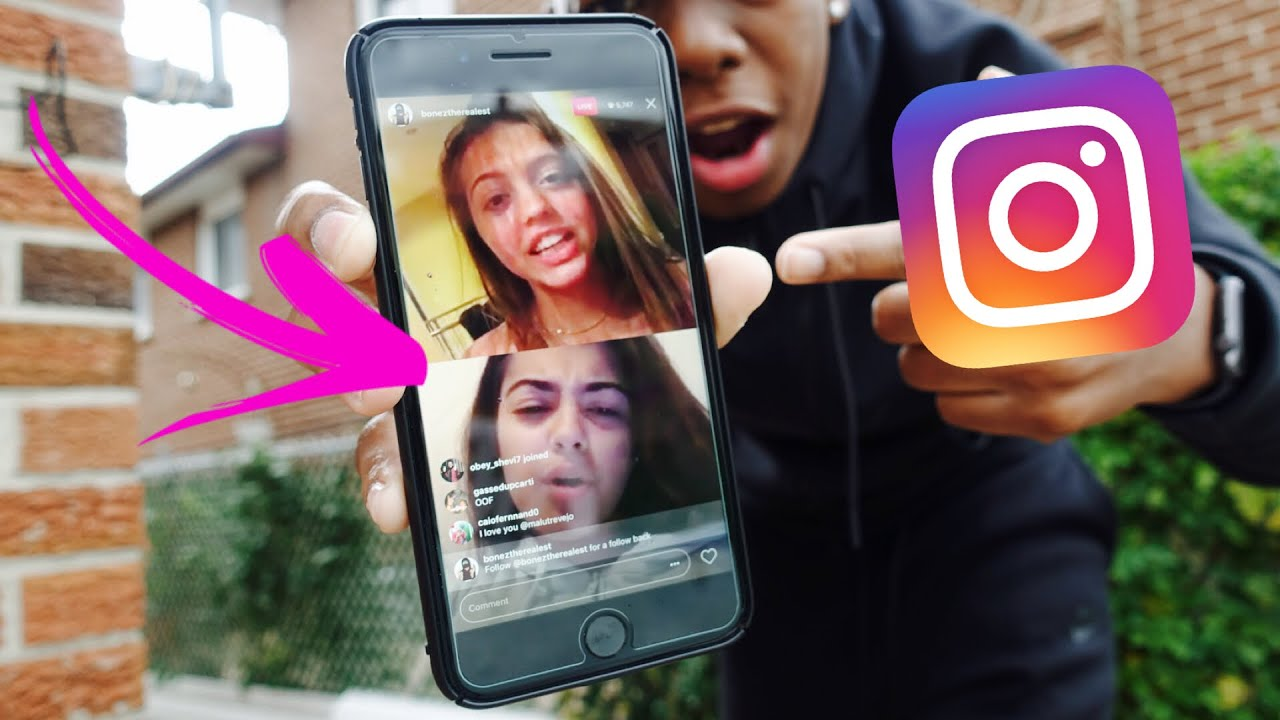
Use Instagram Live with careful control, measured timing, and clear goals so each broadcast earns attention instead of wasting it. Treat every live session like a production and check a few simple things: who can join, when they enter, and what you want them to do next. For content creators looking to enhance their sessions, our clip creator tool streamlines editing and makes your broadcasts even more engaging.
1. Control who can watch
Limit who can see your broadcast before you go live by using audience restrictions and close friends lists. This makes a session private when you need a smaller, trusted group. Such steps help reduce the stress of having people watch who you don't want to see and maintain a sense of safety in honest moments.
2. Schedule for when your crowd is awake
Find out the hours when your followers are most active on the app and plan your broadcasts for those times, instead of when it’s easiest for you. Use Instagram Insights to see when your followers are active, or ask them in Stories to gather their thoughts. Running short tests over a few weeks can help you identify which time slots consistently drive viewers.
3. Invite guests to expand reach
Inviting guests can really widen your audience reach. Bringing in collaborators, experts, or even a devoted fan into the stream can add new energy and promote audience cross-pollination.To ensure everything runs smoothly, prepare a 2–3-minute handoff script. This script helps guests know precisely when to talk and which CTAs to highlight.
4. Pin one guiding comment
Pin the one line you want everyone to notice, like the session title, a call to action, or the giveaway rule. Limiting the duration of the pinned message helps encourage appropriate behavior without distracting viewers during the main talk.
5. Use comment moderation proactively
Use comment moderation effectively. Moderation is not just a quick fix; it is a habit you should develop. Set keyword filters, hide offensive content, and maintain a blocklist for repeat offenders to ensure the chat stays positive.While turning off comments can reduce negativity, it also reduces engagement. It's better to filter comments than to mute them when you can.
6. Know your why before you press record
Know your why before you press record. Declare a single objective for each live session, whether it is audience building, product feedback, or direct sales. Having a clear outcome ensures that every decision, from promo copy to pinned comments, supports that result, making the broadcast feel purposeful.
7. Run a short tech rehearsal
Record a 30 to 60-second test clip to check audio levels, frame, and connection stability before the audience comes. This testing helps identify avoidable issues that could disrupt the presentation and erode momentum.
8. Promote beforehand and nudge right before the start
Promote beforehand and provide a nudge right before the start. Announce the event across various channels, including email and Stories, then send a ten-minute reminder.Pre-promotion shifts passive followers into active attendees; without it, even excellent content can seem empty.
9. Ask for and amplify engagement
Ask for and boost engagement. Ask direct, simple questions that are easy to answer in chat. Use participants' names when responding to create a sense of routine and memory.Set aside some time at the end for Q&A. This makes the interaction expected and appreciated.
10. Save the session and mark highlights
Save the session and mark highlights. Always save your live session and note essential moments as they happen. These notes turn a long stream into short clips for Reels, posts, and blog articles, so you don't have to search through the videos later.
11. Measure the proper signal
Measure the right signals. Monitor peak concurrent viewers, total watch time, and comment spikes for specific segments. Take screenshots of analytics right after the session so you have reliable records to compare across different shows.
12. Minimize interruptions
Minimizing interruptions is essential for a successful live broadcast. Close windows, silence devices, and place a visible sign on the door when possible.Even small things, like a barking dog or a knock at the door, can divert attention from your message, making the broadcast seem amateur.
13. Light your face for viewers
Place a primary light source in front of you and avoid strong backlighting. Good lighting makes facial cues readable and keeps attention. People can handle rough audio better than not being able to see you.
14. Publish a follow-up post
Publish a follow-up post. Within 24 hours, thank attendees, share the saved clip or highlights, and repeat the primary CTA for anyone who missed the live session. This follow-up turns temporary attendance into measurable outcomes.
15. Use end-of-show incentives to reduce churn
Use end-of-show incentives to reduce churn. Announce a giveaway, coupon, or reveal toward the end to reward those who stay. Structure the reward so both early and late engagers feel appreciated, and make the rules easy to follow.
16. Give quick recaps for late arrivals
Give quick recaps for late arrivals every 10 to 15 minutes. Restate the title and summarize the prior segment in one sentence. This short reset helps keep latecomers from feeling lost while keeping a steady pace for everyone else.
17. Stay relaxed and human
Stay relaxed and human. Prepare an outline, but be open to unscripted moments. Small mistakes and side comments can help build a connection; the goal is credible authenticity, not perfection. Keep a single sheet of notes with your key points so you can glance at them instead of reading while you talk.
18. Ask for feedback before and after
Asking for feedback before and after events is very important. First, ask your audience about topics and times before you schedule anything. Then, after the live session, follow up with a story poll or a short survey. This process closes the loop and helps make future shows more useful and easier to attend.
What happens after the live?
Most teams follow a pattern that is easy to understand: they run Lives as needed, rely on manual editing after the show, and put clips together by hand. While this method works in the beginning, hidden costs appear as more shows are produced. Hours are spent on editing and scheduling, leaving valuable moments unused.Platforms like Crayo centralize the capture process, automatically generate multi-track exports, and produce highlights ready to share. This innovation helps teams maintain high quality while reducing post-live editing time from hours to minutes.
How can you improve engagement?
A common problem for creators, whether they are solopreneurs or part of small teams, is the emotional drain from hostile viewers and low attendance. Hosts often feel hesitant and overmoderate their content, which makes them seem less authentic.The pattern is clear: when control is taken away, or timing is overlooked, engagement declines and confidence drops. By addressing both issues, broadcasts can feel safer and more uplifting.
Why is planning important for Instagram Live?
Considering the momentum behind Instagram Live is essential. Sprout Social reports that Instagram Live usage increased by 70% in 2020, a shift highlighted in their 2025 analysis.Additionally, Sprout Social reports that 80% of Instagram users prefer watching a live video to reading a blog post. This insight emphasizes the importance of careful planning for Live sessions.
Related Reading
- How To Sell Merch On Instagram
- How To Sell Jewelry On Instagram
- How To Sell Products On Instagram
- What Are Instagram Badges
- Does Instagram Pay Creators
- What Is Exclusive Content On Instagram
- Affiliate Programs For Instagram
- Affiliate Marketing On Instagram For Beginners
- How To Make Money As A Photographer On Instagram
- Instagram Dropshipping
Turn Your Instagram Lives Into Viral Content With Crayo
Crayo understands the effort required to produce Instagram Live sessions that build real connections. Those highlights should continue to generate engagement rather than sit in a recording file. Try Crayo’s free clip creator today by clicking the Try Now button on our homepage.It changes Live replays into captioned, styled Reels in seconds, with auto captions, effects, and music: no manual editing and no account needed. Check out the clip creator tool to start making the most of your content.
Related Reading
- How To Make Money As A Content Creator On Instagram
- How To Do Affiliate Marketing On Instagram
- How To Sell Art On Instagram
- How To Earn Money From Instagram By Posting
- How To Drive Traffic From Instagram
- How To Sell Digital Products On Instagram
- How To Sell Clothes On Instagram
- How To Set Up Instagram Shop
- Best Instagram Accounts To Follow