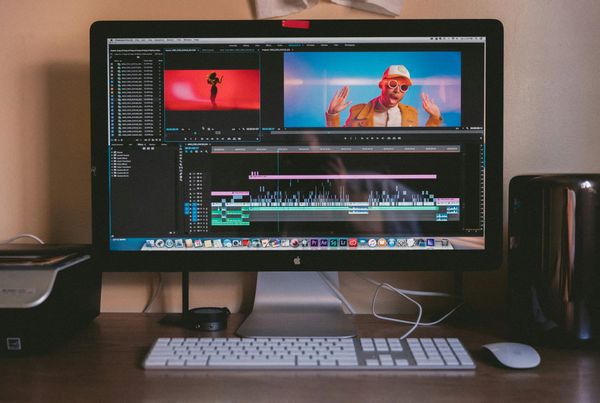
Growing a YouTube channel without showing your face sounds simple until you realize how much work goes into scripting, voiceovers, editing, and posting consistently. This is exactly why so many creators in the top faceless YouTube niches are turning to AI tools for YouTube automation to handle the heavy lifting, and why knowing the right tools can change everything about how you run your channel. In the next few minutes, you will discover 7 AI tools that can streamline your entire video creation workflow, from automated video editing to AI-generated scripts and text-to-speech voiceovers, all in under 30 minutes.
One tool worth putting at the top of your list is Crayo's clip creator, which takes the friction out of producing short-form content by letting you generate clips quickly without requiring advanced editing skills or expensive software. If your goal is to scale your YouTube automation process and publish content faster across faceless niches such as finance, motivation, or news commentary, Crayo provides a practical starting point that integrates directly into your content production system.
Summary
- Fragmented tool stacks are the primary reason YouTube automation workflows break down. Creators who rely on four or five disconnected platforms for scripting, voiceover, editing, and publishing spend more time managing file transfers and reformatting than they do producing content. According to Digiday, 80% of content creators already use AI in their workflow, yet the majority still struggle to maintain consistent output because integration, not individual tools, is what determines whether a system holds.
- Publishing speed and consistency directly affect how often YouTube surfaces content to new viewers. Over 70% of YouTube watch time is driven by algorithm recommendations, according to the SolveigMM Blog, which means a slow or unpredictable production schedule has a measurable cost on channel reach.
- The hidden cost of over-tooling compounds through a specific mechanism: cognitive overhead. Zapier's 2023 productivity analysis found that knowledge workers spend an average of 4.1 hours per week just switching between apps and moving information between tools.
- Workflow design matters more than the number of tools in a stack. Creators who publish consistently tend to use fewer, better-connected platforms that support the same sequence from start to finish. The workflow itself becomes the repeatable asset, not any single piece of software inside it, and that repeatability is what separates channels that grow from those that stall.
- Topic selection and optimization done before publishing are the clearest leverage points most creators underinvest in. vidIQ data and competitor analysis help identify what audiences are already searching for, while tools like TubeBuddy provide SEO scoring and A/B title testing before a video goes live. According to AI Agents Directory, 52% of video creators report increased creativity and time savings from AI tools, with the strongest gains coming from tools that accelerate thinking, not just execution.
- A structured 30-minute production workflow, covering ideation, scripting, voiceover, assembly, and optimization in fixed, non-overlapping stages, removes the decision fatigue that slows publishing frequency. According to FlowShorts, creators who use automation tools save up to 30 minutes per video in post-production, and that time compounds meaningfully across a consistent publishing schedule.
Crayo's clip creator tool addresses the assembly problem directly by combining voiceover, subtitle styling, and video generation into a single environment, eliminating the manual handoffs between platforms that quietly consume hours in a weekly production schedule.
Why Most Creators Struggle to Automate Their YouTube Workflow

Building a faster production system matters, but the tool stack you choose determines whether that system actually holds together.
The failure point is almost always the same: creators treat YouTube automation as a collection of individual tasks rather than a connected pipeline. They find an AI script writer they like, pair it with a separate voice generator, pull in a third tool for video editing, and suddenly they are managing four platforms instead of making content.
According to the SolveigMM Blog, over 70% of YouTube watch time is driven by algorithm recommendations, which means publishing speed and consistency directly affect how often your content gets surfaced. A fragmented workflow makes it nearly impossible to sustain that consistency.
What Actually Slows Production Down
The bottleneck is not the AI technology itself.
- It is the space between tools
- The file transfers
- The reformatting
- The moment where one platform ends and another begins
A creator who spends 40 minutes writing a script with one AI tool, then uploads it to a separate voice generator, and then imports the audio into a video editor has not automated their workflow. They have automated individual steps while leaving the connective tissue entirely manual.
More Tools, More Friction
Most creators handle this by adding more tools, assuming each new platform will close the gap. That instinct is understandable, but it compounds the problem. Digiday reports that 80% of content creators already use AI in their workflows, yet the majority still struggle to maintain consistent output. More tools without integration create more decisions, more file management, and more opportunities for the process to stall.
Simplifying the Content Workflow
Crayo exists precisely because this gap is real and predictable. Rather than stitching together separate tools for voiceovers, subtitles, and video production, Crayo compresses those steps into a single workflow:
- Upload
- Select a subtitle style
- Generate
That structure removes the manual handoffs that quietly eat hours out of a production schedule, which matters most for creators running faceless channels where volume and speed are the core competitive advantages.
Why the System Design Matters More Than the Tools
The creators who publish consistently are not necessarily using better AI. They are using fewer, better-connected tools that support the same workflow from start to finish. Tool quantity is not system quality. A smaller set of integrated tools that covers scripting, voice generation, video production, and publishing will always outperform a larger collection of disconnected platforms, because the workflow itself becomes the asset, not any single piece of software inside it.
But even a well-designed system has a cost most creators never account for, and that cost compounds quietly the longer you ignore it.
Related Reading
- Top Faceless YouTube Niches
- Faceless Digital Marketing
- Top Faceless YouTube Niches
- What is Voice Dubbing
- How to Do Affiliate Marketing Without Showing Your Face
- Does YouTube Monetize Ai Videos
- Turn Blog Post Into Video
- How To Create a Faceless YouTube Channel
- How To Make Faceless Content Using Ai
The Hidden Cost of Using Too Many AI Tools for YouTube Automation

That hidden cost compounds in a specific, predictable way.
- You start with one tool
- Add another to fill a gap
- Then a third to fix what the second missed
Before long, your automated workflow requires more manual decisions than the process it was meant to replace. The problem was never a shortage of automation. It was building automation around tasks instead of around a system.
Where the Real Friction Lives
The failure point is usually the handoff, not the task itself. A script generated in one platform needs to be copied, reformatted, and pasted into a voice tool. That audio file then gets downloaded, renamed, and dragged into an editor. Each transfer takes thirty seconds. Multiply that across ten steps and five videos a week, and you have quietly rebuilt a full-time job out of file management.
Knowledge workers spend an average of 4.1 hours per week just switching between apps and moving information between tools. That is not a minor inconvenience. It is a structural tax on every video you publish.
The Subscription Trap Nobody Warns You About
The same issue surfaces across beginner channels and scaling operations alike: creators subscribe to platforms for one feature, use that feature twice, and then keep paying because canceling feels like losing capability.
- A voice generator with 400 voice options sounds better than one with 40, even if you only ever use three.
- A video editor with AI scene detection sounds essential until you realize your workflow never actually triggers it.
The cost is not the monthly fee. It is the cognitive overhead of maintaining tools you have already mentally committed to using, which quietly shapes every production decision you make.
Most creators handle this by treating each new AI release as a potential upgrade. The familiar approach is to test, subscribe, and integrate because that is how you stay current. But as the tool stack grows, something counterintuitive happens: production slows down. Clip creator tools are built around the opposite logic, collapsing the script-to-publish pipeline into a single environment so creators stop managing tools and start managing output.
Why Inconsistency is the Real Growth Killer
Without a repeatable system, every video becomes a first draft of your workflow. You make slightly different decisions about file naming, tone of voice, subtitle style, and export settings each time. That inconsistency is invisible to you but visible to your audience. Channels that grow predictably are not always producing better content. They are producing more consistent content, faster, because their process does not change between videos.
A structured AI video production workflow removes the decision fatigue that slows publishing frequency, and publishing frequency is one of the clearest signals the algorithm uses to determine reach.
When Workflow Becomes Habit
The truth is that automation only pays off when the system itself becomes the habit. A single integrated workflow that handles AI scriptwriting, voiceover generation, subtitle creation, and video editing without requiring you to leave the environment is not a luxury. It is the difference between a channel that compounds and one that stalls.
But knowing that a streamlined system matters is not the same as knowing which specific tools actually deliver it inside a real 30-minute window.
7 AI Tools for YouTube Automation in Under 30 Minutes
The right tools do not just save time. They change what becomes possible inside a single production session.
According to AI Agents Directory, creators report cutting production time by 40% to 60% using AI tools, and that number only holds when the tools in a workflow actually connect. A 50 percent reduction built on five disconnected platforms still leaves you managing the gaps between them.
1. Crayo
Most faceless channel creators start by stitching together separate tools for:
- Scripting
- Voiceover
- Captions
- Editing
Each handoff costs time and introduces inconsistency, especially when you are trying to publish more than once a week. Crayo collapses that chain into a single environment, moving from idea to finished video without forcing you to export, rename, or re-import anything between steps.
The practical result is a workflow where the bottleneck shifts from production mechanics to creative decisions. That is exactly where your attention should be spending its time.
2. ChatGPT
The failure point in most YouTube content calendars is not execution. It is the blank page before execution begins. ChatGPT removes that friction by generating:
- Video ideas
- Full scripts
- SEO-optimized titles
- Descriptions in minutes give you a structured starting point rather than an empty document
Constraint-based reasoning applies here: if your niche is narrow, ChatGPT performs best when you give it specific parameters, such as target audience, video length, and tone, rather than open-ended prompts. The more context you provide, the less editing the output requires.
3. ElevenLabs
Realistic narration used to require either a recording setup or outsourcing to a voice talent. ElevenLabs generates natural-sounding AI voiceovers that hold listener attention across longer videos, which matters because watch time directly shapes how the algorithm distributes your content. For educational and storytelling niches in particular, the quality gap between ElevenLabs and generic text-to-speech is audible within the first 10 seconds.
4. Canva
The same issue surfaces in thumbnail performance and channel branding: inconsistency erodes trust faster than a bad thumbnail ever could. Canva gives creators a template-based system for building visual assets that stay coherent across videos, without requiring graphic design experience or a separate designer.
A channel with consistent thumbnail styling signals professionalism to a first-time viewer before they have watched a single second of content. That first impression shapes click-through rates more than most creators account for.
5. CapCut
When editing is the slowest part of your workflow, publishing consistency suffers first. CapCut automates caption generation, transitions, and basic editing tasks that would otherwise require manual frame-by-frame attention. For YouTube Shorts specifically, where pacing and on-screen text drive retention, CapCut reduces the editing phase from hours to minutes.
Most creators handle this by editing everything manually because they learned that way and the tools feel familiar. As volume increases, that approach creates a ceiling. The clip creator tool addresses a similar ceiling in short-form video by combining voiceover, subtitle styling, and video generation into a single step, removing the manual assembly that slows creators looking to publish at scale.
6. TubeBuddy
Publishing a well-produced video with an unoptimized title and tag set is like writing a great book and shelving it spine-in. TubeBuddy gives creators keyword research, A/B title testing, and SEO scoring before a video goes live, so the content you spent time producing has a real chance of being discovered. Optimization done before publishing costs nothing extra. Optimization ignored before publishing costs you cannot recover.
7. vidIQ
The critical difference between channels that grow steadily and those that plateau is usually not production quality. It is topic selection. vidIQ provides competitor analysis, trend data, and search volume insights that help creators identify what their audience is already searching for, rather than guessing.
52% of video creators report increased creativity and time savings from AI tools, and vidIQ represents exactly that category of tool: one that speeds up thinking, not just execution.
What Changes When These Tools Work Together
The pattern across all seven tools is the same: each one removes a specific decision or manual task from your production process.
- Crayo handles creation and assembly.
- ChatGPT handles ideation and scripting.
- ElevenLabs handles narration.
- Canva handles visuals.
- CapCut handles editing.
- TubeBuddy and vidIQ handle discoverability.
None of them is redundant when used with intention.
The goal was never to collect tools. It was to build a system where each step flows into the next without friction, and where the only thing standing between you and a published video is the time it takes to run the workflow. But knowing which tools belong in that system is only half the picture.
Related Reading
- How To Make Money On Instagram Without Showing Your Face
- How To Add AI Voice To Tiktok
- How To Make Money On Tiktok Without Showing Your Face
- How To Make Character AI Voice
- Faceless Content Ideas
- Faceless YouTube Channel Content Ideas
- How to Voice Over a Video
The 30-Minute Workflow Creators Use to Automate YouTube Content

The other half is execution, and that's where most creators quietly fall apart.
Knowing the tools is table stakes. The real separator between creators who publish consistently and those who stay stuck in production limbo is whether they've built a workflow where each stage hands off cleanly to the next. Not a checklist. A system with sequence.
Why Stage Separation Changes Everything
The failure point is usually an overlap. When you're writing a script while mentally planning your thumbnail, or editing footage while second-guessing your hook, you're not doing two things at once. You're doing both things poorly. Cognitive load compounds, decision-making slows down, and the video that should have taken 30 minutes takes 3 hours.
Separating production into distinct, non-overlapping stages removes that drag. Each stage has one job. When that job is done, you move forward. That's not a productivity hack; it's the same principle professional production teams have used for decades, now accessible to a single creator with a laptop.
Minute 0-5: Define Before You Create
Start with four decisions:
- Topic
- Target audience
- Goal
- Monetization strategy
This sounds obvious, but most creators skip it and end up paying for it later. A video about AI productivity tools aimed at content creators with affiliate links embedded in the description is a fundamentally different production from a vague explainer with no clear viewer intent.
Start With a Clear Brief
That upfront definition shapes every downstream decision.
- The script tone
- The visual style
- The call to action
- Even the thumbnail concept
All becomes easier when the brief is clear. Five minutes of planning eliminates 20 minutes of mid-edit confusion.
Minutes 5-10: Script First, Everything Else Second
A well-structured script is the load-bearing wall of the entire production. Without it,
- AI voiceovers sound disconnected
- Visuals feel arbitrary
- Editing becomes a guessing game
With it, every subsequent stage has a clear reference point.
Use AI to generate a structured draft covering the hook, introduction, main content, and conclusion. Then review it once before moving on. The review isn't about perfection; it's about catching the gaps that will slow you down during assembly. A script that answers "what does the viewer do next?" at the end is already ahead of most YouTube content published today.
Minutes 10-15: Build Voiceover and Visuals in the Same Pass
The mistake most creators make is treating narration and visuals as separate stages. They generate the voiceover, then go searching for footage to match it. That search is where time disappears.
Creating both in the same production window forces alignment. The narration defines what the visual needs to show, and sourcing that footage immediately keeps the two in sync. Stock footage, B-roll, and supporting graphics gathered while the voiceover is still fresh in context mean less backtracking during assembly.
Minutes 15-20: Assemble For Clarity, Not Complexity
The assembly stage has one standard: Does this make sense to someone watching for the first time? That's it. Transitions, captions, background music: these are tools for clarity, not decoration.
A common pattern among creators who publish consistently is to set a strict time limit for the assembly stage. Not because quality doesn't matter, but because they've learned that a complete video published today outperforms a polished video published next week. According to FlowShorts, creators who use automation tools save up to 30 minutes per video in post-production, and that time compounds across a publishing schedule.
Stop Overediting, Start Publishing
Most creators handle the assembly stage by endlessly tweaking, adding effects that don't serve the viewer, and delaying publication because something feels unfinished. As that habit scales, it becomes the primary reason channels stall.
Platforms built around streamlined assembly workflows, like Crayo, address this directly by collapsing the gap between raw assets and a finished video, letting creators move from footage to a published clip without the friction of manually syncing voiceover, subtitles, and visuals across separate tools.
Minutes 20-30: Optimize Before You Publish, Not After
Publishing without optimization is like printing a flyer with no address on it. The video exists, but the right audience can't find it.
- Title
- Thumbnail
- Description
- Keywords
- Affiliate links
- Calls to action
These should all be reviewed in this final window before the video goes live.
The title and thumbnail determine whether someone clicks. The description and keywords determine whether someone finds it. The affiliate links and calls to action determine whether a viewer becomes revenue. These aren't afterthoughts; they're the final stage of a system that started with a clear brief five minutes in.
According to the Wyzowl State of Video Marketing Report, 86% of businesses use video as a marketing tool, which means the competition for discoverability is real and optimization isn't optional.
What Makes the Workflow Repeatable
The 30-minute structure works not because it's fast, but because it's the same every time. Repeatability is what converts a good video into a consistent channel. When the sequence is fixed, the only variable is the content itself, and that's exactly where your creative energy should go.
The same issue surfaces across every niche, whether it's finance, tech reviews, or AI tutorials: creators who treat each video as a new production problem burn out. Creators who treat each video as one run of a familiar system keep going. But knowing the workflow is only part of what separates creators who scale from those who plateau.
Automate YouTube Content Creation Faster With Crayo
The difference between creators who plateau and those who scale is not talent or topic selection. It is whether their production system compounds over time or resets with every upload. Creators who use Crayo move from idea to finished video inside a single workflow, handling content ideation, script generation, AI voiceover, and visual assembly without switching platforms or rebuilding their process each time.
That kind of consistency is what the algorithm rewards and what burnout prevents. Try one video idea in Crayo today. You will get a production-ready result faster than by managing separate tools, and, more importantly, you will have a repeatable system rather than a one-time win.
Related Reading
- Faceless Instagram Content Ideas
- Best AI Generated Voice
- How to Voice Over a Video
- Best Faceless Tiktok Niches
- Best AI Tools for Social Media Content Creation
- AI Tools for Instagram Content Creation
- Best AI Dubbing Software
- Dubbing AI
- Voice Over App