Managing your social media presence across multiple platforms feels like juggling flaming torches while riding a unicycle. You need a tool that simplifies scheduling, analytics, and content planning, especially when you're creating TikTok content ideas for business that actually convert. If ContentStudio isn't quite fitting your workflow or budget, you're probably wondering what other social media management tools can get you up and running fast. This article walks you through 5 ContentStudio alternatives you can start using in 10 minutes, each offering unique features for content scheduling, collaboration, and performance tracking.
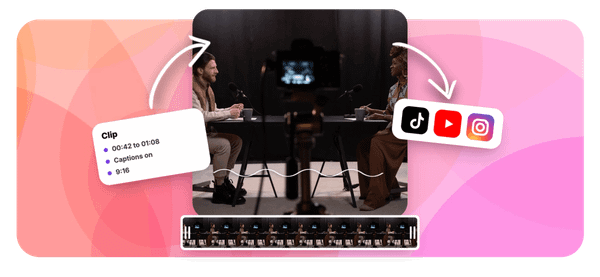
One standout option worth exploring is Crayo's clip creator tool, designed specifically for businesses that need to produce short form video content quickly. Instead of wrestling with complicated editing software or spending hours on a single post, this tool helps you generate engaging clips that align with your content calendar and marketing goals.
Summary
- All-in-one social media management platforms create decision fatigue that slows content production before creators even start working. An audit of 50 digital businesses found that tool fragmentation costs an average of $2,184 annually per creator in wasted time. When platforms offer 50 features without workflow structure, users spend energy deciding which tools to use rather than actually creating content.
- Video content generates 1200% more shares than text and images combined according to Wordstream, making execution speed the primary success metric for creators. When social media managers treat video as one content type among many instead of the core strategy, the mismatch becomes obvious.
- Posts with at least one hashtag average 12.6% more engagement than those without, but this capability becomes useless when workflow design makes hashtag research feel like an archaeology project. Creators abandon features not because they lack value, but because accessing them requires navigating through unrelated tools and notifications.
- Simpler scheduling tools force creators to build repeatable processes instead of relying on dashboards to do their thinking. When you can't depend on a platform to handle strategy, you develop clear systems that become the actual competitive advantage.
- Content creation bottlenecks matter more than scheduling efficiency when video editing takes 20 to 40 minutes per post. If you can create content faster than you can schedule it, your scheduler matters, but if production is the limiting factor, no scheduling tool fixes that fundamental constraint.
Crayo's clip creator tool addresses the production bottleneck by collapsing scriptwriting, caption generation, and video editing into a single automated workflow that generates finished clips in under five minutes.
Why Creators Look for Alternatives to ContentStudio

Creators abandon ContentStudio when the platform's breadth starts slowing them down instead of speeding them up. They need three things:
- Fast content creation
- Simple scheduling
- Basic performance trackin
When those core tasks get buried under features they'll never use, the tool becomes friction instead of fuel. The search for alternatives isn't about ContentStudio failing, it's about needing a different kind of speed.
The Weight of Unused Features
ContentStudio offers:
- Social listening
- Competitor analysis
- Content discovery engines
- Team collaboration layers
- Multi-account management dashboards
For a solo creator publishing TikTok clips four times a week, that's like buying a commercial kitchen to make toast. You navigate past analytics you don't need, ignore automation workflows built for agencies, and click through settings designed for enterprise teams. The cognitive load alone drains energy before you've even started creating.
According to Wordstream, video content generates 1200% more shares than text and images combined. That performance gap means creators prioritize video execution speed above everything else. When your platform treats video as one content type among many, rather than the engine of your entire strategy, you feel the mismatch immediately. Every extra click between idea and published clip costs momentum.
When Speed Becomes the Only Metric That Matters
The creators who leave all-in-one platforms share a pattern.
- They measure success in posts per hour, not features per dashboard.
- If generating a 15-second clip takes six steps instead of two, the tool isn't helping; it's teaching bad habits.
- They start looking for workflows that collapse creation, editing, captioning, and scheduling into a single motion.
Complexity doesn't scale when you're trying to post daily.
This is where the gap widens. Platforms like Crayo exist specifically for creators who need viral short-form video output without toggling between five different tools for voiceovers, captions, background removal, and editing. When your entire content strategy depends on volume and velocity, using a general social media manager feels like running a race in hiking boots. The tool isn't broken; it's just built for a different finish line.
The Hidden Tax of Feature Bloat
Here's what happens in practice. You open ContentStudio to schedule a TikTok.
- First, you dismiss the content discovery suggestions.
- Then you skip the social listening alerts. You ignore the collaboration notifications because you work alone.
- You finally reach the composer, upload your video, and realize the interface prioritizes caption optimization for Instagram and LinkedIn before it lets you add trending sounds or hashtags for TikTok.
Each detour adds seconds, and seconds compound into hours across a week of daily posting.
Social Media Today reports that posts with at least one hashtag average 12.6% more engagement than those without. But if your tool makes hashtag research feel like an archaeological project rather than a quick search, you'll skip it. The irony is brutal: the platform has the capability, but the workflow design punishes you for using it. Speed-focused creators don't tolerate that friction; they route around it by switching tools entirely.
Related Reading
- TikTok Content Ideas for Business
- What Does Content Under Review Mean on TikTok
- YouTube Shorts Ideas Without Showing Face
- Viral YouTube Shorts Ideas
- Why Is My Content Under Review on TikTok
- Creative Instagram Reels Ideas
- YouTube Shorts Content Ideas
- YouTube Shorts Ideas For Beginners
- How Long Can A Reel Be On Instagram
- Instagram Reels Ideas For Business
- What Does Promotional Content Mean on TikTok
- Instagram Reels Ideas For Beginners
- How Much Do Content Creators Make on TikTok
The Hidden Cost of Using All-in-One Content Tools Without a Clear Workflow

The problem isn't the all-in-one tool. The problem is using it without a system. When you open a platform with 50 features and no workflow to guide which ones to use when, you don't save time. You spend it deciding what to do next, exploring dashboards, and second-guessing whether you're using the right feature for the task at hand.
Decision Fatigue Slows Execution Before You Start
More features should mean more capability, but without structure, they create decision points instead of momentum. You open the tool to schedule a post, but first you wonder:
- Should I use the AI caption writer?
- Should I check the hashtag analyzer?
- Should I review the engagement predictor before publishing?
Each question adds friction. Teams jump between dashboards, explore features without a plan, and delay the actual work of creating content. According to an audit of 50 digital businesses, this fragmentation costs an average of $2,184 annually per creator in wasted time. The belief that having everything in one place makes things easier breaks down when you realize that access to tools isn't the same as having a process.
Content Creation Stays Fragmented Inside the Platform
Even when all your tools live under one roof, the steps don't automatically connect. You think of ideas separately, write captions manually, design visuals in stages, then manage posts afterward. The workflow remains disconnected because the tool doesn't impose structure. It offers capability, but you still have to decide how to sequence the work.
Automation is expected to replace process, but it can't. Without a clear system defining what happens first, second, and third, you're still managing fragments. The time you save by not switching tabs gets lost in figuring out how to move from ideation to publication efficiently.
Consistency Becomes Dependent on Energy, Not Systems
When your workflow depends on remembering what to do next, consistency collapses the moment you're busy or tired. You post irregularly, delay content creation, skip scheduling sessions, and lose the rhythm that builds audience trust. Access to a scheduler doesn't create consistency.
A repeatable process does. If your system is "open the tool and figure it out," your output will fluctuate with your energy level. Growth slows because your audience never knows when to expect you. The cost isn't the missed posts. It's the compounding effect of unpredictable presence eroding the momentum you worked to build.
Faster Video Creation Workflow
Platforms like Crayo solve this by collapsing the workflow into a single, structured sequence. Instead of deciding which features to use across multiple steps, you generate viral short-form videos in seconds with automated subtitles, voiceovers, and editing built into one flow. The system imposes structure, so execution speed replaces decision fatigue. You're not managing fragments. You're following a path from idea to published video without detours.
Growth Exposes the Lack of a Scalable Process
As your audience grows, complexity multiplies faster than your time. You spend more hours managing content, struggle to increase output, and feel overwhelmed by the volume of decisions required to maintain quality. The belief that tools scale automatically breaks down here.
Tools provide capacity, but they don't create leverage. Without efficient workflows, time becomes the bottleneck. You can't double your output without doubling your hours, and burnout becomes the ceiling on growth. The real cost isn't slower growth. It's hitting a limit where your content system can't expand without breaking you.
But knowing the cost doesn't solve the problem if you don't know which tools actually fix it.
Related Reading
- Instagram Reel Hook Ideas
- How To Create A Reel On Instagram
- Instagram Reel Caption Ideas
- Tiktok Content Ideas For Beginners
- Best Time To Post A Reel On Instagram
- Best Content For Tiktok
- How To Schedule A Reel On Instagram
- Best Content Strategy Tiktok
- How To Make Looping Content For Tiktok
- Ai Tools for TikTok Content Creation
- Instagram Story vs Reel
5 ContentStudio Alternatives You Can Use in 10 Minutes
You don't need a heavy all-in-one platform to stay consistent. The right alternative is one you can set up and start using before your coffee gets cold. These tools strip out the noise and focus on the workflow that matters: getting content from your head onto your audience's screen.
The pattern most creators miss is this: simpler tools force better systems. When you can't rely on a dashboard to do your thinking, you build repeatable processes instead. That clarity becomes the actual competitive advantage.
1. Buffer (Simple Scheduling)
Buffer removes every feature that slows you down. It's a scheduling tool that does one thing well: queue your posts and send them at the right time. No analytics dashboards competing for attention. No social listening tabs you'll never use. Just a clean interface that lets you load a week of content in one sitting.
The appeal isn't what it does. It's what it refuses to do. You schedule posts, review the queue, and close the tab. The friction disappears because there's nothing to configure, optimize, or second-guess.
2. Later (Visual Planning)

Later turns your content calendar into something you can see and rearrange. Drag a post from Tuesday to Thursday. Swap out an image. Preview your grid layout before anything goes live. The visual format makes planning faster because you're not translating spreadsheet rows into mental pictures of what your feed will look like.
When your brain works spatially, text-based calendars create unnecessary translation work. Later eliminates that step. You see the plan, adjust it, and move on.
3. Canva (Create + Schedule)
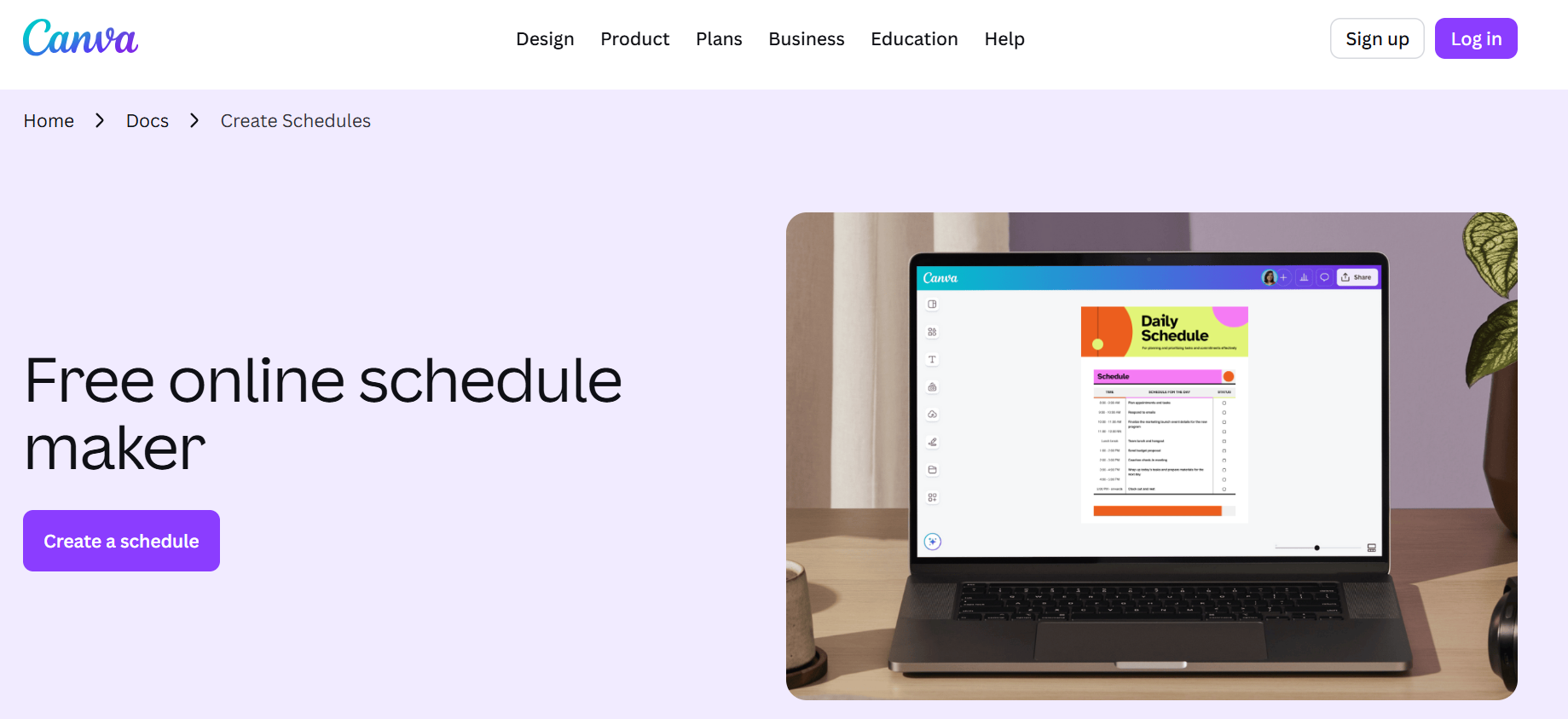
Canva combines design and distribution in one place. You build the post, tweak the layout, write the caption, and schedule it without switching tools. That integration matters more than it sounds. Every tool switch is a decision point, and decision points drain momentum.
The real value shows up when you're batching content. Design five posts, schedule all five, and you're done. No exporting files. No uploading to a separate scheduler. The workflow stays unbroken from idea to publish.
4. Zoho Social (Affordable Management)
Zoho Social balances cost and capability better than most platforms at its price point. It handles scheduling, basic analytics, and multi-account management without the enterprise pricing that assumes you need features built for teams of fifty. For solo creators or small teams, it's enough tool without becoming too many tools.
The interface feels utilitarian, not polished. That's actually the point. You're not paying for design awards. You're paying for a system that works predictably and doesn't break your budget while doing it.
5. Metricool (Analytics + Scheduling)
Metricool connects posting with performance tracking in a way that actually changes behavior. You schedule content, then see which posts drove engagement and which ones disappeared. That feedback loop turns guessing into pattern recognition. You stop wondering what works and start knowing.
The insight isn't buried in complex attribution models. It's surface-level data presented clearly: this post got traction, that one didn't. Adjust accordingly. The simplicity makes the data actionable instead of overwhelming.
Why Simpler Tools Win
These alternatives work because they eliminate the gap between intention and execution. You don't need to learn a new system, configure integrations, or navigate feature bloat. You need to post consistently and see what resonates. That requires speed and clarity, not comprehensive dashboards.
Feature Overload Slows Creators
The mistake most creators make is assuming more features create better outcomes. In reality, more features create more decisions. More decisions create more friction. Friction kills consistency faster than any algorithm change.
Flexible Tool Stacks
When your workflow depends on a single heavy platform, you're one pricing change or feature update away from rebuilding everything. When you stack lightweight tools, you can swap one piece without dismantling the entire system. That flexibility matters more over time than any individual feature set.
Fixing the Creation Bottleneck
But here's the tension nobody talks about: these tools solve scheduling, not creation. If you're spending hours editing video content before it ever reaches your scheduler, you're optimizing the wrong part of the workflow. Platforms like Crayo collapse the creation and editing process into seconds with automated subtitles, voiceovers, and viral video templates, eliminating the bottleneck before scheduling even becomes relevant. The real-time sink isn't posting. It's producing content worth posting.
Identify the Real Bottleneck
The pattern that separates creators who scale from those who burn out isn't tool selection. It's understanding which part of the workflow actually limits output. If you can create content faster than you can schedule it, your scheduler matters. If creation is the bottleneck, no scheduling tool fixes that.
Choose by Friction Point
According to TechnologyCounter, there are at least 10 alternatives to ContentStudio, each optimized for different workflows and creator types. The abundance isn't the problem. The problem is choosing based on features instead of friction points. The best tool is the one that removes the specific obstacle slowing you down today, not the one with the longest feature list.
Test the Daily Workflow
Most creators test tools by exploring every feature during the trial period. That's backward. Test by using only the core workflow you need daily. If the tool makes that faster, keep it. If it adds steps, move on. Complexity reveals itself in daily use, not feature demos.
The 10-Minute Workflow to Manage and Publishing Content Consistently

Managing content consistently doesn't require juggling multiple platforms or spending hours per post. It requires a repeatable workflow that moves from idea to published content in under ten minutes, removing decision points that slow you down.
Most creators treat each post as a unique event, starting from scratch every time. When you batch-create content and let automation handle the publishing while you focus on creating new material, you shift from reactive posting to proactive planning. The difference shows up in your calendar: instead of daily scrambling, you plan content in focused sessions (like an entire quarter in 1-2 sessions) and let the system execute.
1. Prepare Your Content Idea (2 minutes)
Start by choosing one clear idea before you open any editing tools. Define the message in a single sentence, then decide the format:
- Reel
- TikTok
- Carousel post
- Static image
This clarity prevents the common trap of recording three versions because you weren't sure what you were making.
Clarity at the start makes everything faster. When you know exactly what you're creating before you start, you eliminate the back-and-forth that eats up production time. A creator who spends two minutes planning saves fifteen minutes in execution.
2. Create Your Content (3 minutes)
Record or design your content with the single idea from Step 1 as your guide. Keep it focused: one hook, one message, one call to action. Resist the urge to add secondary points or bonus tips that dilute the main message.
- Simple content is faster to produce and easier to understand.
- Over-editing wastes time and delays publishing without improving performance.
- The posts that perform best usually have one strong idea executed clearly, not five mediocre ideas crammed together.
For video content specifically, this is where most creators hit a wall. Recording is quick, but adding captions, cutting clips, generating voiceovers, and exporting takes longer than the actual creation. Tools like Crayo compress this entire editing workflow into seconds with automated subtitles, AI voiceovers, and one-click exports. Instead of spending 20 minutes editing a 60-second video, creators generate finished clips ready to publish in under a minute. That speed difference transforms content production from a daily burden into a sustainable system.
3. Add Captions and Structure (2 minutes)
Write a short caption that reinforces your content's message.
- Include a clear message that tells viewers what they just learned or what to do next.
- Add a simple CTA: ask a question, invite a comment, or direct them to a link.
Structure improves engagement and clarity. Posts without captions or CTAs leave viewers uncertain about what to do next, which kills momentum. A two-sentence caption with a clear next step outperforms a paragraph of vague encouragement.
4. Schedule Your Content (2 minutes)
Upload your content to your scheduling tool, choose your posting time based on when your audience is active, and schedule it. If you're batching content, schedule multiple posts in a single session rather than posting daily.
Scheduling removes the need to post manually every day. When creators say they "don't have time" to post consistently, they usually mean they don't have time to post manually every day. Scheduling solves that by separating creation from publishing. You create when you have energy and focus, then let automation handle the rest.
Step 5: Review and Engage (1 minute)
Check your post after it publishes to confirm it displays correctly. Respond to early comments within the first hour, which signals to platform algorithms that your content is generating conversation. Track engagement patterns to identify what works.
Engagement improves performance. Posts that generate conversation in the first hour get prioritized in feeds. Many creators schedule content and then forget about it, missing the window where their participation matters most.
What This Workflow Fixes
Instead of overthinking content, creating randomly, and posting inconsistently, you follow a clear system, create faster, and stay consistent. This is how you move from slow, manual posting to structured content publishing in under 10 minutes.
Remove Decision Points
The workflow works because it removes decision points. You're not choosing what to post when you sit down to create; you already know. You're not wondering when to publish; your schedule handles it. You're not remembering to engage; it's built into the final step.
Automate Posting Pressure
Teams often report feeling exhausted by the mental burden of remembering to post every day. When you automate the publishing schedule and batch your creation sessions, that constant pressure disappears. You show up to create during focused work sessions, then step away while the system executes.
Organize Content Categories
Categories help organize this further. If you post three types of content (educational, behind-the-scenes, and promotional), assign each to a category and set posting frequencies.
- Educational posts go out on Monday and Thursday
- Behind-the-scenes on Wednesday
- Promotional on Friday
The system automatically rotates through categories, ensuring variety without requiring you to manually balance content types.
Prevent Duplicate Posts
This structure also prevents duplicate posts. When you're creating manually and posting on the fly, it's easy to repeat topics or accidentally post the same content twice. A centralized content library with timestamps and category tags keeps everything organized and prevents overlap.
Treat Content as Inventory
Creators who succeed with this workflow treat content as inventory. They batch-create when they have creative energy, stockpile finished posts, and let automation handle distribution. They measure success in posts per hour during creation sessions, not in daily posting streaks. That mindset shift turns content from a daily obligation into a manageable system.
But speed only matters if the content you're creating actually connects with your audience and drives results.
Create Content Faster With Crayo AI
The problem isn't your workflow. It's the gap between thinking of an idea and holding finished content ready to publish. Even with batching and automation in place, you still spend 20 to 40 minutes per post writing hooks, structuring scripts, and editing video. That delay compounds across every piece of content you create, turning a simple idea into a multi-step production process that drains creative energy.
App Switching Slows Production
Most creators handle this by opening separate tools for scriptwriting, caption generation, and video editing because that's how the process has always worked. But as posting frequency increases and platform demands shift toward short-form video, that familiar method creates real friction.
You lose momentum switching between apps, reformatting outputs, and manually syncing elements that should flow together. What starts as a 10-minute task stretches into 30 because the tools weren't built to talk to each other.
Create Videos from One Input
Platforms like Crayo AI collapse that multi-step process into a single input. You drop in your idea, and the system generates your hook, script, captions, and edited video in one session. Creators who've adopted this approach report cutting per-post production time from 30 minutes to under 5 minutes, batching 10 to 15 finished videos in the time it used to take to complete 3 manually.
Automate Execution Mechanics
The shift isn't about working harder. It's about removing the repetitive decisions that slow you down between concept and publish. When the structure, pacing, and formatting happen automatically, you spend your energy on ideas and strategy instead of execution mechanics. That's the difference between posting when you find time and posting because your system makes it effortless.
Turn Content into Distribution
Speed without consistency still leaves you stuck. But when you can turn ideas into finished content faster than it takes to second-guess them, posting stops feeling like a deadline and starts feeling like distribution. That's when the system finally works for you instead of the other way around.
Related Reading
- Later Alternative
- Buffer Alternative
- Sprout Social Alternative
- Ai Tools For Social Media Content Creation
- How To Become A Content Creator On Tiktok
- Hootsuite Alternative
- Tiktok Content Ideas Without Showing Face
- Tiktok Content Creation Tips
- Best Social Media Content Creation Tools