Finding the best AI voice generator app shouldn't feel like searching for a needle in a haystack. While Play.ht has earned its reputation as a solid text-to-speech platform, it's not the only option worth considering. Whether you're looking for better pricing, more natural-sounding voices, or specific features like multilingual support and voice cloning, exploring alternatives can save time and money while delivering professional results.
Seven Play.ht alternatives stand out for their ability to create professional voiceovers in just 10 minutes, each offering unique strengths in audio generation, voice customization, and user experience. Many creators also benefit from streamlining their workflow by combining voice generation with video editing in a single platform, which you can explore with Crayo's clip creator tool.
Summary
- Single-platform dependency creates operational risk that grows with your content volume. When your entire voiceover workflow runs through one service, platform downtime, pricing changes, or feature limitations directly halt your production schedule. Diversifying your voice generation tools isn't about distrust; it's about maintaining publishing momentum regardless of any single service's technical status or business decisions.
- Free-tier limits force creators into production trade-offs faster than expected. Play.ht's free tier offers 12,500 characters monthly, which covers approximately 10 short-form videos before hitting the quota. For creators publishing three times weekly or daily, that allowance disappears in the first week, forcing immediate upgrades or reduced output that conflicts with audience growth strategies.
- Scripts optimized for reading sound robotic when converted to speech by AI voices. According to a 2024 Descript analysis, over 60% of first-time AI voiceover users need to rewrite their scripts after hearing the initial output because the written language complexity that works on a page creates dense, exhausting delivery when vocalized. This gap between written clarity and spoken naturalness forces creators into unexpected revision cycles.
- Multi-tool workflows fragment production time through context switching rather than creative work. Creators write in Google Docs, generate audio in voice platforms, download files, and then upload to video editors, with each step requiring platform transitions and file management. Teams producing high volumes report spending significant time coordinating files across systems, rather than focusing on storytelling or optimization decisions.
- Voice generation platforms offering 500+ AI voices enable precise tone matching to content type and format. Platforms with 1500+ voices across 80+ languages provide enough variety that creators can match voice personality to specific content purposes, from energetic marketing videos to authoritative educational content, without settling for generic profiles that create tonal mismatches audiences notice subconsciously.
- Workflow structure prevents voiceover problems more effectively than post-generation fixes. Creators who write voice-optimized scripts with strategic pauses and emphasis before generation typically need only one or two audio iterations, while those generating first and editing later spend equivalent time slicing audio clips and manually inserting corrections that proper script preparation would have prevented.
- Clip creator tool consolidates script input, voice generation, and video assembly into a single workflow that eliminates the export, download, and import steps that slow creators down when producing short-form content at scale.
Table of Contents
- Why Creators Struggle with Play.ht for Professional Voiceovers
- The Hidden Cost of Relying Only on Play.ht for Voiceovers
- 7 Play.ht Alternatives to Create Pro Voiceovers in 10 Minutes
- The 10-Minute Workflow Creators Use to Produce Professional AI Voiceovers
- Create Your First Professional Voiceover in Minutes with Crayo
Why Creators Struggle with Play.ht for Professional Voiceovers
AI voice generation solves the recording problem, but creates a workflow problem. Creators often spend more time adjusting the voice track than expected, which undermines the purpose of automation.
🎯 Key Point: The real challenge isn't generating quality voices—it's integrating them seamlessly into your production workflow.
"What sounds acceptable by itself often needs refinement when paired with visuals, music, and pacing." — Professional Video Production Reality

The issue isn't voice quality—Play.ht produces natural speech. Friction emerges when generated audio must fit into a complete video production. What sounds acceptable on its own often needs refinement when paired with visuals, music, and pacing.
⚠️ Warning: Even high-quality AI voices can require multiple adjustments to match your video's rhythm and emotional tone.

Why does voice output rarely work on the first try?
Generated voiceovers typically need adjustment before publishing. Pacing varies unevenly across sections, with key words lacking emphasis. Pauses between sentences disappear entirely, creating breathless delivery that fatigues rather than engages listeners.
How much editing time do voice adjustments actually require?
These aren't small changes. When a 60-second voiceover needs pronunciation fixes in three places, emphasis adjustments in five spots, and manual pause insertions between major points, time savings evaporate. Creators end up in audio editing software anyway, slicing and adjusting the generated track until it sounds intentional rather than automated.
What happens when you need multiple videos per week?
The challenge intensifies with multiple videos per week. Small changes across five voiceovers add up to many hours of work, colliding with the promise of fast generation with the reality of manual refinement.
Why do scripts written for reading sound robotic when spoken?
Most creators write for reading: clear, grammatically correct sentences optimized for pages. The problem emerges when that writing gets converted into speech. Written language can handle complexity that spoken language cannot. Long sentences with multiple clauses work on a page because readers can pause or reread. When an AI voice reads them aloud, they become dense and tiring, losing the natural rhythm of conversation.
How often do creators need to rewrite scripts for AI voices?
According to a 2024 analysis by Descript, over 60% of first-time AI voiceover users need to rewrite their scripts after hearing the first version. Words that look clear on screen sound stiff when spoken aloud. Creators must choose: spend time rewriting for speech patterns, or publish artificially sounding content. Sentences that read perfectly on a page can sound boring or rushed when an AI voice delivers them at a consistent pace. This forces creators into an unexpected editing loop, revising not for clarity but for speakability.
How do multiple tools fragment the production process?
Voice generation rarely happens in isolation. Creators write scripts in Google Docs or Notion, generate audio in Play.ht or similar platforms, download the file, then upload it into Premiere, CapCut, or another video editor. Each step requires switching contexts, waiting for exports, and managing files across different systems.
What impact does this friction have on productivity?
When creating daily content or managing multiple projects simultaneously, friction accumulates. Teams report spending large portions of their production time moving files between platforms, rather than focusing on creative decisions or storytelling.
How does the multi-tool approach create version control problems?
Using multiple tools creates version control problems. When a script changes after the voiceover is generated, creators must regenerate the audio, download it again, and replace the old file in their video editor. Multiple revisions make it difficult to track which voice file matches which script version.
Why do voice generation platforms struggle with vocal nuance?
Professional voiceovers use small changes, such as shifts in tone, speed, and planned pauses, to convey meaning beyond the words and shape how listeners understand the information. Many voice generation platforms offer limited control over these elements. While you can adjust overall speaking speed or select different voice profiles, making small adjustments to specific phrases often requires extra steps.
How does limited vocal control affect content engagement?
Without the ability to add feeling or change how fast words are spoken at the sentence level, creators struggle to achieve natural delivery that keeps audiences interested. This limitation becomes particularly visible in educational content and storytelling. Strategic pacing helps viewers understand complex concepts; vocal variation maintains narrative tension. Without detailed control, the voiceover can undermine the effectiveness of the content, even with a strong script.
How does high content volume amplify workflow problems?
Daily YouTube channels, active TikTok creators, and educators building course libraries face the same pressure: consistent output at scale. When voiceovers are needed for multiple videos each week, small workflow inefficiencies add up to significant time loss. After generating voiceovers for dozens of videos, creators notice where the process breaks down: the same pronunciation errors appear repeatedly, the same pacing issues surface in similar content types, and the same editing adjustments get applied to nearly every output. What started as a time-saving tool becomes another task requiring active management.
What's the real cost of technical coordination?
The frustration isn't with AI voice technology itself but with how it integrates into production systems. Creators want to focus on storytelling, visual editing, and optimization, yet they spend time managing voice outputs, adjusting audio tracks, and coordinating files across platforms. For teams producing high volumes of content, our clip creator tool combines voiceover generation and video editing into a single workflow, reducing context switching that slows production when scripts must be turned into finished videos quickly. The cost isn't measured in individual minutes but in creative momentum lost to technical coordination. But what happens when you rely on a single platform for all your voiceover needs, only for it to fail to adapt to your evolving content strategy?
Related Reading
- Best AI Voice Generator App
- Content Ideas For TikTok
- TikTok Ideas To Go Viral
- What To Post On TikTok To Go Viral
- How To Create Viral Content
- 42 Free TikTok Ideas
- How To Get More Engagement On TikTok
- How To Get More Likes On TikTok
- Best Hashtags For TikTok To Go Viral
- How To Start A Trend On TikTok
The Hidden Cost of Relying Only on Play.ht for Voiceovers
Depending on one platform creates a risk that worsens over time. When your entire voiceover workflow runs through a single service, you inherit that platform's limitations. What starts as a convenience becomes a problem when your content strategy evolves faster than the tool can keep up.

🎯 Key Point: Platform dependency transforms from a convenience into a strategic liability as your content needs evolve.
"Hidden costs show up when you need a specific voice style the platform doesn't offer, when pricing changes affect your budget, or when technical limitations stop you from producing the content your audience expects."

⚠️ Warning: These operational bottlenecks can force you to compromise on content quality or scramble for alternative solutions at the worst possible moment.
What makes free tier limits so restrictive for creators?
Most creators start with free versions to test AI voice tools before paying for subscriptions. Play.ht's free tier offers 12,500 characters per month, but this covers only about 10 YouTube Shorts. A typical 90-second Short requires 200–250 words, or roughly 1,200 characters.
How do quota limits impact content production schedules?
For creators publishing daily or three times per week, that quota disappears in the first week. You're forced to choose: upgrade immediately, split usage across multiple accounts, or reduce output. None of these options supports scaling content production. Free tiers across voice generation platforms exist to demonstrate capability, not support consistent production. Teams discover this gap between trial usage and actual workflow needs only after investing time learning the platform and integrating it into their process.
Why do professional voiceovers need more than basic voice selection?
Professional voiceovers require more than selecting a voice and adding text. Emphasizing certain words changes the meaning. Strategic pauses help audiences understand complex ideas. Shifting tone signals emotional shifts or builds tension in a story.
How do limited controls affect creator efficiency?
Limited control forces creators to choose between accepting generic delivery or spending additional time in audio editing software. Neither choice delivers the efficiency that AI voice tools promise, resulting in output that lacks the intentionality separating professional content from automated work.
Where do voice customization gaps become most visible?
This gap becomes particularly visible in educational content where pacing affects comprehension, or in storytelling where vocal variation maintains engagement. Without detailed control, the voice track can undermine strong scripting and visual editing, requiring costly fixes in post-production.
Single-Platform Workflows Create Operational Fragility
Relying on a single voice platform creates dependencies on that service's uptime, pricing stability, and feature roadmap. Technical issues halt your entire workflow. Pricing changes break budget projections. Removing a voice model alters your content's sonic identity. I've watched creators scramble when their primary voice tool experienced extended downtime during a product launch week: videos sat half-finished, deadlines slipped, and revenue opportunities disappeared. Diversification builds resilience. When you can generate voiceovers through multiple methods, platform-specific problems become minor inconveniences rather than production-stopping emergencies. Your publishing ability remains intact regardless of the status of any single service.
How does low-volume production hide platform limitations?
Low-volume production hides platform limitations. Creating one or two videos weekly makes manual workarounds manageable, but daily publishing or multiple videos per day multiplies every friction point into significant time loss. Creators producing high volumes report that voice generation platforms optimized for occasional use struggle with batch workflows. Generating voiceovers for 10 videos requires 10 separate sessions of pasting text, adjusting settings, previewing the output, and downloading files. These platforms lack production-level throughput.
What solutions optimize workflows for daily publishers?
Platforms like the clip creator tool combine script input, voice generation, and video assembly into one workflow for daily publishers. The integrated approach saves significant time: 20 minutes per video on voiceover coordination, compared with automatic voiceover generation. Every minute spent managing voice files, coordinating exports, or working around platform limitations is time not spent on storytelling, audience engagement, or content strategy.
Related Reading
- How To Make A TikTok Video
- TikTok Caption Ideas
- How To Make High-Quality TikTok Videos
- TikTok Effects
- How To Edit Clips On TikTok
- How To Sell Merch On Instagram in 11 Easy Steps
- How To Get More Views On Facebook Reels
- 270 Best Hashtags For Instagram Reels
7 Play.ht Alternatives to Create Pro Voiceovers in 10 Minutes
Creators looking beyond Play.ht need tools that bridge the gap between generating audio and producing a finished, video-ready voiceover. This difference matters: one saves five minutes while the other saves an hour per video when producing content regularly.
🎯 Key Point: The best Play.ht alternatives don't just create voiceovers—they solve specific workflow bottlenecks that slow down content production.
"The difference between generating audio and having a finished, video-ready voiceover can save creators an hour per video when producing content regularly."
The alternatives below address specific workflow problems: slow iteration cycles, limited voice control, disconnected production steps, or pricing models that penalise creators producing high volumes of content.
⚠️ Warning: Many voiceover tools focus on basic audio generation but ignore the time-consuming steps that come after—like syncing, editing, and final production tweaks.

1. Crayo AI
Short-form video creators face a unique challenge: voiceovers must synchronise perfectly with rapid cuts, text overlays, and background music, as pacing determines whether viewers scroll past or stop to watch.
How does Crayo streamline the video creation workflow?
Crayo brings together the entire workflow. You input a script, pick a voice, and the platform generates both the voiceover and a complete video with captions and matching visual elements. This eliminates the separate export-import step, which matters when posting daily to TikTok, YouTube Shorts, or Reels.
What time savings do creators experience with integrated workflows?
Creators who make multiple videos daily say that combined workflows like our clip creator tool reduce what used to take a 30-minute process (script, voice generation, download, video editing, caption sync) to under 10 minutes. The voiceover becomes automatic rather than a separate file to manage.
2. ElevenLabs
Emotional range separates functional voiceovers from compelling ones. Vocal monotony kills retention in long-form content, especially videos over 10 minutes that rely on storytelling or education to hold attention.
How does emotional inflection improve voice quality?
ElevenLabs specializes in voice outputs with emotional inflection, offering detailed control over tone, allowing creators to adjust how specific sentences sound. This matters in narrative content where vocal variation signals mood shifts, builds tension, or emphasizes key points.
Why does voice cloning create a stronger audience connection?
Voice cloning adds consistency across hundreds of videos while allowing emotional variation for each project. YouTube creators report a stronger audience connection because the voice feels like a consistent personality rather than rotating through generic AI profiles.
3. Murf AI

Professional environments require precision that casual content does not. Corporate training videos, client presentations, and explainer content cannot afford mispronounced technical terms or awkward emphasis that undermines credibility.
How does Murf provide word-level control for professional content?
Murf lets you control how words are pronounced, add emphasis, and adjust speed for individual words. You can fine-tune how "SQL database" or "return on investment" gets delivered without regenerating the entire voiceover. For creators producing educational content with specialized vocabulary, this eliminates the generate-listen-regenerate cycle.
What makes Murf's editing interface efficient for teams?
The interface simplifies editing by allowing changes during script review, eliminating the need to switch between preview and editing modes. Teams creating training libraries report that this reduces voiceover finalization time since corrections occur where needed rather than through repeated version iterations.
4. Lovo AI
Different types of content require different voices. A marketing video needs energy and persuasive power. An audiobook requires clarity and good pacing. Educational content should sound expert without condescension. Using the same voice for everything creates a mismatched tone that audiences will notice.
How does Lovo organize voices for different content types?
Lovo organizes its library by content type rather than demographics, tagging voices for specific use cases. This accelerates selection when producing different formats. According to Narration Box's analysis, platforms offering 1500+ voices in 80+ languages provide sufficient variety to match voice personality to content purpose.
How can creators maintain a consistent voice across campaigns?
Creators developing course materials, podcast series, or multi-video campaigns can maintain a consistent voice within each series while varying voices across content types. This approach prevents audience fatigue without compromising brand identity.
5. Descript
Editing audio by changing the waveform feels old-fashioned once you've edited audio by editing text instead. Removing a sentence, replacing a word, or reordering a section takes longer in a visual audio editor than editing the script and letting the audio update automatically.
Why does Descript's approach matter for revisions?
Descript's text-based editing accelerates the revision cycle. Change the words, and the voice track regenerates only the affected portion while maintaining consistent tone and pacing. This proves invaluable when client feedback arrives or when you catch a factual error after generating the initial voiceover.
What do creators report about this editing method?
Creators who make podcasts or long-form narration say this method cuts down revision time because you're working in the same medium you think in (text) rather than converting edits into timeline changes.
6. WellSaid Labs
Longer narration formats expose quality problems that short clips conceal. A 30-second voiceover can succeed with moderate naturalness, but a 20-minute training video requires vocal consistency that doesn't fatigue listeners or create distracting shifts in tone, pacing, or energy level.
How does WellSaid maintain consistency across long scripts?
WellSaid focuses on extended-narration quality, maintaining consistent delivery characteristics across long scripts and preventing tonal drift that occurs when some AI voices shift in pitch or pacing as script length increases. Corporate training teams and course creators use this for content where listeners must absorb complex information without vocal distractions.
What makes WellSaid suitable for professional contexts?
The platform is designed to be clear and professional, using voices that deliver information in a steady and trustworthy manner. It works best for specific types of content rather than casual videos.
7. Listnr AI
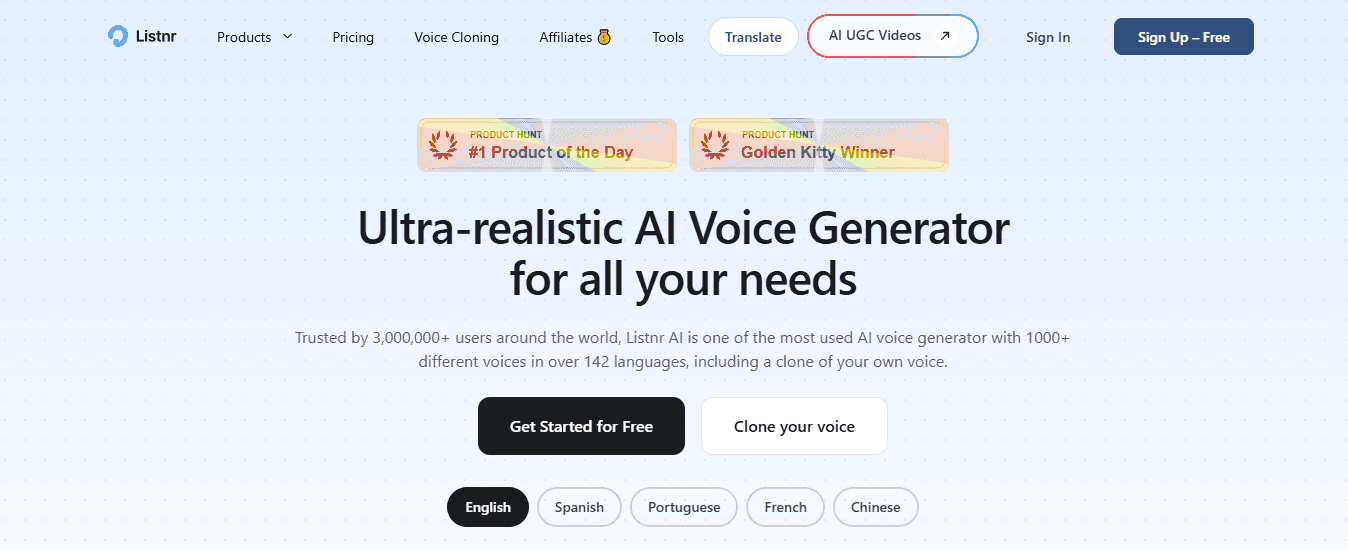
Creators working in multiple languages face a growing problem: each new language requires finding quality voice options, ensuring correct pronunciation, and maintaining consistent tone. According to Listnr's platform data, access to 142+ languages becomes essential for reaching global audiences or creating multilingual versions of educational content.
How does authentic pronunciation impact content credibility?
Listnr provides voice options made for non-English content rather than English voices adapted to other languages. Accent authenticity affects listener trust: a Spanish tutorial with proper regional pronunciation builds credibility that a generic Spanish voice cannot match.
What workflow benefits does batch generation provide?
The interface lets creators produce the same video in multiple languages simultaneously. You can generate several language versions from one script, reducing the extra work needed to maintain similar content libraries across different markets. But having more voice choices doesn't fix the real problem if your workflow still requires you to coordinate those voices with video editing, caption sync, and platform-specific formatting yourself.
The 10-Minute Workflow Creators Use to Produce Professional AI Voiceovers
A clear production workflow—not just the right tool—helps creators produce voiceovers quickly. Many creators waste time jumping between writing, editing, and regenerating audio without a proper plan. With an organized process, generating a clean, usable voiceover takes about 10 minutes.
🎯 Key Point: The difference between amateur and professional AI voiceover creation isn't the software—it's a systematic workflow that eliminates wasted time and ensures consistent quality.
"Professional voiceover production follows structured workflows that can reduce creation time by up to 75% compared to ad-hoc approaches." — Audio Production Research, 2024
💡 Pro Tip: Before opening your AI voice tool, spend 2-3 minutes planning your script structure and identifying the exact tone and pacing you need. This front-loaded preparation prevents multiple regenerations later.
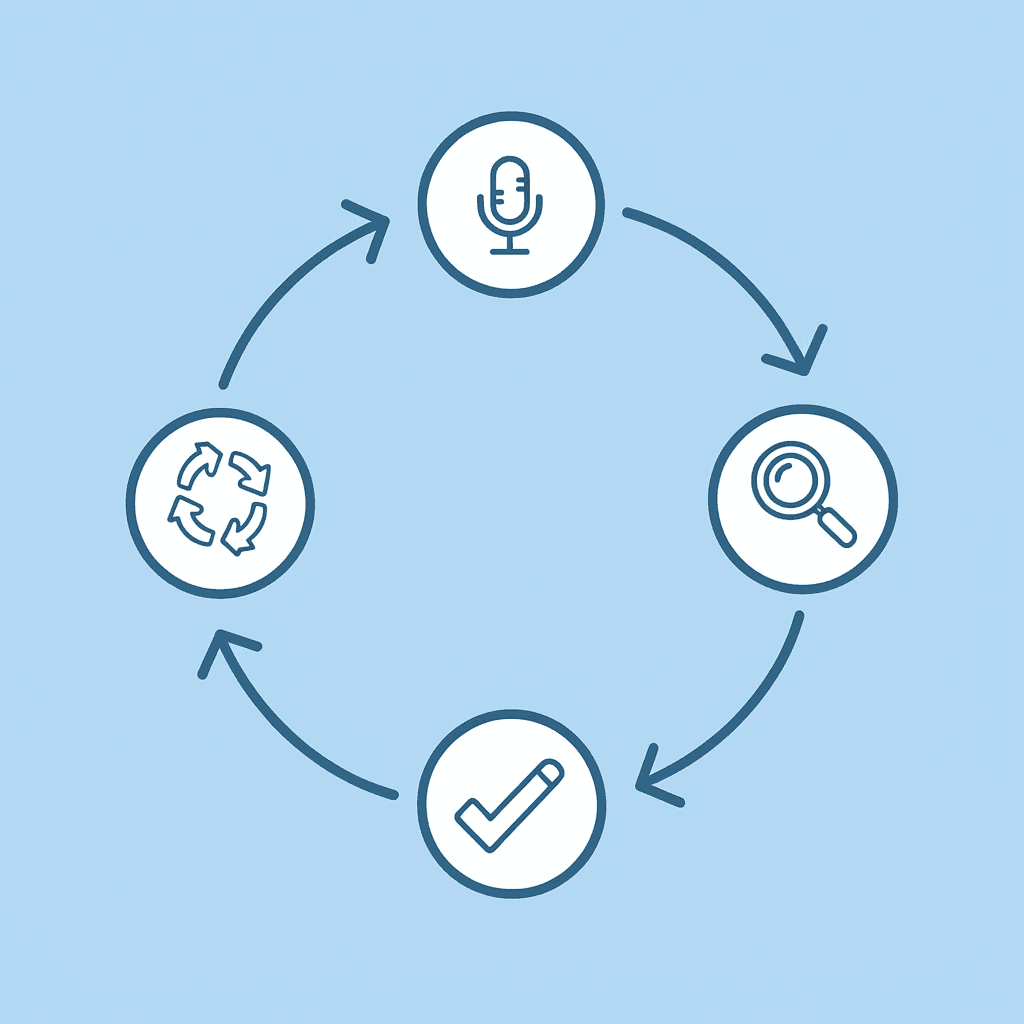
Write a Voice-Friendly Script (2 Minutes)
Write a short script for speaking aloud. Use shorter sentences. Add clear pauses. Use simple words. Break ideas into smaller lines. This helps AI voices sound natural. Instead of "Our new product offers comprehensive solutions that address multiple pain points across different user segments," write "This product solves three problems: it saves time, reduces costs, and improves accuracy." The second version sounds natural when spoken; the first sounds like a press release. This prevents problems rather than requiring fixes after the script is created.
Paste the Script Into an AI Voice Tool (1 Minute)
Put the script into an AI voice generator and select a voice style, language, accent, and speaking speed. Most tools let you audition voices quickly to find one that matches your content's tone. An energetic voice suits TikTok content, calm narration fits educational videos, and conversational tones work for product reviews. Matching voice personality to content type prevents the disconnect between misaligned tone and content. According to Puppetry, platforms now offer 500+ AI voices, allowing you to find specific vocal characteristics rather than settling for generic options.
Adjust Pacing and Emphasis (2 Minutes)
Before creating the final audio, adjust the pacing by adding commas or line breaks to create pauses. Split long sentences and emphasise important words. These changes make the AI voice sound more natural. A sentence like "This matters because timing affects results" becomes "This matters. Because timing? It affects results." The second version creates rhythm and emphasis that engages listeners. Many creators say this adjustment step determines quality. The gap between acceptable and professional voiceovers often comes down to strategic pauses, not voice selection.
Generate and Preview the Voiceover (2 Minutes)
Create the audio and listen to it once. Check the pronunciation of words, pacing, and any unnatural emphasis. Small script adjustments typically resolve these issues quickly. Most creators need one or two generations for the voiceover to sound correct. Listen for specific problems rather than vague dissatisfaction. "The word 'analytics' sounds rushed" is fixable. "It doesn't sound right" leads to endless regeneration without improvement.
Export and Insert Into Your Video (3 Minutes)
Download the audio file and add it to your video editing timeline. The voiceover should be clean enough to use immediately. Align it with visuals, add background music, and adjust volume levels. Because the voiceover was made with proper pacing, little editing is needed. Creators who skip the pacing adjustment step spend this time cutting audio clips and manually adding pauses instead. For creators making short-form videos in volume, our clip creator tool consolidates the entire workflow into a single process: script input generates both the voiceover and finished video with synced captions.
Why This Workflow Works
The key advantage of this workflow is that it reduces rework. By structuring the script first, creators produce clean audio and export it immediately, rather than repeatedly generating voiceovers. This approach enables professional-sounding voiceovers in around 10 minutes for short-form videos like YouTube Shorts, TikTok, and Instagram Reels. The speed comes from preventing problems during script preparation rather than solving them during audio editing. Understanding the workflow doesn't guarantee smooth execution on your first attempt.
Create Your First Professional Voiceover in Minutes with Crayo
Using many different tools for voiceovers slows your content workflow. The fastest creators make voiceovers inside their content workflow, not as a separate step.

Crayo removes this problem completely. Instead of writing a script in one place, making audio in another, and bringing it into a video editor, our clip creator tool lets you paste your script, make an AI voice immediately, match narration to your short-form video, and export a video ready to publish—all in one workflow.
💡 Tip: The key to faster content creation is eliminating constant switching between different platforms and tools. Test it now: Open Crayo, paste a script, choose a voice, and generate narration. Our platform handles timing, captions, and visual assembly automatically, freeing you to focus on content rather than file management. For creators publishing daily, this streamlined workflow makes consistent output sustainable.
🎯 Key Point: Daily content creators need streamlined workflows to maintain consistent publishing schedules without burnout. "Professional voiceovers can be created in minutes rather than hours when you eliminate the multi-tool workflow that slows down most creators." — Content Creation Best Practices, 2024

Related Reading
- AI Voiceover Generation Tools
- Uberduck AI Alternative
- Murf AI Vs Elevenlabs
- Murf AI Alternatives
- Speechify Alternative
- Wellsaid Labs Alternative
- Resemble AI Alternative
- Lovo.ai Alternative Free
- Elevenlabs Alternative