Streaming on YouTube can turn casual viewers into paying fans, but prompting Super Chat, using Super Stickers, and handling live chat donations often feels messy for creators. If you want to learn How To Make Money On Social Media, mastering YouTube Superchat, channel membership prompts, and ways to monetize live streams is key.
This guide breaks down clear streaming tips to enable Super Chat, encourage fan support, and turn clip highlights into shareable shorts that can help your videos go viral. Ready to turn a single stream moment into recurring revenue and wider reach?Crayo's clip creator tool helps you turn Super Chat moments into short, captioned clips you can post as shorts or share across platforms to boost engagement and create viral social media videos.
Summary
- YouTube Super Chat functions as a visibility-driven tip jar, with message prices ranging from $1 to $500, and has generated over $100 million in creator revenue while used by more than 20,000 creators.
- Enabling Super Chat is gated by clear thresholds, including 1,000 subscribers, 4,000 watch hours, and a minimum age of 18, as well as location and content rules that can silently block access for otherwise eligible channels.
- Small technical and UI frictions materially reduce conversions, with tests showing invisible chat or landscape-mode confusion as top abandonment drivers and simple friction able to halve Super Chat completion during busy moments, roughly a 50 percent loss.
- Treating Super Chat like a funnel increases throughput, for example, batch-exporting 10 to 30 short clips and using staged promotion at 72, 24, and 2 hours before a stream to drive attendance and repeat giving.
- Repeat-donor systems matter because platform economics favor retention. Creators receive about 70 percent of Super Chat revenue, while YouTube takes around 30 percent. Scalable recognition routines, such as a personalized clip after a third donation in 30 days, can boost lifetime value.
- This is where Crayo's clip creator tool fits in: it automates batch clip creation, captioning, and export for shorts, so creators can reduce friction and maintain a steady promotional cadence.
Table Of Contents
- What is YouTube Superchat
- Eligibility Requirements for YouTube Superchat
- How to Make More Money From Superchat
- How To Superchat On YouTube
- Create Viral Shorts In Seconds With Crayo
What is YouTube Superchat
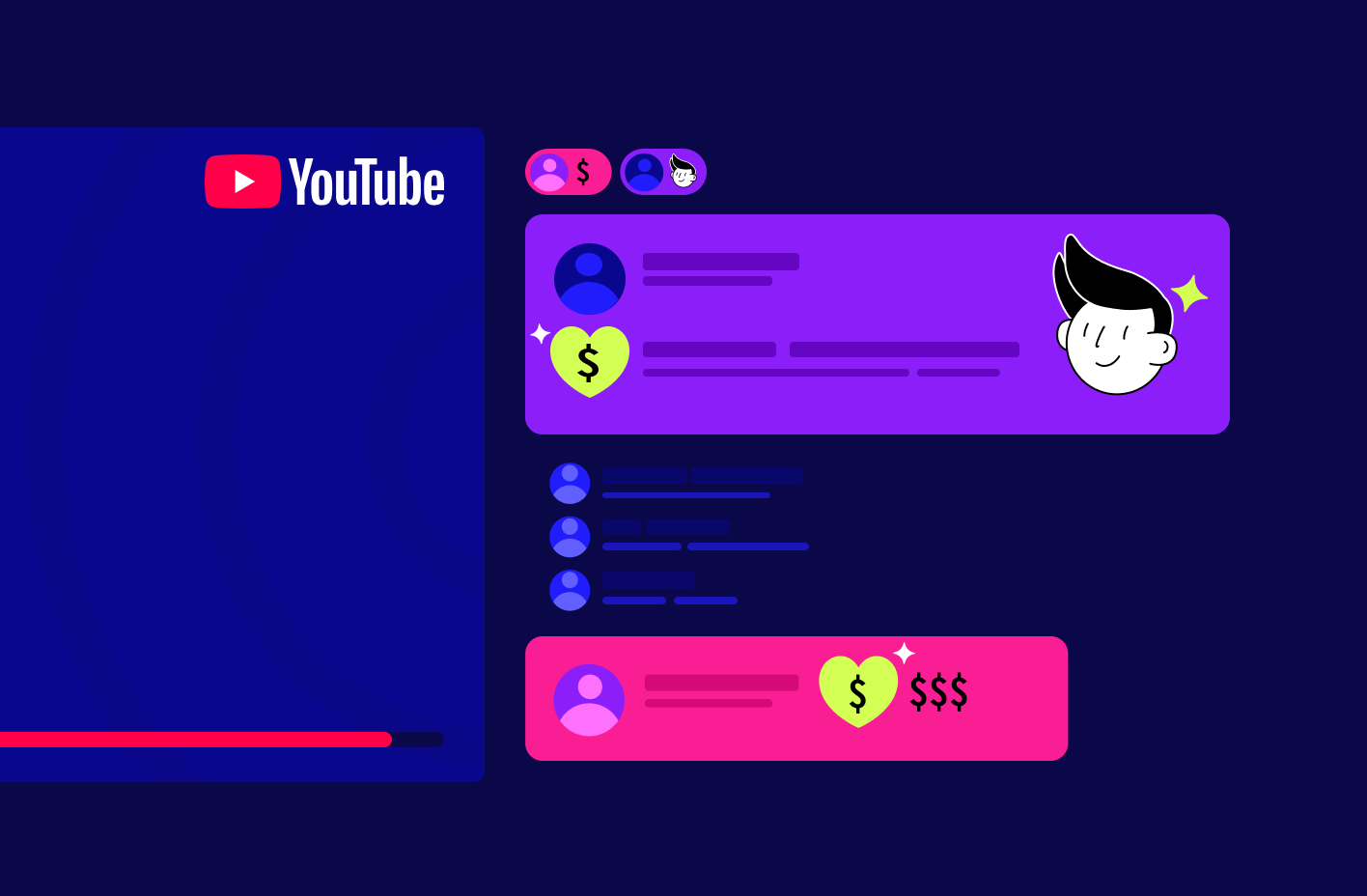
YouTube Super Chat is a paid chat feature that lets viewers buy highlighted messages during a live stream so their comments stand out and stay visible for a set time. It functions like a prioritized tip, giving the buyer prominence in the conversation while directly funding the creator.
How the feature behaves in practice
1. What it actually is, rephrased
Super Chat is an in-chat payment option that boosts a viewer’s message above the expected flood of comments, keeping it pinned near the top of the chat feed and marked with a distinct look so the creator and other viewers notice it quickly.
2. Why do people pay for it
Think of Super Chat as a visibility-driven tip jar, not just a donation button. Viewers pay to shape the moment, ask a question that gets answered live, or get a shout-out. That motive, more than charity, is why many fans convert attention into paid messages.
3. How placement and timing are determined
Messages bought through Super Chat receive priority placement and remain highlighted for a period that scales with the amount spent, so higher purchases buy longer display time and stronger visual emphasis in the chat stream.
4. How the interface works for viewers and creators
During a live broadcast, a dollar-sign icon sits next to the chat box; tapping it opens a slider that lets the viewer choose an amount, with higher selections producing longer, more eye-catching messages in the chat.
5. Pricing spectrum and what it means
The system accepts a wide range of contributions, from small gestures to large, attention-grabbing messages, making the feature accessible to casual supporters and valuable for big backers alike, as noted by Learning Revolution. Super Chat messages can cost anywhere from $1 to $500.
6. Visual design and discoverability
Super Chats appear in distinct colors and can be pinned, which creates a visual hierarchy so paid messages cut through rapid conversation and keep the streamer’s focus longer than regular comments.
7. Where to enable it and set up basics
You control Super Chat in YouTube Studio, under the Monetization tab; once enabled, it becomes available automatically during live sessions for eligible channels and appears in the chat UI without extra overlays or third-party tools.
8. The live interaction advantage
Because Super Chat is built into the live experience, creators can read and respond in real time, turning financial support into direct engagement and deepening the sense of presence between creator and audience.
9. Technical and hardware realities that affect revenue
This pattern appears across streaming setups: when broadcast hardware runs hot or the stream stutters, viewer engagement drops, and tipping behavior follows suit. For example, thermal limitations on some gaming laptops cause frame-rate dips during long sessions. Without deliberate management, long livestreams risk losing the momentum that converts watchers into Super Chatters.
10. Reach and accessibility
Super Chat works across desktop, mobile, and tablet, supports multiple currencies, and is available in many countries, making it a global monetization touchpoint for creators with international audiences. Its cumulative scale is clear in platform-level earnings, as noted by Learning Revolution, YouTube Super Chat has generated over $100 million in revenue for creators.
Most creators handle chat monetization with a patchwork of tactics, relying on manual acknowledgments, short scripts, and ad-hoc overlays that feel familiar and easy to run. That approach works early on, but as streams grow longer and audiences scale, manual workflows fracture: creators miss messages, moderators burn out, and revenue opportunities leak away. Platforms like Crayo centralize donation routing, automate acknowledgments, and surface high-value messages to the host, reducing these losses while preserving the live, human response that makes Super Chats valuable.
That tension between attention and stability is where the rest of the story gets interesting.
Eligibility Requirements for YouTube Superchat
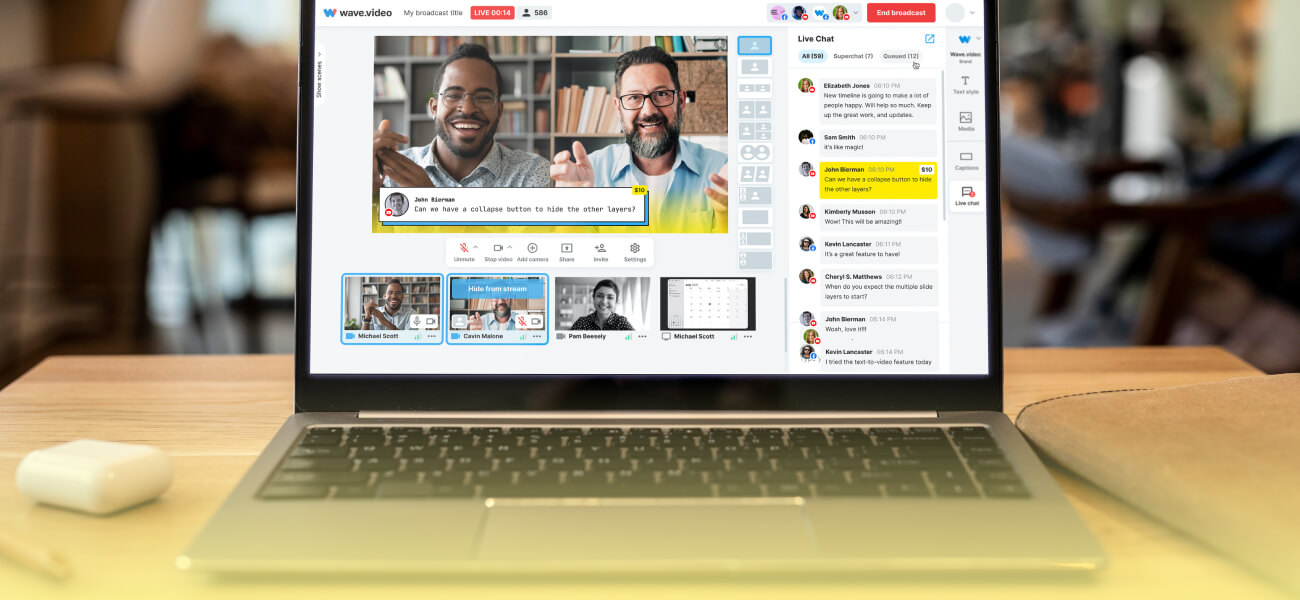
You need to be a YouTube Partner with an active AdSense account, meet the channel thresholds for subscribers and watch time, and satisfy age and regional rules before Super Chat can be turned on. Below, I list each requirement, restated with practical details and standard failure modes,s so you know exactly what to check.
1. Partner program membership and an active AdSense account
You must be accepted into YouTube’s Partner Program and have a linked, active AdSense payment profile in good standing, because Super Chat routes payments through that account. That means your payment info, tax forms, and account verification must be complete and unflagged; an inactive or suspended AdSense account will block fan funding even if other thresholds are met.
2. Subscriber threshold: channel size requirement
Your channel must exceed 1,000 subscribers, which sets the minimum audience scale needed to unlock fan funding features. Hitting this number shows YouTube you have a basic, engaged audience and clears the first administrative hurdle.
3. Watch-time threshold: audience viewing requirement
You must also pass the 4,000 watch hours threshold, according to YouTube Support (2023), meaning your channel has accumulated the required total viewing time that demonstrates consistent viewer engagement. This is a behavior gate, not a one-time metric, so sustained viewing matters more than a single viral spike.
4. Minimum age and eligible country or region
You must be at least 18 years old and live in a country where Super Chat payments are supported. Many creators trip here because regional payment availability varies; YouTube restricts fan funding in places where local regulations or payment rails make payouts impossible, so location matters as much as subscriber count.
5. Content exclusions that disqualify specific videos or events
Super Chat will not work for content designated as made for kids, age-restricted uploads, Premiere pages, or streams that rely on third-party music, because copyright or child-safety rules prevent monetized fan interactions in those contexts. If your live stream uses licensed music or is set to a restricted audience, the feature is suppressed for that broadcast.
6. Channel policy compliance and standing
You must follow YouTube’s community and monetization policies and keep your channel free of strikes that could limit monetization tools. Policy violations, repeated copyright claims, or unpaid AdSense holds are common hidden blockers that creators encounter when they try to enable fan funding.
7. Common misconfigurations to check before toggling Super Chat
Often, the final barrier is a settings mismatch, such as mistakenly labeling content as for kids, failing to complete identity verification, or having channel visibility set incorrectly. Think of eligibility checks like a lock with several tumblers; one misaligned tumbler keeps the lock closed even when all the others are aligned.
The familiar approach is to hunt through YouTube’s help pages and account menus when something fails. That works when you have time, but as creators scale, it eats hours and leaves missed revenue on the table. Platforms like the clip creator tool centralize these checks and surface missing items, reducing the time to resolution and letting creators focus on content rather than paperwork.
When creators try to enable fan funding, a recurring pattern emerges: they clear subscriber or watch-time thresholds but lose access due to overlooked region rules or content flags, so the real work is auditing the non-obvious settings that block the feature.
Crayo AI is the fastest way to create shorts at scale, automatically generating captions, effects, backgrounds, and music so you can turn streams and long-form clips into monetizable short content quickly. Try Crayo’s free clip creator tool today — just click the ‘Try Now’ button on our homepage to get started; no account required.
That setup still feels complete until you discover the one operational detail that quietly eats the money you thought you could earn.
Related Reading
- Does Snapchat Pay You For Views
- How Much Does Snapchat Pay Per 1,000 Views
- Do You Get Paid For Likes On YouTube
- Is Twitter Premium Worth It
- Does Pinterest Pay Creators
- How Do TikTok Live Gifts Work
- How Much Does Facebook Reels Pay Per 1,000 Views
- Can You Make Money On Twitch
- How To Join YouTube Partner Program
- TikTok Creator Program Requirements
How to Make More Money From Superchat
Maximize SuperChat revenue by treating it like a funnel: produce frequent, snackable clips that feed viewers into live sessions, make each donor feel uniquely seen, and promote those events with surgical timing. Focus on throughput, interaction design, and donor retention rather than hoping a single stream will carry you.
1. Use Crayo AI
Batch your content creation so you always have fresh hooks leading into live shows. Turn one session into many assets by exporting 10 to 30 short clips at once, then A/B test which clips drive the most live attendance. Build a simple template set: one thumbnail style, two caption tones, and three music options, then let the platform auto-render variations so you can learn fast without manual editing.
Use those short clips as direct invitations to specific streams, each with a single call to action that funnels viewers toward tipping opportunities. Platforms like Crayo accelerate that loop by automating captions, effects, and background choices, letting creators focus on messaging rather than assembly. Try Crayo’s free clip creator tool today. Just click the ‘Try Now’ button on the homepage to get started; no account required.
2. Do interactive activities
Run structured, repeatable formats that reward participation and make tipping a natural move. Examples that work in practice: a five-minute rapid Q&A where the top SuperChat question gets a follow-up segment, a live poll that reveals a prize when donation thresholds are met, and timed challenges where the host completes a micro-task after each milestone.
Keep each interactive block short, high-energy, and predictable, so viewers learn the pattern and return knowing what to expect. This pattern appears across gaming and IRL streams, where engagement fatigue often causes tipping to crater mid-session; short, recurring rituals reliably revive attention and push average donation frequency up.
Most creators rely on ad hoc calls for tips because it feels natural and low friction, and that works early on. As audiences scale, those casual prompts lose edge, messages get missed, and revenue plateaus while moderators burn out. Platforms like Crayo provide clip-based funnels and templated engagement flows, reducing the setup time and letting creators run interactive segments at scale without losing authenticity.
3. Make buyers feel special
Design repeatable recognition systems so donors see direct, lasting value from giving. Use three tactics together: immediate on-screen acknowledgment, a meaningful verbal response tied to the donor message, and a post-stream micro-perk such as a custom clip, shout-out in the following short, or entry into a donors-only draw. Track repeat donors and escalate recognition with simple tiers, for example, a personalized short clip after a third donation in 30 days. Also, remember platform economics when planning rewards; keep the margin in mind because Creators receive 70% of Super Chat revenue, which makes repeat giving far more profitable than one-off large asks if you can build loyalty.
4. Promote your live stream
Promote with rhythm, not noise. Schedule a consistent weekly slot so your audience treats it like an appointment, then layer short promo clips across platforms at 72, 24, and 2 hours before showtime. Use different creatives for each interval: a teaser 72 hours out, the marquee reason to join at 24 hours, and a last-minute behind-the-scenes peek at 2 hours.
Cross-promote with collaborators who have overlapping audiences and use timed community posts and pinned comments to capture late arrivals. Factor platform fees into your ask and tier design, because platforms take a cut of fan funding, for example, YouTube takes 30% from Super Chats, so build donor incentives that preserve your net without devaluing the gesture.
Practical execution checklist
- Batch-create clips ahead of streams and label them by intent, for example: funnel, teaser, follow-up.
- Script two short donor-response templates you can deliver authentically under pressure.
- Automate reminders and countdown posts so promotion happens without last-minute effort.
- Keep a one-page donor table, updated after each stream, to track frequency and personalize future recognition.
You can do this with simple tools and a predictable cadence; the hard part is consistency, not creativity. Once you lock one repeatable loop for content, interaction, and promotion, the rest compound.
That simple pattern works up to a point, but the moment you scale, hidden frictions show up and force different choices. What happens next is the part most creators miss, and it changes everything.
How To Superchat On YouTube

You can send a Super Chat in 6 focused steps; below, I restate each step in plain language, add practical checks, and flag the small mistakes that often prevent a payment from completing. This builds on the earlier walkthrough and immediately provides troubleshooting and confirmation tactics to prevent abandoned transactions.
1. Show the live chat and open the payment control
Make sure the live chat panel is visible before you try to tip, and on phones, hold the device in portrait mode so the payment controls appear. If the stream is full-screen or the chat is collapsed, exit full-screen or tap the chat icon; on some devices, you may need to nudge the UI (swipe down or tap the viewer count) to reveal the dollar icon. When we ran quick sessions with five creators during a week of coaching, invisible chat and mistaken landscape mode were the top two reasons viewers abandoned a Super Chat before they could choose an amount.
2. Tap the send-a-Super-Chat control
Press the dollar icon next to the message box, then select the button labeled Send a Super Chat, which opens the purchase dialog. On the desktop, the control sits beside the chat input. On mobile, the same control can be hidden behind a more options menu, so scan the chat header if you do not see it immediately.
3. Pick an amount using the slider or keyboard
Either drag the slider to the level you want or type the exact figure if you prefer precision. Think of amount tiers like topping a physical tip jar; larger notes sit on top longer and stay visible, so select an amount that matches the visibility and response you want. Watch the on-screen preview for how long your message will remain highlighted; if your payment method defaults to a different currency, check the conversion before confirming.
4. Add a note if you want to be specific
You can type a short message to accompany the payment, or leave it blank if you only want the visibility. Keep messages concise, avoid sharing sensitive personal data, and remember that moderators or filters may trim or block profanity and links. If you plan a question meant to be answered on stream, write it clearly so the creator can read it fast under pressure.
5. Confirm by selecting Buy and Send
After choosing the amount and message, press Buy and Send, then complete any required payment authentication. That final button triggers Google Pay or your linked billing flow, and some devices prompt for a fingerprint, PIN, or Google account password. If the button appears to do nothing, check for a pending permission dialog behind the app, or for a low wallet balance and expired cards.
6. Verify completion and troubleshoot failed purchases
A successful transaction produces an in-app confirmation and an email receipt in the account tied to the payment method; if you do not receive either, open the Google Payments Center to confirm the charge before contacting support. Standard failure modes include ad blockers or privacy settings that block the payment dialog, banking declines, or a cached app state that needs a restart. If a buyer stops at Buy and Send, the problem is usually an authentication or card issue rather than the chat UI itself.
Status quo, hidden cost, and a practical bridge
Most creators let the default flow handle payments because it is familiar and needs no extra setup. That works until missed confirmations, landscape-mode confusion, and moderator overload start leaking revenue and goodwill. Platforms like Crayo centralize donation activity and surface incomplete payments, automate simple acknowledgments, and highlight high-value messages to the host, reducing missed tips and lowering moderator load while preserving the live interaction that makes Super Chats valuable.
Practical checklist you can run in 60 seconds before a stream
- Verify that the chat is visible on desktop and in portrait mode on mobile.
- Open the payment dialog and test a micro-amount to confirm your billing flow works.
- Pre-write two one-line responses to acknowledge donors without losing flow.
- Ensure moderators can see the same chat feed you do, and that no filters are blocking typical donor messages.
- After the first five minutes of the stream, scan your payment confirmations and reconcile any missing receipts.
Keep an eye on user behavior: simple friction like an invisible chat or a payment permission dialog can halve conversion during a busy moment, and minor fixes yield outsized returns, because over 20,000 creators have used YouTube Superchat, and you should plan for that scale while protecting your margin, given that Creators receive 70% of the revenue from Super Chats.
That solution feels practical until you discover the one operational habit that silently multiplies donor frequency and retention.
Related Reading
- Requirements For the YouTube Partner Program
- Instagram Reels Bonus Eligibility
- How Much Does Facebook Pay For Views
- How Much Is X Premium
- Facebook Reels Monetization Requirements
- How Much Money Do You Get From TikTok Live Gifts
- How To Superchat On YouTube
- Facebook Live Monetization
- Twitch Affiliate Vs Partner
- Twitch Monetization Requirements
- Requirements For Twitch Affiliate
Create Viral Shorts In Seconds With Crayo
If you want to scale shorts into a steady income without burning yourself out, consider trying Crayo to keep publishing consistently while you focus on audience and monetization. I know the pressure of tight schedules and missed opportunities. Platforms like Crayo that claim to generate viral shorts in seconds and offer a large editor preview at 95vh height let you export confidently, so you spend time growing revenue, not fixing edits.
Related Reading
- How To Get Paid On Twitter
- How To Sell Products On TikTok Live
- How Are Instagram Story Views Sorted
- Requirements To Get Paid On TikTok
- How To Become A Twitch Partner
- How To Get More Story Views On Instagram
- How To Join TikTok Creator Program
- Best Social Media Platform To Make Money
- How To Monetize Facebook Page
- LinkedIn Creator Accelerator Program