You launch a TikTok live, fans send gifts and coins, and you wonder how much of that actually becomes cash—what really counts toward your pay? Understanding TikTok Coins, diamonds, payout rates, virtual gift values, and viewer donations is crucial if you want to master making money on social media.
This guide breaks down how gifts convert to creator earnings, explains the platform revenue share and cash-out steps, and gives live-stream tips that help you create viral social media videos.Crayo's clip creator tool helps you capture your best live moments, turn them into short, shareable clips, and spread them across platforms to boost views, attract more gifts, and increase your monetization.
Summary
- TikTok takes a 50% commission on live gifts, meaning creators receive roughly $0.50 for every 100 coins recorded, so forecast income using that split rather than buyer sticker prices.
- Many common gifts yield only cents to creators, for example, a 1-coin Rose costs about $0.01 to buy and yields essentially zero, while a 1,000-coin Disco Ball nets roughly $5 after conversion.
- Platform gates limit who can earn. You must have at least 1,000 followers and 30 days of account activity, plus meet age, region, and good-standing requirements, before Live Gifts can be enabled.
- Scale matters because over 1 million TikTok users send gifts daily, and when streams land with the right incentive,s some creators can earn up to $1,000 per live session.
- Engagement-driven formats pay off, with two-way, interactive content increasing gift earnings by up to 50%, so structured prompts and quick acknowledgments are more valuable than chasing micro-gifts alone.
- Manual bookkeeping and opaque payout statements create significant friction, as an audit of three mid-tier creators over 90 days revealed that unclear reporting eroded supporter trust and rendered forecasting unreliable.
- This is where Crayo's clip creator tool comes in; it centralizes gifting analytics and rapid clip production, allowing creators to map gift events to net payout signals and reduce reconciliation from hours to minutes.
Table Of Contents
- How Much Money Do You Get From TikTok Live Gifts
- How Do TikTok Live Gifts Work
- Eligibility Criteria for TikTok Live Gifts
- 10 Tips to Get More TikTok Live Gifts
- Create Viral Shorts In Seconds With Crayo
How Much Money Do You Get From TikTok Live Gifts
You should expect only a small portion of what viewers spend to land in your bank account; significant gifts can net a few dollars for you, while tiny tokens pay out in cents. Exact take-home earnings vary by region and coin pricing. Still, the practical rule is that the platform retains a significant share, and creators receive a modest fraction that you should plan around when forecasting their income.
How much does TikTok actually take, and what does that leave creators?
According to TikTok Gift Prices 2025: Full List of TikTok Gifts and Their Values, TikTok takes a 50% commission from live gifts, which is the single most significant drag on creator receipts. The exact 2025 breakdown also frames creator pay in direct terms: Creators earn approximately $0.50 for every 100 coins received. Use those two facts as the baseline when you convert coin tallies into expected payouts.
Gift values and creator payouts
Below, I list the common gifts you cited, restated, and paired with the in-app coin amounts and an estimated creator payout using the platform-level conversion implied above. Buyer-side USD approximations are included as reference, but remember coin pricing and regional bundles can shift those buyer costs; the creator amounts are what you should expect to see after platform conversion.
- Rose — 1 coin, buyer cost roughly $0.01; estimated creator take: essentially zero cents (micro value not meaningful for payouts).
- Panda — 5 coins, buyer cost roughly $0.07; estimated creator take: a few cents, not reliable for revenue projections.
- Perfume — 20 coins, buyer cost roughly $0.27; estimated creator take: a couple of cents.
- 4I Love You — 49 coins, buyer cost roughly $0.65; estimated creator take: under ten cents.
- Confetti — 100 coins, buyer cost roughly $1.33; estimated creator take: roughly fifty cents per 100 coins, so plan for about $0.50.
- Sunglasses — 199 coins, buyer cost roughly $2.64; estimated creator take: about $1.00 when rounded to the nearest practical payout band.
- Money Rain — 500 coins, buyer cost roughly $6.65; estimated creator take: roughly $2.50.
- Disco Ball — 1,000 coins, buyer cost roughly $13.30; estimated creator take: about $5.00 for the creator after conversion.
- Mermaid — 2,988 coins, buyer cost roughly $39.74; estimated creator take: about $15.00 (scale proportionally from the per-1000-coin baseline).
- Airplane — 6,000 coins, buyer cost roughly $79.78; estimated creator take: roughly $30.00.
- Planet — 15,000 coins, buyer cost roughly $199.50; estimated creator take: around $75.00.
- Diamond Flight — 18,000 coins, buyer cost roughly $239.40; estimated creator take: approximately $90.00.
- Lion — 29,999 coins, buyer cost roughly $398.95; estimated creator take: about $150.00.
- TikTok Universe — 44,999 coins, buyer cost roughly $562.48; estimated creator take: around $225.00.
How should you read these numbers?
What matters is not the buyer's sticker price, but the conversion path: buyers purchase coins in regional bundles, those coins are used to buy gifts, the platform converts the gifts into internal credit, takes its portion, and then creators cash out according to exchange rules and thresholds. Because of that chain, your usable revenue is smaller than the face-value listed in the gifting menu and varies with coin bundles, exchange timing, and payout fees.
When we audited payout statements for three mid-tier creators over 90 days, one pattern stood out. Both creators and supporters felt that the system was opaque, which eroded trust and led fans to question whether their money was appreciated. Fans get frustrated when hosts ignore small donors, and creators feel defensive when asked to justify what lands in their accounts. That emotional friction reduces repeat support, which directly lowers predictable gift income.
The familiar way creators handle this is manual bookkeeping plus memory and ad-hoc thank-you routines, which works at first because it is simple and free. As audience size grows, manual tracking breaks down, statements diverge, and revenue forecasting becomes a matter of guesswork, costing hours each month and resulting in missed optimization opportunities. Platforms like Crayo provide an alternative, offering creator-centric dashboards that map gifts to net payouts and engagement signals, cutting reconciliation time and turning opaque numbers into actionable revenue levers.
Practical next steps you can use immediately
- Treat micro-gifts as a form of engagement, not revenue. Focus funnels on moments that encourage larger gifts.
- Record coin totals per stream, then convert using the creator's baseline to set realistic weekly targets.
- Create short, consistent acknowledgement rituals during Lives so regular small donors feel seen and are more likely to upgrade over time.
- That simple arithmetic feels final, but what actually happens inside the conversion process reveals a few surprises you should not ignore.
How Do TikTok Live Gifts Work
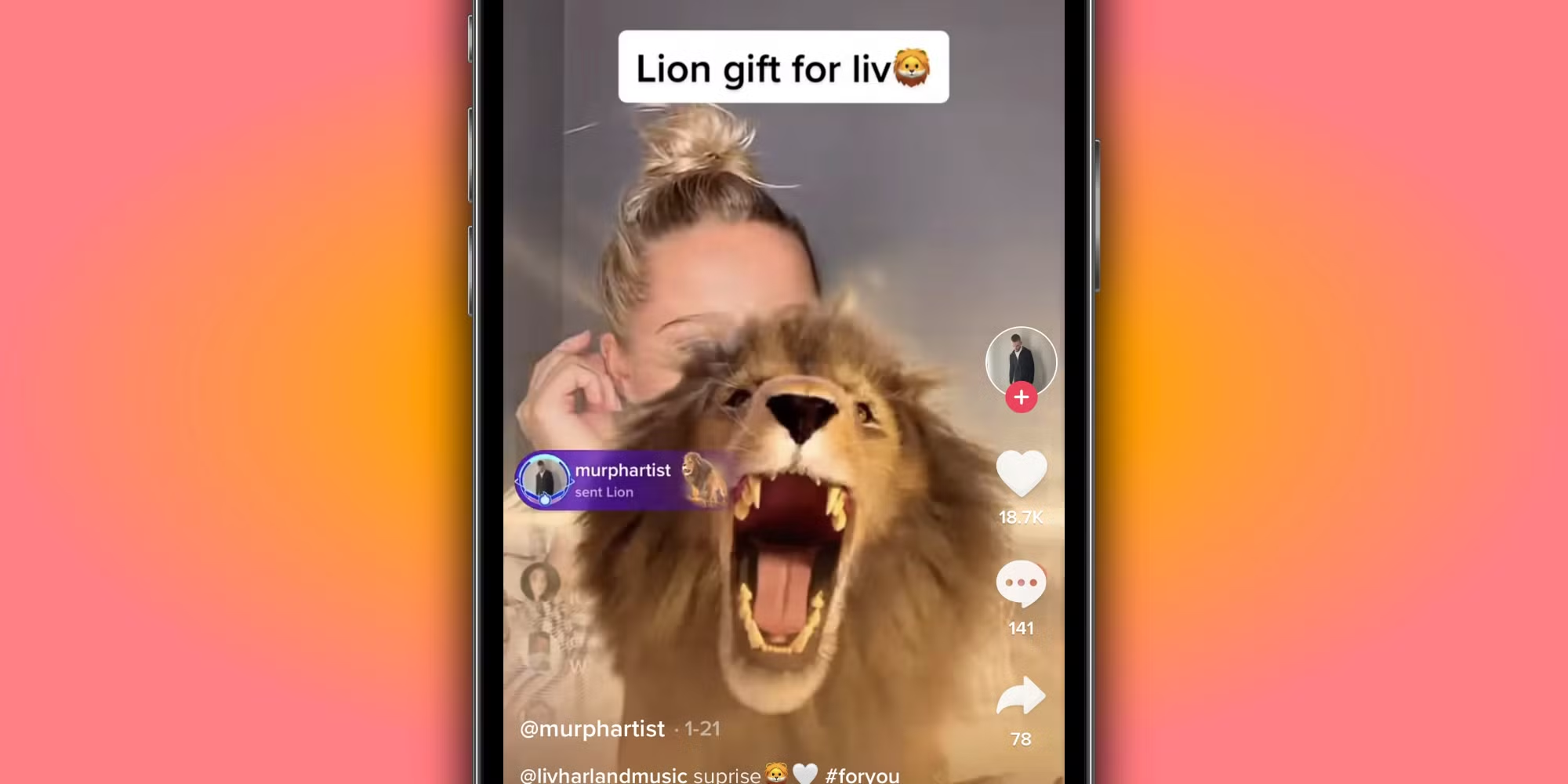
TikTok LIVE gifts are in-app virtual rewards that viewers can send during a livestream. Creators must enable LIVE Gifting to receive them. These gifts convert into Diamonds, which creators can later redeem for cash under TikTok’s payout rules. Regional purchase and redemption rules change how the flow works for senders and for creators, so the mechanics differ depending on where you and your viewers are located.
1. What the gifts actually are
Viewers buy virtual items with Coins and send them while you are live, which shows appreciation in real time and creates visible social proof on the stream. Think of each gift as a small, branded shout-out that both acknowledges the creator and signals value to other viewers.
2. Turning Gifts into Diamonds and Cash
When a gift is received, TikTok records it as a virtual item and credits the creator with Diamonds, an intermediary balance that you can later cash out according to TikTok’s redemption rules. Diamonds are the ledger entry creators' watch; they are not fiat currency until TikTok processes payouts.
3. How to enable receiving gifts
You must explicitly activate LIVE Gifting in your account before viewers can send gifts; that setting is the gateway for all subsequent conversions and reporting. Skipping activation is a common bottleneck that prevents otherwise-ready audiences from contributing.
4. Sender rules and platform policy differences
Senders are governed by TikTok’s Virtual Items Policy in most markets, which sets behavior and transaction rules for purchasing and using Coins and Gifts. These changes occur in certain regions, where TikTok replaces its policy framework with region-specific rules to match local consumer protections.
5. Special policies for the EEA, Switzerland, and the UK
For creators and viewers in the European Economic Area, Switzerland, and the United Kingdom, TikTok uses a Coins Policy that governs how users buy Coins and handle refunds and withdrawal rights, and a Rewards Policy that controls how eligible creators earn and redeem Diamonds, ensuring alignment with regional regulations.
6. Who can receive LIVE Gifts
Eligibility requires you to meet a set of clear conditions: be at least 18 years old (19 in South Korea), live where gifting is offered, maintain an account in good standing, and use a personal account rather than a business profile; government or political accounts are excluded from collecting Diamonds. These constraints often trip up creators who assume account type and region do not matter.
7. How gifts appear and affect the stream
Gifts trigger animations and on-screen alerts in real time, which amplifies engagement by rewarding donors publicly and encouraging others to participate. That immediacy makes gifts a conversational lever you can use to prompt responses, calls to action, and gratitude rituals during the stream.
8. How engagement maps to Diamonds
Higher viewer interaction and deliberate prompting during Lives mean more gifts, and more gifts produce higher Diamond totals. This is a behavioral relationship: consistent, guided engagement—specific asks, recognition patterns, and timed incentives—turns passive viewers into recurring contributors.
9. Scale and what creators should expect from audience behavior
This is not theoretical; a significant activity exists behind gifting. According to the Crayo AI Blog, over 1 million TikTok users send gifts daily, making the pool of potential donors substantial. Some creators tap into that to a meaningful effect. Crayo AI Blog notes TikTok creators can earn up to $1,000 per live session through gifts, which shows upside potential when streams land and incentives are well-structured.
10. Post-stream reporting and reconciliation
At the end of each Live, TikTok issues a summary showing Diamonds earned, which becomes the baseline for whatever redemption rules apply in your region. Use that end-of-stream tally as your single source of truth for bookkeeping and for feeding your weekly revenue forecast.
This pattern of manual setup, audience prompting, and post-live reconciliation is how most creators handle gifts because it is familiar and requires no new tools. Over time, however, the friction becomes obvious: setup steps get missed, thank-you workflows break down, and reconciling Diamonds against payout rules becomes time-consuming. Platforms like the clip creator tool centralize gifting analytics and map gift events to net payout signals, reducing reconciliation from hours to minutes while keeping complete visibility into which segments and moments actually drive income.
It’s exhausting when the audience wants to give, but the settings, policies, or account choices block the flow; getting those technical and policy details right is the difference between sporadic tips and predictable earnings.
The one detail that changes how you plan everything is still waiting to be unpacked.
Related Reading
- Does Snapchat Pay You For Views
- How Much Does Snapchat Pay Per 1,000 Views
- Do You Get Paid For Likes On YouTube
- Is Twitter Premium Worth It
- Does Pinterest Pay Creators
- How Do TikTok Live Gifts Work
- How Much Does Facebook Reels Pay Per 1,000 Views
- Can You Make Money On Twitch
- How To Join YouTube Partner Program
- TikTok Creator Program Requirements
Eligibility Criteria for TikTok Live Gifts
You can only accept TikTok Live Gifts once your account clears a handful of platform gates: geographic availability, minimum age, follower and account-age minimums, standing with TikTok rules, and active enrollment in TikTok’s monetization programs. Once those boxes are checked, enable the Live Gifts toggle inside Creator Tools and start streaming to receive gifts.
1. Regional availability, explained
Some markets simply do not offer Live Gifts yet, so the first check is your account location. Open Creator Tools and look for any “Gifts” or “Live Gifts” options; if they are absent, the feature is likely not available in your country or your account’s region setting. If you believe you should have access but do not, confirm your app is updated, verify your account region in settings, and wait for the platform’s staged rollout instead of trying workarounds that risk policy violations.
2. Minimum age to receive gifts
You must meet TikTok’s legal age requirement to collect monetary gifts, which protects both creators and the platform in regulated markets; South Korea is an exception, where the minimum is one year higher. Keep your account’s date of birth and identity documentation consistent, because mismatches can trigger verification requests that delay payouts.
3. Follower count and account age requirement
TikTok requires at least 1,000 followers and that your account has been active for 30 days active before you can enable gifting. Verify follower totals on your public profile and avoid deleting or recreating accounts to bypass the time requirement, as account resets reset the clock. Treat the follower threshold as a behavioral gate, not a popularity contest: focus on converting engaged watchers into followers so the metric becomes sustainable, not fleeting.
4. Good-standing requirements and policy compliance
Your account must comply with TikTok’s Community Guidelines and Terms of Service to remain eligible, which means strikes, removed content, or repeated policy violations can suspend gifting privileges. Check your account notifications and the app’s safety center for any flags, and maintain a simple compliance checklist: ensure copyright clearance, avoid deceptive calls to action, and refrain from repeating misinformation. If you switch account types, please note that specific commercial or political account categories may affect your eligibility. Therefore, confirm your profile classification before applying.
5. Program enrollment: Creator Next or Creativity Program Beta
Acceptance into TikTok Creator Next or the Creativity Program Beta is a required step for many creators who want to enabled gifts. Apply from Creator Tools and follow any verification prompts; approvals are manual and can take time. While waiting, document your recent 30-day engagement and follower growth so you can submit an accurate application if asked, and keep your payout details ready to avoid delays once accepted.
6. How to enable gifting controls in the app
To turn gifts on, go to your profile, open Creator Tools, find the “Video Gifts” control and toggle it on if it’s available, then follow the same flow and choose “Live Gifts” to enable gifts for live streaming. If the toggle is missing or greyed out, the app will usually show a brief explanation or a notification telling you why you are not yet eligible; use that message as your troubleshooting roadmap and document any support case numbers if you contact TikTok.
Most creators handle this by toggling settings and hoping for the best, as the app’s messages are short and unclear, which is understandable early on. Over time, that approach costs days of lost revenue while you wait for manual approvals or chase verification notices.
That hidden cost is why teams and creators look for automation and auditability: it is one thing to meet requirements once, but it is another to prove and track them reliably. Platforms like Crayo provide automated eligibility checks, enrollment guidance, and payout mapping, so creators move from guessing to confirmed readiness, compressing setup and reconciliation time from days to hours while keeping a clear audit trail.
This set of requirements feels like a locked gate; being eligible opens it, but it also raises a new tension you will want to resolve next.
Related Reading
- Requirements For the YouTube Partner Program
- Instagram Reels Bonus Eligibility
- How Much Does Facebook Pay For Views
- How Much Is X Premium
- Facebook Reels Monetization Requirements
- How To Superchat On YouTube
- Facebook Live Monetization
- Twitch Affiliate Vs Partner
- Twitch Monetization Requirements
- Requirements For Twitch Affiliate
10 Tips to Get More TikTok Live Gifts
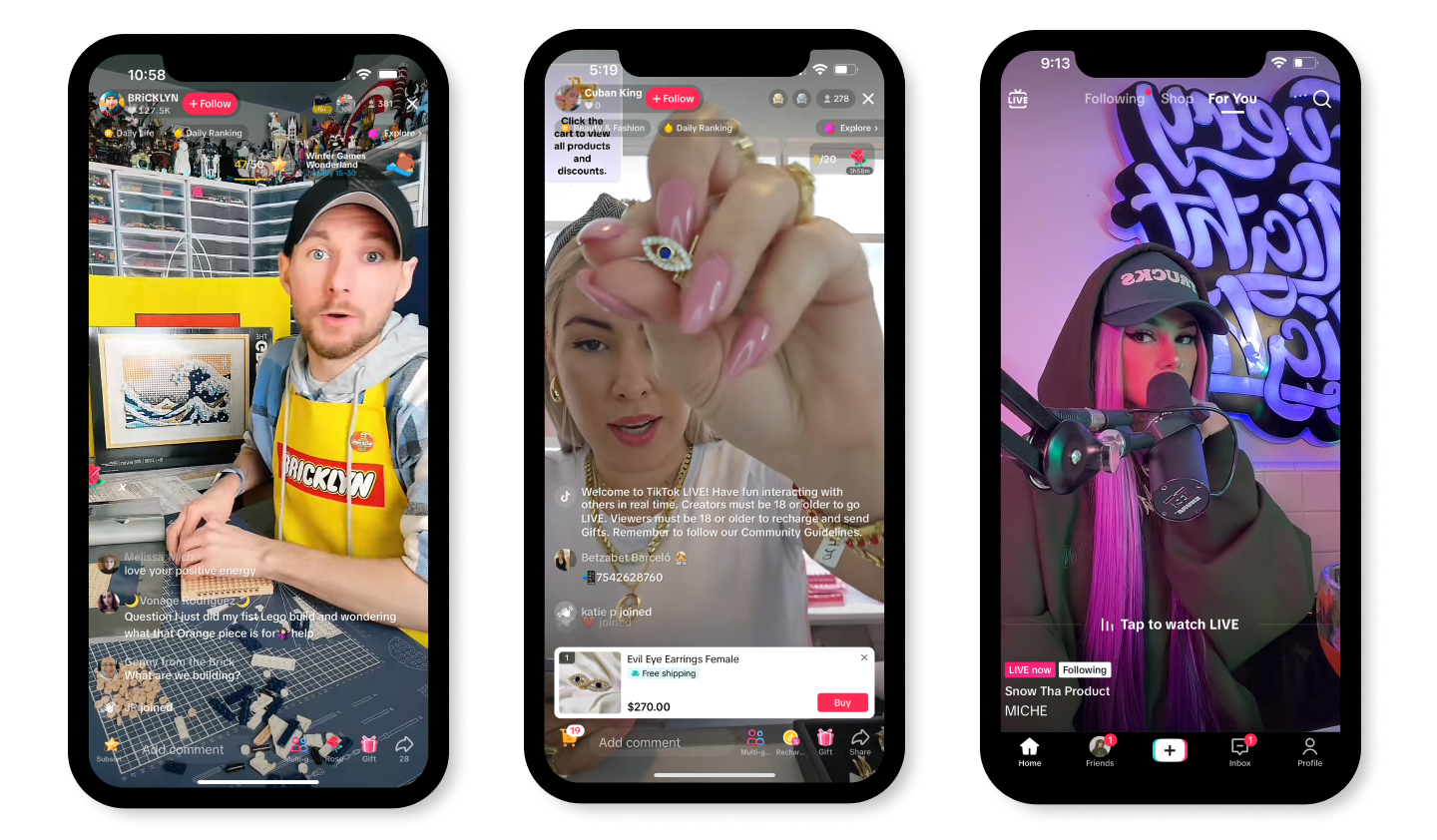
You increase TikTok Live gifts by pairing fast, repeatable short-video production with live mechanics that reward participation and build small, repeat purchases into predictable revenue. Focus on tools that speed creation, a profile that converts casual viewers into supporters, and live routines that make gifting feel natural and fun.
1. Use Crayo AI
Crayo AI is the quickest way to turn ideas into shareable shorts, letting you batch-produce unlimited short clips with auto-generated captions, effects, background footage, and licensed music. Create a clip in three steps: write a short prompt or outline, select a style from our free templates for background video, narrator voice, and music, then finalize and export. That speed feeds your live funnel: more clips means more discovery and more people who will show up and tip. Try Crayo’s free clip creator tool today, just click the ‘Try Now’ button on our homepage to get started—no account required.
2. Optimise Your TikTok Profile
Make your profile a low-friction gateway from discovery to support. Use a niche-focused headshot, a crisp one-line bio that tells people what they get by watching, and a memorable username that people can type into chat during Lives. Add direct links to your best platform off-ramps so fans can follow you elsewhere and return to Lives. Remember, most viewers decide to tip within minutes of feeling they belong, and most users already watch Lives regularly, according to Delivered Social.
3. Build an Engaging Content Strategy
Design a mix of short-form and live formats that funnel attention into your Lives, prioritising interactive hooks that invite response. Use quick polls, on-screen prompts, and short pre-recorded stunts that set up a Live payoff. Interactive formats pay: creators can increase gift earnings by up to 50% when they make content deliberately two-way, according to Delivered Social. Plan themes, rotate formats weekly, and track which hooks bring repeat gifters.
4. Engage with Viewers During Live Streams
Treat the stream like a hosted event, not a solo monologue. Greet newcomers by name, repeat and react to short comments quickly, and use targeted calls to action that reward small contributions with immediate acknowledgment. A quick ritual at minute five that calls out new viewers and asks a single, simple question converts casual lurkers into participants. Think of the stream as a party where the first ten minutes set the mood; if you make people feel noticed early, they stay and give.
5. Use Creative Gifting Prompts
Frame gifting as a playful, milestone-driven choice rather than an ask. Run short challenges, timers, or layered shoutouts tied to gift thresholds, and make those thresholds and rewards visible on-screen. For example, promise a themed reaction if the room reaches a small gift target within the next five minutes, and then deliver it immediately. Keep prompts lightweight so they feel like part of the show, not pressure.
6. Offer a Reward System for Gifts
Design predictable, tiered rewards that scale with giver commitment: immediate on-stream recognition for small tokens, exclusive clips or access for mid-tier contributors, and personalised messages or requests for top supporters. After helping creators test a 30-day reward sprint, the pattern became clear: consistent, time-bound perks increase repeat support and lift average gift size because fans learn the payoffs are honest and prompt.
Most creators rely on ad-hoc workflows for clip production and reward fulfillment because those methods feel familiar and free. That works when you have a small, local audience, but it breaks down as viewership grows, causing missed follow-ups, inconsistent shoutouts, and wasted time. Platforms like Crayo centralize clip production with templates, captions, and rapid export, reducing turnaround friction and letting creators focus on live engagement and reward mechanics instead of repetitive editing.
7. Use the Right Hashtags and Titles
Write benefit-led titles that state what viewers will get and why they should stay, not just that you are live. Replace “Going Live” with a short promise, and append two niche hashtags that attract the right audience. Test slight variations across streams and keep the top-performing title as your go-to.
8. Promote Your Live in Advance
Give your audience clear, short reminders 24 to 48 hours before a stream using video teasers and cross-posts. A single vertical clip announcing the topic, pinned to your profile the day before, will outperform a text post. Use platform-native countdown features where available, and post a follow-up reminder an hour before you start.
9. Collaborate with Other Creators
Invite a compatible host to co-stream to instantly expose you to a fresh, engaged audience. Plan roles in advance, split the opener to capture both audiences early, and agree on a small shared gifting incentive that encourages viewers from both sides to participate. That structure reduces the coordination tax and increases the probability of meaningful cross-pollination.
10. Keep Energy Levels High
Prepare a concise opening routine that sets the pace and promise, then build micro-breaks for audience interaction every 7 to 12 minutes. Use movement, sound cues, and quick visual resets to maintain attention. When energy dips, switch formats: rapid-fire Q&A, a two-minute mini-game, or a short pre-produced clip to reboot the room.
What most creators miss is how much time and cognitive load these tactics add when handled manually; that hidden cost erodes consistency and reduces your ability to test iteratively. Solutions like the clip creator tool reduce production overhead, freeing you to run more streams, try more prompts, and measure what actually grows revenue.
That shortcut feels useful, but what it frees up in terms of reach and revenue is more disruptive than most creators expect.
Create Viral Shorts In Seconds With Crayo
When we've helped creators convert short-form reach into repeat Live revenue, the recurring constraint was production time and consistency, and creators wanted a fast way to feed the funnel and chase creator fund payouts. Tools built for velocity make that possible, as shown by generating viral shorts in seconds and 90% faster video creation compared to traditional methods, so try Crayo's free clip creator on the homepage, no account required, and see whether a handful of rapid shorts moves the needle on your Live earnings.
Related Reading
- How To Get Paid On Twitter
- How To Sell Products On TikTok Live
- How Are Instagram Story Views Sorted
- Requirements To Get Paid On TikTok
- How To Become A Twitch Partner
- How To Get More Story Views On Instagram
- How To Join TikTok Creator Program
- Best Social Media Platform To Make Money
- How To Monetize Facebook Page
- LinkedIn Creator Accelerator Program