You stream live, your audience watches for minutes, and you wonder if that time can turn into steady income. This is at the heart of how to make money on social media. What if a five-minute highlight could boost watch time, spark shares, and trigger Stars, in-stream ads, subscriptions, or a brand deal?
This guide outlines key Facebook Live monetization options and practical tactics to grow engagement, turn live video into revenue, and create viral social media content.To help you turn broadcasts into shareable clips, Crayo's clip creator tool trims highlights, adds captions, and formats videos for each platform so your best live moments grab attention and drive income.
Summary
- Monetization is gated by multiple technical checks, including Page status, payment verification, and country registration, and creators must hit a minimum threshold of 10,000 followers to qualify for Facebook Live monetization, so missing any requirement can block revenue.
- Policy shifts and review timing affect strategy. Facebook paused new in-stream ad applications on October 4, 2024, yet when Pages meet the rules, 90% of creators are approved within 30 days, and Creator Studio reviews typically occur within 72 hours.
- Live format delivers outsized engagement, with Facebook Live producing 6 times as many interactions as regular videos and yielding about 135% greater organic reach than photo posts, making real-time prompts and timing high-leverage tactics.
- Repurposing multiplies ROI because one stream can generate replays, short clips, transcripts, and graphics. With 80% of users preferring a brand's live video over a blog post, repackaging live content often outperforms creating separate assets.
- Plan for thresholds and funnels, since Brand Collabs Manager access appears around 1,000 followers, higher Live revenue features require roughly 10,000 followers, and subscription models perform best when you sustain about 250 returning viewers.
- Operational friction is the common bottleneck, as manual clipping, captioning, and payment onboarding can stretch workflows from days into multi-week holds or missed sponsorship windows, turning momentum into administrative drag.
- This is where Crayo's clip creator tool fits in: it compresses post-production from days to hours and automates clipping, captioning, and platform-specific formatting, so creators can publish consistent short-form clips quickly.
Table Of Contents
- Eligibility for Facebook Live Monetization
- Benefits of Facebook Live
- How to Monetize Facebook Live
- How to Earn from Facebook Live in 6 Steps
- Create Viral Shorts In Seconds With Crayo
Eligibility for Facebook Live Monetization
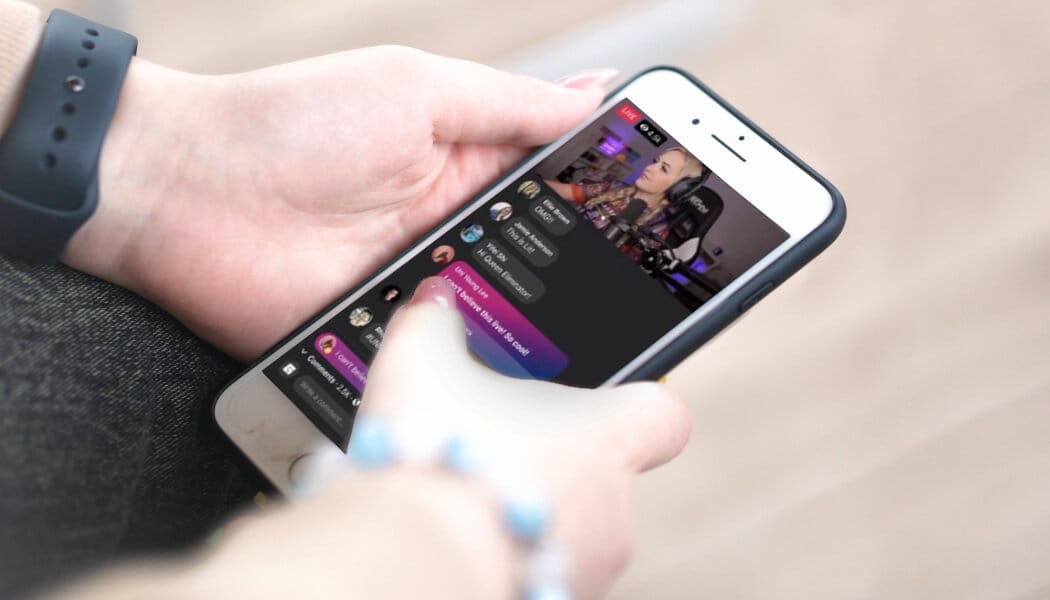
You can only monetize Facebook Live when your Page, audience, content, payment setup, and country all meet Facebook’s specified requirements. Note that some legacy routes have been closed as the platform reorganizes its programs. Meet the rules, file the checks, and your Page becomes eligible; miss one box and monetization will be blocked or delayed.
1. Eligibility for in-stream ads (historical rules and current status)
What this used to require
Facebook traditionally tied in-stream ad eligibility to an audience threshold and recent video view volume, for example, the 30,000 one-minute views on videos longer than three minutes within a rolling 60-day window, alongside adherence to monetization policies.
What changed
As of October 4, 2024, Facebook stopped taking new in-stream ads applications while it moves creators into a consolidated Content Monetization Program, so the pathway you relied on may be replaced.
How long approval takes when you do qualify: according to Facebook Business, 90% of Facebook Live creators who meet the eligibility criteria are approved for monetization within 30 days, which shows that once technical and policy checks clear, review typically happens quickly.
2. Content guidelines you must follow
What Facebook enforces
Videos and live streams must not include graphic violence, explicit sexual content, hate speech, or material that promotes illegal activity; all content also needs to meet Facebook’s Monetization Eligibility Standards and Community Standards.
Why this matters in practice
Even small amounts of disallowed material or misleading claims can cause a Page to fail review, so quality control and pre-stream checks are not optional; they are the gate.
A real pattern we see, repeatedly
creators who aim for edgy or borderline material often find their live sessions demonetized, which breaks viewer trust and reduces reach more than a conservative edit would have cost.
3. Advertiser-friendly content requirements
What “advertiser-friendly” looks like
Content should be appropriate for general audiences, avoid divisive political or graphic adult themes, and steer clear of sensationalized or harmful claims that advertisers will not associate with.
Practical checklist
Clear, honest titles and descriptions; no repeated slurs or incendiary language; and contextualized discussion if you touch on sensitive topics. Advertiser approval is about predictability, not censorship.
4. Payment method and payout setup
What’s required
Your Page must have an active, verifiable payment method, such as a credit or debit card, or an approved payout account, and your payment info must match the Page/business identity Facebook expects.
Common friction we’ve fixed
When we helped creators complete onboarding, the process often stalled because payment structures and business types were rigid, and attempts to get support routed creators to generic FAQs, producing delays of many days before payouts could be activated.
Practical step
Verify bank/payout details early and keep documentation ready so minor mismatches do not turn into multi-week holds.
5. Country eligibility
Geographic limitation
Facebook only enables live monetization features in a defined set of countries, so your Page and your primary audience must be in an eligible market such as the United States, the United Kingdom, Canada, Ireland, Australia, or New Zealand, among others.
Why audience location matters
Eligibility is tied to both where the Page is registered and where the bulk of viewers live, so migrating your audience or operating through a regional Page can change qualification status.
6. Who is eligible to monetize their Facebook Page
Core account conditions
You must be at least 18 years old, have a Page (not just a personal profile) linked to your account, and maintain original, unique content that consistently follows Facebook’s monetization and advertising policies.
Audience and activity thresholds
Facebook sets follower and engagement minimums to ensure scale and safety; according to Facebook Business, creators need a minimum of 10,000 followers to be eligible for Facebook Live monetization, which establishes a clear audience-size threshold creators must reach before Live revenue tools unlock.
Operational requirements
Page must publish within the recent eligibility window, comply with local laws and Facebook’s terms, and avoid facilitating illegal activity or misleading practices.
How to check your status
Open Creator Studio, go to the Monetization tab, select Monetization Eligibility Checker, and pick your Page to see whether it meets each rule; this tool shows the specific failure points so you can fix them rather than guessing.
Status quo disruption (how tooling changes the painful parts)
Most creators handle eligibility checks manually with spreadsheets and screenshots because it feels familiar, but this approach fragments records and slows appeals.
As more creators scale, that friction multiplies into missed payments, wasted hours reconciling mismatched business info, and stale appeals that get canned replies.
Platforms like Crayo centralize eligibility verification, payment validation, and automated appeal templates, reducing setup time from days to hours while maintaining a clear audit trail that reduces support back-and-forth.
That policy change looks like the end, but what actually determines whether your Live show becomes a reliable source of income is something most creators still miss.
Benefits of Facebook Live
Facebook Live gives you direct access to audience attention, relationship-building, and a library of reusable media you can turn into ideas, leads, and new revenue streams. Use it to humanize your brand, accelerate interaction, and extract content that keeps working after the broadcast ends.
1. Deeper personal connection
When I hosted a 90-minute Ask Me Anything, a reader messaged that they suddenly understood who I was beyond the blog, noting tone, humor, and nationality in a way that never came through in text. Live video creates that backstage pass feeling, where small gestures, pauses, and unscripted answers reveal personality. That human detail builds trust faster than polished posts because viewers witness you thinking and reacting in real time.
2. Stronger, stickier engagement
The critical advantage of live format is interaction, not just views. Live sessions invite comments, reactions, and questions in the moment, and those same participants often reappear in later posts and conversations. According to Facebook, Facebook Live videos produce 6 times as many interactions as traditional videos. Facebook is literally rewarding creators who spark that back-and-forth, which means your efforts compound beyond the stream itself.
3. Softer, higher-conversion selling
I rarely pitch hard on live, yet casual mentions of products and services during Q&A have reliably produced sales and subscription spikes. Live adds credibility to offers because viewers see context and intent, not an isolated call to action. When you present a product while answering doubts out loud, conversion friction drops because objections get handled in the same breath.
4. A direct pipeline for content ideas
Every live session is a research session. When we ran six weekly AMAs, recurring questions surfaced that became blog posts, podcast episodes, and FAQ pages within days. Live reveals the exact language your audience uses for a problem, which makes follow-up content more targeted and higher performing than guesswork.
5. Content you can repurpose endlessly
A single stream can generate full-length replays, short clips for social, transcripts for SEO, and quote graphics for newsletters, multiplying your ROI on the one hour you spent on camera. Because so many people prefer watching brand videos live rather than reading, you can use the original stream as a hub and repurpose it for different attention spans and channels, extending the life of every idea. See Facebook, 80% of users prefer to watch a live video from a brand than read a blog post, which shows why repurposing a live session is often more valuable than producing a separate asset for each channel.
Most creators keep repurposing manuals because clipping, captioning, and formatting feel familiar and low-tech. That works at first, but as you scale, those tasks become a bottleneck: hours are spent editing, captions are delayed, and opportunities to post at peak times slip away. Platforms like Crayo centralize capture and automated clipping, providing captioning and distribution workflows so creators compress repurposing from days to hours while keeping every version consistent.
6. Greater organic discoverability right now
Facebook actively surfaces live streams to online users, and its live-focused features make broadcasts more findable than static posts. If you time streams when your audience is active, you can reach viewers outside your core followers because Facebook promotes live content in discovery features. That makes Live a practical tactic for scaling awareness without paid reach.
7. Positive spillover to other content
High engagement on a live session trains the algorithm to notice your Page, which can improve the visibility of subsequent posts. This is not guaranteed, and the magnitude varies. Still, pattern-based experience shows that strong live interactions often nudge organic reach upward across a short window after the stream, especially when you keep interacting with commenters afterward.
8. Short-term novelty advantage
If your niche has not widely adopted live video, your first streams will surprise and engage more people than routine posts. Early adopters in a niche often get disproportionate attention, like opening a pop-up store in a quiet district, because live adds a perceptible layer of immediacy and presence that static content does not. Use that window to build habits around timing and format before the space fills up.
9. Rapid testing and immediate feedback
Live lets you test messaging, product names, and value propositions with real people and pivot on the fly. If an angle falls flat, you can recalibrate during the same session and see the audience respond. This closed-loop testing shortens the feedback cycle compared with surveys or delayed analytics, giving you clearer signals about what resonates.
10. Private, higher-value community experiences in Groups
Broadcasting live into closed Groups or Events creates an intimate setting that feels exclusive and premium. Creators use these sessions for paid mastermind check-ins, daily challenges, and member-only coaching, and the format increases perceived value because attendees can interact directly and get timely, tailored responses.
A quick note on timing and format choices: if your audience skews older or less platform-savvy, shorter, more structured sessions with clear prompts work better; if your followers are younger and social-first, leave space for improvisation and rapid Q&A. That constraint-based thinking helps you choose between scripted value deliveries and open conversation formats.
And that simple insight changes everything about how you think about turning attention into income.
Related Reading
- Does Snapchat Pay You For Views
- How Much Does Snapchat Pay Per 1,000 Views
- Do You Get Paid For Likes On YouTube
- Is Twitter Premium Worth It
- Does Pinterest Pay Creators
- How Do TikTok Live Gifts Work
- How Much Does Facebook Reels Pay Per 1,000 Views
- Can You Make Money On Twitch
- How To Join YouTube Partner Program
- TikTok Creator Program Requirements
How to Monetize Facebook Live
You can monetize Facebook Live by applying through Creator Studio, enabling the revenue features that match your Page and audience, and then turning streams into sales, tips, subscriptions, sponsorships, and shoppable events. Apply, wait for Facebook’s review, then treat each broadcast as a revenue engine by planning conversions, tracking performance, and iterating quickly.
Creator Studio, step one: how do I apply and what should I prepare?
1. Open Creator Studio and use the Monetisation tab, then run the eligibility checker and submit applications for the options that fit your content. Log into the Facebook account that administers the Page, confirm your payout info and tax/business documents before you apply, and note that Facebook typically reviews applications within 72 hours, so have everything ready to avoid delays.
Which revenue features should I enable first?
2. Pick the features that suit your format and audience, then prioritize activation in this order: subscriptions or recurring revenue if you have repeat viewers, Stars and tips for live interactions, Brand Collabs for sponsored work, ticketed events or Live Shopping for direct sales, and affiliate links for third-party product income. Choose a primary and secondary monetization path so you can measure what actually converts rather than chasing every option at once.
What do I do immediately after approval?
3. Once a feature is approved, use it deliberately. Announce that the option is live, set clear on-stream calls to action, pin purchase or subscription links, and create a simple conversion script you repeat each show so viewers know exactly how to pay, tip, or subscribe without confusion.
How do I shape content to increase revenue?
4. Produce higher-quality, more focused broadcasts that open with a clear value hook, deliver concentrated value in the first 10 to 15 minutes, and close with a short, specific CTA. Routine edits that improve lighting, audio, and pacing raise perceived value and increase the odds a viewer will tip, buy, or subscribe.
How should I experiment to find what pays?
5. Treat formats as experiments: test shorter vs longer streams, co-hosted interviews vs solo Q&A, and dedicated shopping shows vs value-first tutorials. Change only one variable at a time and measure the effect on watch time and direct conversions so you can scale the winners.
How do I use live interaction to convert viewers?
6. Prioritize real-time engagement, because live conversation drives revenue more than passive watching. Since Facebook Live videos generate 10 times more comments than regular videos, make rules for handling the first wave of comments, call out names, and turn questions into soft sales moments.
What metrics matter, and how should I iterate?
7. Treat analytics as your operating compass: track peak concurrent viewers, average watch time, retention at key minutes, conversion rate per CTA, and revenue per stream. Live sessions are retention engines, and because Facebook Live videos are watched 3 times longer than regular videos, prioritize tactics that extend watch time, like segmented content blocks and mid-show incentives, since longer viewing increases both ad and tip opportunities.
What audience thresholds should I plan for?
8. Set explicit follower and view goals tied to revenue outcomes: aim for 10,000 followers to unlock in-stream ad opportunities and roughly 1,000 followers to access Brand Collabs Manager, while subscription models perform best when you reach around 10,000 followers or sustain 250 returning viewers; treat these as milestones to unlock higher-earning programs and better brand deals.
How should I structure affiliate and ecommerce revenue?
9. For affiliate marketing, select programs that match your niche, place links in the pinned comment and post-show descriptions, disclose relationships, and optimize offers that pay typical commissions in the 10 to 20 percent range through networks like ClickBank or Amazon Associates. If you sell your own goods, link your product catalog to Facebook Shops, tag items during live demonstrations, and use Live Shopping events so viewers can buy without leaving the stream.
What common creator habit slows growth, and what fixes it?
10. Most creators stream, then treat the recording like a finished product and move on. That habit wastes attention because a live session can become dozens of assets. This familiar approach works at first, but as streams multiply, manual clipping, captioning, and distribution create a bottleneck, delaying promotional posts and losing momentum. Solutions like platforms using a clip creator tool centralize clipping, captioning, and distribution, compressing post-production from days to hours while keeping every repurposed asset consistent and on schedule.
A pattern I see across creators is brutal but straightforward: they expect organic viewers to convert without a repeatable conversion path. When you treat each stream as a funnel, and instrument the end-to-end flow from announcement to post-live clips, conversion rates climb and sponsorships become easier to sell.
Crayo AI automatically turns your long-form streams into ready-to-post shorts, captions, effects, and music so that you can monetize duplicate content multiple times with minimal effort. Try Crayo’s free clip creator tool today by clicking the Try Now button on the homepage, no account required.
That solution helps, until you discover the one conversion detail most creators still miss.
Related Reading
- Requirements For the YouTube Partner Program
- Instagram Reels Bonus Eligibility
- How Much Does Facebook Pay For Views
- How Much Is X Premium
- Facebook Reels Monetization Requirements
- How Much Money Do You Get From TikTok Live Gifts
- How To Superchat On YouTube
- Twitch Affiliate Vs Partner
- Twitch Monetization Requirements
- Requirements For Twitch Affiliate
How to Earn from Facebook Live in 6 Steps
You can earn from Facebook Live by layering revenue streams, treating each stream as both a product and a marketing moment, and using fast repurposing to keep funnels full. Focus on predictable offers you can repeat, real-time engagement that converts, and tooling that turns one hour of live content into many revenue opportunities.
1. Crayo AI: Rapid shorts production and repurposing
Platforms like Crayo solve the bottleneck most creators accept as unavoidable: manual clipping, captioning, and style work that can eat up days. The familiar approach is to edit by hand because it feels precise and free, but as streams multiply, those hours accumulate into missed posting windows and cold sponsorship conversations. Solutions like Crayo centralize clipping, auto-generate captions, apply effects, add background music, and export unlimited shorts at once, compressing post-production from days to minutes.
How to use it, step by step, so you actually monetize more often: write a short outline or prompt, choose a template for background visuals and narrator voice, let the tool auto-apply captions and music, then export clips sized for each platform. That last part matters: consistent cadence and timely clips turn a single stream into repeatable points of contact that make paid events, sponsorships, and subscription pitches far easier to sell. Try Crayo’s free clip creator tool today. Just click the ‘Try Now’ button on our homepage to get started. No account required.
2. Paid Online Events: Ticketed live sessions that scale
Most creators sell one-off workshops without designing the follow-through, and attendance converts poorly when the event feels like a single exposure. Structure your ticketed events as a short live core plus immediate deliverables, for example, a 60 to 90-minute session with a downloadable workbook, a replay, and a follow-up 30-minute Q&A reserved for ticket-holders only.
Price with tiers, early-bird discounts, and a limited VIP slot that includes a recorded audit or one-on-one review. Use scarcity honestly, set a clear refund policy, and pin purchase links before you go live so converting is frictionless. Bundle an event with a low-priced upsell early in the replay, and watch lifetime revenue per attendee rise because a paid attendee is already primed to buy more.
3. Facebook Stars: Turning live engagement into direct dollars
Think of Stars as micro-tipping that also signals social proof; the comments that come with paid Stars can spark herd behavior among viewers. Because Stars access is invite-only, the real work is building a habit of small, frequent interactions that create the signals Facebook rewards. Run micro-campaigns during streams where you call out star milestones, assign small rewards for specific thresholds, and display an on-screen goal so viewers see progress.
Private shoutouts, a themed "star leaderboard" for regulars, and short, time-limited incentives work better than vague gratitude. This approach keeps viewers engaged, and engagement drives both stars and the longer-term relationships that lead to sponsorships and subscriptions.
4. In-Stream Ads: Design your stream like modular content
Content that supports ad slots performs better than content that shoehorns ads into awkward moments. Treat your show as a series of modular chapters, each with a clear value peak, and place mid-rolls at natural transitions where retention tends to dip anyway.
Test frequency by running one mid-roll for shorter shows and two for sessions over 60 minutes, and always have a small retention activity after the ad to pull viewers back in, such as a quick demo or question round. If you are not yet eligible for in-stream ads, use the same modular structure to create short clips that perform on ad-friendly platforms, so you build alternative passive revenue while you grow live minutes.
5. Brand Sponsorships: Sell measurable outcomes, not airtime
Brands buy outcomes, not goodwill. Lead pitches with a compact experiment: one live mention, one clip distribution plan, and a tracked link or promo code so you can prove conversions. Offer a blended deal, for example, a flat fee for the broadcast plus a performance bonus based on conversions, and explain how you will measure success in three metrics only: clicks, conversion rate, and cost per acquisition for that brand.
Put those numbers in your media kit and show a plan to amplify the sponsored moment through clips and events. Networking is not mysterious; set a 30-day follow-up cadence with marketing contacts and deliver a short post-campaign report that proves the next deal is lower friction.
6. Subscriptions: Build membership by providing recurring value
Subscriptions stick when members receive predictable benefits they cannot get elsewhere. Create a simple three-tier model with clear benefits for each tier, for example, monthly exclusive streams, a private Q&A, and limited downloadable templates or discounts.
Lead new subscribers with a 14-day trial tied to a special live onboarding session so they experience the community immediately. Track churn by cohort, measure revenue per subscriber, and run brief reactivation flows for those who drop off within 30 days. The hardest part is consistency; publish a repeatable calendar so subscribers know when the next exclusive drop happens and can plan to attend.
A pattern I see across creators is blunt: eligibility barriers and threshold chasing exhaust energy and attention, but the real failure mode is treating live video as isolated broadcasts rather than repeatable, repurposable products; when you shift to product thinking, each monetization path becomes easier to reach.
Social Media Examiner reports that Facebook Live videos receive 10 times as many comments as regular videos, which is why micro-engagement tactics pay off. Also, because Hootsuite found live videos on Facebook have a 135% greater organic reach than photo posts, timing and promotion matter as much as content quality.
That advantage is real, but the surprising bottleneck nobody talks about will change how you think about short-form success.
Create Viral Shorts In Seconds With Crayo
When I work with creators trying to turn short clips into steady income, the pattern is clear: speed and steady output beat perfect edits and open the door to opportunities like the TikTok Creator Fund. Try Crayo’s free clip creator tool to test that idea, since it creates viral shorts in seconds, and over 1 million videos created using Crayo AI show you can move from prompt to publishable clips at scale. You can start on the homepage without an account.
Related Reading
- How To Get Paid On Twitter
- How To Sell Products On TikTok Live
- How Are Instagram Story Views Sorted
- Requirements To Get Paid On TikTok
- How To Become A Twitch Partner
- How To Get More Story Views On Instagram
- How To Join TikTok Creator Program
- Best Social Media Platform To Make Money
- How To Monetize Facebook Page
- LinkedIn Creator Accelerator Program