Selling on TikTok Live can turn casual viewers into customers, but many creators hit the same snag: how to keep attention long enough to make a sale. If you want to learn How To Make Money On Social Media, mastering TikTok Live shopping, product demos, influencer marketing, and in-stream purchases matters more than posting more content.
How do you create viral social media videos that keep viewers watching, asking questions, and hitting the buy now button? This guide walks through live-selling tips you can use right away, covering camera and lighting, crafting a clear call to action, and using analytics to boost conversion rates.To turn those lessons into real clips that sell, Crayo’s clip creator tool trims long streams into short highlights that spark engagement and drive purchases, making it simple to repurpose product demos into snackable videos you can test and share.
Summary
- TikTok Live engagement rose 50% year over year, and sessions can run up to 60 minutes, which makes longer-form storytelling and layered demonstrations more viable than before.
- Users spend an average of 30 minutes per TikTok Live session, giving hosts time to build narrative, test offers, and present multiple monetization moves in a single broadcast.
- Monetization on Live breaks into four primary paths, and creators face a hard entry gate since TikTok requires at least 10,000 followers to start broadcasting live. Active engagement mechanics matter: audience interaction boosts viewer retention by up to 30%, and interactive features like polls and Q&A lift engagement rates by about 15%.
- Co-hosted segments and collaborator-driven shows reliably improve outcomes, with products featured in collaborative streams showing roughly a 25% increase in click-through rates.
- Post-live production is a common bottleneck, but batch workflows can shrink the loop from days to hours, enabling tests of 3 different openers within 48 hours and the rapid creation of at least 10 headline clips, three demo clips, and 5 UGC-style variants.
- This is where Crayo's clip creator tool fits in, addressing post-live friction by automating clip capture, captioning, and batch exports so teams can move from multi-day editing cycles to same-day publishing.
Benefits of TikTok Live
TikTok Live gives you direct, real-time reach and relationship-building that prerecorded posts cannot match, and it also opens practical paths to longer-format storytelling and monetization. Use it to pull in new viewers, deepen trust with those who stay, and create durable content you can reuse across channels.
1. Grow Your Audience Reach
A short, For You Page-friendly clip followed by a live stream turns the post into a feeder channel that brings fresh viewers into your room, expanding your follower base. After working with creators and small commerce brands, the pattern became clear: the pre-live post acts like a hand on the door, signaling to curious viewers that something worth watching is happening. Think of the post as a sidewalk sign and the live as opening the shop for people who were already walking by.
2. Forge Stronger, Personal Connections
Live video lets you move past polished edits and show the messy, human side of your brand, which builds absolute trust fast. You can answer questions on the spot, react to comments, run on-the-spot demos, or play quick games with viewers; those exchanges create a familiarity that pre-recorded clips rarely achieve. That closeness matters because engaged viewers convert into repeat buyers and loyal fans who stick around when you need them most.
3. Produce Long-Form Content That Actually Performs
You get up to 60 minutes in a single session, which means you can host in-depth Q&A, product walkthroughs, or multi-part stories without chopping ideas into microclips. Longer sessions let you layer narrative, demonstration, and social proof into a single stream, strengthening your persuasive arc. Also, sessions are not fleeting; according to Buffer, TikTok Live sessions have seen a 50% increase in engagement over the past year. This shows that people are not only tuning in, but also interacting more.
4. Mine Live Streams For Evergreen Content
A live session is a content factory. You can edit highlight reels, extract product demos, create testimonial snippets, and post them across TikTok, Instagram, or YouTube. This repurposing multiplies the ROI of every minute you spend live and reduces the pressure to invent new short-form hooks constantly. The trick is to plan repurposing in advance, so your live segments align with future clips, straps, and vertical optimizations.
5. Make The Session Economically Productive
Live formats let you layer several monetization moves into a single session, from product demos and exclusive drops to games, limited-time discounts, and direct gifting. Because viewers stay longer, you can present a narrative that leads to purchase without feeling pushy, and you can test bundles or pricing in real time. Sessions are longer by design, and that shows up in behavior. Buffer Users spend an average of 30 minutes per session on TikTok Live, giving you time to tell a persuasive story rather than sell in a single sentence.
Most teams handle live planning with a mix of spreadsheets, ad-hoc reminders, and last-minute creative pushes, which feels familiar and low-cost at first. That approach breaks down quickly as you scale, because scheduling, clip trimming, and performance tracking are scattered across tools, resulting in wasted hours and inconsistent conversion rates. Platforms like Crayo centralize scheduling, automatic clip capture, and live analytics, so teams reduce coordination friction and turn one live hour into a predictable set of publishable assets.
When you go live, treat it like a staged experience: map the opening hook, the middle demonstration, and the closing call to action, then assign repurpose clips before you go on air. That structure keeps momentum, lets you A/B test offers across streams, and makes editing afterward much easier, so you get both immediate interaction and lasting asset value.
That feels like progress, but converting attention into dependable revenue brings a different set of rules and surprises.
Related Reading
- Does Snapchat Pay You For Views
- How Much Does Snapchat Pay Per 1,000 Views
- Do You Get Paid For Likes On YouTube
- Is Twitter Premium Worth It
- Does Pinterest Pay Creators
- How Do TikTok Live Gifts Work
- How Much Does Facebook Reels Pay Per 1,000 Views
- Can You Make Money On Twitch
- How To Join YouTube Partner Program
- TikTok Creator Program Requirements
How to Make Money on TikTok Live
You can earn from TikTok Live in four primary ways: direct viewer tipping via Gifts that convert to Diamonds, monthly LIVE Subscriptions for recurring revenue, paid brand or sponsored Lives, and by selling your own products or memberships directly from the stream. Each method requires a different setup, audience signals, and a repeatable live workflow to scale reliably.
1. Gifts Converted to Diamonds
How Do Gifts Turn Into Cash?
Gifts are virtual items viewers buy with TikTok Coins and send during a broadcast; TikTok converts them into Diamonds, which you can cash out. Think of Gifts like an onstage tip jar that rewards spontaneity, but unlike a jar, small tokens scale when you design prompts and rituals that invite them.
Creators often find this stream unpredictable and stressful; when we coached live hosts across several multi-week runs, the pattern was clear. Gratitude loops and visible recognition consistently increased tipping behavior because viewers felt seen and rewarded for their contributions. Practical moves that raise gift velocity: name top gifters aloud, run momentary goal meters, create limited-time reward tiers, and build recurring rituals so viewers know what to expect when they show up.
2. LIVE Subscriptions
Why Should You Build Subscriptions?
Subscriptions give fans monthly access to perks like subscriber chat, badges, and custom emotes, creating a dependable income if you keep retention high. Eligibility and the cadence of exclusive content matter more than flashy offers.
Design a repeatable calendar of subscriber-only events, stagger perks so new signups see immediate value, and automate simple thank-you flows that run the first 72 hours after a sign-up. If retention slips, analyze the first two weeks of engagement, because churn usually reveals which promise failed to follow through.
3. Brand Partnerships And Sponsored Lives
What Makes A Sponsored Live Pay Well?
Brands pay for direct exposure and measurable action, not vague impressions. Prepare a short, quantifiable brief for sponsors: average live-view count, typical watch time, examples of past conversions, and a clear in-stream call to action. When pitching, anchor fees to outcomes, for example, a flat fee plus a performance bonus tied to a promo code or tracked link.
Remember that pitch credibility- after metrics, even if it starts well before the call, so build a simple one-page case study that shows one live’s before-ae change was only a spike in website clicks. When brands hesitate, suggest a small test and live with precise measurement, which often unlocks larger deals.
4. Promoting Your Own Products And Services
How Do You Convert Viewers Into Customers?
Selling your own items during Live is the strongest path to long-term revenue because you control margin and customer relationships. Use tight funnels: a clear, time-limited offer in-stream, a short form or checkout link, and an incentive for immediate action, such as limited stock or a bonus for the first 50 buyers. Track UTM parameters and conversion rates per stream to see which formats and CTAs work. For creators selling memberships or courses, a follow-up email sequence that begins within 24 hours turns casual interest into purchases more reliably than a single post-Live reminder.
Most creators coordinate recording, clip editing, and captioning by hand because it feels low-cost and flexible, which works early on. As streams scale, that familiar approach fragments work across tools, eats hours in editing, and causes inconsistent clip quality, costing potential sponsorships and repeat viewers. Platforms like clip creator tool centralize clip capture, auto-generate captions and effects, and batch-export shorts, reducing manual post-production from days to hours while keeping output consistent.
A Few Practical Constraints You Need To Accept
You cannot start monetizing Live without meeting platform rules, and one hard gate is follower count, since TikTok requires at least 10,000 followers to start broadcasting live, according to Muvi, 2025-03-18. Also, keep the audience math realistic: a large portion of the platform engages with live content regularly, which means a well-timed stream can reach many potential buyers or gifters, as TikFinity Blog (2025-11-03) reports that more than half of users interact with live streams each month.
Practical Checklist To Run A Monetized Live (Quick Operational Rules)
- Set one measurable goal per stream, for example, gifts per minute, subscription signups, or sales conversions.
- Build a short pre-live script: opener, value demonstration, social proof moment, one clear CTA.
- Track outcomes with simple metrics: peak concurrent viewers, average view time, gift count, subscription signups, and conversion rate for tracked links.
- Test one variable per stream, then repeat the successful change across three consecutive shows to confirm actual lift.
Crayo AI accelerates turning live moments into polished shorts and captions automatically, so teams keep creative momentum without juggling editors. Try Crayo’s free clip creator tool today — just click the ‘Try Now’ button on our homepage to get started, no account required.
That solution sounds tidy, until you realize the hard part nobody talks about: keeping momentum from one paid stream into the next.
How To Sell Products On TikTok Live in 6 Ways
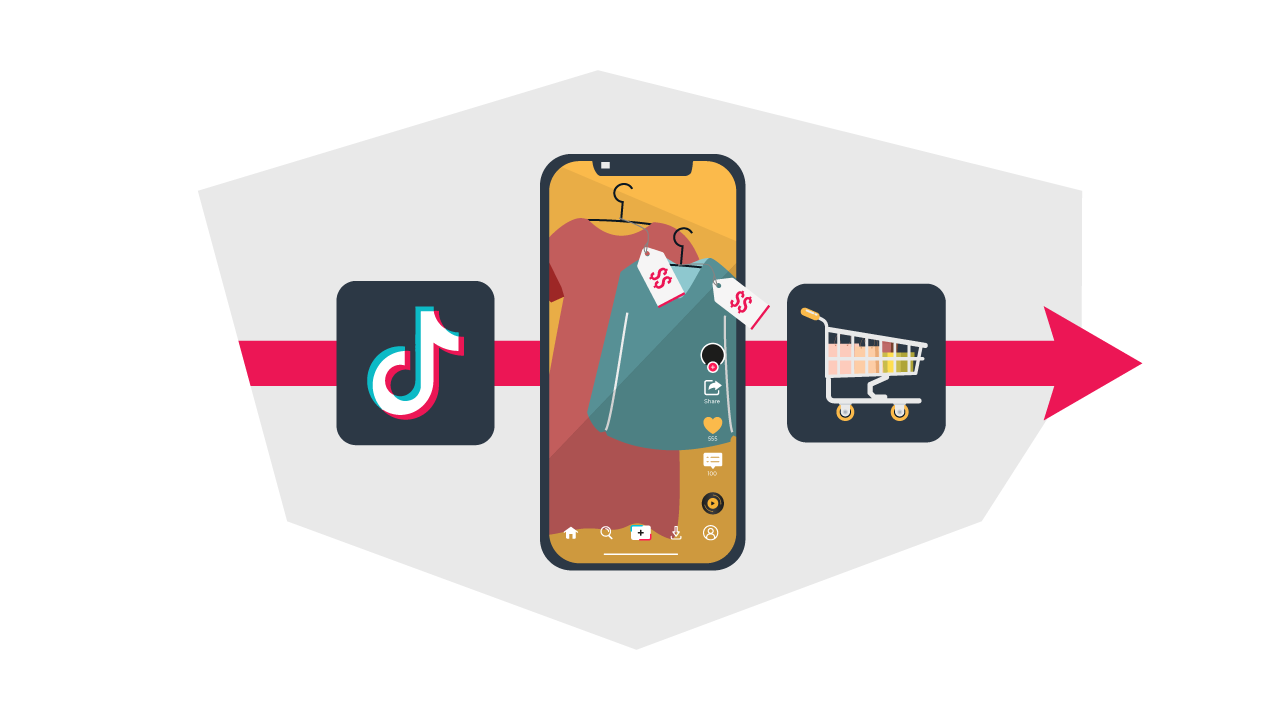
You sell products on TikTok Live by designing tightly focused sessions that remove buying friction, answer questions in real time, and turn viewers into immediate buyers through clear, timed offers and social proof. Structure each stream with a single conversion goal, prepare the creative assets that support that goal, and treat the session as both a sales channel and a content engine you can repackage afterward.
1. Crayo AI: Batch Short-Form Clips And Iterate Fast
Crayo lets teams convert a single idea into dozens of short clips in minutes, not days. When we used Crayo AI to generate a weekend's worth of variant hooks and captions, we could test three different openers within the same audience within 48 hours, learn which language drove clicks, and push the winning clip back into the live promotion funnel.
Practical setup, step by step, including writing a short prompt that lists the product benefit, select a visual template and voice, pick music and a caption style, then export many variants for A/B testing. If you run a seasonal drop, generate at least 10 headline-led clips, three demonstration clips, and five UGC-style clips, so you always have a fresh pre-live feeder.
Try Crayo’s free clip creator tool today by clicking the Try Now button on the homepage, no account required.
2. Co-host your event, but script the split roles
Invite a partner or creator who brings a distinct audience and a clear role, then lock the on-air choreography in advance. Decide who opens, who handles live questions, and who closes the offer, and rehearse a 60‑second transition so the split screen feels intentional rather than chaotic.
Feature one product per co-host segment and synchronize on-screen product links at those moments; products shown in a collaborative segment tend to convert better, according to Darkroom Agency (2025-01-01), "Products featured in TikTok Live streams see a 25% increase in click-through rates." Use co-hosts to create scarcity rituals, such as timed bundles or joint giveaways, since two trusted voices convert faster than one.
3. Host A Targeted Q&A That Removes Buying Friction
Turn the Q&A into a conversion engine by collecting questions before the show and grouping them into decision stages: product fit, sizing/specs, returns and shipping, and social proof. Create a short decision tree so you can answer quickly when someone asks about fit, and show a close-up demo. When someone asks about durability, reference the live stress test clip. We found that marking three anchor questions and answering them at minutes 5, 20, and 40 reduces hesitation and shortens the sales cycle. Use the platform’s Q and feature to pin priority questions, and overlay a clickable product link when you give a definitive buying answer.
4. Give A Behind-The-Scenes Tour That Feels Urgent And Human
Design the tour as a narrative, not a factory walkthrough. Open with one small stake, like finishing the last sample for a limited run, then move through three sensory beats: touch or texture, makers’ comment, and a customer reaction clip.
That sequence turns curiosity into emotional investment. Film the same moments with a second phone for vertical clips you can post as momentum builders, then save the best 30 seconds as a highlight reel to feed future streams. Be mindful of privacy and consent when showing team members, and use the tour to highlight value props customers care about, such as sustainability or artisanal detail.
5. Run A How-To Demonstration Built Around Interaction Mechanics
Pick one measurable outcome for the demo, such as “show how the jacket folds into a travel pouch in 90 seconds,” and design micro-prompts that invite participation. Ask viewers to vote on which feature to test next, pull a comment into the frame, or drop a quick poll to decide color choice. These interactive moves pay off Darkroom Agency, 2025-01-01, "Engagement rates of over 15% are achievable with interactive TikTok Live sessions."Technically, use tight close-ups, steady lighting, and a second camera for reaction shots so you can cut the stream into high-conversion demo clips after the show.
6. Package Orders On Camera To Reinforce Trust And Encourage Sharing
Make the live packaging sequence a ritual: call out the buyer, show the items, demonstrate the packaging choices, and add a surprise insert that encourages unboxing posts. That public recognition creates social proof and often prompts customers to tag the brand. Respect privacy by anonymizing addresses, asking for permission before showing order details, and pre-stage the orders you will show so you can keep pace with chat. After the stream, use clips of the happiest unboxings as short testimonials in your post-live funnel.
Most teams coordinate post-production with ad-hoc tools because it feels familiar and cheap. That approach scales poorly as you add shows, hosts, and product variants, because clips, captions, and overlays end up scattered across drives. The hidden cost is time and lost momentum, weeks to create assets that should fuel the following live. Platforms like Crayo centralize clip creation, auto-generate captions and templates, and batch-export variants, so teams move from multi-day editing cycles to same-day publishing while keeping consistent creative standards.
When we tested that workflow on a six-week product push, the constraint was never the creative ideas; it was the time between idea and publish. Batch tooling closed that gap and let us run rapid experiments on hooks, which in turn exposed which CTAs and price points actually moved buyers.
That solution sounds tidy, until you hit the one obstacle most teams miss: holding attention long enough to convert people who arrived only for a single clip. What follows matters more than the tactics you just learned; the next section reveals the single skill that keeps viewers from clicking away.
Related Reading
- Requirements For the YouTube Partner Program
- Instagram Reels Bonus Eligibility
- How Much Does Facebook Pay For Views
- How Much Is X Premium
- Facebook Reels Monetization Requirements
- How Much Money Do You Get From TikTok Live Gifts
- How To Superchat On YouTube
- Facebook Live Monetization
- Twitch Affiliate Vs Partner
- Twitch Monetization Requirements
- Requirements For Twitch Affiliate
How to Engage TikTok Live Audience
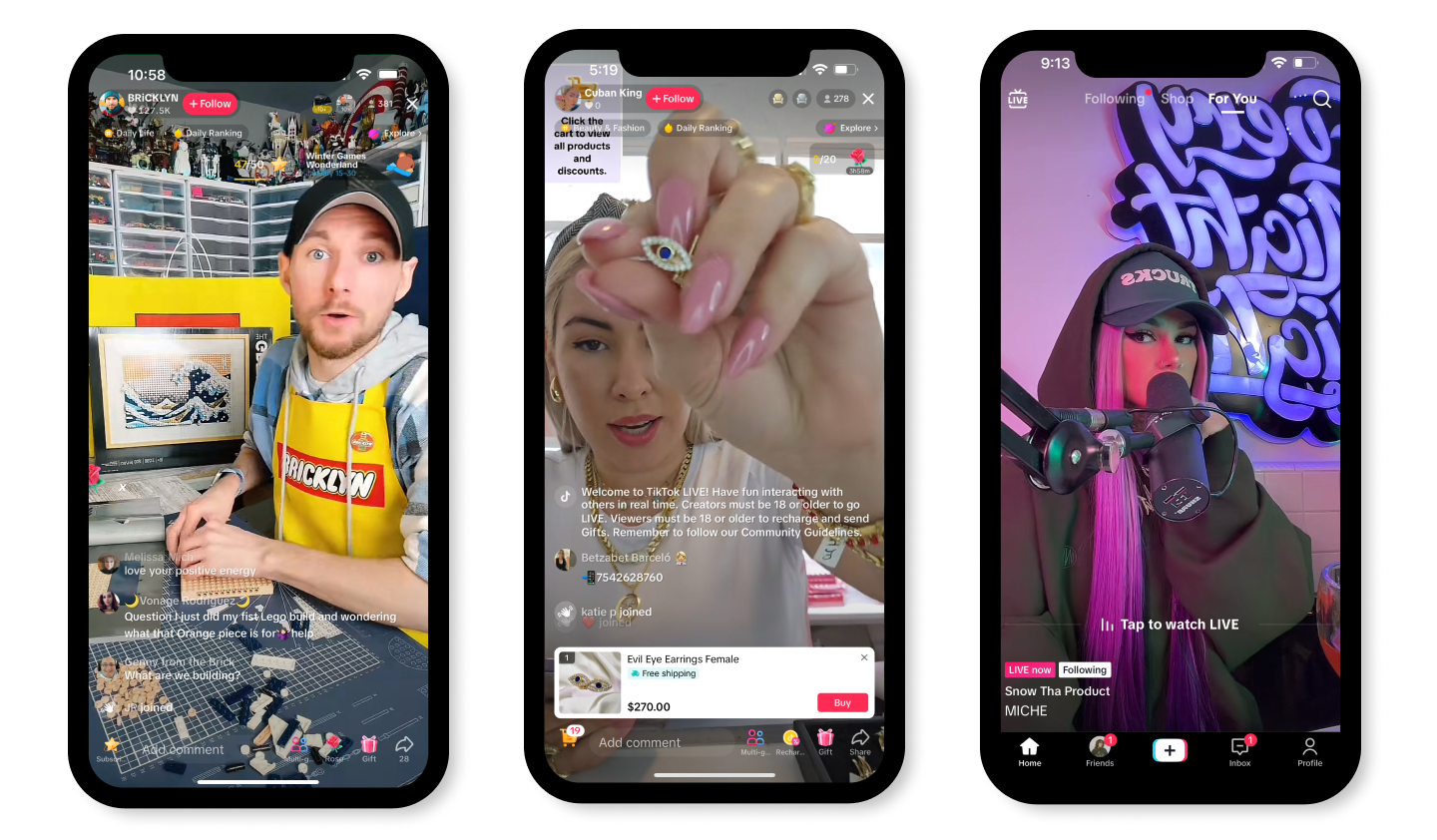
You win attention on TikTok Live by treating the broadcast like a short performance: plan the beats, give people an apparent reason to show up, and then draw them into the action with steady interaction. Do those three things, and your viewers stay longer, interact more, and are far more likely to buy or subscribe.
1. Plan The Flow Before You Go On Camera
Treat the lines like a set list for a show, not a script you must memorize. Write one-line objectives: opener, demonstration, social proof moment, and a single call to action. Map cues for when you’ll take questions, when you’ll show product closeups, and when you’ll announce a giveaway. Prep your room and test lighting and audio until you can start on autopilot; that removes panic and lets you focus on viewers. Think of the plan as a safety rail, not a straitjacket.
2. Give People A Reason That Feels Exclusive
Make the live offer something they cannot get in a regular post: an insider demo, a limited bundle, or a raw behind-the-scenes moment. Announce one clear incentive in advance to set expectations, then honor it during the stream with urgency and transparency. When the reward is meaningful and scarce, viewers feel like participants, not passive consumers.
3. Pick The Slot That Matches Your Crowd’s Habits
If your audience spans time zones, choose a single predictable rhythm rather than chasing every timezone. Use your analytics to identify windows where watchers are already active, then lock them as recurring shows. Regularity builds ritual; ritual beats randomness because people plan around habits.
4. Promote With Layered Triggers, Not Noise
Don’t rely on a single post. Tease with a short clip, pin an announcement, add a countdown, and, if you can, privately remind your top fans. Each layer nudges a different group: casual scrollers, engaged followers, and the superfans most likely to act. Promotion is coordination, not volume.
5. Bring Collaborators Who Complement Your Strengths
Invite one co-host or guest who brings a distinct audience or skill set and predefine roles: who opens, who handles questions, who closes the offer. That choreography keeps the energy tight and avoids on-air confusion. When the pair plays well, you get new viewers from the guest and a more watchable, dynamic stream.
6. Make The Picture And Sound Feel Intentional
A shaky camera or muffled audio undoes trust fast. Use a stable mount, directional mic, and a single key light positioned for flattering, clear visuals. Rehearse camera moves for demos, and use a second phone for close-ups when you need detail. Consistent technical quality turns curiosity into attention; poor quality turns it into an exit.
7. Treat the chat as the show’s instrument
A life without real-time acknowledgement is a monologue. Call out names, answer a few high-value questions on camera, and use the platform’s interactive features, because Click Analytic, 2025-05-29, "Engaging with your audience during TikTok Live can increase viewer retention by up to 30%".
Run a quick poll or a pinned Q&A to steer the session and let the room decide what they want next, since Click Analytic, 2025-05-29, "Using interactive features like polls and Q&A can boost engagement rates by 15%". Those mechanics keep viewers participating, not passively watching.
8. Keep The Run Time Tight And Purposeful
Set a target length and a finish line, then close when you’ve delivered the promised value. Shorter broadcasts with focused offers beat long, unfocused ones because viewers appreciate clarity. If the energy is high at the end, plan a follow-up quick drop or announcement so people have something to return for.
Most teams manage live workflow with ad hoc folders and messy clip hunts because that approach is familiar and feels low-cost. That works at first, but as shows multiply, the time spent finding highlights, tagging moments, and stitching clips becomes the hidden tax on growth editors, and hosts lose hours every week reconciling assets. Platforms like Crayo provide automated capture, timestamped tagging, and searchable clip libraries, so teams keep creative momentum while avoiding the friction that turns live into a maintenance chore.
This work is human, and it gets emotionally heavy. The pressure to be constantly “on” drains creative energy and makes livestreaming feel like a grind rather than a craft. The pattern is clear: creators who lock a simple repeatable format and a small set of rituals regain time to refine product demos and storytelling, and their streams become steadier and less exhausting.
Imagine your life as a well-run dinner service: everyone knows their station, the guest feels seen, and the kitchen hits each course on time. What happens next changes everything about how you turn those moments into clipped, clickable momentum.
Create Viral Shorts In Seconds With Crayo
If you want to convert viewers into buyers on TikTok Live, you need a workflow that moves ideas to publish in minutes so testing and selling stay in step. Crayo AI turns a single prompt into unlimited shorts with auto captions, effects, background, and music so you can produce pre-live feeders, repurpose highlights, and pursue creator fund opportunities; try Crayo’s free clip creator tool today by clicking the 'Try Now' button on the homepage, no account required.
Related Reading
- How To Get Paid On Twitter
- How To Sell Products On TikTok Live
- How Are Instagram Story Views Sorted
- Requirements To Get Paid On TikTok
- How To Become A Twitch Partner
- How To Get More Story Views On Instagram
- How To Join TikTok Creator Program
- Best Social Media Platform To Make Money
- How To Monetize Facebook Page
- LinkedIn Creator Accelerator Program